Frappe Helpdesk
**Customer Service, Made Simple and Effective**

[](https://codecov.io/github/frappe/helpdesk)

## Frappe Helpdesk
Frappe Helpdesk is an 100% open-source Ticket Management tool which helps you streamline your company's support, offers an easy setup, clean user interface, and automation tools to resolve customer queries efficiently.
### Motivation
Managing issues from our customers was a big challenge for us. We were using the ERPNext support module which was not very good in UI and the UX was also not good. We wanted to have a tool that can be easily integrated with our existing system and can be customized as per our needs. So we decided to build Frappe Helpdesk.
### Key Features
- **Agent and Customer Portal Views**: Dual portals for agents and customers to simplify issue submission and management.
- **Customizable SLAs**: Discover how you can set and track SLAs for better response times.
- **Assignment Rules**: Custom auto-assignment of tickets based on priority, issue type, or workload.
- **Knowledge Base**: Learn how to create and manage help articles to empower users and reduce tickets.
- **Saved Replies**: Pre-written replies for common queries to ensure quick and consistent communication.
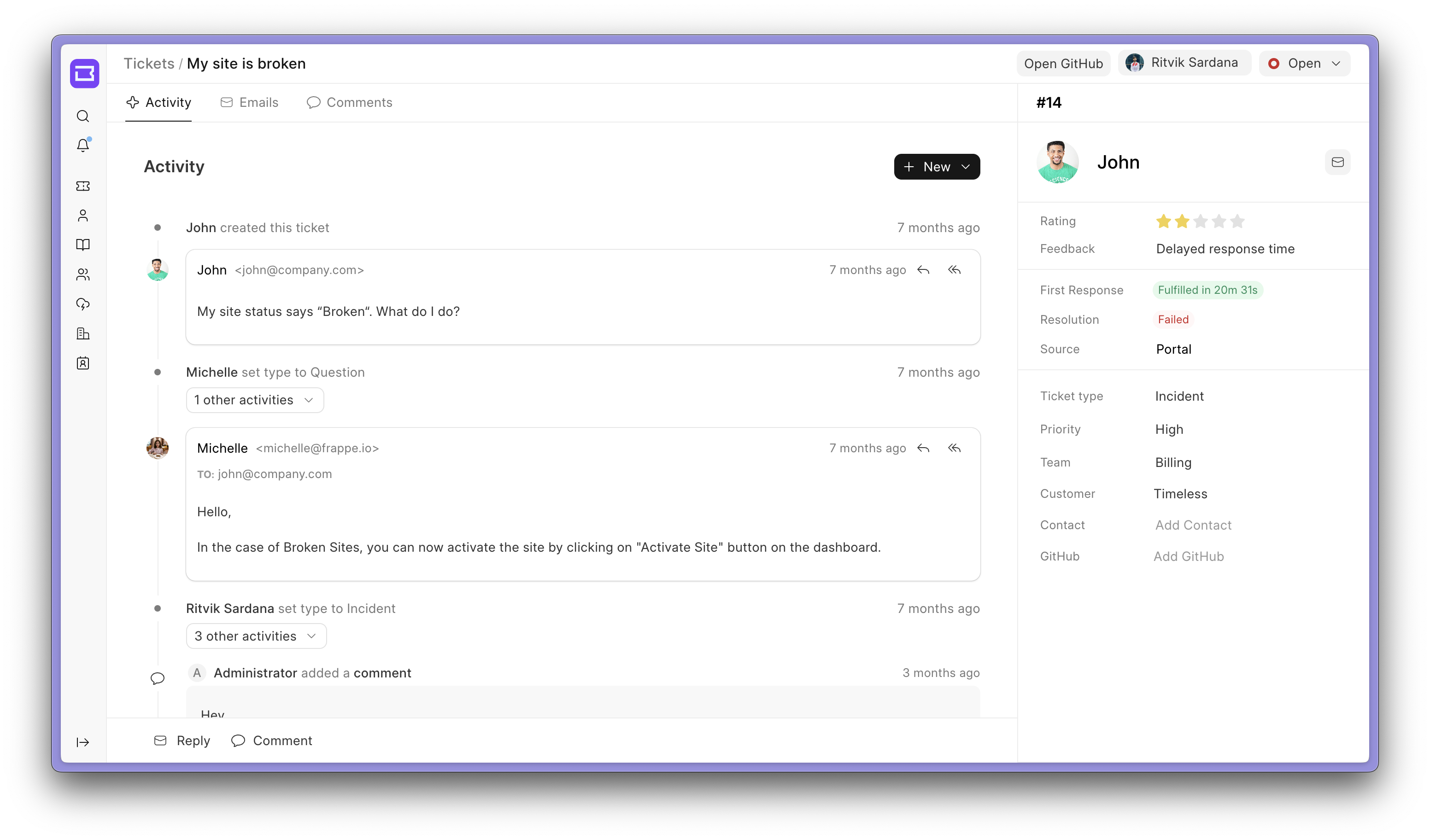
View Screenshots
Agent List View

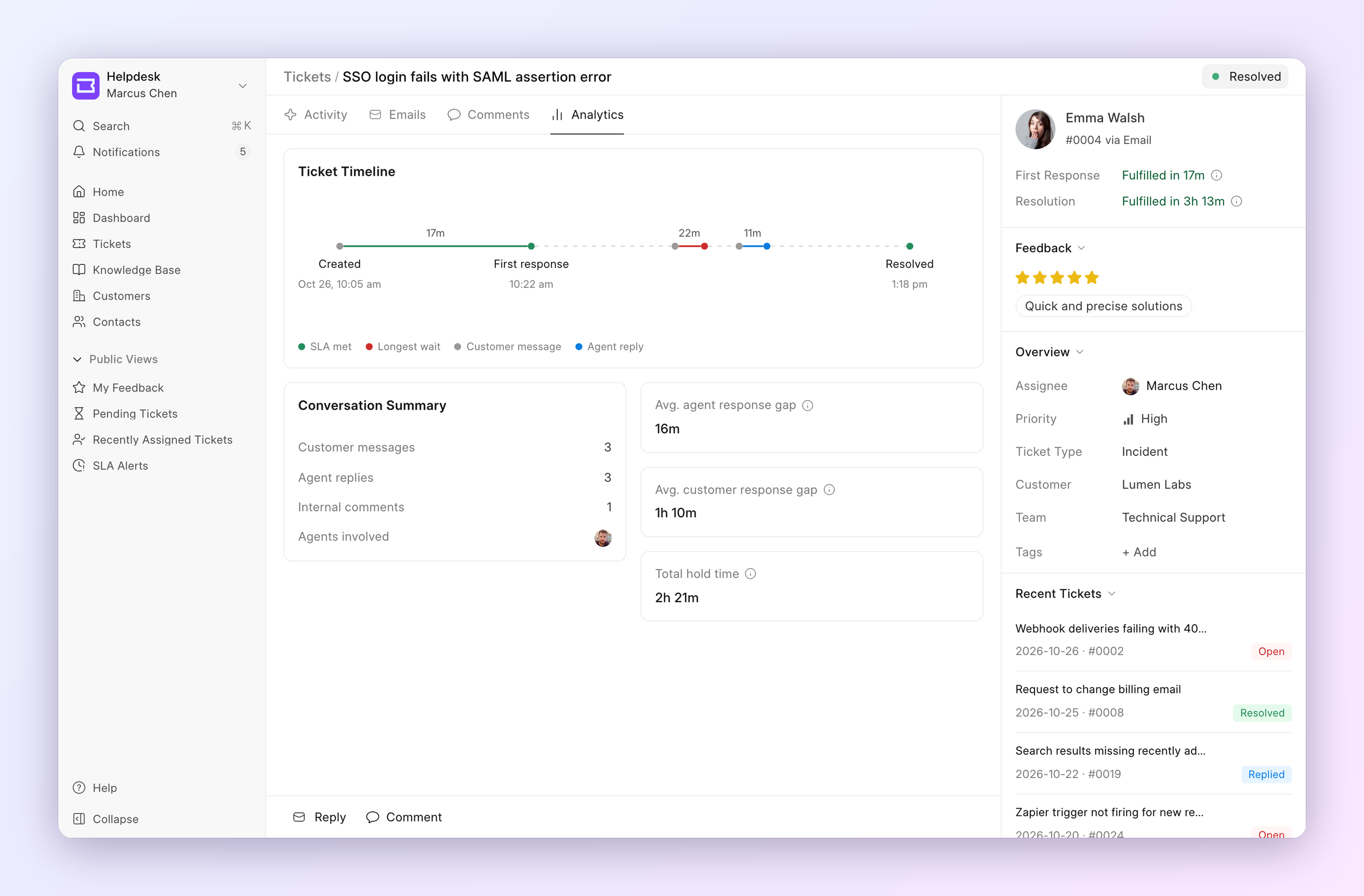
See each ticket's timeline, response times and conversation summary in Analytics.
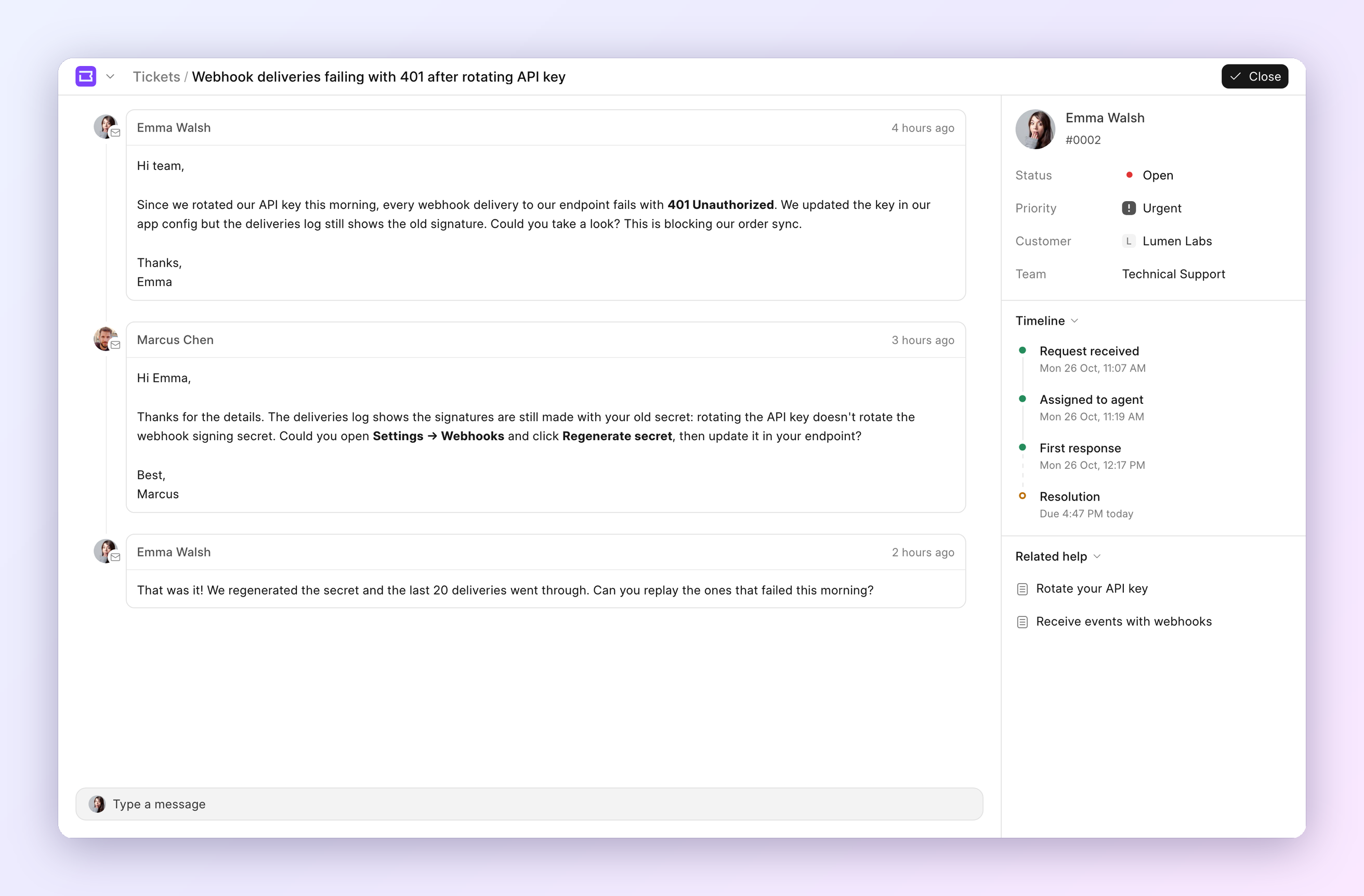
Customers follow their tickets and reply from the customer portal.
Upload articles and let your customer solve their queries through the Knowledge Base.

With advanced search, your customers will be recommended relevant articles regarding their issue.

### Under the Hood
- [**Frappe Framework**](https://github.com/frappe/frappe): A full-stack web application framework written in Python and Javascript.
- [**Frappe UI**](https://github.com/frappe/frappe-ui): A Vue-based UI library, to provide a modern user interface.
## Production Setup
### Managed Hosting
You can try [Frappe Cloud](https://frappecloud.com), a simple, user-friendly and sophisticated [open-source](https://github.com/frappe/press) platform to host Frappe applications with peace of mind.
It takes care of installation, setup, upgrades, monitoring, maintenance and support of your Frappe deployments. It is a fully featured developer platform with an ability to manage and control multiple Frappe deployments.
### Self Hosting
Follow these steps to set up Frappe Helpdesk in production:
**Step 1**: Download the easy install script
```bash
wget https://frappe.io/easy-install.py
```
**Step 2**: Run the deployment command
```bash
python3 ./easy-install.py deploy \
--project=helpdesk_prod_setup \
--email=your_email.example.com \
--image=ghcr.io/frappe/helpdesk \
--version=stable \
--app=helpdesk \
--sitename subdomain.domain.tld
```
Replace the following parameters with your values:
- `your_email.example.com`: Your email address
- `subdomain.domain.tld`: Your domain name where Helpdesk will be hosted
The script will set up a production-ready instance of Frappe Helpdesk with all the necessary configurations in about 5 minutes.
## Development Setup
### Docker
You need Docker, docker-compose and git setup on your machine. Refer [Docker documentation](https://docs.docker.com/). After that, follow below steps:
**Step 1**: Setup folder and download the required files
mkdir frappe-helpdesk
cd frappe-helpdesk
# Download the docker-compose file
wget -O docker-compose.yml https://raw.githubusercontent.com/frappe/helpdesk/develop/docker/docker-compose.yml
# Download the setup script
wget -O init.sh https://raw.githubusercontent.com/frappe/helpdesk/develop/docker/init.sh
**Step 2**: Run the container and daemonize it
docker compose up -d
**Step 3**: The site [http://helpdesk.localhost:8000/helpdesk](http://helpdesk.localhost:8000/helpdesk) should now be available. The default credentials are:
- Username: Administrator
- Password: admin
### Local
To setup the repository locally follow the steps mentioned below:
1. Install bench and setup a `frappe-bench` directory by following the [Installation Steps](https://frappeframework.com/docs/user/en/installation)
1. Start the server by running `bench start`
1. In a separate terminal window, create a new site by running `bench new-site helpdesk.test`
1. Map your site to localhost with the command `bench --site helpdesk.test add-to-hosts`
1. Get the Telephony app. Run `bench get-app https://github.com/frappe/telephony`
1. Get the Helpdesk app. Run `bench get-app https://github.com/frappe/helpdesk`
1. Run `bench --site helpdesk.test install-app helpdesk`.
1. Run `bench build --app helpdesk`. This also builds the customer portal.
1. Now open the URL `http://helpdesk.test:8000/helpdesk` in your browser, you should see the app running. Customers use the portal at `http://helpdesk.test:8000/help`.
**Note:** The `develop` branch needs frappe `develop`, which ships Studio, the app that runs the customer portal. Article search needs Redis with the RediSearch module, for example [Redis Stack](https://redis.io/docs/latest/operate/oss_and_stack/install/install-stack/), in your bench's `redis_cache`.
**For Frontend Development**
The agent portal:
1. Open a new terminal session and cd into `frappe-bench/apps/helpdesk/desk`, and run the following commands:
```
yarn install
yarn dev or yarn dev --host helpdesk.test
```
1. Now, you can access the site on vite dev server at `http://helpdesk.test:8080`
The customer portal, a Studio app:
1. Enable developer mode, allow the dev server's requests, and install dev dependencies:
```
bench set-config -g developer_mode 1
bench --site helpdesk.test set-config ignore_csrf 1
bench setup requirements --dev
```
1. Run `yarn install` in `frappe-bench/apps/helpdesk`. This links `@helpdesk/shared`, the code that the desk and the portal share.
1. Start Studio's dev server in `frappe-bench/apps/frappe/studio/frontend` with `yarn install` and `yarn dev --host`. In developer mode, `bench watch` starts it for you.
1. In another terminal, run `bench --site helpdesk.test watch-studio` and keep it running. It imports the page JSON that you change.
1. Open `http://helpdesk.test:8080/dev/help`. If the desk's dev server already holds 8080, use the port that Studio's dev server prints. `/help` serves the last build, so it shows your changes only after `bench build --app helpdesk`.
1. To edit the portal in the Studio editor, open `http://helpdesk.test:8080/studio` on the same dev server as Administrator and select the **Helpdesk** app. In developer mode, a save writes the page JSON to `frappe-bench/apps/helpdesk/studio`.
**Note:** Helpdesk’s frontend code is in `frappe-bench/apps/helpdesk/desk`, the portal's in `frappe-bench/apps/helpdesk/studio`, and the code they share in `frappe-bench/apps/helpdesk/shared`. See [`studio/README.md`](studio/README.md) for how the portal is laid out.
## Compatibility matrix
| Helpdesk Branch | Compatible Frappe Framework Version |
|-----------------|-------------------------------------|
| version-15 | version-15 |
| version-16 | version-16 |
| develop | develop branch |
`main` stopped at 1.32 and gets no more updates. Move to `version-15` or `version-16`, the one that matches your Frappe version.
## Learn and connect
- [Telegram Public Group](https://t.me/frappedesk)
- [Discuss Forum](https://discuss.frappe.io/c/frappehelpdesk/69)
- [Documentation](https://docs.frappe.io/helpdesk)
## Contributing
1. [Issue Guidelines](https://github.com/frappe/erpnext/wiki/Issue-Guidelines)
1. [Report Security Vulnerabilities](https://frappe.io/security)
1. [Pull Request Requirements](https://github.com/frappe/erpnext/wiki/Contribution-Guidelines)
2. [Translations](https://crowdin.com/project/frappe)