Lost Odyssey Recomp logo # Lost Odyssey Recomp **A native port of Lost Odyssey for Xbox 360.** [![Latest release](https://img.shields.io/github/v/release/freefrank/LostOdysseyRecomp?label=release)](https://github.com/freefrank/LostOdysseyRecomp/releases/latest) [![Downloads](https://img.shields.io/github/downloads/freefrank/LostOdysseyRecomp/total?label=downloads)](https://github.com/freefrank/LostOdysseyRecomp/releases) [![Stars](https://img.shields.io/github/stars/freefrank/LostOdysseyRecomp?style=flat)](https://github.com/freefrank/LostOdysseyRecomp/stargazers) [![License: GPL-3.0](https://img.shields.io/badge/license-GPL--3.0-blue)](LICENSE) [![Last commit](https://img.shields.io/github/last-commit/freefrank/LostOdysseyRecomp?label=last%20commit)](https://github.com/freefrank/LostOdysseyRecomp/commits/main) [![Open issues](https://img.shields.io/github/issues/freefrank/LostOdysseyRecomp?label=issues)](https://github.com/freefrank/LostOdysseyRecomp/issues) [![Support on Ko-fi](https://img.shields.io/badge/Ko--fi-support-FF5E5B?logo=kofi&logoColor=white)](https://ko-fi.com/dotslash) [![Discord](https://img.shields.io/badge/Discord-join-5865F2?logo=discord&logoColor=white)](https://discord.gg/z2yPct6z2w) ![Windows x64](https://img.shields.io/badge/Windows-x64-0078D6) ![Linux x64](https://img.shields.io/badge/Linux-x64-FCC624?logo=linux&logoColor=black) ![macOS arm64](https://img.shields.io/badge/macOS-arm64-000000?logo=apple&logoColor=white) ![Android arm64](https://img.shields.io/badge/Android-arm64-3DDC84?logo=android&logoColor=white) ![Direct3D 12](https://img.shields.io/badge/Direct3D-12-5E5E5E) ![Vulkan](https://img.shields.io/badge/Vulkan-AC162C?logo=vulkan&logoColor=white) ![Metal](https://img.shields.io/badge/Metal-147EFB) ### [Download](https://github.com/freefrank/LostOdysseyRecomp/releases/latest) · [Installation guide](docs/INSTALLING.md) · [简体中文](README.zh-CN.md) [Changelog](CHANGELOG.md) · [Report an issue](https://github.com/freefrank/LostOdysseyRecomp/issues) · [Discord](https://discord.gg/z2yPct6z2w) · [Project board](https://github.com/users/freefrank/projects/3) · [Build from source](docs/BUILDING.md)



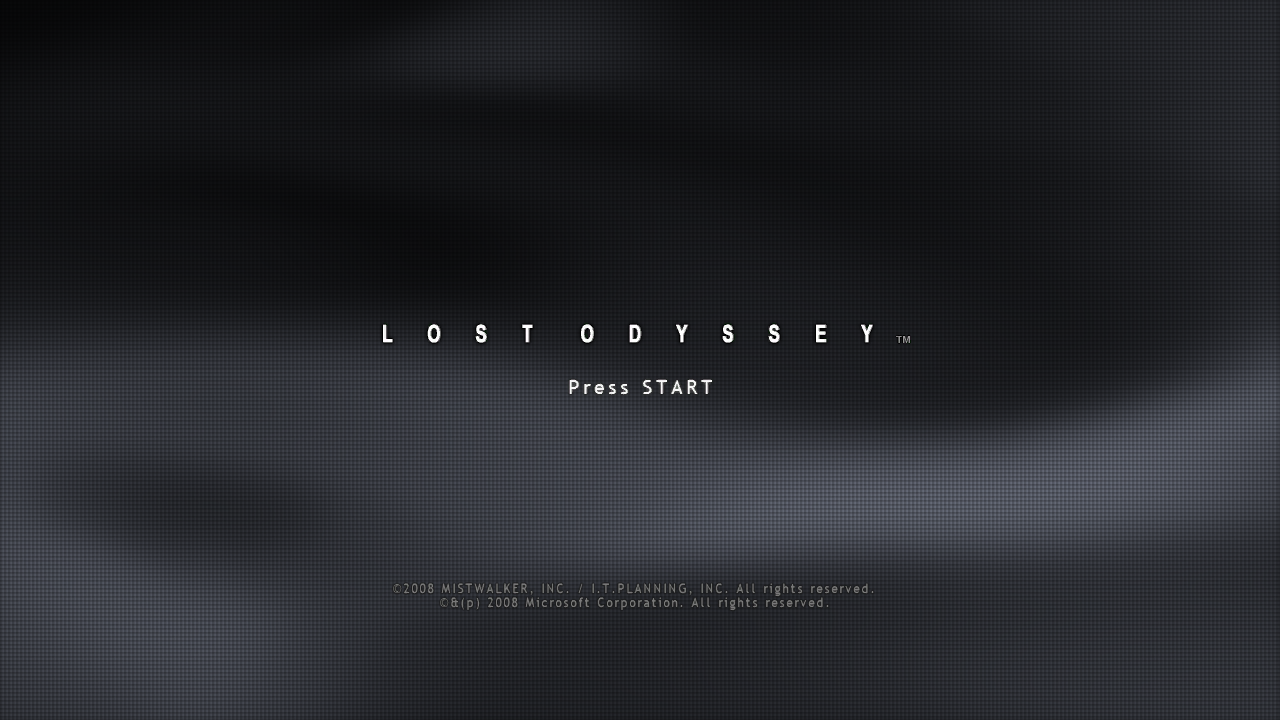
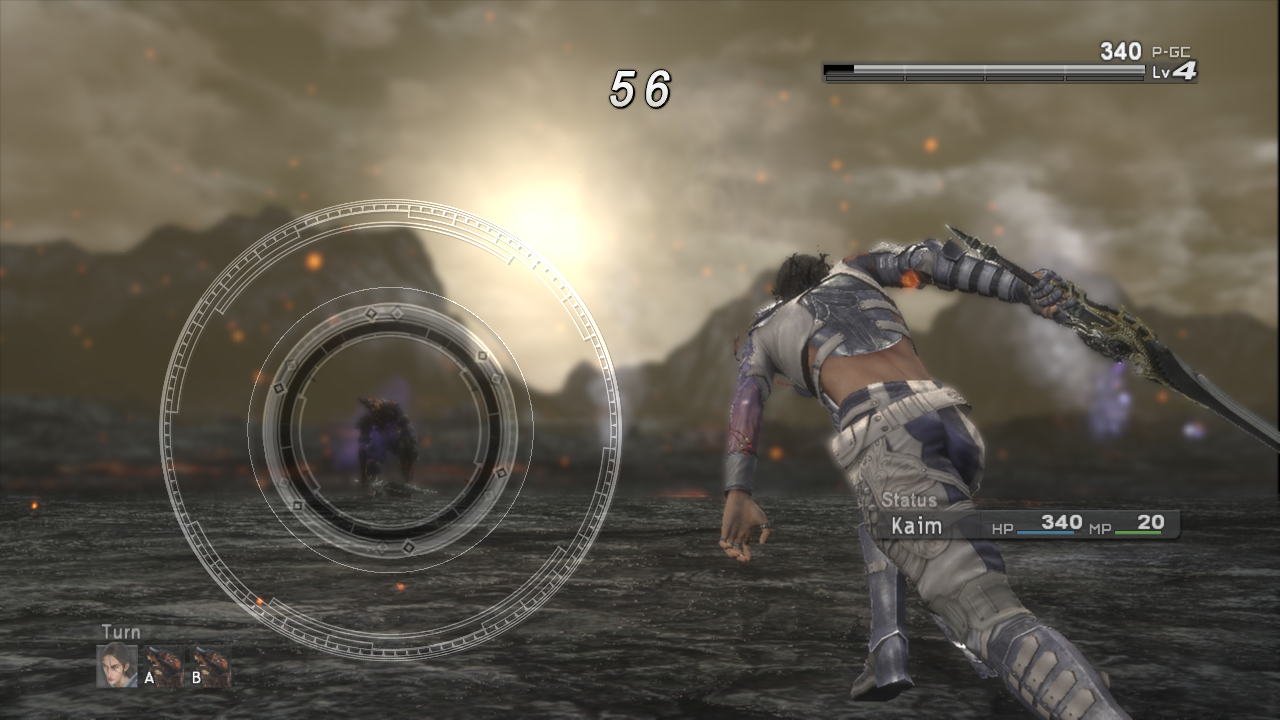
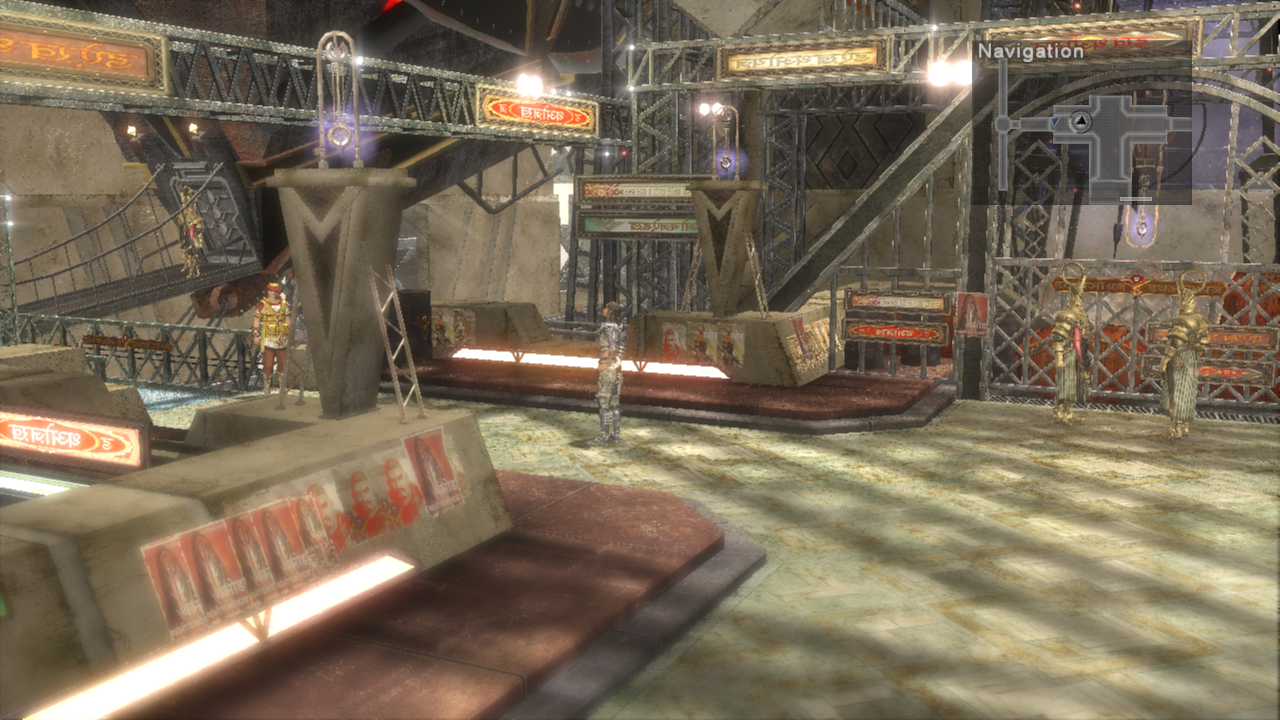
## Contents - [Start playing](#start-playing) - [Features](#features) - [Controls](#controls) - [Debug menu](#debug-menu) - [Files and folders](#files-and-folders) - [Command-line options](#command-line-options) - [Reporting a problem](#reporting-a-problem) - [Screenshots](#screenshots) - [Development](#development) - [Sponsors](#sponsors) - [Credits and game data](#credits-and-game-data) ## Start playing Download the package for your platform from the [latest release](https://github.com/freefrank/LostOdysseyRecomp/releases/latest). | Platform | Package | First launch | | :--- | :--- | :--- | | Windows x64 | `LostOdysseyRecomp-windows-x64-.zip` | Extract the whole ZIP to a writable folder and run `LostOdysseyRecomp.exe`. Needs a CPU with AVX. | | Linux x64 | `LostOdysseyRecomp-linux-x64-.AppImage` | Make it executable with `chmod +x`, then run it. | | Linux x64 | `LostOdysseyRecomp-linux-x64-.flatpak` | Install the Freedesktop 26.08 runtime, then the bundle ([commands](docs/INSTALLING.md#flatpak)). | | macOS arm64 | `LostOdysseyRecomp-macos-arm64-.dmg` | Drag `LostOdysseyRecomp.app` to Applications. Needs an Apple Silicon Mac with macOS 15 or later. | | Android arm64 | `LostOdysseyRecomp-android-arm64-.apk` | Install the APK and open it once. Needs a 64-bit Android 8.0+ device with Vulkan. | On Steam Deck, use **Settings → System → Add to Steam** with either Linux package to add the game and its library artwork ([steps](docs/INSTALLING.md#steam-deck)). Artwork is generated from your game files; if that fails, the game uses bundled fallback artwork. 1. **Import your game data.** The importer opens when no game is found. Select an extracted game folder, `default.xex`, an ISO or GOD data. 2. **Get the shaders.** On the first start the game offers precompiled shaders for your renderer; if you skip, it compiles them once. 3. **Add the other discs and DLC** in Settings → **System → Import discs & DLC**. With all four discs imported, the game changes discs on its own. Disc 1 is required to start. Use one supported four-disc set (Asian multilingual or USA/Europe) and don't mix editions; the [installation guide](docs/INSTALLING.md) shows how to check yours. ### macOS The app is not notarized, so macOS blocks the first launch: try to open it once, then choose **Open Anyway** in **System Settings → Privacy & Security**. To update, replace the app with the new one. [Step-by-step guide](docs/INSTALLING.md#macos). ### Android - **Game data:** opening the app creates `Android/data/io.github.freefrank.lostodyssey/files/game/`. Copy your extracted `disc1`–`disc4` into it over USB, or import disc images with **Game folder → Import disc images…**. **CTRL → Game folder** can point the game at another folder or an SD card. - **Qualcomm devices:** the **GPU driver** page opens before the first start. Download a Turnip driver there. - **Mali devices:** the **GPU driver** page also opens first. Download the recommended PanVK driver there; it needs a Mali-G57, G68, G77, G78 or Mali-G610 and newer GPU. - **Controls:** the touch controls hide when a controller is connected. **CTRL** sets their size, opacity and layout. **Hide all touch controls** hides them completely; reveal the system bars or use Android Back to show CTRL for 4 seconds. - **Updates:** a new APK installs over the old one and keeps your saves. - **Saves:** **CTRL → Saves and logs** exports saves to a ZIP and imports ZIPs from a PC, Xenia or the RGH save converter. Its **Keep saves in the game folder** option uses `/save/` for syncing with a PC; it is off by default and applies at the next app start. - **Logs:** **CTRL → Saves and logs → Export logs** saves them to a ZIP for a bug report ([details](docs/INSTALLING.md#android-logs)). [Step-by-step guide](docs/INSTALLING.md#android). ### Nintendo Switch Ad0ky maintains an experimental homebrew build for Switch consoles running custom firmware. It is not part of the releases here: download it from [Ad0ky's releases](https://github.com/Ad0ky/LostOdysseyRecomp/releases), which also have the install steps. ### HDR Turn on **HDR** in Graphics and save. **HDR peak brightness** opens a calibration page; **LB / RB** switch between the game scene and a test pattern. HDR is available on Windows, Linux and macOS. ## Features | Feature | What you get | | :--- | :--- | | Import | Folder, XEX, ISO and GOD sources, DLC and disc replacement. Your original files are not changed. | | Languages | Menus in English, Japanese, Korean, Traditional Chinese and Simplified Chinese. Game languages depend on your edition. | | Display | Windowed or fullscreen, monitor and GPU choice, 16:9 and 21:9 resolutions (taller screens such as 16:10 are filled), [HDR](#hdr) and **Brightness / Gamma**. Cutscenes and the pause overlay use a centred 16:9 area. | | Anti-aliasing and upscaling | FXAA, SMAA, TAA, DLSS, FSR 3.1, XeSS (Windows Direct3D 12) and MetalFX (macOS). | | Graphics options | Shadow resolution 1×/2×/4×, SSAO/GTAO, anisotropic filtering, depth of field and bloom. | | Frame rate | 30/60/90/120 FPS; VSync Off, On or FreeSync / G-SYNC Compatible VRR. **Performance overlay** shows the frame rate, or a bar with the upscaler, frame generation, CPU and GPU load. | | Loading speed | Graphics → **Loading speed**: Original keeps the Xbox 360 loading pace; Fast (default) loads at a higher frame rate. Effects play at normal speed either way. | | Frame generation | DLSS, FSR or XeSS on Windows Direct3D 12; DLSS on Windows Vulkan. It pauses while cinematic black bars are shown and resumes in gameplay. | | DLSS 5 neural rendering | Windows with DLSS on an RTX GPU. It needs `nvngx_dlssnr.dll`, which the game does not include: put your own copy (tested with 310.8.0.0) next to `LostOdysseyRecomp.exe` and restart. | | Shaders | Precompiled shaders downloaded on the first start, or compiled once and cached. | | Audio | Stereo, 5.1 surround, or matrix surround for an AV receiver. Cutscene dialogue has its own volume. | | Input | Controllers, keyboard and rumble; touch controls on Android. | | Mods | Windows only: texture, model, menu and font replacements, cutscene videos, text translations and language packs (which can add letters the game's fonts lack), and PlayStation button prompts, installed by hand or with Mod Organizer 2 (its plugins are in the Windows ZIP). Other platforms may load mods but are not supported. See the [modding guide](docs/wiki/Modding.md). Ready-made mods, such as the 4x HD texture pack, are shared in the **#mods** forum on [Discord](https://discord.gg/z2yPct6z2w). | | Achievements | The game's 36 Xbox 360 achievements, with an Xbox 360-style notification and sound when you unlock one. **Settings → System → Achievements** lists them with your unlock dates and turns the notification on, silent or off. An `achievement.wav` next to `settings.ini` replaces the sound. | | Discord status | Windows, Linux and macOS: Discord Rich Presence shows your location, disc and activity. **Settings → System → Discord status** is on by default; changes take effect immediately. If status is missing, check the runtime log for connection and activity diagnostics. | | Debug menu | Render captures, Save Anywhere, encounter switches, teleport, fast-forward and cheats. See [Debug menu](#debug-menu). | ## Controls Controllers and the keyboard work together for player 1. If your controller is not recognized, see the [input reference](docs/notes/controller-input.md). | Game action | Keyboard | | :--- | :--- | | Start / Back | Enter / Backspace | | A / B / X / Y | Z / X / A / S | | D-pad / left stick | Arrow keys / I, J, K, L | | Left / right shoulder | Q / W | | Left / right trigger | E / R | | Title menu: Settings (Y) | S | | Title menu: Quit game (Back / View) | Backspace | | Debug Menu | F1 | These are the default keys. **Settings → Gameplay → Controls** changes the keys and the controller buttons, and sets the button prompts and the vibration strength. Quitting from the title menu asks for confirmation, with **No** selected by default. Press **Back** to zoom the minimap; hold it for about half a second to hide the minimap. For Ring actions, use the controller's **right trigger** or **R**. ## Debug menu Press **F1**, or **LB+RB** on a controller (**L1+R1** on PlayStation layouts), to open or close the Debug Menu. The game pauses while it is open. It has three pages, **Overview**, **Teleport** and **Cheats**, and uses the keyboard or a controller. | Action | Keyboard | Controller | | :--- | :--- | :--- | | Select a row | ↑ / ↓ | D-pad up / down | | Change a value | ← / → | D-pad left / right | | Confirm | Enter | A | | Return or close | Esc | B | | Previous / next page | Q or Tab / E | LB / RB | | Change Cheats category | Select the category row, then ← / → | LT / RT | | Open or close the overlay | F1 | LB+RB | ### Overview: captures and game actions **Overview** shows the current map and has the menu language, **Capture render state**, **Save Anywhere**, **Return to title** (outside battles) and an action that wins the current battle. - **Capture render state:** confirm it, then close the menu. The archive is saved in `captures/` with screenshots, rendering data and logs; look through it before sharing. - **Save Anywhere** turns on the game's own **System → Save**. - **Return to title** asks for confirmation before returning to the title screen. Unsaved progress will be lost. It is unavailable from the battle transition through the victory/results screens until control returns to the field or world map. Close the save/load screen and wait for saving or loading to finish before using it. ### Teleport: positions within the current map **Teleport** has a position bookmark, editable X/Y/Z coordinates and the map's points of interest. On the coordinate row, press **Enter** to pick X, Y or Z and **←/→** to move it. Confirm, then close the menu to move. **Debug Event Room**, at the bottom of the page, takes you to the game's own event-debug map (z0g_9). Hold **LB** and press **Up** there to open Scenario Jump. ### Cheats: speed and game-data tools | Category | What it does | | :--- | :--- | | **Quick tools** | Fast-forward, **Encounter rate**, **Battle EXP ×2**, menu animation speed, **Allow memory edits**, gold and HP/MP. | | **Characters** | HP/MP, EXP (0–99, not the level) and skills. | | **Inventory** | Set items and materials to 1, 10, 50 or 99, or fill whole categories. Sort the in-game inventory to refresh it. | | **Equipment** | Weapon, ring and accessory changes. | | **Party** | Party members, rows and field character. | | **Developer** | The original **EDIT MENU**: enable it, close F1, press **LT+RT**. | **Menu animations** sets camp menu opening, closing and submenu transitions to **Normal (1×)**, **Fast (2×)** or **Faster (4×)**. The choice is saved; **Normal** is the default. Gameplay and audio keep their usual speed. **Fast-forward** runs at 2×–8× while you hold the selected button (**Hold**) or after you press it (**Toggle**). Set it in **Cheats** → **Fast-forward button** (next to **Speed mode**); choose LT (default) or LB. With LT selected, holding RT at the same time blocks fast-forward; with LB selected, RB does. **Fast-forward audio** defaults to **Keep pitch**; choose **Speed up** to raise the pitch with the speed. The choices are saved. **Encounter rate** offers **Normal**, **Half**, **None** and **Every step**. Half skips every other random encounter; Every step starts a battle on each step in areas with random encounters. Story battles and bosses are unaffected. Every step is a temporary testing aid: restarting restores your last Normal/Half/None choice. **Battle EXP ×2** is a separate, saved switch for experience earned from won battles. The EXP bonus applies after the game's level-based calculation and keeps its normal per-battle cap. SP and gold stay the same. **Memory edits** are off by default. Back up your save, turn on **Allow memory edits**, choose an action, confirm **Yes** and close F1 to apply it. ## Files and folders The Windows ZIP is **portable**: everything stays in the folder you extracted it to. The AppImage, Flatpak and macOS app keep your files in your user folders: | Package | Settings | Saves, cache and game data | Logs | | :--- | :--- | :--- | :--- | | Windows ZIP | folder with `LostOdysseyRecomp.exe` | same | same | | Linux AppImage | `~/.config/lost-odyssey-recomp/` | `~/.local/share/lost-odyssey-recomp/` | `~/.local/state/lost-odyssey-recomp/` | | Linux Flatpak | `~/.var/app/io.github.freefrank.LostOdysseyRecomp/config/lost-odyssey-recomp/` | `~/.var/app/io.github.freefrank.LostOdysseyRecomp/data/` | `~/.var/app/io.github.freefrank.LostOdysseyRecomp/.local/state/lost-odyssey-recomp/` | | macOS app | `~/Library/Application Support/LostOdysseyRecomp/` | same | `~/Library/Logs/LostOdysseyRecomp/` | | Android | inside the app | saves inside the app by default, optionally `/save/`; game data in `Android/data/io.github.freefrank.lostodyssey/files/game/` or the chosen folder | `Android/data/io.github.freefrank.lostodyssey/files/logs/` | | What | Where | Notes | | :--- | :--- | :--- | | Saves | `save/` | Keep when updating. Xenia and Xbox 360 saves can be [imported](docs/INSTALLING.md#importing-saves). | | Profiles | `profile/` | Keep when updating. | | Settings | `settings.ini` | Delete it to go back to the default settings. | | Imported game | `game/` with `disc1/`–`disc4/` and `dlc/` | The importer's default location; `game-path.txt` remembers another one. | | Shader cache | `cache/shaders/` | Rebuilt if deleted. | | Downloaded shaders | `shaders/` | | | Logs | `logs/runtime-*.log` | The last three runs are kept. | | Render captures | `captures/` | | | Mods | `mods/` | | More detail is in [file locations](docs/INSTALLING.md#file-locations). ## Command-line options | Option | Effect | | :--- | :--- | | `--game ` | Use this game folder (with `default.xex` or `disc1/`) or `default.xex` file, skipping the importer. | | `--install` | Open the importer even when a game is already set up. | | `--add-to-steam` | Add the game to Steam with library artwork, then exit with a status code. Close Steam first; add it again if you move the game. | | `--setup` | Windows: open the setup page, then start the game. | | `--prepare-shaders-only` | Prepare all shaders, then exit without starting the game. | ```bash LostOdysseyRecomp.exe --game "D:\Games\Lost Odyssey" ./LostOdysseyRecomp-linux-x64-.AppImage --game ~/Games/LostOdyssey flatpak run io.github.freefrank.LostOdysseyRecomp --game ~/Games/LostOdyssey ``` | Environment variable | Effect | | :--- | :--- | | `LO_GRAPHICS_API` | `d3d12` or `vulkan` on Windows. | | `LO_FPS` | Frame-rate cap; `0` means uncapped. | | `LO_FAST_LOADING=0/1` | Override Loading speed: `0` selects Original pacing; `1` selects Fast. Without the override, `loading_transitions=0/2` in `settings.ini` stores Original/Fast. Fast loading on Android and devices with a detected battery is capped at 4× the selected limit, up to 240 FPS (240 FPS if uncapped). | | `LO_NO_UPDATE=1` | Skip the update check. | | `LO_MODS=0` | Disable mods. | | `LO_AUDIO_MUTE=1` | Mute audio. | | `LO_CONTROLLER_RUMBLE=0` | Turn rumble off. | | `LO_OPTISCALER_PATH` | Load your own `OptiScaler.dll` on Windows ([setup](docs/notes/vulkan-fg-fsr4-metalfx.md#optional-optiscaler-loading-on-windows)). | ## Reporting a problem [Open an issue](https://github.com/freefrank/LostOdysseyRecomp/issues) with the version, operating system, graphics backend, GPU and driver, game edition and disc, and the steps or scene that show the problem. Attach the newest `logs/runtime-.log`. **Settings → System → Debug log** is on by default. If you turned it off, turn it back on, save and restart before showing the problem again. For a visual problem, make a [render capture](#overview-captures-and-game-actions) while it is on screen. Do not attach game files, saves or personal data. Optional log collection is off by default; see [Privacy](PRIVACY.md). ## Screenshots Lost Odyssey title screen — Press START | Ring combat | City exploration | | :---: | :---: | | ![Kaim attacking with the Ring timing interface](docs/images/ring-battle.png) | ![Exploring the industrial city](docs/images/city-exploration.png) | ## Development See [Building](docs/BUILDING.md), [Developer tools](tools/README.md), the [roadmap](docs/ROADMAP.md) and the [documentation index](docs/README.md). ## Sponsors Thank you to **CarlosVonSexron**, **Atlas**, **stratosG**, **iambRad**, **Frenzy Fresh**, **José Antonio Martínez Godoy**, **C_BAR**, **Arakon**, **Efren V**, **Torresmo**, **doc_haz**, **Whitesun** and **Cristian** on [Ko-fi](https://ko-fi.com/dotslash), and to **Norghat**, **Morgan** and one anonymous supporter on [Buy Me a Coffee](https://buymeacoffee.com/dotslash), for supporting the project. ## Credits and game data Thanks to everyone who sent pull requests and patches: [MikeRavenelle](https://github.com/MikeRavenelle), [dj5927](https://github.com/dj5927), [Xarishark](https://github.com/Xarishark), [navjack](https://github.com/navjack), [frankzzz](https://github.com/frankzzz), [cngjd](https://github.com/cngjd), [faisalkindi](https://github.com/faisalkindi) and [Ad0ky](https://github.com/Ad0ky). The macOS port started from MikeRavenelle's Apple Silicon work, and Ad0ky ported the game to the Nintendo Switch on the `LostOdysseyNX` branch. With research and tools from [UnleashedRecomp](https://github.com/hedge-dev/UnleashedRecomp), [re:Blue](https://github.com/zolaware/reblue), [XenonRecomp](https://github.com/hedge-dev/XenonRecomp), [XenosRecomp](https://github.com/hedge-dev/XenosRecomp), [plume](https://github.com/renderbag/plume) and [Xenia](https://github.com/xenia-project/xenia). Audio uses the [Xenia FFmpeg fork](https://github.com/xenia-project/FFmpeg) ([license](thirdparty/ffmpeg-LICENSE.txt)). The Android Turnip GPU drivers come from the driver list of the [Eden](https://git.eden-emu.dev/eden-emu/eden) emulator and load through [libadrenotools](https://github.com/bylaws/libadrenotools); the Mali PanVK driver comes from [panvk-kbase-android](https://github.com/zenithblue-oss/panvk-kbase-android). Lost Odyssey and its assets belong to their respective owners. This is an unofficial project. Supply data extracted from your own discs; do not commit game executables, resource archives, textures, audio, video, generated game code or captures to this repository. Dependencies retain their respective licenses.