



English | 简体中文
WeSight is an open-source desktop control console for local AI agents. It helps you install or reuse Claude Code, Codex, Kimi Code, OpenClaw, Hermes Agent, OpenCode, Qwen Code, DeepSeek-TUI, and the built-in agent runtime, then gives them a visual workspace for chat, tools, files, IM channels, skills, model providers, runtime metrics, and desktop companion workflows. > Public releases ship signed and notarized macOS builds for Apple Silicon and Intel, plus a Windows x64 installer. If WeSight helps your agent workflow, a Star makes the project easier for more builders to discover. ## Quick Links - Website: [wesight.ai](https://wesight.ai/) - Latest release: [github.com/freestylefly/wesight/releases/latest](https://github.com/freestylefly/wesight/releases/latest) - Screenshots: [Screenshots](#screenshots) - Core features: [Core Features](#core-features) - Agent engines: [Agent Engines](#agent-engines) - Product roadmap: [Product Roadmap](https://github.com/users/freestylefly/projects/1) - Development: [Quick Start](#quick-start) ## Why WeSight Terminal-native coding agents are powerful, while their setup, model routing, permissions, IM entry points, file changes, and runtime metrics often live in separate places. WeSight turns those moving pieces into one desktop workspace: - Install, detect, and reuse local agent CLIs from a beginner-friendly UI. - Run coding agents through a visual chat with tool panels, slash commands, file diffs, and permission prompts. - Connect agent tasks to IM channels such as Feishu, with per-engine configuration. - Track every task with engine, model, token usage, TTFT, TPS, tool latency, steps, status, and duration. - Extend workflows through SkillHub skills, built-in skills, scheduled tasks, memory, and a desktop pet that follows active work. ## Screenshots
|
|
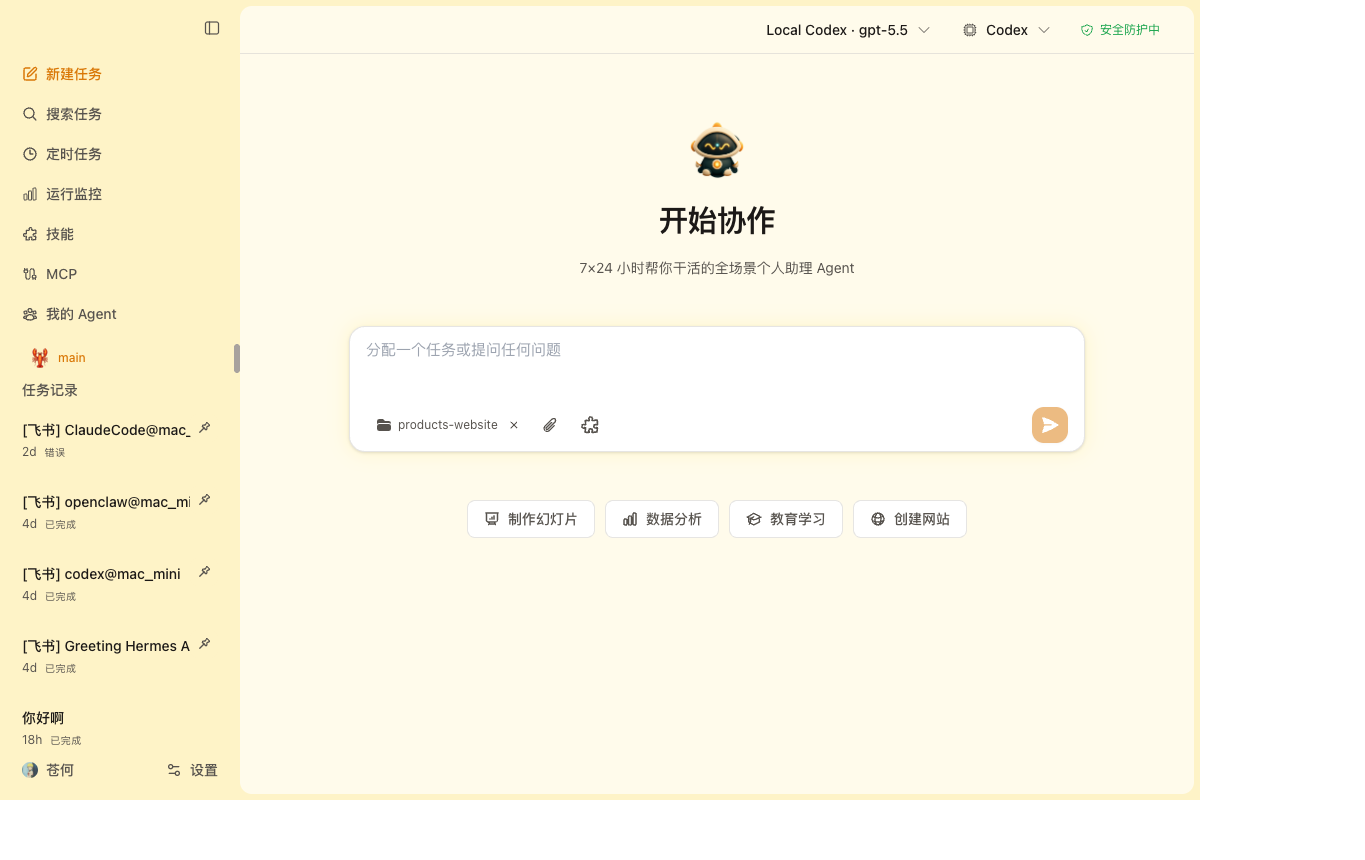
| Cowork Chat Run local coding agents as a desktop chat with engine and model controls. |
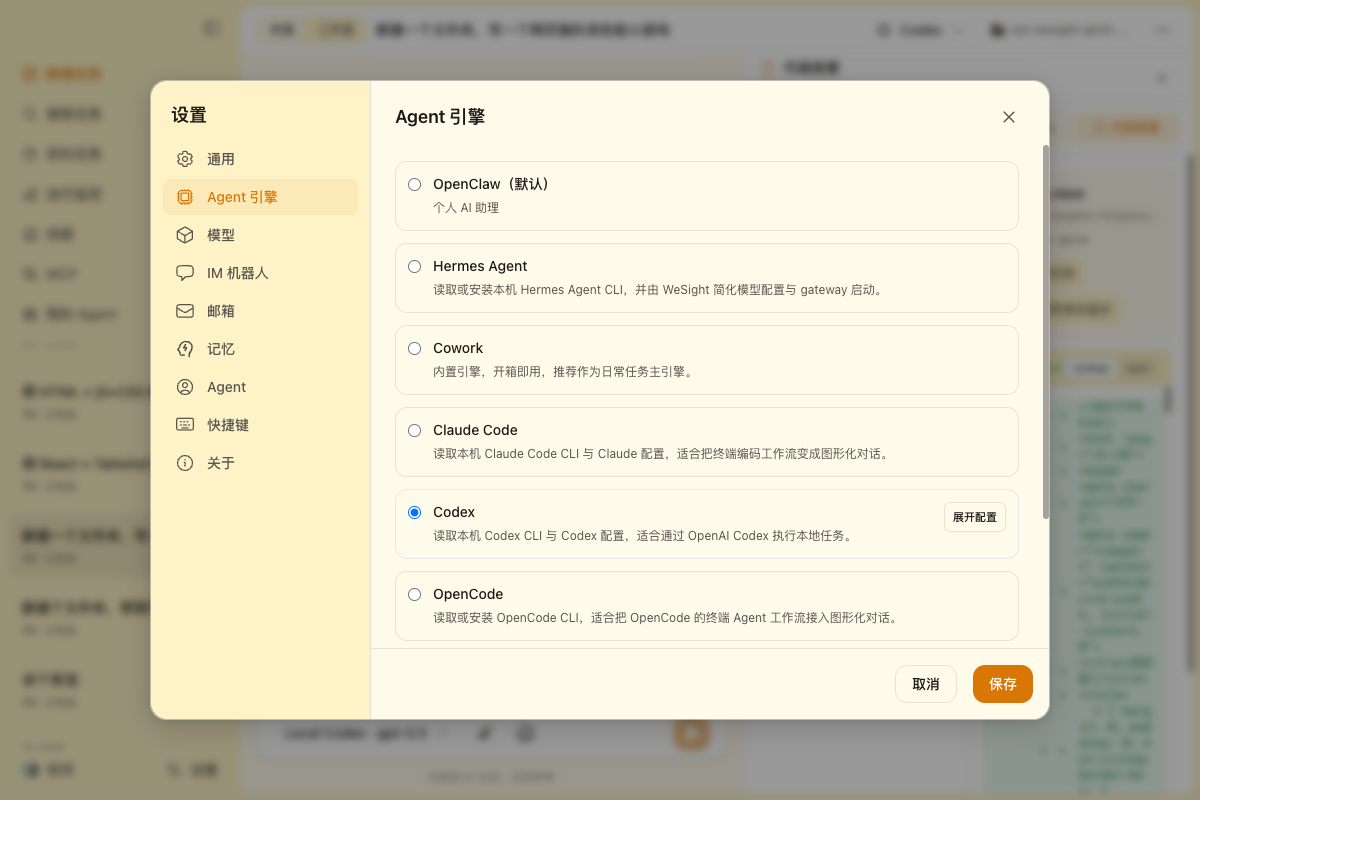
Agent Engines Configure Claude Code, Codex, Kimi Code, OpenClaw, Hermes Agent, OpenCode, Qwen Code, DeepSeek-TUI, and the built-in runtime. |
|
|
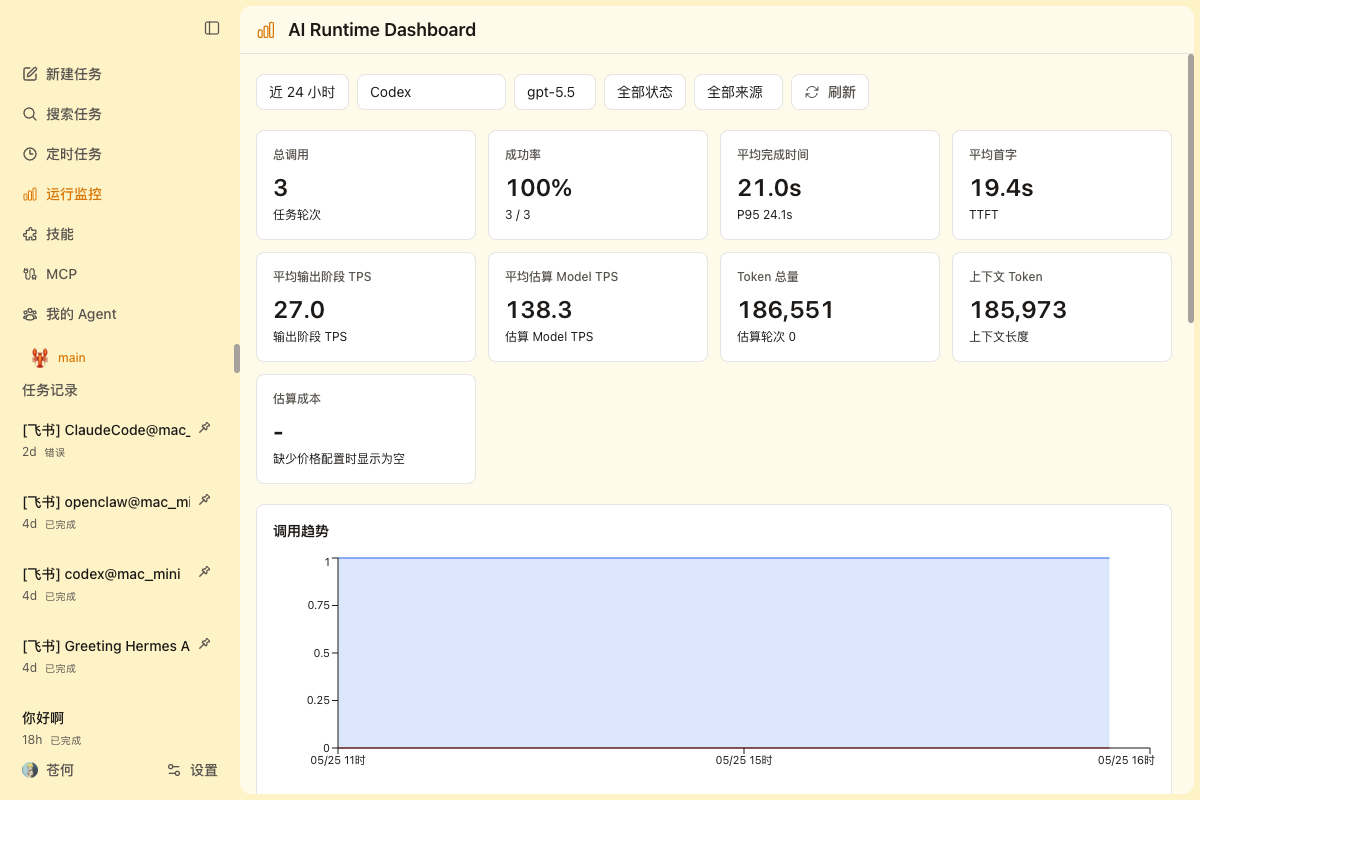
| AI Runtime Dashboard Inspect engine, model, tokens, TTFT, output-phase TPS, estimated model TPS, cost, and status. |
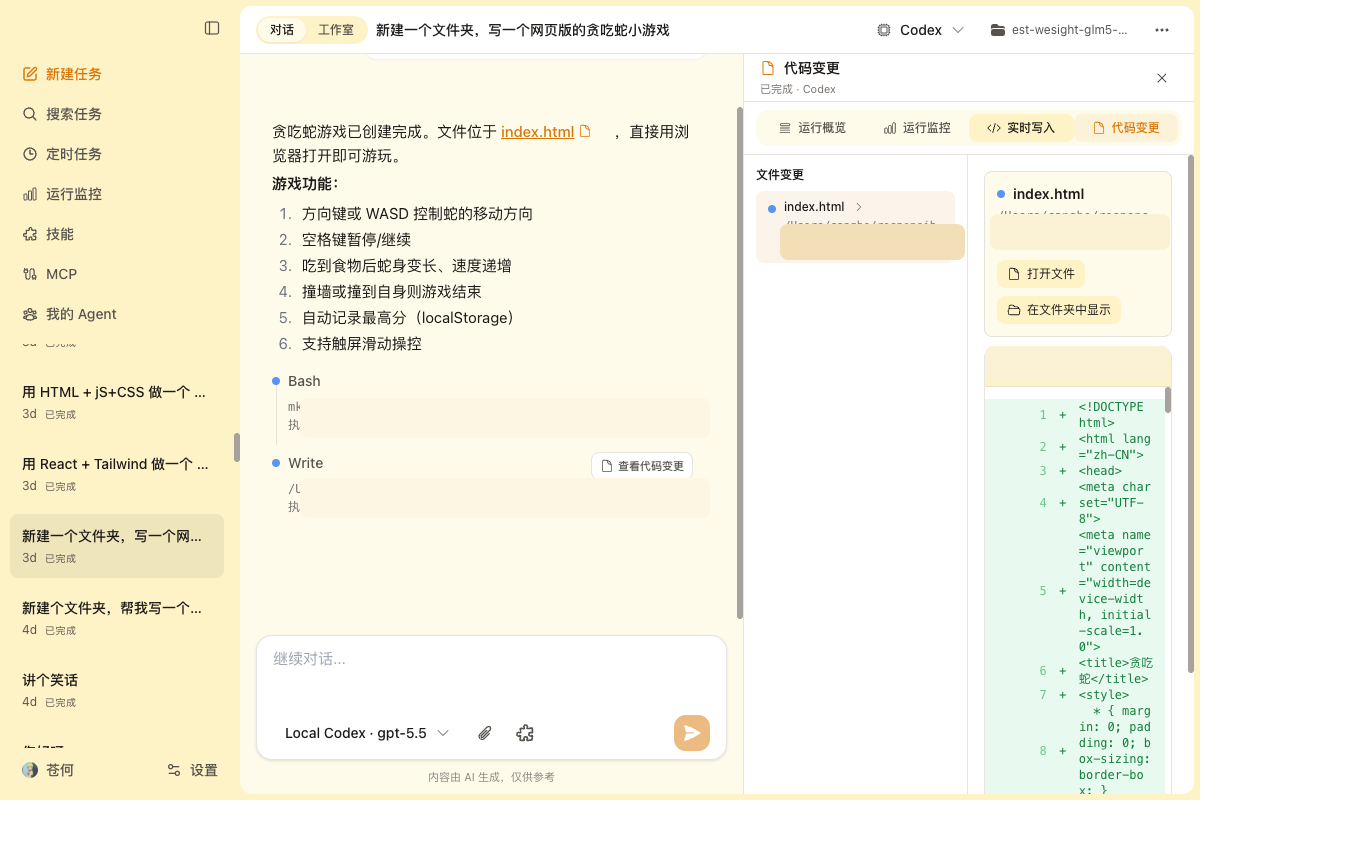
Live Workspace Watch file writes, code changes, tool activity, and generated artifacts while the agent works. |
|
|
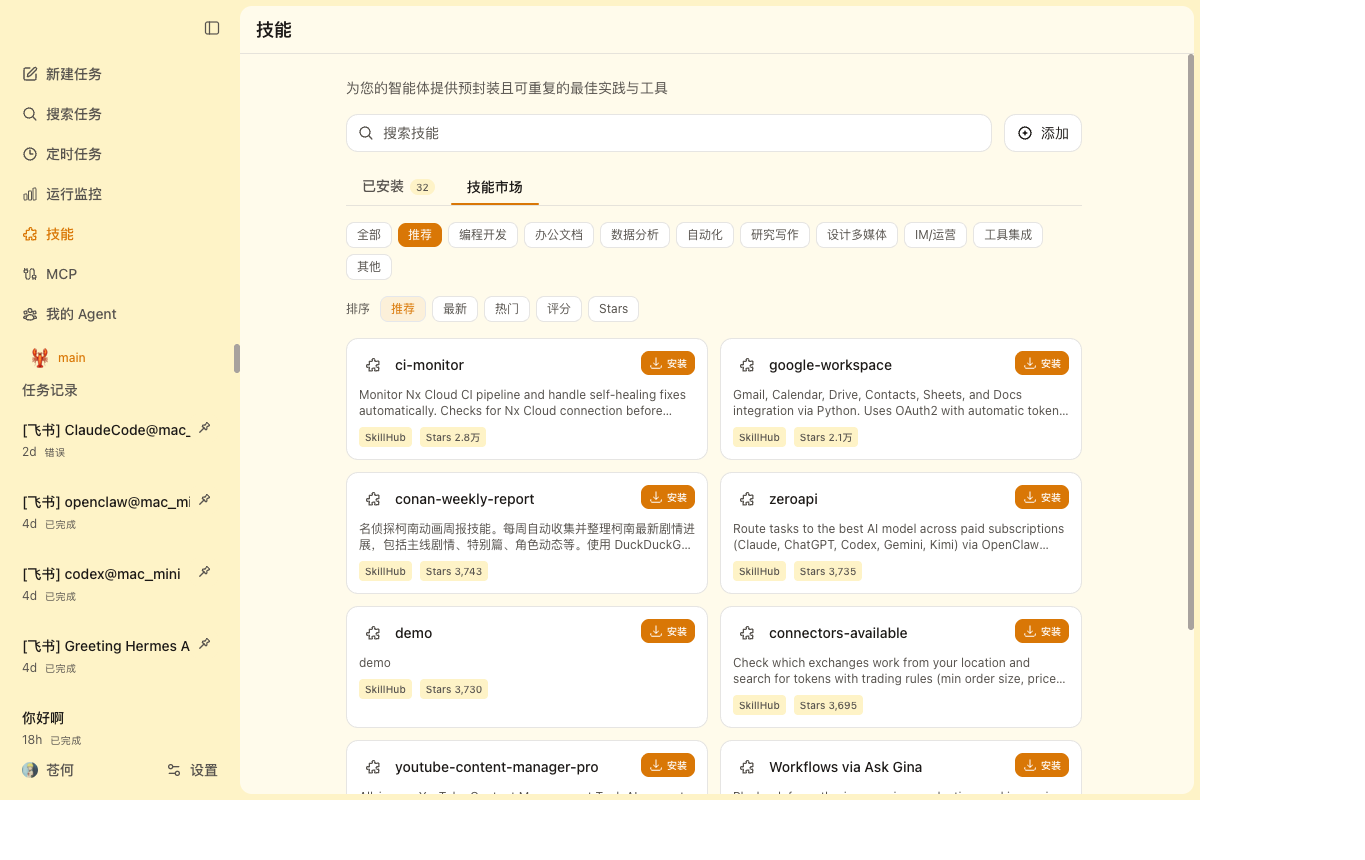
| Skills Marketplace Browse SkillHub categories, install skills locally, and manage installed skills from WeSight. |
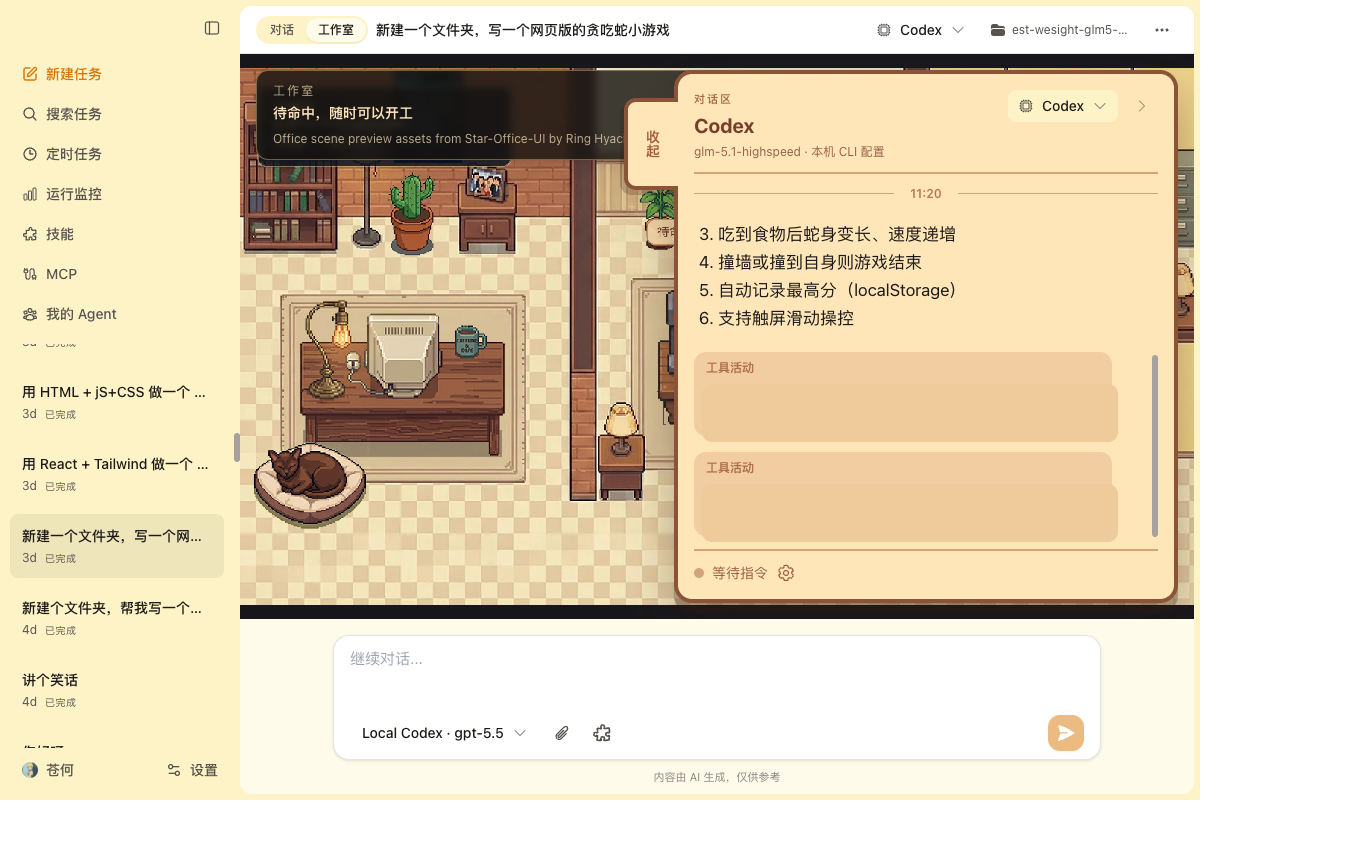
Studio & Pet Use a visual office-style workspace and desktop companion to follow active agent tasks. |
 | Project sponsor. PPToken provides API relay and key distribution for ChatGPT, Claude, Gemini and other mainstream AI models, with low latency, high availability, pay-as-you-go billing, and flexible subscription plans. |
|
| Project sponsor. PPToken provides API relay and key distribution for ChatGPT, Claude, Gemini and other mainstream AI models, with low latency, high availability, pay-as-you-go billing, and flexible subscription plans. |
|  | Project sponsor. Ciyuan API aims to become a one-stop AI interface platform for developers, providing stable, low-latency, and highly available large model API services to make AI application development simpler. |
## Agent Engines
| Engine | Best For | Setup Path |
| ---------------- | ----------------------------------------------------------- | ----------------------------------------------- |
| Built-in runtime | General desktop cowork sessions and skills | Included in WeSight |
| Claude Code | Claude Code workflows with a graphical chat surface | One-click install or existing local CLI config |
| Codex | Codex CLI workflows, local task execution, and IM control | One-click install or existing local CLI config |
| Kimi Code | Kimi Code workflows with local login, Skills, and MCP | Official installer or existing local CLI config |
| OpenClaw | Runtime gateway, IM channels, sandbox-style agent work | Local runtime/CLI reuse or WeSight setup flow |
| Hermes Agent | Local Hermes Agent gateway and IM-style runtime experiments | Official installer or existing local CLI config |
| OpenCode | OpenCode terminal agent workflows | One-click install or existing local CLI config |
| Qwen Code | Qwen-friendly coding workflows and DashScope setups | One-click install or existing local CLI config |
| DeepSeek-TUI | DeepSeek-TUI HTTP/SSE runtime and tool streaming | One-click install or existing local CLI config |
## Model Providers
WeSight keeps model setup in one place, then maps it into the selected engine when that engine follows WeSight settings.
- Add multiple providers and models.
- Use official OpenAI, Anthropic Claude, and Google Gemini providers.
- Add OpenAI-compatible providers for DeepSeek, Qwen, Moonshot, Ollama, OpenRouter, GitHub Copilot, local gateways, or private endpoints.
- Switch between WeSight-managed model settings and existing local CLI configuration.
- Import or sync local engine configuration when you want WeSight to manage it.
## Download
Public desktop builds are published through GitHub Releases:
- Website: [wesight.ai](https://wesight.ai/)
- Latest release: [github.com/freestylefly/wesight/releases/latest](https://github.com/freestylefly/wesight/releases/latest)
Each stable release includes signed and notarized macOS Apple Silicon and Intel builds, a Windows x64 installer, update metadata, and SHA256 checksums. The Windows installer is currently unsigned and may trigger Microsoft Defender SmartScreen. CI artifacts are short-lived build outputs for maintainers to test before a release is published.
## Download And Install
### macOS
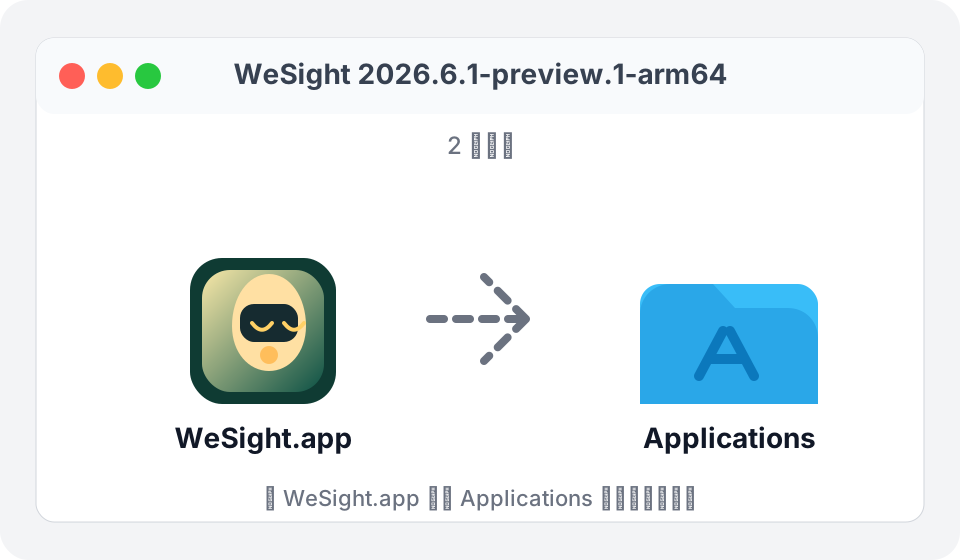
Download the matching DMG from the [latest release](https://github.com/freestylefly/wesight/releases/latest): `WeSight.
| Project sponsor. Ciyuan API aims to become a one-stop AI interface platform for developers, providing stable, low-latency, and highly available large model API services to make AI application development simpler. |
## Agent Engines
| Engine | Best For | Setup Path |
| ---------------- | ----------------------------------------------------------- | ----------------------------------------------- |
| Built-in runtime | General desktop cowork sessions and skills | Included in WeSight |
| Claude Code | Claude Code workflows with a graphical chat surface | One-click install or existing local CLI config |
| Codex | Codex CLI workflows, local task execution, and IM control | One-click install or existing local CLI config |
| Kimi Code | Kimi Code workflows with local login, Skills, and MCP | Official installer or existing local CLI config |
| OpenClaw | Runtime gateway, IM channels, sandbox-style agent work | Local runtime/CLI reuse or WeSight setup flow |
| Hermes Agent | Local Hermes Agent gateway and IM-style runtime experiments | Official installer or existing local CLI config |
| OpenCode | OpenCode terminal agent workflows | One-click install or existing local CLI config |
| Qwen Code | Qwen-friendly coding workflows and DashScope setups | One-click install or existing local CLI config |
| DeepSeek-TUI | DeepSeek-TUI HTTP/SSE runtime and tool streaming | One-click install or existing local CLI config |
## Model Providers
WeSight keeps model setup in one place, then maps it into the selected engine when that engine follows WeSight settings.
- Add multiple providers and models.
- Use official OpenAI, Anthropic Claude, and Google Gemini providers.
- Add OpenAI-compatible providers for DeepSeek, Qwen, Moonshot, Ollama, OpenRouter, GitHub Copilot, local gateways, or private endpoints.
- Switch between WeSight-managed model settings and existing local CLI configuration.
- Import or sync local engine configuration when you want WeSight to manage it.
## Download
Public desktop builds are published through GitHub Releases:
- Website: [wesight.ai](https://wesight.ai/)
- Latest release: [github.com/freestylefly/wesight/releases/latest](https://github.com/freestylefly/wesight/releases/latest)
Each stable release includes signed and notarized macOS Apple Silicon and Intel builds, a Windows x64 installer, update metadata, and SHA256 checksums. The Windows installer is currently unsigned and may trigger Microsoft Defender SmartScreen. CI artifacts are short-lived build outputs for maintainers to test before a release is published.
## Download And Install
### macOS
Download the matching DMG from the [latest release](https://github.com/freestylefly/wesight/releases/latest): `WeSight.