> **Nintendo Switch:** this fork adds a homebrew (.nro) build in [`switch/`](switch/README.md): status, install and
> known issues are there, and releases are on the [Releases](../../releases) page. Original project:
> [MikeSemicolonD/RogueSquadron64Recomp](https://github.com/MikeSemicolonD/RogueSquadron64Recomp). The rest of this
> README is the original project's and describes the PC build.

Icon by [thedoctor45 on DeviantArt](https://www.deviantart.com/thedoctor45/art/Star-Wars-Rogue-Squadron-3D-Custom-Icon-535469296)
# Star Wars: Rogue Squadron 64 Recompiled
A static recompilation of **Star Wars: Rogue Squadron** (USA v1.0) for the N64 built with [N64Recomp](https://github.com/N64Recomp/N64Recomp) and [N64ModernRuntime](https://github.com/N64Recomp/N64ModernRuntime), rendering through a forked [RT64](https://github.com/MikeSemicolonD/rt64) that understands Factor 5's custom display-list format.
> [!IMPORTANT]
> **Heavily AI-assisted.**
> Most of the debugging, architectural decisions, and code here were produced with Claude.
---
### Screenshots
| 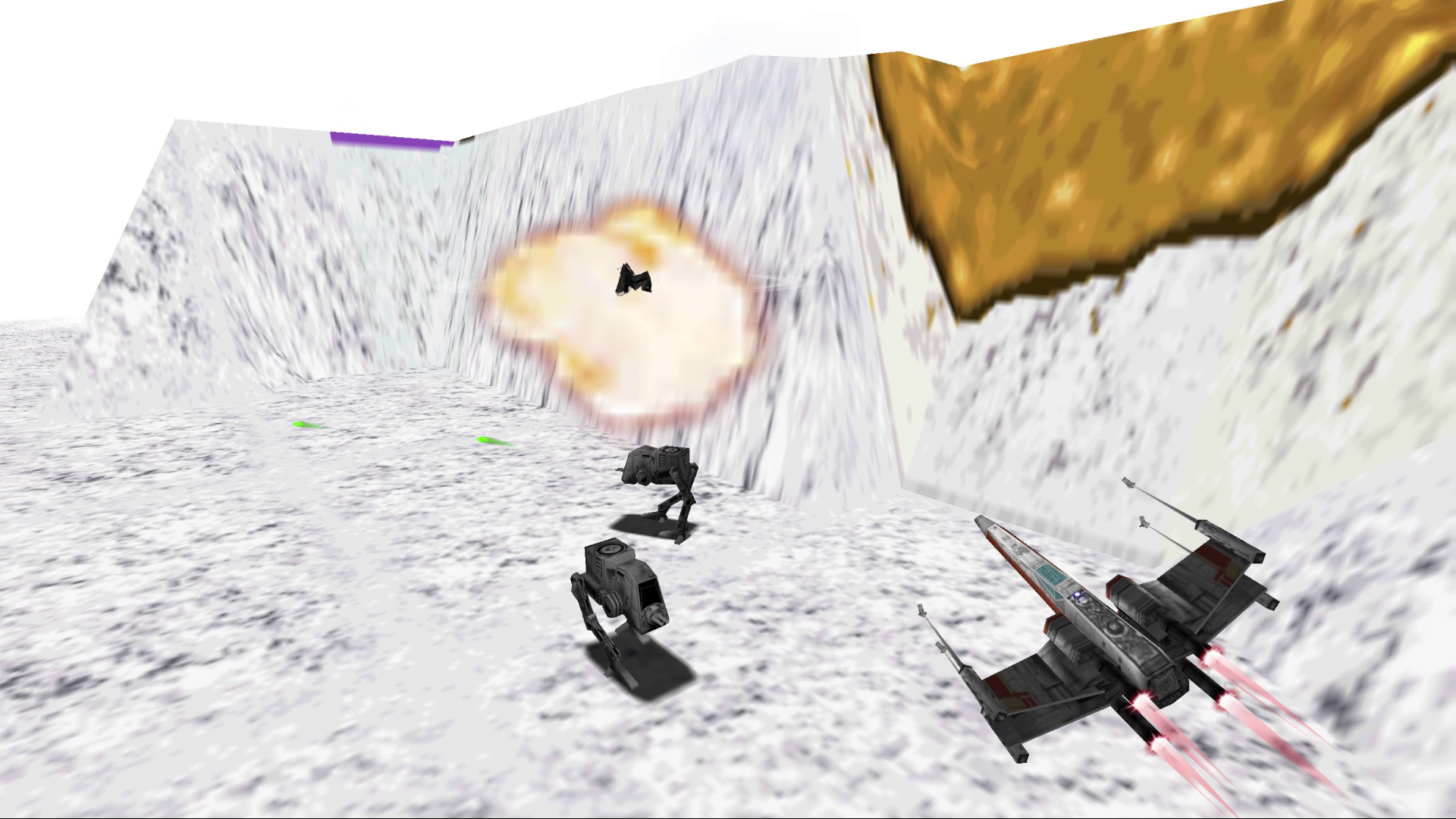 | 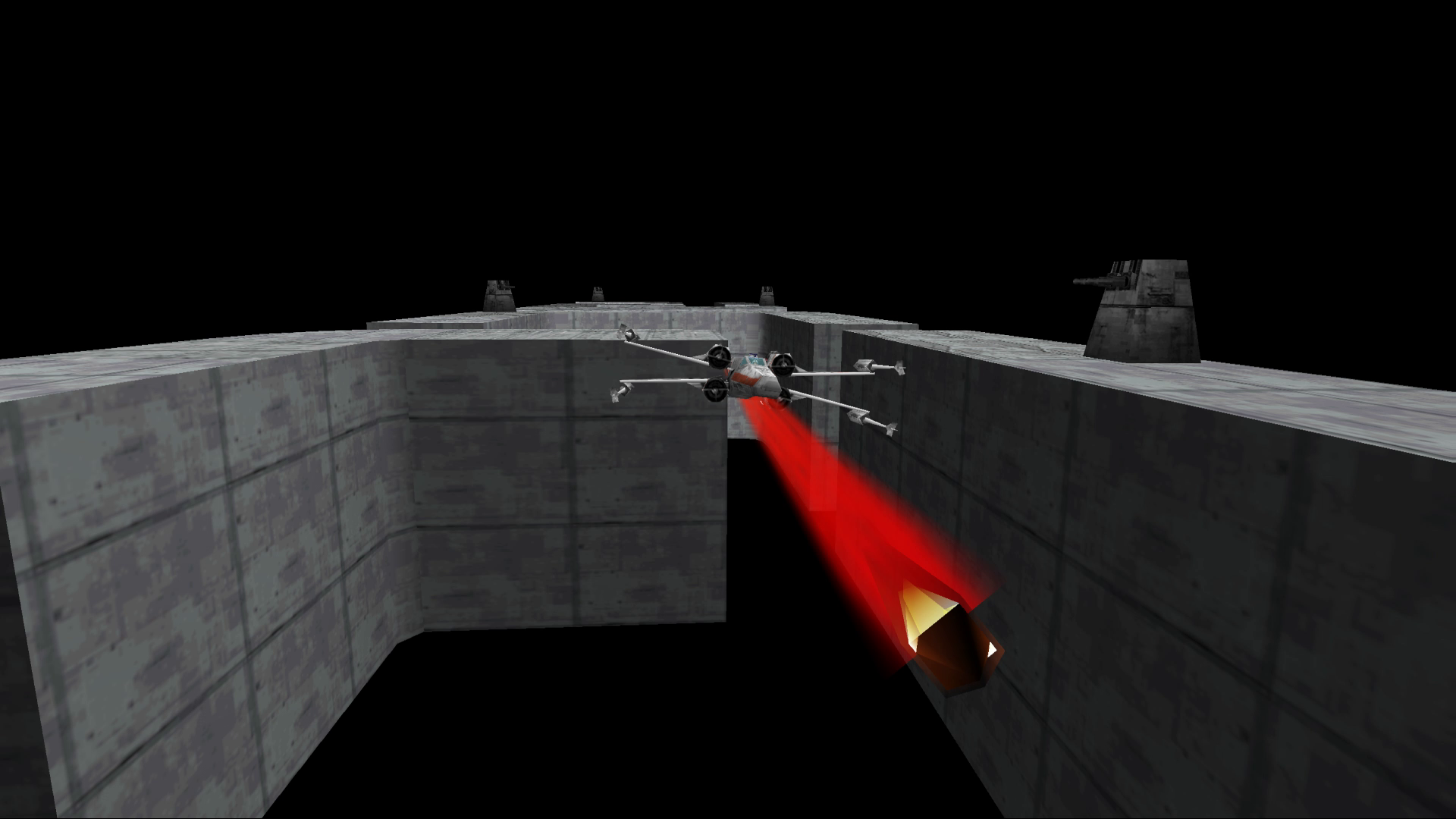 | 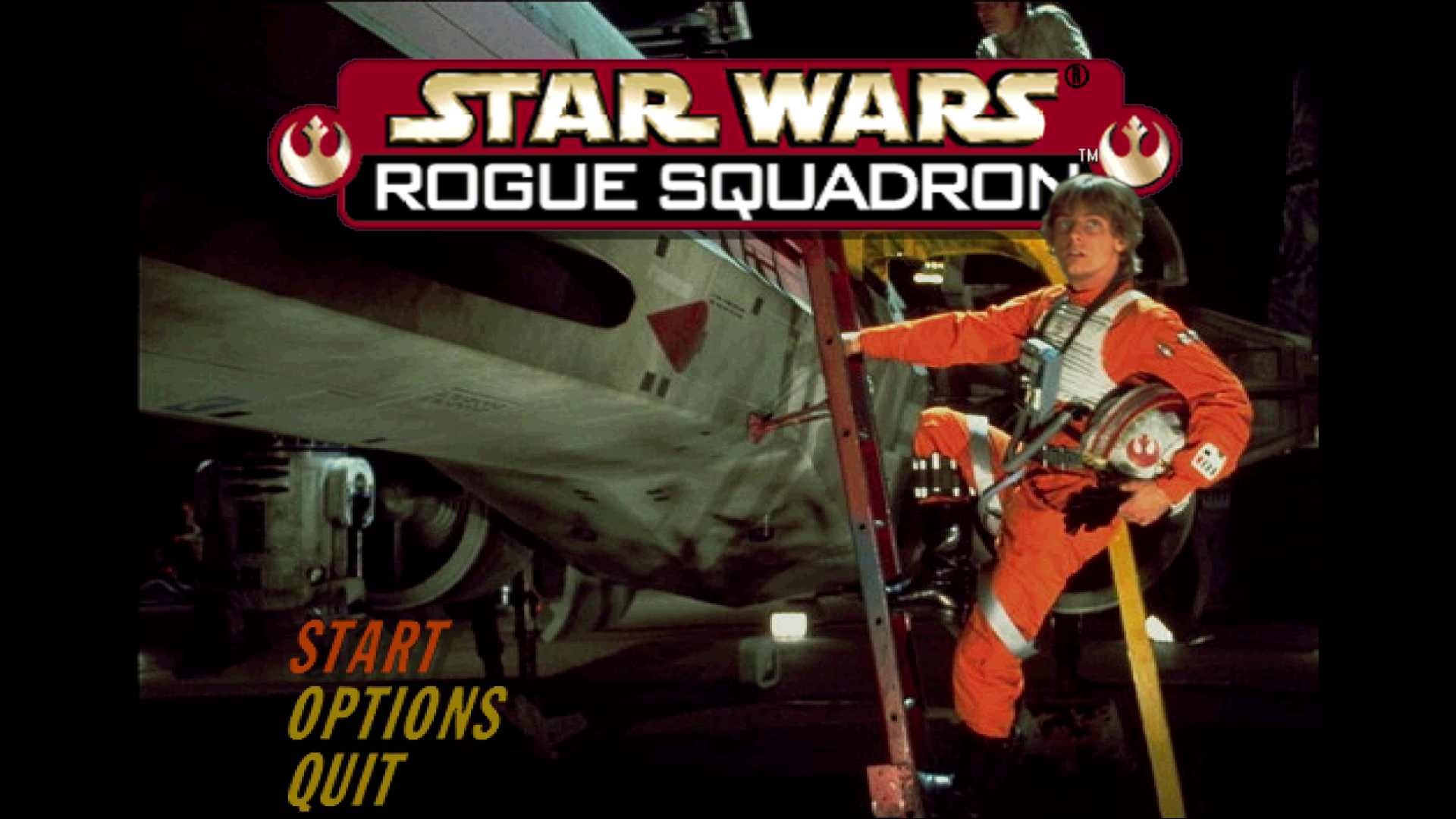 | 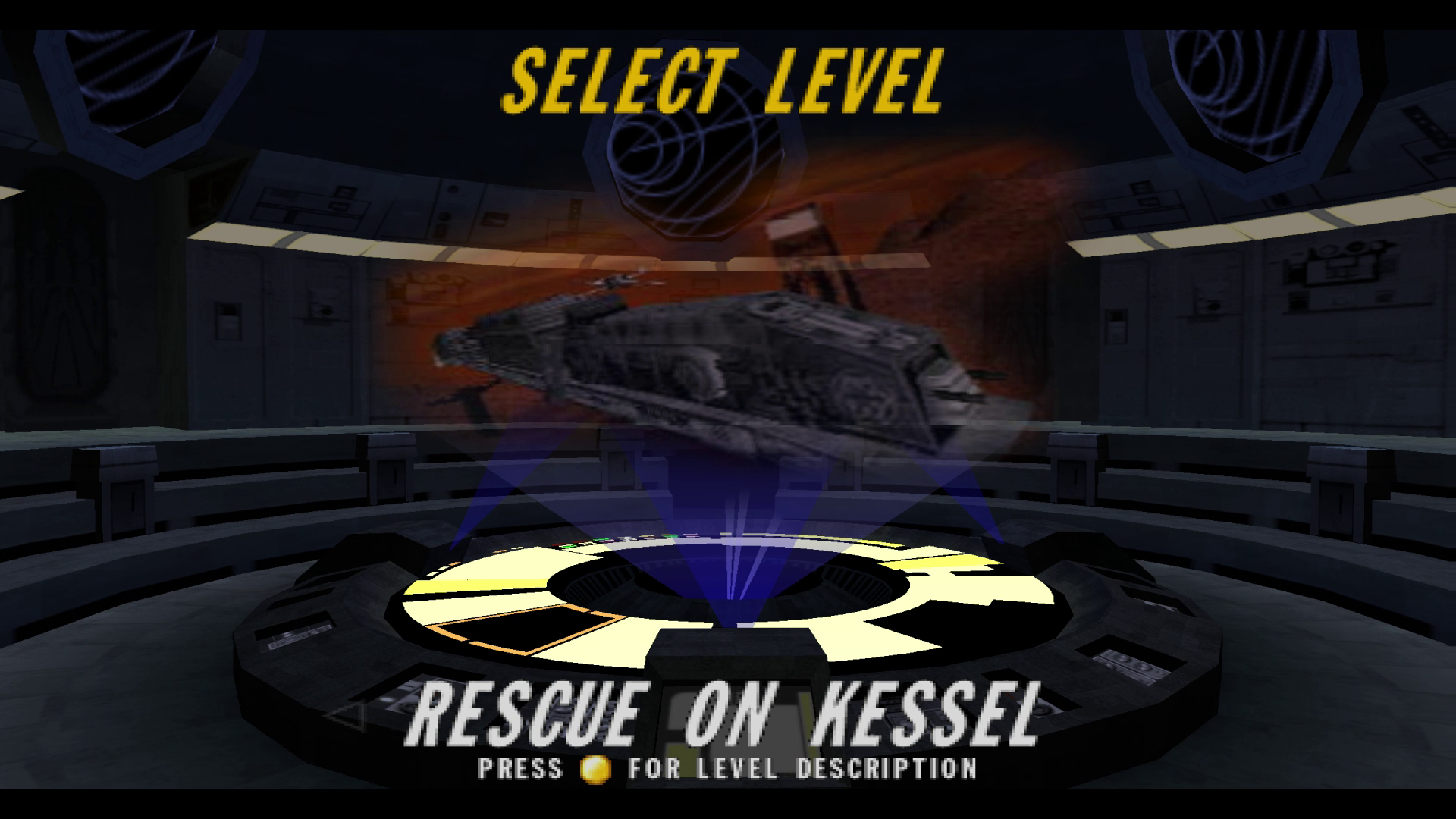 |
| --- | --- | --- | --- |
| 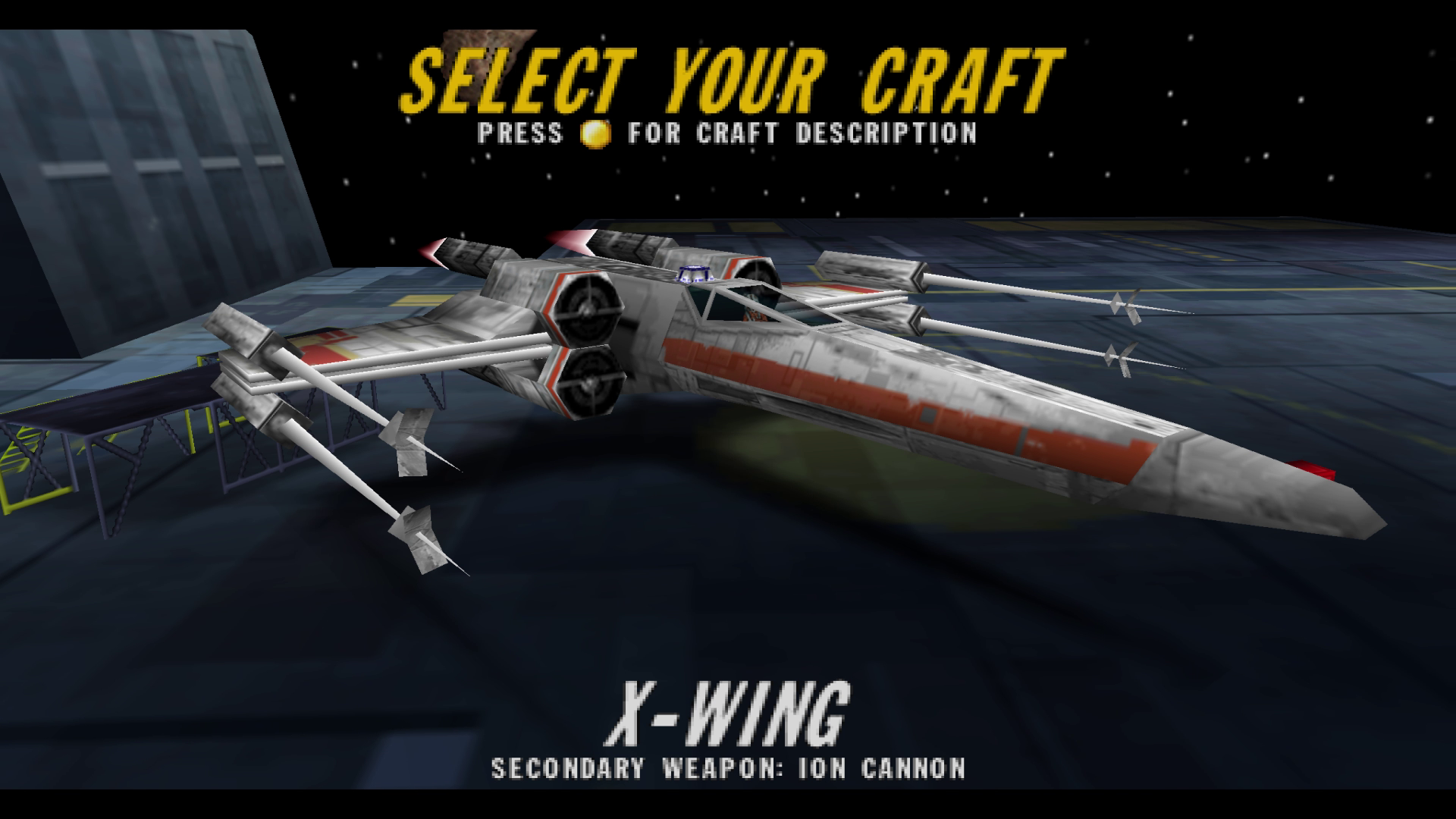 | 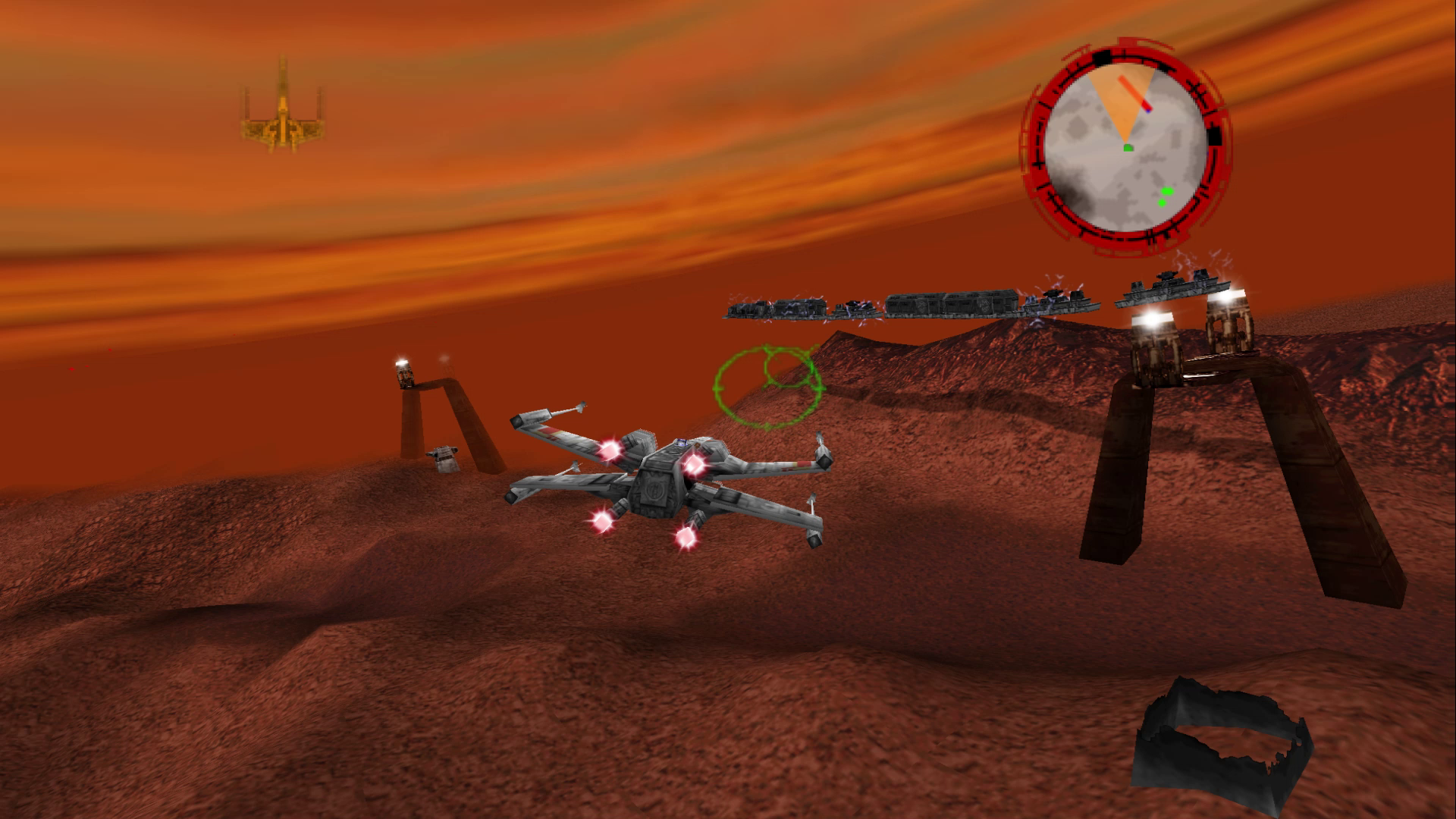 | 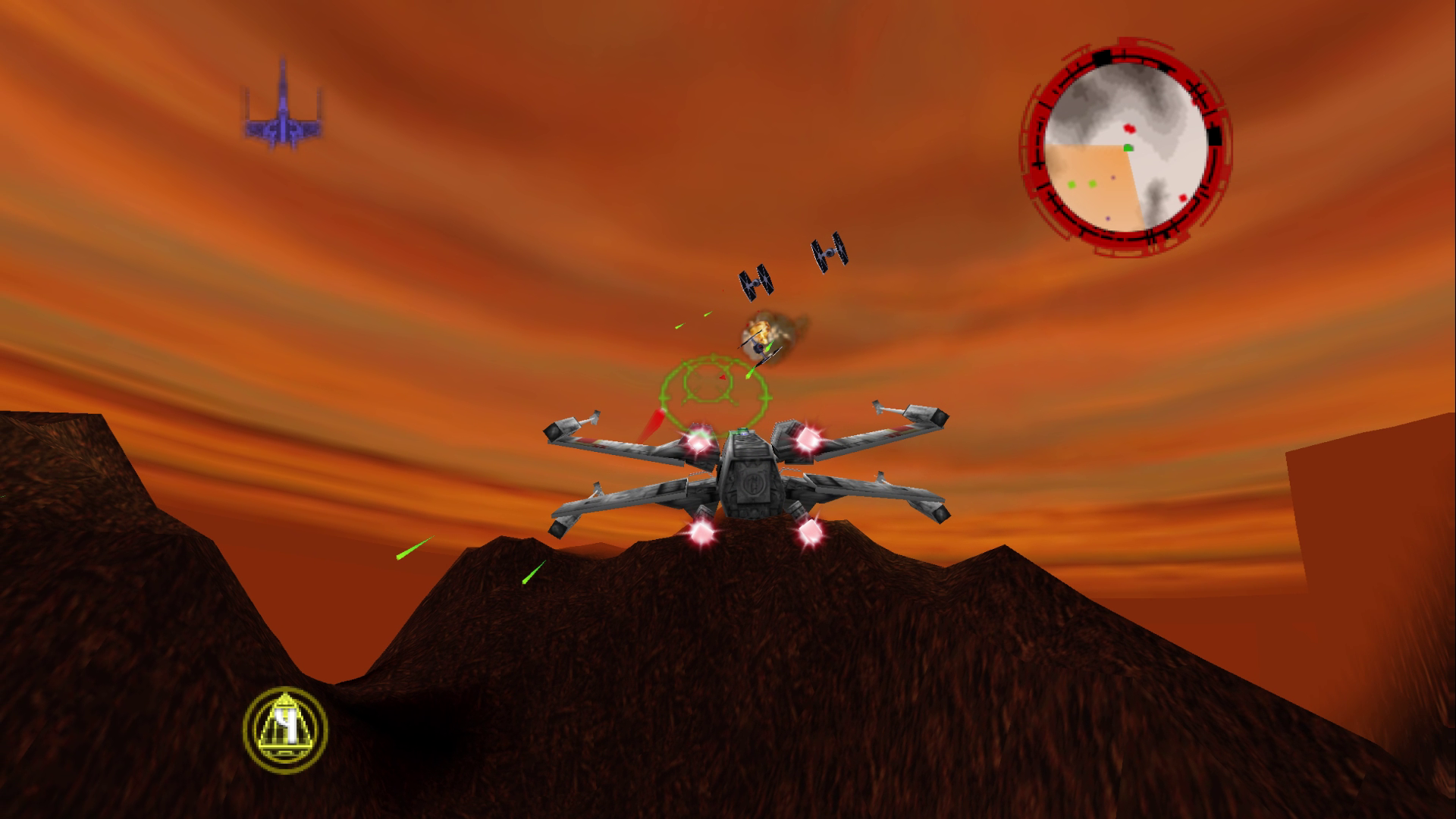 | 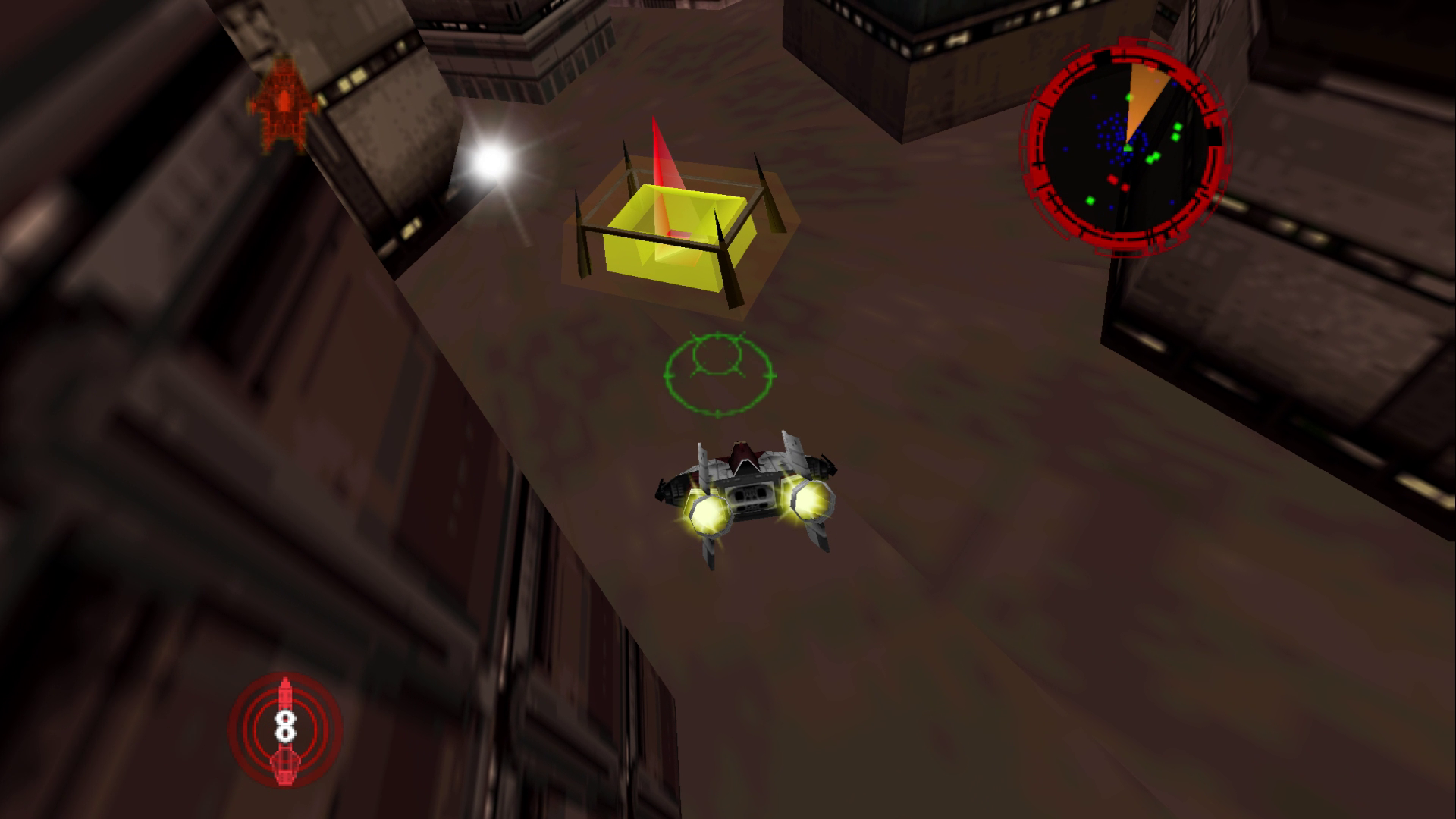 |
## Minimum Requirements
| Requirement | Details |
| --- | --- |
| **ROM** | Star Wars: Rogue Squadron (USA v1.0) `.z64`, `.v64` or `.n64` (xxHash3-64 `0x6B66A44153594DEA`) |
| OS / Platform | Graphics Backend |
| --- | --- |
| **Windows 10+ x64** | Vulkan, D3D12, D3D11, D3D10 |
| **[Windows 10+ x86 (32-bit)](#4-build)** | Vulkan, D3D12, D3D11, D3D10 |
| **[Linux x64](#linux)** (glibc 2.38+) | Vulkan |
| **[Linux arm64 / armhf](docs/building-all-platforms.md#what-players-need)** (glibc 2.38+) | Vulkan |
| **[Linux x86 (32-bit)](docs/building-all-platforms.md)**** (glibc 2.38+) | Vulkan |
| **[Android 9+ arm64](#android-notes)** | Vulkan 1.1 |
| **[*maybe* macOS 11+](#macos-notes)*** | Metal |
*macOS is *compile-only* so far (see [macOS notes](#macos-notes))
**The 32-bit x86 Linux build has only been tested on a 64-bit PC with software Vulkan.
[Per-platform minimum requirements](docs/building-all-platforms.md#what-players-need).
## Features
#### Graphics
- **High resolutions:** high resolution options, with optional MSAA, SSAA or FXAA anti-aliasing & HDR.
- **Widescreen:** extends the screen (and camera FOV) beyond the old 4:3 aspect ratio.
- **Longer draw distance:** see much farther away by up to 2.5x the original. [Has some caveats](#status).
- **Frame Interpolation:** smooths the game's native ~30 fps to match your monitor's refresh rate.
- **Support for Texture packs:** RT64 texture-replacement packs load at startup.
- **Ray Tracing Support:** reflections, shadows, dynamic lights from lasers and explosions, and light shafts through fog. [experimental](#status).
#### Input
- **Keyboard and mouse:** fly with the mouse and fire with the mouse buttons.
- **Menu navigation with the Mouse:** ability to seamlessly select and control menu navigation exclusively with the mouse via cursor placement, LMB (Start) & RMB (Back)
- **Gamepads:** any SDL-supported controller works, with gamepad lightbar support.
- **Flight sticks and H.O.T.A.S.:** use the throttle lever to set your speed, and twist or rudder roll.
- **Rumble:** the game's own Rumble Pak effects play on gamepads and force-feedback joysticks. Fully adjustable in `roguesq_input.json`.
- **Full rebinding:** press **F6** in-game to rebind actions, change sensitivity, adjust deadzones, and rumble settings. See [Controls](#controls).
- **Touch controls on Android:** tap menu and in-game buttons and fly with an on-screen stick. You can move and resize the buttons, and turn on 'gyro steering' to help fine tune your aim.
#### Multiplayer (experimental)
- **Online two-player co-op:** host or join from a **MULTIPLAYER** page on the main menu.
- Your partner flies alongside you as a wingman, shares objectives, lives, and the mission result. Works over LAN (with automatic discovery) and over the internet (with UPnP port forwarding).
- Uses [miniupnp](https://github.com/miniupnp/miniupnp) and a fork of [ENet](https://github.com/lsalzman/enet) called [ENet6](https://github.com/SirLynix/enet6).
- The **Multiplayer** is shipped as a `multiplayer-native` mod.
- **Co-op over Steam using the `steam-relay` mod (Desktop ONLY):** with Steam running, HOST GAME will show a 6-digit join code. A client can replace the IP address field with the code to join the game. Steam sees the game as Spacewar (app id 480).
- **The Steam API library is not included:** download the Steamworks SDK (version 1.65, from [partner.steamgames.com](https://partner.steamgames.com/downloads/list), any Steam login) and copy `redistributable_bin/win64/steam_api64.dll` (Windows), `redistributable_bin/linux64/libsteam_api.so` (Linux) or `redistributable_bin/osx/libsteam_api.dylib` (macOS) into `mods/steam-relay/`. Without it, or with Steam closed, the MULTIPLAYER will default to using direct connections.
- Linux needs the native Steam package (**Flatpak and Snap Steam are not supported**); on Steam Deck, add the Linux build as a non-Steam game; on macOS, remove the download quarantine with `xattr -d com.apple.quarantine mods/steam-relay/libsteam_api.dylib`.
- See [docs/multiplayer.md](docs/multiplayer.md) for more details.
> [!NOTE]
> Steam-Relay mod on Linux, Steam Deck and macOS are untested.
#### Mods
- **Mod support:** turn mods on and off in the **Mods** panel of the **F6** window. (some might require resetting the game)
- Developers can use [mods/platforms.json](mods/platforms.json) to automatically include mods in builds based on platform.
- See [docs/modding.md for modding info](docs/modding.md).
- **Included mods:**
- **Multiplayer:** online co-op (see above).
- **Larger Object Pool:** doubles the number of ships, lasers, and explosions the game can track at once, so busy missions stop resetting pooled objects.
- **Long Tow Cable:** the snowspeeder's tow cable is long enough to wrap an AT-AT several times.
- **Fullscreen toggle:** an option in the options and pause menus' display settings.
- **Quit Prompt:** a prompt in the main menu asking if you want to quit.
- **Invincibility:** your craft takes no damage.
- **Any Craft, Any Mission:** fly any ship on any level.
- **Ray Tracing:** Adds a Ray Tracing menu in 'Options' -> 'Game Settings' to toggle various RT features.
## Running
Put `rogue_squadron.z64` (or `rogue_squadron.v64` / `rogue_squadron.n64`) in the working directory (the executable's folder when you double-click it) and launch. The ROM hash is checked and the ROM is imported on first launch.
### Controls
Keyboard, mouse, gamepad, and flight sticks / HOTAS all work; no controller is required. The keyboard and joystick defaults *for the most part* follow the PC version (*Rogue Squadron 3D*).
Actions are for the game's default **Luke** controller setting. The other controller presets in Options rearrange them.
| Action | Keyboard | Mouse | N64 | Gamepad | Joystick / H.O.T.A.S. |
| --- | --- | --- | --- | --- | --- |
| Steer | ↑,↓,←,→ (A/D turns) | Mouse X/Y | Analog stick | Left stick | Stick X/Y |
| Fire blasters | Space | LMB | B | X | Button 1 (trigger) |
| Fire secondary | Alt | RMB | C-Left | Back | Button 2 |
| Fire mode | X | — | C-Down | B | Button 6 |
| Thrust | W | — | A | A | Button 3 |
| Brake | S | — | Z | Left trigger | Button 4 |
| Speed (positional) | — | — | — | — | Throttle lever |
| Roll | E | — | R | Right shoulder | Button 7 + twist joystick |
| Special | F | — | C-Right | Guide | Button 5 |
| Cockpit | C | — | D-Pad Up | D-Pad | — |
| Standard | V | — | D-Pad Down | D-Pad | — |
| Close view | B | — | D-Pad Right | D-Pad | — |
| Switch view | N | — | L | Left shoulder | Button 8 |
| In-Game Profiler HUD | F5 | — | — | — | — |
| Look around | Q | — | C-Up | Y | Hat |
| Drop camera | Z | — | D-Pad Left | D-Pad | — |
| Menu confirm | Enter | — | A | A | Button 3 |
| Back | Backspace | — | B | X | Button 1 |
| Pause | Esc | — | Start | Start | — |
- **Mouse flight steering:** mouse cursor is automatically captured when the game window is focused.
- Mouse motion steers the craft, left click fires blasters, right click fires the secondary weapon.
- The cursor displays when the window loses focus, the (**F6**) Controls window is open, or when RT64's (**F1**) inspector is up.
- **Rumble:** the game's own Rumble Pak effects (hits, collisions, terrain scrapes, weapons, the death spiral, and crashing) play on gamepads and on joysticks supporting rumble or force feedback.
- Hits get stronger with the damage taken, and the rumble keeps going through the death spiral.
- Rumble and its individual effects can be tuned in the (**F6**) Controls window, or in the `rumble` section of `roguesq_input.json`.
- **Flight sticks and H.O.T.A.S.:** any devices named "joystick" will be bound as a joystick.
- A stick with exactly three axes, or a device named "throttle", gets its lever bound to **Throttle**.
- The throttle sets your speed by position: *full back* is craft's slowest, *full forward* is fastest, and *middle* is normal speed.
- Other axes can be bound from the Controls window (**F6**)
- **Lightbar support via DualShock 4 & DualSense:** light bar color will change depending on the state of the game.
- Colors configurable from the `lightbar` section in `roguesq_input.json`
> [!TIP]
> When binding the throttle, move the lever to the opposite position, click **Rebind** on 'Throttle', then push/pull it forward/back.
> Twist grip or rudder pedals can do one of two depending on how you bind them. Bind them to **StickLeft/StickRight** and they'll add to `stick X` since inputs on the same stick direction add together.
> Bind them to **RollLeft/RollRight** and they'll give a dedicated roll axis. Hold the 'Roll' button then twist to roll.
In Debug builds **F1/F3/F4** also toggle RT64 developer tools.
- **F1** toggles RT64's ImGui overlay (configuration, texture dumping, per-call debugger, render-target view).
- **F3** toggles ViewRDRAM mode.
- **F4** toggles texture replacement.
**F12** writes a crash dump to `dumps/crash-dumps/` in Debug and Release builds (Windows only). Set `ROGUESQ_FULL_DUMP=1` for a full-memory dump.
#### Rebinding controls
Press **F6** to open the **Controls** window.
- Click **Rebind** or **Add** on any action, then press any key, button, or move an axis to assign it.
- **Clear** removes the selected binding.
- The **Joysticks / H.O.T.A.S.** section shows each connected joystick's axes live, with invert and deadzone settings.
- The **Rumble** section holds the rumble settings. With options to adjust mouse sensitivity and invert the axis there too.
Bindings are saved to `roguesq_input.json` next to the executable.
> [!TIP]
> In Debug builds the RT64 inspector owns the ImGui overlay, so press **F1** *first* before **F6**.
> Release builds open the Controls window with **F6** directly.
## Status
> [!NOTE]
> The game is completely playable from beginning to end.
### Recomp. specific Issues
- Ray Tracing is implemented but has various issues:
- Shadows and emissives dropping out entirely or flicker depending on how it's projected and/or how close/far the camera is to objects
- Terrain rendering causing issues with shadows because of the hard edges and the fact that it changes on the fly
- The sun's direction in a level does not align exactly with the non-ray-traced shadows being projected. In this situation it might be better to disable the game's fake non-ray-traced shadows.
- Ray tracing settings still need to be tuned for best visual look but only after the issues above have been resolved.
- Better Ray Tracing mod menu button placement. (It's below the back button in the Options menu which is awkward)
- A very high draw distance causes the terrain renderer to render more tiles which degrades performance *severely*. `1.3` is a good distance but at `2.0` or more the performance will suffer. At that distance you'll notice structures and NPCs popping into existence at about the `1.5` mark. Increasing the distance for structures and NPCs to pop in will affect how AI behaves and how events trigger.
### Game specific Issues
- Some CPU performance hitching and slow down (~20fps) in spots. (although not as bad as the real n64 game) This is expected since the game is very CPU heavy with a lot of systems running off of counters based on a variable timestep.
- Cutscenes having screen sizes of varying widths which could genuinely be an issue with the game itself. (Some cutscenes have black bars on the sides or additional padding, but some don't)
- Very slight cut off at the top of text rects **BUT** this also existed in the original game.
- Terrain tile textures don't align perfectly and seem to have a slight cut off which is probably a game issue than a recomp. issue.
### Roadmap
- Level editing using RS64 Explorer to assist modding efforts
- Level/Event authoring
- Cutscene authoring
- Mod to replace terrain rendering with a pre-baked mesh and use a shader for LOD tiling taking advantage of the GPU (Modern games do this)
- Relieves one of the games biggest bottlenecks
- Will require another pre-process to procedurally create bodies of water over parts or large sections of the terrain because bodies of water are basically animated sprites painted onto the terrain.
- Will greatly benefit Ray Tracing
- Will greatly benefit visuals and performance when at a 2x+ draw distance
## Building
### Build Requirements
| OS/Platform | Requirement |
| --- | --- |
| **Windows 10+** | CMake 3.20+, [MSVC with the ClangCL toolset](https://learn.microsoft.com/en-us/cpp/build/clang-support-msbuild) with a [MIPS Toolchain](https://github.com/n64-tools/gcc-toolchain-mips64/releases)* |
| **Linux** | CMake 3.20+, [Clang](https://github.com/llvm/llvm-project/releases) or [GCC](https://gcc.gnu.org/install/binaries.html) |
*Uses `mips64-elf-gcc.exe` and `mips64-elf-ld.exe` to compile the patches ELF (`patches/`).
### 1. Clone with submodules
```sh
git clone --recurse-submodules https://github.com/MikeSemicolonD/RogueSquadron64Recomp.git
cd RogueSquadron64Recomp
```
`lib/` holds forks of [N64ModernRuntime](https://github.com/MikeSemicolonD/N64ModernRuntime) and [rt64](https://github.com/MikeSemicolonD/rt64), forked because the upstream libraries don't support Factor 5's custom microcode. N64ModernRuntime also contains a forked/modified version of `N64Recomp`.
[enet6](https://github.com/SirLynix/enet6) and [miniupnp](https://github.com/miniupnp/miniupnp) are used exclusively for the multiplayer co-op mod.
### 2. Produce the decomp ELF
The recompiler needs an ELF of the game: the ROM's code with every function named and its bounds. You make it from your ROM with the companion [rogue_squadron64](https://github.com/MikeSemicolonD/rogue_squadron64) decomp, cloned next to this repo. From this repo (using Python 3.11+):
```sh
git clone https://github.com/MikeSemicolonD/rogue_squadron64.git ../rogue_squadron64
cp path/to/rogue_squadron.z64 ../rogue_squadron64/ # the ROM goes in the decomp's root
python tools/make_elf_from_syms.py # writes ../rogue_squadron64/build/roguesquadron.elf
```
`rogue_squadron.toml` reads the ROM and the ELF from exactly those two paths.
The script uses the decomp's `tools/make_elf.py` to write the ELF, but takes the function names from this repo's `syms/rogue_squadron.syms.toml`, so they match `rogue_squadron.toml` and the mods. Only data symbols and unnamed `func_` names come from the decomp.
The decomp's own build (`splat split roguesquadron.yaml && python tools/make_elf.py`) is only for renaming symbols in the decomp. If its names are behind this repo's, N64Recomp fails with this error:
```text
Function ... is stubbed out in the config file but does not exist!
```
### 3. Generate the recompiled C
The recomp's CMake needs `RecompiledFuncs/`, and the recompiled boot and audio microcode so build `N64Recomp` and `RSPRecomp` first. Why is this needed? Because the game contains custom boot/audio microcode, requiring its own recompilation process.
```sh
cmake -S lib/N64ModernRuntime/N64Recomp -B build-tools -DCMAKE_BUILD_TYPE=Release # Configure the tools
cmake --build build-tools --config Release --target N64RecompCLI RSPRecomp # Build N64Recomp and RSPRecomp
# From the repo root. Windows (Visual Studio puts the tools in build-tools/Release/)
build-tools/Release/N64Recomp.exe rogue_squadron.toml # RecompiledFuncs/
build-tools/Release/RSPRecomp.exe rsp/factor5_boot_rsp.toml # build/factor5_ucode/factor5_boot_recompiled.c
build-tools/Release/RSPRecomp.exe rsp/musyx_rsp.toml # build/factor5_ucode/musyx_audio_recompiled.c
# Linux / macOS (Ninja or Make put them in build-tools/)
build-tools/N64Recomp rogue_squadron.toml
build-tools/RSPRecomp rsp/factor5_boot_rsp.toml
build-tools/RSPRecomp rsp/musyx_rsp.toml
```
The recomp's build process then fixes up both microcode files in place (`tools/fixup_factor5_ucode.cpp`). Re-run RSPRecomp only when a config under `rsp/` changes.
### 4. Build
Can specify 'Debug' in `config` when debugging. 'Release' provides MUCH better performance.
```sh
# Windows (Visual Studio + ClangCL)
cmake -B build -T ClangCL -DN64RECOMP_EXE=build-tools/Release/N64Recomp.exe
cmake --build build --config Release
# Windows 32-bit
cmake -B build-x86 -A Win32 -T ClangCL -DN64RECOMP_EXE=build-tools/Release/N64Recomp.exe
cmake --build build-x86 --config Release
# Linux / macOS
cmake -B build -DCMAKE_BUILD_TYPE=Release -DN64RECOMP_EXE=build-tools/N64Recomp
cmake --build build
```
After that, the `regen_funcs` target (`cmake --build build --config Debug --target regen_funcs`) regenerates `RecompiledFuncs/`. Re-run it when `rogue_squadron.toml`, the symbols, or the decomp ELF changes.
| CMake option | Default | Purpose |
| --- | --- | --- |
| `N64RECOMP_EXE=path` | `N64Recomp` in the build dir (`Debug/` for Visual Studio) | Recompiler used by `regen_funcs` and the patches build |
| `ROGUESQ_NO_ITER_DEBUG=ON` | OFF | Disable MSVC debug iterators across the whole build for faster Debug runs (Windows) |
Debug builds compile in the D3D12 debug layer; turn it on at runtime with `ROGUESQ_D3D12_DEBUG=1` (`ROGUESQ_D3D12_GPUVAL=1` adds GPU-based validation).
### Linux
Builds and can run on **Ubuntu 24.04** and under **WSL2** (GCC 13 / Ninja); native Linux should behave the same with a real Vulkan driver.
Install the dependencies, generate the recompiled C (step 3), then configure with Ninja and build the game target:
```sh
sudo apt install build-essential cmake ninja-build libsdl2-dev libvulkan-dev libgtk-3-dev
cmake -B build -G Ninja -DCMAKE_BUILD_TYPE=Debug -DN64RECOMP_EXE=build-tools/N64Recomp
cmake --build build --target RogueSquadron64Recomp
```
`gcc-mips-linux-gnu binutils-mips-linux-gnu` are only needed to build `.nrm` code mods on Linux.
- **Wayland:** if the window stays black and the log shows `fault caught ... lib=.../libdecor-gtk.so`, SDL's GTK decoration plugin crashed. Run through XWayland with `SDL_VIDEODRIVER=x11`.
#### About WSL2
> [!NOTE]
> This section on WSL2 can be ignored **unless** you're looking to try to debug/run a Linux build on Windows.
> Do not use this method to profile and judge performance since a virtualized Linux machine will not run anywhere near as well as running Linux on bare metal.
- Keep the build directory on the Linux filesystem (e.g. `~/rs64-build`), **not** under `/mnt/…` — CMake's compiler checks can fail with `Operation not permitted` on the Windows drive mount. Source can stay on `/mnt`.
- WSLg supplies the display, PulseAudio (sound), and keyboard/mouse, so the game runs directly. A physical gamepad needs `usbipd-win` to route the USB device to wsl; the keyboard works out of the box.
- WSL's default Vulkan is **llvmpipe (software)** — it runs but hitches. For GPU acceleration, build [Mesa's](https://gitlab.freedesktop.org/mesa/mesa) **[Dozen (`dzn`)](https://gitlab.freedesktop.org/mesa/mesa/-/tree/main/src/microsoft/vulkan?ref_type=heads)** driver (Vulkan → D3D12 → the real GPU via `/dev/dxg`). If the game doesn't detect `dzn` it'll default to software (CPU) rendering.
- The `tools/run-wsl-gpu.sh` helper and the `Configure` / `Build` / `Run (Linux/WSL, GPU via dzn)` VS Code tasks wrap this. (`dzn` has no ray-tracing extensions — irrelevant to the current raster path.)
### Android notes
Builds as an arm64 APK and runs on a **(Snapdragon 8 Gen 3 / Adreno 750, Android 16)**; other arm64 phones with Vulkan 1.1 should work, but driver quality varies. The Gradle project in `android/` builds the same `CMakeLists.txt` with the NDK.
Needs **Android Studio** (for its SDK, bundled JDK and `adb`) with **NDK 29.0.14206865**; Gradle fetches SDL 2.32.10 and installs its CMake itself. Run the Windows Debug build first: the Android build reuses the generated `RecompiledFuncs/`, `src/game/state_table.inl` and `build/factor5_ucode/*.c`.
```powershell
$env:JAVA_HOME = "C:\Program Files\Android\Android Studio\jbr"
cd android
.\gradlew.bat assembleRelease # app\build\outputs\apk\release\RogueSquadron64Recomp-release.apk
adb install -r app\build\outputs\apk\release\RogueSquadron64Recomp-release.apk
```
- **Use the Release APK.** The Debug APK compiles the recompiled game code at `-O0` and it stutters a lot. Release is signed with the debug key, so it installs over a Debug build and keeps your data. The VS Code tasks `Build (Android): APK (Release)` and `Install + Run (Android, Release)` wrap the commands above.
- **ROM:** on first launch the system file picker asks for `rogue_squadron.z64` (`.v64` and `.n64` also work); the ROM is checked and imported once. (Pushing it to `/sdcard/Android/data/com.rs64recomp.app/files/` with `adb push` also works.)
- **Controls:** touch controls are on by default: tap menu buttons directly, swipe carousels, and fly with virtual joystick stick and N64-style buttons.
- Move and resize the touch buttons by using the gear button in the bottom left corner of the screen when navigating menus or by selecting **TOUCH LAYOUT** (Requires [touch-layout](mods/touch-layout) mod) in the pause menu.
- **GYRO STEERING** (Requires [gyro-toggle](mods/gyro-toggle) mod) in Game Settings turns on tilt steering to allow for fine mouse-like aiming. A paired gamepad will hide the touch overlay.
- Touch settings live in `roguesq_touch.json`.
- **Mods:** the APK will build and include the mods listed under `android` in [mods/platforms.json](mods/platforms.json) installing them into the app's `mods/` folder.
- **Debugging:** logs go to logcat under the tag `RS64` (the `Logcat (Android)` task filters it). Environment variables go one `NAME=VALUE` per line in `roguesq_env.txt` in the app's files folder.
### macOS notes
> [!IMPORTANT]
> **Currently doesn't support macOS**.
> But steps have been taken to get as far as possible to support it by cross compiling using Linux.
> An arm64 (Apple Silicon) 'Mach-O' builds and links for macOS 11+, but it hasn't been run/tested on a Mac.
On a Mac, the Linux / macOS commands above should apply (Xcode Command Line Tools + `brew install cmake ninja sdl2`)
Without a Mac, the game cross-compiles from **WSL2 / Linux** with [osxcross](https://github.com/tpoechtrager/osxcross):
1. Download **Command Line Tools for Xcode 16.4** (`.dmg`) from [developer.apple.com/download/all](https://developer.apple.com/download/all/)
2. Build the toolchain and its Darwin runtime (`libssl-dev cpio libxml2-dev` needed):
```sh
git clone https://github.com/tpoechtrager/osxcross ~/osxcross && cd ~/osxcross
./tools/gen_sdk_package_tools_dmg.sh /path/to/Command_Line_Tools_for_Xcode_16.4.dmg
mv MacOSX15.5.sdk.tar.xz tarballs/
UNATTENDED=1 SDK_VERSION=15.5 OSX_VERSION_MIN=11.0 ./build.sh
./build_compiler_rt.sh # no need to run the install commands it prints
```
3. Build the game with `tools/macos/cross-build.sh [arm64|x86_64] [Debug|Release]`, or the `Build (macOS cross, WSL/osxcross)` VS Code task. The script builds the host tools and SDL2 on first run. Output: `~/rs64-build-macos-/RogueSquadron64Recomp` for Debug, `~/rs64-build-macos--/` (lowercase, e.g. `-release`) otherwise.
- **Can't render when cross-built.** Metal shaders need `xcrun metal`, which exists only on macOS, so a cross-build embeds the MSL source (`RT64_METAL_COMPILE=OFF`) instead of compiled metallibs. A build meant to run has to be made on a Mac (or a macOS CI runner).
- **Duplicate symbols:** Apple's `ld64` has no `--allow-multiple-definition`, so the runtime functions this game overrides are declared weak on Apple (`ULTRAMODERN_OVERRIDABLE` in the N64ModernRuntime fork).
- **Not yet done:** an `.app` bundle with SDL2 inside.
## Architecture
Recompiled game code compiles into one static library, linked against forked builds of N64ModernRuntime (the libultra/runtime host) and RT64 (the renderer).
```text
src/
├── main/
│ └── main.cpp Entry point, game registration, SDL2 window
├── audio/
│ └── audio.cpp RSP task dispatch and SDL2 audio output
├── input/
│ └── input_host.cpp Gamepads, joysticks, keyboard/mouse and touch input
├── video/
│ └── rt64_render_context.cpp RT64 integration: send_dl, VI registers, framebuffer sanitizer
├── game/
│ ├── register_overlays.cpp Boot-time overlay function-table registration
│ ├── upstream_compat.cpp libultra shims, overlay loader, HMT-load capture
│ ├── hook_helpers.cpp Host logic called from rogue_squadron.toml hooks
│ └── builtin_hooks.cpp Built-in hooks registered through the host API
├── host_api/ Host API for native mods
└── lockstep/ Mission input record/replay with per-frame state hashes
include/rs64/host_api.h Public header for native mods
lib/
├── N64ModernRuntime/ libultra/runtime host (fork)
└── rt64/ Renderer (fork)
└── src/gbi/rt64_gbi_f3dfactor5.cpp The Factor 5 GBI module (the render core)
rsp/*_rsp.toml RSPRecomp configs for the boot and MusyX audio ucodes
mods/multiplayer-native/ Online co-op (sources in src/, tests in tests/)
rogue_squadron.toml N64Recomp config and override layer
```
Native mods: [docs/modding-host-api.md](docs/modding-host-api.md).
Online co-op: [docs/multiplayer.md](docs/multiplayer.md).
**Graphics.** Rogue Squadron uses Factor 5's own display-list format, which stock RT64 cannot parse; the forked RT64 carries a GBI module for it. `M_GFXTASK` goes straight to RT64's HLE processor, which emits native RT64 geometry. The grammar is in [docs/f5-model-dl-spec.md](docs/f5-model-dl-spec.md) and validated against Project64 dumps.
**Frame pacing.** By default the game's own VI / SP / DP message protocol runs as on hardware, with SP-done delivered after RT64 parses the list. `--no-vi-driven-loop` (`ROGUESQ_VI_DRIVEN_LOOP=0`) restores the older host-paced loop.
**Audio.** MusyX drives SFX and music; samples stream from the cartridge via PI DMA as on hardware.
**Patching.** Overrides live as `[[patches.hook]]` and `[[patches.instruction]]` entries in `rogue_squadron.toml`, with host logic in `src/game/hook_helpers.cpp`. A hook is compiled into the recompiled function itself, reachable via indirect (`LOOKUP_FUNC`) calls.
#### The recompiler config (`rogue_squadron.toml`)
`rogue_squadron.toml` is the N64Recomp config: it names the input ROM/ELF and defines the override layer applied during `regen_funcs`. Three directives shape the generated output without hand-editing it:
| Directive | Effect |
| --- | --- |
| `stubs = [...]` | Replace a function body with an empty no-op (RSP blobs, cache-instruction leaves, splat fragments) |
| `[[patches.instruction]]` | Overwrite one instruction at a `vram` with a raw `value` (e.g. NOP a `cache` op or a busy-wait branch) |
| `[[patches.hook]]` | Inject C at a function's entry or before a `vram` — guards, pacing, logging. Host helpers live in `src/game/hook_helpers.cpp` |
Edit the toml, then re-run `regen_funcs` to apply. For larger game-logic overrides, put the logic in a host function in `src/game/hook_helpers.cpp` and call it from the hook. A hook's text is a single `rs64_th_*` call into `src/game/toml_hooks.c`, and hooks call game functions through `mips_call`.
## Debugging
[docs/debugging-with-visual-studio.md](docs/debugging-with-visual-studio.md) covers attaching Visual Studio to the recompiled output and telling a recompile bug from a game-logic bug.
AI written helpers under [tools/](tools/):
- `dump-game.ps1` writes a full-memory minidump of a running instance, even when the window is unresponsive.
- `inspect-dump.py` and `dump_stackscan.py` list and symbolize threads from a minidump.
- `reconstruct-freeze.py` rebuilds blocked game threads and queues from a hang dump; `host-stacks.py` symbolizes host stacks (Debug build).
- `run-stability.ps1` launches N timed runs and classifies each by stderr markers.
- `recordings/` holds per-mission input recordings; `run-replays.ps1` replays them against their state-hash baselines ([README](tools/recordings/README.md)).
- `validate/` captures Project64 goldens, diffs RDRAM, compares message-order traces, and walks display lists offline.
`cmake --build build --config Release --target rs64_unit_tests` builds and runs the unit tests and the style check.
The full debug/trace/experiment catalog, logging categories, DL/texture dumps, message-order traces, and rendering A/B toggles lives in [docs/debug-trace-env-vars.md](docs/debug-trace-env-vars.md).
### Command-line options
Run `RogueSquadron64Recomp.exe --help` for the full list. The common options:
| Option | Effect |
| --- | --- |
| `--fullscreen` | (`ROGUESQ_FULLSCREEN=1`) starts in borderless fullscreen; Alt+Enter toggles it. |
| `--gfx-api ` | Force the graphics API (default auto) |
| `--[no-]hle-dev-mode` | RT64 ImGui inspector on `F1` *(default **on in Debug**, **off in Release)*** |
| `--no-vi-driven-loop` | Old host-paced frame loop instead of the hardware protocol (default is VI-driven) |
| `--no-f5-native` | Parse F5 display lists without emitting geometry |
| `--no-audio-ucode` | Silent audio stub instead of the MusyX synth |
| `-m` / `--mute`, `--audio-gain ` | Silence output, or scale master gain |
| `--audio-latency-ms ` | Audio buffer latency in milliseconds |
| `--dump-pcm ` | Write the synth output to a 22050 Hz stereo WAV (`1` = `dumps/wav/capture.wav`) |
| `--fake-controller`, `--auto-start ` | Headless runs: fake a controller, pulse START every few milliseconds |
| `--boot-target ` | Skip the intro to `menu`, `demo:N`, `level:N[,craft]`, `abort:N`, `cutscene:N` or `lobby:host\|join[,level]` |
| `--set NAME=VALUE` | Set any `ROGUESQ_*` variable directly |
### In-Game Profiling
**F5** toggles Factor 5's own built-in frame-profiler HUD (a dormant retail feature, gated by one RDRAM byte).

- **Yellow Bar** = CPU; it grows toward full width as a scene exceeds 'frame budget'.
- **Blue bar** = render/geometry cost (RSP + display-list processing)
- **Red bar** = rasterization/fill cost (total RDP)
- **Magenta Bar** = RDP* cmd-buffer busy (DPC_BUFBUSY) -> draw-call count (per State::flush)
- **White Bar** = RDP* pipe busy (DPC_PIPEBUSY) -> drawCall.triangleCount
- **Green Bar** = RDP* TMEM busy (DPC_TMEM) -> drawCall.loadCount
- **Cyan Bar** = Not used
*The recomp re-uses the bars by basing them on the draw calls from rt64 while also scaling them with `ROGUESQ_DRAW_SCALE` / `ROGUESQ_TRIS_SCALE` / `ROGUESQ_TEX_SCALE`. `ROGUESQ_PROFILER_DUMP=1` can log the raw slot values for debugging purposes.
**(It's an approximation and is not representative of how DPC performs on *actual hardware*)**
## Browser based tools
### Save editor
A save editor also exists in *`tools/save-editor`* as an HTML page. Allowing a user to easily edit and export a save into any of the following formats: *`.bin`, `.eep`, `.srm`, `.sra` and `.raw`*
### RS64 Explorer
*`tools/rs64-explorer`*: Using the original ROM users and developers alike can view the game at a level never seen before.
A **MASSIVE** extension to the foundational work originally done by [Dávid Pethes](https://github.com/dpethes/rerogue) and [jrra](https://github.com/jrra/rerogue).
- View fully textured Models and sprites along with their animations.
- Fully view the makeup of whole Levels down to the individual triggers, paths and scripted events that make this game come to life.
- View all Visual Effects from complex explosions to simple animated sprites.
- Sound Effects and Voicelines including subtitles.
- MIDI Music Playback with timeline scrubbing allowing you to view the layers of instrument samples [Chris Huelsbeck](https://en.wikipedia.org/wiki/Chris_Huelsbeck) used to masterfully assemble and recreate the Star Wars score.
## 'Proper' AI Agent Usage
Using an AI Agent properly comes down to handing it the *right set of tools*, *the right resources/knowledge to perform the work* and *instructions*. **AGENTS.MD** provides the baseline instructions for your agent to make changes to this project. In addition to that, **skill** files *(just like AGENTS.MD)* are used to provide instructions for things like tools, specific tasks and/or processes. **MCP** servers/tools can further augment existing applications by giving handles/methods for agents to *better* perform tasks.
This repo already provides **AGENTS.MD** and **skill** files. **MCP** servers are configured and setup by the user themselves and is something we can't force/mandate. Beyond MCP are things called **harnesses** which can be a tool to perform tasks or orchestrate agents to perform a set of tasks at once. This repo contains some harnesses in `tools` to perform tests, perform multiple runs to verify robustness or drive an agent to particular menu to chase a bug.
Once your agent is setup, tasks that would've taken weeks/months/years to do can be done in a single day/week. (This reason alone is why trillions are being spent in this sector)
Here's a list of MCPs that could be useful for this project:
- [renderdoc](https://github.com/Linkingooo/renderdoc-mcp) (Requires [RenderDoc source code](https://github.com/baldurk/renderdoc) and [python 3.10+](https://www.python.org/downloads/) to compile the `renderdoc.pyd` that this MCP needs)
- [windows-screenshot-mcp-server](https://github.com/MikeSemicolonD/windows-screenshot-mcp-server) (Requires [go 1.25.2](https://go.dev/dl/))
> [!CAUTION]
> `windows-screenshot-mcp-server` usage can be finicky because while Claude (as of September 2026) can view screenshots, it can miss things that are visually obvious to a human like visual glitches/artifacts. (Good enough to be useful, not good enough to trust blindly)
## Tooling
[RenderDoc](https://renderdoc.org/) to debug graphics/rendering issues.
[rizin](https://rizin.re/) to assist in validating/checking the game's assembly.
[pj64](https://www.pj64-emu.com/nightly-builds) to pull memory dumps for checks and comparisons. (Development builds are recommended since they provide more ways to debug/validate *even though it performs slower*)
## Contributors
- **[terminalcommand](https://github.com/terminalcommand)**: Assisted in improving the Linux build process, fixed missing tool calls in the CMakeLists, fixed Wayland crashes on Linux and added borderless fullscreen argument.
## Acknowledgements
- **[Dávid Pethes](https://github.com/dpethes/rerogue)**: the rerogue tools and the [satd.sk write-up](https://satd.sk/pages/rs/) documenting the PC build's HOB, HMT, HMP, and MORT formats, which the N64 build shares.
- **[jrra](https://github.com/jrra/rerogue)**: a community fork of rerogue.
- **[Tmcg2](https://github.com/Tmcg2/rogue_squadron64)**: started the companion decomp project.
## ~~License~~
This is a hobby project.
This project is in **no way** associated with, sponsored or endorsed by Nintendo, Disney, LucasArts (now known as Lucasfilm Games LLC), "Factor 5, Inc."/"Factor5 GmbH" or "Eggebrecht, Engel, Schmidt GbR".
This project contains no ROM data and requires a legally obtained copy of the game.