# Audio Source
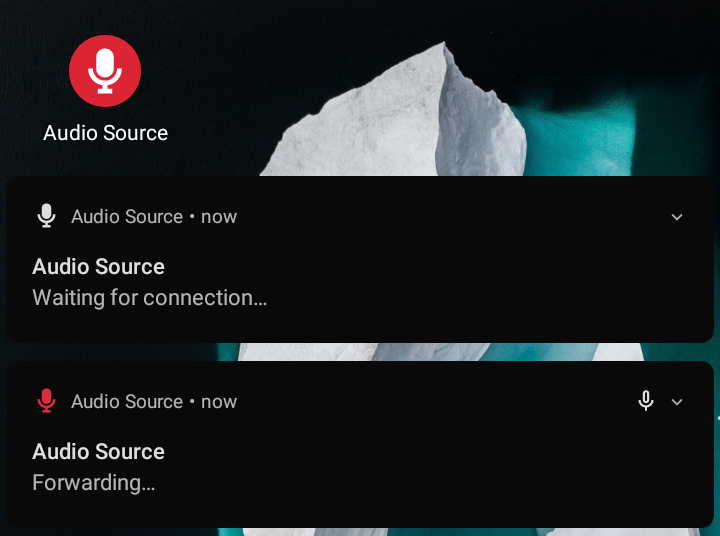
Audio Source forwards Android microphone audio input to the PulseAudio daemon
through ADB, so you can use your Android device as a USB microphone.
## Requirements
- Device with at least Android 4.0 (API level 14), but fully tested only on
Android 10 (API level 29) so your mileage may vary.
- GNU/Linux machine with:
- Android SDK Platform Tools (requires `adb` in `PATH`).
- PulseAudio or PipeWire with PulseAudio support (requires `pactl` in
`PATH`).
- Python 3 (requires `python3` in `PATH`).
## Installation
[ ](https://f-droid.org/packages/fr.dzx.audiosource/)
[
](https://f-droid.org/packages/fr.dzx.audiosource/)
[ ](https://github.com/gdzx/audiosource/releases/latest)
On your Android device:
1. Go to _Settings > About phone_ then tap _Build number_ 7 times to enable the
_Developer options_ menu.
2. In _Settings > System > Developer options_ enable _USB debugging_ (Android
Debug Bridge).
3. Install the Audio Source Android app:
- (Recommended) Get it on [F-Droid](https://f-droid.org/packages/fr.dzx.audiosource/).
- Or download the APK from the [latest release](https://github.com/gdzx/audiosource/releases/latest).
- Or build it from source (see [Build and install](#build-and-install)).
On your Linux PC:
1. Download the `audiosource` client script from the [latest
release](https://github.com/gdzx/audiosource/releases/latest) (look for a
file named `audiosource` in the assets section).
2. Open a terminal in the downloads directory (or `cd` into it).
3. Then make the script executable with `chmod a+x ./audiosource`.
## Usage
1. Connect your Android device to your PC via a USB cable. (Note that wireless
debugging should also work, at the cost of increased latency and jitter.)
2. On your phone, allow USB debugging, if requested.
3. In the terminal, run `./audiosource run`. This starts Audio Source and
immediately attempts to forward the microphone audio.
4. On your phone, grant microphone/recording permissions, if requested.
5. If the volume is too low, adjust it with `./audiosource volume 200%`
(replace `200%` with the desired level). You will likely need a volume
level higher than 100%.
## Troubleshooting
If you encounter the `adb not found` error, it means that the `adb` command is
either not installed or not in your system's `PATH`. On most distributions you
can install it via the package manager:
```console
# Arch Linux
$ pacman -S android-tools
# Debian/Ubuntu
$ apt install android-tools-adb
```
After installation, verify that it is working with `adb --version`, and re-run
`audiosource`.
Common tips:
- Ensure your phone is connected, USB debugging is enabled, and the PC is
authorized (check your phone for a prompt to allow the connection).
- Run `adb devices` to confirm your phone is detected (it should show a serial
number and "device").
- If no devices are found, try a different USB cable/port or try to re-enable
USB debugging.
## Multi-device
If you have multiple devices connected then you will have to specify the serial
number of the device you would like to forward audio to. Device serial numbers
can be found by running `adb devices`.
Then you can specify the serial number as an argument:
```console
$ ./audiosource -s 1234 run
```
Or by setting the `ANDROID_SERIAL` environment variable:
```console
$ ANDROID_SERIAL=1324 ./audiosource run
```
You can utilize job control to forward audio from multiple devices
simultaneously as follows:
```console
$ ./audiosource -s shiba run & # press ENTER to regain control of your terminal
$ ./audiosource -s 192.168.1.188:39857 run
```
## Build and install
Run `./gradlew tasks` to list the available commands.
### Debug
```console
$ ./audiosource build
$ ./audiosource install
```
### Release
1. Generate a Java KeyStore:
```console
$ keytool -keystore /home/user/android.jks -genkey -alias release \
-keyalg RSA -keysize 2048 -validity 30000
```
2. Create `keystore.properties` in the project root directory containing:
```ini
storeFile=/home/user/android.jks
storePassword=STORE_PASS
keyAlias=release
keyPassword=KEY_PASS
```
3. Build and install:
```console
$ export AUDIOSOURCE_PROFILE=release
$ ./audiosource build
$ ./audiosource install
```
## Acknowledgement
[sndcpy](https://github.com/rom1v/sndcpy) for the initial implementation of
audio playback forwarding.
## License
This project is licensed under the MIT license ([LICENSE](LICENSE) or
http://opensource.org/licenses/MIT).
](https://github.com/gdzx/audiosource/releases/latest)
On your Android device:
1. Go to _Settings > About phone_ then tap _Build number_ 7 times to enable the
_Developer options_ menu.
2. In _Settings > System > Developer options_ enable _USB debugging_ (Android
Debug Bridge).
3. Install the Audio Source Android app:
- (Recommended) Get it on [F-Droid](https://f-droid.org/packages/fr.dzx.audiosource/).
- Or download the APK from the [latest release](https://github.com/gdzx/audiosource/releases/latest).
- Or build it from source (see [Build and install](#build-and-install)).
On your Linux PC:
1. Download the `audiosource` client script from the [latest
release](https://github.com/gdzx/audiosource/releases/latest) (look for a
file named `audiosource` in the assets section).
2. Open a terminal in the downloads directory (or `cd` into it).
3. Then make the script executable with `chmod a+x ./audiosource`.
## Usage
1. Connect your Android device to your PC via a USB cable. (Note that wireless
debugging should also work, at the cost of increased latency and jitter.)
2. On your phone, allow USB debugging, if requested.
3. In the terminal, run `./audiosource run`. This starts Audio Source and
immediately attempts to forward the microphone audio.
4. On your phone, grant microphone/recording permissions, if requested.
5. If the volume is too low, adjust it with `./audiosource volume 200%`
(replace `200%` with the desired level). You will likely need a volume
level higher than 100%.
## Troubleshooting
If you encounter the `adb not found` error, it means that the `adb` command is
either not installed or not in your system's `PATH`. On most distributions you
can install it via the package manager:
```console
# Arch Linux
$ pacman -S android-tools
# Debian/Ubuntu
$ apt install android-tools-adb
```
After installation, verify that it is working with `adb --version`, and re-run
`audiosource`.
Common tips:
- Ensure your phone is connected, USB debugging is enabled, and the PC is
authorized (check your phone for a prompt to allow the connection).
- Run `adb devices` to confirm your phone is detected (it should show a serial
number and "device").
- If no devices are found, try a different USB cable/port or try to re-enable
USB debugging.
## Multi-device
If you have multiple devices connected then you will have to specify the serial
number of the device you would like to forward audio to. Device serial numbers
can be found by running `adb devices`.
Then you can specify the serial number as an argument:
```console
$ ./audiosource -s 1234 run
```
Or by setting the `ANDROID_SERIAL` environment variable:
```console
$ ANDROID_SERIAL=1324 ./audiosource run
```
You can utilize job control to forward audio from multiple devices
simultaneously as follows:
```console
$ ./audiosource -s shiba run & # press ENTER to regain control of your terminal
$ ./audiosource -s 192.168.1.188:39857 run
```
## Build and install
Run `./gradlew tasks` to list the available commands.
### Debug
```console
$ ./audiosource build
$ ./audiosource install
```
### Release
1. Generate a Java KeyStore:
```console
$ keytool -keystore /home/user/android.jks -genkey -alias release \
-keyalg RSA -keysize 2048 -validity 30000
```
2. Create `keystore.properties` in the project root directory containing:
```ini
storeFile=/home/user/android.jks
storePassword=STORE_PASS
keyAlias=release
keyPassword=KEY_PASS
```
3. Build and install:
```console
$ export AUDIOSOURCE_PROFILE=release
$ ./audiosource build
$ ./audiosource install
```
## Acknowledgement
[sndcpy](https://github.com/rom1v/sndcpy) for the initial implementation of
audio playback forwarding.
## License
This project is licensed under the MIT license ([LICENSE](LICENSE) or
http://opensource.org/licenses/MIT).