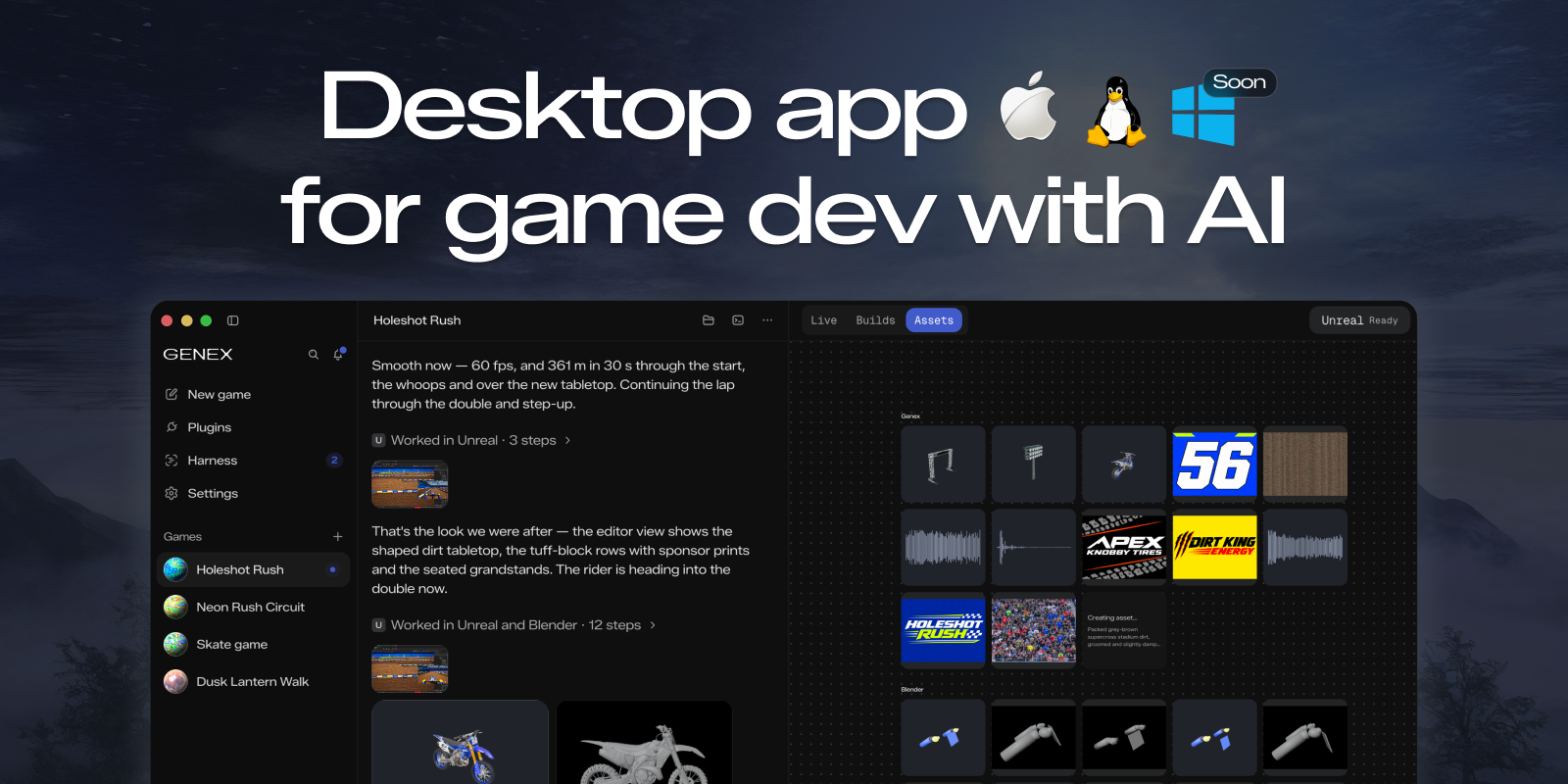
---
### Download
| Platform | Download |
| --- | --- |
| macOS (Apple Silicon) | [`Genex.dmg`](https://github.com/genex-games/genex-desktop/releases/latest/download/Genex.dmg) |
| Linux (x64) | `.deb`, `.rpm` or `.zip` from the [latest release](https://github.com/genex-games/genex-desktop/releases/latest) |
| Windows | Soon |
Genex is early: expect rough edges, and tell us about them in
[issues](https://github.com/genex-games/genex-desktop/issues).
### What it does
→ Use your Claude Code or ChatGPT subscription\
→ Or run local models\
→ Multi-agent game dev: mix Opus and GPT models across the main agent, workers and reviewers\
→ Make 3D assets locally with the Blender plugin\
→ Meshy, Tripo, ElevenLabs and more through the Genex tools router\
→ Export anywhere, or publish to the web\
→ Unity and Unreal plugins soon\
→ Native C++ games soon
> [!TIP]
> Have a tool your games need? [Build a plugin](#build-a-plugin) and put it in the Genex
> Marketplace for everyone.
### Contributing
You need macOS on Apple Silicon, Git and Node 24.
```bash
git clone https://github.com/genex-games/genex-desktop.git
cd genex-desktop
nvm install && nvm use # Node 24, from .nvmrc
npm ci
npm run studio:dev -- start --profile first-run --fixture app-basics
```
The fixture runs the app with scripted models and sample games, so it needs no account. Read
[CONTRIBUTING.md](CONTRIBUTING.md) before you open a pull request; coding agents start at
[AGENTS.md](AGENTS.md).
### Build a plugin
Plugins give Genex's agents new tools: an asset generator, an engine bridge, a service your
game talks to. The Blender and Genex tools that ship with the app are plugins too. From a Genex
checkout:
```bash
npm run plugin:new -- my-plugin --out ~/studio-plugins # scaffold it from the example
npm run plugin:doctor -- ~/studio-plugins/my-plugin # check it the way Genex will
```
1. **Try it**: in the app, **Plugins → Add → Load local plugin…** and pick the folder.
2. **Share it**: push it to a public GitHub repository and publish a release for each version.
Anyone can install it from there with **Plugins → Add → Install from GitHub…**.
3. **List it**: open a pull request to
[genex-plugins](https://github.com/genex-games/genex-plugins/blob/main/CONTRIBUTING.md). A
maintainer reviews it, and it appears in every Genex app's Marketplace.
The [plugin guide](docs/PLUGIN_GUIDE.md) covers tools, panels, settings and accounts.
### Documentation
- [Product overview](docs/agent/context.md): what the app does, with a page per feature
- [Developer field guide](docs/STUDIO-DEVELOPER-FIELD-GUIDE.md): run commands and where data lives
- [Release operations](docs/release-operations.md): packaging, signing and publishing a release
---
[Privacy](PRIVACY.md) · [Security](SECURITY.md) · [MIT license](LICENSE), copyright `genex.games` ·
[Third-party notices](THIRD-PARTY-NOTICES.md)