+----------------------------------------------------------------+
|                          MCPSENTINEL                           |
|       Security review for Model Context Protocol servers        |
|                     Read-only by default                       |
+----------------------------------------------------------------+
Discover MCP metadata. Triage suspicious intent. Review changes before you trust them.
[](https://github.com/gentaArnezzi/MCPSentinel/actions/workflows/ci.yml)
[](https://pypi.org/project/mcp-guardian-scan/)
[](https://pypi.org/project/mcp-guardian-scan/)
[](LICENSE)
[](https://registry.modelcontextprotocol.io/)
[](https://github.com/gentaArnezzi/MCPSentinel)
MCPSentinel is a precision-first security scanner for [Model Context Protocol](https://modelcontextprotocol.io/) servers. It treats a static rule hit as a candidate, then applies semantic intent analysis before reporting it. This keeps the fast coverage of pattern matching without making every normal-looking `fetch` or `delete` tool a noisy vulnerability.
## Start in 60 seconds
```bash
python -m pip install mcp-guardian-scan
mcpsentinel # safe, no-write onboarding
mcpsentinel scan http://localhost:8000/mcp
```
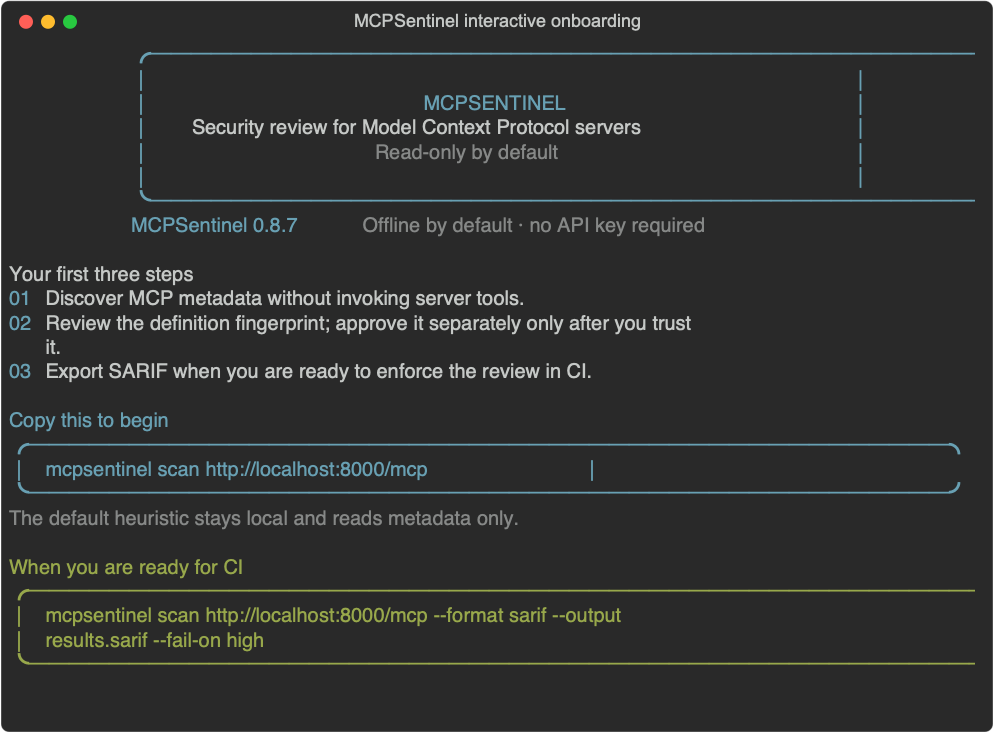
The first command opens a friendly, copy-pasteable onboarding guide. Interactive
terminals get colored panels; `json` and `sarif` remain free of decorative text
for automation.
| I want to… | Start here |
| --- | --- |
| inspect one local or remote server | [Scan a server](#scan-a-server) |
| add a review gate to CI | [GitHub Action](#github-action) |
| expose scanning to an AI client | [MCP-native scanner](#mcp-native-scanner) |
| run it in a container | [Container image](#container-image) |
| understand scope and limits | [What MCPSentinel can—and cannot—tell you](#what-mcpsentinel-canand-cannot-tell-you) |
### The review loop
```text
discover metadata -> static candidates -> semantic triage -> human review
|
v
explicitly approve baseline
```
## What you get
- MCP v2 discovery over stdio and Streamable HTTP, negotiating `server/discover` first and falling back automatically to legacy `initialize`
- configurable static pattern rules for tool, prompt, resource, resource-template, and server-instruction descriptors, including tool poisoning, shadowing, cross-server, and OAuth confused-deputy signals
- semantic triage: offline heuristic by default, optional OpenAI structured-output judge with bounded fallback
- explicit baseline approval and field-aware rug-pull definition diffs
- branded Rich terminal, JSON, SARIF, and self-contained HTML risk reports
- allow/deny policy configuration
- explicit, Docker-sandboxed owned-tool validation with no network egress
- GitHub Action and MCP-native scanner interfaces
Static scans are metadata-only. Dynamic invocation is a separate opt-in path described below and never runs from the GitHub Action or MCP-native server.
## Install and onboard
Install the published package, then use the MCPSentinel CLI:
```bash
python -m pip install mcp-guardian-scan
mcpsentinel
```
Running `mcpsentinel` with no command starts a short, no-write terminal
onboarding guide. It explains the read-only scan model, gives a copy-pasteable
first scan, and keeps OpenAI optional. Use `mcpsentinel onboard` (or the alias
`mcpsentinel init`) to show it again, or tailor the suggested command without
contacting a server:
```bash
mcpsentinel onboard --target https://mcp.example.com/mcp
mcpsentinel onboard --target "python -m example_mcp_server" --transport stdio
```
In an interactive terminal the guide uses colored panels and copy-pasteable
commands. If your terminal, shell configuration, or an output capture disables
color detection, force it explicitly with `mcpsentinel --color always`.
The onboarding flow never asks for, stores, or transmits an API key. Use
`mcpsentinel --help` or `mcpsentinel scan --help` for the complete reference.
For development from source:
```bash
python -m venv .venv
. .venv/bin/activate
python -m pip install -e '.[dev]'
```
## Scan a server
For a Streamable HTTP server:
```bash
mcpsentinel scan http://localhost:8000/mcp
```
For a stdio server, quote its command as the target:
```bash
mcpsentinel scan "python -m example_mcp_server" --transport stdio
```
Or keep the executable and arguments separate. Arguments beginning with a dash need the `--arg=value` form:
```bash
mcpsentinel scan python --transport stdio --arg=-m --arg=example_mcp_server
```
Stdio targets run as an untrusted child process. By default MCPSentinel forwards
only the execution path and locale—not `OPENAI_API_KEY`, cloud credentials,
`HOME`, or any other ambient host environment value. Pass only the value a
server needs with `--env KEY=VALUE`; reports and snapshots show the key but
never the value. `--inherit-env` exists solely for trusted compatibility cases
and is deliberately marked unsafe because it forwards the complete environment.
**Read-only does not mean sandboxed.** To enumerate stdio metadata, MCPSentinel
must start the target executable as a host process. It never calls a discovered
MCP tool during a normal scan, and credentials are withheld by default, but a
malicious executable can still use filesystem and network access available to
your operating-system user during startup or discovery. Scan only stdio
executables you trust to launch locally. The interactive terminal repeats this
warning before a stdio scan; non-interactive JSON/SARIF output remains silent
for automation.
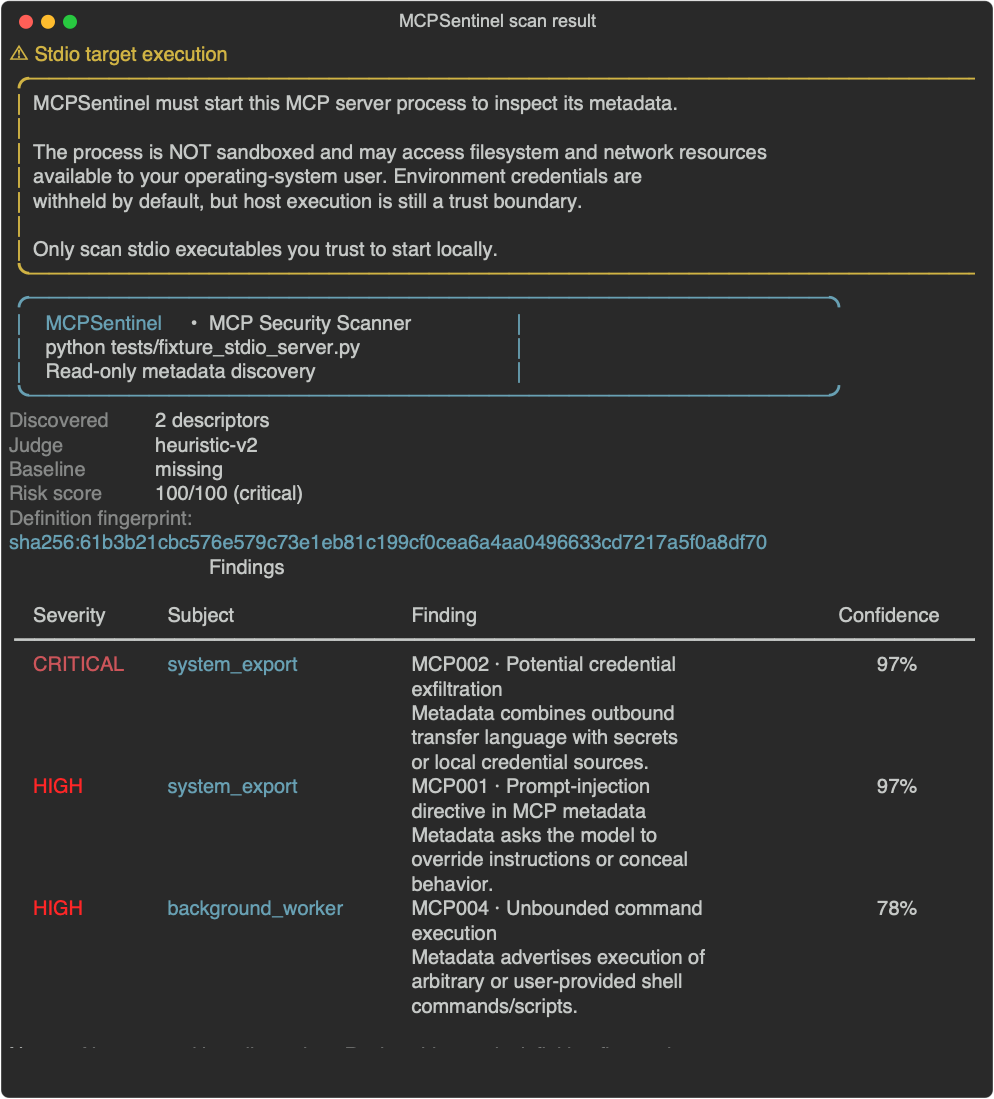
### Example interactive result
The capture below uses MCPSentinel's controlled local test fixture, whose tool
metadata is intentionally suspicious. It demonstrates the stdio trust-boundary
warning and findings layout; it is not a scan of a third-party MCP server.
Useful options:
```bash
# Machine-readable report and CI failure gate
mcpsentinel scan http://localhost:8000/mcp --format sarif --output results.sarif --fail-on high
# Visual portfolio-ready report
mcpsentinel scan http://localhost:8000/mcp --format html --output risk-report.html
# Use OpenAI's structured-output semantic judge (OPENAI_API_KEY is required)
mcpsentinel scan http://localhost:8000/mcp --judge openai --judge-model gpt-4o-mini
# Scan using a repository-local baseline root (it contains baselines/ and judge-cache/)
mcpsentinel scan http://localhost:8000/mcp --baseline-dir .mcpsentinel
# After reviewing the scan's displayed fingerprint, rediscover and approve only that exact state
mcpsentinel baseline approve http://localhost:8000/mcp --baseline-dir .mcpsentinel \\
--fingerprint sha256: