Device Activity Tracker
WhatsApp & Signal Activity Tracker via RTT Analysis




> ⚠️ **DISCLAIMER**: Proof-of-concept for educational and security research purposes only. Demonstrates privacy vulnerabilities in WhatsApp and Signal.
## Overview
This project implements the research from the paper **"Careless Whisper: Exploiting Silent Delivery Receipts to Monitor Users on Mobile Instant Messengers"** by Gabriel K. Gegenhuber, Maximilian Günther, Markus Maier, Aljosha Judmayer, Florian Holzbauer, Philipp É. Frenzel, and Johanna Ullrich (University of Vienna & SBA Research).
**What it does:** By measuring Round-Trip Time (RTT) of WhatsApp message delivery receipts, this tool can detect:
- When a user is actively using their device (low RTT)
- When the device is in standby/idle mode (higher RTT)
- Potential location changes (mobile data vs. WiFi)
- Activity patterns over time
**Security implications:** This demonstrates a significant privacy vulnerability in messaging apps that can be exploited for surveillance.
## Example
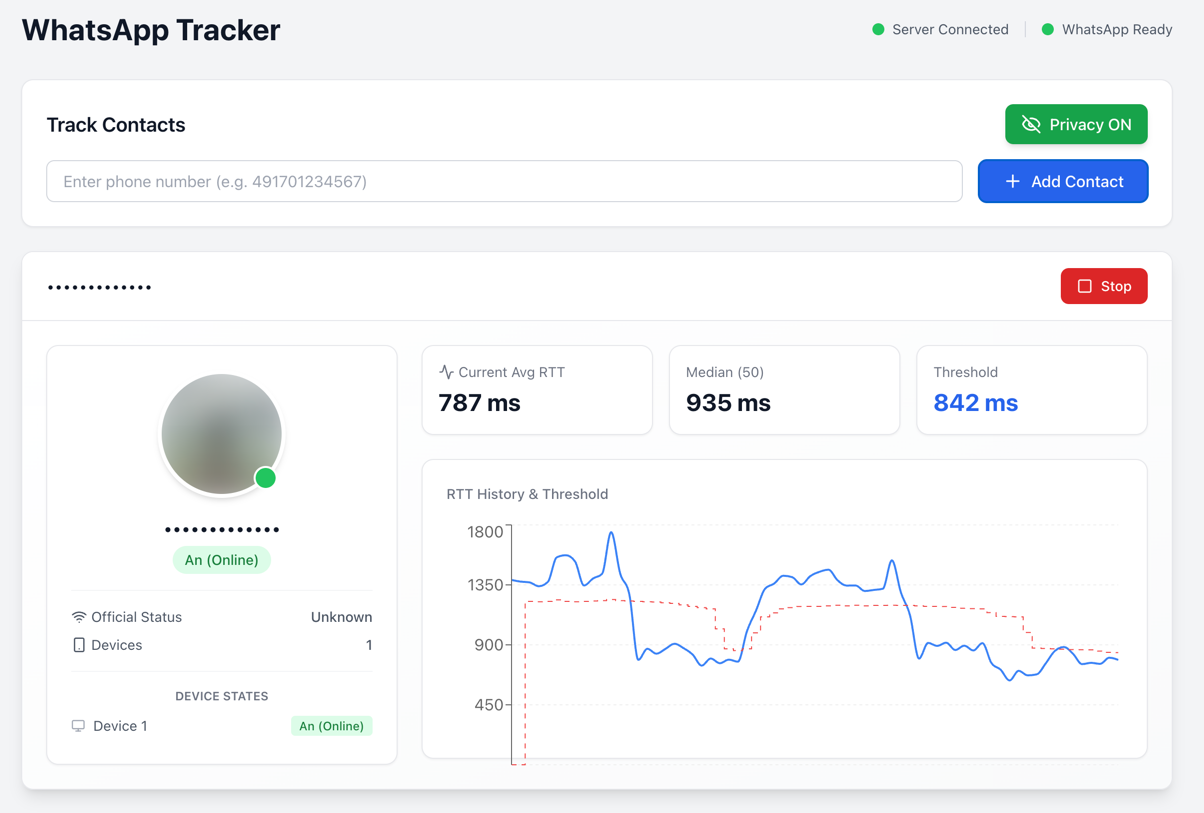
The web interface shows real-time RTT measurements, device state detection, and activity patterns.
## Installation
```bash
# Clone repository
git clone https://github.com/gommzystudio/device-activity-tracker.git
cd device-activity-tracker
# Install dependencies
npm install
cd client && npm install && cd ..
```
**Requirements:** Node.js 20+, npm, WhatsApp account
## Usage
### Docker (Recommended)
The easiest way to run the application is using Docker:
```bash
# Copy environment template
cp .env.example .env
# (Optional) Customize ports in .env file
# BACKEND_PORT=3001
# CLIENT_PORT=3000
# Build and start containers
docker compose up --build
```
The application will be available at:
- Frontend: [http://localhost:3000](http://localhost:3000) (or your configured `CLIENT_PORT`)
- Backend: [http://localhost:3001](http://localhost:3001) (or your configured `BACKEND_PORT`)
To stop the containers:
```bash
docker compose down
```
### Manual Setup
#### Web Interface
```bash
# Terminal 1: Start backend
npm run start:server
# Terminal 2: Start frontend
npm run start:client
```
Open `http://localhost:3000`, scan QR code with WhatsApp, then enter phone number to track (e.g., `491701234567`).
### CLI Interface (only WhatsApp)
```bash
npm start
```
Follow prompts to authenticate and enter target number.
**Example Output:**
```
╔════════════════════════════════════════════════════════════════╗
║ 🟡 Device Status Update - 09:41:51 ║
╠════════════════════════════════════════════════════════════════╣
║ JID: ***********@lid ║
║ Status: Standby ║
║ RTT: 1104ms ║
║ Avg (3): 1161ms ║
║ Median: 1195ms ║
║ Threshold: 1075ms ║
╚════════════════════════════════════════════════════════════════╝
```
- **🟢 Online**: Device is actively being used (RTT below threshold)
- **🟡 Standby**: Device is idle/locked (RTT above threshold)
- **🔴 Offline**: Device is offline or unreachable (no CLIENT ACK received)
## How It Works
The tracker sends probe messages and measures the Round-Trip Time (RTT) to detect device activity. Two probe methods are available:
### Probe Methods
| Method | Description |
|--------|-----------------------------------------------------------------------------------------------------------------|
| **Delete** (Default) | Sends a "delete" request for a non-existent message ID. |
| **Reaction** | Sends a reaction emoji to a non-existent message ID. |
### Detection Logic
The time between sending the probe message and receiving the CLIENT ACK (Status 3) is measured as RTT. Device state is detected using a dynamic threshold calculated as 90% of the median RTT: values below the threshold indicate active usage, values above indicate standby mode. Measurements are stored in a history and the median is continuously updated to adapt to different network conditions.
### Switching Probe Methods
In the web interface, you can switch between probe methods using the dropdown in the control panel. In CLI mode, the delete method is used by default.
## Common Issues
- **Not Connecting to WhatsApp**: Delete the `auth_info_baileys/` folder and re-scan the QR code.
## Project Structure
```
device-activity-tracker/
├── src/
│ ├── tracker.ts # WhatsApp RTT analysis logic
│ ├── signal-tracker.ts # Signal RTT analysis logic
│ ├── server.ts # Backend API server (both platforms)
│ └── index.ts # CLI interface
├── client/ # React web interface
└── package.json
```
## How to Protect Yourself
The most effective mitigation is to enable “Block unknown account messages” in WhatsApp under
Settings → Privacy → Advanced.
This setting may reduce an attacker’s ability to spam probe reactions from unknown numbers, because WhatsApp blocks high-volume messages from unknown accounts.
However, WhatsApp does not disclose what “high volume” means, so this does not fully prevent an attacker from sending a significant number of probe reactions before rate-limiting kicks in.
Disabling read receipts helps with regular messages but does not protect against this specific attack. As of December 2025, this vulnerability remains exploitable in WhatsApp and Signal.
## Ethical & Legal Considerations
⚠️ For research and educational purposes only. Never track people without explicit consent - this may violate privacy laws. Authentication data (`auth_info_baileys/`) is stored locally and must never be committed to version control.
## Citation
Based on research by Gegenhuber et al., University of Vienna & SBA Research:
```bibtex
@inproceedings{gegenhuber2024careless,
title={Careless Whisper: Exploiting Silent Delivery Receipts to Monitor Users on Mobile Instant Messengers},
author={Gegenhuber, Gabriel K. and G{\"u}nther, Maximilian and Maier, Markus and Judmayer, Aljosha and Holzbauer, Florian and Frenzel, Philipp {\'E}. and Ullrich, Johanna},
year={2024},
organization={University of Vienna, SBA Research}
}
```
## License
MIT License - See LICENSE file.
Built with [@whiskeysockets/baileys](https://github.com/WhiskeySockets/Baileys)
---
**Use responsibly. This tool demonstrates real security vulnerabilities that affect millions of users.**
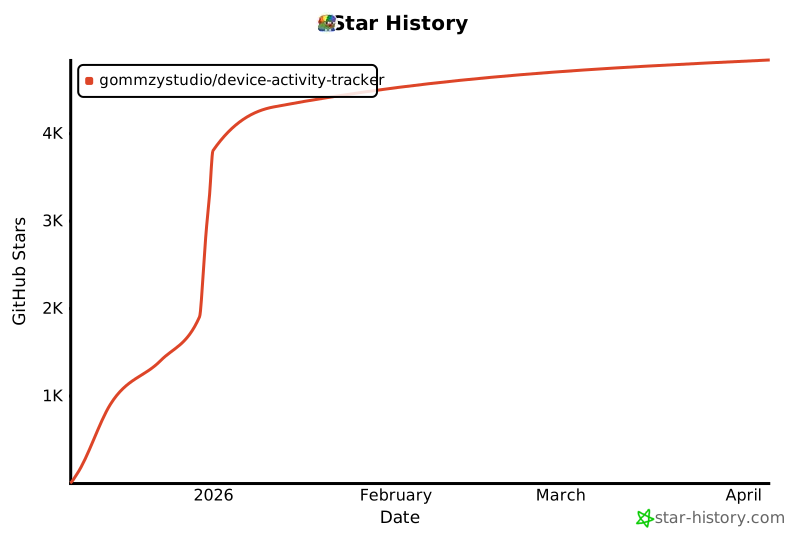
## Star History
[](https://www.star-history.com/#gommzystudio/device-activity-tracker&type=date&legend=top-left)