/*
* Copyright 2026 Google LLC
*
* Licensed under the Apache License, Version 2.0 (the "License");
* you may not use this file except in compliance with the License.
* You may obtain a copy of the License at
*
* http://www.apache.org/licenses/LICENSE-2.0
*
* Unless required by applicable law or agreed to in writing, software
* distributed under the License is distributed on an "AS IS" BASIS,
* WITHOUT WARRANTIES OR CONDITIONS OF ANY KIND, either express or implied.
* See the License for the specific language governing permissions and
* limitations under the License.
*/
/* Markdown (render)
# Gemini Native Image generation (aka 🍌Nano-Banana models)
This notebook will show you how to use the native Image-output feature of Gemini, using the model multimodal capabilities to output both images and texts, and iterate on an image through a discussion.
There are now 2 models you can use:
* `gemini-2.5-flash-image` aka. "nano-banana": Cheap and fast yet powerful. This should be your default choice.
* `gemini-3-pro-image-preview` aka "nano-banana-pro": More powerful thanks to its **thinking** capabilities and its access to real-world data using **Google Search**. It really shines at creating diagrams and grounded images. And cherry on top, it can create 2K and 4K images!
These models are really good at:
* **Maintaining character consistency**: Preserve a subject’s appearance across multiple generated images and scenes
* **Performing intelligent editing**: Enable precise, prompt-based edits like inpainting (adding/changing objects), outpainting, and targeted transformations within an image
* **Compose and merge images**: Intelligently combine elements from multiple images into a single, photorealistic composite (maximum 3 with flash, 14 with pro)
* **Leverage multimodal reasoning**: Build features that understand visual context, such as following complex instructions on a hand-drawn diagram
Following this guide, you'll learn how to do all those things and even more.
*/
/* Markdown (render)
## Setup
### Install SDK and set-up the client with the API key
First, install the SDK:
```bash
npm install @google/genai
```
Then, to ensure security, avoid hardcoding the API key in frontend code. Instead, set it as an environment variable on the server or local machine.
When using the Gemini API client libraries, the key will be automatically detected if set as either `GEMINI_API_KEY` or `GOOGLE_API_KEY`. If both are set, `GOOGLE_API_KEY` takes precedence.
For instructions on setting environment variables across different operating systems, refer to the official documentation: [Set API Key as Environment Variable](https://ai.google.dev/gemini-api/docs/api-key#set-api-env-var)
In code, the key can then be accessed as:
```js
ai = new GoogleGenAI({ apiKey: process.env.GEMINI_API_KEY });
```
*/
// [CODE STARTS]
module = await import("https://esm.sh/@google/genai@1.30.0");
GoogleGenAI = module.GoogleGenAI;
ai = new GoogleGenAI({ apiKey: process.env.GEMINI_API_KEY });
MODEL_ID = "gemini-2.5-flash-image";
PRO_MODEL_ID = "gemini-3-pro-image-preview";
// [CODE ENDS]
/* Markdown (render)
## Generate images
Using the Gemini Image generation model is the same as using any Gemini model: you simply call `generateContent`.
You can set the `responseModalities` to indicate to the model that you are expecting text and images in the output but it's optional as this is expected with this model.
*/
// [CODE STARTS]
Modality = module.Modality;
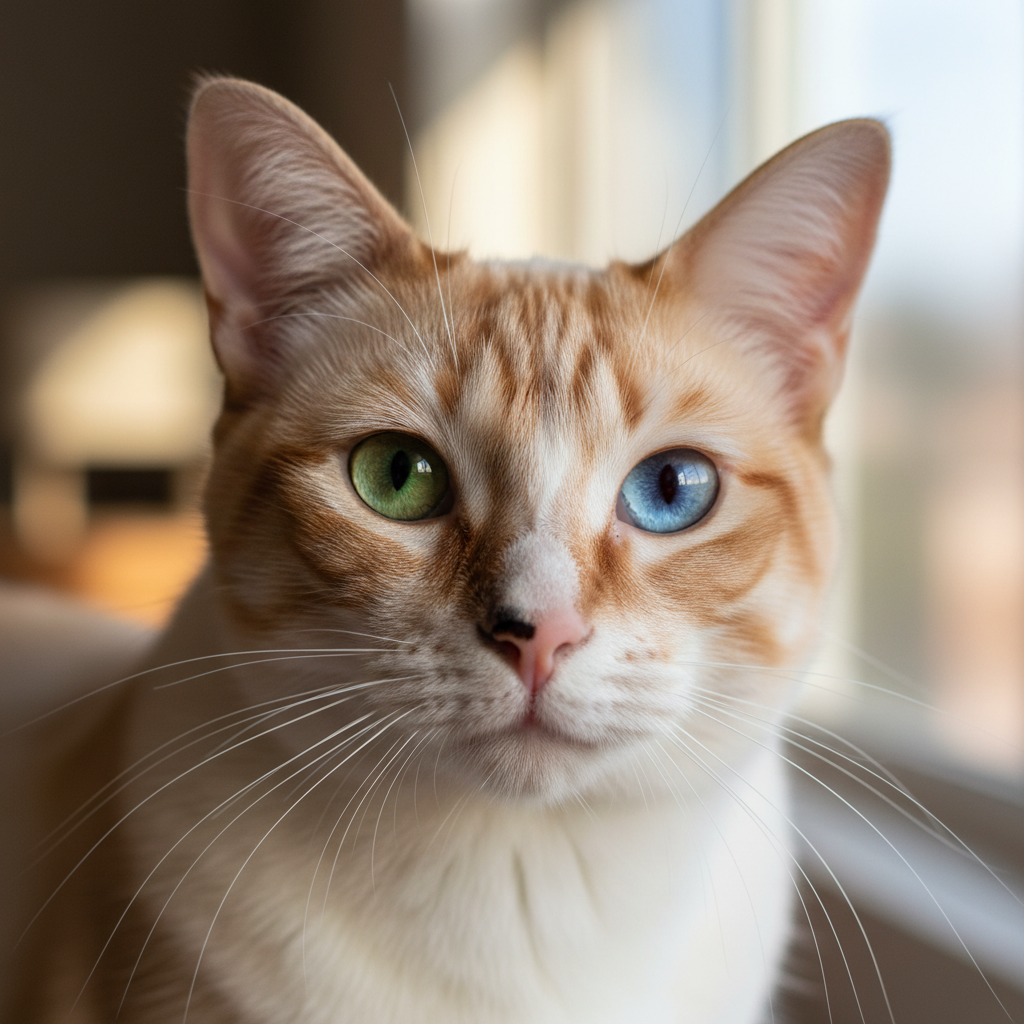
prompt =
"Create a photorealistic image of a siamese cat with a green left eye and a blue right one and red patches on his face and a black and pink nose";
response = await ai.models.generateContent({
model: MODEL_ID,
contents: prompt,
config: { responseModalities: [Modality.TEXT, Modality.IMAGE] },
});
for (const part of response.candidates[0].content.parts) {
if (part.text !== undefined) {
console.log(part.text);
} else if (part.inlineData !== undefined) {
catImage = part.inlineData.data;
console.image(catImage);
}
}
// [CODE ENDS]
/* Output Sample
Here is your requested image:
 */
/* Markdown (render)
## Edit images
You can also do image editing, simply pass the original image as part of the prompt. Don't limit yourself to simple edit, Gemini is able to keep the character consistency and reprensent you character in different behaviors or places.
*/
// [CODE STARTS]
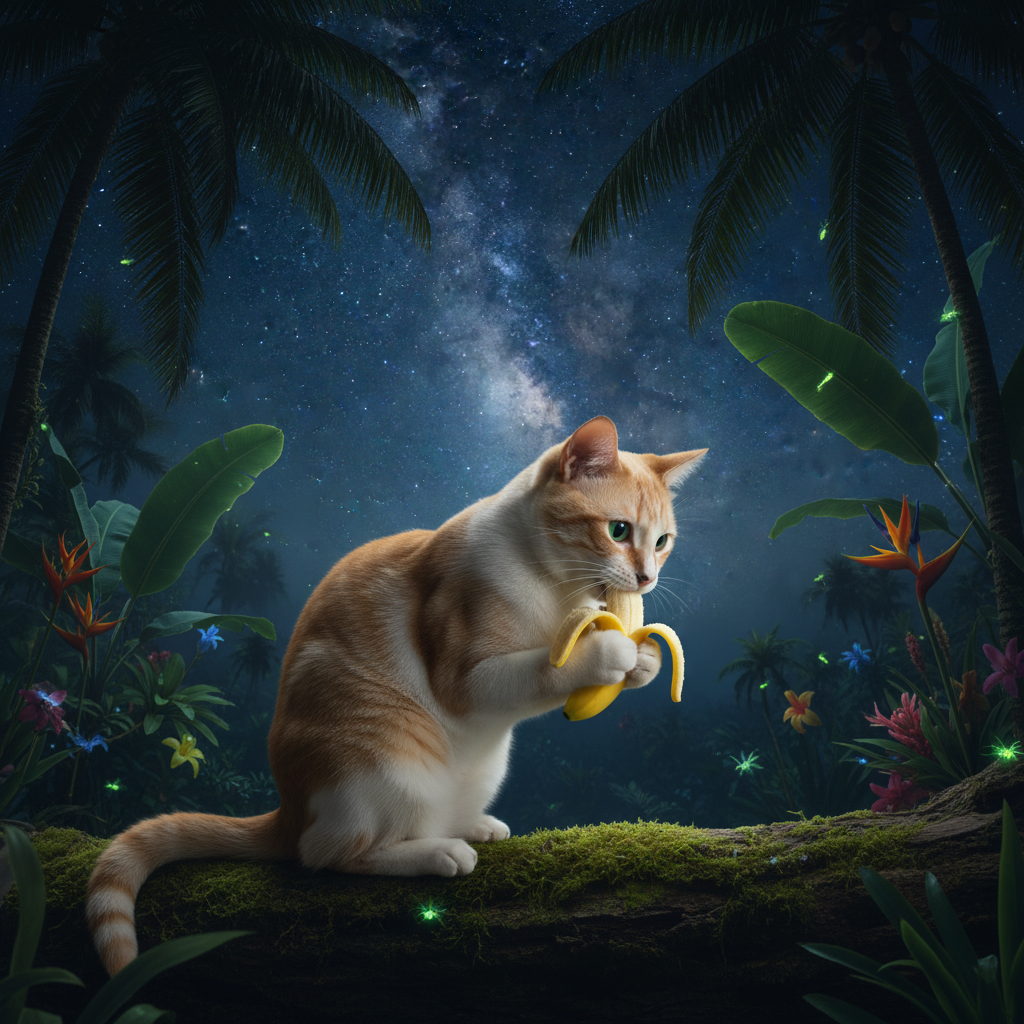
textPrompt =
"Create a side view picture of that cat, in a tropical forest, eating a nano-banana, under the stars";
response = await ai.models.generateContent({
model: MODEL_ID,
contents: [
{ text: textPrompt },
{
inlineData: {
data: catImage,
mimeType: "image/png",
},
},
],
});
for (const part of response.candidates[0].content.parts) {
if (part.text !== undefined) {
console.log(part.text);
} else if (part.inlineData !== undefined) {
catImage = part.inlineData.data;
console.image(catImage);
}
}
// [CODE ENDS]
/* Output Sample
*/
/* Markdown (render)
## Edit images
You can also do image editing, simply pass the original image as part of the prompt. Don't limit yourself to simple edit, Gemini is able to keep the character consistency and reprensent you character in different behaviors or places.
*/
// [CODE STARTS]
textPrompt =
"Create a side view picture of that cat, in a tropical forest, eating a nano-banana, under the stars";
response = await ai.models.generateContent({
model: MODEL_ID,
contents: [
{ text: textPrompt },
{
inlineData: {
data: catImage,
mimeType: "image/png",
},
},
],
});
for (const part of response.candidates[0].content.parts) {
if (part.text !== undefined) {
console.log(part.text);
} else if (part.inlineData !== undefined) {
catImage = part.inlineData.data;
console.image(catImage);
}
}
// [CODE ENDS]
/* Output Sample
 */
/* Markdown (render)
As you can see, you can clearly recognize the same cat with its peculiar nose and eyes.
## Control aspect ratio
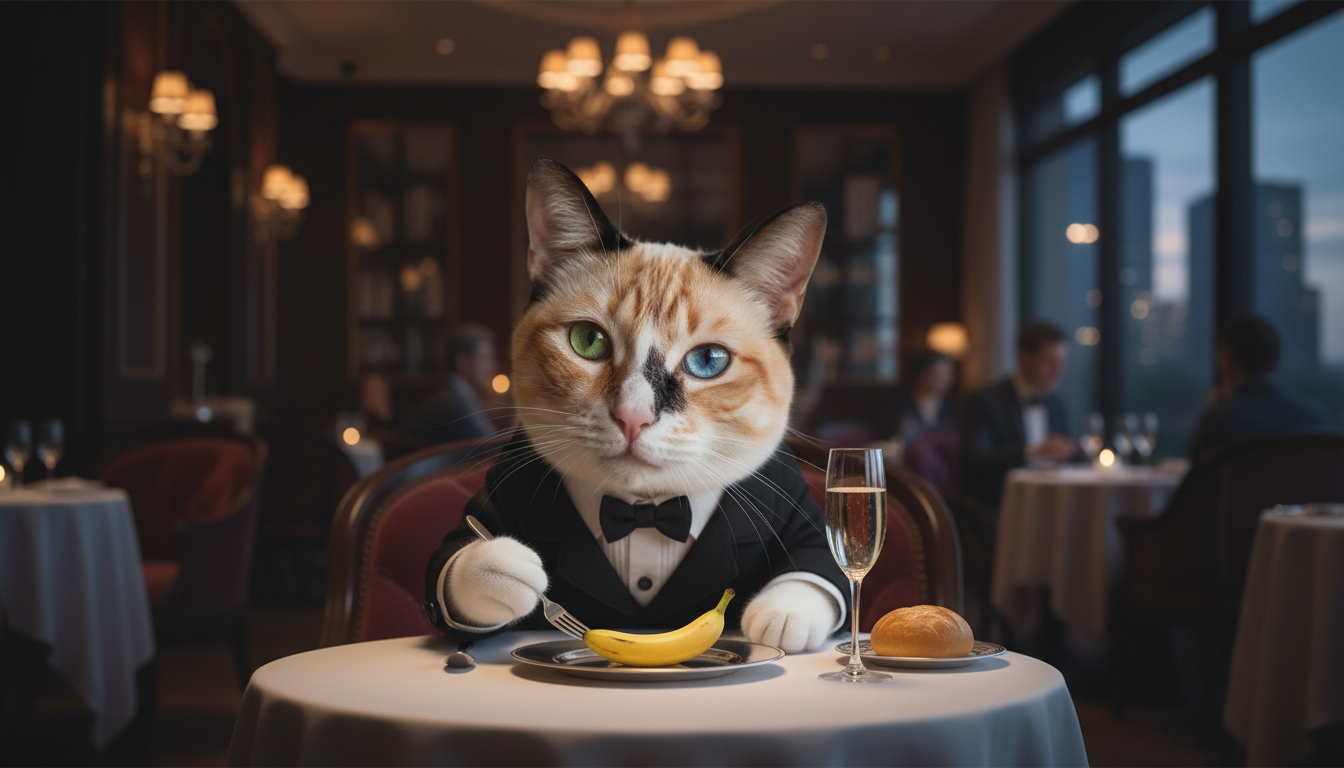
You can control the aspect ratio of the output image. The model's primary behavior is to match the size of your input images; otherwise, it defaults to generating square (1:1) images.
To do so, add an `aspectRatio` value to the `imageConfig`.
*/
// [CODE STARTS]
textPrompt =
"Now the cat should keep the same attitude, but be well dressed in fancy restaurant and eat a fancy nano banana.";
response = await ai.models.generateContent({
model: MODEL_ID,
contents: [
{ text: textPrompt },
{
inlineData: {
data: catImage,
mimeType: "image/png",
},
},
],
config: {
responseModalities: [Modality.IMAGE],
imageConfig: {
aspectRatio: "16:9",
},
},
});
for (const part of response.candidates[0].content.parts) {
if (part.text !== undefined) {
console.log(part.text);
} else if (part.inlineData !== undefined) {
catImage = part.inlineData.data;
console.image(catImage);
}
}
// [CODE ENDS]
/* Output Sample
*/
/* Markdown (render)
As you can see, you can clearly recognize the same cat with its peculiar nose and eyes.
## Control aspect ratio
You can control the aspect ratio of the output image. The model's primary behavior is to match the size of your input images; otherwise, it defaults to generating square (1:1) images.
To do so, add an `aspectRatio` value to the `imageConfig`.
*/
// [CODE STARTS]
textPrompt =
"Now the cat should keep the same attitude, but be well dressed in fancy restaurant and eat a fancy nano banana.";
response = await ai.models.generateContent({
model: MODEL_ID,
contents: [
{ text: textPrompt },
{
inlineData: {
data: catImage,
mimeType: "image/png",
},
},
],
config: {
responseModalities: [Modality.IMAGE],
imageConfig: {
aspectRatio: "16:9",
},
},
});
for (const part of response.candidates[0].content.parts) {
if (part.text !== undefined) {
console.log(part.text);
} else if (part.inlineData !== undefined) {
catImage = part.inlineData.data;
console.image(catImage);
}
}
// [CODE ENDS]
/* Output Sample
 */
/* Markdown (render)
## Get multiple images (e: tell stories)
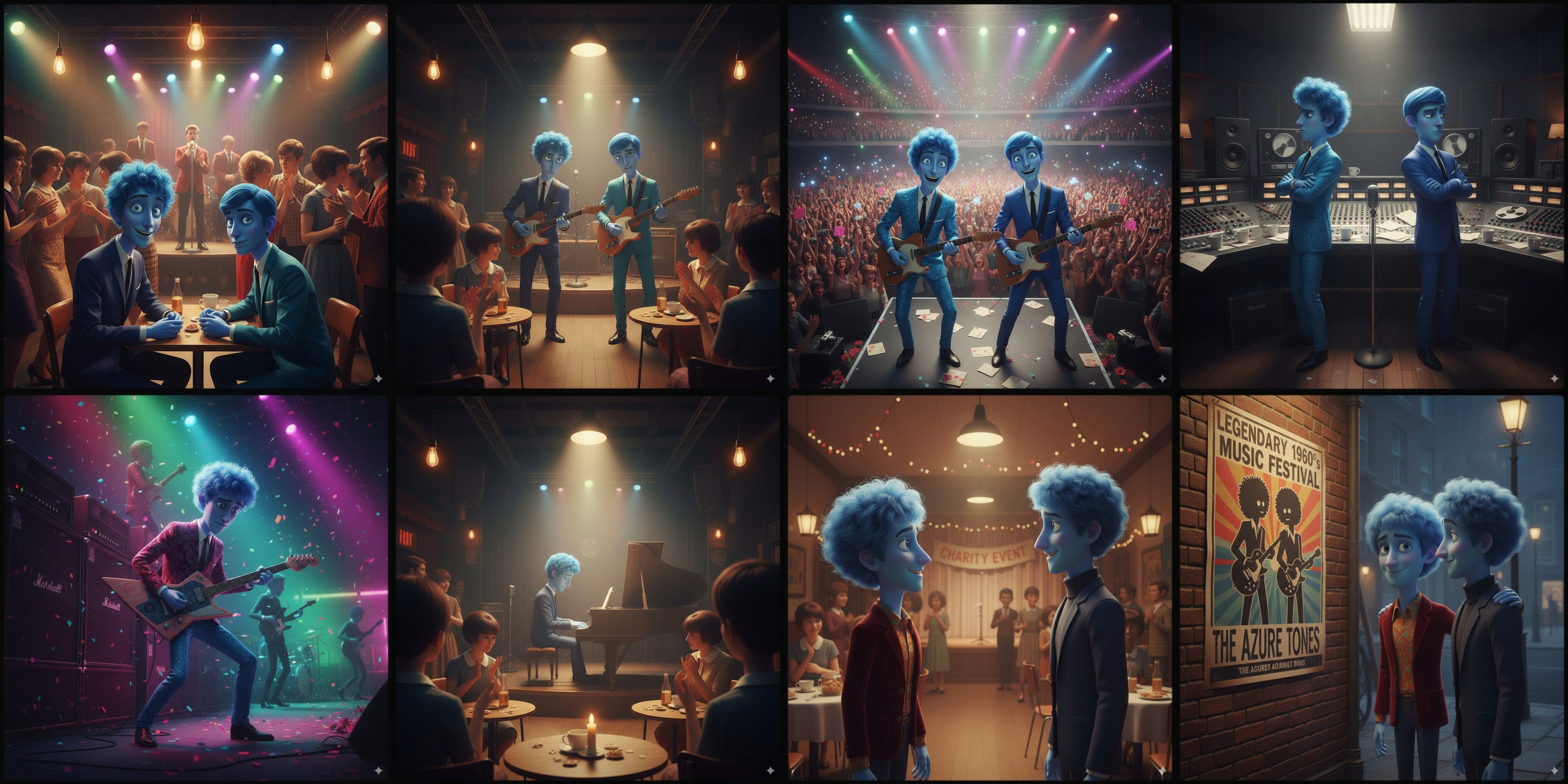
So far you've only generated one image per call, but you can request way more than that! Let's try a baking receipe or telling a story.
*/
// [CODE STARTS]
prompt =
"Create a beautifully entertaining 8 part story with 8 images with two blue characters and their adventures in the 1960s music scene. The story is thrilling throughout with emotional highs and lows and ending on a great twist and high note. Do not include any words or text on the images but tell the story purely through the imagery itself.";
response = await ai.models.generateContent({
model: MODEL_ID,
contents: prompt,
});
for (const part of response.candidates[0].content.parts) {
if (part.text !== undefined) {
console.log(part.text);
} else if (part.inlineData !== undefined) {
imageURL = part.inlineData.data;
console.image(imageURL);
}
}
// [CODE ENDS]
/* Output Sample
*/
/* Markdown (render)
## Get multiple images (e: tell stories)
So far you've only generated one image per call, but you can request way more than that! Let's try a baking receipe or telling a story.
*/
// [CODE STARTS]
prompt =
"Create a beautifully entertaining 8 part story with 8 images with two blue characters and their adventures in the 1960s music scene. The story is thrilling throughout with emotional highs and lows and ending on a great twist and high note. Do not include any words or text on the images but tell the story purely through the imagery itself.";
response = await ai.models.generateContent({
model: MODEL_ID,
contents: prompt,
});
for (const part of response.candidates[0].content.parts) {
if (part.text !== undefined) {
console.log(part.text);
} else if (part.inlineData !== undefined) {
imageURL = part.inlineData.data;
console.image(imageURL);
}
}
// [CODE ENDS]
/* Output Sample
 (images have been stitched together)
*/
/* Markdown (render)
## Chat mode (recommended method)
So far you've used unary calls, but Image-out is actually made to work better with chat mode as it's easier to iterate on an image turn after turn.
*/
// [CODE STARTS]
chat = ai.chats.create({
model: MODEL_ID,
});
// [CODE ENDS]
// [CODE STARTS]
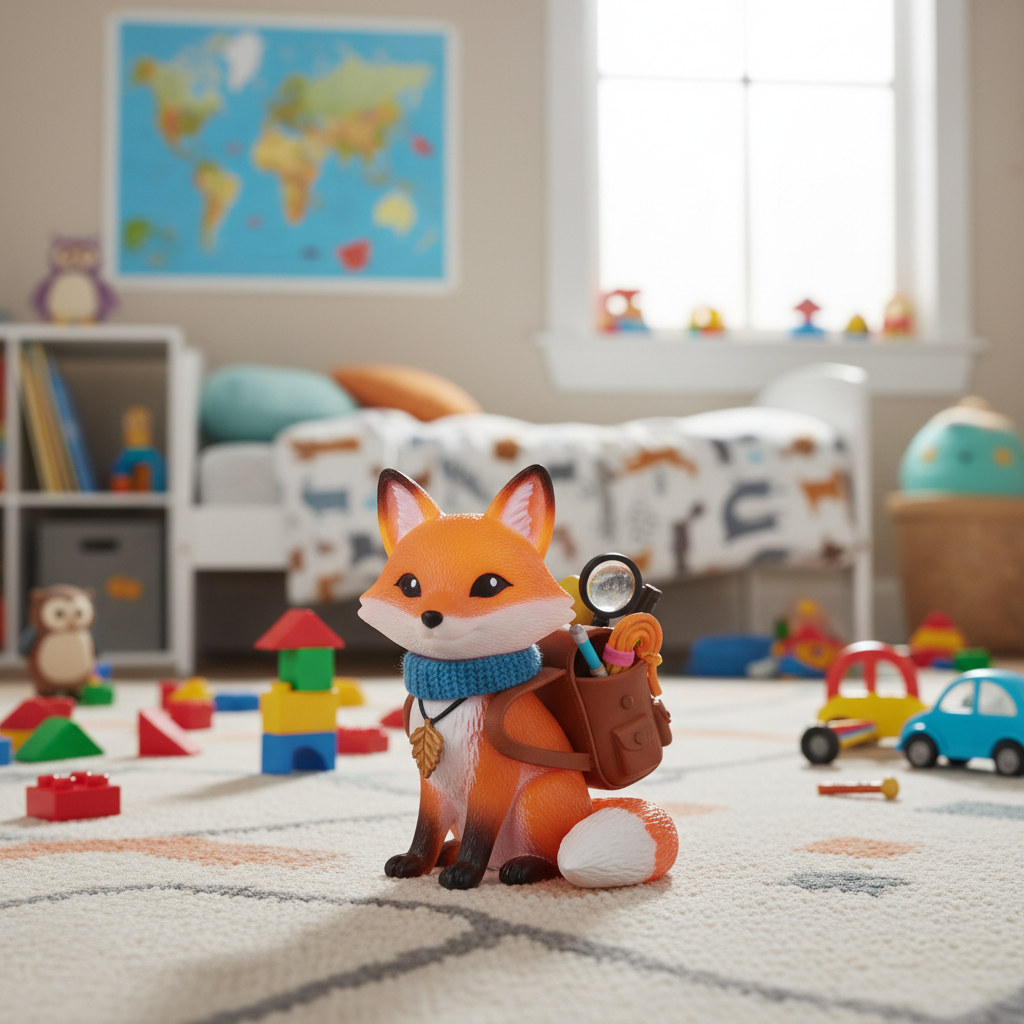
message =
"create a image of a plastic toy fox figurine in a kid's bedroom, it can have accessories but no weapon";
response = await chat.sendMessage({ message: message });
for (const part of response.candidates[0].content.parts) {
if (part.text !== undefined) {
console.log(part.text);
}
if (part.inlineData !== undefined) {
foxFigurineImage = part.inlineData.data;
console.image(foxFigurineImage);
}
}
// [CODE ENDS]
/* Output Sample
Here is an image of a plastic toy fox figurine in a kid's bedroom, with accessories:
(images have been stitched together)
*/
/* Markdown (render)
## Chat mode (recommended method)
So far you've used unary calls, but Image-out is actually made to work better with chat mode as it's easier to iterate on an image turn after turn.
*/
// [CODE STARTS]
chat = ai.chats.create({
model: MODEL_ID,
});
// [CODE ENDS]
// [CODE STARTS]
message =
"create a image of a plastic toy fox figurine in a kid's bedroom, it can have accessories but no weapon";
response = await chat.sendMessage({ message: message });
for (const part of response.candidates[0].content.parts) {
if (part.text !== undefined) {
console.log(part.text);
}
if (part.inlineData !== undefined) {
foxFigurineImage = part.inlineData.data;
console.image(foxFigurineImage);
}
}
// [CODE ENDS]
/* Output Sample
Here is an image of a plastic toy fox figurine in a kid's bedroom, with accessories:
 */
// [CODE STARTS]
message =
"Add a blue planet on the figuring's helmet or hat (add one if needed)";
response = await chat.sendMessage({ message: message });
for (const part of response.candidates[0].content.parts) {
if (part.text !== undefined) {
console.log(part.text);
}
if (part.inlineData !== undefined) {
console.image(part.inlineData.data);
}
}
// [CODE ENDS]
/* Output Sample
Here's the toy fox figurine with a blue planet on its helmet:
*/
// [CODE STARTS]
message =
"Add a blue planet on the figuring's helmet or hat (add one if needed)";
response = await chat.sendMessage({ message: message });
for (const part of response.candidates[0].content.parts) {
if (part.text !== undefined) {
console.log(part.text);
}
if (part.inlineData !== undefined) {
console.image(part.inlineData.data);
}
}
// [CODE ENDS]
/* Output Sample
Here's the toy fox figurine with a blue planet on its helmet:
 */
// [CODE STARTS]
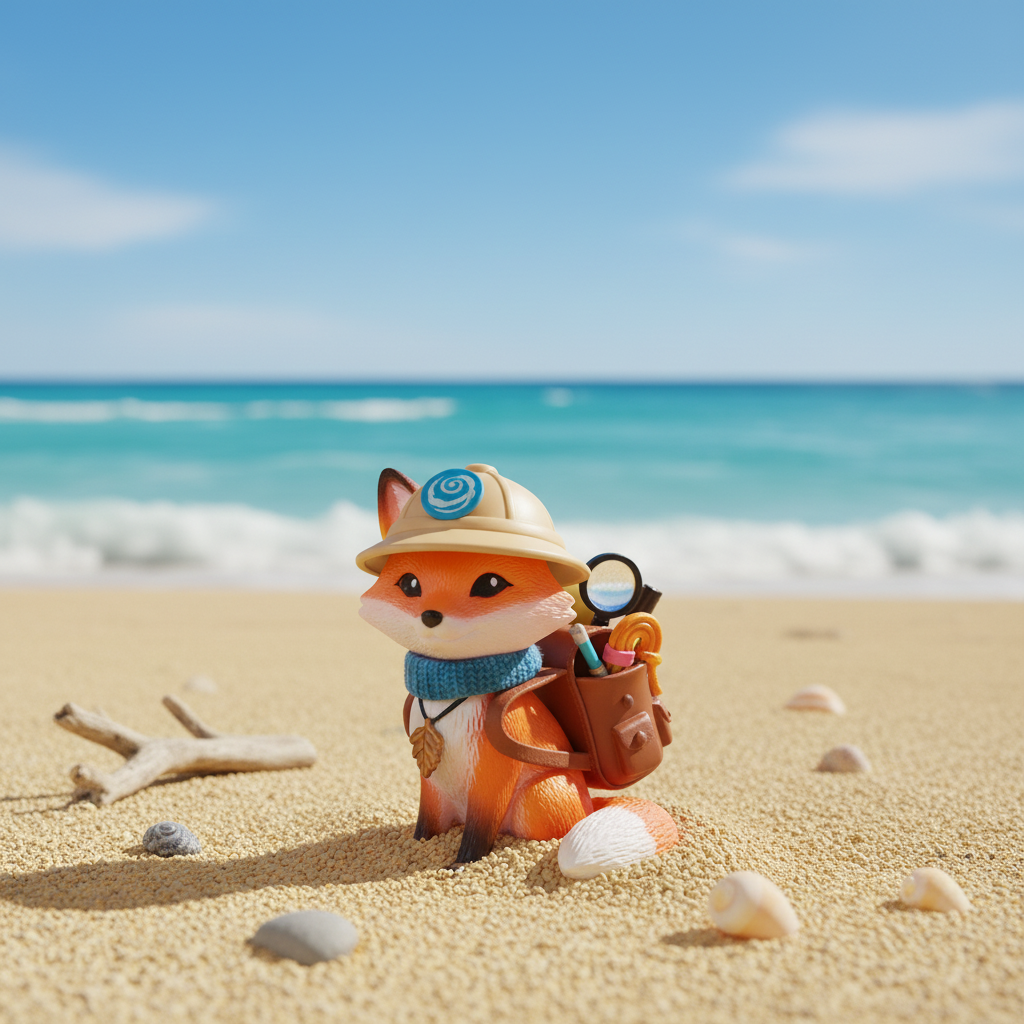
message = "Move that figurine on a beach";
response = await chat.sendMessage({ message: message });
for (const part of response.candidates[0].content.parts) {
if (part.text !== undefined) {
console.log(part.text);
}
if (part.inlineData !== undefined) {
console.image(part.inlineData.data);
}
}
// [CODE ENDS]
/* Output Sample
Here's the figurine on a beach!
*/
// [CODE STARTS]
message = "Move that figurine on a beach";
response = await chat.sendMessage({ message: message });
for (const part of response.candidates[0].content.parts) {
if (part.text !== undefined) {
console.log(part.text);
}
if (part.inlineData !== undefined) {
console.image(part.inlineData.data);
}
}
// [CODE ENDS]
/* Output Sample
Here's the figurine on a beach!
 */
// [CODE STARTS]
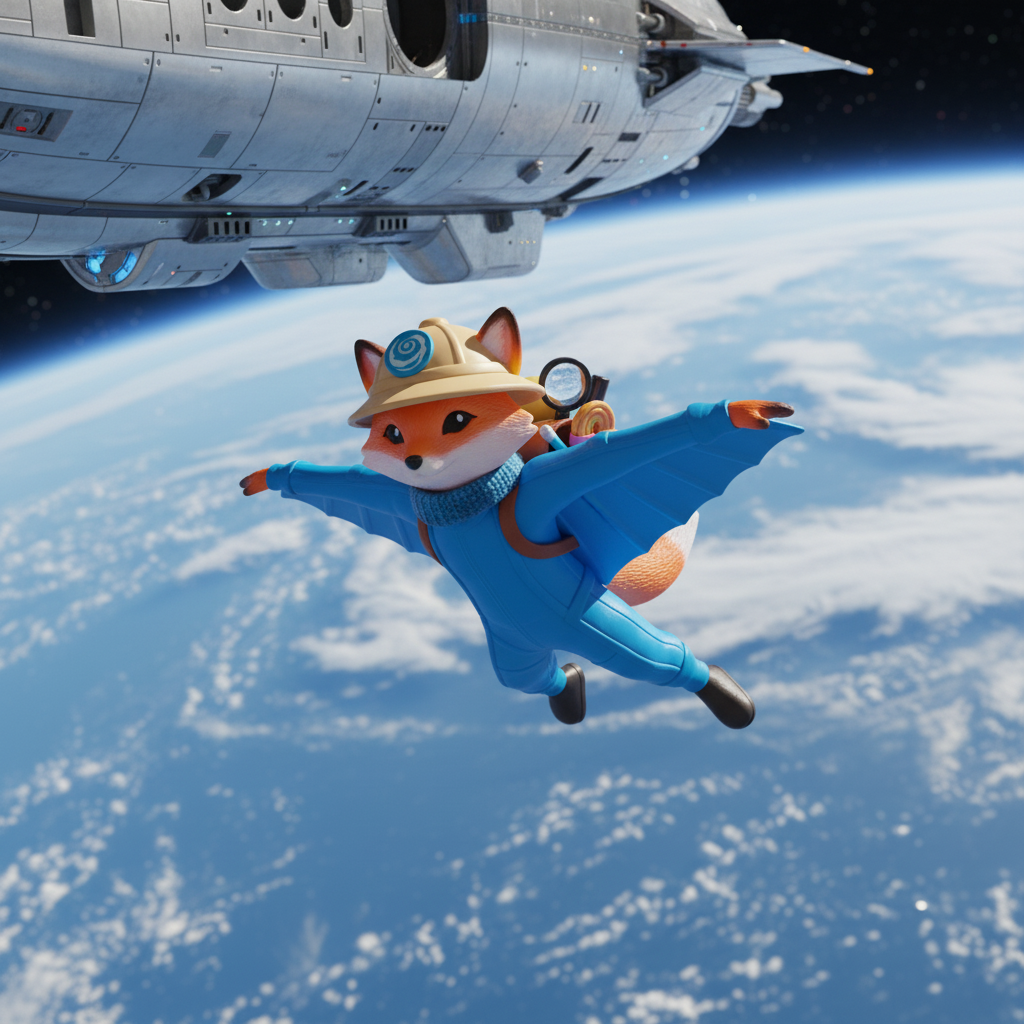
message = "Now it should be base-jumping from a spaceship with a wingsuit";
response = await chat.sendMessage({ message });
for (const part of response.candidates[0].content.parts) {
if (part.text !== undefined) {
console.log(part.text);
}
if (part.inlineData !== undefined) {
console.image(part.inlineData.data);
}
}
// [CODE ENDS]
/* Output Sample
Here's your fox figurine base-jumping from a spaceship in a wingsuit!
*/
// [CODE STARTS]
message = "Now it should be base-jumping from a spaceship with a wingsuit";
response = await chat.sendMessage({ message });
for (const part of response.candidates[0].content.parts) {
if (part.text !== undefined) {
console.log(part.text);
}
if (part.inlineData !== undefined) {
console.image(part.inlineData.data);
}
}
// [CODE ENDS]
/* Output Sample
Here's your fox figurine base-jumping from a spaceship in a wingsuit!
 */
// [CODE STARTS]
message = "Cooking a barbecue with an apron";
response = await chat.sendMessage({ message });
for (const part of response.candidates[0].content.parts) {
if (part.text !== undefined) {
console.log(part.text);
}
if (part.inlineData !== undefined) {
console.image(part.inlineData.data);
}
}
// [CODE ENDS]
/* Output Sample
*/
// [CODE STARTS]
message = "Cooking a barbecue with an apron";
response = await chat.sendMessage({ message });
for (const part of response.candidates[0].content.parts) {
if (part.text !== undefined) {
console.log(part.text);
}
if (part.inlineData !== undefined) {
console.image(part.inlineData.data);
}
}
// [CODE ENDS]
/* Output Sample
 */
// [CODE STARTS]
message = "What about chilling in a spa?";
response = await chat.sendMessage({ message });
for (const part of response.candidates[0].content.parts) {
if (part.text !== undefined) {
console.log(part.text);
}
if (part.inlineData !== undefined) {
console.image(part.inlineData.data);
}
}
// [CODE ENDS]
/* Output Sample
*/
// [CODE STARTS]
message = "What about chilling in a spa?";
response = await chat.sendMessage({ message });
for (const part of response.candidates[0].content.parts) {
if (part.text !== undefined) {
console.log(part.text);
}
if (part.inlineData !== undefined) {
console.image(part.inlineData.data);
}
}
// [CODE ENDS]
/* Output Sample
 */
/* Markdown (render)
## Mix multiple pictures
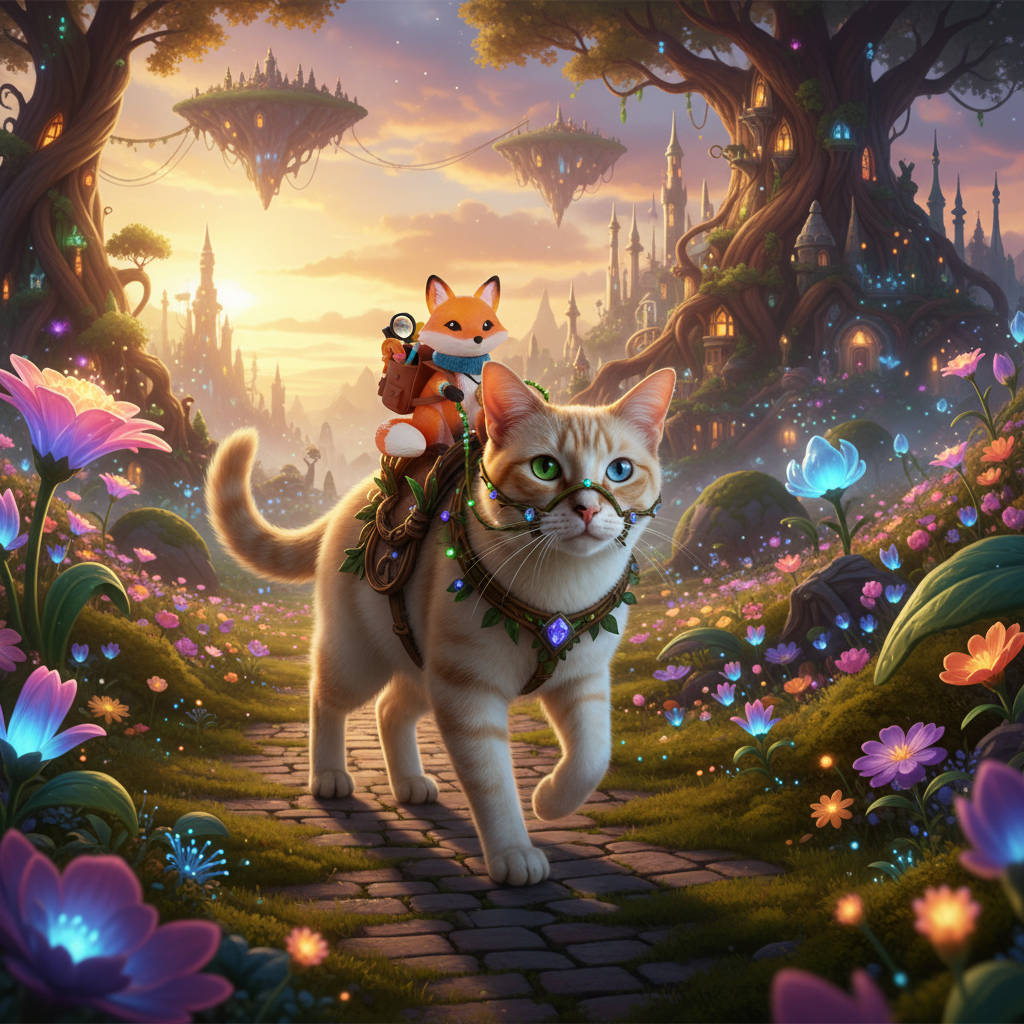
You can also mix multiple images (up to 3 with nano-banana, 14 with pro), either because there are multiple characters in your image, or because you want to hightlight a certain product, or set the background.
*/
// [CODE STARTS]
textPrompt =
"Create a picture of that figurine riding that cat in a fantasy world.";
response = await ai.models.generateContent({
model: MODEL_ID,
contents: [
{ text: textPrompt },
{
inlineData: {
data: catImage,
mimeType: "image/png",
},
},
{
inlineData: {
data: foxFigurineImage,
mimeType: "image/png",
},
},
],
});
for (const part of response.candidates[0].content.parts) {
if (part.text !== undefined) {
console.log(part.text);
}
if (part.inlineData !== undefined) {
console.image(part.inlineData.data);
}
}
// [CODE ENDS]
/* Output Sample
Certainly! Here is your image:
*/
/* Markdown (render)
## Mix multiple pictures
You can also mix multiple images (up to 3 with nano-banana, 14 with pro), either because there are multiple characters in your image, or because you want to hightlight a certain product, or set the background.
*/
// [CODE STARTS]
textPrompt =
"Create a picture of that figurine riding that cat in a fantasy world.";
response = await ai.models.generateContent({
model: MODEL_ID,
contents: [
{ text: textPrompt },
{
inlineData: {
data: catImage,
mimeType: "image/png",
},
},
{
inlineData: {
data: foxFigurineImage,
mimeType: "image/png",
},
},
],
});
for (const part of response.candidates[0].content.parts) {
if (part.text !== undefined) {
console.log(part.text);
}
if (part.inlineData !== undefined) {
console.image(part.inlineData.data);
}
}
// [CODE ENDS]
/* Output Sample
Certainly! Here is your image:
 */
/* Markdown (render)
## Nano-Banana Pro
Compared to the flash model, the pro version (`gemini-3-pro-image-preview`) is able to go further in understanding your requests since it's a **thinking** model. It's able to use **search grounding** to even better understand the subjects you are talking about and access to up-to-date information.
You'll be able to control the output resolution and generate up to 4K images.
### Check the thoughts
Let's do a request with `includeThoughts: true`.
*/
// [CODE STARTS]
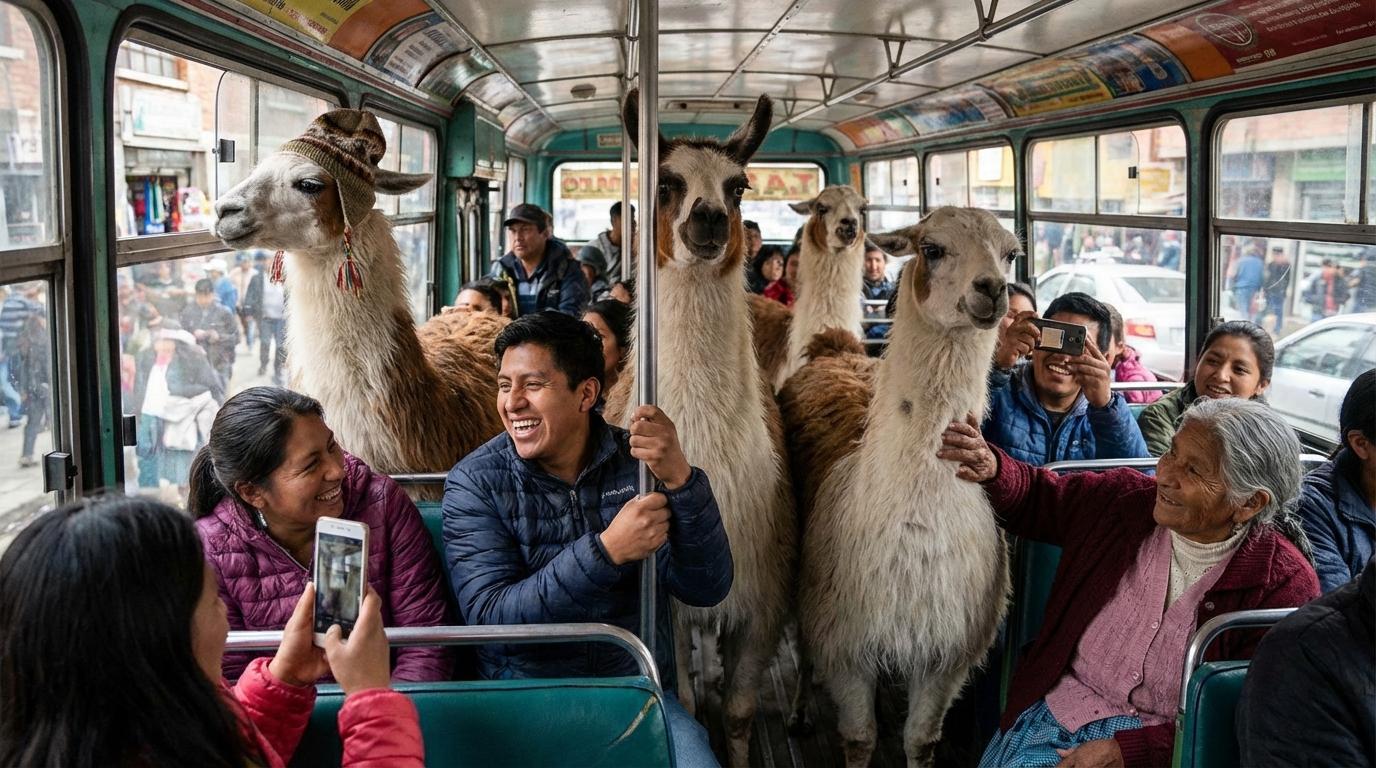
prompt = "Create an unusual but realistic image that might go viral";
response = await ai.models.generateContent({
model: PRO_MODEL_ID,
contents: prompt,
config: {
responseModalities: [Modality.TEXT, Modality.IMAGE],
imageConfig: {
aspectRatio: "16:9",
},
thinkingConfig: {
includeThoughts: true,
},
},
});
// Display thoughts and images
for (const part of response.candidates[0].content.parts) {
if (part.thought) {
console.log("THOUGHTS:", part.text);
} else if (part.text) {
console.log("RESPONSE:", part.text);
} else if (part.inlineData) {
console.image(part.inlineData.data);
}
}
// [CODE ENDS]
/* Output Sample
THOUGHTS:
### Imagining Llama Commuters
I'm focusing on the llamas now. The goal is to capture them as daily commuters on a bustling bus in La Paz, Bolivia. My plan involves a vintage bus crammed with amused passengers. The image will highlight details like one llama looking out the window, another interacting with a passenger, all while people take photos.
IMAGE
### Visualizing the Concept
I'm now fully immersed in the requested scenario. My primary focus is on the "unusual yet realistic" aspects. The scene is starting to take shape with the key elements established.
RESPONSE:
*/
/* Markdown (render)
## Nano-Banana Pro
Compared to the flash model, the pro version (`gemini-3-pro-image-preview`) is able to go further in understanding your requests since it's a **thinking** model. It's able to use **search grounding** to even better understand the subjects you are talking about and access to up-to-date information.
You'll be able to control the output resolution and generate up to 4K images.
### Check the thoughts
Let's do a request with `includeThoughts: true`.
*/
// [CODE STARTS]
prompt = "Create an unusual but realistic image that might go viral";
response = await ai.models.generateContent({
model: PRO_MODEL_ID,
contents: prompt,
config: {
responseModalities: [Modality.TEXT, Modality.IMAGE],
imageConfig: {
aspectRatio: "16:9",
},
thinkingConfig: {
includeThoughts: true,
},
},
});
// Display thoughts and images
for (const part of response.candidates[0].content.parts) {
if (part.thought) {
console.log("THOUGHTS:", part.text);
} else if (part.text) {
console.log("RESPONSE:", part.text);
} else if (part.inlineData) {
console.image(part.inlineData.data);
}
}
// [CODE ENDS]
/* Output Sample
THOUGHTS:
### Imagining Llama Commuters
I'm focusing on the llamas now. The goal is to capture them as daily commuters on a bustling bus in La Paz, Bolivia. My plan involves a vintage bus crammed with amused passengers. The image will highlight details like one llama looking out the window, another interacting with a passenger, all while people take photos.
IMAGE
### Visualizing the Concept
I'm now fully immersed in the requested scenario. My primary focus is on the "unusual yet realistic" aspects. The scene is starting to take shape with the key elements established.
RESPONSE:
 */
/* Markdown (render)
#### Thoughts signatures
The output part of Gemini 3 models always contain `thought_signatures` (or `thoughtSignature` in JS).
This signature is used by the model when you want to do chat/multi-turn discussions. It helps the model not only remember what was said before, but also what it thought before.
*/
// [CODE STARTS]
for (const part of response.candidates[0].content.parts) {
if (part.thoughtSignature) {
console.log("Signature present:", part.thoughtSignature);
}
}
// [CODE ENDS]
/* Output Sample
b'\x12\xcc\x92s\n\xc8\x92s\x01\xd1\xed\x8ao\x.....
*/
/* Markdown (render)
### Use search grounding
Note that it only ground using the text results and not the images that could be found using Google Search. You just need to add `tools: [{ googleSearch: {} }]` to your config.
*/
// [CODE STARTS]
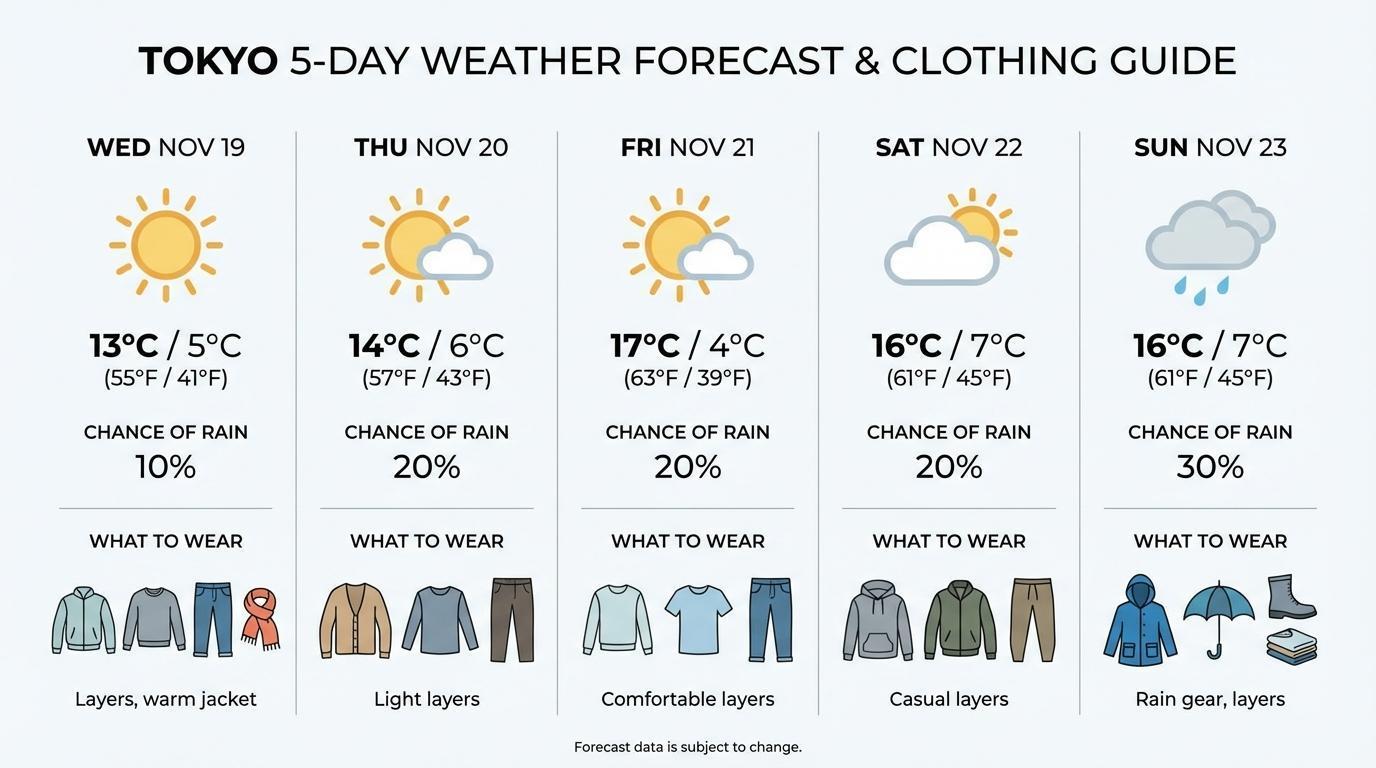
prompt =
"Visualize the current weather forecast for the next 5 days in Tokyo as a clean, modern weather chart. add a visual on what i should wear each day";
response = await ai.models.generateContent({
model: PRO_MODEL_ID,
contents: prompt,
config: {
responseModalities: [Modality.TEXT, Modality.IMAGE],
imageConfig: {
aspectRatio: "16:9",
},
tools: [{ googleSearch: {} }],
},
});
for (const part of response.candidates[0].content.parts) {
if (part.thought) continue;
if (part.text) {
console.log(part.text);
} else if (part.inlineData) {
console.image(part.inlineData.data);
}
}
// Display grounding metadata
console.log(
response.candidates[0].groundingMetadata.searchEntryPoint.renderedContent,
);
// [CODE ENDS]
/* Output Sample
*/
/* Markdown (render)
#### Thoughts signatures
The output part of Gemini 3 models always contain `thought_signatures` (or `thoughtSignature` in JS).
This signature is used by the model when you want to do chat/multi-turn discussions. It helps the model not only remember what was said before, but also what it thought before.
*/
// [CODE STARTS]
for (const part of response.candidates[0].content.parts) {
if (part.thoughtSignature) {
console.log("Signature present:", part.thoughtSignature);
}
}
// [CODE ENDS]
/* Output Sample
b'\x12\xcc\x92s\n\xc8\x92s\x01\xd1\xed\x8ao\x.....
*/
/* Markdown (render)
### Use search grounding
Note that it only ground using the text results and not the images that could be found using Google Search. You just need to add `tools: [{ googleSearch: {} }]` to your config.
*/
// [CODE STARTS]
prompt =
"Visualize the current weather forecast for the next 5 days in Tokyo as a clean, modern weather chart. add a visual on what i should wear each day";
response = await ai.models.generateContent({
model: PRO_MODEL_ID,
contents: prompt,
config: {
responseModalities: [Modality.TEXT, Modality.IMAGE],
imageConfig: {
aspectRatio: "16:9",
},
tools: [{ googleSearch: {} }],
},
});
for (const part of response.candidates[0].content.parts) {
if (part.thought) continue;
if (part.text) {
console.log(part.text);
} else if (part.inlineData) {
console.image(part.inlineData.data);
}
}
// Display grounding metadata
console.log(
response.candidates[0].groundingMetadata.searchEntryPoint.renderedContent,
);
// [CODE ENDS]
/* Output Sample
 */
/* Markdown (render)
### Generate 4K images
The pro model can generate 1K, 2K or 4K images.
*/
// [CODE STARTS]
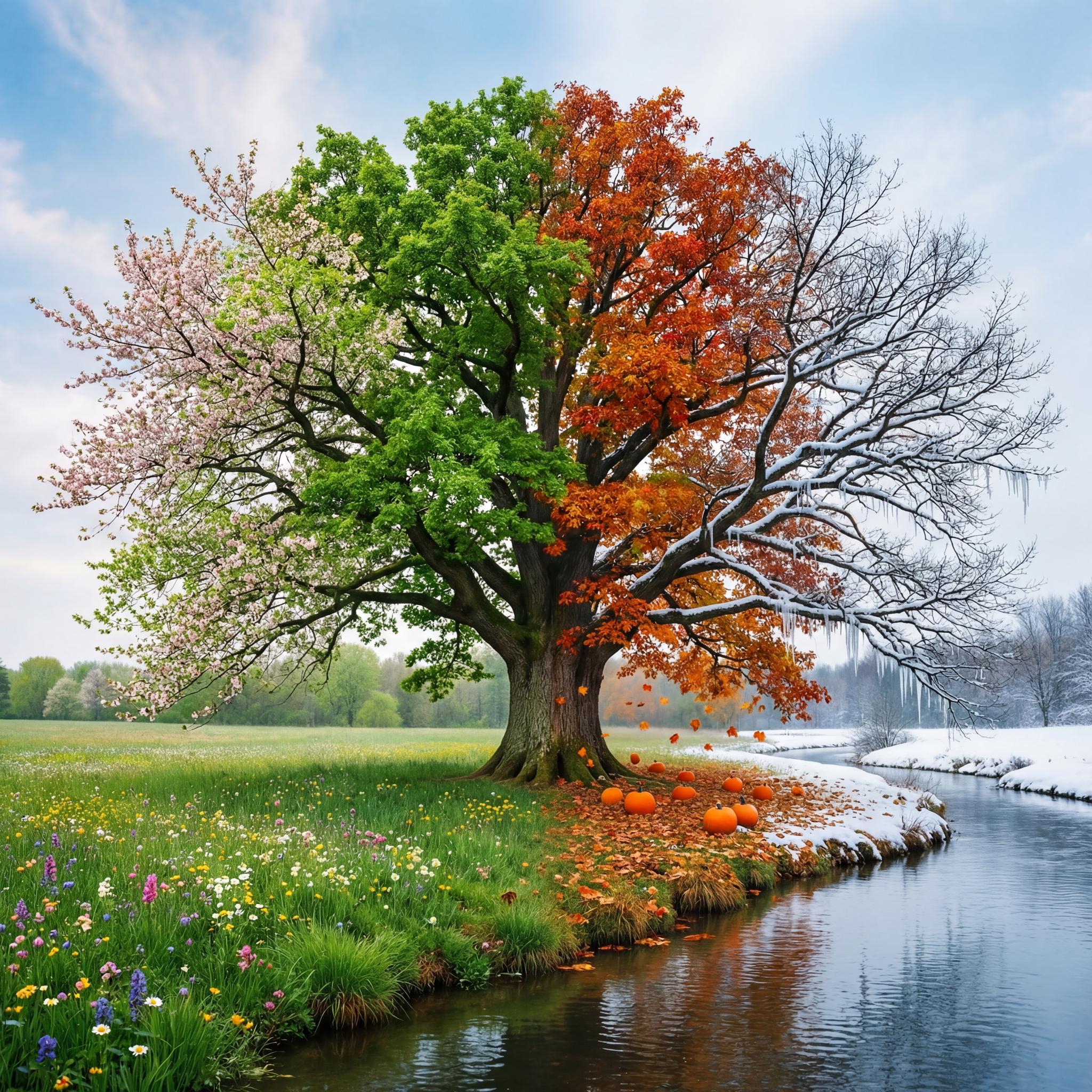
prompt = "A photo of an oak tree experiencing every season";
response = await ai.models.generateContent({
model: PRO_MODEL_ID,
contents: prompt,
config: {
responseModalities: [Modality.TEXT, Modality.IMAGE],
imageConfig: {
aspectRatio: "1:1",
imageSize: "4K",
},
},
});
for (const part of response.candidates[0].content.parts) {
if (part.thought) continue;
if (part.text) {
console.log(part.text);
} else if (part.inlineData) {
console.image(part.inlineData.data);
}
}
// [CODE ENDS]
/* Output Sample
*/
/* Markdown (render)
### Generate 4K images
The pro model can generate 1K, 2K or 4K images.
*/
// [CODE STARTS]
prompt = "A photo of an oak tree experiencing every season";
response = await ai.models.generateContent({
model: PRO_MODEL_ID,
contents: prompt,
config: {
responseModalities: [Modality.TEXT, Modality.IMAGE],
imageConfig: {
aspectRatio: "1:1",
imageSize: "4K",
},
},
});
for (const part of response.candidates[0].content.parts) {
if (part.thought) continue;
if (part.text) {
console.log(part.text);
} else if (part.inlineData) {
console.image(part.inlineData.data);
}
}
// [CODE ENDS]
/* Output Sample
 */
/* Markdown (render)
### Generate or translate image
You can now generate or translate images is over a dozen languages!
*/
// [CODE STARTS]
chat = ai.chats.create({
model: PRO_MODEL_ID,
config: {
responseModalities: [Modality.TEXT, Modality.IMAGE],
tools: [{ googleSearch: {} }],
},
});
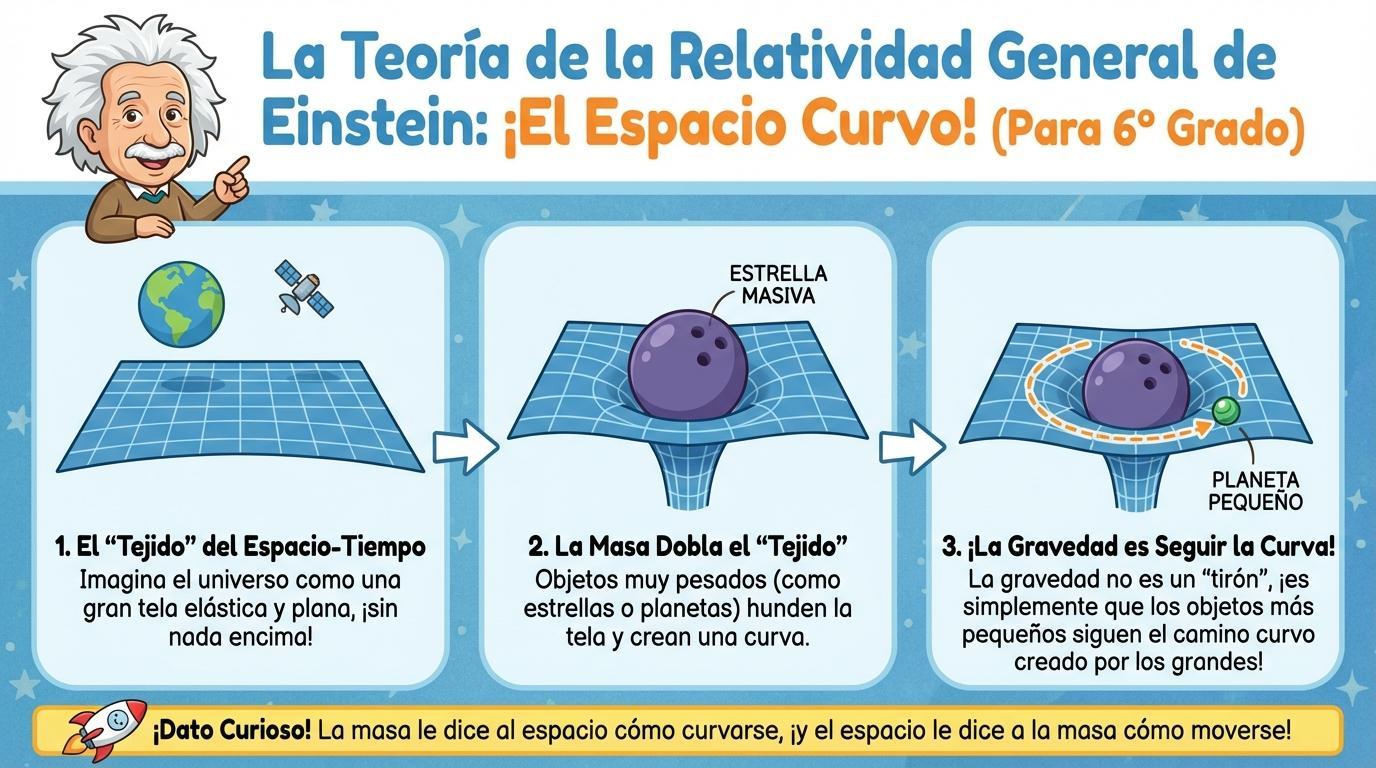
message =
"Make an infographic explaining Einstein's theory of General Relativity suitable for a 6th grader in Spanish";
response = await chat.sendMessage({
message: message,
config: {
imageConfig: { aspectRatio: "16:9" },
},
});
for (const part of response.candidates[0].content.parts) {
if (part.thought) continue;
if (part.text) console.log(part.text);
if (part.inlineData) {
relativityES = part.inlineData.data;
console.image(relativityES);
}
}
// [CODE ENDS]
/* Output Sample
*/
/* Markdown (render)
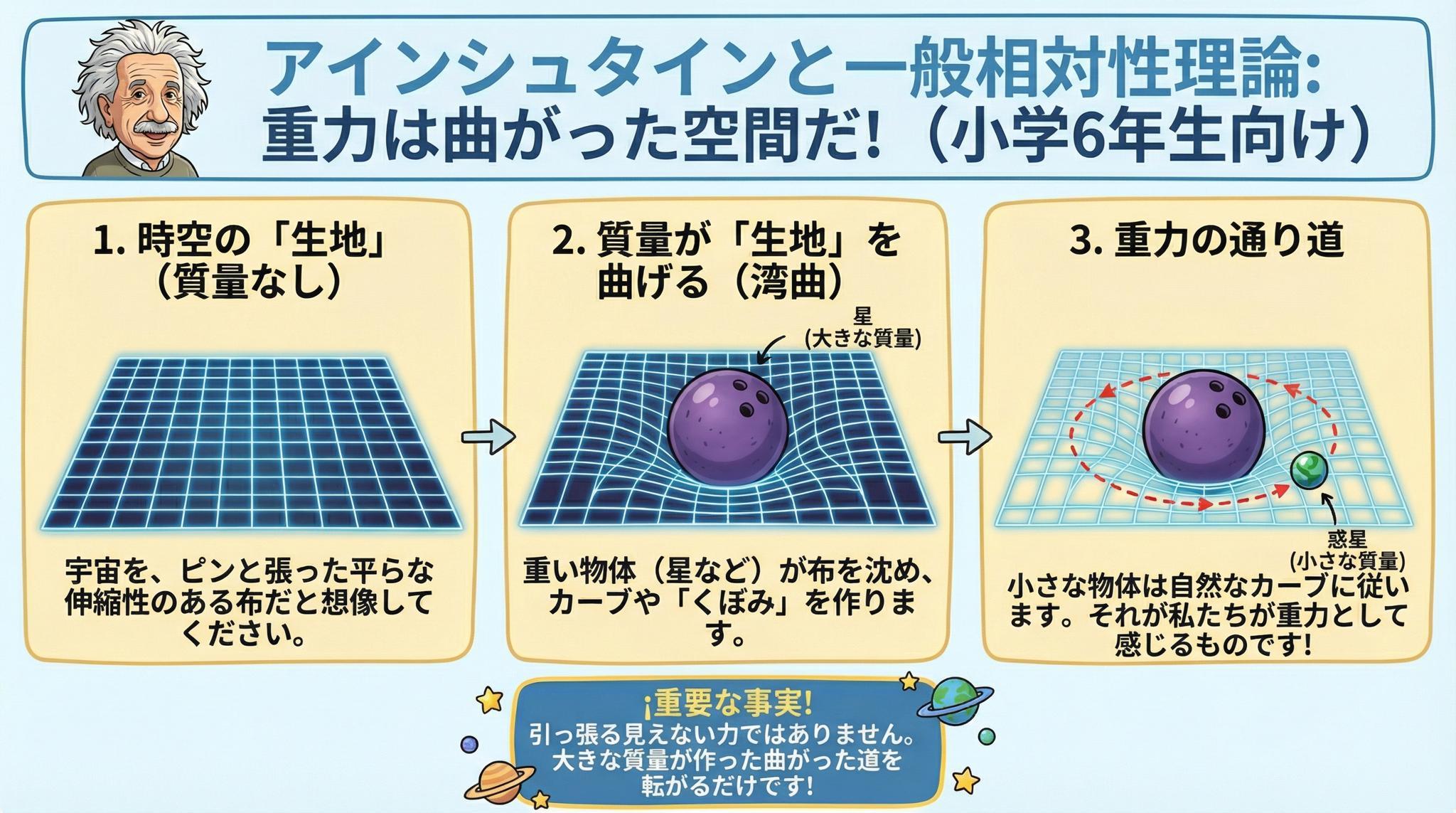
### Generate or translate image
You can now generate or translate images is over a dozen languages!
*/
// [CODE STARTS]
chat = ai.chats.create({
model: PRO_MODEL_ID,
config: {
responseModalities: [Modality.TEXT, Modality.IMAGE],
tools: [{ googleSearch: {} }],
},
});
message =
"Make an infographic explaining Einstein's theory of General Relativity suitable for a 6th grader in Spanish";
response = await chat.sendMessage({
message: message,
config: {
imageConfig: { aspectRatio: "16:9" },
},
});
for (const part of response.candidates[0].content.parts) {
if (part.thought) continue;
if (part.text) console.log(part.text);
if (part.inlineData) {
relativityES = part.inlineData.data;
console.image(relativityES);
}
}
// [CODE ENDS]
/* Output Sample
 */
// [CODE STARTS]
message =
"Translate this infographic in Japanese, keeping everything else the same";
response = await chat.sendMessage({
message: message,
config: {
imageConfig: { imageSize: "2K" },
},
});
for (const part of response.candidates[0].content.parts) {
if (part.thought) continue;
if (part.text) console.log(part.text);
if (part.inlineData) console.image(part.inlineData.data);
}
// [CODE ENDS]
/* Output Sample
*/
// [CODE STARTS]
message =
"Translate this infographic in Japanese, keeping everything else the same";
response = await chat.sendMessage({
message: message,
config: {
imageConfig: { imageSize: "2K" },
},
});
for (const part of response.candidates[0].content.parts) {
if (part.thought) continue;
if (part.text) console.log(part.text);
if (part.inlineData) console.image(part.inlineData.data);
}
// [CODE ENDS]
/* Output Sample
 */
/* Markdown (render)
### Mix up to 14 images!
You can now mix up to 6 images in high-fidelity and 14 with minor changes.
*/
// [CODE STARTS]
// Helper function to convert URL to base64
async function fetchImage(url) {
const response = await fetch(url);
const blob = await response.blob();
return new Promise((resolve) => {
const reader = new FileReader();
reader.onloadend = () => resolve(reader.result.split(",")[1]);
reader.readAsDataURL(blob);
});
}
// Fetch the images
sweets = await fetchImage(
"https://storage.googleapis.com/generativeai-downloads/images/sweets.png",
);
car = await fetchImage(
"https://storage.googleapis.com/generativeai-downloads/images/car.png",
);
rabbit = await fetchImage(
"https://storage.googleapis.com/generativeai-downloads/images/rabbit.png",
);
spartan = await fetchImage(
"https://storage.googleapis.com/generativeai-downloads/images/spartan.png",
);
cactus = await fetchImage(
"https://storage.googleapis.com/generativeai-downloads/images/cactus.png",
);
cards = await fetchImage(
"https://storage.googleapis.com/generativeai-downloads/images/cards.png",
);
textPrompt =
"Create a marketing photoshoot of those items from my daughter's bedroom. Focus on the items and ignore their backgrounds.";
response = await ai.models.generateContent({
model: PRO_MODEL_ID,
contents: [
{ text: textPrompt },
{ inlineData: { data: sweets, mimeType: "image/png" } },
{ inlineData: { data: car, mimeType: "image/png" } },
{ inlineData: { data: rabbit, mimeType: "image/png" } },
{ inlineData: { data: spartan, mimeType: "image/png" } },
{ inlineData: { data: cactus, mimeType: "image/png" } },
{ inlineData: { data: cards, mimeType: "image/png" } },
],
config: {
responseModalities: [Modality.TEXT, Modality.IMAGE],
imageConfig: {
aspectRatio: "5:4",
imageSize: "1K",
},
},
});
for (const part of response.candidates[0].content.parts) {
if (part.text) console.log(part.text);
if (part.inlineData) console.image(part.inlineData.data);
}
// [CODE ENDS]
/* Output Sample
*/
/* Markdown (render)
### Mix up to 14 images!
You can now mix up to 6 images in high-fidelity and 14 with minor changes.
*/
// [CODE STARTS]
// Helper function to convert URL to base64
async function fetchImage(url) {
const response = await fetch(url);
const blob = await response.blob();
return new Promise((resolve) => {
const reader = new FileReader();
reader.onloadend = () => resolve(reader.result.split(",")[1]);
reader.readAsDataURL(blob);
});
}
// Fetch the images
sweets = await fetchImage(
"https://storage.googleapis.com/generativeai-downloads/images/sweets.png",
);
car = await fetchImage(
"https://storage.googleapis.com/generativeai-downloads/images/car.png",
);
rabbit = await fetchImage(
"https://storage.googleapis.com/generativeai-downloads/images/rabbit.png",
);
spartan = await fetchImage(
"https://storage.googleapis.com/generativeai-downloads/images/spartan.png",
);
cactus = await fetchImage(
"https://storage.googleapis.com/generativeai-downloads/images/cactus.png",
);
cards = await fetchImage(
"https://storage.googleapis.com/generativeai-downloads/images/cards.png",
);
textPrompt =
"Create a marketing photoshoot of those items from my daughter's bedroom. Focus on the items and ignore their backgrounds.";
response = await ai.models.generateContent({
model: PRO_MODEL_ID,
contents: [
{ text: textPrompt },
{ inlineData: { data: sweets, mimeType: "image/png" } },
{ inlineData: { data: car, mimeType: "image/png" } },
{ inlineData: { data: rabbit, mimeType: "image/png" } },
{ inlineData: { data: spartan, mimeType: "image/png" } },
{ inlineData: { data: cactus, mimeType: "image/png" } },
{ inlineData: { data: cards, mimeType: "image/png" } },
],
config: {
responseModalities: [Modality.TEXT, Modality.IMAGE],
imageConfig: {
aspectRatio: "5:4",
imageSize: "1K",
},
},
});
for (const part of response.candidates[0].content.parts) {
if (part.text) console.log(part.text);
if (part.inlineData) console.image(part.inlineData.data);
}
// [CODE ENDS]
/* Output Sample
 */
/* Markdown (render)
## Other cool prompts to test
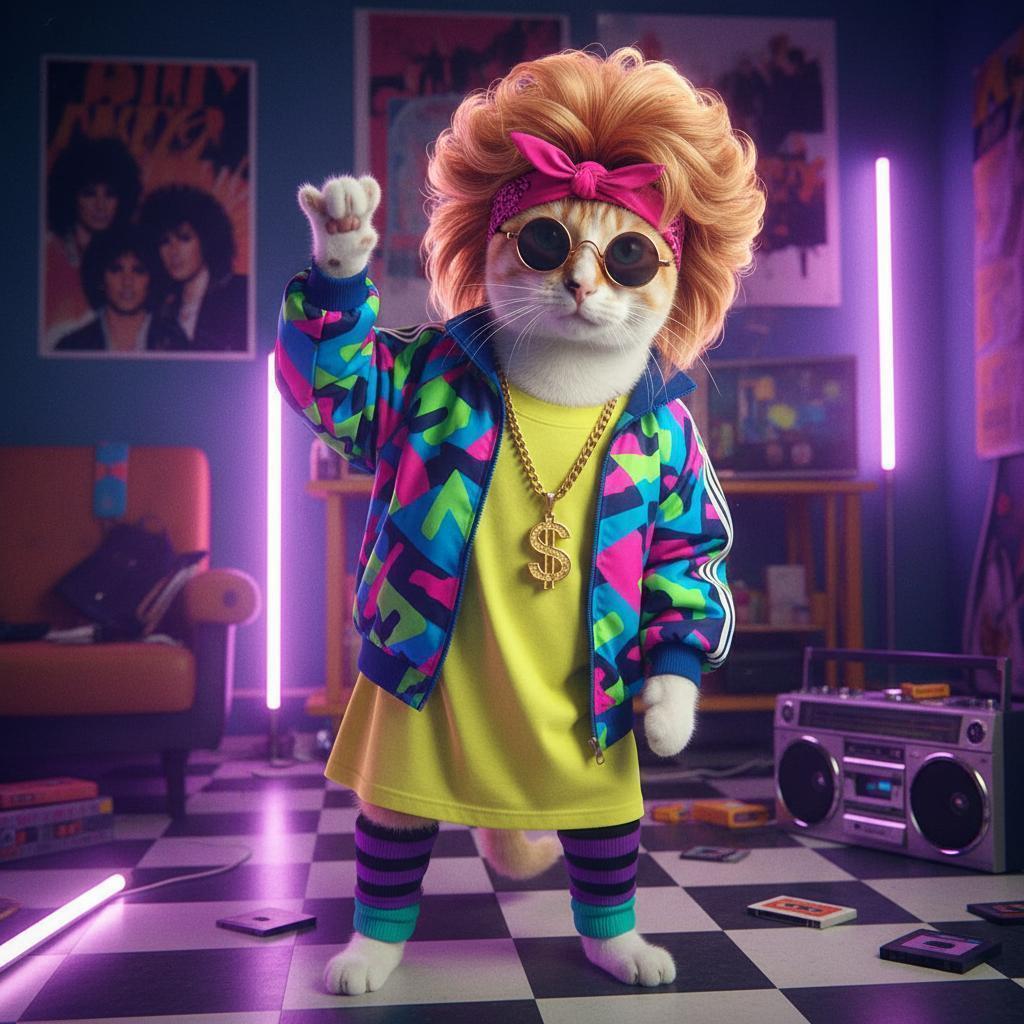
### Back to the 80s
*/
// [CODE STARTS]
textPrompt =
"Create a photograph of the person in this image as if they were living in the 1980s. The photograph should capture the distinct fashion, hairstyles, and overall atmosphere of that time period.";
response = await ai.models.generateContent({
model: MODEL_ID,
contents: [
{ text: textPrompt },
{ inlineData: { data: catImage, mimeType: "image/png" } },
],
});
for (const part of response.candidates[0].content.parts) {
if (part.text) console.log(part.text);
if (part.inlineData) {
cat80s = part.inlineData.data;
console.image(cat80s);
}
}
// [CODE ENDS]
/* Output Sample
*/
/* Markdown (render)
## Other cool prompts to test
### Back to the 80s
*/
// [CODE STARTS]
textPrompt =
"Create a photograph of the person in this image as if they were living in the 1980s. The photograph should capture the distinct fashion, hairstyles, and overall atmosphere of that time period.";
response = await ai.models.generateContent({
model: MODEL_ID,
contents: [
{ text: textPrompt },
{ inlineData: { data: catImage, mimeType: "image/png" } },
],
});
for (const part of response.candidates[0].content.parts) {
if (part.text) console.log(part.text);
if (part.inlineData) {
cat80s = part.inlineData.data;
console.image(cat80s);
}
}
// [CODE ENDS]
/* Output Sample
 */
/* Markdown (render)
### Mini-figurine
*/
// [CODE STARTS]
textPrompt =
"create a 1/7 scale commercialized figurine of the characters in the picture, in a realistic style, in a real environment. The figurine is placed on a computer desk. The figurine has a round transparent acrylic base, with no text on the base. The content on the computer screen is a 3D modeling process of this figurine. Next to the computer screen is a toy packaging box, designed in a style reminiscent of high-quality collectible figures, printed with original artwork. The packaging features two-dimensional flat illustrations.";
response = await ai.models.generateContent({
model: MODEL_ID,
contents: [
{ text: textPrompt },
{ inlineData: { data: cat80s, mimeType: "image/png" } },
],
});
for (const part of response.candidates[0].content.parts) {
if (part.text) console.log(part.text);
if (part.inlineData) console.image(part.inlineData.data);
}
// [CODE ENDS]
/* Output Sample
*/
/* Markdown (render)
### Mini-figurine
*/
// [CODE STARTS]
textPrompt =
"create a 1/7 scale commercialized figurine of the characters in the picture, in a realistic style, in a real environment. The figurine is placed on a computer desk. The figurine has a round transparent acrylic base, with no text on the base. The content on the computer screen is a 3D modeling process of this figurine. Next to the computer screen is a toy packaging box, designed in a style reminiscent of high-quality collectible figures, printed with original artwork. The packaging features two-dimensional flat illustrations.";
response = await ai.models.generateContent({
model: MODEL_ID,
contents: [
{ text: textPrompt },
{ inlineData: { data: cat80s, mimeType: "image/png" } },
],
});
for (const part of response.candidates[0].content.parts) {
if (part.text) console.log(part.text);
if (part.inlineData) console.image(part.inlineData.data);
}
// [CODE ENDS]
/* Output Sample
 */
/* Markdown (render)
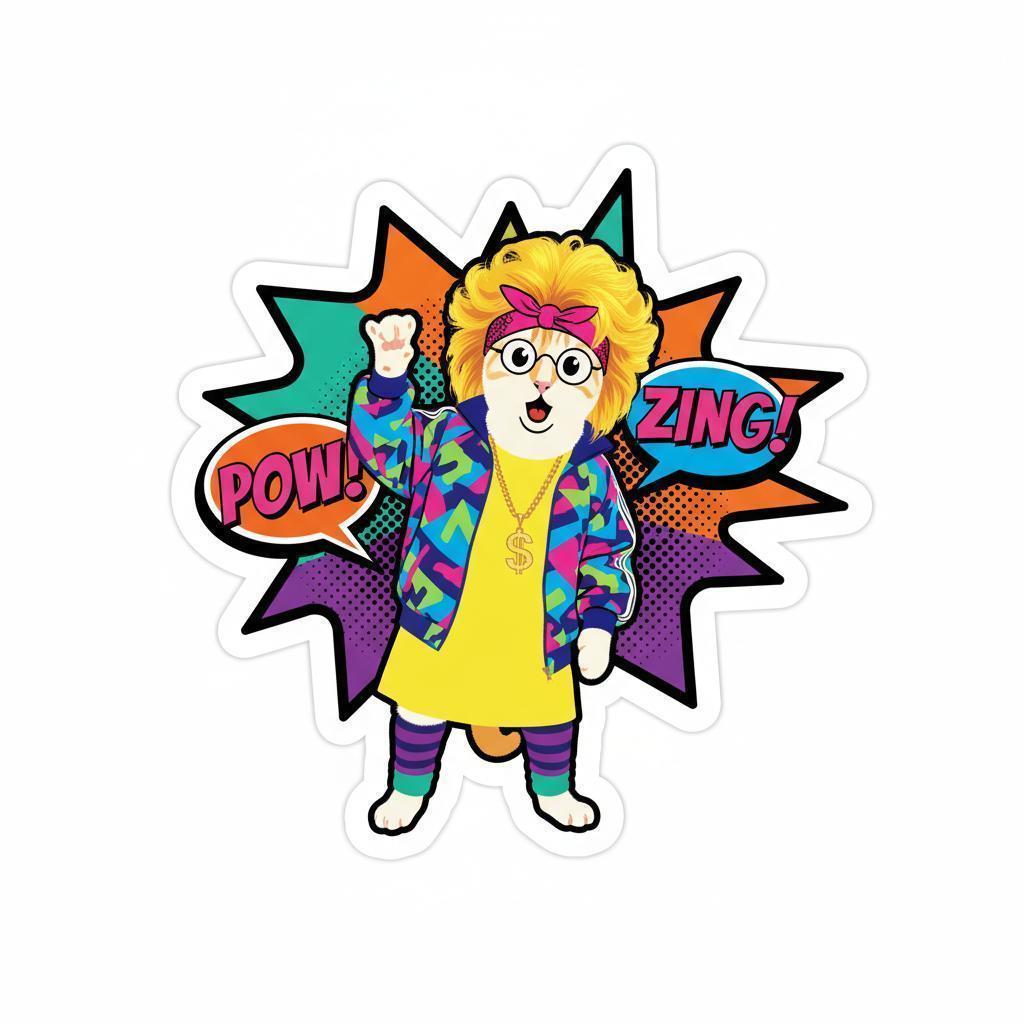
### Stickers
*/
// [CODE STARTS]
textPrompt =
"Create a single sticker in the distinct Pop Art style. The image should feature bold, thick black outlines around all figures, objects, and text. Utilize a limited, flat color palette consisting of vibrant primary and secondary colors, applied in unshaded blocks, but maintain the person skin tone. Incorporate visible Ben-Day dots or halftone patterns to create shading, texture, and depth. The subject should display a dramatic expression. Include stylized text within speech bubbles or dynamic graphic shapes to represent sound effects (onomatopoeia). The overall aesthetic should be clean, graphic, and evoke a mass-produced, commercial art sensibility with a polished finish. The user's face from the uploaded photo must be the main character, ideally with an interesting outline shape that is not square or circular but closer to a dye-cut pattern";
response = await ai.models.generateContent({
model: MODEL_ID,
contents: [
{ text: textPrompt },
{ inlineData: { data: cat80s, mimeType: "image/png" } },
],
});
for (const part of response.candidates[0].content.parts) {
if (part.text) console.log(part.text);
if (part.inlineData) console.image(part.inlineData.data);
}
// [CODE ENDS]
/* Output Sample
*/
/* Markdown (render)
### Stickers
*/
// [CODE STARTS]
textPrompt =
"Create a single sticker in the distinct Pop Art style. The image should feature bold, thick black outlines around all figures, objects, and text. Utilize a limited, flat color palette consisting of vibrant primary and secondary colors, applied in unshaded blocks, but maintain the person skin tone. Incorporate visible Ben-Day dots or halftone patterns to create shading, texture, and depth. The subject should display a dramatic expression. Include stylized text within speech bubbles or dynamic graphic shapes to represent sound effects (onomatopoeia). The overall aesthetic should be clean, graphic, and evoke a mass-produced, commercial art sensibility with a polished finish. The user's face from the uploaded photo must be the main character, ideally with an interesting outline shape that is not square or circular but closer to a dye-cut pattern";
response = await ai.models.generateContent({
model: MODEL_ID,
contents: [
{ text: textPrompt },
{ inlineData: { data: cat80s, mimeType: "image/png" } },
],
});
for (const part of response.candidates[0].content.parts) {
if (part.text) console.log(part.text);
if (part.inlineData) console.image(part.inlineData.data);
}
// [CODE ENDS]
/* Output Sample
 */
/* Markdown (render)
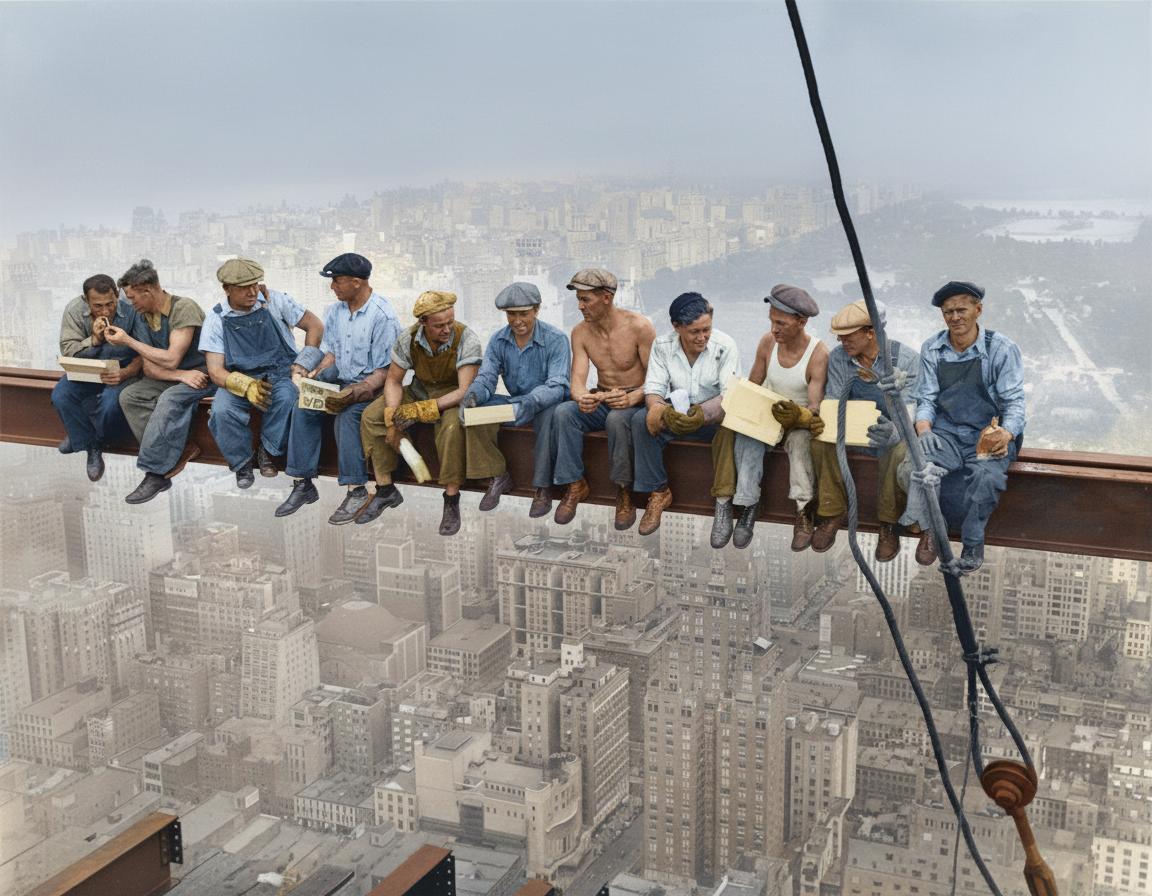
### Colorize black and white images
*/
// [CODE STARTS]
textPrompt = "Restore and colorize this image from 1932.";
bwImage = await fetchImage(
"https://upload.wikimedia.org/wikipedia/commons/thumb/9/9c/Lunch_atop_a_Skyscraper_-_Charles_Clyde_Ebbets.jpg/1374px-Lunch_atop_a_Skyscraper_-_Charles_Clyde_Ebbets.jpg",
);
response = await ai.models.generateContent({
model: MODEL_ID,
contents: [
{ text: textPrompt },
{ inlineData: { data: bwImage, mimeType: "image/jpeg" } },
],
});
for (const part of response.candidates[0].content.parts) {
if (part.text) console.log(part.text);
if (part.inlineData) console.image(part.inlineData.data);
}
// [CODE ENDS]
/* Output Sample
*/
/* Markdown (render)
### Colorize black and white images
*/
// [CODE STARTS]
textPrompt = "Restore and colorize this image from 1932.";
bwImage = await fetchImage(
"https://upload.wikimedia.org/wikipedia/commons/thumb/9/9c/Lunch_atop_a_Skyscraper_-_Charles_Clyde_Ebbets.jpg/1374px-Lunch_atop_a_Skyscraper_-_Charles_Clyde_Ebbets.jpg",
);
response = await ai.models.generateContent({
model: MODEL_ID,
contents: [
{ text: textPrompt },
{ inlineData: { data: bwImage, mimeType: "image/jpeg" } },
],
});
for (const part of response.candidates[0].content.parts) {
if (part.text) console.log(part.text);
if (part.inlineData) console.image(part.inlineData.data);
}
// [CODE ENDS]
/* Output Sample
 */
/* Markdown (render)
### Google Map transformation
*/
// [CODE STARTS]
textPrompt = "Show me what we see from the red arrow";
mapImage = await fetchImage(
"https://storage.googleapis.com/generativeai-downloads/images/Mont_St_Michel.png",
);
response = await ai.models.generateContent({
model: MODEL_ID,
contents: [
{ text: textPrompt },
{ inlineData: { data: mapImage, mimeType: "image/png" } },
],
});
for (const part of response.candidates[0].content.parts) {
if (part.text) console.log(part.text);
if (part.inlineData) console.image(part.inlineData.data);
}
// [CODE ENDS]
/* Output Sample
*/
/* Markdown (render)
### Google Map transformation
*/
// [CODE STARTS]
textPrompt = "Show me what we see from the red arrow";
mapImage = await fetchImage(
"https://storage.googleapis.com/generativeai-downloads/images/Mont_St_Michel.png",
);
response = await ai.models.generateContent({
model: MODEL_ID,
contents: [
{ text: textPrompt },
{ inlineData: { data: mapImage, mimeType: "image/png" } },
],
});
for (const part of response.candidates[0].content.parts) {
if (part.text) console.log(part.text);
if (part.inlineData) console.image(part.inlineData.data);
}
// [CODE ENDS]
/* Output Sample
 */
/* Markdown (render)
### Isometric landmark
*/
// [CODE STARTS]
textPrompt =
"Take this location and make the landmark an isometric image (building only), in the style of the game Theme Park.";
response = await ai.models.generateContent({
model: MODEL_ID,
contents: [
{ text: textPrompt },
{ inlineData: { data: mapImage, mimeType: "image/png" } },
],
});
for (const part of response.candidates[0].content.parts) {
if (part.text) console.log(part.text);
if (part.inlineData) console.image(part.inlineData.data);
}
// [CODE ENDS]
/* Output Sample
*/
/* Markdown (render)
### Isometric landmark
*/
// [CODE STARTS]
textPrompt =
"Take this location and make the landmark an isometric image (building only), in the style of the game Theme Park.";
response = await ai.models.generateContent({
model: MODEL_ID,
contents: [
{ text: textPrompt },
{ inlineData: { data: mapImage, mimeType: "image/png" } },
],
});
for (const part of response.candidates[0].content.parts) {
if (part.text) console.log(part.text);
if (part.inlineData) console.image(part.inlineData.data);
}
// [CODE ENDS]
/* Output Sample
 */
/* Markdown (render)
### What does Google know about me? (Pro)
*/
// [CODE STARTS]
textPrompt =
"Search the web then generate an image of isometric perspective, detailed pixel art that shows the career of Guillaume Vernade";
response = await ai.models.generateContent({
model: PRO_MODEL_ID,
contents: [{ text: textPrompt }],
config: {
imageConfig: { aspectRatio: "16:9" },
tools: [{ googleSearch: {} }],
},
});
for (const part of response.candidates[0].content.parts) {
if (part.thought) continue;
if (part.text) console.log(part.text);
if (part.inlineData) console.image(part.inlineData.data);
}
// [CODE ENDS]
/* Output Sample
*/
/* Markdown (render)
### What does Google know about me? (Pro)
*/
// [CODE STARTS]
textPrompt =
"Search the web then generate an image of isometric perspective, detailed pixel art that shows the career of Guillaume Vernade";
response = await ai.models.generateContent({
model: PRO_MODEL_ID,
contents: [{ text: textPrompt }],
config: {
imageConfig: { aspectRatio: "16:9" },
tools: [{ googleSearch: {} }],
},
});
for (const part of response.candidates[0].content.parts) {
if (part.thought) continue;
if (part.text) console.log(part.text);
if (part.inlineData) console.image(part.inlineData.data);
}
// [CODE ENDS]
/* Output Sample
 */
/* Markdown (render)
### Text-heavy images (Pro)
*/
// [CODE STARTS]
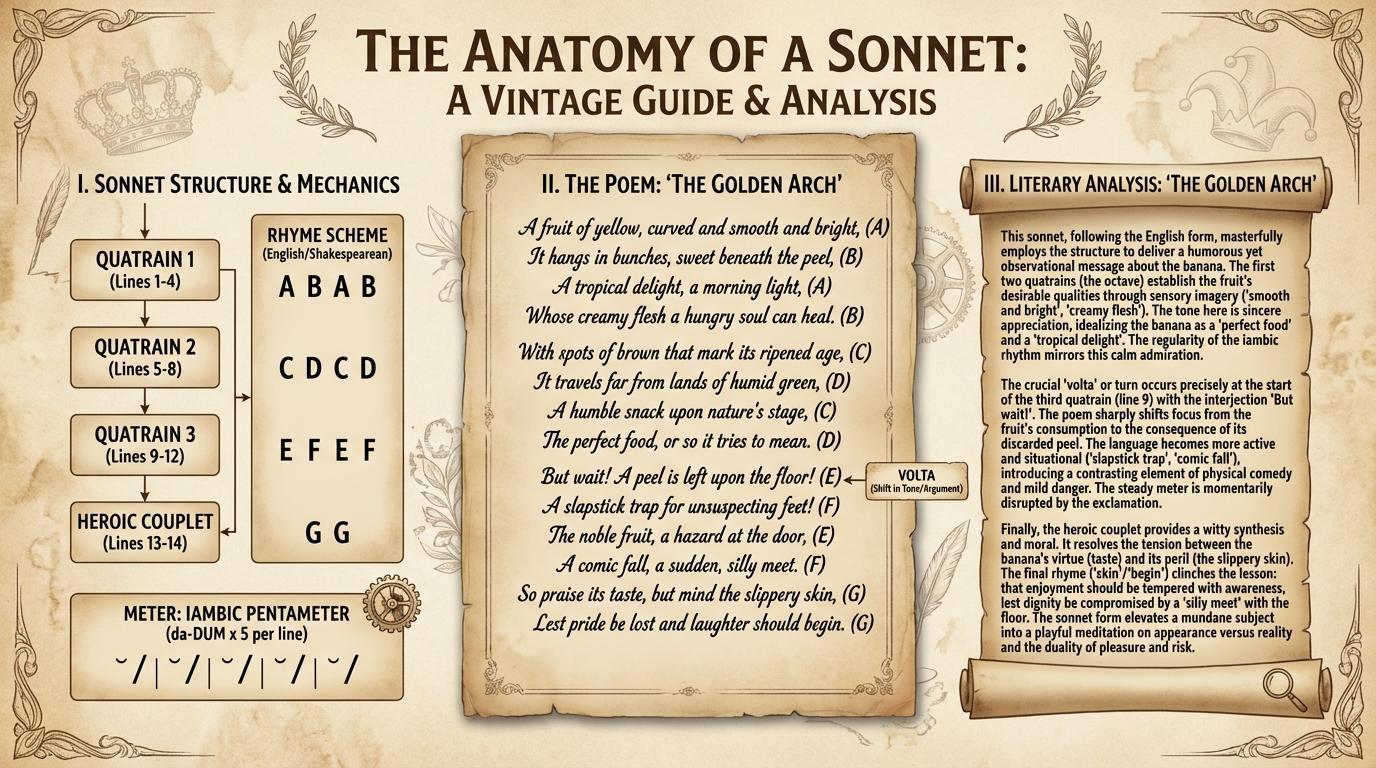
textPrompt =
"Show me an infographic about how sonnets work, using a sonnet about bananas written in it, along with a lengthy literary analysis of the poem. good vintage aesthetics";
response = await ai.models.generateContent({
model: PRO_MODEL_ID,
contents: [{ text: textPrompt }],
config: {
imageConfig: { aspectRatio: "16:9" },
},
});
for (const part of response.candidates[0].content.parts) {
if (part.thought) continue;
if (part.text) console.log(part.text);
if (part.inlineData) console.image(part.inlineData.data);
}
// [CODE ENDS]
/* Output Sample
*/
/* Markdown (render)
### Text-heavy images (Pro)
*/
// [CODE STARTS]
textPrompt =
"Show me an infographic about how sonnets work, using a sonnet about bananas written in it, along with a lengthy literary analysis of the poem. good vintage aesthetics";
response = await ai.models.generateContent({
model: PRO_MODEL_ID,
contents: [{ text: textPrompt }],
config: {
imageConfig: { aspectRatio: "16:9" },
},
});
for (const part of response.candidates[0].content.parts) {
if (part.thought) continue;
if (part.text) console.log(part.text);
if (part.inlineData) console.image(part.inlineData.data);
}
// [CODE ENDS]
/* Output Sample
 */
/* Markdown (render)
### Theater program (Pro)
*/
// [CODE STARTS]
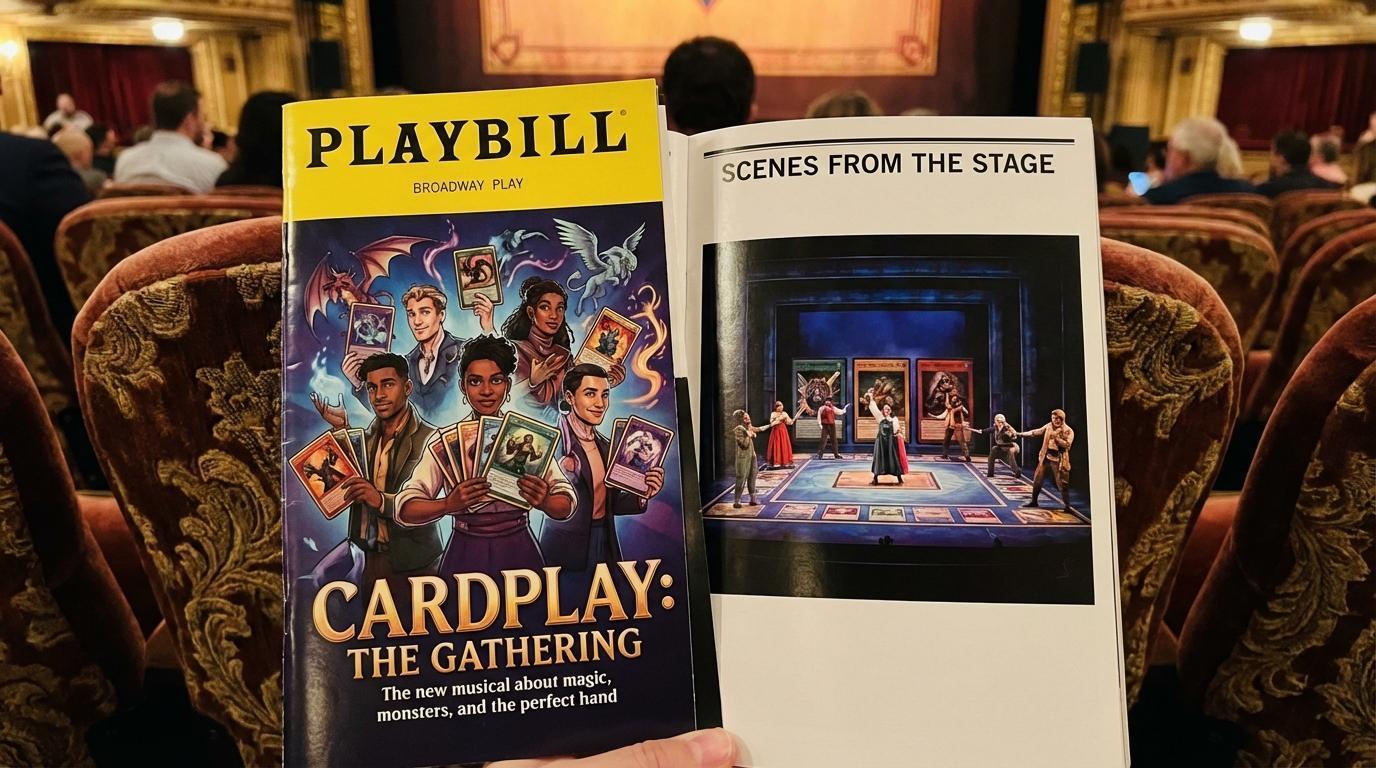
textPrompt =
"A photo of a program for the Broadway show about TCG players on a nice theater seat, it's professional and well made, glossy, we can see the cover and a page showing a photo of the stage.";
response = await ai.models.generateContent({
model: PRO_MODEL_ID,
contents: [{ text: textPrompt }],
config: {
imageConfig: { aspectRatio: "16:9" },
},
});
for (const part of response.candidates[0].content.parts) {
if (part.thought) continue;
if (part.text) console.log(part.text);
if (part.inlineData) console.image(part.inlineData.data);
}
// [CODE ENDS]
/* Output Sample
*/
/* Markdown (render)
### Theater program (Pro)
*/
// [CODE STARTS]
textPrompt =
"A photo of a program for the Broadway show about TCG players on a nice theater seat, it's professional and well made, glossy, we can see the cover and a page showing a photo of the stage.";
response = await ai.models.generateContent({
model: PRO_MODEL_ID,
contents: [{ text: textPrompt }],
config: {
imageConfig: { aspectRatio: "16:9" },
},
});
for (const part of response.candidates[0].content.parts) {
if (part.thought) continue;
if (part.text) console.log(part.text);
if (part.inlineData) console.image(part.inlineData.data);
}
// [CODE ENDS]
/* Output Sample
 */
/* Markdown (render)
### Famous meme restyling (Pro & chat)
*/
// [CODE STARTS]
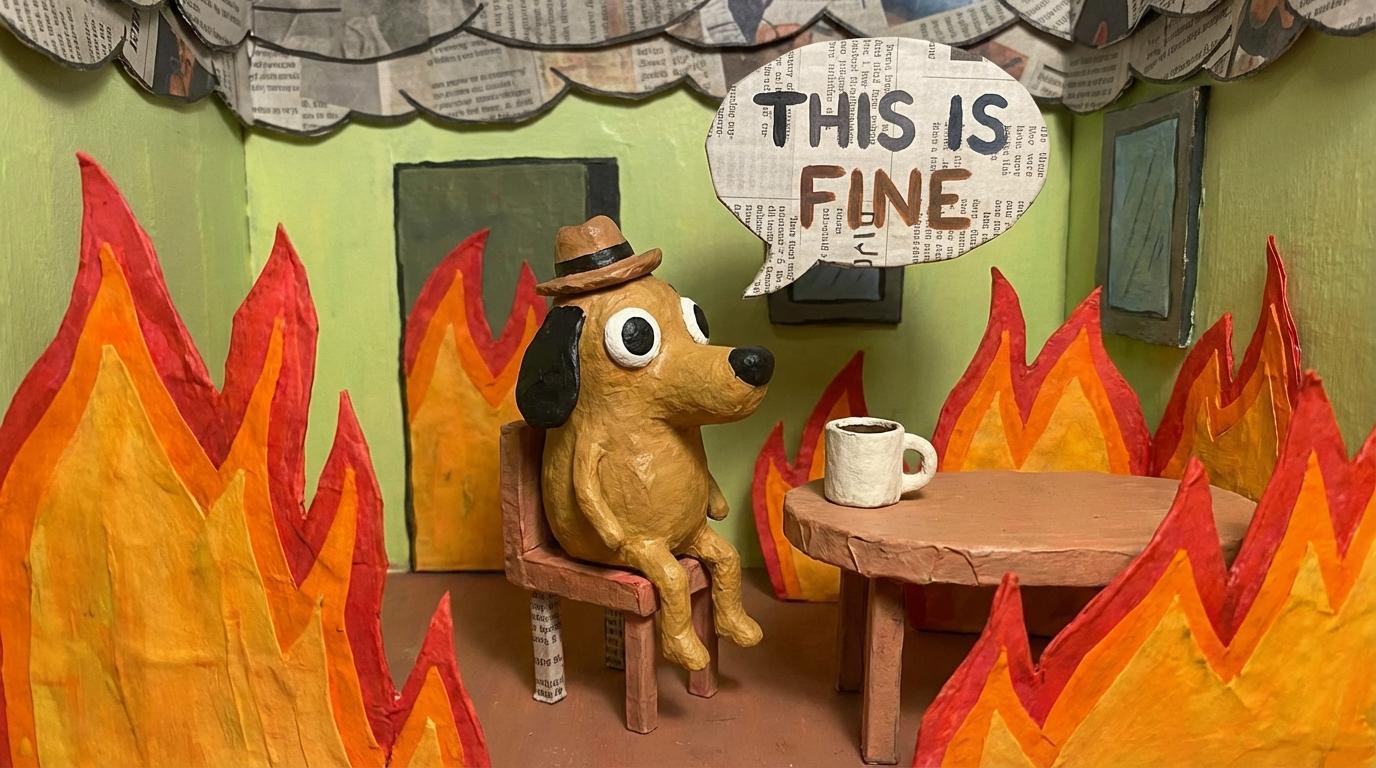
textPrompt =
'There\'s a very famous meme about a dog in a house in fire saying "this is fine", can you do a papier maché version of it?';
chat = ai.chats.create({
model: PRO_MODEL_ID,
config: {
imageConfig: { aspectRatio: "16:9" },
tools: [{ googleSearch: {} }],
},
});
response = await chat.sendMessage({ message: textPrompt });
for (const part of response.candidates[0].content.parts) {
if (part.thought) continue;
if (part.text) console.log(part.text);
if (part.inlineData) console.image(part.inlineData.data);
}
// [CODE ENDS]
/* Output Sample
*/
/* Markdown (render)
### Famous meme restyling (Pro & chat)
*/
// [CODE STARTS]
textPrompt =
'There\'s a very famous meme about a dog in a house in fire saying "this is fine", can you do a papier maché version of it?';
chat = ai.chats.create({
model: PRO_MODEL_ID,
config: {
imageConfig: { aspectRatio: "16:9" },
tools: [{ googleSearch: {} }],
},
});
response = await chat.sendMessage({ message: textPrompt });
for (const part of response.candidates[0].content.parts) {
if (part.thought) continue;
if (part.text) console.log(part.text);
if (part.inlineData) console.image(part.inlineData.data);
}
// [CODE ENDS]
/* Output Sample
 */
// [CODE STARTS]
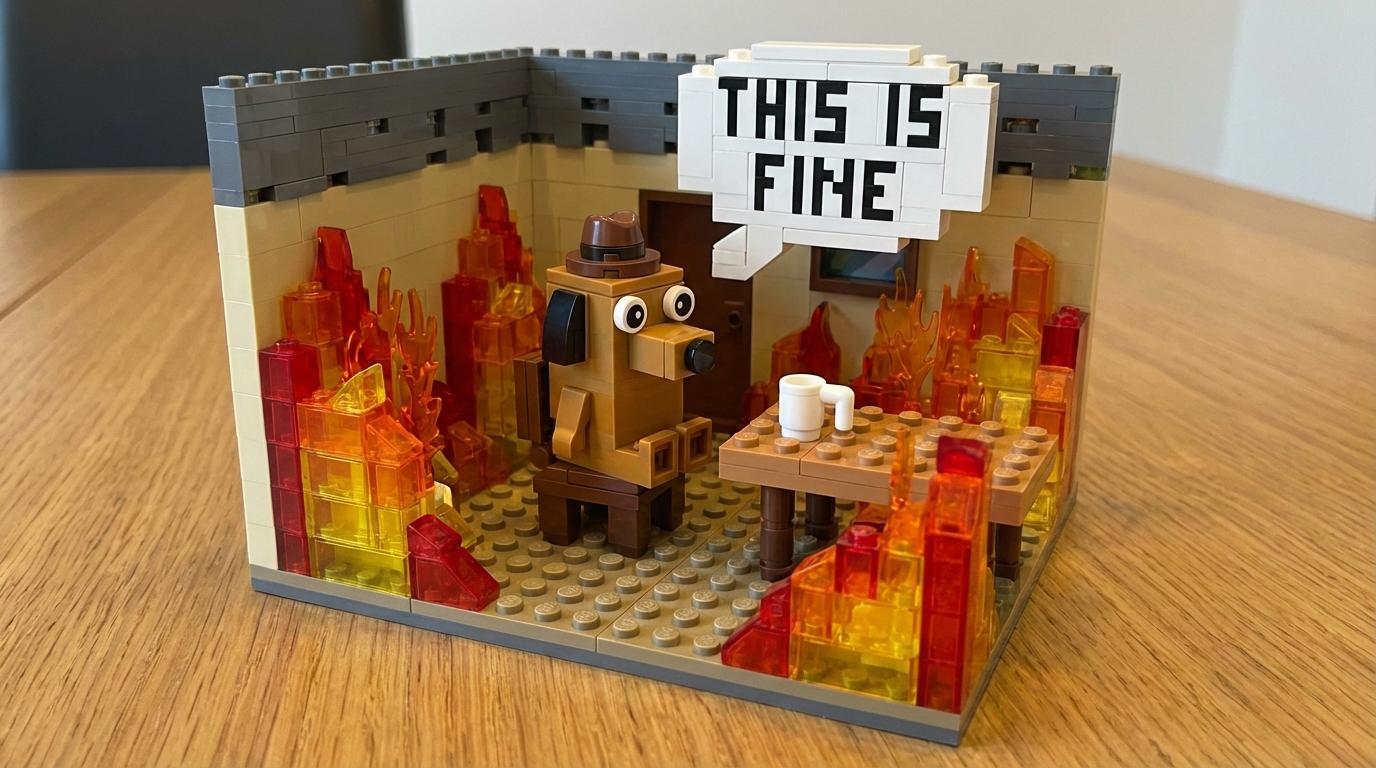
otherStyle = "Now do a new version with generic building blocks";
response = await chat.sendMessage({ message: otherStyle });
for (const part of response.candidates[0].content.parts) {
if (part.thought) continue;
if (part.text) console.log(part.text);
if (part.inlineData) console.image(part.inlineData.data);
}
// [CODE ENDS]
/* Output Sample
*/
// [CODE STARTS]
otherStyle = "Now do a new version with generic building blocks";
response = await chat.sendMessage({ message: otherStyle });
for (const part of response.candidates[0].content.parts) {
if (part.thought) continue;
if (part.text) console.log(part.text);
if (part.inlineData) console.image(part.inlineData.data);
}
// [CODE ENDS]
/* Output Sample
 */
// [CODE STARTS]
otherStyle = "What about a crochet version?";
response = await chat.sendMessage({ message: otherStyle });
for (const part of response.candidates[0].content.parts) {
if (part.thought) continue;
if (part.text) console.log(part.text);
if (part.inlineData) console.image(part.inlineData.data);
}
// [CODE ENDS]
/* Output Sample
*/
// [CODE STARTS]
otherStyle = "What about a crochet version?";
response = await chat.sendMessage({ message: otherStyle });
for (const part of response.candidates[0].content.parts) {
if (part.thought) continue;
if (part.text) console.log(part.text);
if (part.inlineData) console.image(part.inlineData.data);
}
// [CODE ENDS]
/* Output Sample
 */
/* Markdown (render)
## Next Steps
### Useful documentation references:
Check the [documentation](https://ai.google.dev/gemini-api/docs/image-generation#gemini) for more details about the image generation capabilities of the model. To improve your prompting skills, check out the [prompt guide](https://ai.google.dev/gemini-api/docs/image-generation#prompt-guide) for great advices on creating your prompts.
### Play with the AI Studio apps
AI Studio features a ton of Nano-banana Apps that you can test and customize to your needs. Here are my favorite:
* [Past Forward](https://aistudio.google.com/apps/bundled/past_forward) lets you travel through time
* [Personalized comics](https://aistudio.google.com/apps/bundled/personalized_comics) lets you create comics where YOU are the hero (or the foe, or both 🤯)
* [Pixshop](https://aistudio.google.com/apps/bundled/pixshop), an AI-powered image editor
* [FitCheck](https://aistudio.google.com/apps/bundled/fitcheck), let you virtually try on any clothes
* [Info Genius](https://aistudio.google.com/apps/bundled/info_genius), to create infographics of anything
* And [plenty others](https://aistudio.google.com/apps?source=showcase&showcaseTag=nano-banana)
### Continue your discovery of the Gemini API
Gemini is not only good at generating images, but also at understanding them. Check the [Spatial understanding](https://github.com/google-gemini/cookbook/blob/main/quickstarts/Spatial_understanding.ipynb) guide for an introduction on those capabilities, and the [Video understanding](https://github.com/google-gemini/cookbook/blob/main/quickstarts/Video_understanding.ipynb) one for video examples.
*/
*/
/* Markdown (render)
## Next Steps
### Useful documentation references:
Check the [documentation](https://ai.google.dev/gemini-api/docs/image-generation#gemini) for more details about the image generation capabilities of the model. To improve your prompting skills, check out the [prompt guide](https://ai.google.dev/gemini-api/docs/image-generation#prompt-guide) for great advices on creating your prompts.
### Play with the AI Studio apps
AI Studio features a ton of Nano-banana Apps that you can test and customize to your needs. Here are my favorite:
* [Past Forward](https://aistudio.google.com/apps/bundled/past_forward) lets you travel through time
* [Personalized comics](https://aistudio.google.com/apps/bundled/personalized_comics) lets you create comics where YOU are the hero (or the foe, or both 🤯)
* [Pixshop](https://aistudio.google.com/apps/bundled/pixshop), an AI-powered image editor
* [FitCheck](https://aistudio.google.com/apps/bundled/fitcheck), let you virtually try on any clothes
* [Info Genius](https://aistudio.google.com/apps/bundled/info_genius), to create infographics of anything
* And [plenty others](https://aistudio.google.com/apps?source=showcase&showcaseTag=nano-banana)
### Continue your discovery of the Gemini API
Gemini is not only good at generating images, but also at understanding them. Check the [Spatial understanding](https://github.com/google-gemini/cookbook/blob/main/quickstarts/Spatial_understanding.ipynb) guide for an introduction on those capabilities, and the [Video understanding](https://github.com/google-gemini/cookbook/blob/main/quickstarts/Video_understanding.ipynb) one for video examples.
*/