 If any JavaScript project has taken the front end ecosystem by storm in recent years, that would be [React](https://facebook.github.io/react/). React is a library built and open-sourced by the smart people at Facebook. In React, developers write components for their web interface and compose them together.
React brings about many radical ideas and encourages developers to [rethink best practices](https://www.youtube.com/watch?v=DgVS-zXgMTk). For many years, web developers were taught that it was a good practice to write HTML, JavaScript and CSS separately. React does the exact opposite, and encourages that you write your HTML and [CSS in your JavaScript](https://speakerdeck.com/vjeux/react-css-in-js) instead. This sounds like a crazy idea at first, but after trying it out, it actually isn't as weird as it sounds initially. Reason being the front end development scene is shifting towards a paradigm of component-based development. The features of React:
- **Declarative** - You describe what you want to see in your view and not how to achieve it. In the jQuery days, developers would have to come up with a series of steps to manipulate the DOM to get from one app state to the next. In React, you simply change the state within the component and the view will update itself according to the state. It is also easy to determine how the component will look like just by looking at the markup in the `render()` method.
- **Functional** - The view is a pure function of `props` and `state`. In most cases, a React component is defined by `props` (external parameters) and `state` (internal data). For the same `props` and `state`, the same view is produced. Pure functions are easy to test, and the same goes for functional components. Testing in React is made easy because a component's interfaces are well-defined and you can test the component by supplying different `props` and `state` to it and comparing the rendered output.
- **Maintainable** - Writing your view in a component-based fashion encourages reusability. We find that defining a component's `propTypes` make React code self-documenting as the reader can know clearly what is needed to use that component. Lastly, your view and logic is self-contained within the component, and should not be affected nor affect other components. That makes it easy to shift components around during large-scale refactoring, as long as the same `props` are supplied to the component.
- **High Performance** - You might have heard that React uses a virtual DOM (not to be confused with [shadow DOM](https://developer.mozilla.org/en-US/docs/Web/Web_Components/Shadow_DOM)) and it re-renders everything when there is a change in state. Why is there a need for a virtual DOM? While modern JavaScript engines are fast, reading from and writing to the DOM is slow. React keeps a lightweight virtual representation of the DOM in memory. Re-rendering everything is a misleading term. In React it actually refers to re-rendering the in-memory representation of the DOM, not the actual DOM itself. When there's a change in the underlying data of the component, a new virtual representation is created, and compared against the previous representation. The difference (minimal set of changes required) is then patched to the real browser DOM.
- **Ease of Learning** - Learning React is pretty simple. The React API surface is relatively small compared to [this](https://angular.io/docs/ts/latest/api/); there are only a few APIs to learn and they do not change often. The React community is one of the largest, and along with that comes a vibrant ecosystem of tools, open-sourced UI components, and a ton of great resources online to get you started on learning React.
- **Developer Experience** - There are a number of tools that improves the development experience with React. [React Developer Tools](https://github.com/facebook/react-devtools) is a browser extension that allows you to inspect your component, view and manipulate its `props` and `state`. [Hot reloading](https://github.com/gaearon/react-hot-loader) with webpack allows you to view changes to your code in your browser, without you having to refresh the browser. Front end development involves a lot of tweaking code, saving and then refreshing the browser. Hot reloading helps you by eliminating the last step. When there are library updates, Facebook provides [codemod scripts](https://github.com/reactjs/react-codemod) to help you migrate your code to the new APIs. This makes the upgrading process relatively pain-free. Kudos to the Facebook team for their dedication in making the development experience with React great.
If any JavaScript project has taken the front end ecosystem by storm in recent years, that would be [React](https://facebook.github.io/react/). React is a library built and open-sourced by the smart people at Facebook. In React, developers write components for their web interface and compose them together.
React brings about many radical ideas and encourages developers to [rethink best practices](https://www.youtube.com/watch?v=DgVS-zXgMTk). For many years, web developers were taught that it was a good practice to write HTML, JavaScript and CSS separately. React does the exact opposite, and encourages that you write your HTML and [CSS in your JavaScript](https://speakerdeck.com/vjeux/react-css-in-js) instead. This sounds like a crazy idea at first, but after trying it out, it actually isn't as weird as it sounds initially. Reason being the front end development scene is shifting towards a paradigm of component-based development. The features of React:
- **Declarative** - You describe what you want to see in your view and not how to achieve it. In the jQuery days, developers would have to come up with a series of steps to manipulate the DOM to get from one app state to the next. In React, you simply change the state within the component and the view will update itself according to the state. It is also easy to determine how the component will look like just by looking at the markup in the `render()` method.
- **Functional** - The view is a pure function of `props` and `state`. In most cases, a React component is defined by `props` (external parameters) and `state` (internal data). For the same `props` and `state`, the same view is produced. Pure functions are easy to test, and the same goes for functional components. Testing in React is made easy because a component's interfaces are well-defined and you can test the component by supplying different `props` and `state` to it and comparing the rendered output.
- **Maintainable** - Writing your view in a component-based fashion encourages reusability. We find that defining a component's `propTypes` make React code self-documenting as the reader can know clearly what is needed to use that component. Lastly, your view and logic is self-contained within the component, and should not be affected nor affect other components. That makes it easy to shift components around during large-scale refactoring, as long as the same `props` are supplied to the component.
- **High Performance** - You might have heard that React uses a virtual DOM (not to be confused with [shadow DOM](https://developer.mozilla.org/en-US/docs/Web/Web_Components/Shadow_DOM)) and it re-renders everything when there is a change in state. Why is there a need for a virtual DOM? While modern JavaScript engines are fast, reading from and writing to the DOM is slow. React keeps a lightweight virtual representation of the DOM in memory. Re-rendering everything is a misleading term. In React it actually refers to re-rendering the in-memory representation of the DOM, not the actual DOM itself. When there's a change in the underlying data of the component, a new virtual representation is created, and compared against the previous representation. The difference (minimal set of changes required) is then patched to the real browser DOM.
- **Ease of Learning** - Learning React is pretty simple. The React API surface is relatively small compared to [this](https://angular.io/docs/ts/latest/api/); there are only a few APIs to learn and they do not change often. The React community is one of the largest, and along with that comes a vibrant ecosystem of tools, open-sourced UI components, and a ton of great resources online to get you started on learning React.
- **Developer Experience** - There are a number of tools that improves the development experience with React. [React Developer Tools](https://github.com/facebook/react-devtools) is a browser extension that allows you to inspect your component, view and manipulate its `props` and `state`. [Hot reloading](https://github.com/gaearon/react-hot-loader) with webpack allows you to view changes to your code in your browser, without you having to refresh the browser. Front end development involves a lot of tweaking code, saving and then refreshing the browser. Hot reloading helps you by eliminating the last step. When there are library updates, Facebook provides [codemod scripts](https://github.com/reactjs/react-codemod) to help you migrate your code to the new APIs. This makes the upgrading process relatively pain-free. Kudos to the Facebook team for their dedication in making the development experience with React great.  As your app grows bigger, you may find that the app structure becomes a little messy. Components throughout the app may have to share and display common data but there is no elegant way to handle that in React. After all, React is just the view layer, it does not dictate how you structure the other layers of your app, such as the model and the controller, in traditional MVC paradigms. In an effort to solve this, Facebook invented Flux, an app architecture that complements React's composable view components by utilizing a unidirectional data flow. Read more about how Flux works [here](https://facebook.github.io/flux/docs/in-depth-overview.html). In summary, the Flux pattern has the following characteristics:
- **Unidirectional data flow** - Makes the app more predictable as updates can be tracked easily.
- **Separation of concerns** - Each part in the Flux architecture has clear responsibilities and are highly decoupled.
- **Works well with declarative programming** - The store can send updates to the view without specifying how to transition views between states.
As Flux is not a framework per se, developers have tried to come up with many implementations of the Flux pattern. Eventually, a clear winner emerged, which was [Redux](http://redux.js.org/). Redux combines the ideas from Flux, [Command pattern](https://www.wikiwand.com/en/Command_pattern) and [Elm architecture](https://guide.elm-lang.org/architecture/) and is the de facto state management library developers use with React these days. Its core concepts are:
- App **state** is described by a single plain old JavaScript object (POJO).
- Dispatch an **action** (also a POJO) to modify the state.
- **Reducer** is a pure function that takes in current state and action to produce a new state.
The concepts sound simple, but they are really powerful as they enable apps to:
- Have their state rendered on the server, booted up on the client.
- Trace, log and backtrack changes in the whole app.
- Implement undo/redo functionality easily.
The creator of Redux, [Dan Abramov](https://github.com/gaearon), has taken great care in writing up detailed documentation for Redux, along with creating comprehensive video tutorials for learning [basic](https://egghead.io/courses/getting-started-with-redux) and [advanced](https://egghead.io/courses/building-react-applications-with-idiomatic-redux) Redux. They are extremely helpful resources for learning Redux.
**Combining View and State**
While Redux does not necessarily have to be used with React, it is highly recommended as they play very well with each other. React and Redux have a lot of ideas and traits in common:
- **Functional composition paradigm** - React composes views (pure functions) while Redux composes pure reducers (also pure functions). Output is predictable given the same set of input.
- **Easy To Reason About** - You may have heard this term many times but what does it actually mean? We interpret it as having control and understanding over our code - Our code behaves in ways we expect it to, and when there are problems, we can find them easily. Through our experience, React and Redux makes debugging simpler. As the data flow is unidirectional, tracing the flow of data (server responses, user input events) is easier and it is straightforward to determine which layer the problem occurs in.
- **Layered Structure** - Each layer in the app / Flux architecture is a pure function, and has clear responsibilities. It is relatively easy to write tests for pure functions. You have to centralize changes to your app within the reducer, and the only way to trigger a change is to dispatch an action.
- **Development Experience** - A lot of effort has gone into creating tools to help in debugging and inspecting the app while development, such as [Redux DevTools](https://github.com/gaearon/redux-devtools).
As your app grows bigger, you may find that the app structure becomes a little messy. Components throughout the app may have to share and display common data but there is no elegant way to handle that in React. After all, React is just the view layer, it does not dictate how you structure the other layers of your app, such as the model and the controller, in traditional MVC paradigms. In an effort to solve this, Facebook invented Flux, an app architecture that complements React's composable view components by utilizing a unidirectional data flow. Read more about how Flux works [here](https://facebook.github.io/flux/docs/in-depth-overview.html). In summary, the Flux pattern has the following characteristics:
- **Unidirectional data flow** - Makes the app more predictable as updates can be tracked easily.
- **Separation of concerns** - Each part in the Flux architecture has clear responsibilities and are highly decoupled.
- **Works well with declarative programming** - The store can send updates to the view without specifying how to transition views between states.
As Flux is not a framework per se, developers have tried to come up with many implementations of the Flux pattern. Eventually, a clear winner emerged, which was [Redux](http://redux.js.org/). Redux combines the ideas from Flux, [Command pattern](https://www.wikiwand.com/en/Command_pattern) and [Elm architecture](https://guide.elm-lang.org/architecture/) and is the de facto state management library developers use with React these days. Its core concepts are:
- App **state** is described by a single plain old JavaScript object (POJO).
- Dispatch an **action** (also a POJO) to modify the state.
- **Reducer** is a pure function that takes in current state and action to produce a new state.
The concepts sound simple, but they are really powerful as they enable apps to:
- Have their state rendered on the server, booted up on the client.
- Trace, log and backtrack changes in the whole app.
- Implement undo/redo functionality easily.
The creator of Redux, [Dan Abramov](https://github.com/gaearon), has taken great care in writing up detailed documentation for Redux, along with creating comprehensive video tutorials for learning [basic](https://egghead.io/courses/getting-started-with-redux) and [advanced](https://egghead.io/courses/building-react-applications-with-idiomatic-redux) Redux. They are extremely helpful resources for learning Redux.
**Combining View and State**
While Redux does not necessarily have to be used with React, it is highly recommended as they play very well with each other. React and Redux have a lot of ideas and traits in common:
- **Functional composition paradigm** - React composes views (pure functions) while Redux composes pure reducers (also pure functions). Output is predictable given the same set of input.
- **Easy To Reason About** - You may have heard this term many times but what does it actually mean? We interpret it as having control and understanding over our code - Our code behaves in ways we expect it to, and when there are problems, we can find them easily. Through our experience, React and Redux makes debugging simpler. As the data flow is unidirectional, tracing the flow of data (server responses, user input events) is easier and it is straightforward to determine which layer the problem occurs in.
- **Layered Structure** - Each layer in the app / Flux architecture is a pure function, and has clear responsibilities. It is relatively easy to write tests for pure functions. You have to centralize changes to your app within the reducer, and the only way to trigger a change is to dispatch an action.
- **Development Experience** - A lot of effort has gone into creating tools to help in debugging and inspecting the app while development, such as [Redux DevTools](https://github.com/gaearon/redux-devtools).  CSS (Cascading Style Sheets) are rules to describe how your HTML elements look. Writing good CSS is hard. It usually takes many years of experience and frustration of shooting yourself in the foot before one is able to write maintainable and scalable CSS. CSS, having a global namespace, is fundamentally designed for web documents, and not really for web apps that favor a components architecture. Hence, experienced front end developers have designed methodologies to guide people on how to write organized CSS for complex projects, such as using [SMACSS](https://smacss.com/), [BEM](http://getbem.com/), [SUIT CSS](http://suitcss.github.io/), etc.
However, the encapsulation of styles that these methodologies bring about are artificially enforced by conventions and guidelines. They break the moment developers do not follow them.
As you might have realized by now, the front end ecosystem is saturated with tools, and unsurprisingly, tools have been invented to [partially solve some of the problems](https://speakerdeck.com/vjeux/react-css-in-js) with writing CSS at scale. "At scale" means that many developers are working on the same large project and touching the same stylesheets. There is no community-agreed approach on writing [CSS in JS](https://github.com/MicheleBertoli/css-in-js) at the moment, and we are hoping that one day a winner would emerge, just like Redux did, among all the Flux implementations. For now, we are banking on [CSS Modules](https://github.com/css-modules/css-modules). CSS modules is an improvement over existing CSS that aims to fix the problem of global namespace in CSS; it enables you to write styles that are local by default and encapsulated to your component. This feature is achieved via tooling. With CSS modules, large teams can write modular and reusable CSS without fear of conflict or overriding other parts of the app. However, at the end of the day, CSS modules are still being compiled into normal globally-namespaced CSS that browsers recognize, and it is still important to learn and understand how raw CSS works.
If you are a total beginner to CSS, Codecademy's [HTML & CSS course](https://www.codecademy.com/learn/learn-html-css) will be a good introduction to you. Next, read up on the [Sass preprocessor](http://sass-lang.com/), an extension of the CSS language which adds syntactic improvements and encourages style reusability. Study the CSS methodologies mentioned above, and lastly, CSS modules.
**Estimated Duration: 3-4 days.** Try styling up your app using the SMACSS/BEM approach and/or CSS modules.
#### Study Links
- [Learn HTML & CSS course on Codecademy](https://www.codecademy.com/learn/learn-html-css)
- [Intro to HTML/CSS on Khan Academy](https://www.khanacademy.org/computing/computer-programming/html-css)
- [SMACSS](https://smacss.com/)
- [BEM](http://getbem.com/introduction/)
- [SUIT CSS](http://suitcss.github.io/)
- [CSS Modules Specification](https://github.com/css-modules/css-modules)
- [Sass Homepage](http://sass-lang.com/)
- [Answers to Front End Job Interview Questions — HTML](https://github.com/yangshun/tech-interview-handbook/blob/master/front-end/interview-questions.md#html-questions)
- [Answers to Front End Job Interview Questions — CSS](https://github.com/yangshun/tech-interview-handbook/blob/master/front-end/interview-questions.md#css-questions)
#### Alternatives
- [JSS](https://github.com/cssinjs/jss)
- [Styled Components](https://github.com/styled-components/styled-components)
## Maintainability
Code is read more frequently than it is written. This is especially true at Grab, where the team size is large and we have multiple engineers working across multiple projects. We highly value readability, maintainability and stability of the code and there are a few ways to achieve that: "Extensive testing", "Consistent coding style" and "Typechecking". Also when you are in a team, sharing same practices becomes really important. Check out these [JavaScript Project Guidelines](https://github.com/wearehive/project-guidelines) for instance.
## Testing - Jest + Enzyme
CSS (Cascading Style Sheets) are rules to describe how your HTML elements look. Writing good CSS is hard. It usually takes many years of experience and frustration of shooting yourself in the foot before one is able to write maintainable and scalable CSS. CSS, having a global namespace, is fundamentally designed for web documents, and not really for web apps that favor a components architecture. Hence, experienced front end developers have designed methodologies to guide people on how to write organized CSS for complex projects, such as using [SMACSS](https://smacss.com/), [BEM](http://getbem.com/), [SUIT CSS](http://suitcss.github.io/), etc.
However, the encapsulation of styles that these methodologies bring about are artificially enforced by conventions and guidelines. They break the moment developers do not follow them.
As you might have realized by now, the front end ecosystem is saturated with tools, and unsurprisingly, tools have been invented to [partially solve some of the problems](https://speakerdeck.com/vjeux/react-css-in-js) with writing CSS at scale. "At scale" means that many developers are working on the same large project and touching the same stylesheets. There is no community-agreed approach on writing [CSS in JS](https://github.com/MicheleBertoli/css-in-js) at the moment, and we are hoping that one day a winner would emerge, just like Redux did, among all the Flux implementations. For now, we are banking on [CSS Modules](https://github.com/css-modules/css-modules). CSS modules is an improvement over existing CSS that aims to fix the problem of global namespace in CSS; it enables you to write styles that are local by default and encapsulated to your component. This feature is achieved via tooling. With CSS modules, large teams can write modular and reusable CSS without fear of conflict or overriding other parts of the app. However, at the end of the day, CSS modules are still being compiled into normal globally-namespaced CSS that browsers recognize, and it is still important to learn and understand how raw CSS works.
If you are a total beginner to CSS, Codecademy's [HTML & CSS course](https://www.codecademy.com/learn/learn-html-css) will be a good introduction to you. Next, read up on the [Sass preprocessor](http://sass-lang.com/), an extension of the CSS language which adds syntactic improvements and encourages style reusability. Study the CSS methodologies mentioned above, and lastly, CSS modules.
**Estimated Duration: 3-4 days.** Try styling up your app using the SMACSS/BEM approach and/or CSS modules.
#### Study Links
- [Learn HTML & CSS course on Codecademy](https://www.codecademy.com/learn/learn-html-css)
- [Intro to HTML/CSS on Khan Academy](https://www.khanacademy.org/computing/computer-programming/html-css)
- [SMACSS](https://smacss.com/)
- [BEM](http://getbem.com/introduction/)
- [SUIT CSS](http://suitcss.github.io/)
- [CSS Modules Specification](https://github.com/css-modules/css-modules)
- [Sass Homepage](http://sass-lang.com/)
- [Answers to Front End Job Interview Questions — HTML](https://github.com/yangshun/tech-interview-handbook/blob/master/front-end/interview-questions.md#html-questions)
- [Answers to Front End Job Interview Questions — CSS](https://github.com/yangshun/tech-interview-handbook/blob/master/front-end/interview-questions.md#css-questions)
#### Alternatives
- [JSS](https://github.com/cssinjs/jss)
- [Styled Components](https://github.com/styled-components/styled-components)
## Maintainability
Code is read more frequently than it is written. This is especially true at Grab, where the team size is large and we have multiple engineers working across multiple projects. We highly value readability, maintainability and stability of the code and there are a few ways to achieve that: "Extensive testing", "Consistent coding style" and "Typechecking". Also when you are in a team, sharing same practices becomes really important. Check out these [JavaScript Project Guidelines](https://github.com/wearehive/project-guidelines) for instance.
## Testing - Jest + Enzyme
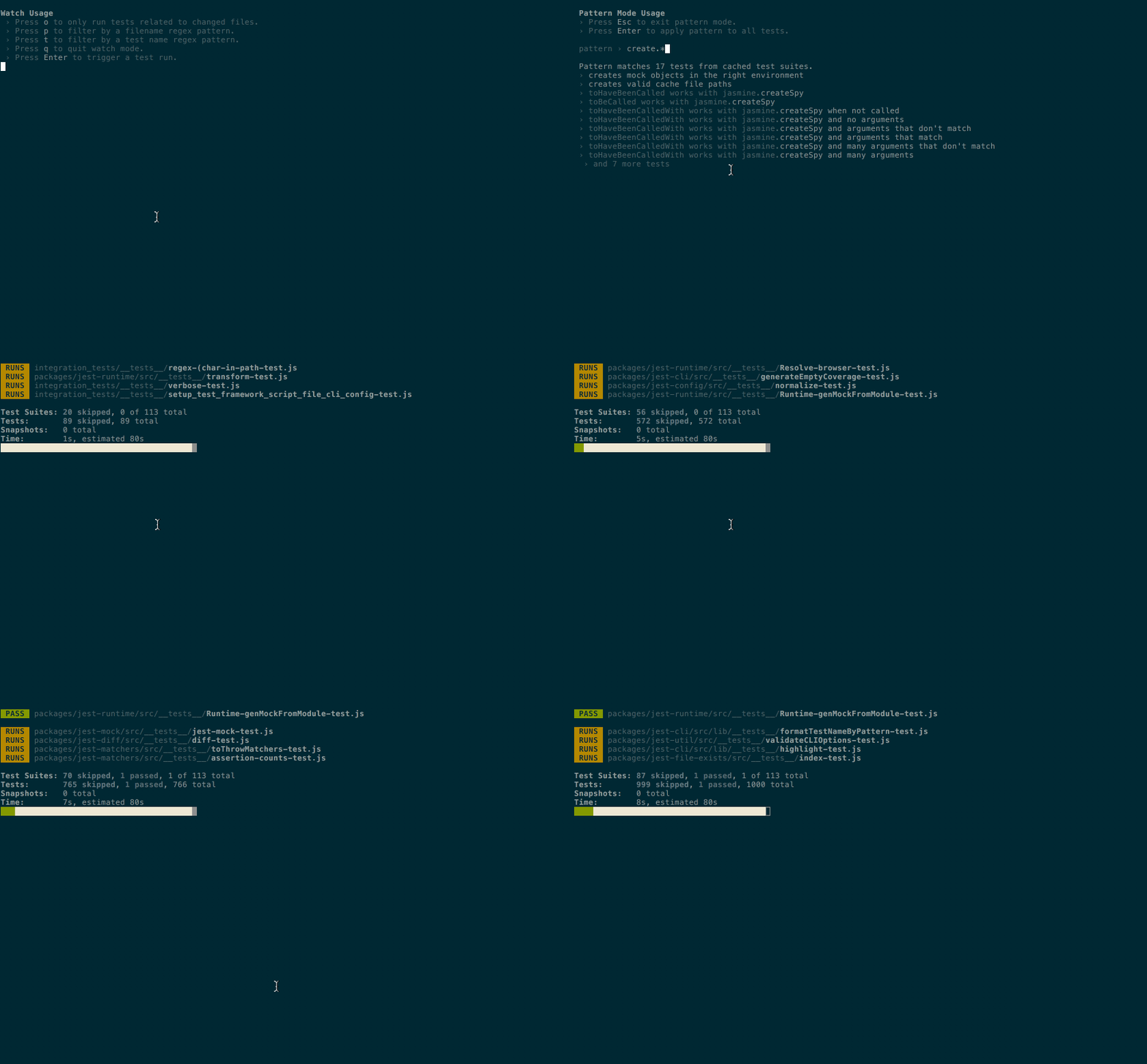
 [Jest](http://facebook.github.io/jest/) is a testing library by Facebook that aims to make the process of testing pain-free. As with Facebook projects, it provides a great development experience out of the box. Tests can be run in parallel resulting in shorter duration. During watch mode, by default, only the tests for the changed files are run. One particular feature we like is "Snapshot Testing". Jest can save the generated output of your React component and Redux state and save it as serialized files, so you wouldn't have to manually come up with the expected output yourself. Jest also comes with built-in mocking, assertion and test coverage. One library to rule them all!
React comes with some testing utilities, but [Enzyme](http://airbnb.io/enzyme/) by Airbnb makes it easier to generate, assert, manipulate and traverse your React components' output with a jQuery-like API. It is recommended that Enzyme be used to test React components.
Jest and Enzyme makes writing front end tests fun and easy. When writing tests becomes enjoyable, developers write more tests. It also helps that React components and Redux actions/reducers are relatively easy to test because of clearly defined responsibilities and interfaces. For React components, we can test that given some `props`, the desired DOM is rendered, and that callbacks are fired upon certain simulated user interactions. For Redux reducers, we can test that given a prior state and an action, a resulting state is produced.
The documentation for Jest and Enzyme are pretty concise, and it should be sufficient to learn them by reading it.
**Estimated Duration: 2-3 days.** Try writing Jest + Enzyme tests for your React + Redux app!
#### Study Links
- [Jest Homepage](http://facebook.github.io/jest/)
- [Testing React Applications with Jest](https://auth0.com/blog/testing-react-applications-with-jest/)
- [Enzyme Homepage](http://airbnb.io/enzyme/)
- [Enzyme: JavaScript Testing utilities for React](https://medium.com/airbnb-engineering/enzyme-javascript-testing-utilities-for-react-a417e5e5090f)
#### Alternatives
- [AVA](https://github.com/avajs/ava)
- [Karma](https://karma-runner.github.io/)
## Linting JavaScript - ESLint
[Jest](http://facebook.github.io/jest/) is a testing library by Facebook that aims to make the process of testing pain-free. As with Facebook projects, it provides a great development experience out of the box. Tests can be run in parallel resulting in shorter duration. During watch mode, by default, only the tests for the changed files are run. One particular feature we like is "Snapshot Testing". Jest can save the generated output of your React component and Redux state and save it as serialized files, so you wouldn't have to manually come up with the expected output yourself. Jest also comes with built-in mocking, assertion and test coverage. One library to rule them all!

React comes with some testing utilities, but [Enzyme](http://airbnb.io/enzyme/) by Airbnb makes it easier to generate, assert, manipulate and traverse your React components' output with a jQuery-like API. It is recommended that Enzyme be used to test React components.
Jest and Enzyme makes writing front end tests fun and easy. When writing tests becomes enjoyable, developers write more tests. It also helps that React components and Redux actions/reducers are relatively easy to test because of clearly defined responsibilities and interfaces. For React components, we can test that given some `props`, the desired DOM is rendered, and that callbacks are fired upon certain simulated user interactions. For Redux reducers, we can test that given a prior state and an action, a resulting state is produced.
The documentation for Jest and Enzyme are pretty concise, and it should be sufficient to learn them by reading it.
**Estimated Duration: 2-3 days.** Try writing Jest + Enzyme tests for your React + Redux app!
#### Study Links
- [Jest Homepage](http://facebook.github.io/jest/)
- [Testing React Applications with Jest](https://auth0.com/blog/testing-react-applications-with-jest/)
- [Enzyme Homepage](http://airbnb.io/enzyme/)
- [Enzyme: JavaScript Testing utilities for React](https://medium.com/airbnb-engineering/enzyme-javascript-testing-utilities-for-react-a417e5e5090f)
#### Alternatives
- [AVA](https://github.com/avajs/ava)
- [Karma](https://karma-runner.github.io/)
## Linting JavaScript - ESLint
 A linter is a tool to statically analyze code and finds problems with them, potentially preventing bugs/runtime errors and at the same time, enforcing a coding style. Time is saved during pull request reviews when reviewers do not have to leave nitpicky comments on coding style. [ESLint](http://eslint.org/) is a tool for linting JavaScript code that is highly extensible and customizable. Teams can write their own lint rules to enforce their custom styles. At Grab, we use Airbnb's [`eslint-config-airbnb`](https://www.npmjs.com/package/eslint-config-airbnb) preset, that has already been configured with the common good coding style in the [Airbnb JavaScript style guide](https://github.com/airbnb/javascript).
For the most part, using ESLint is as simple as tweaking a configuration file in your project folder. There's nothing much to learn about ESLint if you're not writing new rules for it. Just be aware of the errors when they surface and Google it to find out the recommended style.
**Estimated Duration: 1/2 day.** Nothing much to learn here. Add ESLint to your project and fix the linting errors!
#### Study Links
- [ESLint Homepage](http://eslint.org/)
- [Airbnb JavaScript Style Guide](https://github.com/airbnb/javascript)
#### Alternatives
- [Standard](https://github.com/standard/standard)
- [JSHint](http://jshint.com/)
- [XO](https://github.com/xojs/xo)
## Linting CSS - stylelint
A linter is a tool to statically analyze code and finds problems with them, potentially preventing bugs/runtime errors and at the same time, enforcing a coding style. Time is saved during pull request reviews when reviewers do not have to leave nitpicky comments on coding style. [ESLint](http://eslint.org/) is a tool for linting JavaScript code that is highly extensible and customizable. Teams can write their own lint rules to enforce their custom styles. At Grab, we use Airbnb's [`eslint-config-airbnb`](https://www.npmjs.com/package/eslint-config-airbnb) preset, that has already been configured with the common good coding style in the [Airbnb JavaScript style guide](https://github.com/airbnb/javascript).
For the most part, using ESLint is as simple as tweaking a configuration file in your project folder. There's nothing much to learn about ESLint if you're not writing new rules for it. Just be aware of the errors when they surface and Google it to find out the recommended style.
**Estimated Duration: 1/2 day.** Nothing much to learn here. Add ESLint to your project and fix the linting errors!
#### Study Links
- [ESLint Homepage](http://eslint.org/)
- [Airbnb JavaScript Style Guide](https://github.com/airbnb/javascript)
#### Alternatives
- [Standard](https://github.com/standard/standard)
- [JSHint](http://jshint.com/)
- [XO](https://github.com/xojs/xo)
## Linting CSS - stylelint
 As mentioned earlier, good CSS is notoriously hard to write. Usage of static analysis tools on CSS can help to maintain our CSS code quality and coding style. For linting CSS, we use stylelint. Like ESLint, stylelint is designed in a very modular fashion, allowing developers to turn rules on/off and write custom plugins for it. Besides CSS, stylelint is able to parse SCSS and has experimental support for Less, which lowers the barrier for most existing code bases to adopt it.

Once you have learnt ESLint, learning stylelint would be effortless considering their similarities. stylelint is currently being used by big companies like [Facebook](https://code.facebook.com/posts/879890885467584/improving-css-quality-at-facebook-and-beyond/), [Github](https://github.com/primer/stylelint-config-primer) and [Wordpress](https://github.com/WordPress-Coding-Standards/stylelint-config-wordpress).
One downside of stylelint is that the autofix feature is not fully mature yet, and is only able to fix for a limited number of rules. However, this issue should improve with time.
**Estimated Duration: 1/2 day.** Nothing much to learn here. Add stylelint to your project and fix the linting errors!
#### Study Links
- [stylelint Homepage](https://stylelint.io/)
- [Lint your CSS with stylelint](https://css-tricks.com/stylelint/)
#### Alternatives
- [Sass Lint](https://github.com/sasstools/sass-lint)
- [CSS Lint](http://csslint.net/)
## Formatting Code - Prettier
As mentioned earlier, good CSS is notoriously hard to write. Usage of static analysis tools on CSS can help to maintain our CSS code quality and coding style. For linting CSS, we use stylelint. Like ESLint, stylelint is designed in a very modular fashion, allowing developers to turn rules on/off and write custom plugins for it. Besides CSS, stylelint is able to parse SCSS and has experimental support for Less, which lowers the barrier for most existing code bases to adopt it.

Once you have learnt ESLint, learning stylelint would be effortless considering their similarities. stylelint is currently being used by big companies like [Facebook](https://code.facebook.com/posts/879890885467584/improving-css-quality-at-facebook-and-beyond/), [Github](https://github.com/primer/stylelint-config-primer) and [Wordpress](https://github.com/WordPress-Coding-Standards/stylelint-config-wordpress).
One downside of stylelint is that the autofix feature is not fully mature yet, and is only able to fix for a limited number of rules. However, this issue should improve with time.
**Estimated Duration: 1/2 day.** Nothing much to learn here. Add stylelint to your project and fix the linting errors!
#### Study Links
- [stylelint Homepage](https://stylelint.io/)
- [Lint your CSS with stylelint](https://css-tricks.com/stylelint/)
#### Alternatives
- [Sass Lint](https://github.com/sasstools/sass-lint)
- [CSS Lint](http://csslint.net/)
## Formatting Code - Prettier
 Another tool for enforcing consistent coding style for JavaScript and CSS is [Prettier](https://github.com/prettier/prettier).
In most cases, it is recommended to setup Prettier on top of ESLint and stylelint and integrate it into the workflow. This allows the code to be formatted into consistent style automatically via commit hooks, so that developers do not need to spend time formatting the coding style manually.
Note that Prettier only enforces coding style, but does not check for logic errors in the code. Hence it is not a replacement for linters.
**Estimated Duration: 1/2 day.** Nothing much to learn here. Add Prettier to your project and add hooks to enforce the coding style!
#### Study Links
- [Prettier Homepage](https://prettier.io/)
- [Prettier GitHub repo](https://github.com/prettier/prettier)
- [Comparison between tools that allow you to use ESLint and Prettier together](https://gist.github.com/yangshun/318102f525ec68033bf37ac4a010eb0c)
## Types - Flow
Another tool for enforcing consistent coding style for JavaScript and CSS is [Prettier](https://github.com/prettier/prettier).
In most cases, it is recommended to setup Prettier on top of ESLint and stylelint and integrate it into the workflow. This allows the code to be formatted into consistent style automatically via commit hooks, so that developers do not need to spend time formatting the coding style manually.
Note that Prettier only enforces coding style, but does not check for logic errors in the code. Hence it is not a replacement for linters.
**Estimated Duration: 1/2 day.** Nothing much to learn here. Add Prettier to your project and add hooks to enforce the coding style!
#### Study Links
- [Prettier Homepage](https://prettier.io/)
- [Prettier GitHub repo](https://github.com/prettier/prettier)
- [Comparison between tools that allow you to use ESLint and Prettier together](https://gist.github.com/yangshun/318102f525ec68033bf37ac4a010eb0c)
## Types - Flow
 Static typing brings about many benefits when writing apps. They can catch common bugs and errors in your code early. Types also serve as a form of documentation for your code and improves the readability of your code. As a code base grows larger, we see the importance of types as they gives us greater confidence when we do refactoring. It is also easier to onboard new members of the team to the project when it is clear what kind of values each object holds and what each function expects.
Adding types to your code comes with the trade-off of increased verbosity and a learning curve of the syntax. But this learning cost is paid upfront and amortized over time. In complex projects where the maintainability of the code matters and the people working on it change over time, adding types to the code brings about more benefits than disadvantages.
Recently, I had to fix a bug in a code base that I haven’t touched in months. It was thanks to types that I could easily refresh myself on what the code was doing, and gave me confidence in the fix I made.
The two biggest contenders in adding static types to JavaScript are [Flow](https://flow.org/) (by Facebook) and [TypeScript](https://www.typescriptlang.org/) (by Microsoft). As of date, there is no clear winner in the battle. For now, we have made the choice of using Flow. We find that Flow has a lower learning curve as compared to TypeScript and it requires relatively less effort to migrate an existing code base to Flow. Being built by Facebook, Flow has better integration with the React ecosystem out of the box. [James Kyle](https://twitter.com/thejameskyle), one of the authors of Flow, has [written](http://thejameskyle.com/adopting-flow-and-typescript.html) on a comparison between adopting Flow and TypeScript.
Anyway, it is not extremely difficult to move from Flow to TypeScript as the syntax and semantics are quite similar, and we will re-evaluate the situation in time to come. After all, using one is better than not using any at all.
Flow recently revamped their homepage and it's pretty neat now!
**Estimated Duration: 1 day.** Flow is pretty simple to learn as the type annotations feel like a natural extension of the JavaScript language. Add Flow annotations to your project and embrace the power of type systems.
#### Study Links
- [Flow Homepage](https://flow.org/)
- [TypeScript vs Flow](https://github.com/niieani/typescript-vs-flowtype)
#### Alternatives
- [TypeScript](https://www.typescriptlang.org/)
## Build System - webpack
Static typing brings about many benefits when writing apps. They can catch common bugs and errors in your code early. Types also serve as a form of documentation for your code and improves the readability of your code. As a code base grows larger, we see the importance of types as they gives us greater confidence when we do refactoring. It is also easier to onboard new members of the team to the project when it is clear what kind of values each object holds and what each function expects.
Adding types to your code comes with the trade-off of increased verbosity and a learning curve of the syntax. But this learning cost is paid upfront and amortized over time. In complex projects where the maintainability of the code matters and the people working on it change over time, adding types to the code brings about more benefits than disadvantages.
Recently, I had to fix a bug in a code base that I haven’t touched in months. It was thanks to types that I could easily refresh myself on what the code was doing, and gave me confidence in the fix I made.
The two biggest contenders in adding static types to JavaScript are [Flow](https://flow.org/) (by Facebook) and [TypeScript](https://www.typescriptlang.org/) (by Microsoft). As of date, there is no clear winner in the battle. For now, we have made the choice of using Flow. We find that Flow has a lower learning curve as compared to TypeScript and it requires relatively less effort to migrate an existing code base to Flow. Being built by Facebook, Flow has better integration with the React ecosystem out of the box. [James Kyle](https://twitter.com/thejameskyle), one of the authors of Flow, has [written](http://thejameskyle.com/adopting-flow-and-typescript.html) on a comparison between adopting Flow and TypeScript.
Anyway, it is not extremely difficult to move from Flow to TypeScript as the syntax and semantics are quite similar, and we will re-evaluate the situation in time to come. After all, using one is better than not using any at all.
Flow recently revamped their homepage and it's pretty neat now!
**Estimated Duration: 1 day.** Flow is pretty simple to learn as the type annotations feel like a natural extension of the JavaScript language. Add Flow annotations to your project and embrace the power of type systems.
#### Study Links
- [Flow Homepage](https://flow.org/)
- [TypeScript vs Flow](https://github.com/niieani/typescript-vs-flowtype)
#### Alternatives
- [TypeScript](https://www.typescriptlang.org/)
## Build System - webpack
 This part will be kept short as setting up webpack can be a tedious process and might be a turn-off to developers who are already overwhelmed by the barrage of new things they have to learn for front end development. In a nutshell, [webpack](https://webpack.js.org/) is a module bundler that compiles a front end project and its dependencies into a final bundle to be served to users. Usually, projects will already have the webpack configuration set up and developers rarely have to change it. Having an understanding of webpack is still a good to have in the long run. It is due to webpack that features like hot reloading and CSS modules are made possible.
We have found the [webpack walkthrough](https://survivejs.com/webpack/foreword/) by SurviveJS to be the best resource on learning webpack. It is a good complement to the official documentation and we recommend following the walkthrough first and referring to the documentation later when the need for further customization arises.
**Estimated Duration: 2 days (Optional).**
#### Study Links
- [webpack Homepage](https://webpack.js.org/)
- [SurviveJS - Webpack: From apprentice to master](https://survivejs.com/webpack/foreword/)
#### Alternatives
- [Rollup](https://rollupjs.org/)
- [Browserify](http://browserify.org/)
- [Parcel](https://parceljs.org/)
## Package Management - Yarn
This part will be kept short as setting up webpack can be a tedious process and might be a turn-off to developers who are already overwhelmed by the barrage of new things they have to learn for front end development. In a nutshell, [webpack](https://webpack.js.org/) is a module bundler that compiles a front end project and its dependencies into a final bundle to be served to users. Usually, projects will already have the webpack configuration set up and developers rarely have to change it. Having an understanding of webpack is still a good to have in the long run. It is due to webpack that features like hot reloading and CSS modules are made possible.
We have found the [webpack walkthrough](https://survivejs.com/webpack/foreword/) by SurviveJS to be the best resource on learning webpack. It is a good complement to the official documentation and we recommend following the walkthrough first and referring to the documentation later when the need for further customization arises.
**Estimated Duration: 2 days (Optional).**
#### Study Links
- [webpack Homepage](https://webpack.js.org/)
- [SurviveJS - Webpack: From apprentice to master](https://survivejs.com/webpack/foreword/)
#### Alternatives
- [Rollup](https://rollupjs.org/)
- [Browserify](http://browserify.org/)
- [Parcel](https://parceljs.org/)
## Package Management - Yarn
 If you take a peek into your `node_modules` directory, you will be appalled by the number of directories that are contained in it. Each babel plugin, lodash function, is a package on its own. When you have multiple projects, these packages are duplicated across each project and they are largely similar. Each time you run `npm install` in a new project, these packages are downloaded over and over again even though they already exist in some other project in your computer.
There was also the problem of non-determinism in the installed packages via `npm install`. Some of our CI builds fail because at the point of time when the CI server installs the dependencies, it pulled in minor updates to some packages that contained breaking changes. This would not have happened if library authors respected [semver](http://semver.org/) and engineers did not assume that API contracts would be respected all the time.
[Yarn](https://yarnpkg.com/) solves these problems. The issue of non-determinism of installed packages is handled via a `yarn.lock` file, which ensures that every install results in the exact same file structure in `node_modules` across all machines. Yarn utilizes a global cache directory within your machine, and packages that have been downloaded before do not have to be downloaded again. This also enables offline installation of dependencies!
The most common Yarn commands can be found [here](https://yarnpkg.com/en/docs/usage). Most other yarn commands are similar to the `npm` equivalents and it is fine to use the `npm` versions instead. One of our favorite commands is `yarn upgrade-interactive` which makes updating dependencies a breeze especially when the modern JavaScript project requires so many dependencies these days. Do check it out!
npm@5.0.0 was [released in May 2017](https://github.com/npm/npm/releases/tag/v5.0.0) and it seems to address many of the issues that Yarn aims to solve. Do keep an eye on it!
**Estimated Duration: 2 hours.**
#### Study Links
- [Yarn Homepage](https://yarnpkg.com/)
- [Yarn: A new package manager for JavaScript](https://code.facebook.com/posts/1840075619545360)
#### Alternatives
- [Good old npm](https://github.com/npm/npm/releases/tag/v5.0.0)
## Continuous Integration
We used [Travis CI](https://travis-ci.com/) for our continuous integration (CI) pipeline. Travis is a highly popular CI on Github and its [build matrix](https://docs.travis-ci.com/user/customizing-the-build#Build-Matrix) feature is useful for repositories which contain multiple projects like Grab's. We configured Travis to do the following:
- Run linting for the project.
- Run unit tests for the project.
- If the tests pass:
- Test coverage generated by Jest is uploaded to [Codecov](https://codecov.io/).
- Generate a production bundle with webpack into a `build` directory.
- `tar` the `build` directory as `
If you take a peek into your `node_modules` directory, you will be appalled by the number of directories that are contained in it. Each babel plugin, lodash function, is a package on its own. When you have multiple projects, these packages are duplicated across each project and they are largely similar. Each time you run `npm install` in a new project, these packages are downloaded over and over again even though they already exist in some other project in your computer.
There was also the problem of non-determinism in the installed packages via `npm install`. Some of our CI builds fail because at the point of time when the CI server installs the dependencies, it pulled in minor updates to some packages that contained breaking changes. This would not have happened if library authors respected [semver](http://semver.org/) and engineers did not assume that API contracts would be respected all the time.
[Yarn](https://yarnpkg.com/) solves these problems. The issue of non-determinism of installed packages is handled via a `yarn.lock` file, which ensures that every install results in the exact same file structure in `node_modules` across all machines. Yarn utilizes a global cache directory within your machine, and packages that have been downloaded before do not have to be downloaded again. This also enables offline installation of dependencies!
The most common Yarn commands can be found [here](https://yarnpkg.com/en/docs/usage). Most other yarn commands are similar to the `npm` equivalents and it is fine to use the `npm` versions instead. One of our favorite commands is `yarn upgrade-interactive` which makes updating dependencies a breeze especially when the modern JavaScript project requires so many dependencies these days. Do check it out!
npm@5.0.0 was [released in May 2017](https://github.com/npm/npm/releases/tag/v5.0.0) and it seems to address many of the issues that Yarn aims to solve. Do keep an eye on it!
**Estimated Duration: 2 hours.**
#### Study Links
- [Yarn Homepage](https://yarnpkg.com/)
- [Yarn: A new package manager for JavaScript](https://code.facebook.com/posts/1840075619545360)
#### Alternatives
- [Good old npm](https://github.com/npm/npm/releases/tag/v5.0.0)
## Continuous Integration
We used [Travis CI](https://travis-ci.com/) for our continuous integration (CI) pipeline. Travis is a highly popular CI on Github and its [build matrix](https://docs.travis-ci.com/user/customizing-the-build#Build-Matrix) feature is useful for repositories which contain multiple projects like Grab's. We configured Travis to do the following:
- Run linting for the project.
- Run unit tests for the project.
- If the tests pass:
- Test coverage generated by Jest is uploaded to [Codecov](https://codecov.io/).
- Generate a production bundle with webpack into a `build` directory.
- `tar` the `build` directory as `1. This can be solved via webpack code splitting. ↩
2. Universal JS to the rescue! ↩