
Run any coding agent, on any OS, from desktop or phone.
just terminals. no abstractions.
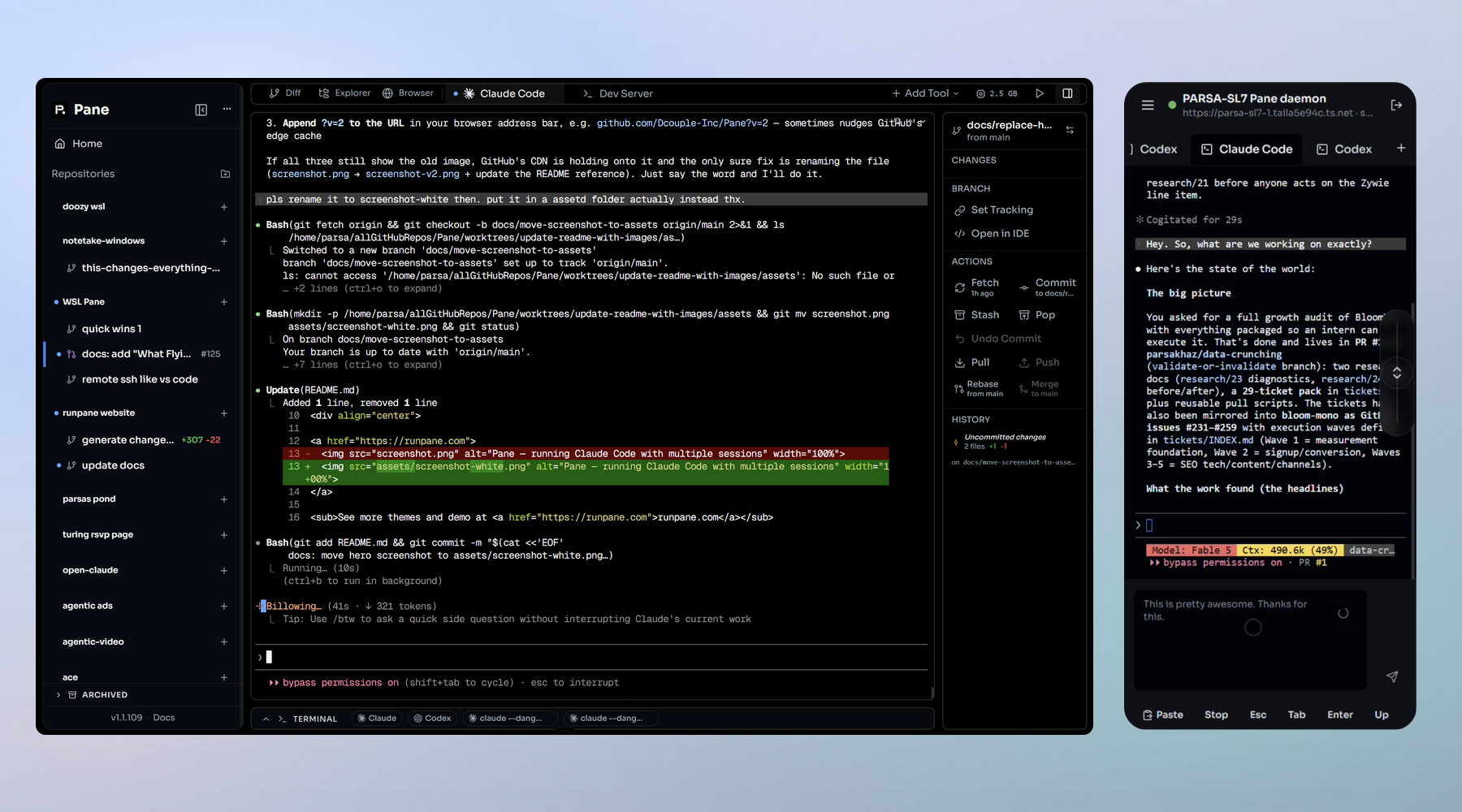 Appearance follows your OS — see [Appearance](docs/APPEARANCE.md).
[](./LICENSE)
[](https://github.com/greenfield-inc/Pane/releases)
[](https://github.com/greenfield-inc/Pane)
[](https://github.com/greenfield-inc/Pane/releases/latest)
[](https://runpane.com/changelog)
[](https://runpane.com)
[](https://discord.gg/BdMyubeAZn)
Appearance follows your OS — see [Appearance](docs/APPEARANCE.md).
[](./LICENSE)
[](https://github.com/greenfield-inc/Pane/releases)
[](https://github.com/greenfield-inc/Pane)
[](https://github.com/greenfield-inc/Pane/releases/latest)
[](https://runpane.com/changelog)
[](https://runpane.com)
[](https://discord.gg/BdMyubeAZn)
curl -fsSL https://runpane.com/install.sh | shirm https://runpane.com/install.ps1 | iex


# Guided setup via npm
npx --yes runpane@latest

# pnpm one-shot
pnpm dlx runpane@latest

# Python tools one-shot
pipx run runpane

# Persistent npm install
npm i -g runpane
runpane setup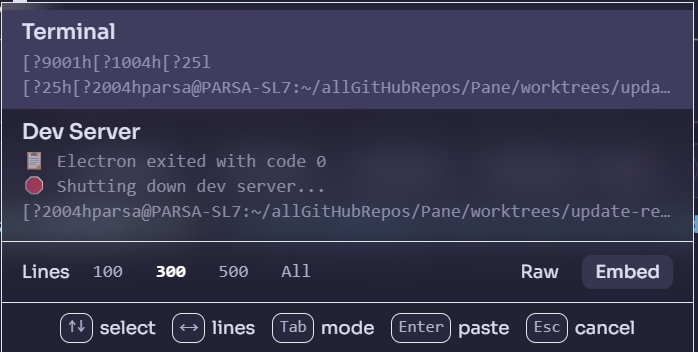 |
| **Clipboard Shortcuts** | `Ctrl+Alt+[key]` pastes any saved text snippet instantly, so your most-used prompts are one keystroke away forever. |
|
| **Clipboard Shortcuts** | `Ctrl+Alt+[key]` pastes any saved text snippet instantly, so your most-used prompts are one keystroke away forever. | 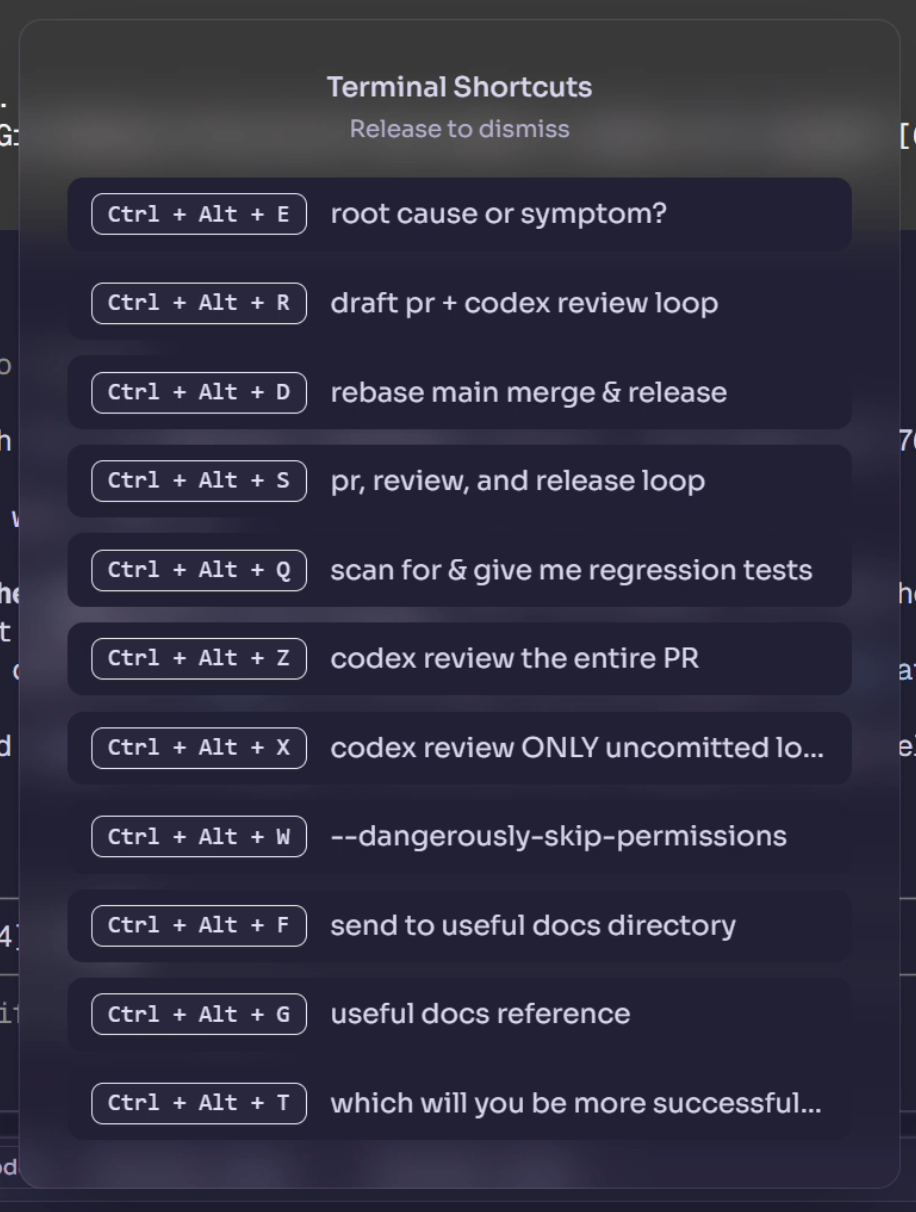 |
| **Terminal Popover** | Highlight any text in a terminal and an intelligent popover offers the right action: copy, open in browser, or show in explorer. |
|
| **Terminal Popover** | Highlight any text in a terminal and an intelligent popover offers the right action: copy, open in browser, or show in explorer. | 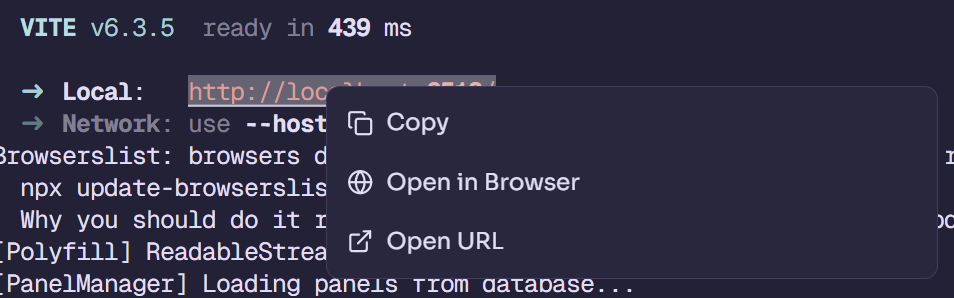 |
| **Built-in Browser** | Preview any URL in a tab next to your terminals so every pane can see its own running dev server without alt-tabbing. When a Pane's terminal or agent starts a web server, Pane offers to open a live preview of it beside the agent; the preview is that Pane's tab, so it follows the Pane. A new tab, or the address bar's Ports button, lists every port listening on the machine, grouped by the Pane that started it. On your phone, the Remote Pane app opens the same ports and HTML pages over Tailscale ([how](docs/SELF_HOSTED_REMOTE_DAEMON.md#browser-tabs-on-the-phone)), and its Explorer tab browses, edits and previews the worktree's files ([how](docs/SELF_HOSTED_REMOTE_DAEMON.md#files-on-the-phone)). |
|
| **Built-in Browser** | Preview any URL in a tab next to your terminals so every pane can see its own running dev server without alt-tabbing. When a Pane's terminal or agent starts a web server, Pane offers to open a live preview of it beside the agent; the preview is that Pane's tab, so it follows the Pane. A new tab, or the address bar's Ports button, lists every port listening on the machine, grouped by the Pane that started it. On your phone, the Remote Pane app opens the same ports and HTML pages over Tailscale ([how](docs/SELF_HOSTED_REMOTE_DAEMON.md#browser-tabs-on-the-phone)), and its Explorer tab browses, edits and previews the worktree's files ([how](docs/SELF_HOSTED_REMOTE_DAEMON.md#files-on-the-phone)). | 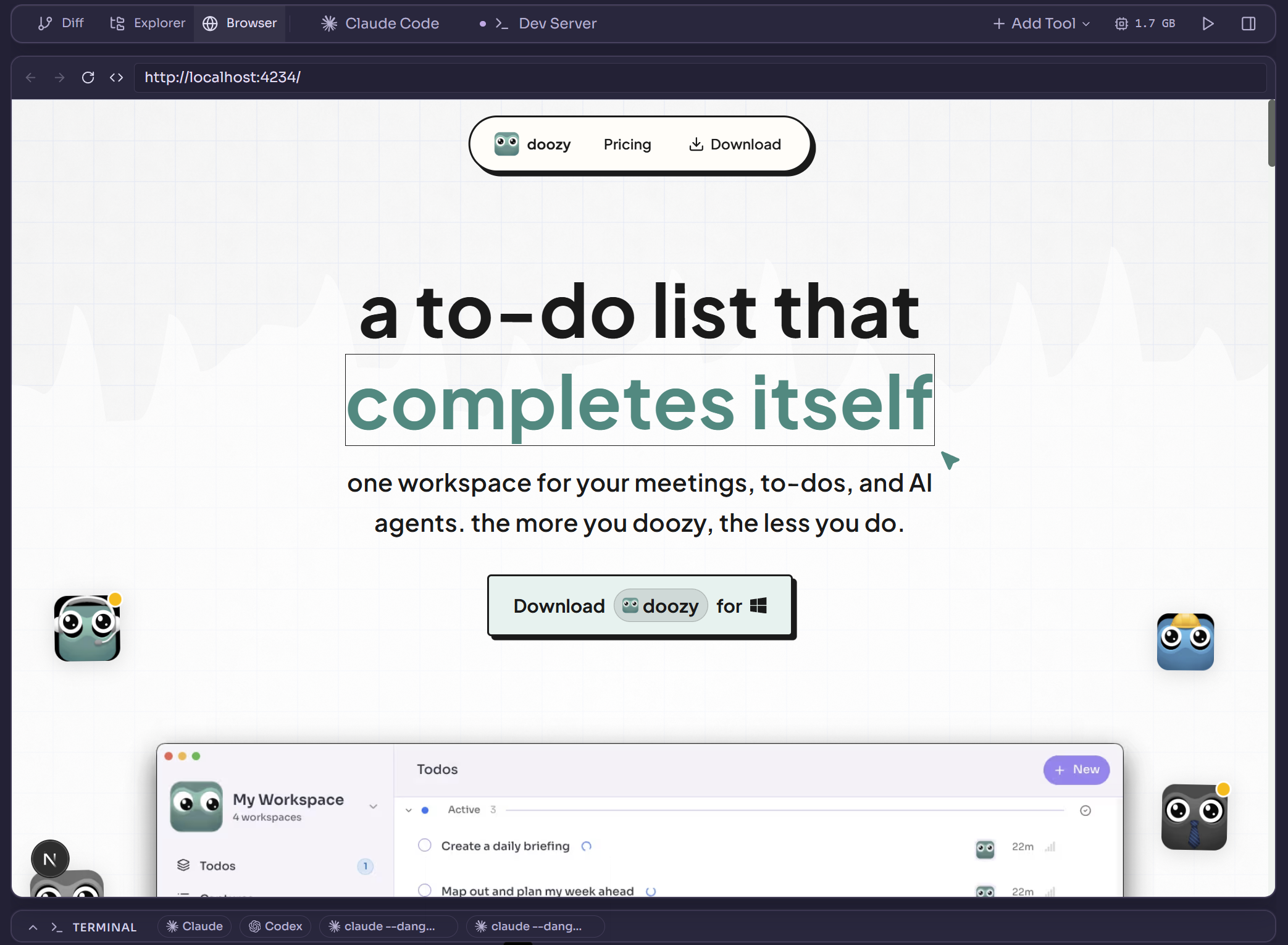 |
| **Resource Manager** | Built-in CPU and memory monitor broken down per pane and per process, so you can catch a runaway agent before it eats your laptop. |
|
| **Resource Manager** | Built-in CPU and memory monitor broken down per pane and per process, so you can catch a runaway agent before it eats your laptop. | 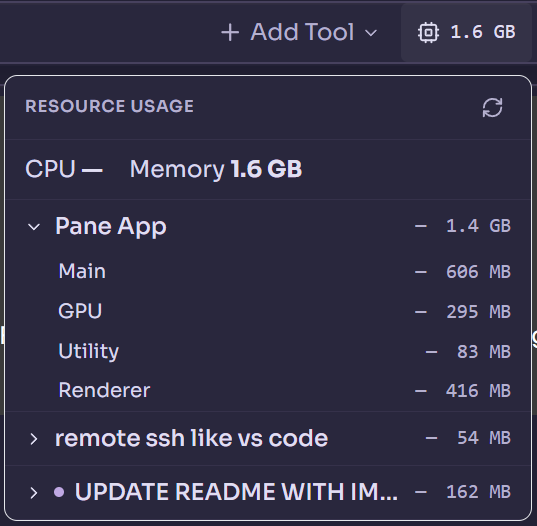 |
| **Status Cues** | Every AI pane reports its state at a glance — a red dot when an agent is blocked waiting on your approval, an amber pulse while it works, and a "done" cue when it finishes while you're looking elsewhere. The same rollup colors the project dots and pane tabs, on the desktop and in the phone app, so a whole screen of parallel agents reads in one glance. |
|
| **Status Cues** | Every AI pane reports its state at a glance — a red dot when an agent is blocked waiting on your approval, an amber pulse while it works, and a "done" cue when it finishes while you're looking elsewhere. The same rollup colors the project dots and pane tabs, on the desktop and in the phone app, so a whole screen of parallel agents reads in one glance. | 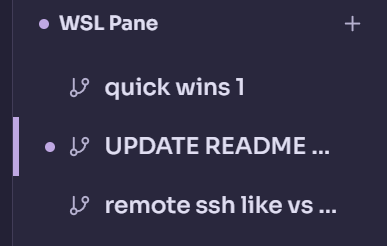 |
| **Jump + Refresh** | Jump to top, jump to bottom, or hard-refresh any terminal from the toolbar to unstick a frozen state in one click. |
|
| **Jump + Refresh** | Jump to top, jump to bottom, or hard-refresh any terminal from the toolbar to unstick a frozen state in one click. |  |
| **Auto Secrets Copy** | Every pane automatically mirrors `.env` files and secrets from your root project so your worktree is runnable the moment it's created. | |
| **Isolated Ports** | Each pane runs on its own port range automatically, so you can spin up five dev servers in parallel without a single conflict. | |
| **Terminal Rendering Patches** | Claude Code's scroll-jump bug (long conversations snapping to top when you scroll up) is fixed here, even though it's still broken in Claude Code itself. | |
| **Drag and Drop** | Drop any file up to 50MB into a terminal and it lands exactly where you need it. | |
---
## SSH hosts
Pane lists every host in your SSH config (`~/.ssh/config`, or `C:\Users\
|
| **Auto Secrets Copy** | Every pane automatically mirrors `.env` files and secrets from your root project so your worktree is runnable the moment it's created. | |
| **Isolated Ports** | Each pane runs on its own port range automatically, so you can spin up five dev servers in parallel without a single conflict. | |
| **Terminal Rendering Patches** | Claude Code's scroll-jump bug (long conversations snapping to top when you scroll up) is fixed here, even though it's still broken in Claude Code itself. | |
| **Drag and Drop** | Drop any file up to 50MB into a terminal and it lands exactly where you need it. | |
---
## SSH hosts
Pane lists every host in your SSH config (`~/.ssh/config`, or `C:\Users\Built by Dcouple Inc