
Tortie
A calm agent multiplexer with familiar IDE features, for macOS, with an iPhone app.







---
If you run coding agents in VS Code or Cursor terminals, but you're tired of
cmd+\`'ing between windows and losing running agents to every restart,
Tortie is for you. I built it to scratch my own itch. I don't want an agent
super app, and I don't want to think about tmux. I just want all of my
projects in one window and be able to easily organize and not lose my agent
sessions.
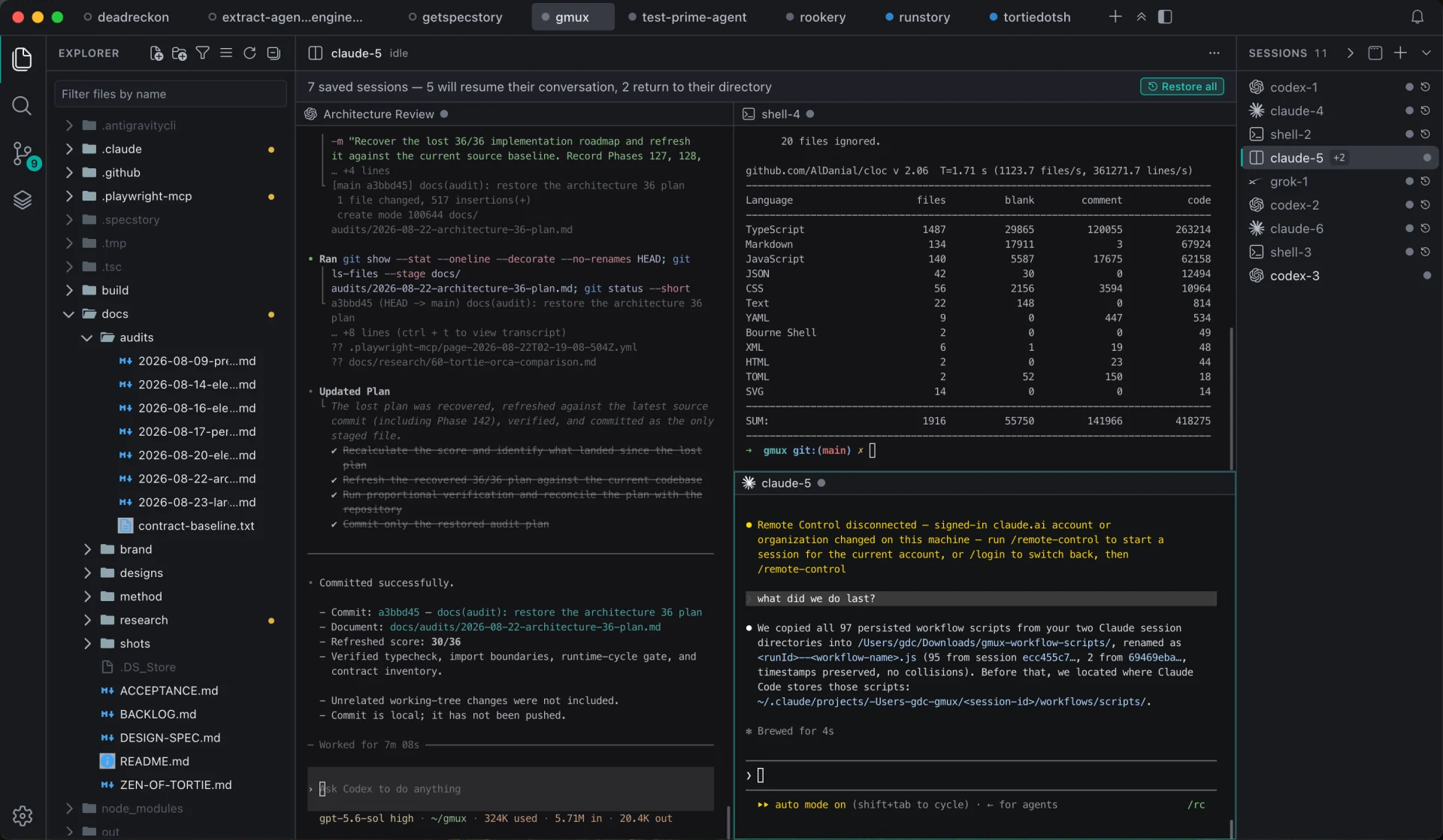
Explore Tortie, read the docs and compare agent tools at tortie.sh →
## Key features
|
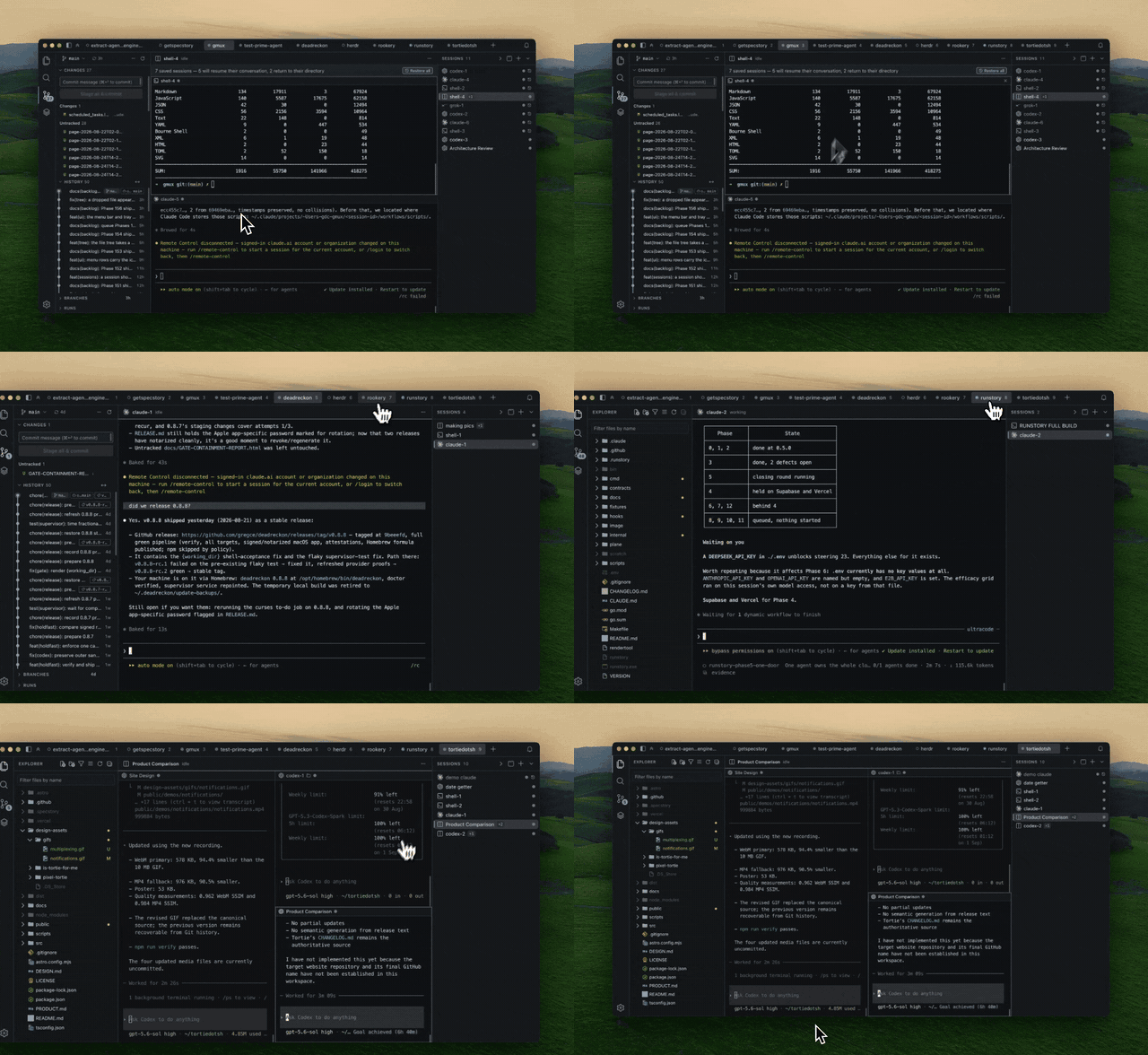
### One window for every project
Every project is a tab with its own sessions, Git state, file tree and editor. Use ⌘P to find files in the active project or across every open project.
[Docs →](https://tortie.sh/docs/projects-and-sessions/#projects)
|
|
|
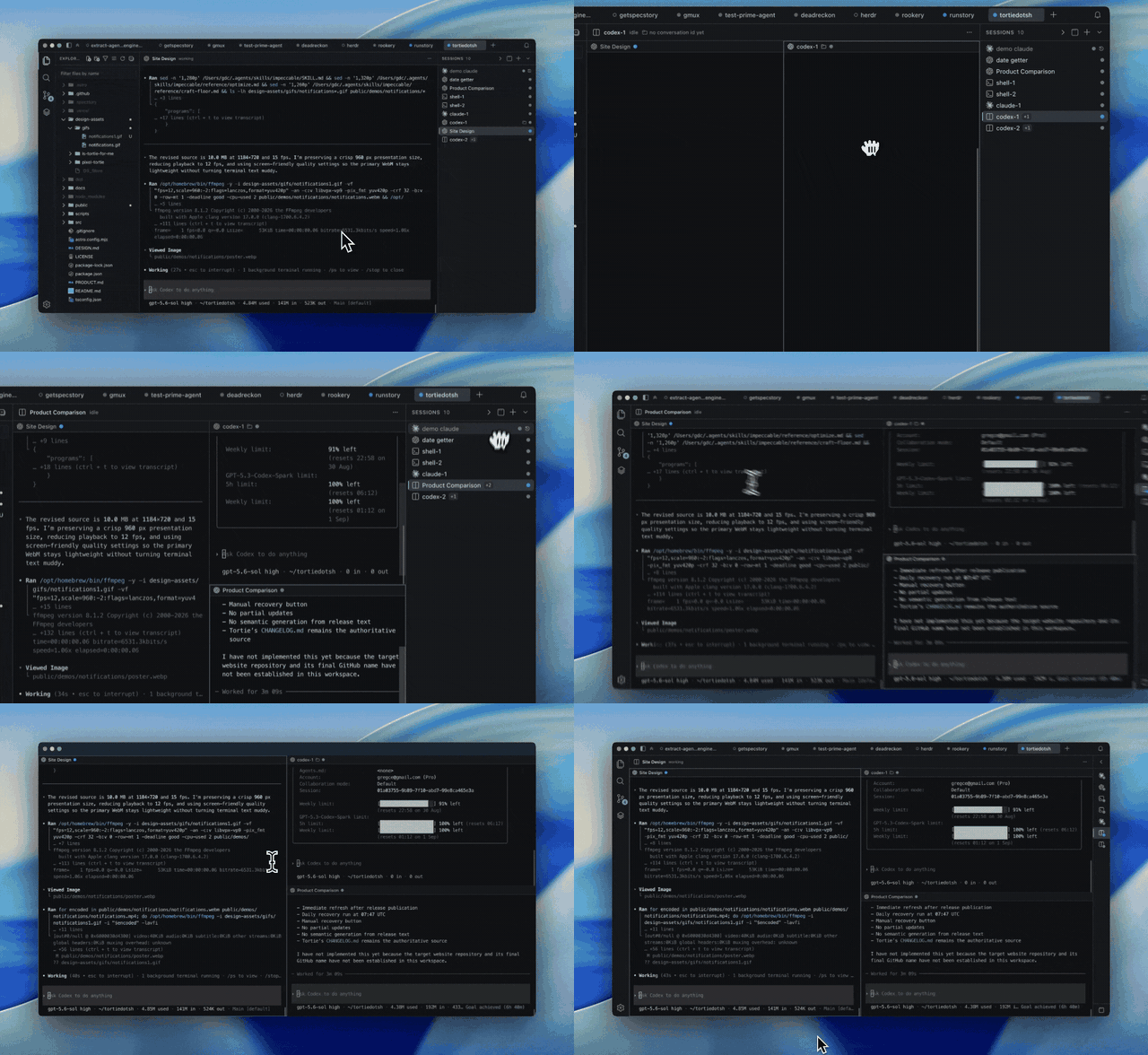
### Agents keep working
Quit Tortie without stopping the work. Named sessions run outside the app window and return when you reopen it.
[Docs →](https://tortie.sh/docs/durability-and-recovery/#quit)
|
|
|
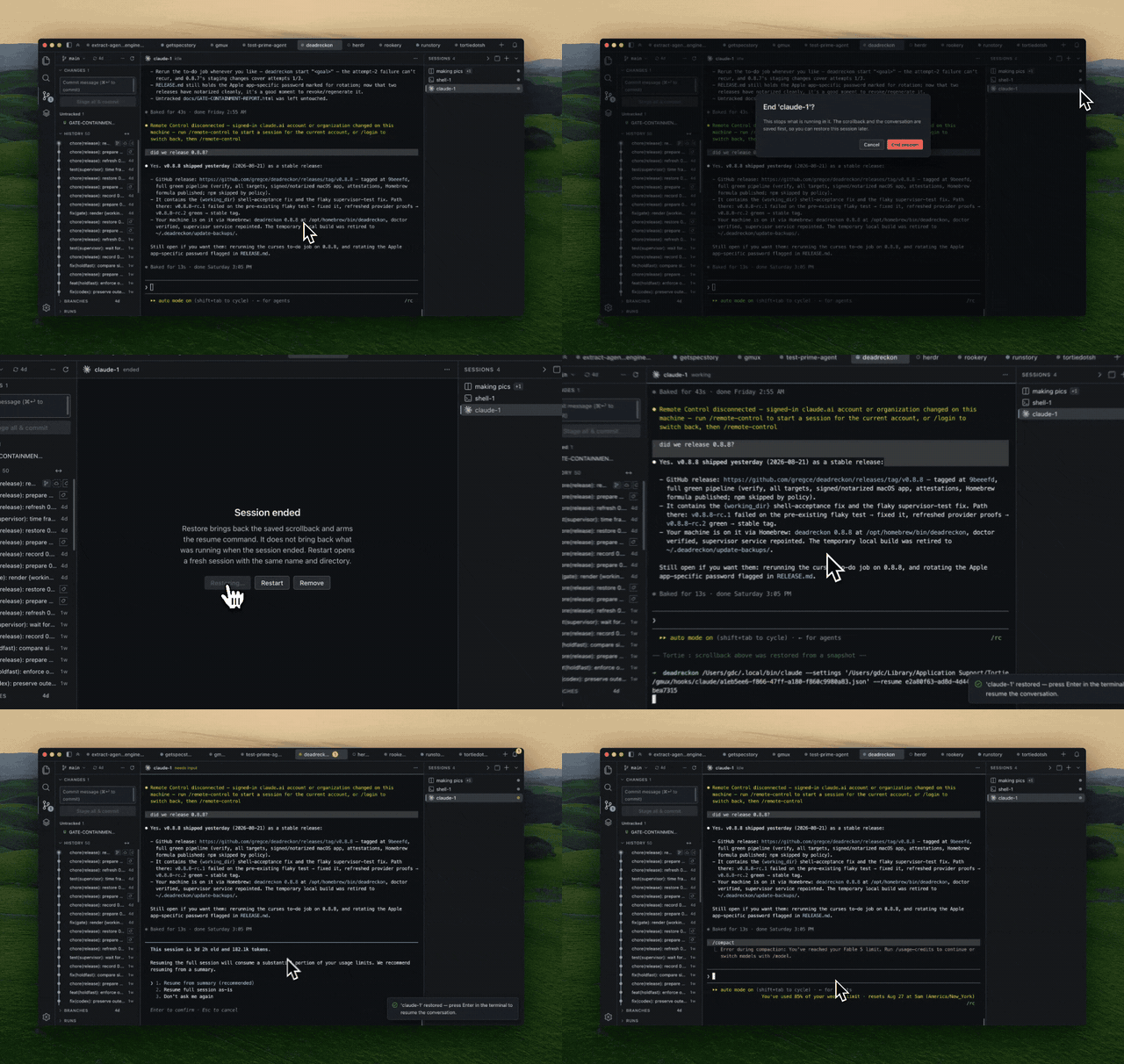
### Resume the conversation
After a restart, Tortie replays the scrollback and prepares each agent's own resume command. You choose when to reconnect the conversation.
[Docs →](https://tortie.sh/docs/durability-and-recovery/#reboot)
|
|
|
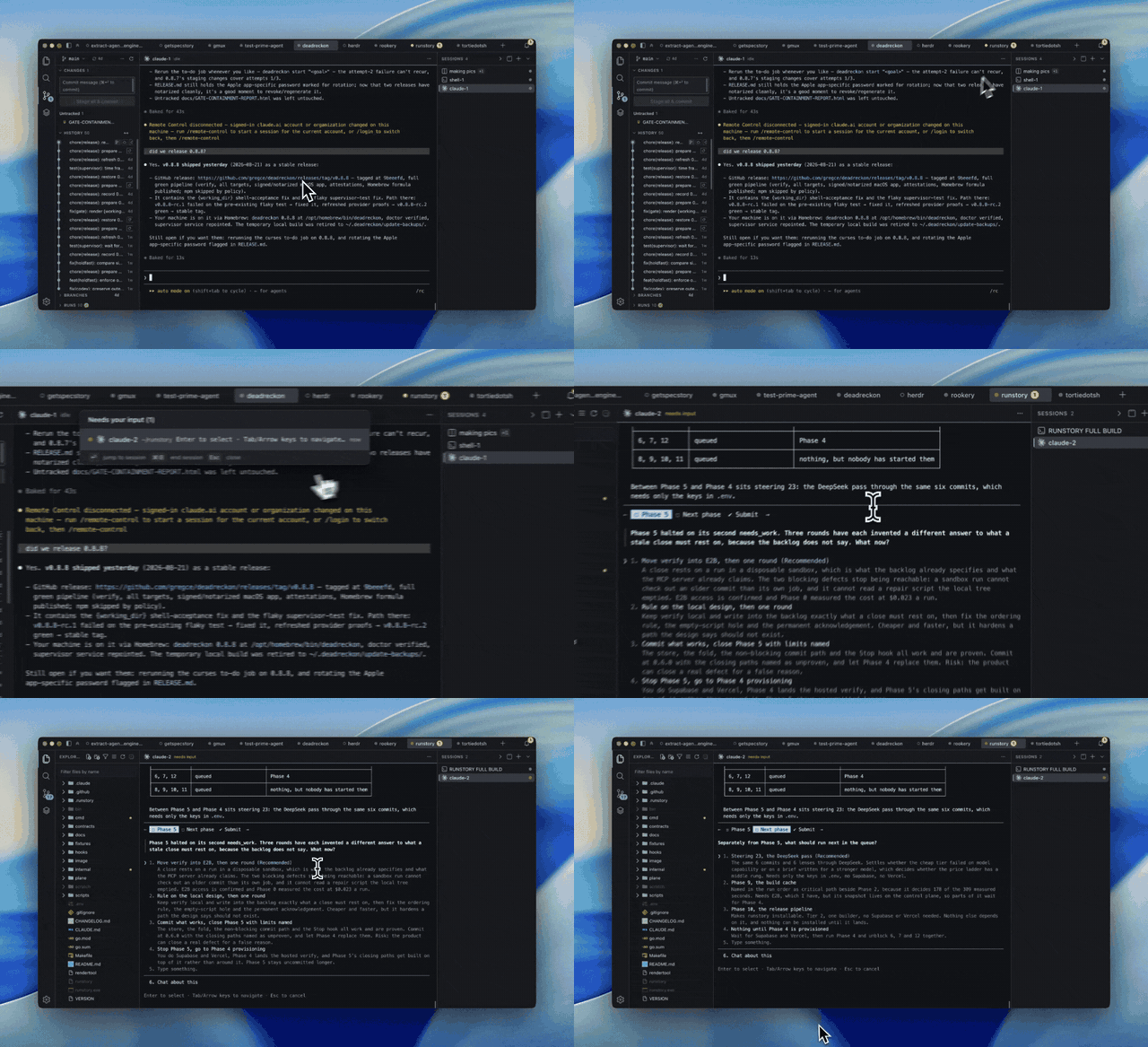
### Jump to what needs you
Working agents stay quiet. Press ⌘J to jump to the session waiting for input, even when another project is open.
[Docs →](https://tortie.sh/docs/attention-and-catch-me-up/#needs-input)
|
|
|
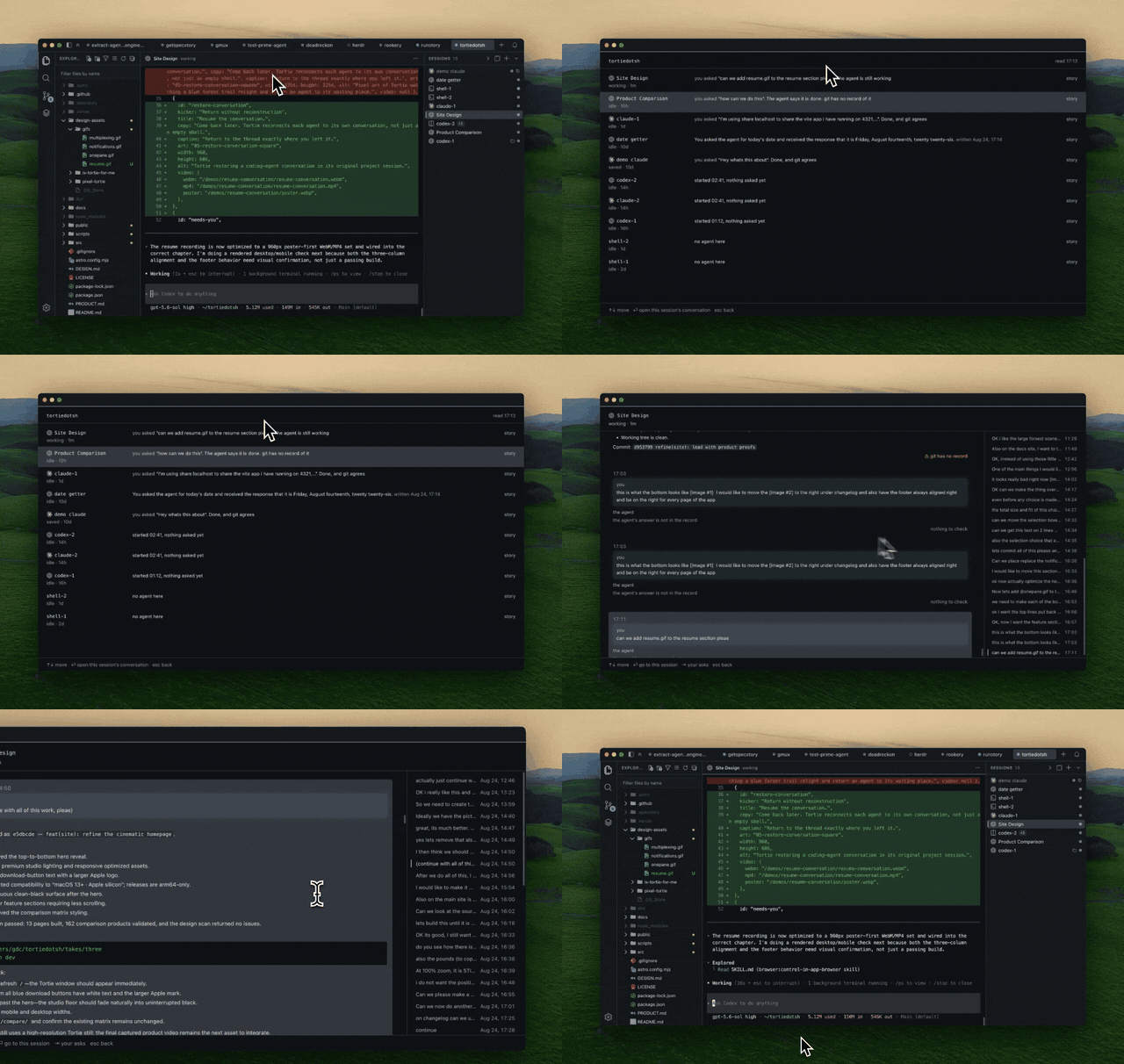
### Catch Me Up
Press ⇧⌘U to see every session in a project at a glance. Open one to read your asks and the agent's closing answers from its own log, then jump back to any exchange.
The conversation stays word for word. An optional model can write only the one-line project summary.
[Docs →](https://tortie.sh/docs/attention-and-catch-me-up/#catch-me-up)
|
|
## Supported agents
Tortie includes **13 built-in CLI agent profiles** you can run in durable sessions.
 Claude Code
 Codex
 Cursor CLI
 opencode
 Gemini CLI
 Qwen Code
 Muse Code
 Pi
 Oh My Pi
 CodeWhale
 Antigravity
 Droid
 Grok
[See launch, resume and conversation support for every agent →](https://tortie.sh/docs/supported-agents/#launchable-agents)
Need another CLI? [Add it with one JSON file](https://github.com/gregce/tortie/blob/main/resources/config/README.md)—no rebuild required. Tortie asks before a new definition starts a process. The bundled SpecStory integration can capture supported conversations as Markdown.
## Tortie for iPhone (beta)
Your sessions keep running on your Mac. The iPhone app lets you check on them and answer them when you are away from it.
- **See what needs you.** Every session on your Mac, with the ones waiting on you first, grouped by project.
- **Open a session's terminal.** Scroll back through what it printed and type into it, with keys for Esc, Tab, the arrows, Control and Return. In an agent that fills the screen, pull past the top to page back through it. Touch and hold a word to select text with the iPhone's own handles, then copy it, or paste what you copied with the iPhone's own Paste. Turn the phone sideways to see the terminal alone.
- **Answer with a tap.** A numbered question from Claude Code or Codex gets one button per answer, and you can send an idle session a message as if you had typed it at your Mac.
- **Start a session.** Tap + on the Sessions tab, then pick a project open in Tortie, even one on another machine, and a built-in agent installed there, and name it if you like. Rename a session from its terminal's ⋯ or by holding it in a list. Starting and renaming need no Face ID, and your Mac asks you to allow each once, in Settings, then Phone.
- **Catch up, then end it.** Read what a session said and where it stands, and end one or several sessions behind Face ID, Touch ID or your passcode. Remove one you ended and your Mac keeps it in Past Sessions, to restore.
- **Pair up to four Macs.** A tab at the right of the bottom bar, named after the Mac on screen, switches between them.
- **No account and no server of ours.** You pair each Mac once by scanning the code Tortie shows on it. The app then talks only to the Macs you paired, through Tailscale on each, encrypted from your phone to the Mac. It collects nothing ([privacy](https://tortie.sh/privacy)).
You need an Apple silicon Mac running Tortie 0.111.1 or later, awake with Tortie open, with [Tailscale](https://tailscale.com) signed in, and an iPhone on iOS 18.1 or later. Starting a session needs Tortie 0.112.0 or later, removing one or pasting needs 0.113.0, and renaming one needs 0.114.0. [Join the beta on TestFlight →](https://tortie.sh/iphone)
## Other features
### Familiar IDE features
- **A full Git sidebar.** Stage, commit, browse branches and history, and inspect a rich commit graph built from VS Code's parsers. See GitHub Actions runs when the GitHub CLI is installed.
- **Click a file, see the diff.** Monaco opens modified files as a diff against HEAD by default, and plain editing is a toggle away.
- **A decorated file tree.** See Git status colors and familiar file icons, then drag files in from Finder or out to another app.
- **Search everything at once.** ripgrep across every open project, fast on large trees.
- **Rich previews.** Markdown and HTML render in place. Untrusted pages open in a sandboxed frame with no scripts and no network.
- **Read an agent's prose edits as a redline.** Open a Markdown or text file in the Redline tab and every change since the last commit is marked up in place, the way you would mark up a document. For a file git does not know, it marks everything since you opened it. It redraws itself when an agent writes to the file. Point at one change, press a key, and that phrase alone goes back while every other edit stands — or accept them all. You can type in the redline too.
- **Context for every agent.** See each agent's skills, MCP servers, hooks, plugins and instruction files, and install skills through Skills.sh.
### Remote machines
- **Open a folder on another computer as a project tab.** Pick the machine from your tailnet or type its address in Settings, and Tortie signs in, finds tmux and sets the machine up with one Add. The file tree, search, `⌘P`, Git sidebar and GitHub Actions runs all read from that machine.
- **Run agents there.** Start a session on the machine, see what is already running, scroll back through it as you would on your Mac, and get it back after a restart with its resume command waiting.
- **Edit as you would locally.** Save, rename, make files and folders, stage and commit in any project you open there, with nothing to switch on. Tortie never writes in a home folder itself or inside `.git` or `.ssh`.
- **Nothing gets installed over there.** Tortie uses that machine's own tmux over ssh, and can make and install a key for you.
Works with Macs and with Ubuntu 22.04 and 24.04 and Debian 12 and 13, on the tmux they ship (3.2a or newer). The machine needs ssh, and on a Mac, Remote Login turned on.
## What Tortie does not do
- It does not touch your own tmux server or `~/.tmux.conf`, on this Mac or on a machine you add.
- It does not render a key file or anything that looks like a secret as a friendly preview.
- It does not run third-party plugin code inside its own processes. Adding an agent is configuration, not code.
## Install
macOS on Apple silicon. Nothing has to be installed first. Tortie carries its
own copy of tmux, so a fresh Mac needs no Homebrew and no command line setup.
1. [Download the latest release](https://github.com/gregce/tortie/releases/latest) and open the DMG.
2. Drag **Tortie** to Applications and open it.
3. Point it at a project folder. A git repository gets the full sidebar; any folder works.
### On your iPhone (beta)
1. [Join the beta on TestFlight](https://tortie.sh/iphone) and install Tortie for iPhone.
2. In Tortie on your Mac, open **Settings**, then **Phone**, and follow the three steps: get Tailscale, publish this Mac, and pair your phone. The first code can take a few minutes while your Mac's name reaches the internet.
3. Scan the code with the app, check that the six groups match on both screens, and press **Allow** on your Mac.
4. To pair another Mac, tap **Pair another Mac** in the app's Settings, then follow steps 2 and 3 for that Mac.
## Built with
Tortie is deliberately assembled from open source rather than written from
scratch. The code it owns is the durability layer and the glue.
- [tmux](https://github.com/tmux/tmux) holds the sessions. It is the reason your agents survive. Tortie ships its own copy, so the version is chosen by the release and not by whatever the machine happens to have.
- [Electron](https://www.electronjs.org/) is the window.
- [xterm.js](https://github.com/xtermjs/xterm.js) draws the terminals.
- [Monaco](https://github.com/microsoft/monaco-editor) is the editor, the same one inside VS Code.
- [Pierre](https://pierre.co/)'s [@pierre/trees](https://www.npmjs.com/package/@pierre/trees) and [@pierre/diffs](https://www.npmjs.com/package/@pierre/diffs) render the file tree and the diffs.
- [markdown-it](https://github.com/markdown-it/markdown-it) renders the Markdown previews, and [Shiki](https://github.com/shikijs/shiki) highlights the code inside them.
- [jsdiff](https://github.com/kpdecker/jsdiff) finds the changed words, which is what the redline draws.
- [ripgrep](https://github.com/BurntSushi/ripgrep) runs the search.
- [VS Code](https://github.com/microsoft/vscode) is the source of the vendored git parsers, fuzzy scorer, commit graph layout and [codicons](https://github.com/microsoft/vscode-codicons), all with attribution.
- [material-icon-theme](https://github.com/material-extensions/vscode-material-icon-theme) supplies the file icons.
- [better-sqlite3](https://github.com/WiseLibs/better-sqlite3) stores the session manifest.
- [node-pty](https://github.com/microsoft/node-pty) connects the shells.
- [skills.sh](https://skills.sh) installs and manages the skills behind the Context view.
- [SpecStory](https://specstory.com/) captures agent conversations.
The full list with licenses is in [`NOTICE`](NOTICE).
## More
- Philosophy: [`docs/ZEN-OF-TORTIE.md`](docs/ZEN-OF-TORTIE.md)
- Why Tortie is dependable: [`WHY-TORTIE-IS-DEPENDABLE.md`](WHY-TORTIE-IS-DEPENDABLE.md)
- Release notes: [`CHANGELOG.md`](CHANGELOG.md)
- Building from source and contributing: [`DEVELOPMENT.md`](DEVELOPMENT.md)
- License: Apache 2.0, see [`LICENSE`](LICENSE) and [`NOTICE`](NOTICE)
Tortie is not affiliated with, endorsed by, or sponsored by any of the companies whose products it launches. All product names and logos are the property of their respective owners, and are used here only to identify the supported product.
Read the Tortie product documentation →
Made by gregce.
Your sessions are never interrupted.