dsh-theme-plugin
Discover, check, install and manage community themes.
DeepSeek Harness plugin
简体中文 · English




Get started · Docs · Report an issue
## Quick start
**Required environment:** DSH **0.2.2-rc.1**, Node.js **24.9.0+**.
Compatibility targets the supported DSH version, without restoring obsolete theme APIs. Dynamic themes run in a disposable DSH profile and browser before installation. Themes are third-party plugins whose backends use real host services; preflight is not a security sandbox.
### 1. Install
Open **Plugins → Add plugin** in the DSH instance you use, then paste:
```text
https://github.com/gulagala001/dsh-theme-plugin/releases/download/v0.3.3-dsh.0.2.2-rc.1/gulagala001-dsh-theme-plugin-0.3.3-dsh.0.2.2-rc.1.tgz
```
Wait for active tasks to finish, then follow the host’s activation/restart prompt. Keep your existing profile and data. See the [installation guide](docs/install_EN.md) · [SHA256SUMS](https://github.com/gulagala001/dsh-theme-plugin/releases/download/v0.3.3-dsh.0.2.2-rc.1/SHA256SUMS).
### 2. Try this first
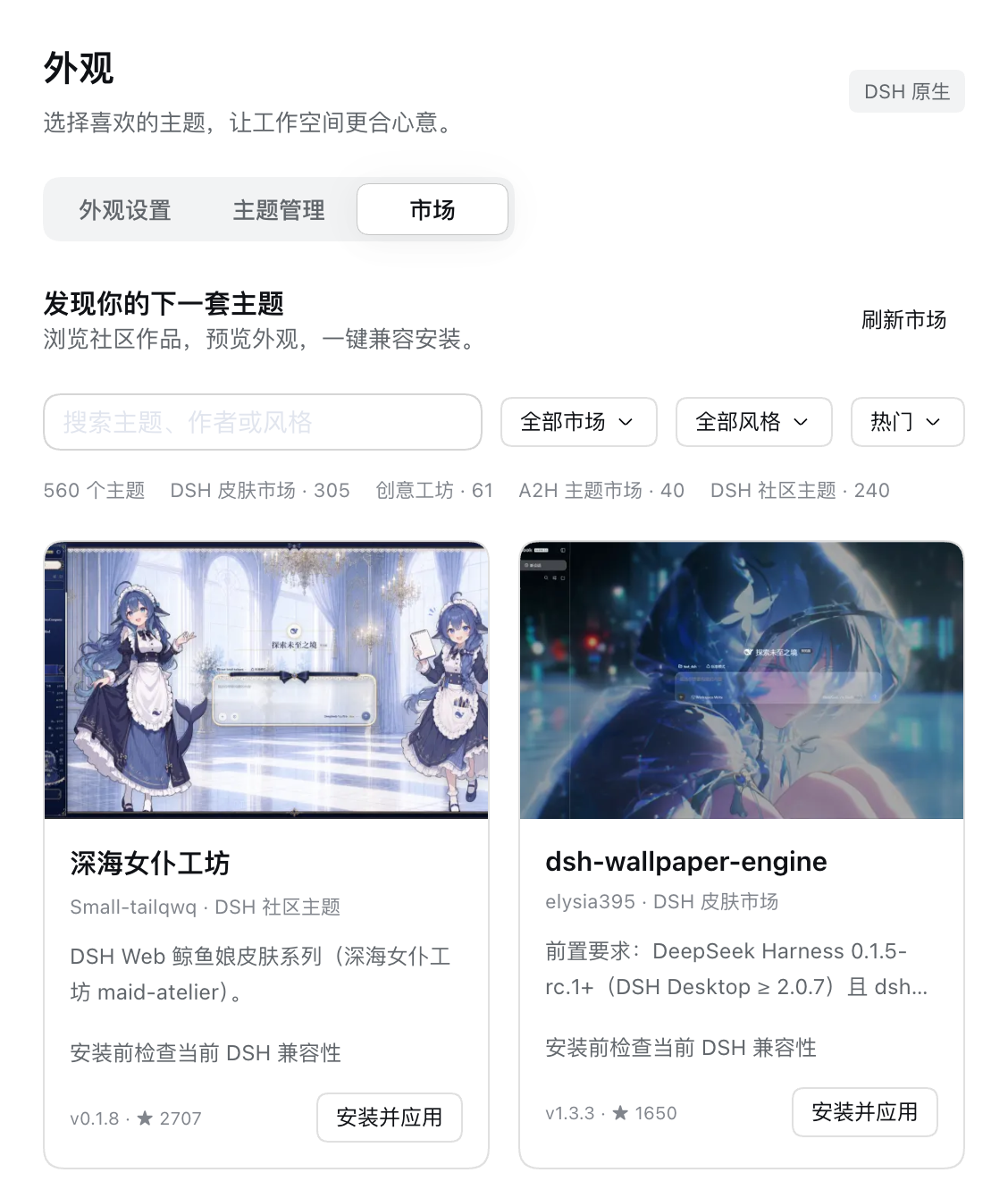
Open **Settings → Appearance → Market**, choose a theme and click **Install and apply**.
**Success looks like:** After pre-install checks pass, the appearance changes and the theme appears in management. A failed check preserves your current appearance and explains the cause.
## Three pages for the whole appearance
| Page | What it manages |
| --- | --- |
| **Appearance settings** | Light/dark, palettes, backgrounds, fonts, sizes, corners, transparency, motion, branding and supported theme-specific settings. |
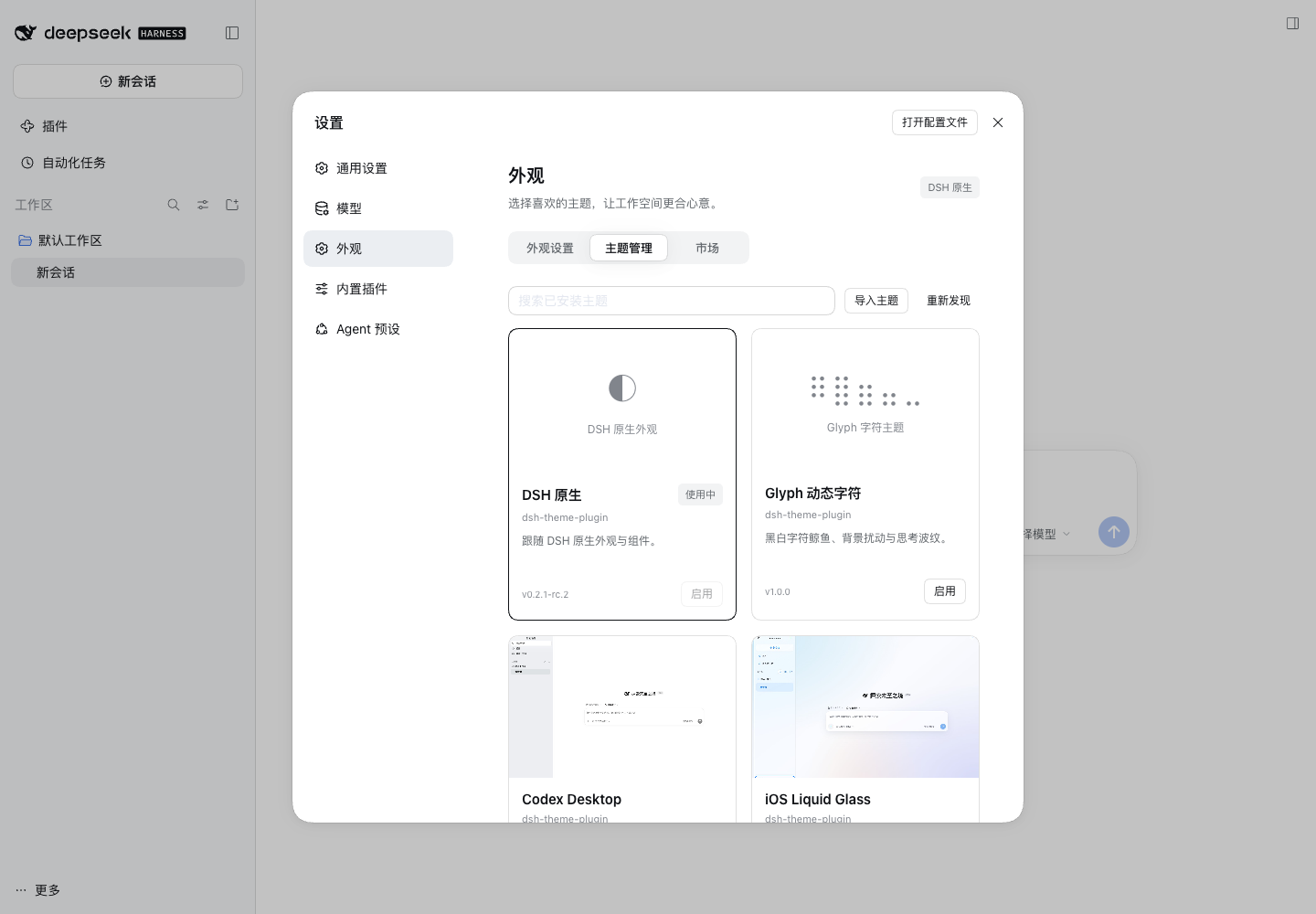
| **Theme management** | Built-in, existing, imported and market themes; activation, export, removal and updates. |
| **Market** | Multiple sources, image cards, descriptions, authors, search, style filters, popularity/date sorting and one-click installation. |
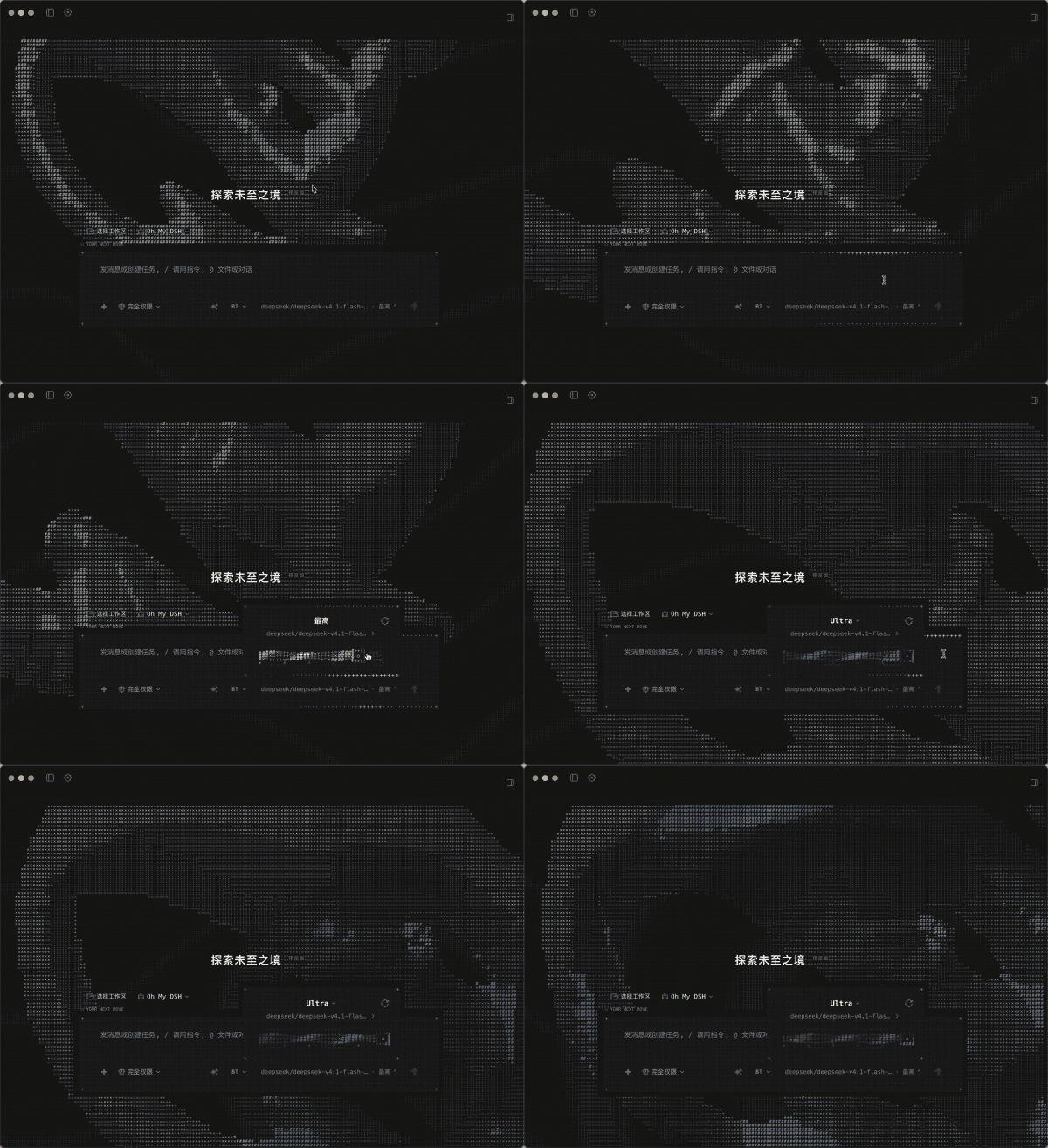
Includes native DSH, Glyph, Codex Desktop, iOS Liquid Glass, Claude Desktop, Claude CLI and Google Material appearances, plus 30 palettes. A new installation keeps native appearance; existing themes and migratable preferences retain their selection. The default title is DeepSeek Harness while theme typography, shapes and motion remain intact.
### Bring existing themes into management
Already-installed plugins remain under DSH’s native manager. The theme manager coordinates activation rather than loading a second copy. Import recognized `.json`, `.zip` and `.tgz` formats. Downloads and adaptation preserve upstream originals.
### Check the version and runtime before installation
A stale market snapshot is checked for a newer release with matching package and author/repository identity, then pinned to an actual source. Source-only themes can have their clients prepared automatically. Backends use current DSH services with disposable lifecycles. Preflight checks loading, actual input and settings access, light/dark, disposal and remounting. Failure preserves the current usable appearance.
Declared compatibility and runtime results are shown separately. Unchecked catalog entries are not labeled compatible; obsolete host APIs are not forced into the current host. [Supported scope](docs/compatibility_EN.md)
## FAQ
Why does installation take a while?
Dynamic themes are staged and tested in a matching disposable DSH profile and browser. If Chromium/Chrome/Edge is unavailable, fixed browser resources are prepared first. Failed checks are never skipped to complete installation.
What happens with a stale or incompatible theme?
The manager first checks for an eligible newer version from the same source. If it still fails, the exact version and reason are shown with a copyable AI repair task. Reimported repairs must pass the same checks; users do not need to write adapter code. [AI repair guide](docs/ai-repair.md)
What happens after a DSH upgrade?
Only adapted host versions are claimed. A host or adapter change triggers rechecking of affected themes; original packages and settings remain available, with a usable appearance restored until checks pass. Future host support is not inferred by widening a version range.
## Data, development and license
The theme library lives under `DSH_HOME/dsh-theme-plugin/`, separated by profile. Appearance preferences and custom backgrounds also use browser storage. Native theme backends keep their original data locations. Market browsing requests public catalogs; installation uses GitHub/npm/theme resources. The manager itself needs no model key and does not upload conversations to markets.
Preflight detects common startup failures; it does not prove arbitrary third-party code, every device or delayed behavior safe. A theme’s own implementation controls its capabilities and permissions.
[Optional development protocol and build guide](docs/development.md). Code uses [MIT](LICENSE); fonts, components and other sources are listed in [THIRD_PARTY_NOTICES.md](THIRD_PARTY_NOTICES.md). Third-party theme assets retain their original terms.
## Documentation and support
| I want to | Where to go |
| --- | --- |
| Install, update or remove | [Installation guide](docs/install_EN.md) |
| Learn the features and limits | [Documentation](docs/compatibility_EN.md) |
| Read release changes | [Releases](https://github.com/gulagala001/dsh-theme-plugin/releases) |
| Report a problem | [Issues](https://github.com/gulagala001/dsh-theme-plugin/issues) |
For a bug report, include the full DSH and plugin versions, the entry point, minimal reproduction steps, and expected versus actual behavior. Remove private data before sharing logs or screenshots.
Back to top · Versions and downloads · Feedback
[Documentation structure and contributing](docs/documentation.md)