# AID Studio — AI Drama & Motion Comic Creation
**English** · [扫码加入开源交流群](#community-and-feedback)
**AID Studio is an open-source AI motion comic creation platform for AI short dramas, films and comics, with an end-to-end workflow from scripts and storyboards to video and voiceovers.**
Open-source, self-hosted AI drama and motion comic creation — from scripts and storyboards to video and voiceovers, with support for films and comics.
Try it online
·
Deploy AID
·
User tutorials
·
Releases
·
Get help
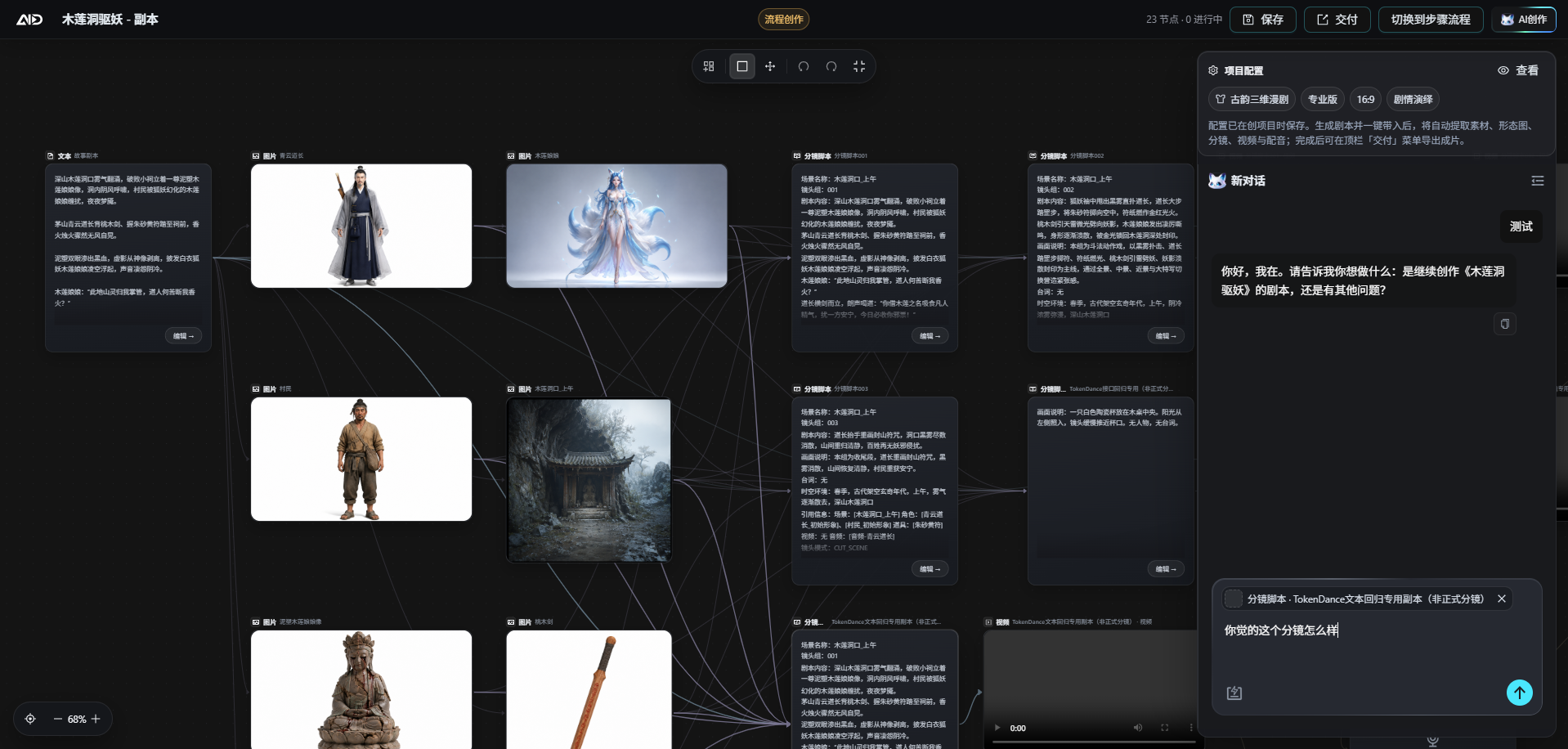
Actual workflow canvas screenshot · View more product screenshots
## Community and Feedback
For questions about deployment, model configuration, customization or integrating your creative workflow, use the channels in [Get help](SUPPORT.md), or scan the QR code to join the community chat.
**扫码加入 AID 开源交流群(中文交流 / 技术支持入口)**
本群仅仅为开源交流、技术支持群,无广告,无任何隐形消费。
This group is exclusively for open-source discussion and technical support, with no advertising or hidden charges.


扫码进群:如果二维码未直接显示,可点击二维码区域查看原图。
Scan to join the community chat. If the QR code does not appear, click the QR code area to open the original image.
## Sponsors
| | |
|:---:|---|
|  | **MiniMax H3 视频生成 API|秘塔科技**
秘塔科技提供高性价比的 MiniMax H3 视频生成服务:**768P 仅 0.09 元/秒,2K 仅 0.15 元/秒**。支持原生 2K、音画同步,API 兼容 **OpenAI 协议**,同时支持 **ComfyUI**,无需自行部署 GPU。
🎁 通过 [aid-studio 专属链接注册](https://metaso.cn/minimax-h3/?s=aid-studio),即可领取赠送额度及专属优惠。 |
## Core Capabilities
- **Complete creative workflow**: Organize scripts, characters, scenes, storyboards, images, videos and voiceovers within one project.
- **Multiple models**: Configure text, image, video and speech models as needed; available capabilities depend on the selected model.
- **Controlled model invocation**: Combine fixed model parameters, runtime reasoning options and request mappings according to explicit precedence rules; configuration errors that can be identified before quoting are rejected before provider submission.
- **Self-hosting and management**: Install with Docker or systemd, with integrated model, task, user and upgrade management.
> The source code is available under the MIT License. AI generation requires API credentials for the relevant providers. Model calls, servers and storage may incur costs; generation quality depends on the models and input assets.
[Your first motion comic project](#your-first-motion-comic-project) · [Deploy AID](#quick-start) · [Product screenshots](#product-preview) · [Technology and source code](#public-source-layout) · [Documentation](#documentation)
## What Is AID For?
AID focuses on **AI motion comics and short dramas**, and also supports cinematic short films and static comics. Creators manage scripts, episodes, assets and generated results within the same project; teams and developers can self-host the platform and configure their own models.
## Three Main Creative Workflows
| Workflow | What you can create |
| --- | --- |
| **AI motion comics / short dramas** | Episode scripts, character and scene assets, storyboard images, video clips, character voiceovers and finished-video previews |
| **AI films / short films** | Shot planning, reference asset organization, video generation and audiovisual production |
| **AI comics** | Story and character development, sequential storyboard images and static comic asset management |
Workflow-based creation and the workflow canvas are two separate entry points. Choose the one that suits your creative habits; the opening screenshot shows the existing workflow canvas.
## Your First Motion Comic Project
Complete one storyboard shot before expanding to a full episode:
1. **Prepare your models**: After deploying AID, configure text and image models in the admin panel. Add video and speech models when you need video and voiceovers. Check their capabilities, credentials and costs before enabling them.
2. **Create a project**: Prepare a short script, create an episode, and organize its characters and scenes.
3. **Prepare reference assets**: Generate or upload character and scene images that you have the right to use.
4. **Complete one storyboard shot**: Review the storyboard script and image, then choose a configured video model to generate a clip.
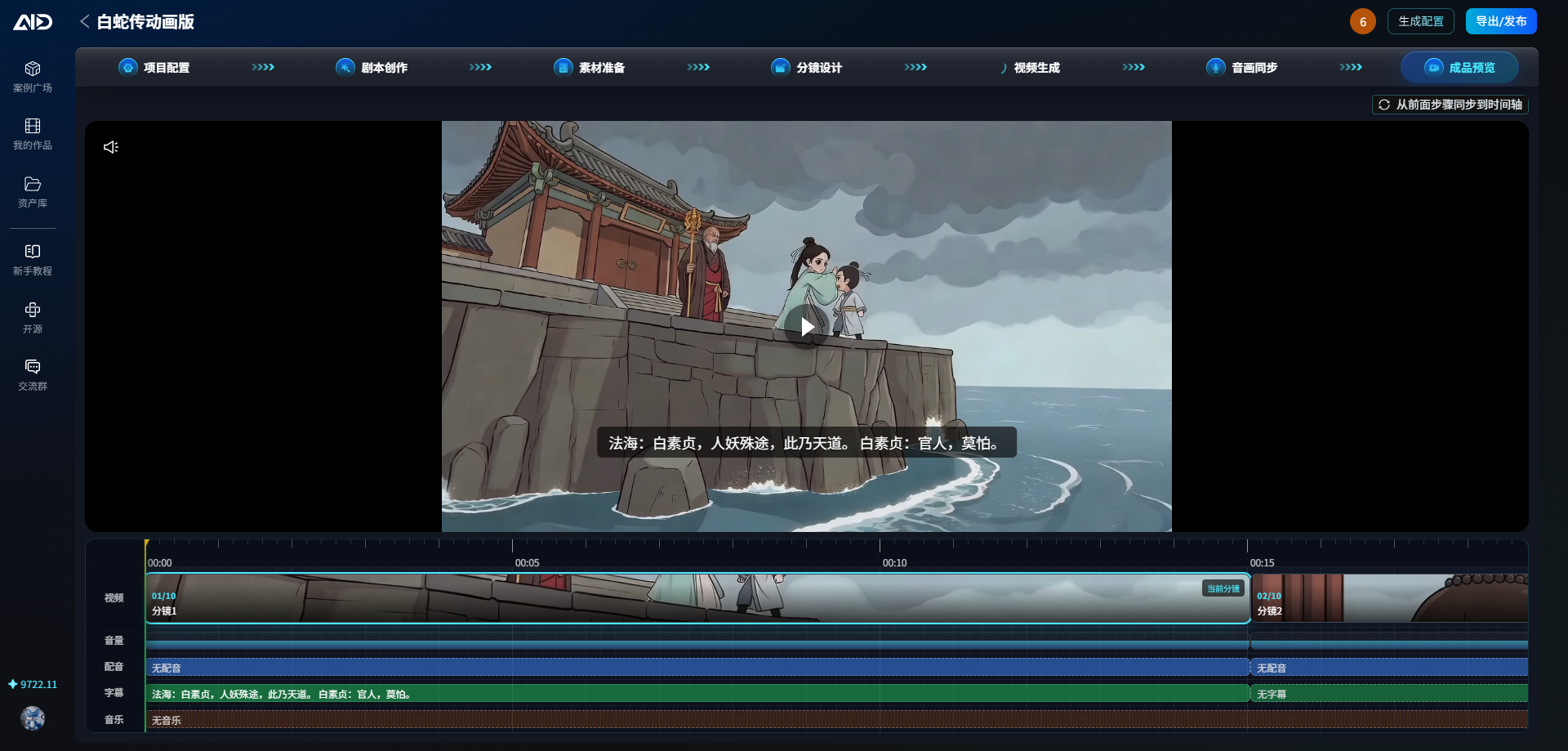
5. **Add voiceovers and preview**: Add voiceovers as needed, check the visuals and audio, then continue with more shots.
For static comics, skip the video and voiceover steps. See the [user tutorials](https://gzxxaitdb.feishu.cn/docx/LZ5zdesEgo1z4Mxc7OWc7zTHnJc) for page-by-page instructions, the [deployment guide](deploy/README.md) for installation questions, and [Get help](SUPPORT.md) for other questions.
## Features
Expand the full creative workflow and platform capabilities
**End-to-end AI creation**
- Scripts and episodes: Project, script and episode management, AI-assisted scriptwriting and scene asset extraction
- Characters, props and scenes: Visual asset libraries, reference image management and character voice assignments
- Storyboard workbench: Storyboard script generation, storyboard image generation, shot-group splitting and video prompt generation
- Image generation: Text-to-image, image-to-image and multi-image fusion, with consistent handling of reference image placeholders
- Video generation: Image-to-video, first/last frames and batch generation across multiple shots, with resolution, duration and aspect ratio validated against model capabilities
- Voice synthesis: Multi-voice TTS, voice library management and lip sync
**Platform capabilities**
- Multi-provider orchestration: Unified Providers for text, image, video and speech models, with configurable model capabilities, reference image counts, resolutions, durations and aspect ratios
- API gateway configuration: Configure model endpoints and credentials for compatible protocols, with model-specific overrides
- Unified task system: Generation queues, concurrency scheduling, progress updates, retries, compensation and result retrieval
- Visual consistency: Reuse character, prop and scene assets; use official/custom styles and project style snapshots; organize reference images safely within model capabilities
- Billing: Model/SKU-based billing, balance freezing and settlement, recharge packages, and Alipay/WeChat Pay
- User accounts: Account, SMS, email and WeChat QR-code login, real-name verification and referral incentives
- Administration: Centralized management of models, providers, agents, prompts, content, orders, users, storage and platform configuration
- Production operations: Docker and systemd deployment, internal or external middleware, HTTPS, configuration backups, diagnostics and complete uninstallation
- Online upgrades: Check for updates, view live progress and roll back from either the UI or CLI, using the standalone `aid-updater`
## Quick Start
### Production Deployment
Start with a fresh 64-bit Linux server. With RocketMQ disabled and middleware on the same host, the minimum is **2 CPU cores / 4 GB RAM / 40 GB disk**. See the [deployment guide](deploy/README.md) for further capacity requirements and installation options.
The command below saves the installer to `/root/aid-install.sh`. It downloads from Gitee first and automatically falls back to GitHub if that fails; the script runs only after a successful download. On first installation, configuration is generated first. **Review and confirm the configuration before continuing with initialization and service startup.**
```bash
cd /root && if command -v curl >/dev/null 2>&1; then curl -fL --retry 3 --connect-timeout 15 -o /root/aid-install.sh https://gitee.com/gzxx-2025/aid-studio/raw/master/deploy/aid.sh || curl -fL --retry 3 --connect-timeout 15 -o /root/aid-install.sh https://raw.githubusercontent.com/gzxx-2025/aid-studio/master/deploy/aid.sh; elif command -v wget >/dev/null 2>&1; then wget -O /root/aid-install.sh https://gitee.com/gzxx-2025/aid-studio/raw/master/deploy/aid.sh || wget -O /root/aid-install.sh https://raw.githubusercontent.com/gzxx-2025/aid-studio/master/deploy/aid.sh; else echo 'Please install curl or wget first'; exit 1; fi && sudo env AID_REMOTE_BOOTSTRAP=1 AID_RELEASE_CHANNEL=auto bash /root/aid-install.sh install
```
After installation, run `sudo aid default` to view the access URLs. **Change the administrator password immediately after your first login.** Configure and enable the required models in the admin panel, then follow [Your first motion comic project](#your-first-motion-comic-project).
Expand deployment options, resource requirements and management commands
`install` is the automatic entry point: it defaults to a first-time Docker installation when AID is not deployed, and checks for updates when it is already deployed. You can also choose a deployment mode explicitly:
```bash
sudo env AID_REMOTE_BOOTSTRAP=1 AID_RELEASE_CHANNEL=auto bash /root/aid-install.sh install-docker
sudo env AID_REMOTE_BOOTSTRAP=1 AID_RELEASE_CHANNEL=auto bash /root/aid-install.sh install-manual
```
`auto` prefers stable releases; it falls back to Beta with a notice only when no installable stable release is available. Use `stable` to stay on the stable channel, and `beta` only when you explicitly want to test prerelease versions.
| Deployment mode | Suitable for | Authoritative configuration | Runtime |
|---------|---------|---------|---------|
| Docker (recommended) | New servers and isolated middleware/runtime environments | `/data/aid/config/docker.env` | Docker Compose |
| Manual deployment | Existing hosts, BaoTa panels or systemd-based operations | `/data/aid/aid-deploy.conf` | systemd + Nginx |
The first deployment generates configuration and requires an administrator to review and confirm it. **Until configuration is confirmed, the installer does not fetch the unified source code, build programs, initialize the database or start services.** It prefers China-accessible sources for code, dependencies and images, falling back to official sources when needed. The server, admin frontend, web frontend and updater are built from the same version tag; complete logs are written to `/data/aid/logs/`. Existing dependencies with compatible versions are reused, while incomplete cached downloads are revalidated and downloaded again.
Docker mode supports built-in or external MySQL 5.7, built-in or external Redis, optional RocketMQ and optional HTTPS. Configuring external MySQL prevents the built-in MySQL service from starting. The Redis username, password and database index may all be empty. When RocketMQ is disabled, MQ is neither started nor validated; when enabled, you can configure an external NameServer and ACL. Manual mode prepares JDK, Git, Maven, Node.js, Go, Nginx, MySQL 5.7 and Redis as needed. External middleware is checked only for connectivity; administrators must provision RocketMQ themselves.
HTTPS requires user-facing and admin domains, port 443, a complete certificate chain and a private key. Certificates default to `/data/aid/config/ssl/`. You can also upload certificates, configure domains and test DNS, certificates and HTTPS separately in the admin panel under “Project Upgrade Configuration → Runtime Configuration”. Setting only `HTTP_PORT=443` does not enable TLS automatically.
After deployment, use the same management commands for either installation mode:
| Command | Purpose |
|------|------|
| `sudo aid` | Open the interactive management menu |
| `sudo aid default` | Show public/private-network user and admin URLs, plus initial account information |
| `sudo aid status` | Check service, middleware and updater status |
| `sudo aid logs` | View runtime logs |
| `sudo aid config` | Edit the current deployment configuration and apply it as prompted |
| `sudo aid restart` | Reload configuration and restart services |
| `sudo aid update` | Check for and apply updates on the current channel |
| `sudo aid progress` | View live progress for upgrades, updater updates or rollbacks |
| `sudo aid rollback` | Select a historical version officially permitted for rollback |
| `sudo aid backup` | Create a deployment backup |
| `sudo aid mysql` | Show current MySQL connection information |
| `sudo aid uninstall --keep` | Uninstall the program while retaining data and configuration |
| `sudo aid uninstall --purge` | Completely remove AID data after a second confirmation |
**Server resource requirements** (checked automatically by the installer; below the minimum, it shows the current resources and asks for `y/n` confirmation):
| Deployment | Minimum | Recommended |
|---------|---------|---------|
| Full local Docker stack (RocketMQ disabled) | 2 cores, 4 GB RAM / 40 GB disk | 4 cores, 8 GB RAM / 100 GB+ disk |
| Full local Docker stack (RocketMQ enabled) | 4 cores, 4 GB RAM / 40 GB disk | 6 cores, 12 GB RAM / 100 GB+ disk |
| Local manual deployment (middleware on the same host) | 2 cores, 4 GB RAM / 40 GB disk | 4 cores, 8 GB RAM / 100 GB+ disk |
| Local manual deployment (RocketMQ enabled) | 4 cores, 4 GB RAM / 40 GB disk | 6 cores, 12 GB RAM / 100 GB+ disk |
The 4-core/4-GB minimum with RocketMQ enabled is intended only for local setup and functional validation, and requires reduced JVM/MQ settings. For higher message volumes and MQ-based dispatch, 6 cores/12 GB or more is recommended. See “Configuration Requirements” in the [deployment guide](deploy/README.md) for tuning. OSS/COS object storage is strongly recommended for media files; local disk serves only as a fallback.
Expand local development and admin access instructions
### Local Development
Requirements: JDK 17+, Maven 3.6+ and Docker (for middleware).
```bash
# 1. Start the development environment (MySQL + Redis; automatically imports the initialization scripts in sql/)
cd deploy/docker
docker compose -f docker-compose.middleware.yml up -d
# To include RocketMQ for integration testing, use:
# docker compose -f docker-compose.middleware.yml --profile mq up -d
# 2. Build and start the backend (development defaults match the environment above; no configuration changes are needed)
cd ../..
mvn clean package -DskipTests
java -jar aid-admin/target/aid-admin.jar
```
Visit `http://localhost:8080` to verify the service. The database initialization creates the administrator account `admin / admin123`; change its password immediately after the first login.
All backend environment settings support environment variable overrides: `DB_*`, `REDIS_*`, `TOKEN_SECRET` (**a strong random value is required in production**), `AID_PROFILE`, `ROCKETMQ_ENABLED` (set to `false` when RocketMQ is not deployed to disable MQ wiring entirely and use local task mode), and `ROCKETMQ_NAMESERVER`.
### Default URLs and the Admin Access Code
After production deployment, the default URLs are as follows (use the output of `sudo aid default` for the actual ports and random access code):
| Entry point | Default URL | Notes |
|------|---------|------|
| User frontend | `http://SERVER_IP/` | Port 80 by default; adjustable through `HTTP_PORT` |
| Admin frontend | `http://SERVER_IP:8089/` | Port 8089 by default; first deployment generates a 12-character random access code and prints the complete URL |
| Backend API | `http://SERVER_IP:8080/` | Port 8080 by default; usually accessed through an Nginx reverse proxy |
The database initialization creates the admin account `admin / admin123`. First deployment does not use a publicly known fixed entry path: the installer generates a 12-character random access code. Change the administrator password immediately after the first login. You can regenerate the access code under “Global Business Configuration → Login and Authentication → Admin Login Entry”. `sudo aid default` displays only the initial account information; it does not look up or reset an administrator password that has already been changed.
With the random admin entry enabled, construct the login URL as follows:
```text
http://SERVER_IP:8089/
```
Example (use the actual access code printed after deployment):
```text
http://localhost:8089/Ab12Cd34Ef56
```
If you configure a domain and HTTPS, append the access code to the admin site's root path in the same way:
```text
https://admin.example.com/Ab12Cd34Ef56
```
After deployment, the installer prints the complete admin login URL currently stored in the database. If you forget the access code, query the record with `category = 'admin_entry'` and `config_name = 'access_code'` in the `aid_config` table, or regenerate and save it after logging in.
### Configure AI Providers
The public repository contains the admin frontend and user creation frontend source code in [`frontend/admin`](https://github.com/gzxx-2025/aid-studio/tree/main/frontend/admin) and [`frontend/web`](https://github.com/gzxx-2025/aid-studio/tree/main/frontend/web), respectively. After startup, use “AI Model Configuration” in the admin panel to configure provider credentials, model capabilities and billing rules, then enable the models. Video and voiceover workflows also require the corresponding video and speech models.
## Product Preview
> README images use repository-relative paths and render directly on both Gitee and GitHub. If the page loads slowly, allow the browser time to finish caching the images.
### User Creation Workbench
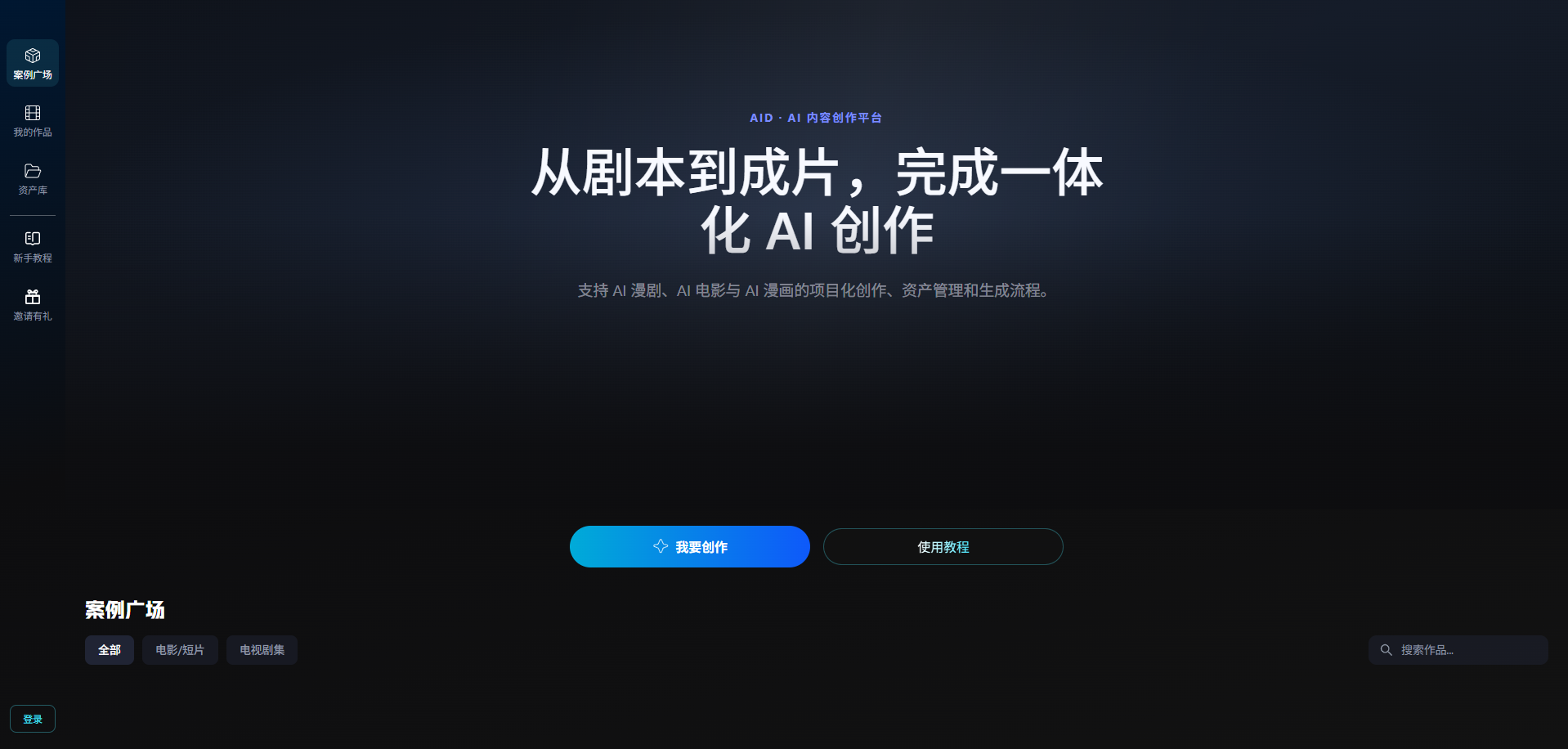
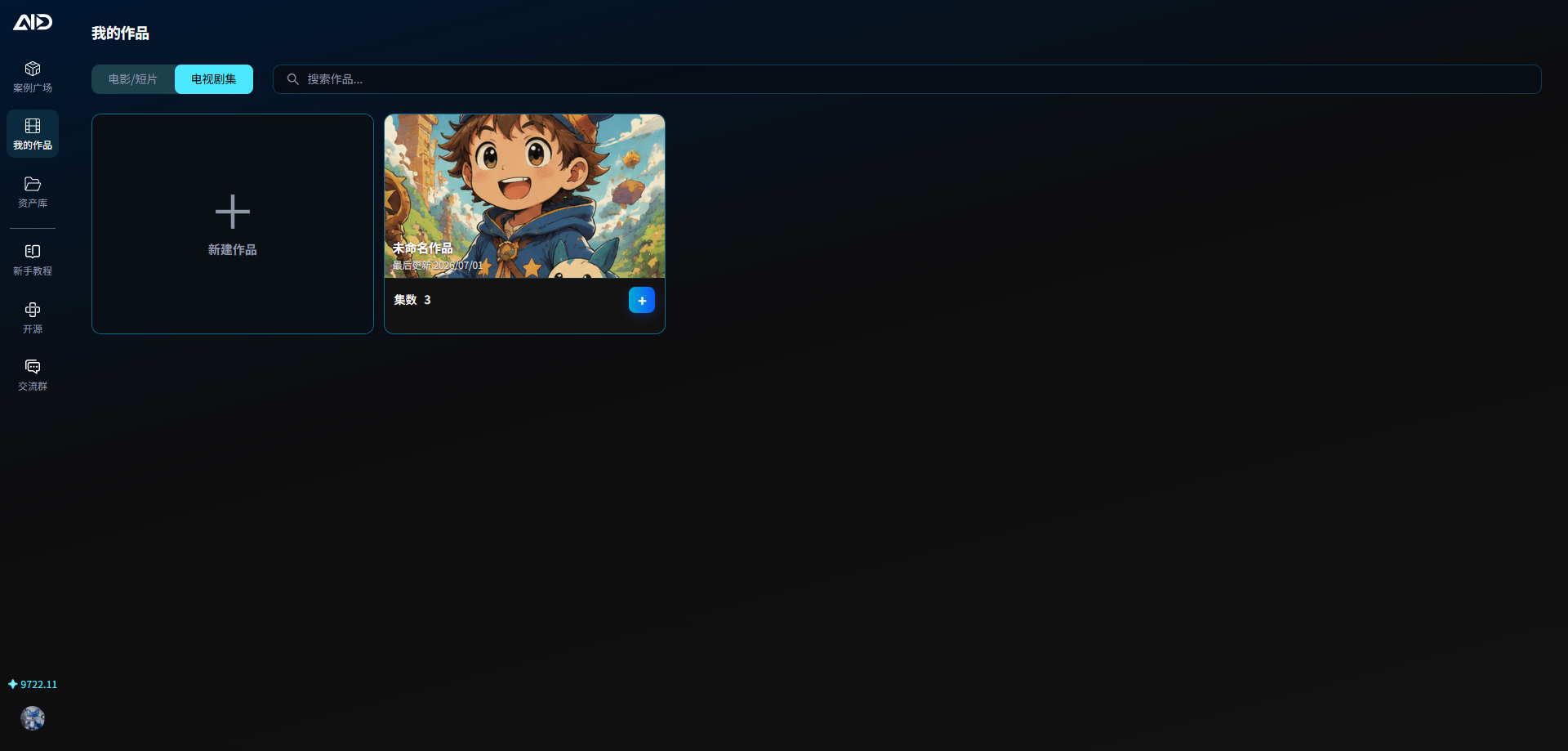
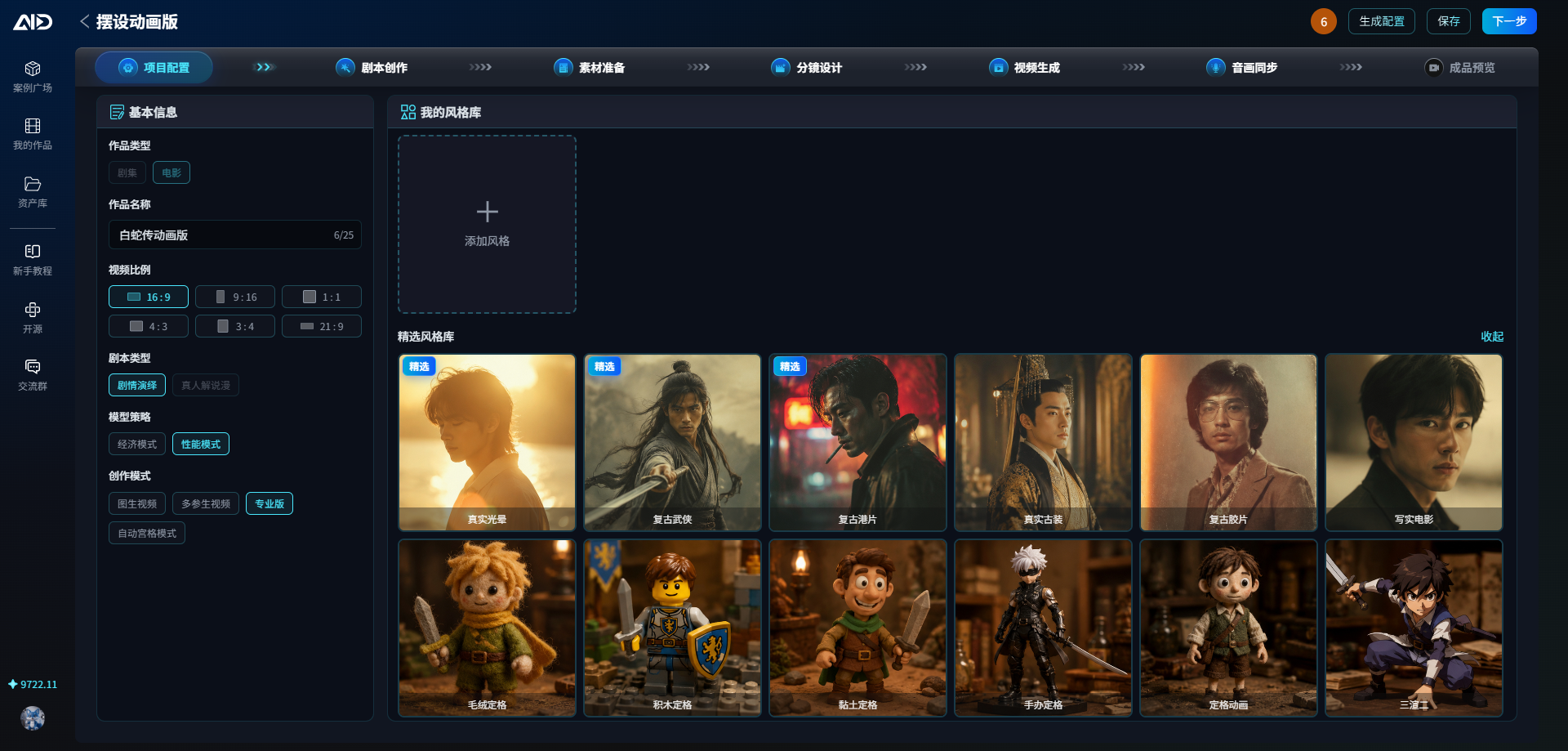
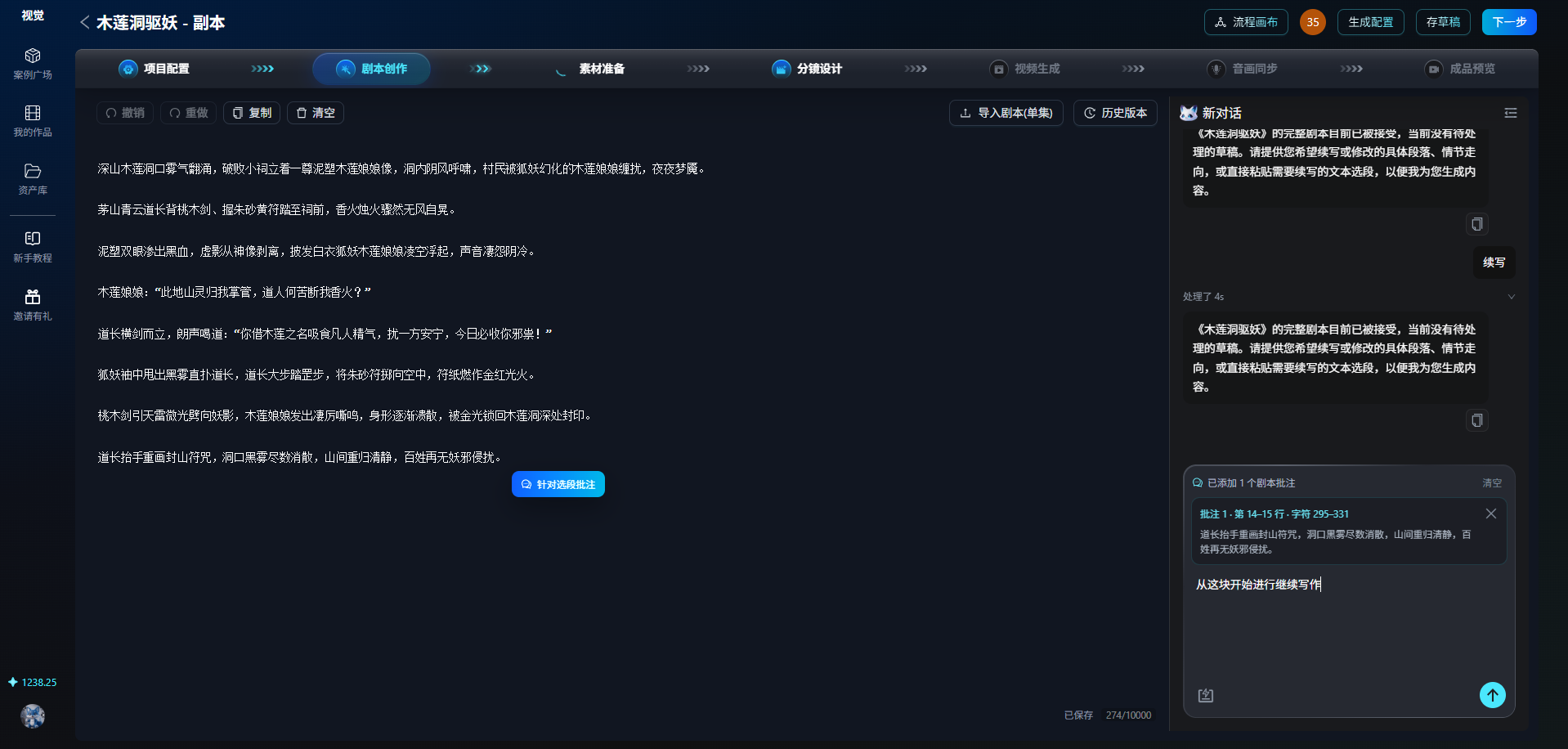
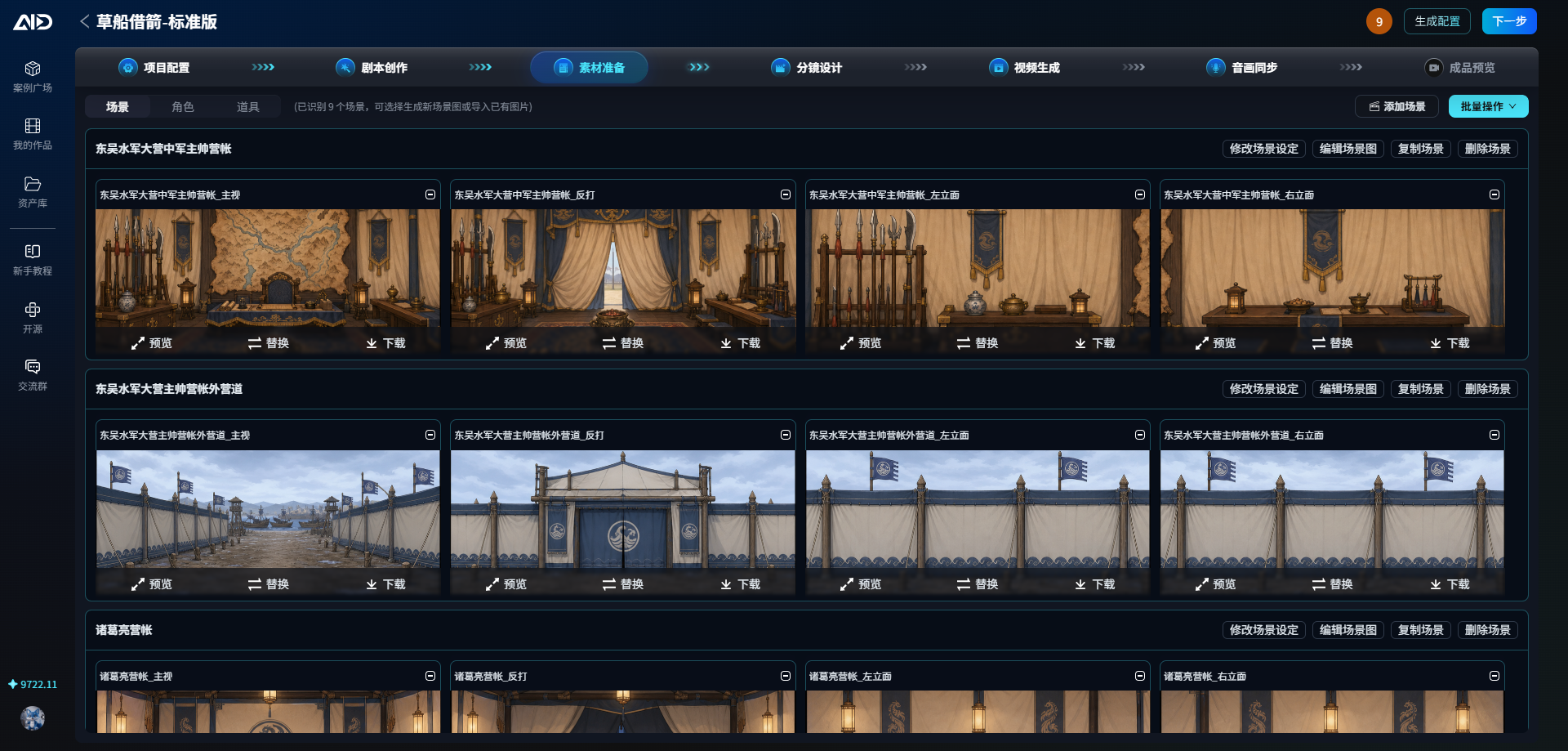
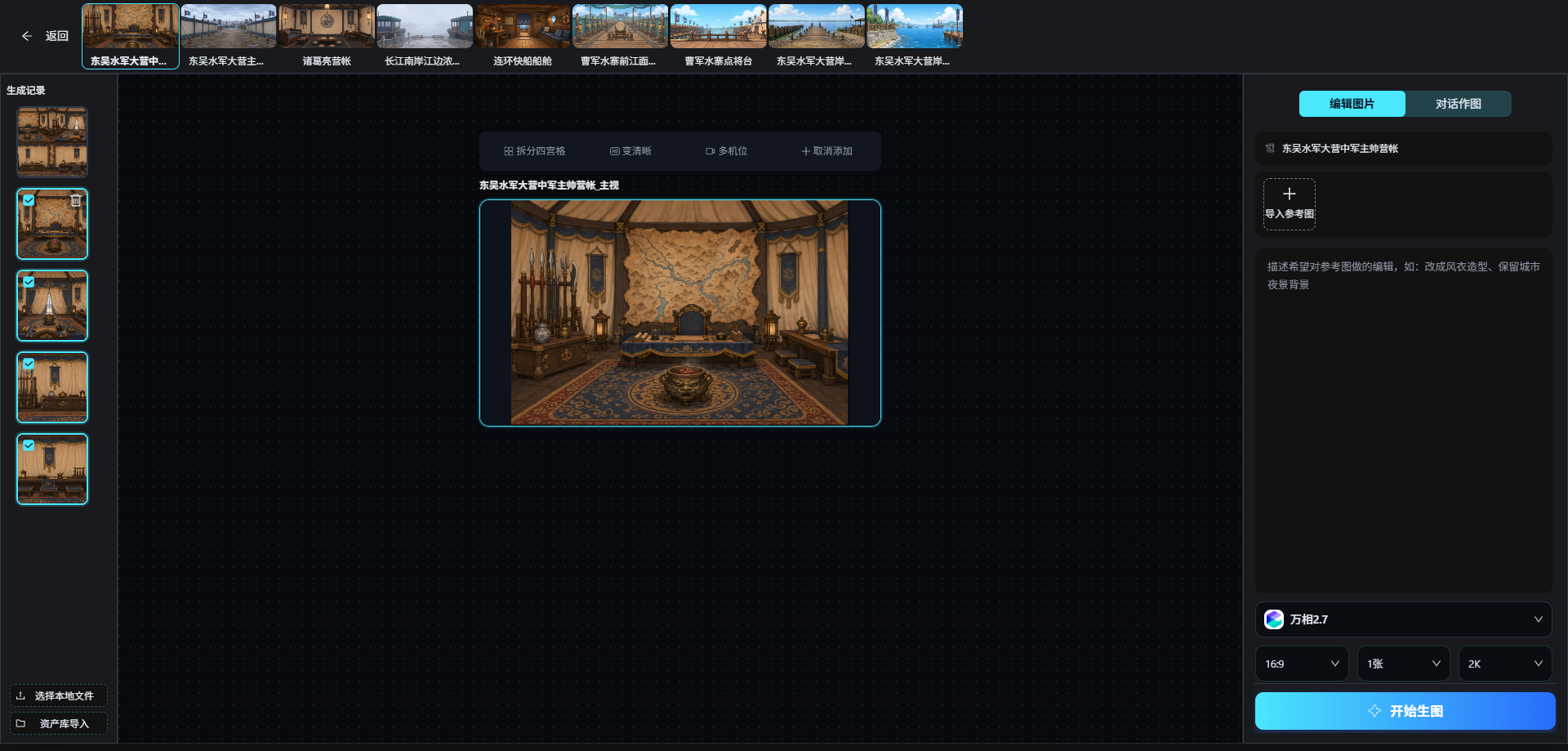
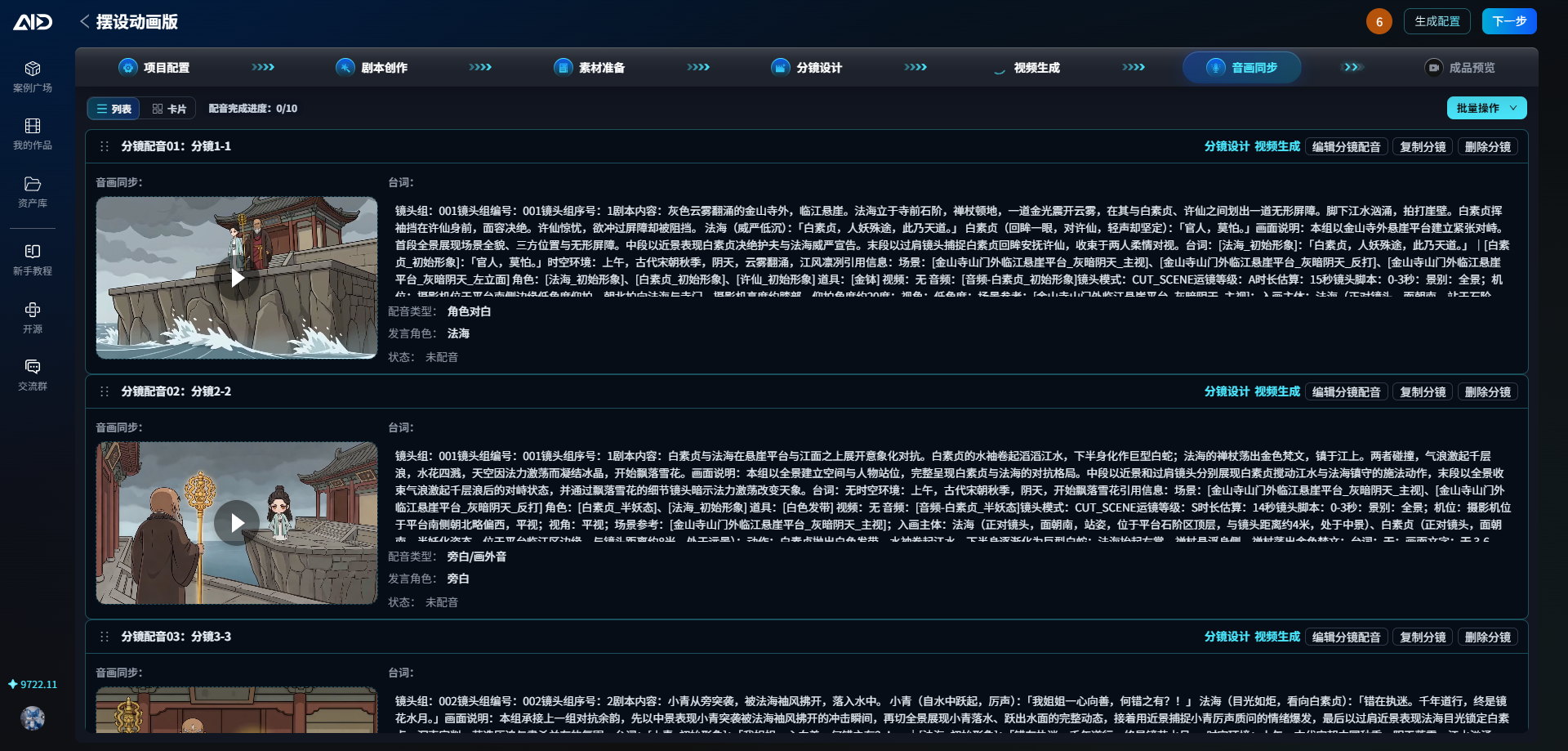
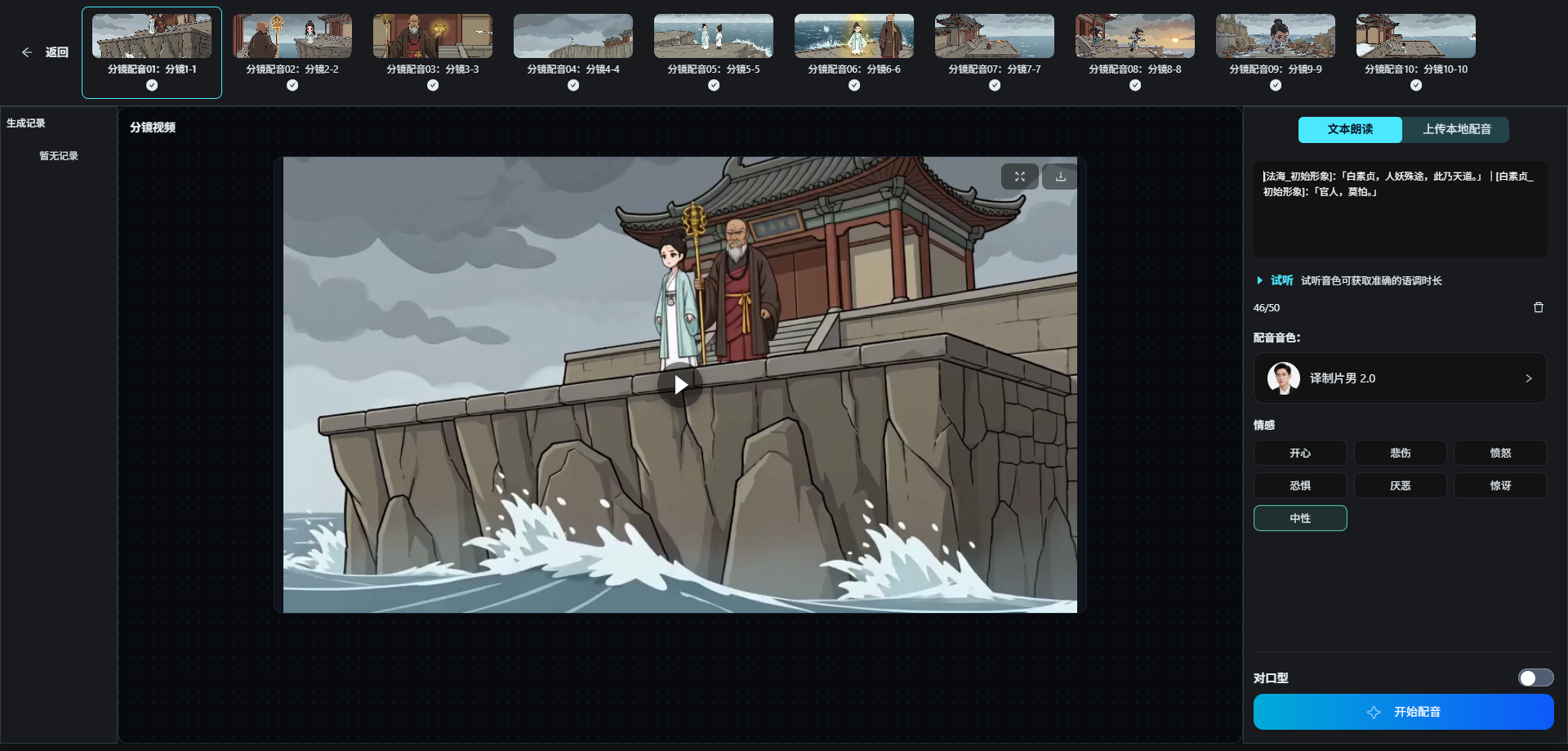
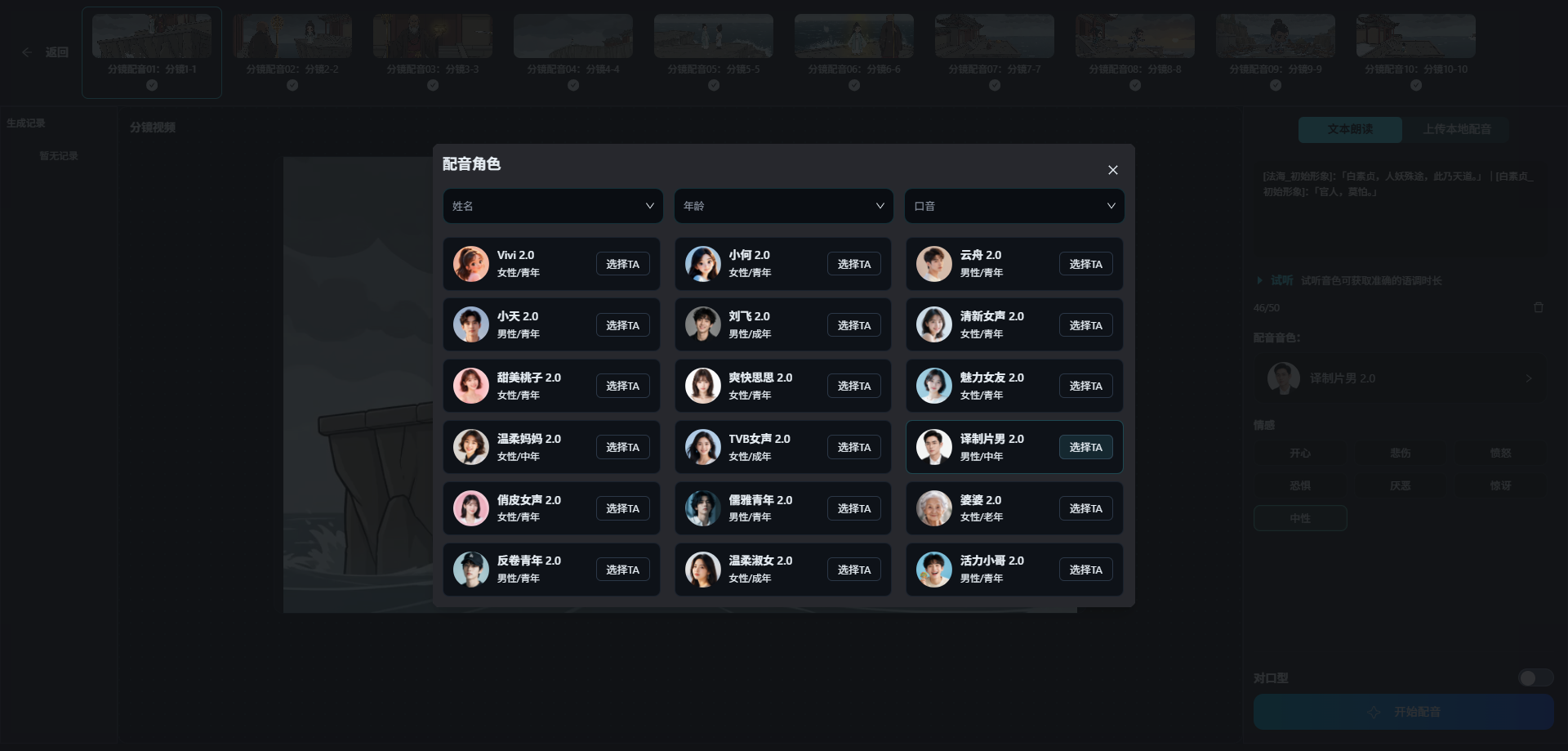
From project creation, scriptwriting, the workflow canvas, and character/scene asset management to storyboard generation, video, voiceovers and finished-video previews, the user frontend provides a continuous workflow for AI motion comics, AI films and AI comics.
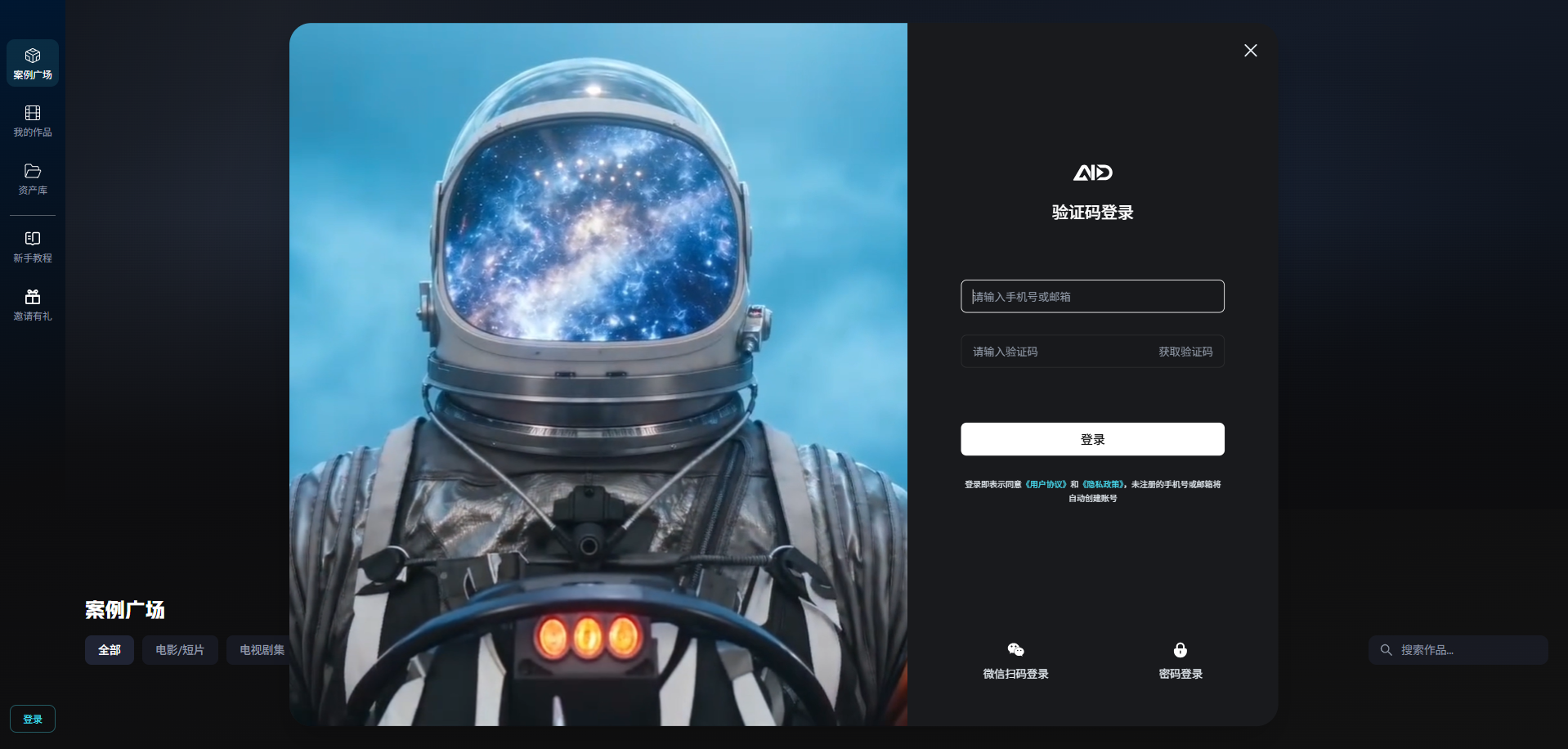
| Creation entry points | My works |
|-------------|---------|
|  |
|  |
| Project configuration and style selection | Workflow-based scriptwriting |
|-------------------|---------------|
|
|
| Project configuration and style selection | Workflow-based scriptwriting |
|-------------------|---------------|
|  |
|  |
| Workflow canvas | Scene and asset management |
|---------|---------------|
| |
|
| Workflow canvas | Scene and asset management |
|---------|---------------|
| |  |
| Image editing and reference assets | Generation model configuration |
|-------------------|-------------|
|
|
| Image editing and reference assets | Generation model configuration |
|-------------------|-------------|
|  |
| 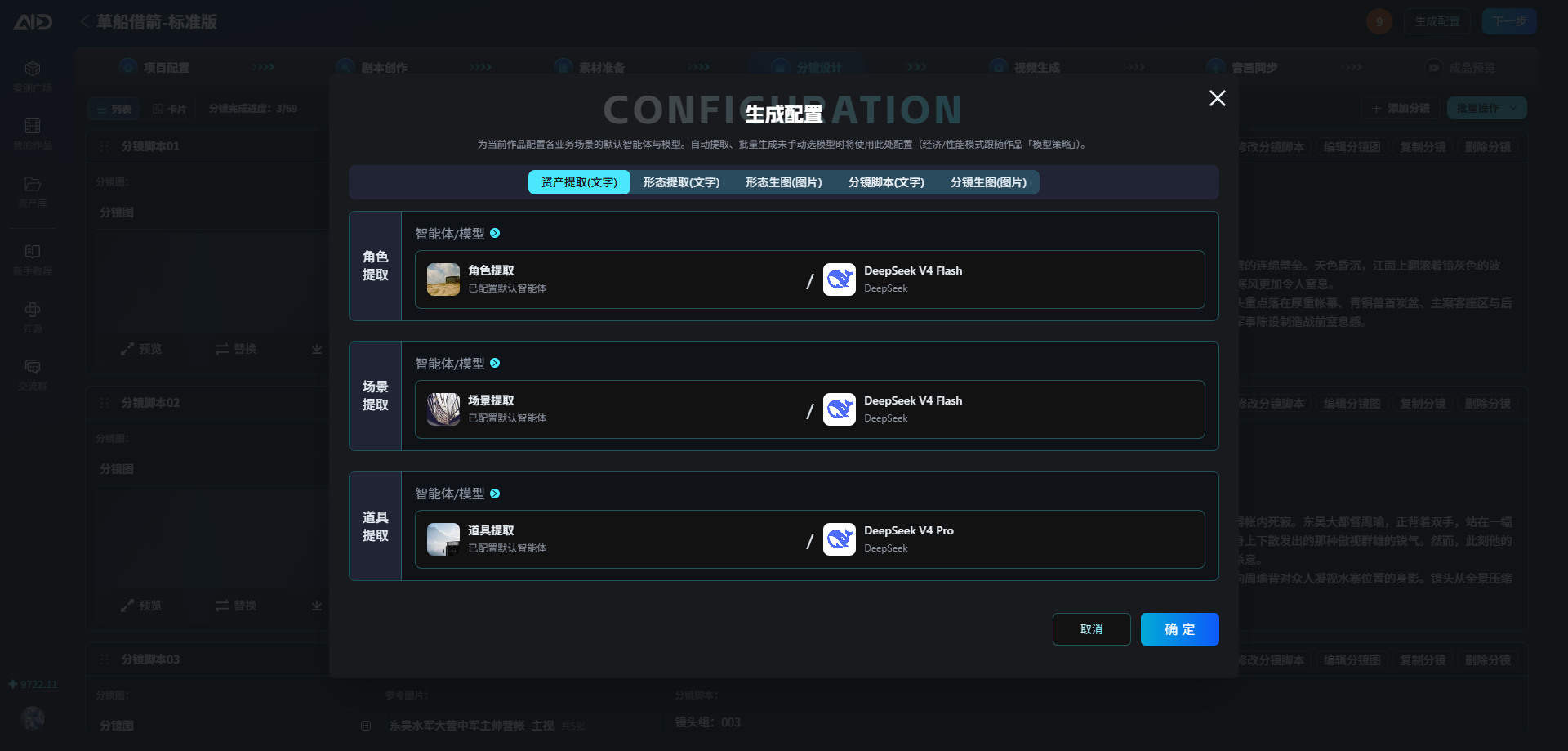 |
| Storyboard design | Storyboard video management |
|---------|-------------|
|
|
| Storyboard design | Storyboard video management |
|---------|-------------|
| 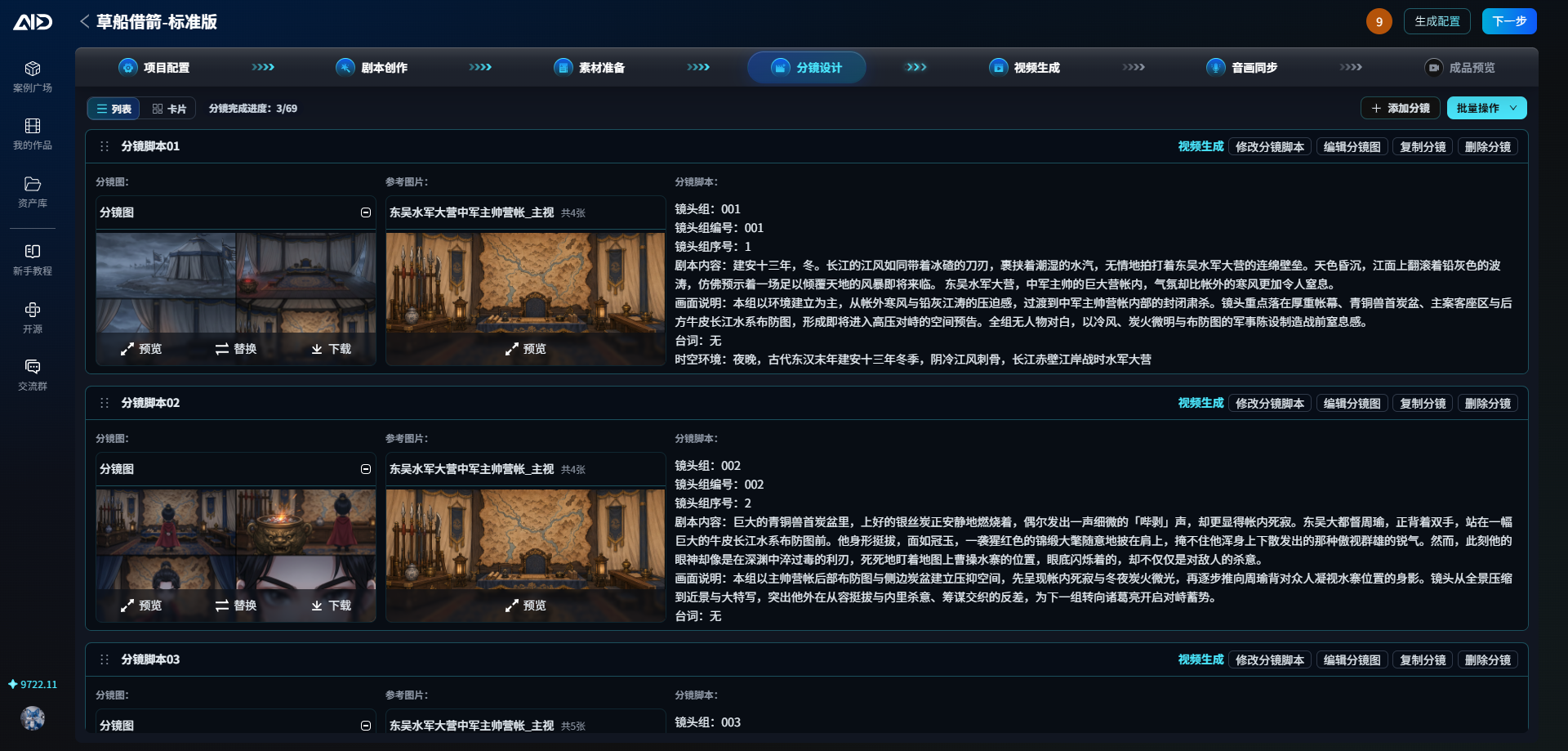 |
| 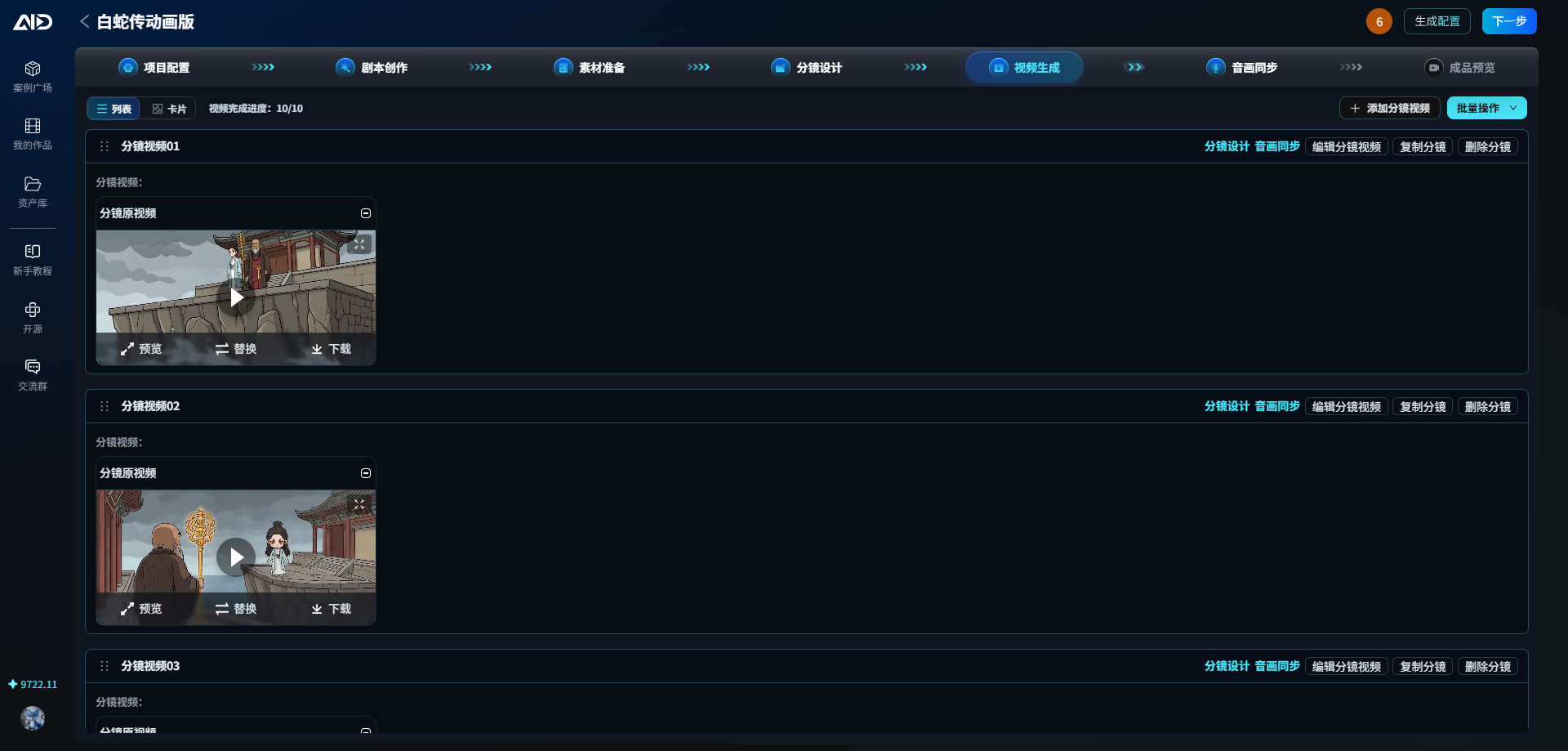 |
| Video generation with multiple parameters | Audio/video synchronization |
|----------------|-------------|
|
|
| Video generation with multiple parameters | Audio/video synchronization |
|----------------|-------------|
| 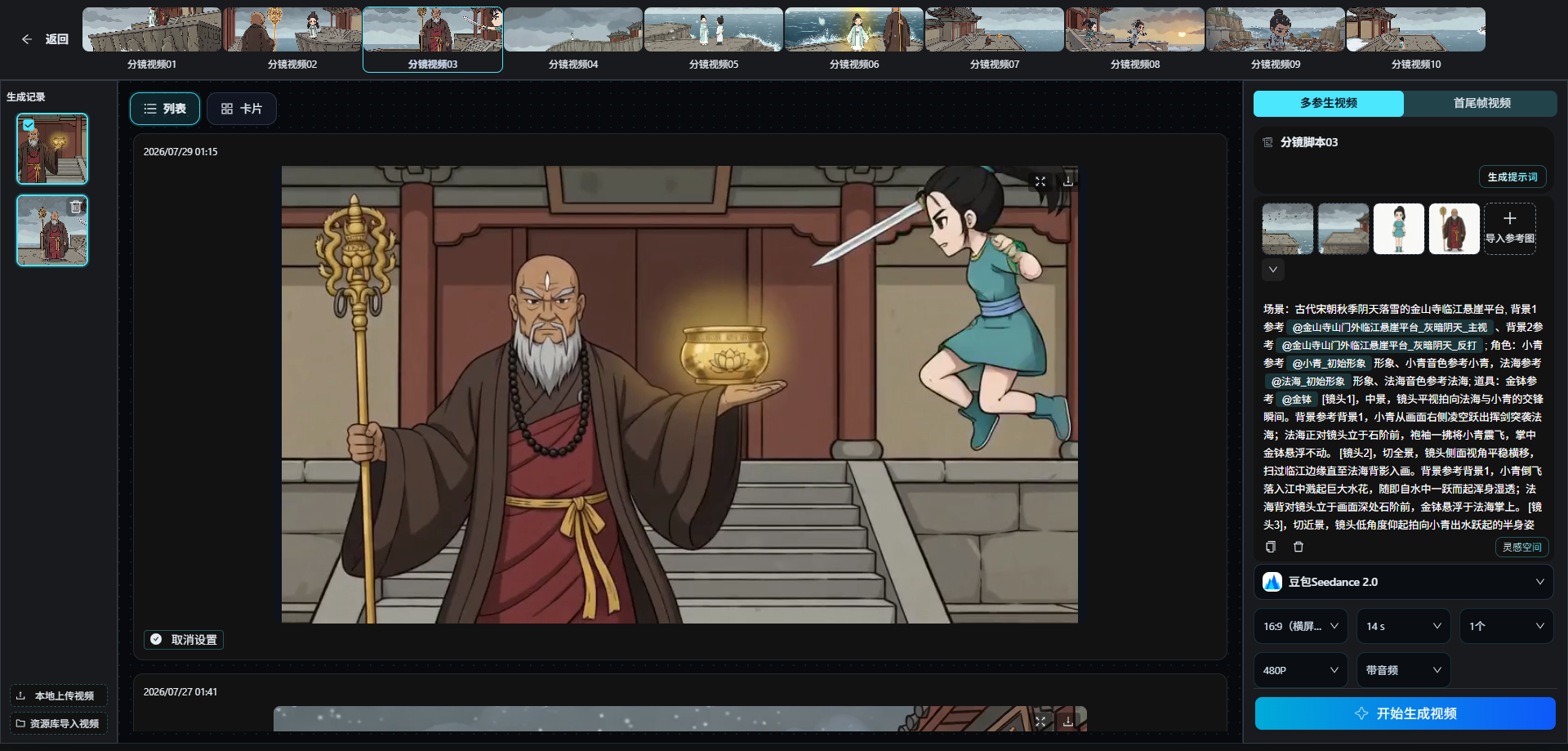 |
|  |
| Voiceover editing | Voiceover character selection |
|---------|-------------|
|
|
| Voiceover editing | Voiceover character selection |
|---------|-------------|
|  |
|  |
|
### Admin Dashboard
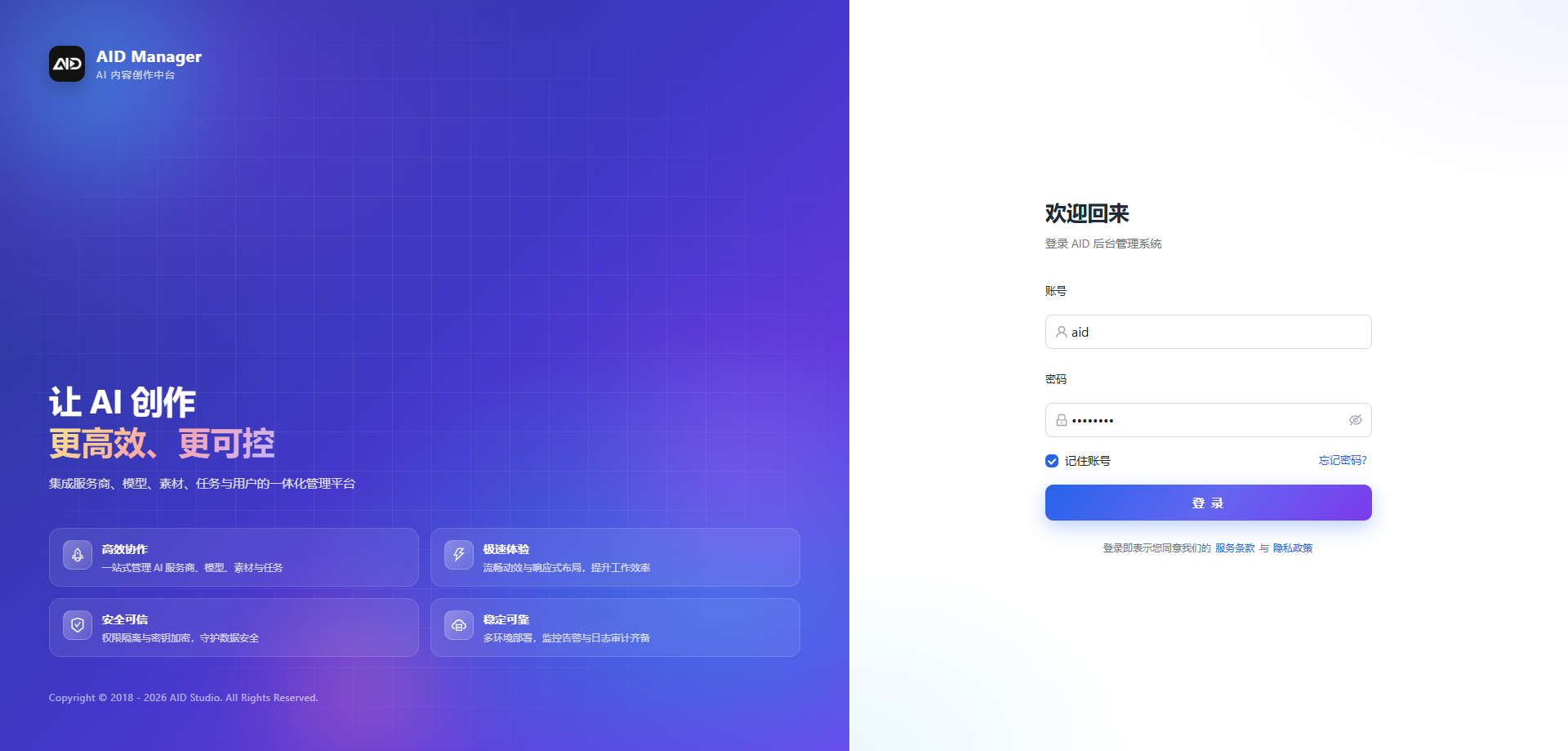
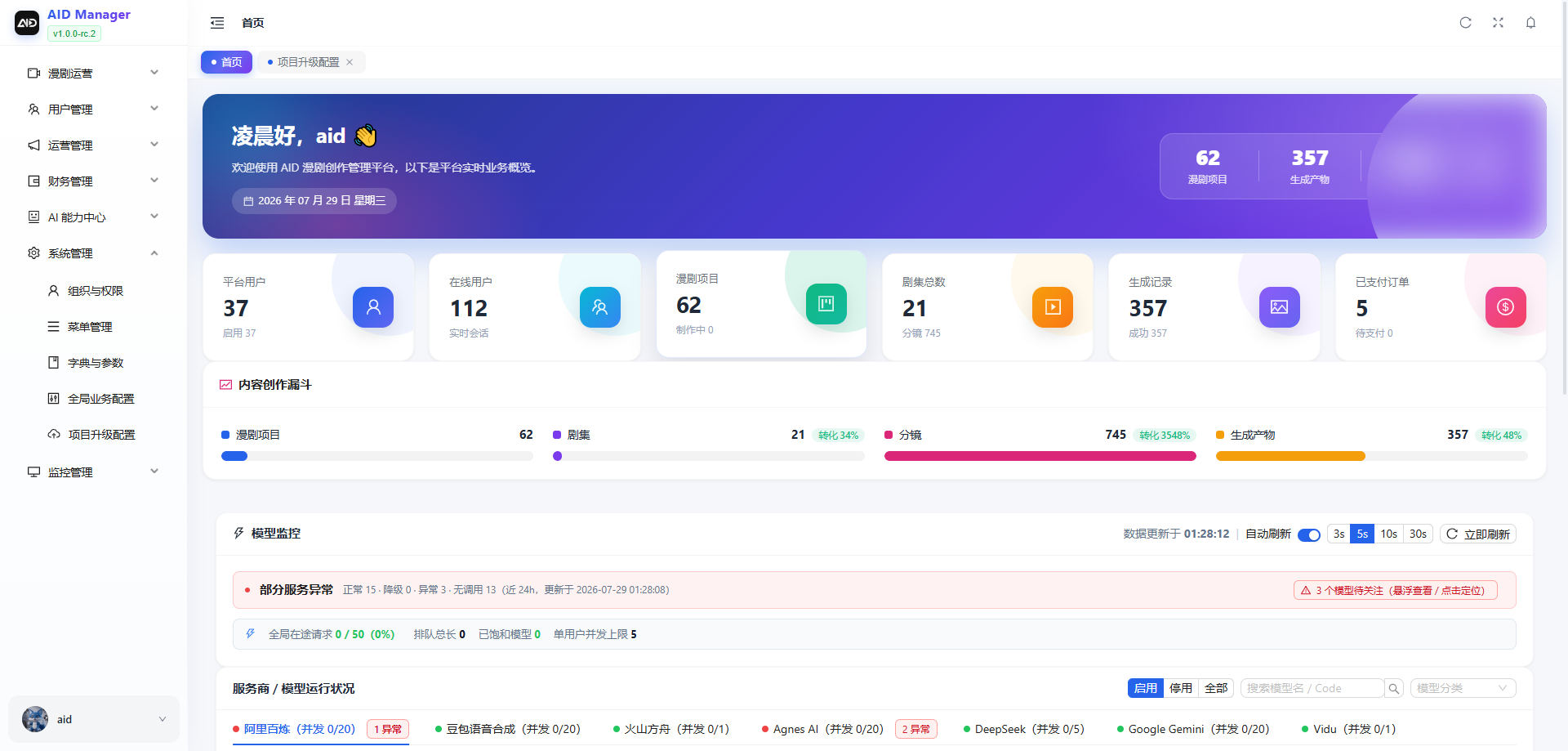
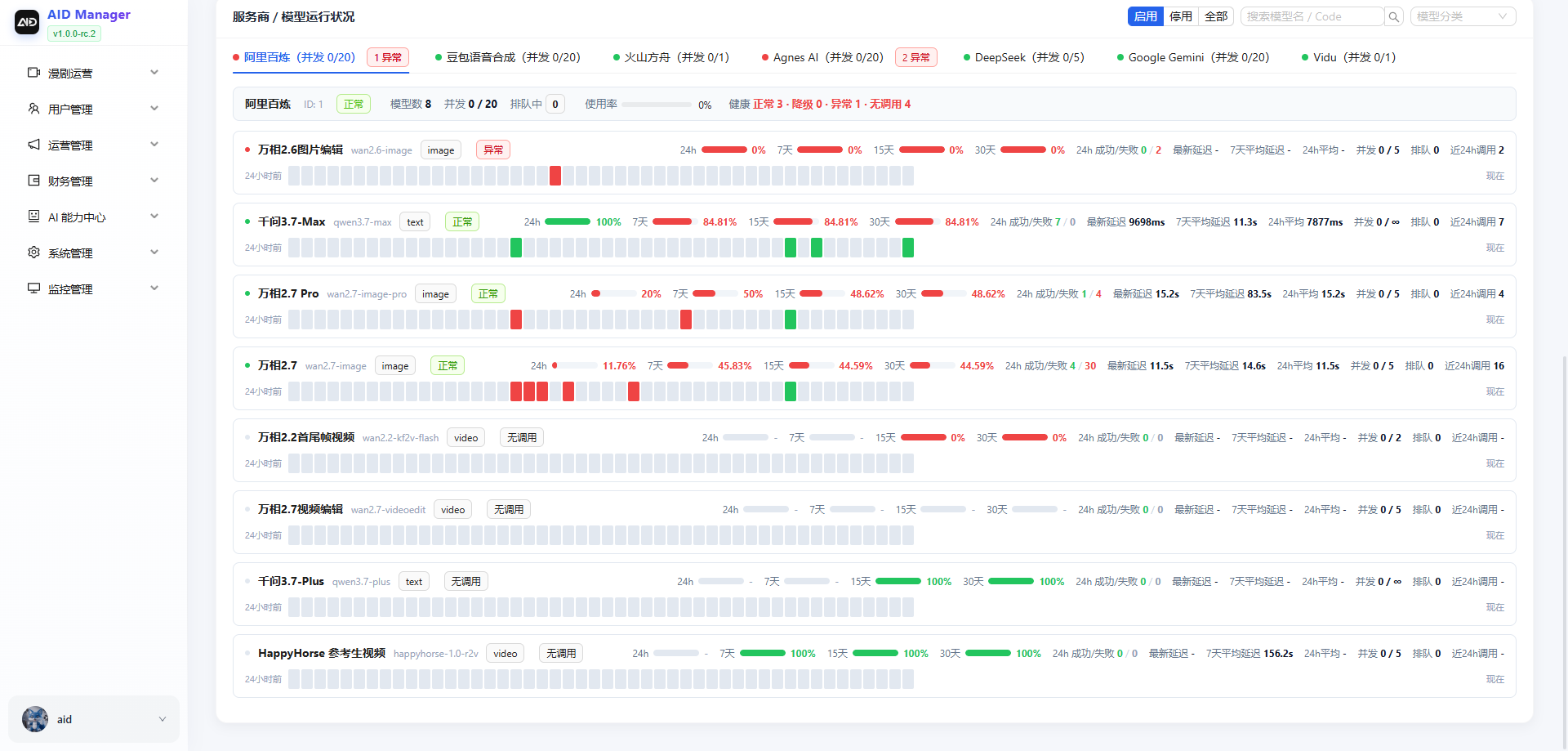
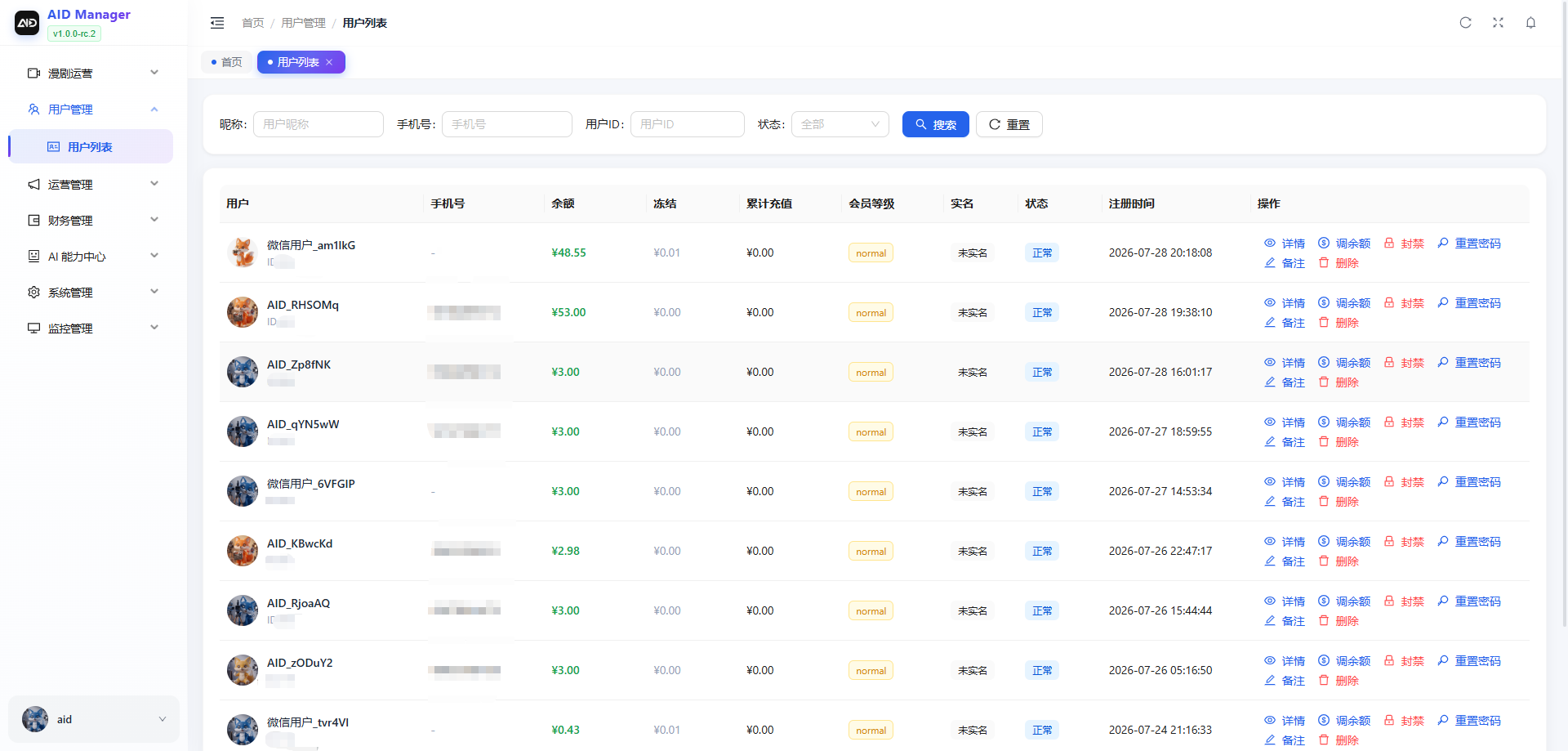
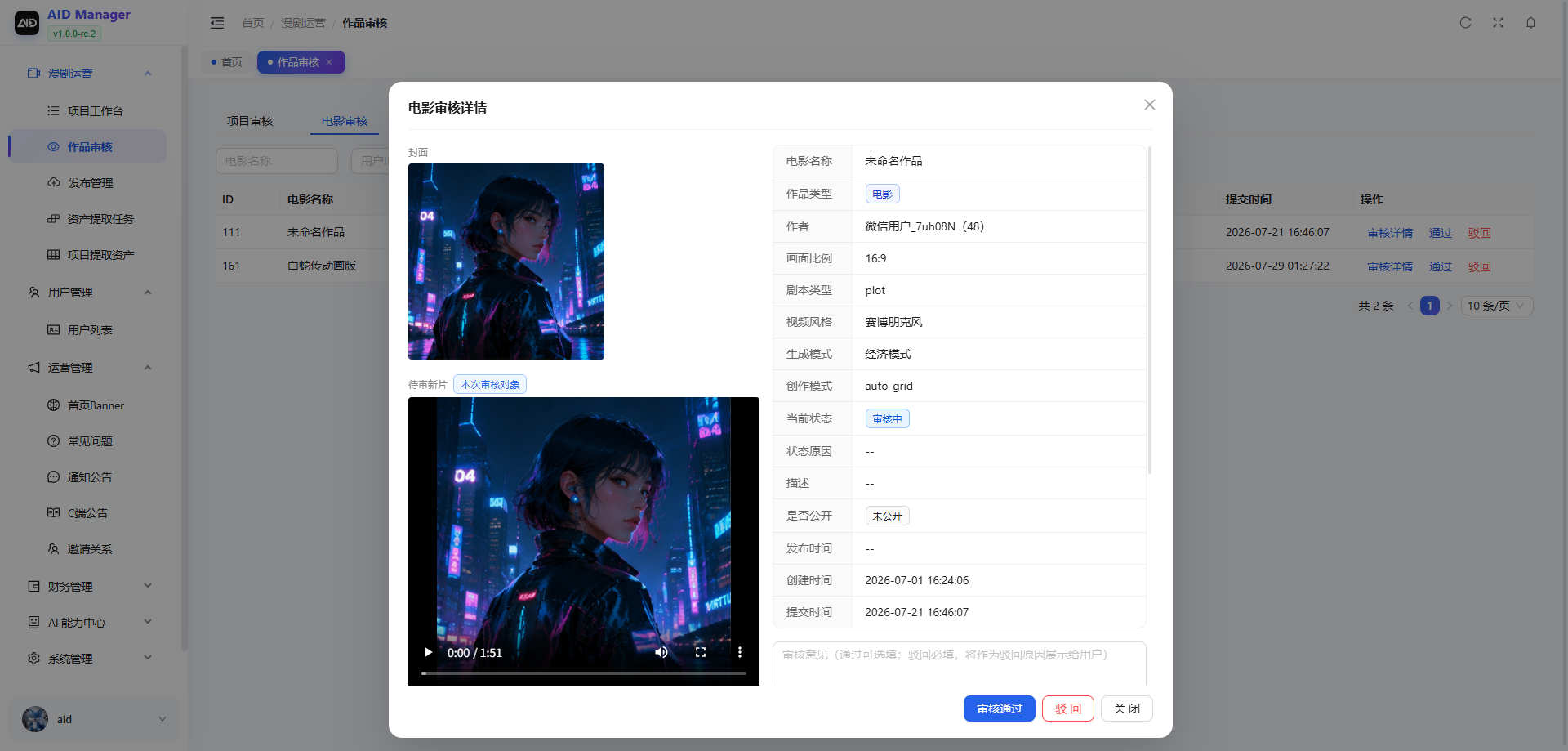
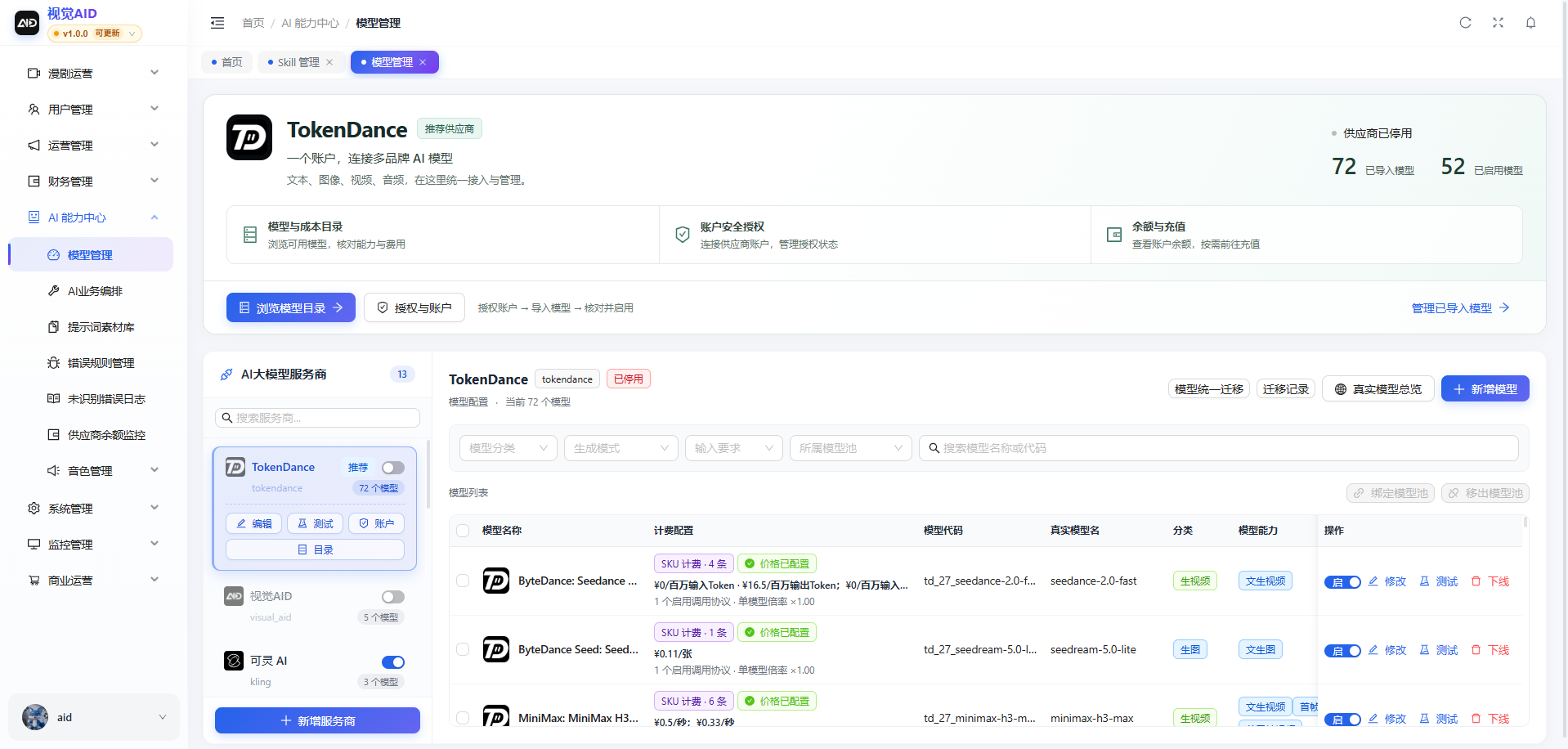
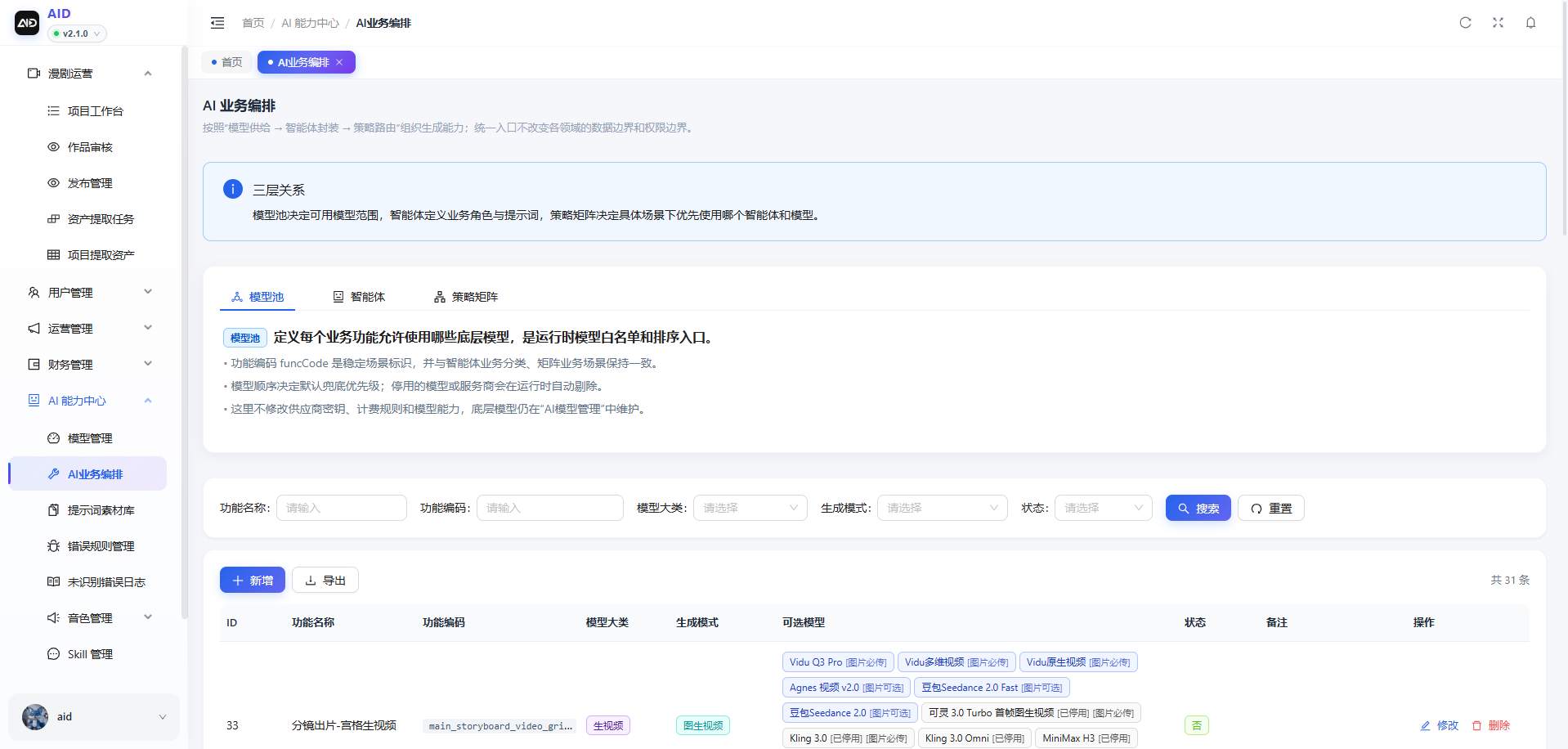
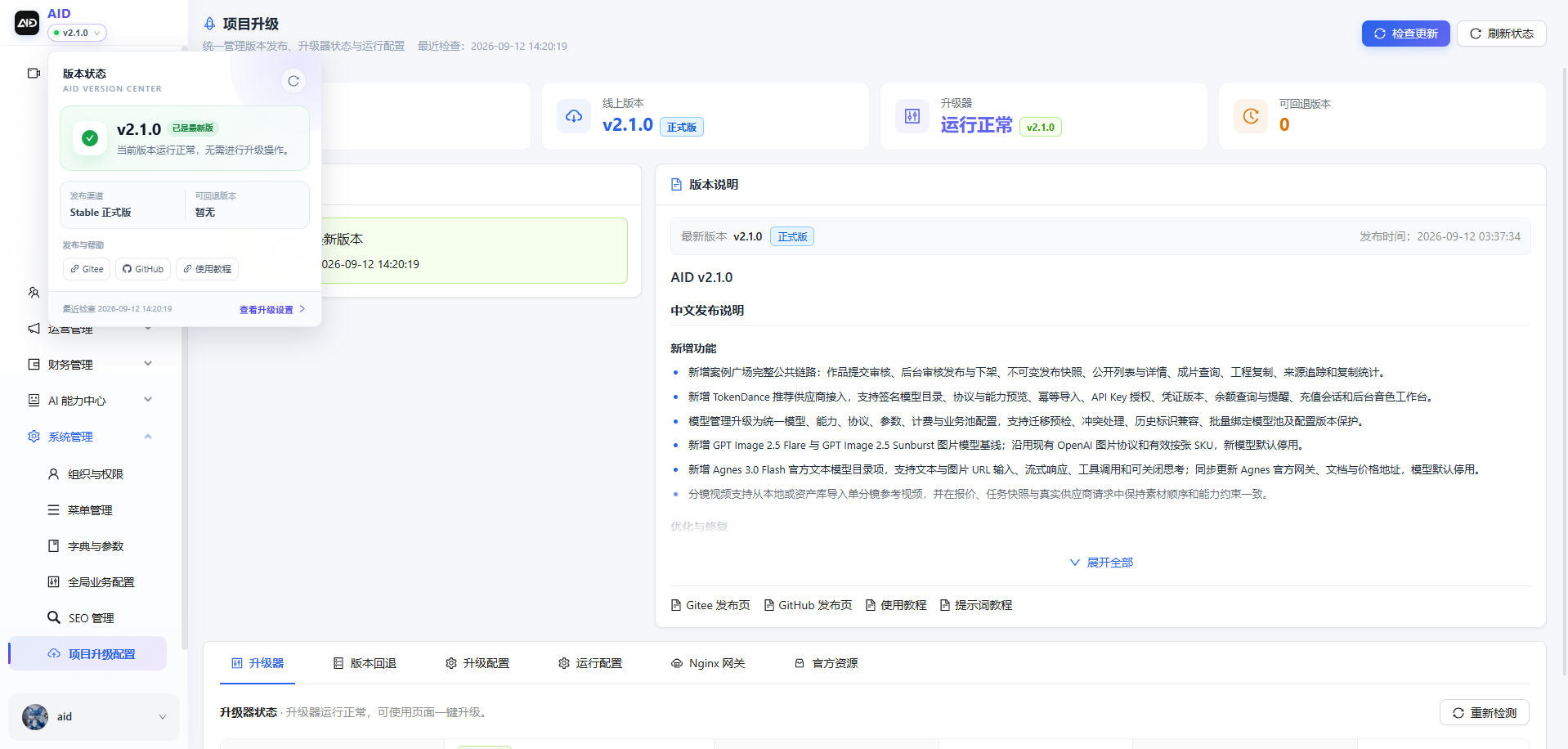
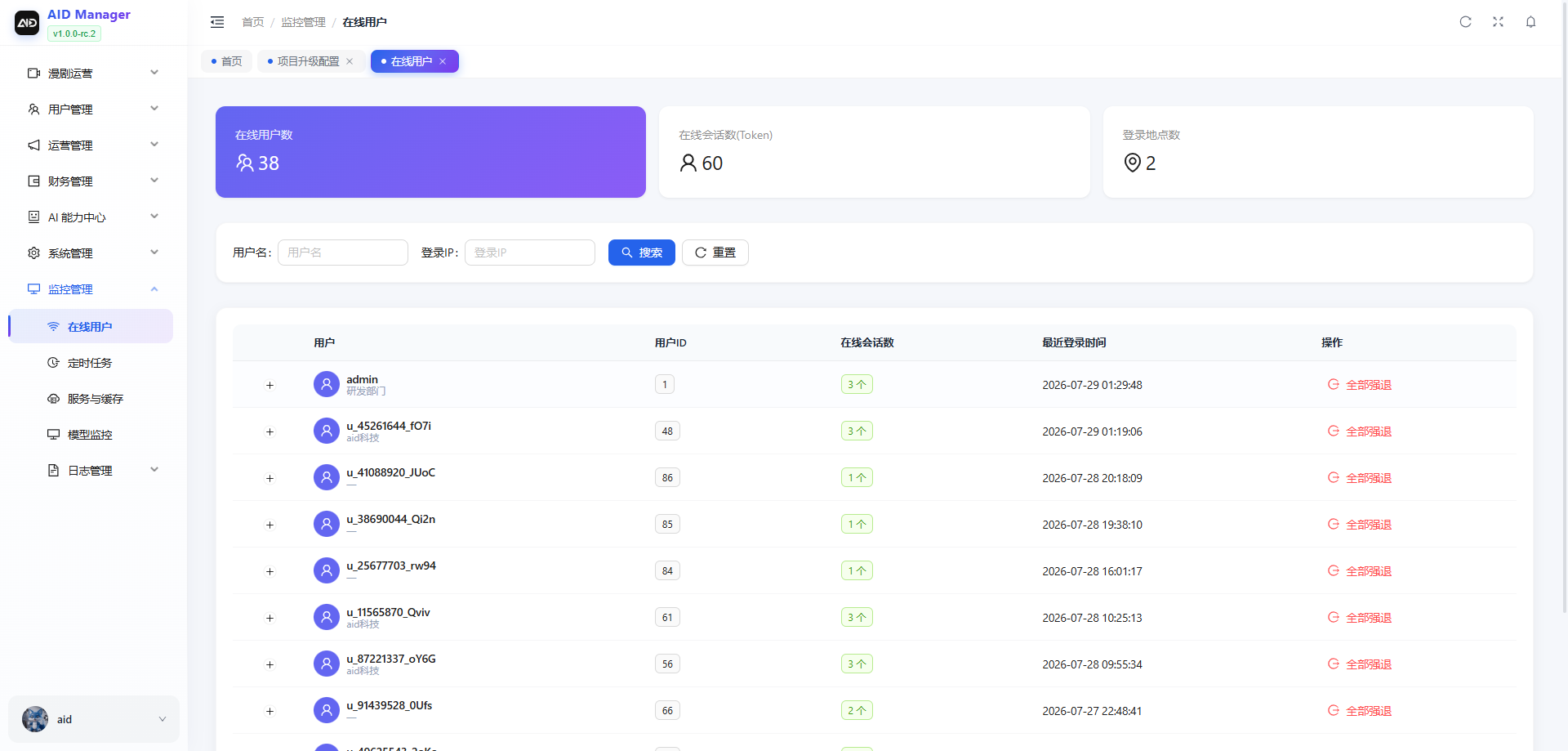
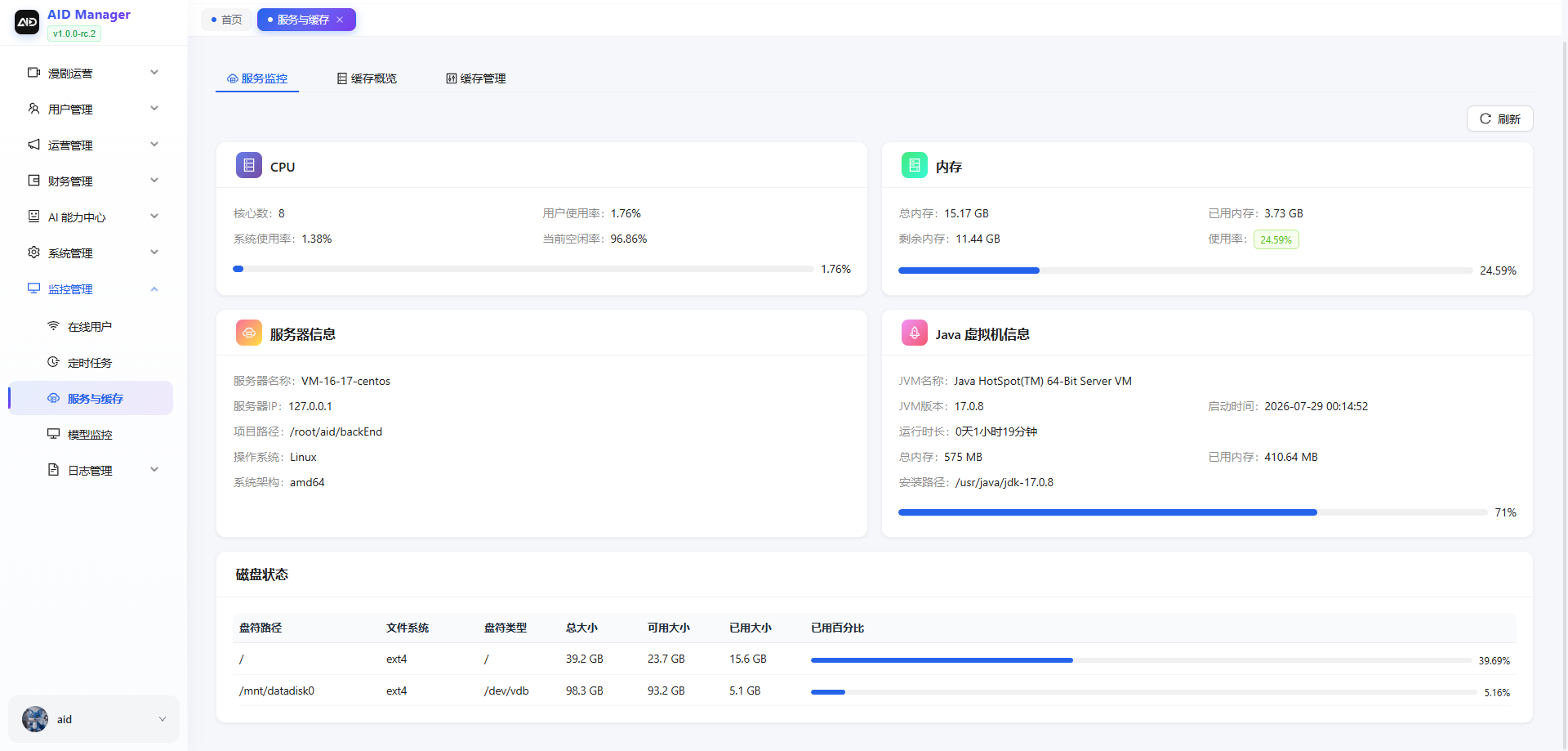
The admin frontend covers platform overviews, user and work management, AI model and provider configuration, task monitoring, payments and billing, system upgrades and other administrative capabilities.
| Data overview | Generation task monitoring |
|---------|-------------|
|  |
|  |
| User management | Content detail review |
|---------|-------------|
|
|
| User management | Content detail review |
|---------|-------------|
|  |
|  |
| AI model configuration | AI workflow orchestration |
|------------|-------------|
|
|
| AI model configuration | AI workflow orchestration |
|------------|-------------|
|  |
|  |
| Online upgrades and release notes | Online user monitoring |
|-------------------|-------------|
|
|
| Online upgrades and release notes | Online user monitoring |
|-------------------|-------------|
|  |
|  |
|
## Public Source Layout
The public `aid-studio` repository is AID's unified source code and deployment release entry point. It includes the backend, admin frontend, user creation frontend, version manifests, deployment scripts, incremental SQL and standalone updater. All three application components share the same version tag.
The unified public source is published to [Gitee aid-studio](https://gitee.com/gzxx-2025/aid-studio) and [GitHub aid-studio](https://github.com/gzxx-2025/aid-studio), with identical commits and tags on both platforms.
| Path | Contents |
|------|------|
| `/` | Java backend, initialization SQL, deployment scripts and updater |
| `frontend/admin/` | Admin frontend (React) |
| `frontend/web/` | User creation frontend |
Starting with `v1.0.1`, new versions use matching version tags in this repository. Consult the relevant release notes before obtaining or migrating historical versions. See the [deployment guide](deploy/README.md) for upgrades, backups and available rollback ranges.
## Official Asset Bundle
AID's initialization data references official media resources for the platform's initial presentation and creative examples after first deployment. These include characters, scenes, props, lighting, shot sizes/focal lengths, poses, expressions, effects, storyboard examples, agent and provider icons, voice avatars and MP3 samples, homepage images and demo videos. This large asset bundle is distributed separately from the source code. It is not downloaded automatically through GitHub/Gitee Releases or one-command deployment, to avoid consuming public code-hosting bandwidth or accidentally writing to the deployer's OSS/COS storage.
- The bundle contains only official files actually referenced by the `aid_init` initialization database. It excludes user-generated content, accounts, keys, logs and other business data.
- Original object keys used by the database are preserved under `files/aid/...`. Import the bundle into local storage, Alibaba Cloud OSS or Tencent Cloud COS in one operation without bulk rewriting the initialization SQL.
- Each file is listed in `manifest.json` and `asset-checksums.txt` inside the bundle, allowing integrity checks by path, size and SHA-256.
- Download entry points and version-specific checksums are published through the [official website](https://www.aidstudio.com.cn/) and release announcements. Choose `aid-official-assets_.tar.gz` matching your application version; import commands are in the bundle's `README.md`.
## System Architecture
Expand the system architecture and technology stack







```text
aid-studio (Maven multi-module monolith)
├── aid-admin Spring Boot entry point and configuration
├── aid-common Shared components (security/cache/storage/payments/SMS adapters)
├── aid-business Web layer
│ ├── business-framework Web framework, data sources, filters and AOP
│ ├── business-system Admin APIs (/system /aid /aidconfig)
│ ├── business-main User APIs (/auth /api/user /recharge)
│ ├── business-quartz Scheduled tasks
│ └── business-generator Code generation
├── aid-interface Domain layer
│ ├── interface-core Core interfaces
│ ├── interface-system Entities, Mappers and system services
│ └── interface-main Business services (media/storyboards/billing/upgrades, etc.)
├── aid-consumer MQ consumers
├── deploy/updater Standalone updater (Go)
└── frontend
├── admin Admin frontend (React)
└── web User creation frontend
```
Call chain: `Controller → Service → Mapper → MySQL`. Media generation is routed to each provider's implementation through the unified orchestration layer.
## Technology Stack
| Category | Technology | Version |
|------|------|------|
| Language | Java | 17 |
| Framework | Spring Boot | 3.5.x |
| ORM | MyBatis-Plus | 3.5.x |
| Database | MySQL | 5.7 |
| Cache | Redis + Redisson | 3.x |
| Message queue | RocketMQ | 4.x/5.x |
| Scheduled tasks | Quartz | 2.5.x |
| Object storage | Alibaba Cloud OSS / Tencent Cloud COS | - |
| API documentation | SpringDoc OpenAPI | 2.8.x |
| Updater | Go | 1.22 |
## Documentation
| Document | Description |
|------|------|
| [Deployment guide](deploy/README.md) | Docker / systemd deployment, configuration, HTTPS, middleware, upgrades, rollbacks and uninstallation |
| [English overview](README.md) | English overview, installation, first project and maintenance |
| [Contributing guide](CONTRIBUTING.md) | Reporting issues, change scope, development validation and submitting PRs |
| [Public Provider integration guide](doc/公开Provider接入指南.md) | Text/image/video/speech Provider entry points, capability declarations, unified tasks and billing, official protocol verification and submission checks ([English](doc/public-provider-integration.md)) |
| [Get help](SUPPORT.md) | Support channels for usage, deployment and model configuration questions |
| [Security reports](SECURITY.md) | Report vulnerabilities privately without exposing sensitive details |
| [Code of Conduct](CODE_OF_CONDUCT.md) | Community communication and collaboration guidelines |
| Swagger API documentation | Visit `http://localhost:8080/swagger-ui.html` after startup (disabled by default in production) |
## Online Upgrades
The admin panel under “System Management → Project Upgrade Configuration” and the CLI use the same standalone updater. The page displays the current version, online version, bilingual release notes, updater status, available rollback versions and a black live terminal. Duplicate submissions are blocked while a task is running. Below 4 cores/4 GB RAM, a high-risk warning appears before confirming an upgrade.
The upgrade process first checks the updater version; an outdated updater must be upgraded before continuing. It then validates the signed manifest and the unified repository's version tag, backs up configuration and the database, builds all three application components locally, applies incremental SQL, replaces programs and performs health checks. New configuration settings are added only when missing; existing values are retained, and a backup is created in the same directory. On failure, programs and configuration are restored automatically within the defined safety boundaries. During an upgrade, view the same live logs in the UI or with `sudo aid progress`; pressing `q` exits the viewer without interrupting the background task.
Updates compile all three components, back up the database and run health checks, which may briefly consume substantial CPU, memory and disk I/O. For production, create an off-host backup first and run updates during low-traffic hours. Test Beta versions in a test environment first. See the [deployment guide](deploy/README.md) for complete upgrade, SQL and rollback rules.
## Contributing
Issues and Pull Requests in Chinese or English are welcome. Read the [contributing guide](CONTRIBUTING.md), [Public Provider integration guide](doc/公开Provider接入指南.md) and [Code of Conduct](CODE_OF_CONDUCT.md), then choose a contribution that suits you: reproducing issues, improving documentation, fixing bugs or adapting public model protocols.
- [Report an issue / suggest an improvement](https://github.com/gzxx-2025/aid-studio/issues/new/choose)
- [Find a good first issue](https://github.com/gzxx-2025/aid-studio/issues?q=is%3Aissue%20is%3Aopen%20label%3A%22good%20first%20issue%22)
- [Report a security issue](SECURITY.md)
If AID helps you, consider starring the repository. You are also welcome to share creative examples you have the right to publish, along with your deployment experience.
## 赞赏支持 / Donate
如果 AID Studio 对你有帮助,欢迎自愿赞赏,支持项目持续维护与改进。
If AID Studio is useful to you, consider a voluntary donation to support ongoing maintenance and improvements.

微信扫码赞赏 · Scan with WeChat to donate
点击图片查看原图 / Click the image to view full size
## License
This project is open source under the [MIT License](LICENSE). Copyright belongs to 光子讯息(杭州)科技有限公司 (Guangzi Xunxi (Hangzhou) Technology Co., Ltd.). See [NOTICE](NOTICE) for third-party attribution. Original copyright and license notices are preserved.
## Acknowledgements
Parts of the admin framework are based on [RuoYi-Vue](https://gitee.com/y_project/RuoYi-Vue) (MIT License). We gratefully acknowledge the original project.
| Community | Thanks |
|------|------|
|  | Thank you to the [Linux.do](https://linux.do/) community for supporting Chinese-language technical discussion and the open-source ecosystem. |