# New-Bing-Anywhere 随时随地,有求必应
[English](README.md) | 简体中文 | [Русский](README.ru.md)
## 浏览器支持列表
| [ ](https://chrome.google.com/webstore/detail/new-bing-anywhere-bing-ch/hceobhjokpdbogjkplmfjeomkeckkngi/reviews?hl=en)
Chrome | [ ](https://addons.mozilla.org/zh-CN/firefox/addon/new-bing-anywhere/)
Firefox | [ ](https://chrome.google.com/webstore/detail/new-bing-anywhere-bing-ch/hceobhjokpdbogjkplmfjeomkeckkngi/reviews?hl=en)
Edge | [ ](https://chrome.google.com/webstore/detail/new-bing-anywhere-bing-ch/hceobhjokpdbogjkplmfjeomkeckkngi/reviews?hl=en)
Brave | [ ](https://chrome.google.com/webstore/detail/new-bing-anywhere-bing-ch/hceobhjokpdbogjkplmfjeomkeckkngi/reviews?hl=en)
Opera | [ ](https://chrome.google.com/webstore/detail/new-bing-anywhere-bing-ch/hceobhjokpdbogjkplmfjeomkeckkngi/reviews?hl=en)
Vivaldi | [ ](https://chrome.google.com/webstore/detail/new-bing-anywhere-bing-ch/hceobhjokpdbogjkplmfjeomkeckkngi/reviews?hl=en)
Arc | [ ](https://chrome.google.com/webstore/detail/new-bing-anywhere-bing-ch/hceobhjokpdbogjkplmfjeomkeckkngi/reviews?hl=en)
360 | [ ](https://chrome.google.com/webstore/detail/new-bing-anywhere-bing-ch/hceobhjokpdbogjkplmfjeomkeckkngi/reviews?hl=en)
Yandex |
| --- | --- | --- | --- | --- | --- | --- | --- | --- |
| latest | latest | latest | latest | latest | latest | latest | latest | latest |
## 安装
- Chrome and other Chromium-based browsers:
- [Get the extension from the Chrome Web Store.](https://chrome.google.com/webstore/detail/new-bing-anywhere-bing-ch/hceobhjokpdbogjkplmfjeomkeckkngi)
- Firefox:
- [Get the add-on from Mozilla Add-On Site.](https://addons.mozilla.org/zh-CN/firefox/addon/new-bing-anywhere/) If it's not working, see [this issue](https://github.com/ha0z1/New-Bing-Anywhere/issues/33).
## 在任何浏览器和地区使用新版必应
使用新版必应需要一个先决条件:
- 非中国大陆和俄罗斯地区的 IP
- update 2023.7.6: 香港 IP 也不行了
如果不具备以上条件,会降级到特供版必应。
通过本插件,您可以在任何 Chromium 内核的浏览器中使用 New Bing,比如 Chrome / Edge / Brave / Arc / 360 浏览器等
如果您来自中国大陆或俄罗斯,一个海外 IP 节点是必须的。
如果您想仍然使用必应的中文界面,可以先访问一次 ,或者清空浏览器缓存和 Cookies 后重试。
对于中国大陆地区用户,即使在 Edge 浏览器下,仍建议使用本插件,因为很容易被定向到 `cn.bing.com`, 就会被种上特殊的 Cookie,导致不能使用新版必应。
## 大多数人通过以下措施解决问题
- [常见问题自查手册 (FAQ) #8](https://github.com/ha0z1/New-Bing-Anywhere/issues/8)。
- 如果您使用 Adblocker 或 VPN,请将 bing.com 列入白名单。
- Opera 用户,[开启“允许访问搜索页面结果”](https://github.com/ha0z1/New-Bing-Anywhere/issues/58#issuecomment-1592207565)
- Brave 用户,您需要允许来自“\*.google.xxx”的第三方 cookie. Brave has a bug,you have to disable and enable erery time on launch [https://github.com/ha0z1/New-Bing-Anywhere/issues/76#issuecomment-1628103920](https://github.com/ha0z1/New-Bing-Anywhere/issues/76#issuecomment-1628103920)
- Firefox 用户,您必须使用 110 或更高版本
- 更换微软帐号,注册帐号时尽量不要选择地区为中国
## 本插件功能
- 非 Edge 浏览器下使用 New Bing
- cn.bing 的本地重定向,避免被种上特供版 Cookie
- Bing 搜索页点击 Logo 链接在原窗口打开
- Bing 与 Google 的互相切换按钮
- 支持 New Bing Image Create,(需要非大陆 IP,否则会 404)
- 搜索引擎侧边栏:会整合必应自然搜索和 AI 推荐,是的,相当于搜索一次,同时使用 Google 和必应两大优秀的搜索引擎。本插件为了提供更高效有用的搜索结果,而非娱乐性质
- 英/简/繁多语言支持
## 支持作者
软件维护不易,您可以通过以下方式支持作者:


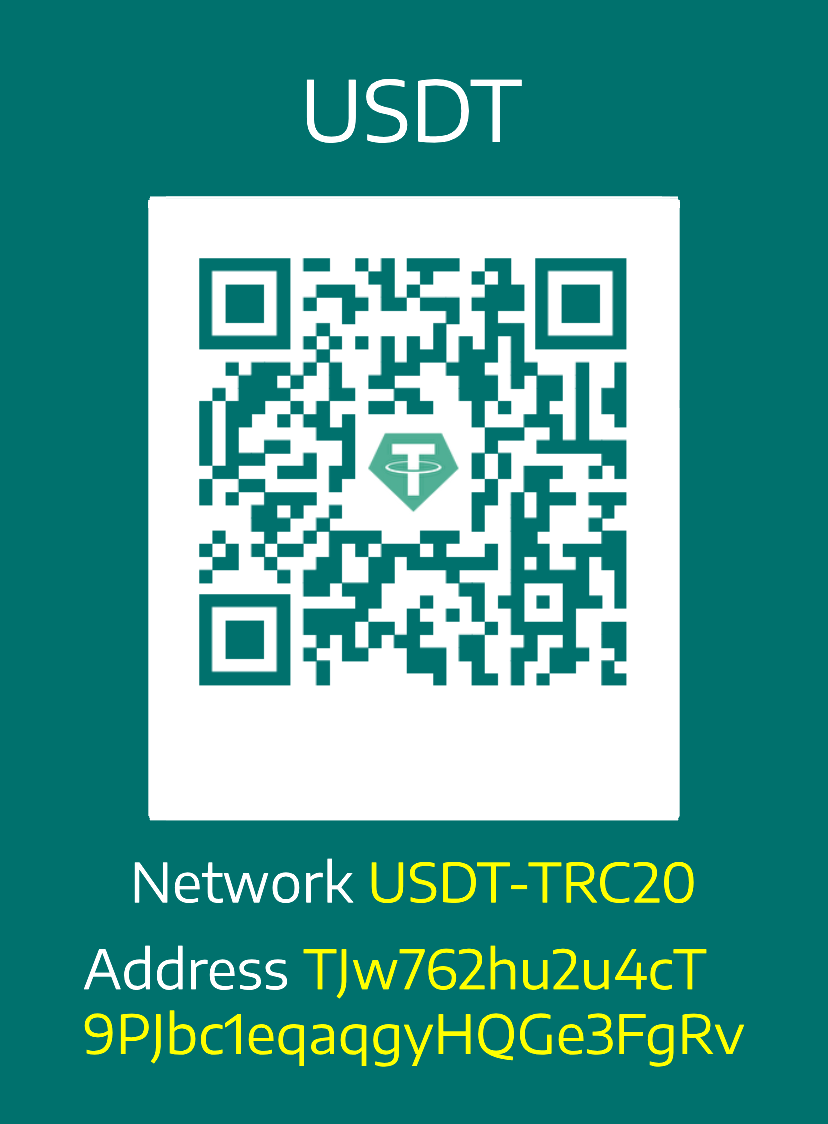 - 请作者喝一杯咖啡(可以加作者好友,获得需求优先响应权及鸣谢名单)
- 给予软件中肯的[评价](https://chrome.google.com/webstore/detail/new-bing-anywhere-bing-ch/hceobhjokpdbogjkplmfjeomkeckkngi/reviews?hl=en)和 star
- 评阅 Github Notifications, 帮助其他人解答 [issue](https://github.com/ha0z1/New-Bing-Anywhere/issues)
- 反馈问题时提供尽可能详细的信息和复现步骤,避免一句话反馈和重复反馈,帮助作者定位问题
- 向好友转发和推荐
- 浏览赞助商广告(友情提示,请理性消费)
## 鸣谢名单
> 如果你有特殊广告需求可在捐款备注或[联系本人](https://github.com/ha0z1/New-Bing-Anywhere?tab=security-ov-file)
| | | |
| --------------------------------------- | -------- | ---------- |
| \*法 | CNY 8.8 | 03/14/2024 |
| A\*e | CNY 20 | 02/27/2024 |
| \*\* 张 | CNY 20 | 01/31/2024 |
| \*\*霖 | CNY 0.01 | 01/24/2024 |
| \*\*毛 | CNY 0.01 | 01/242024 |
| [Vileicht](https://github.com/Vileicht) | CNY 50 | 01/03/2024 |
| \*\*彤 | CNY 1.00 | 11/14/2023 |
| \*\*欣 | CNY 10 | 10/31/2023 |
## 找到我们
[](https://t.me/new_bing_anywhere)
- 请作者喝一杯咖啡(可以加作者好友,获得需求优先响应权及鸣谢名单)
- 给予软件中肯的[评价](https://chrome.google.com/webstore/detail/new-bing-anywhere-bing-ch/hceobhjokpdbogjkplmfjeomkeckkngi/reviews?hl=en)和 star
- 评阅 Github Notifications, 帮助其他人解答 [issue](https://github.com/ha0z1/New-Bing-Anywhere/issues)
- 反馈问题时提供尽可能详细的信息和复现步骤,避免一句话反馈和重复反馈,帮助作者定位问题
- 向好友转发和推荐
- 浏览赞助商广告(友情提示,请理性消费)
## 鸣谢名单
> 如果你有特殊广告需求可在捐款备注或[联系本人](https://github.com/ha0z1/New-Bing-Anywhere?tab=security-ov-file)
| | | |
| --------------------------------------- | -------- | ---------- |
| \*法 | CNY 8.8 | 03/14/2024 |
| A\*e | CNY 20 | 02/27/2024 |
| \*\* 张 | CNY 20 | 01/31/2024 |
| \*\*霖 | CNY 0.01 | 01/24/2024 |
| \*\*毛 | CNY 0.01 | 01/242024 |
| [Vileicht](https://github.com/Vileicht) | CNY 50 | 01/03/2024 |
| \*\*彤 | CNY 1.00 | 11/14/2023 |
| \*\*欣 | CNY 10 | 10/31/2023 |
## 找到我们
[](https://t.me/new_bing_anywhere)