Personal AI agents that live on your machine.
Your agents, your keys, your data, and the people you choose.
---
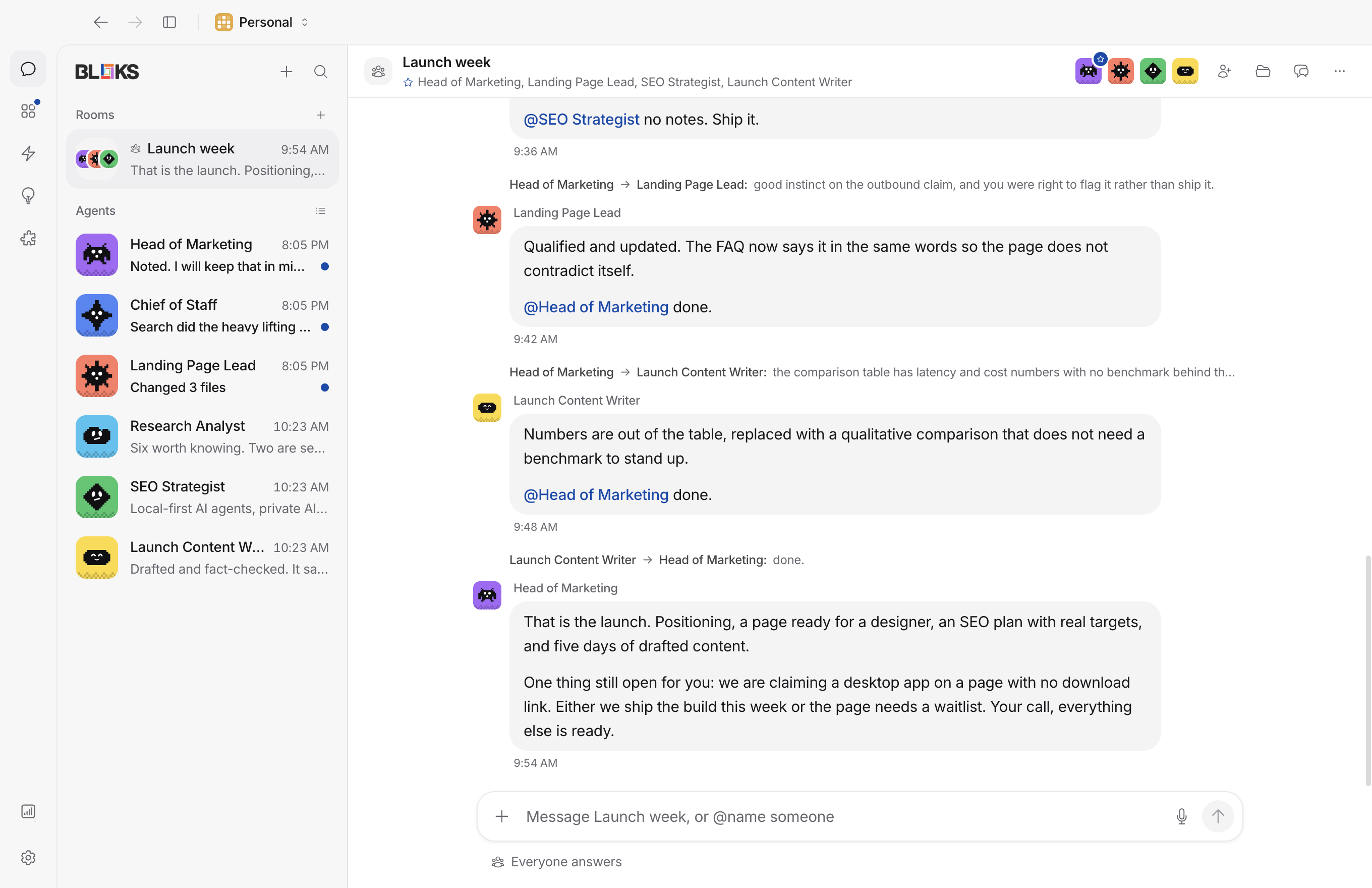
Bloks is a desktop app for personal AI agents. It looks like a messaging
app: each agent is a contact you talk to, each room is a group chat, and
all of it runs on your own computer. The agents work next to your files,
on engines and keys you already have, and stop to ask before doing
anything that needs your say-so. No account to make, and no server of
ours holding your data.
Underneath, every agent is a real engine session: Claude Code, Codex,
Gemini CLI and the others that run tools, or any API you hold a key for.
Agents stream their replies, show you what they are running, and keep
what they learn in plain files you can read and edit.
The [iPhone app](https://apps.apple.com/app/bloks-ai-agents/id6804453451)
pairs with the desktop app. Nothing runs on the phone: it is a window onto
the agents on your computer, with approvals you answer from the Lock
Screen or your wrist.
## 📣 Bloks 3 is out
**Bloks 3 is out for Mac, Windows and Linux, and on the App Store for
iPhone and Apple Watch.** An Android app is coming soon.
Thank you to everyone who reported a bug, tested a build or sent code for
this release. A lot of what is in it started as one of your issues, and
it is a better app for every one of them.
## New in 3.0
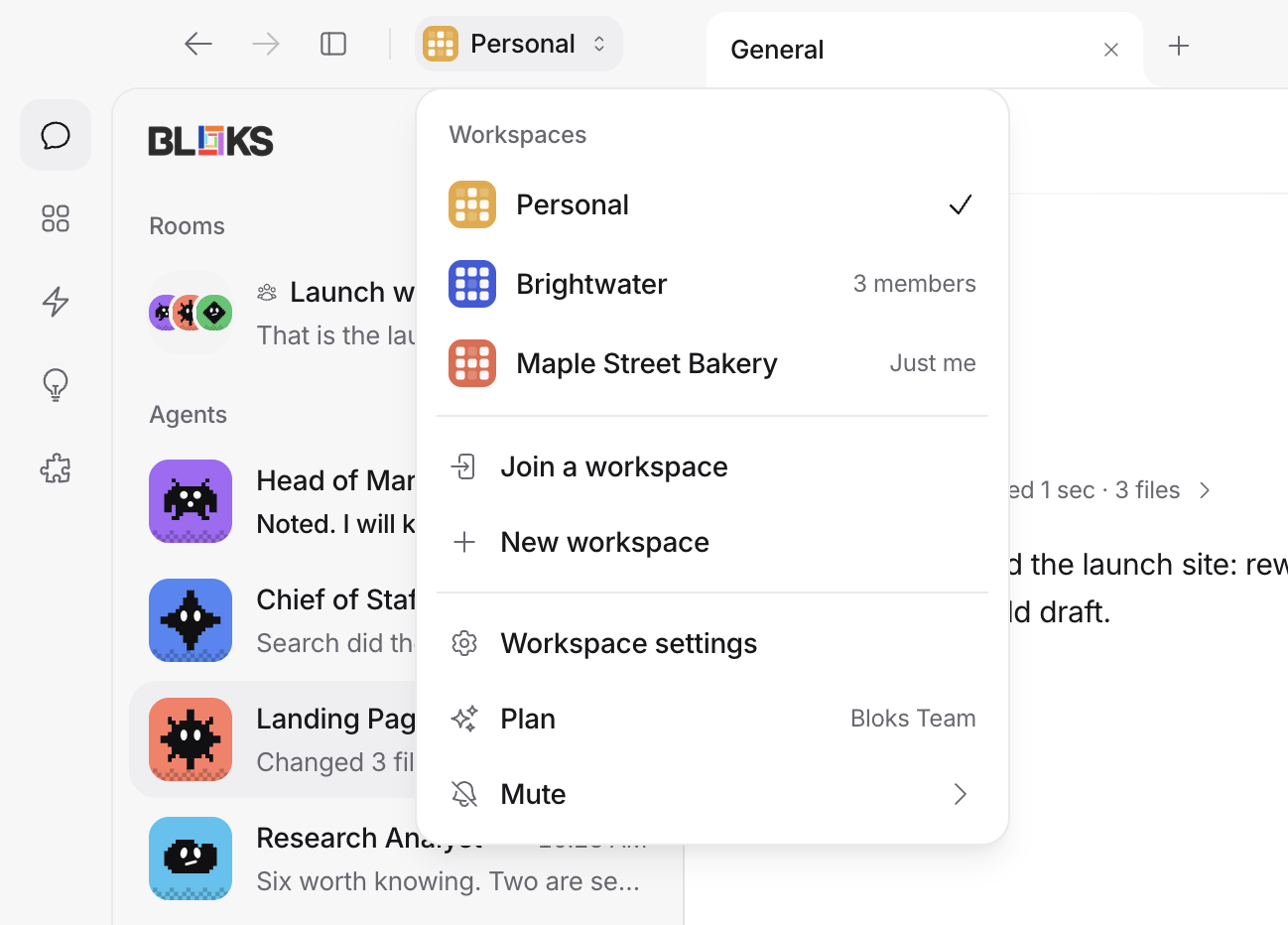
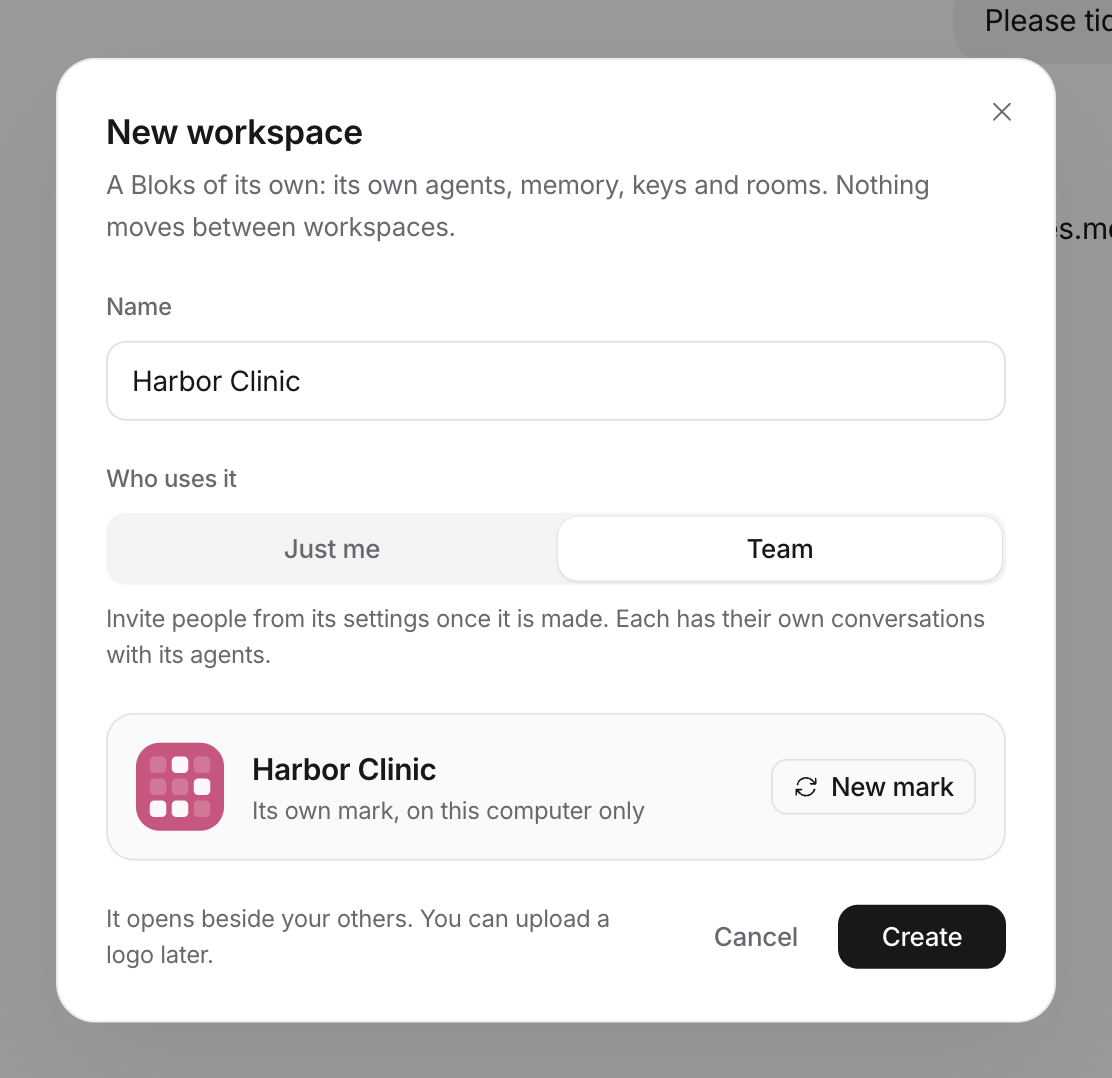
**Workspaces.** Personal, Business, or one with a name of its own, each a
whole Bloks with its own agents, memory, keys and rooms, a mark you
choose, and a switcher at the top of the window to move between them.
One plan and one Bloks key cover them all.
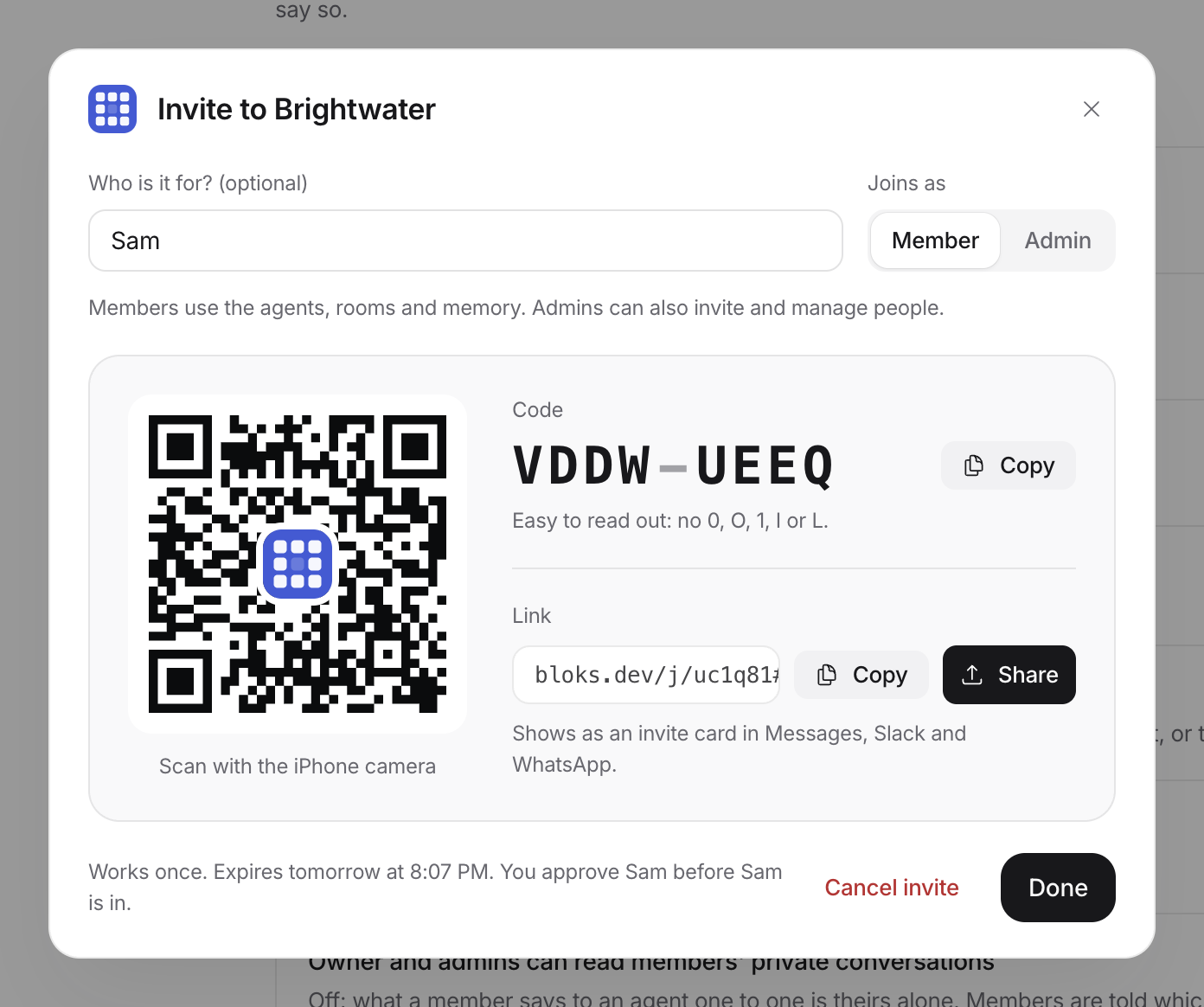
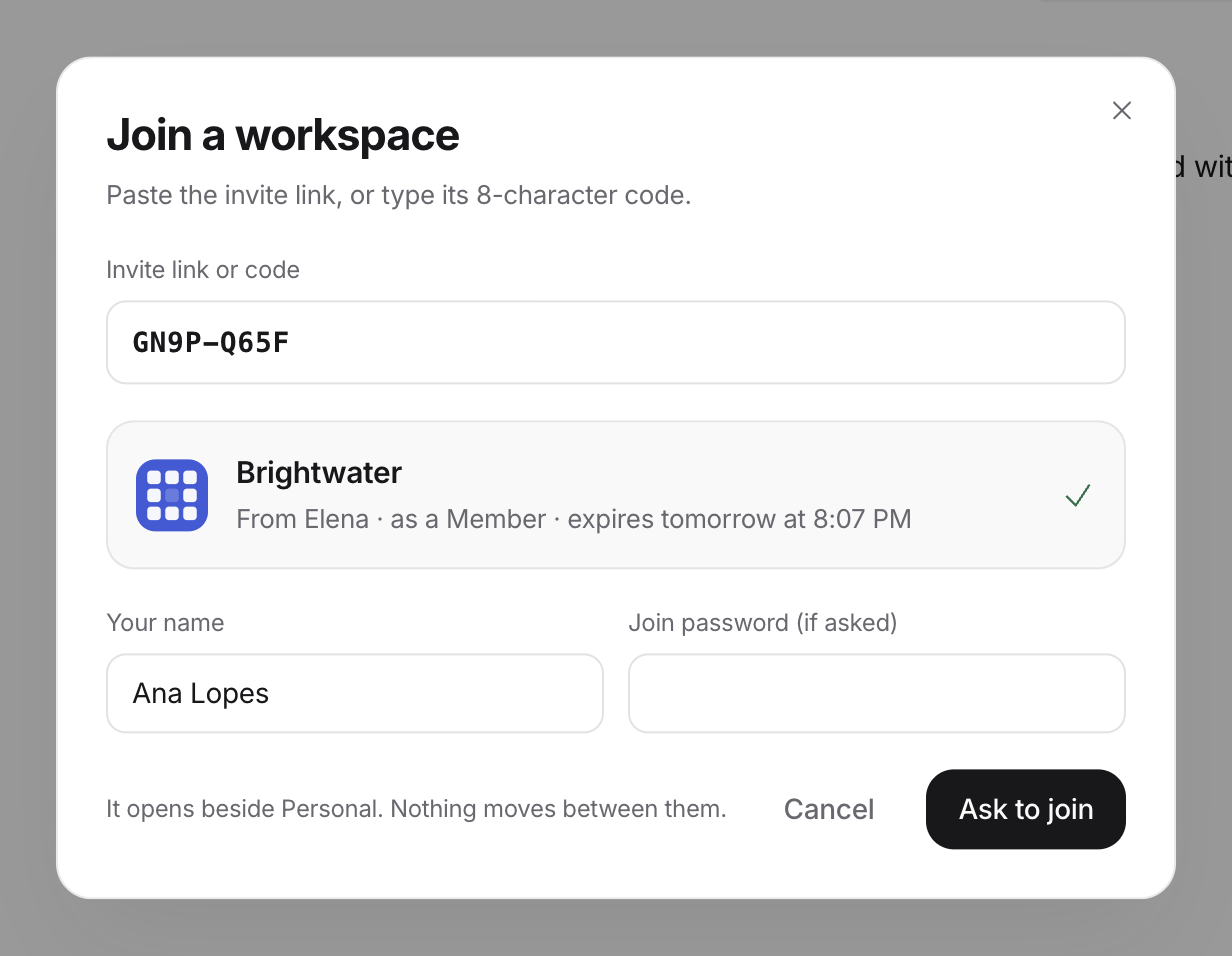
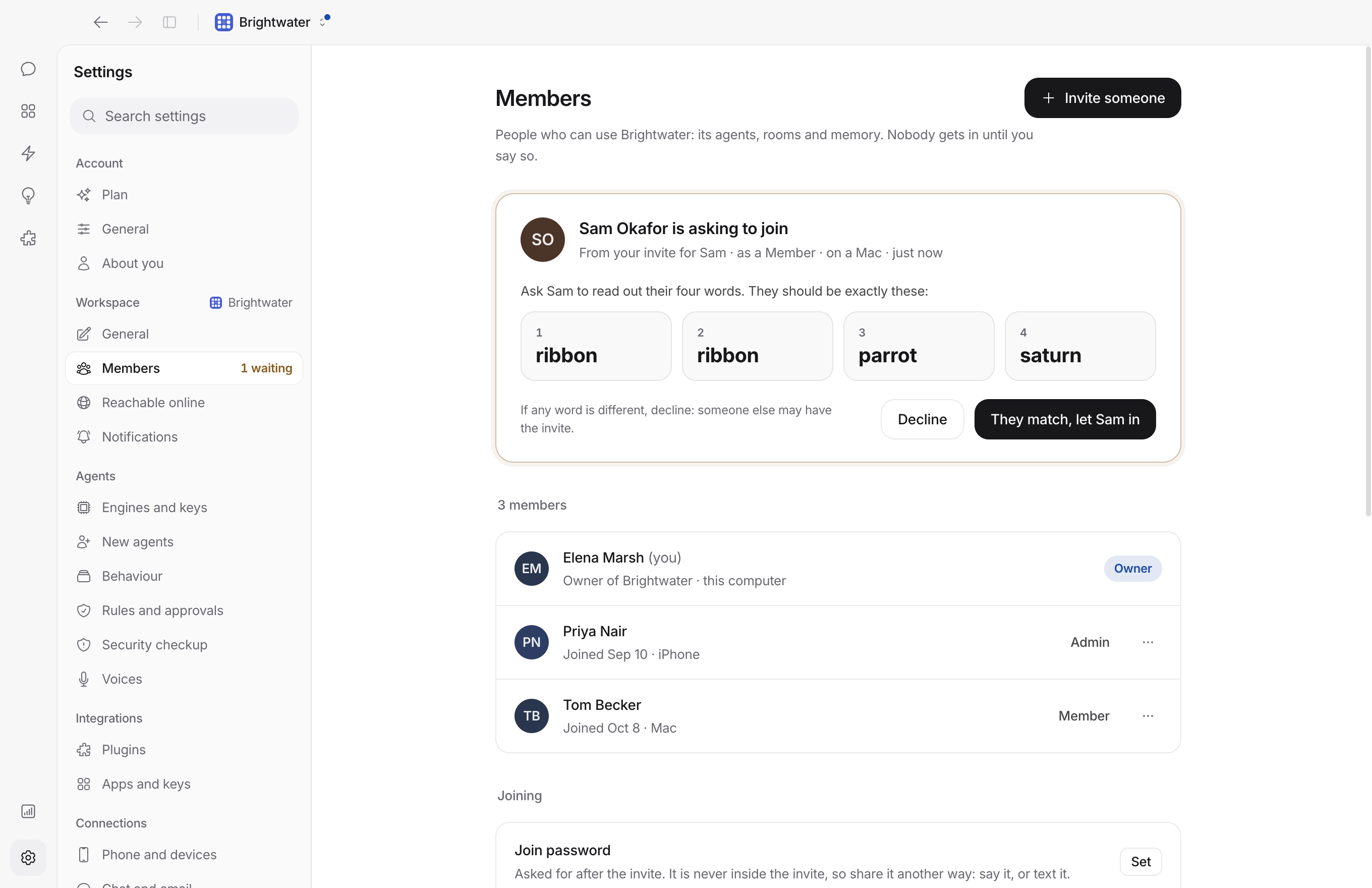
**People.** On Bloks Team, invite someone into a workspace with a code, a
QR or a link, read the same four words, and they talk to your agents
beside you, with the access and the spending limits you choose.
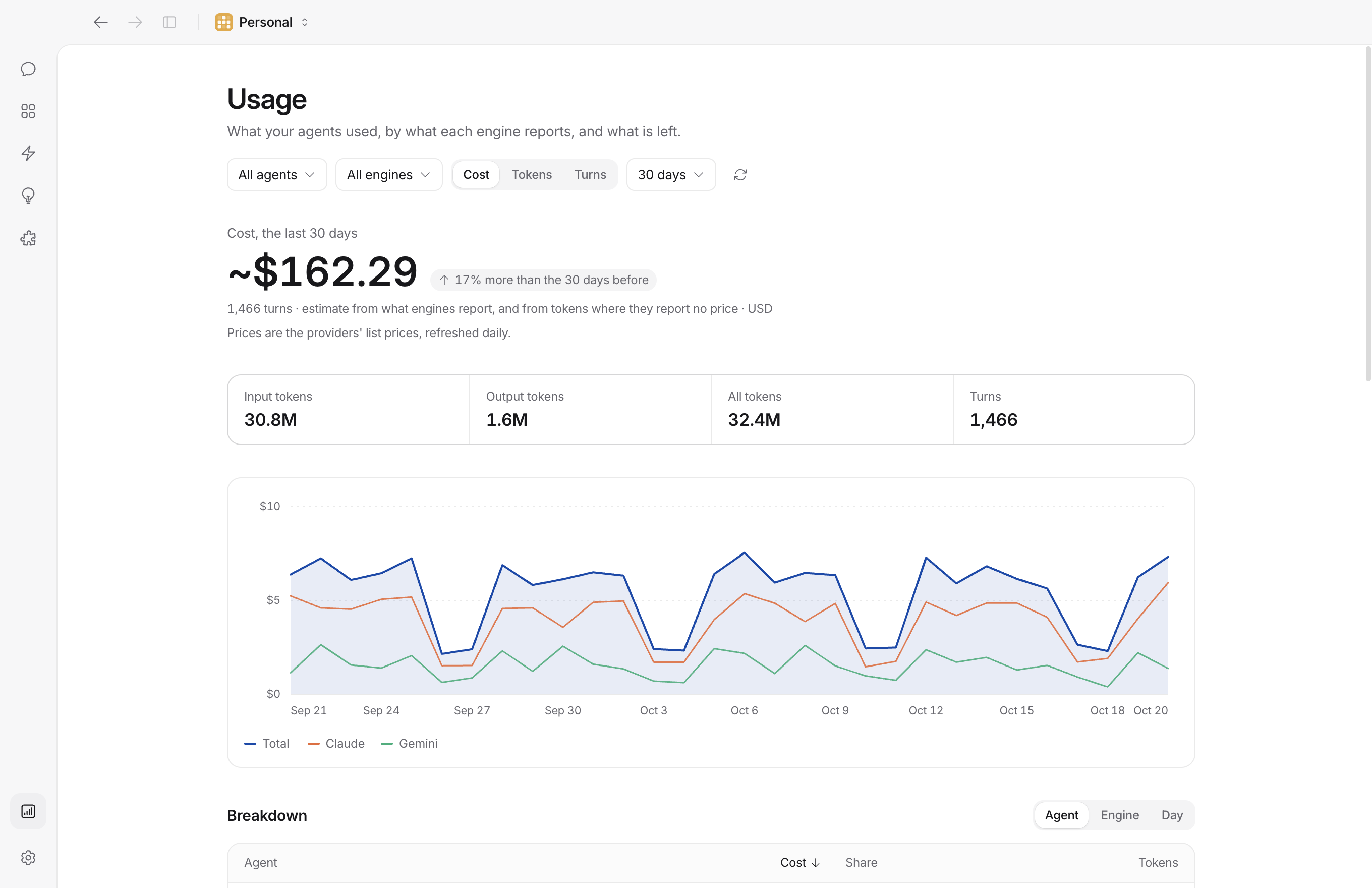
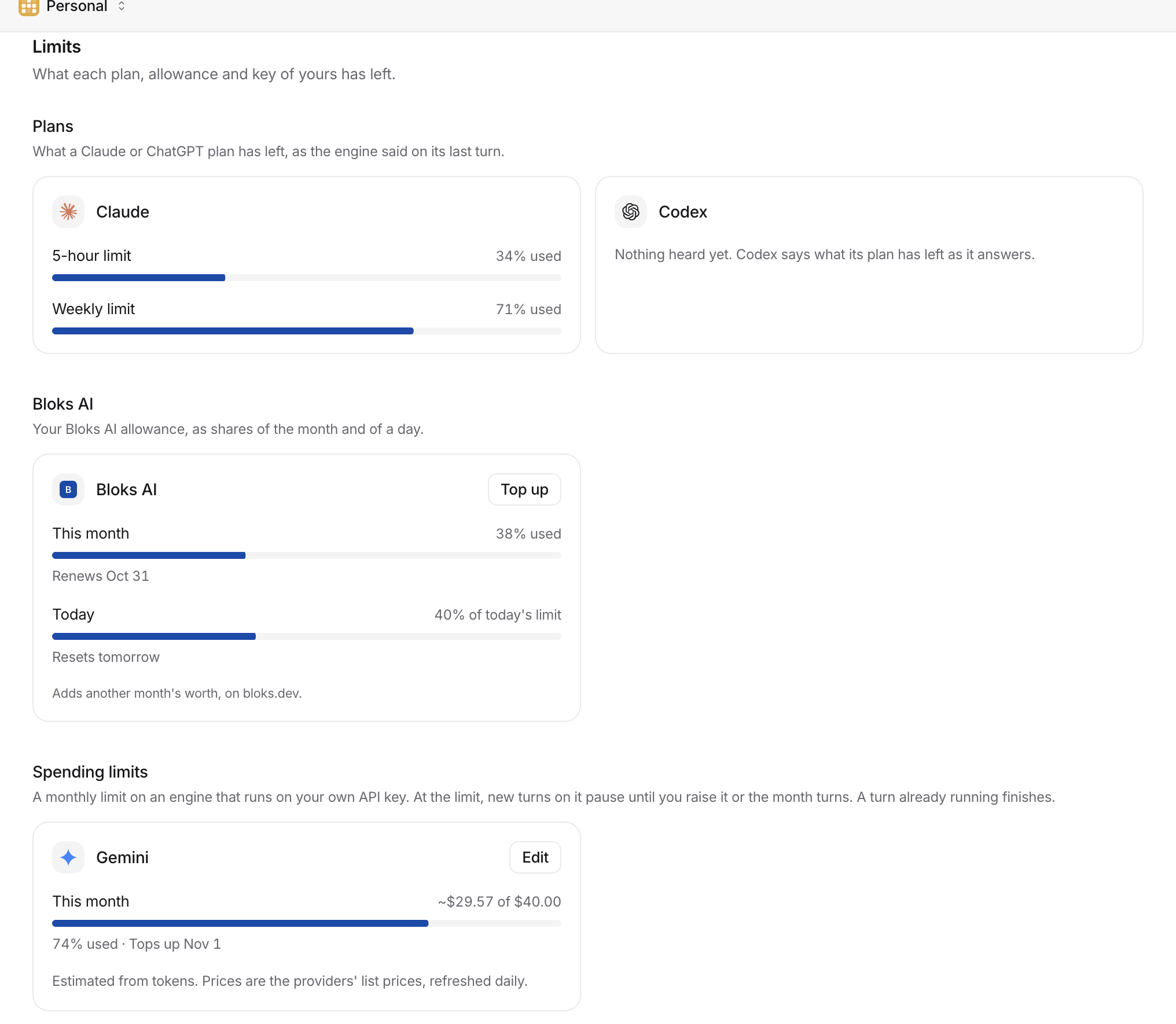
**Usage.** See what every agent spent, by agent and by engine, and put a
monthly limit on any engine that runs on your own API key.
**Your phone.** Pairing starts when you ask for a code, and with the
iPhone and Apple Watch update the phone finds your Mac again when its
address or port changes, adds your other workspaces in a tap, draws answers
natively, and shows an agent's browser or cloud computer live, for you to
watch or take over.
Plus answers drawn as cards, tables and charts, a terminal that goes
anywhere in the window, side lists that resize and fold, a window that
comes back on its own if it fails, a Plan page, Settings rebuilt around
one search, and a new shape for the whole app. Everything is in the
[3.0 release notes](docs/RELEASE_NOTES_3.0.md).
## A tour
### Workspaces
A workspace is a whole Bloks of its own: its own agents, memory, keys,
rooms, routines and settings, in its own folder. Nothing moves between
them, so the agents that run your company never read your family's
notes. Personal is the Bloks you already had. Add a Business workspace,
or one with a name of its own, and it opens on a short welcome shaped by
what you picked. Each wears a mark that nobody else on your computer
wears: choose a colour and a pattern for any of yours, from the computer
or the phone, or upload your logo. On a workspace you joined, the mark
you pick is yours alone.
The switcher at the top of the window lists them in the order you drag
them into, with a dot where something is waiting; Cmd+1 to Cmd+9 jump
straight to one. Every workspace keeps running while you look at
another, so routines and watchers carry on, and an approval in the
background still reaches you.
Each can be muted for a while, and each says how much it may interrupt
you: everything, only what needs you, or nothing.
With Bloks Cloud, each workspace can also be **reachable online** on its
own switch, for your phone and the people you invite.
### Bring people in
Invite a partner, a colleague or a client into a workspace. An invite is
a QR code, an 8 character code you can read out (`K7QF-M2XR`) and a link
that shows as an invite card in Messages, Slack or WhatsApp. It is for
one person, works once and lasts a day. They join from the iPhone app or
the desktop app, and before they are in, you both read the same four
words, so somebody who intercepted the link is stopped at the door. A
join password, checked only on your computer, can sit behind it too.
What they get is decided by you:
- **Roles.** You are the owner. Admins invite and manage people; members
use the agents, rooms and memory.
- **Team agents.** Each agent has one shared team conversation, and you
choose who is in it: everyone, only some people, or everyone except a
few. Rooms are chosen the same way, one by one.
- **Private one to ones.** Anyone who can reach an agent can also talk to
it privately. Nobody else reads that, unless you turn on reading
members' private conversations, and members are told which way it is.
- **On your behalf.** In a team conversation or a room, you or an admin
can ask an agent to message someone ("message Sam about the draft"),
and it writes in Sam's private conversation, marked as sent for you.
- **Solo agents.** Members can make agents of their own, private to
them, on the engines you allow.
- **Limits per person.** What each member may spend on your API keys a
month, their share of Bloks AI, and how many solo agents they may
make. A member at their limit is stopped; nobody else notices.
Every agent they talk to runs on your computer, with your keys, and they
never reach your settings, your keys or your own conversations.
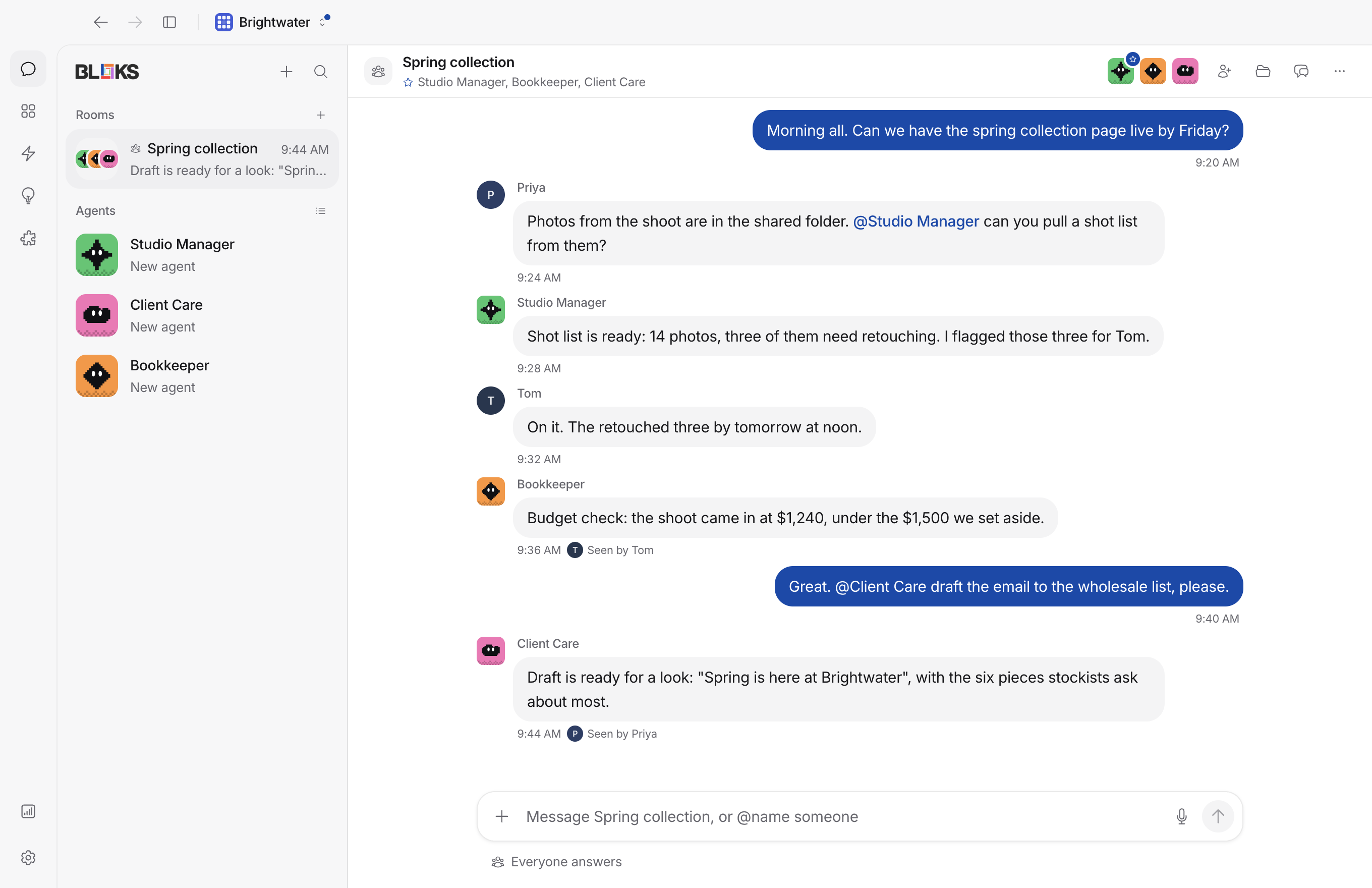
Conversations with more than two people are drawn as bubbles, with faces
under the latest message showing who has read how far. Members in a
workspace come with [Bloks Team](https://bloks.dev); a single room can
also be shared on its own, with guests who see that room and nothing
else.
### What your agents spend
**Usage**, on the main rail, shows what your agents used over 7, 30 or
90 days or this month: cost, tokens or turns, for every agent and engine
or one of each, by day, with a breakdown you can click to narrow. A cost
is only ever an engine's own price, or, for an engine that reports
tokens and no price, an estimate from a public list of model prices,
written as one ("~$4.20"). A model nobody has a price for is never
guessed at.
Put a **monthly spending limit** on any engine that runs on a key of
yours. At the line, new turns on it pause, or go to the agent's backup
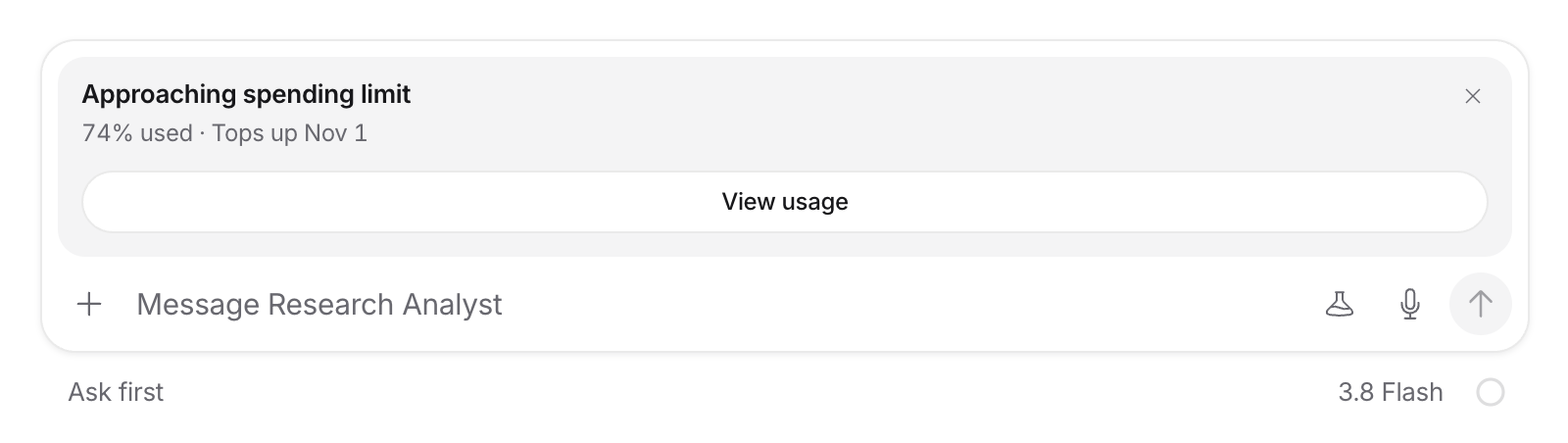
engine, until you raise it or the month turns. Before then, the message
box says when a limit, a Claude or ChatGPT plan window, or Bloks AI is
getting close, and on what day it resets.
### Answers you can use
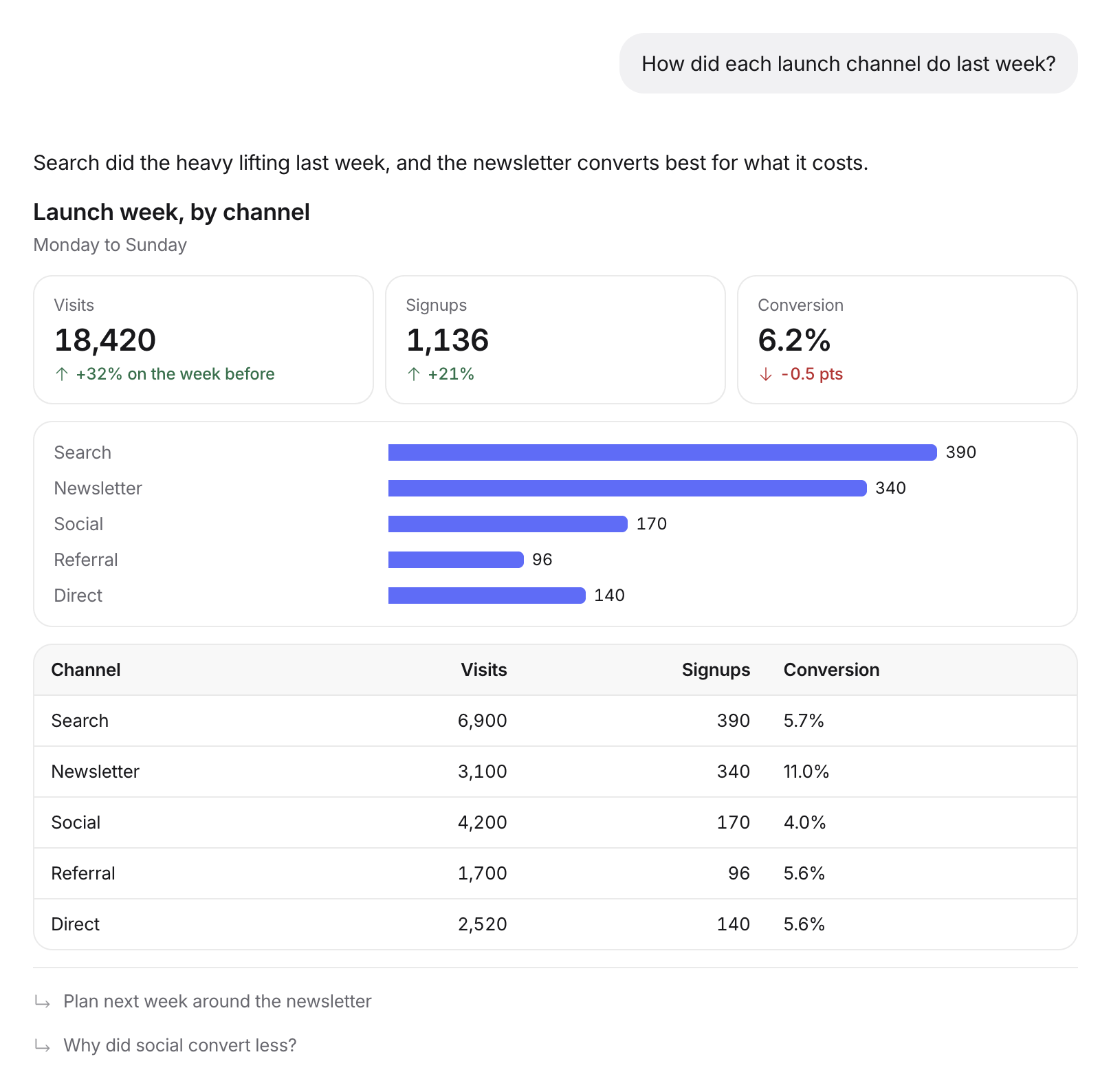
An agent can answer with cards, tables, charts, metrics, steps, tabs,
forms and buttons instead of paragraphs, drawn as the reply streams. A
click can answer the agent, open a page or change the answer itself.
A comparison, prices or options to choose between come back this way, in
the chat, rather than as a file. What a model writes is parsed against a
closed set of shapes before it reaches a screen, and nothing in an answer
fetches anything. With its update, the iPhone draws the same answers
natively. [docs/GENERATIVE_UI.md](docs/GENERATIVE_UI.md) is the contract.
### Agents that work together
Put several agents in a room and they take turns rather than talking over
each other. The lead, whoever you crowned or else the most senior, speaks
last, reviews what came back and makes the call. An agent's memory
follows it between rooms and one to ones, so you can ask your Chief of
Staff privately what it thought of the group's plan.
A lead that needs more people can propose a team: who it wants, what each
owns, which skills to give them. You approve or you don't. Agents can
message each other, hire, open rooms, and stop a teammate they outrank,
with a credential that ends with the turn. When something fails for
good, an **incident desk** hands it to the lead to retry once, pass on,
or bring to you, instead of letting it fail quietly or in a storm.
### Careful by default
- **Approvals say what will run.** A card shows the command, file, diff
or page, and blocks the turn until you answer. Commands that can delete
or overwrite work are flagged and get no shortcut.
- **Rules you write in a sentence.** "Refuse when the command contains
`rm -rf`." Rules decide before an agent acts, and a deny always beats an
allow. When you keep approving the same narrow thing, Bloks offers it as
a rule, but never anything that deletes, moves money or touches a
credential.
- **As careful as you want.** Ask first, Accept edits, Auto (only your
rules refuse), or Full access, which takes the engines' own guards off
too. Every new agent starts on your choice, and work somebody else
started never runs in Full access.
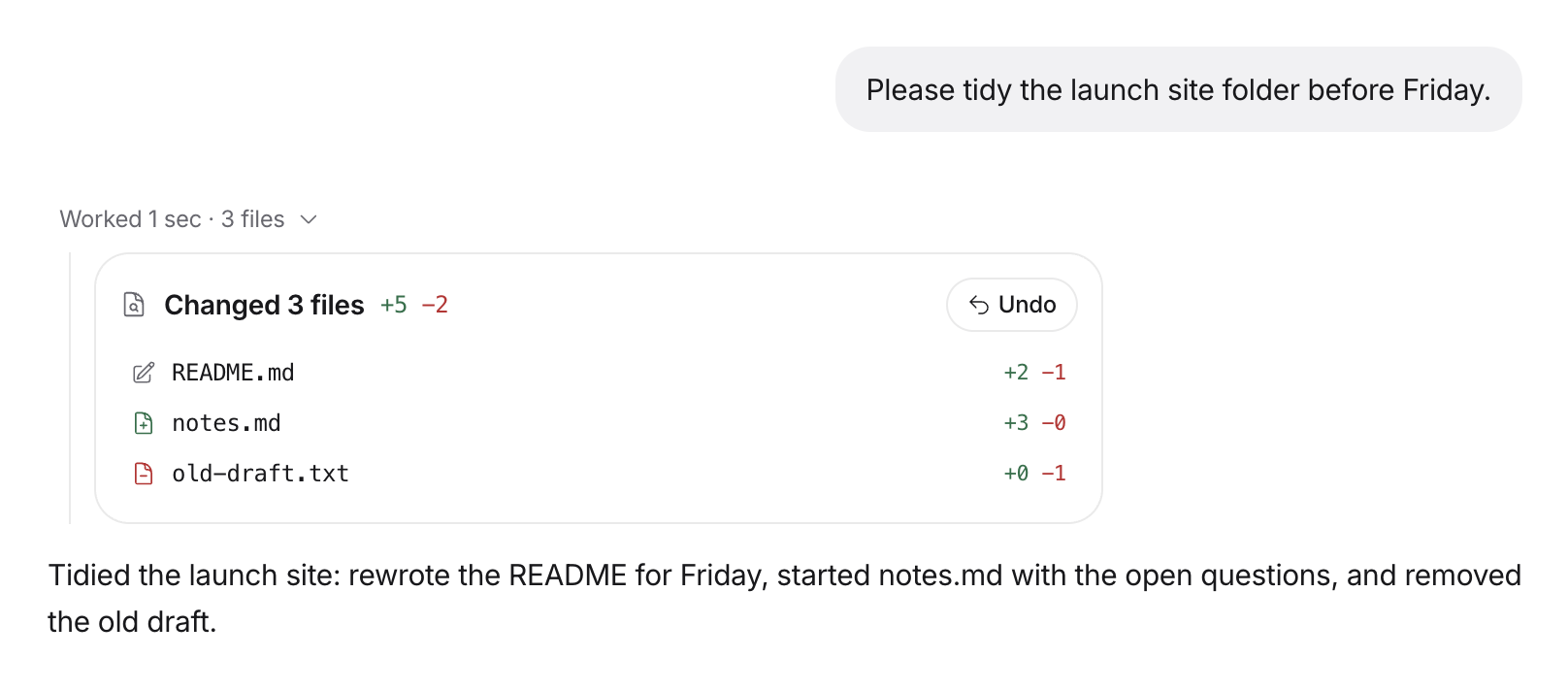
- **Undo what an agent did.** Before every turn, Bloks photographs the
folder the agent works in, and after it, again. What changed shows up
under the reply as a card with each file's diff and one Undo button.
Anything you changed since is left alone and named.
- **Rehearse it first.** Press the flask and the agent works on an instant
copy of its folder. Apply or discard what it would change, or let
several agents try the same task and keep the best attempt.
- **Rewind to here.** Take a conversation back to a message you sent, and
the files with it.
- **Messages while it works.** Say something mid-turn and Bloks reads it:
a stop stops, a correction goes in now, a new request waits its turn.
One press changes its mind.
- **A record you can check.** Consequential actions land in an
append-only log, hash-chained and signed by the agent they are about.
### Memory you can read, and take back
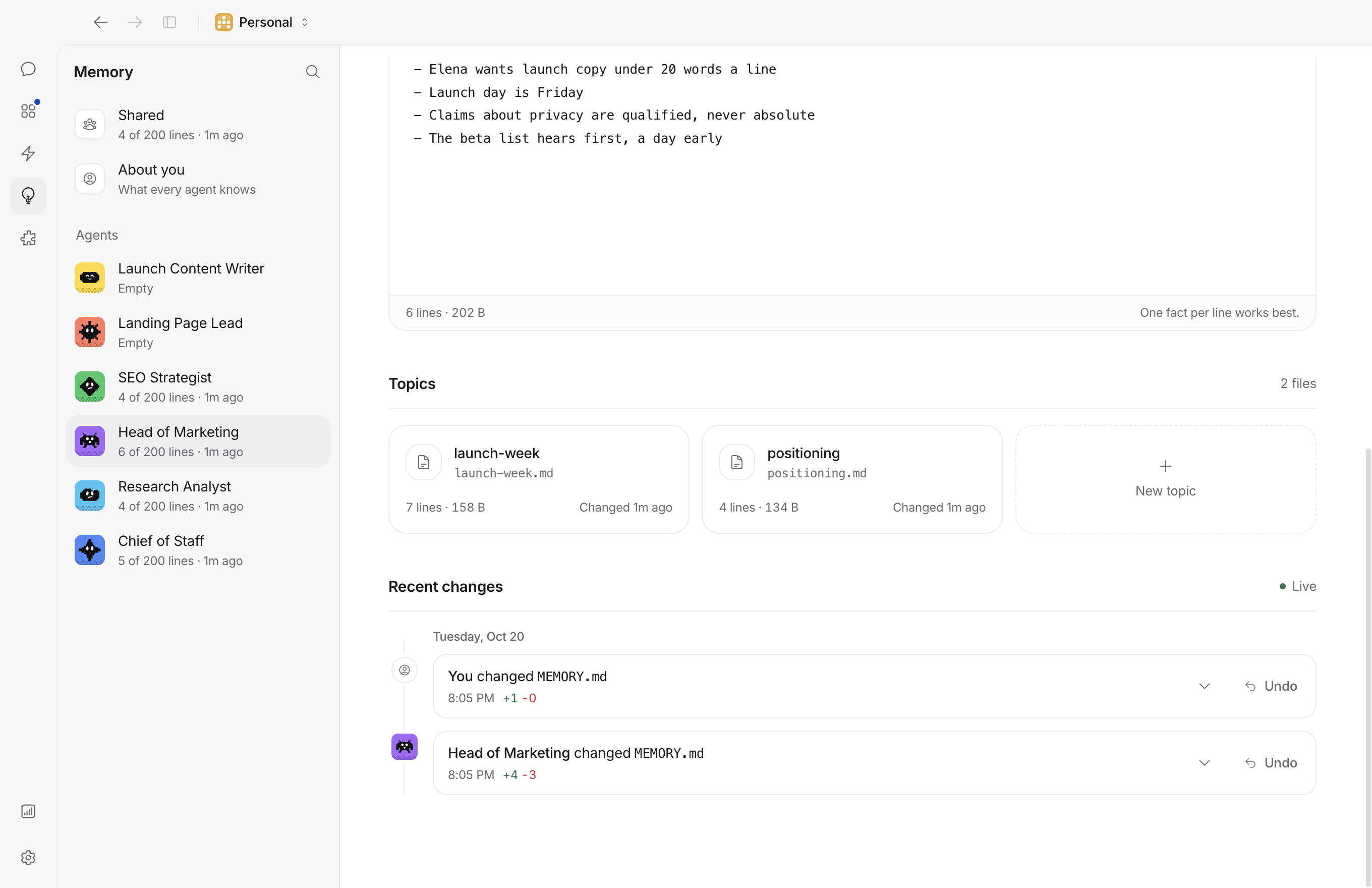
What each agent remembers is plain Markdown in its own folder. Memory, on
the main rail, shows every agent's files for editing, a shared memory
every agent reads, About you (notes your agents suggest and you keep),
and a journal of every change with its diff and an undo. Once a night
each agent's memory is tidied, and a whole night undoes in one press.
Before your turn, an agent brings up what is relevant from its other
conversations, and says exactly what it was given.
### Work that runs without you
- **Routines and check-ins** on a calendar you drag, that answer quietly
when nothing needs you.
- **Watchers** on a folder, a web page, a feed or a place: "when an
invoice lands here, file it", "when I land, send me the hotel address".
- **Standing intents**: words that come up in a conversation bring an
agent in or message one.
- **Workflows** with a trigger, some steps and a person who says yes, kept
on disk so quitting the app never loses a run. **Webhooks** turn any
outside event into a task.
- **Goals.** Type `/goal`, say what done looks like, and an agent keeps
going until it is done, stuck or out of turns.
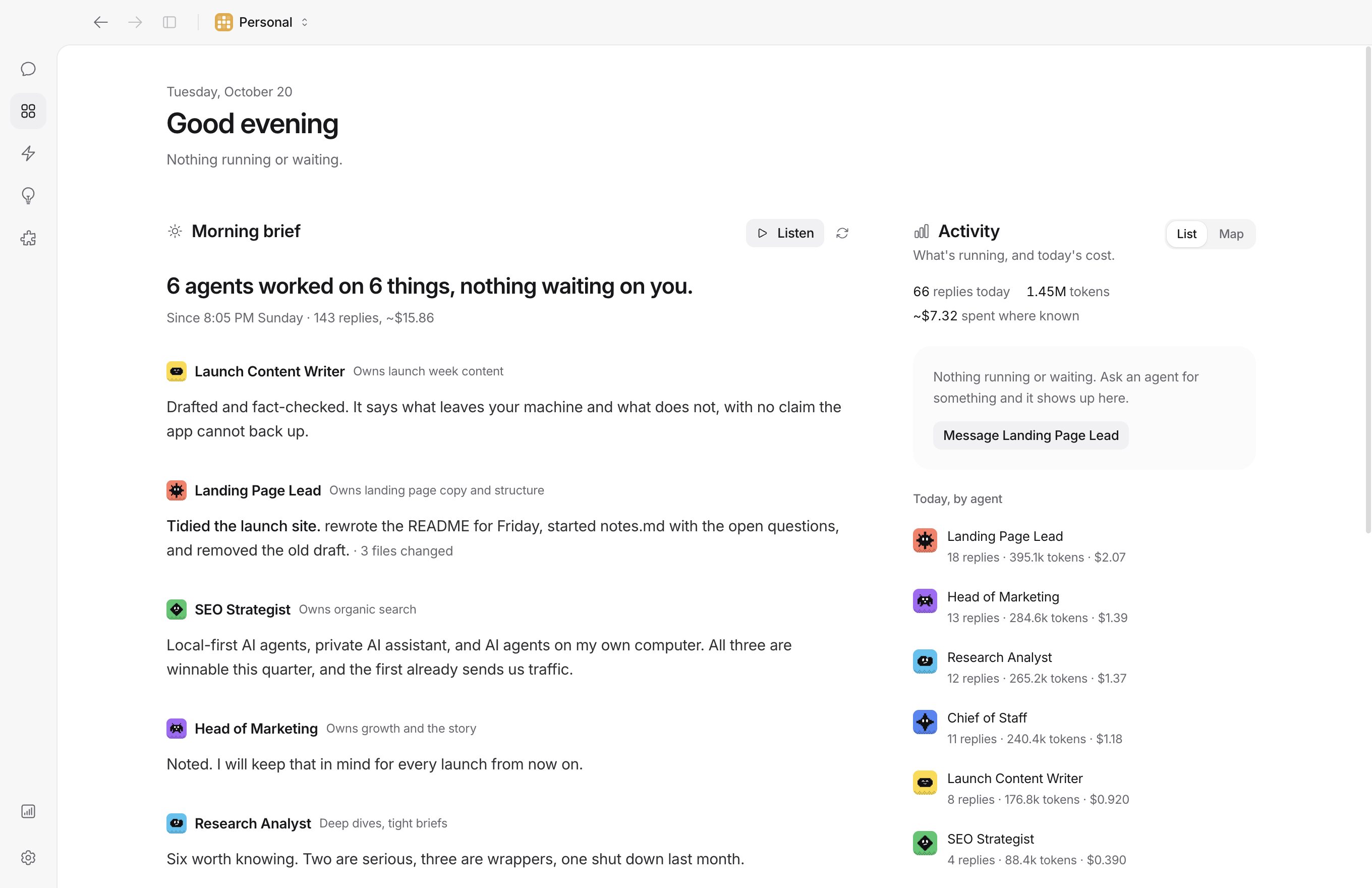
- **A morning brief** on Overview: what every agent did, what waits on
you and what it cost, written from what is on disk, not by a model.
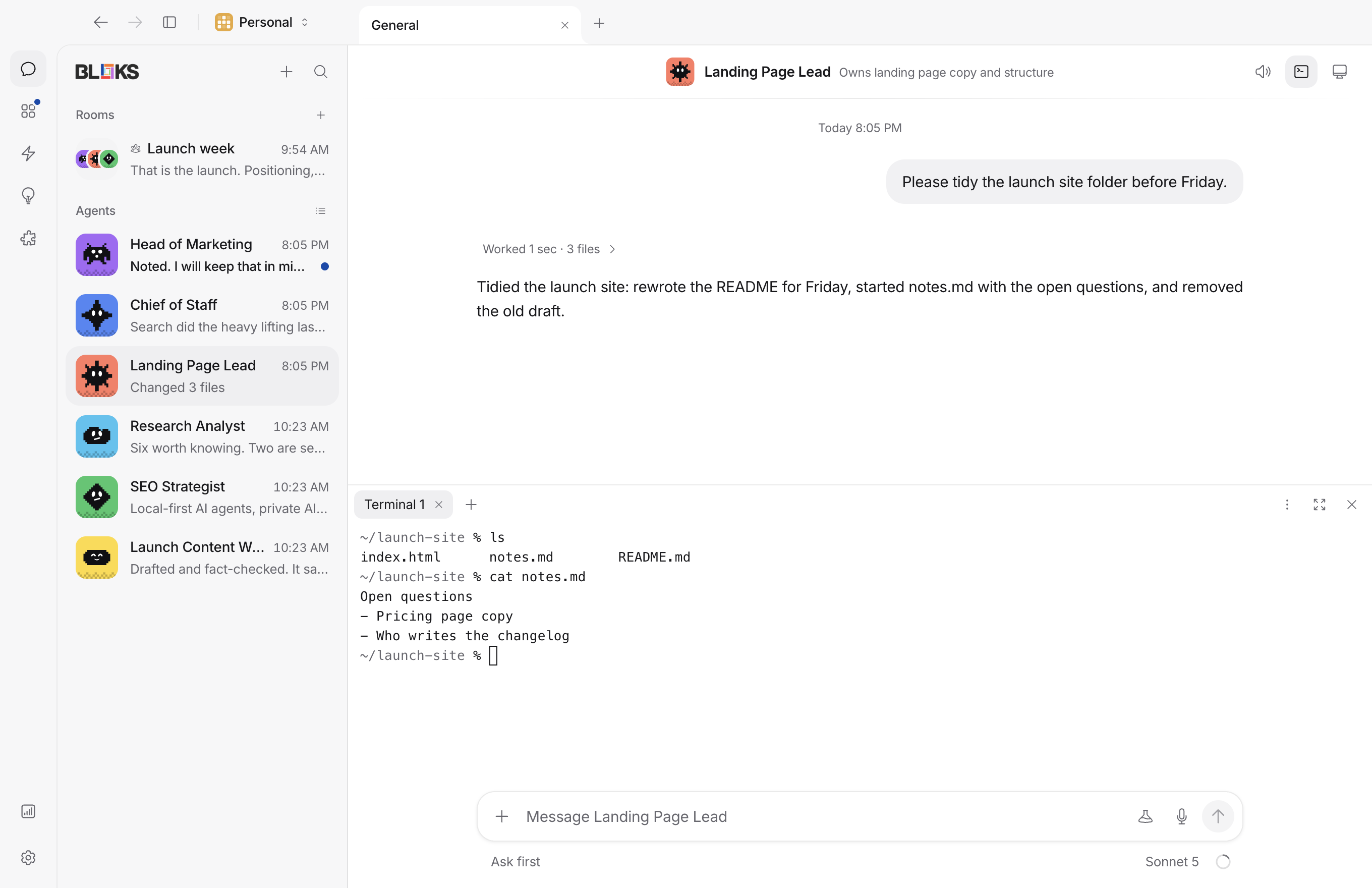
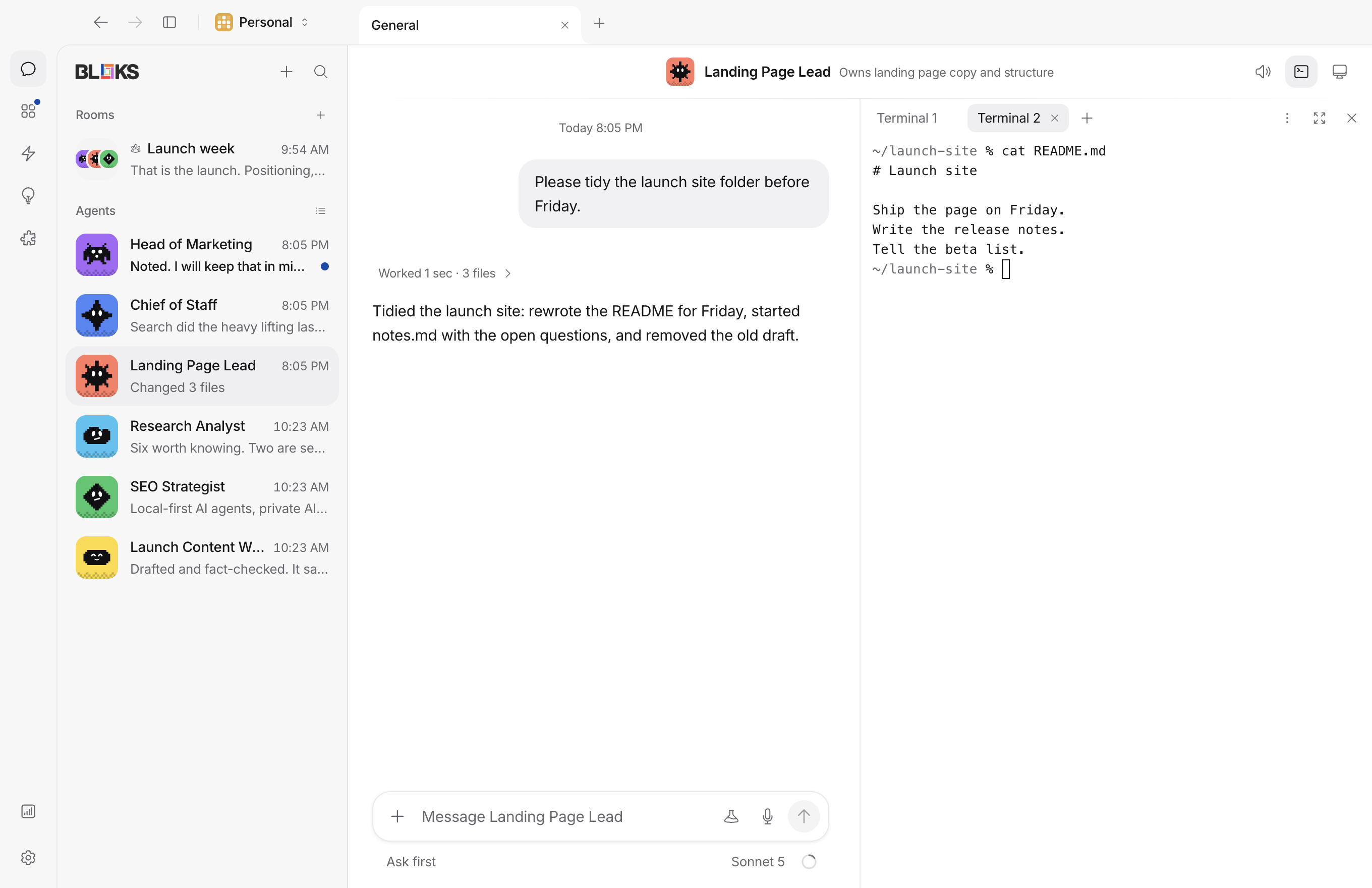
- **A terminal per agent**, up to eight shells each, docked on any side of
the chat, side by side with it, filling the window or in a window of
its own.
### Everywhere you are
- **Your phone.** The iPhone app reaches your computer over a sealed relay
or your own wifi: approvals behind Face ID, Live Activities, widgets,
Siri and the share sheet, and Apple Watch. Turn on Location there and
your own agents know roughly where you are, kept on your computer only.
With the iPhone and Apple Watch update, watch an agent's browser or
cloud computer live and take over with taps and typing, or see your
Mac's own screen while an agent drives it, once Bloks has Screen
Recording.
- **Any browser.** With Bloks Cloud, the same app opens at
[bloks.dev/web](https://bloks.dev/web), every request sealed in the
browser for your computer alone.
- **Chat and email.** Talk to agents from Telegram, or carry a room into
Slack, Discord or a WhatsApp group. With Bloks Cloud, each agent gets an
email address you can forward things to.
- **Your other AI apps.** Bloks is an MCP server: Claude Desktop, Claude
Code or Cursor can hand your agents work and read their conversations,
but never approve, delete or change settings.
- **Always on.** `bloks-server` runs a workspace on a machine that stays
on, and the desktop app, the phone and the browser reach it the same
way. Or let Bloks run one for you: managed hosting is a private machine
of your own that stays on, and moves your agents over when you sign up
at [bloks.dev/pricing](https://bloks.dev/pricing).
### Bring what you have
Bring your instructions, skills and tool servers over from Claude Code,
Codex, OpenClaw or Hermes, reviewing each item first. Bring your past
Claude Code and Codex sessions over as conversations and carry one on.
Your workspace is backed up every day, and a whole workspace can be
written out to one file and taken into an empty one elsewhere. Keys
never travel.
## Install
Download it from [bloks.dev](https://bloks.dev) or the
[Releases](https://github.com/hamedgitty/bloks/releases) page. The macOS
build is universal (Apple silicon and Intel), signed and notarized, so it
opens without a Gatekeeper warning. Windows and Linux builds are
unsigned, which on Windows means SmartScreen warns on first run. The
iPhone app is [on the App Store](https://apps.apple.com/app/bloks-ai-agents/id6804453451).
A packaged build updates itself.
Or build it from source:
```sh
git clone https://github.com/hamedgitty/bloks.git
cd bloks
pnpm install
pnpm dev:server # the harness, on 127.0.0.1:8799
pnpm dev # the app, on 127.0.0.1:5199
```
Open `http://127.0.0.1:5199`. For the desktop shell, run `pnpm
dev:desktop` in a third terminal; it shows the dev server's one
workspace. To try workspaces from a checkout, run `pnpm build` and then
`BLOKS_DEV_WORKSPACES=1 pnpm dev:desktop`, which starts a server for each
workspace itself, as the installed app does (Personal is your real
`~/.bloks`). `pnpm package` makes an unsigned build of your own.
**Requirements:** Node 22+, pnpm, and at least one engine. macOS for
computer use, meeting notes and the Mac's own voices; the rest runs
anywhere Node does.
**Ports:** Personal listens on 8799 on this machine. If something else
has it, the desktop app moves to 18799, 28799 or any free port, and
remembers the one that worked so a paired phone keeps finding it. Every
other workspace runs its own server on a port of its own. To choose
Personal's yourself, add `"port": 9123` to `~/.bloks/config.json`, or set
`BLOKS_PORT=9123` when starting `bloks-server` or the app from a
terminal. When no port works, the app says which ports it tried and what
is holding each.
## Engines and keys
An agent needs an engine to reply. Any of these works, and each agent
picks its own.
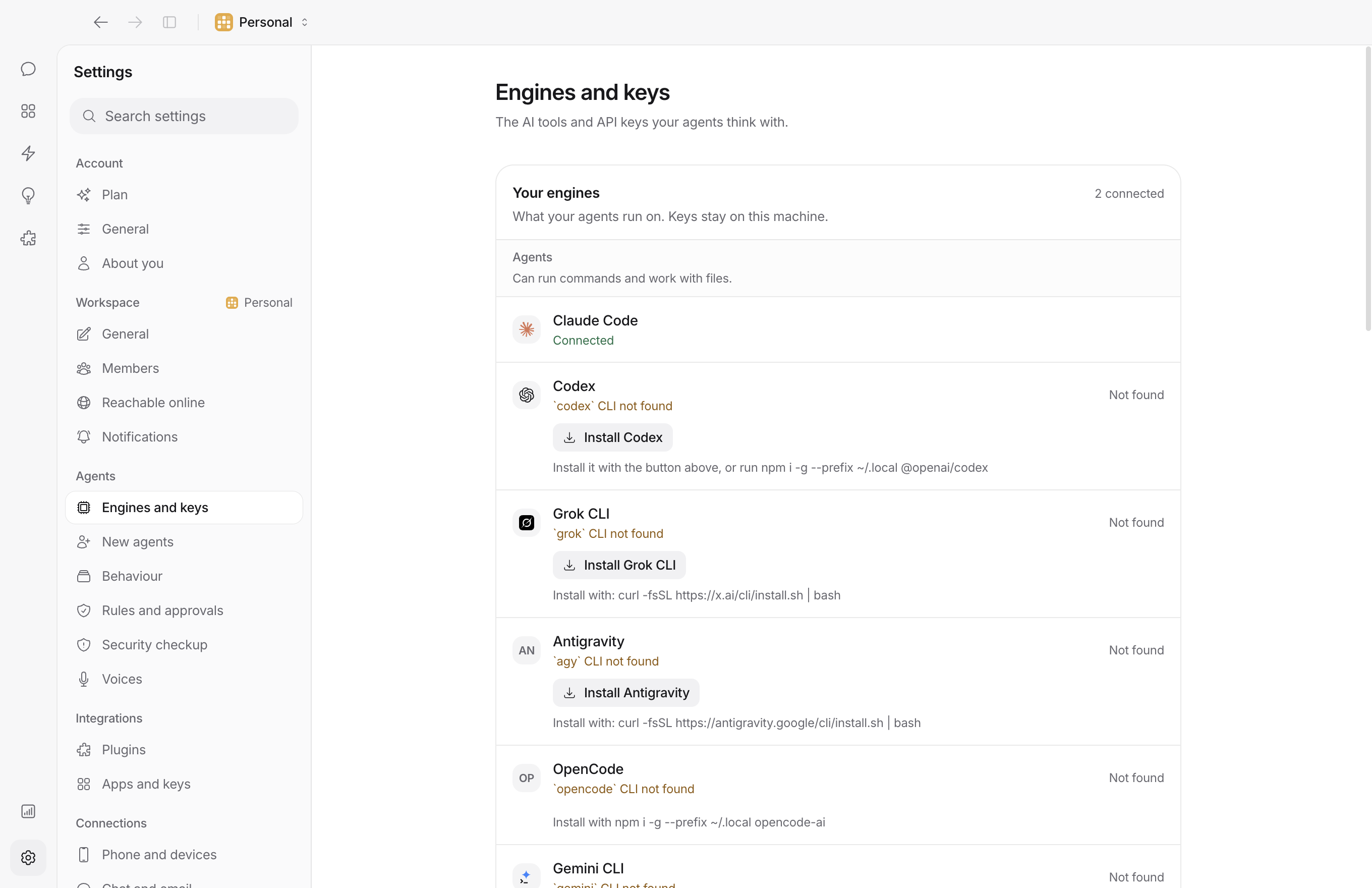
The first-run check, and Settings, Engines and keys, install Claude Code,
Codex, Gemini CLI, Pi, Antigravity and the Grok CLI with one button. They
go into your own `~/.local`, so no admin password and no npm permission
errors, and an engine that is installed but not signed in says so, with
a button that opens Terminal at its sign-in. To do it by hand:
| Engine | How you connect | Works in your folders |
| --- | --- | --- |
| Claude Code | `curl -fsSL https://claude.ai/install.sh \| bash`, then `claude` | yes |
| Codex | `npm i -g --prefix ~/.local @openai/codex`, then `codex login` | yes |
| Gemini CLI | `npm i -g --prefix ~/.local @google/gemini-cli`, then a Google sign-in or a Gemini key | yes |
| Pi | `npm i -g --prefix ~/.local --ignore-scripts @earendil-works/pi-coding-agent pi-acp`, then `pi` | yes |
| OpenCode | `npm i -g --prefix ~/.local opencode-ai`, then `opencode auth login` | yes |
| Grok CLI | `curl -fsSL https://x.ai/cli/install.sh \| bash`, then `grok login` | yes |
| Antigravity | `curl -fsSL https://antigravity.google/cli/install.sh \| bash`, then `agy` | yes |
| OpenRouter | Sign in from Settings, in your browser | no |
| Gemini, Grok, Kimi, Llama, DeepSeek, Mistral, Groq | Paste a key in Settings | no |
| Custom (OpenAI-compatible) | Paste a base URL and one or more keys | no |
| Ollama | Run it; Bloks finds it on this machine, or where `OLLAMA_HOST` points | no |
| Bloks AI | Part of a Bloks plan: no key, no sign-in | no |
The engines that work in your folders run commands and read and edit
files on your computer. The others get a smaller set of tools from Bloks
itself: asking you a question, their own memory, app connections, and
commands in a sandbox or a cloud computer when the agent has one. Bloks
badges the difference everywhere it shows an engine. Bloks AI runs on
Bloks's own engine; Claude Code always uses your own Claude plan or key.
A custom endpoint is chat only until you turn on **This model can use
tools** for it in Settings. Turn it on only when the model behind it
supports tool calls; if the host refuses them, the turn stops and says so.
Give an agent a **backup engine** and a turn that hits a usage limit, a
rate limit or an outage is picked up by the backup, with the conversation
so far. **Engine scout** learns from what you undo, rewind and discard
which engine does your work well, and says when a lighter model has been
doing as well. Engines and keys belong to a workspace, so each workspace
can run on different ones.
## The iPhone app
The [iPhone app](https://apps.apple.com/app/bloks-ai-agents/id6804453451)
is a window onto Bloks on your computer: the same agents, their chats,
and approval cards you answer with a tap. Nothing runs on the phone, so
it is paired with each workspace you want on it. Pairing takes about a
minute, with both on the same wifi, and works the same from a Mac, a
Windows PC or Linux; the app calls it "your Mac" either way.
**On your computer**, in the workspace you want on the phone, open
Settings, **Phone and devices**. Until a phone is paired, it walks you
through the first one:
1. **Press Pair a phone.** It turns phone access on. The first time,
press **Restart now**, then Pair a phone again: Bloks only starts
listening on your network when it starts. If your computer asks
whether Bloks may accept incoming connections, allow it.
2. **A code appears**: a QR code, the same thing as six digits, and the
address to dial. No code exists until you ask for one. It works once,
renews itself while you look at it, and closes when you close it.
3. **Scan it with your phone.** The card shows the phone the moment it is
in.
**On your iPhone**, point the Camera at the QR code and tap the Bloks
banner; Bloks asks before it pairs. With the iPhone and Apple Watch
update, a phone that has never been paired opens on the same three
steps, and **Scan the code** there reads it from inside the app. To pair
by hand, enter the six digit code and the address your computer shows
under **Mac connection** in the app's Settings.
That is it: your agents are on the phone, and the computer lists it under
Phone and devices, where it can be removed at any time. With
[Bloks Cloud](https://bloks.dev) the phone reaches your computer from
anywhere, not only at home. With the iPhone and Apple Watch update, a
phone paired with one workspace lists your others on that computer and
adds one in a tap, where phone access is on there, and the computer tells
you each time.
**If it does not connect:**
- **The code was refused.** A code works once, and a few wrong tries
close it. Press **New code**.
- **The phone cannot reach the computer.** Both need the same wifi, not a
guest network, and no VPN on either side. Check you restarted Bloks
after turning phone access on.
- **Firewall.** If you declined the incoming connections prompt, allow
Bloks in your firewall settings (on a Mac, System Settings, Network,
Firewall).
- **It worked yesterday.** The computer's address or port can change.
With the iPhone and Apple Watch update, a phone finds a Mac again on its
own. Otherwise enter the new address under Mac connection and tap Apply
and reconnect.
## Where your data lives
Everything is on your computer, in plain files. **Personal** is
`~/.bloks`, the folder Bloks has always used. Every other workspace has a
folder of its own in the app's folder (on a Mac,
`~/Library/Application Support/Bloks/workspaces/`), beside
`workspaces.json`, the list of them. `BLOKS_DATA_DIR` moves a data folder
for `bloks-server` and the command line tools.
Inside each workspace's folder:
| Path | Contents |
| --- | --- |
| `bots.json` | Agents, their roles, models and resume cursors |
| `bloks.json` | Rooms and their members |
| `messages-.json` | One transcript per agent or room |
| `config.json` | Connected engines and keys, spending limits, `0600` in a `0700` folder |
| `people.json`, `joining.json` | The people in the workspace, and its invites |
| `usage.json` | What each agent and engine used, by day |
| `reads.json` | How far each person has read each conversation |
| `skills/` | Installed skills, one markdown file each |
| `workspaces/` | Each agent's own home folder, with its `MEMORY.md` and topic files |
| `checkpoints/` | Each turn's before and after, kept once per file version, for undo |
| `memory-journal/` | Every change to an agent's memory, with the text before and after |
| `rehearsals/` | The copies agents rehearse in, cleared when applied, discarded, or a week old |
| `events/`, `native/` | The canonical event stream, and raw provider traffic |
Backups go beside the folder, never in it: `~/.bloks-backups` for Personal.
## Privacy
Bloks has no backend that holds your data. Your conversations, memory
and files stay on your computer. On the wire you will find the engines
and connectors you set up, talking to their own services, and a few
small requests Bloks makes on its own behalf, none of which carries
your conversations:
- a packaged build asks GitHub for the latest release;
- for an engine CLI you installed, npm is asked whether it has a newer
release;
- the skill catalog and the team gallery come from bloks.dev when you
browse them;
- when an engine runs on a key of yours, the public model price list is
fetched from OpenRouter at most once a day, to estimate costs, with
nothing about you in the request;
- with a Bloks key, bloks.dev is asked about your plan, for the Plan page
and for whether people may join your workspaces;
- with phone access on, a Mac says on your own network where Bloks is
listening, so a paired phone finds it again: the computer's name, the
workspace's name unless it is Personal, the port and a random tag for
the workspace.
If the app crashes, its report stays on your computer; Bloks sends it
nowhere.
Bloks Cloud, when you turn it on, carries traffic between your devices
and your computer sealed end to end: the relay in the middle cannot read
it. Two things pass through readable because they arrive that way: email
to your agents, and WhatsApp messages from Meta. Nothing is kept on the
way.
## How it is built
```
src/ React app: chat, rooms, pages, the pixel avatar system
server/ Harness: HTTP API, one SSE stream, provider registry, persistence
electron/ Desktop shell: the window, one server per workspace, speech and computer bridges
bin/ bloks-server, the agents' command line, and the MCP server
```
One rule holds the shape together: **the client holds no transports.**
The React app never talks to a provider. It sends typed commands over
HTTP and folds a single server-sent event stream. Every provider process
lives in the harness, and each workspace is one harness on its own
folder.
That is why adding an engine is usually data rather than code. An
OpenAI-compatible API is a spec in `server/providers.ts`. An agent CLI
that speaks the [Agent Client
Protocol](https://agentclientprotocol.com) is a spec in
`server/drivers/acp.ts`.
See [docs/ARCHITECTURE.md](docs/ARCHITECTURE.md) for the longer version.
## Security
Agents can read your files, use your logged-in accounts, and drive a
computer, and in 3.0 other people can talk to them. [SECURITY.md](SECURITY.md)
states the trust model plainly, including the parts that are not solved
yet. The short version:
- The harness is loopback-only and checks `Origin` and `Host`, because
loopback alone is not a boundary in a browser.
- Approval cards block until you answer, and engines are driven over
protocols that can carry a permission request for exactly that reason.
- Everything a member's device may call is named in one file, and
anything unnamed is refused.
- A pairing code exists only once you ask for one at the computer, works
once, and lasts five minutes.
- Keys sit in a `0600` file, not the Keychain. That is the top open item.
- There is no analytics token in this repository.
- Released macOS builds are signed and notarized. One you build yourself
is not, and macOS will tell you so.
## Plans
The app is free, with your own engines and keys, and it never stops
working without a plan. Bloks Cloud, Bloks Team and Bloks AI add reach
from anywhere, people in your workspaces, and agents with no keys at
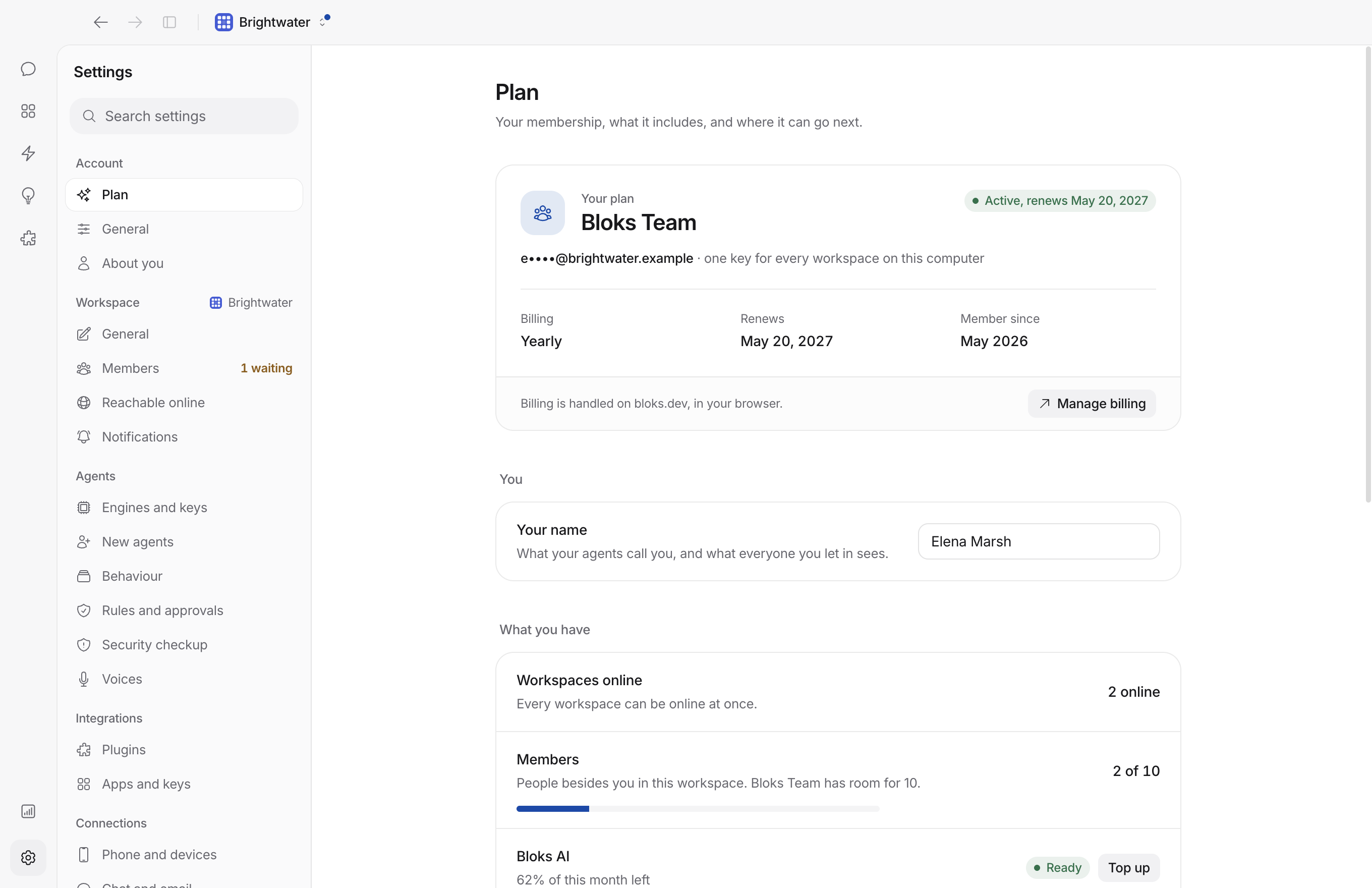
all. One plan covers every workspace on your computer. They are described
at [bloks.dev](https://bloks.dev), and Settings, Plan shows what yours
includes.
## Licence
Bloks is free to use, and its source is public under
[FSL-1.1-MIT](LICENSE), the Functional Source License with an MIT future
licence. You may use, copy, modify and redistribute it for any purpose
except a Competing Use: making it available to others in a commercial
product or service that substitutes for it, or for another product or
service the licensor offers with it, or that offers the same or
substantially similar functionality. In short, you may not sell Bloks, or something
substantially like it, to other people. Internal use at work is
explicitly fine, at any company size, with no fee, and so are
non-commercial education and research and paid work you do for somebody
who uses Bloks under the same licence.
Every release converts to plain MIT two years after it ships, and that
conversion cannot be withdrawn. [LICENSING.md](LICENSING.md) explains it
in plain English; where the two differ, [LICENSE](LICENSE) is what
counts.
## Contributing
Read [CONTRIBUTING.md](CONTRIBUTING.md). Short form: one thing per pull
request, tell us what you verified rather than what you changed, and run
`pnpm typecheck && pnpm test && pnpm build` before you push.
Bloks is maintained by one person alongside other work. Issues and pull
requests are read, and answered when there is time. Small and focused
gets merged quickly; a branch that renames files, fixes a bug and adds a
feature may sit for a while.
```sh
pnpm test
```
Node's built-in runner, no framework to install. Some four thousand tests
covering the origin check, input limits, model-output parsing, room
addressing, who may see what in a workspace with people in it, invites,
spending limits, the policy engine, the client reducer, the colour
palette's own contrast, and the real server over HTTP. It takes a few
minutes and needs no credentials. See [test/README.md](test/README.md).