
EditaPlot
Give Codex the table. Get an editable scientific figure back in Origin.
Understand the data · Choose the view · Customize the style · Verify the deliverables




Give Codex the table. Get an editable scientific figure back in Origin.
Understand the data · Choose the view · Customize the style · Verify the deliverables
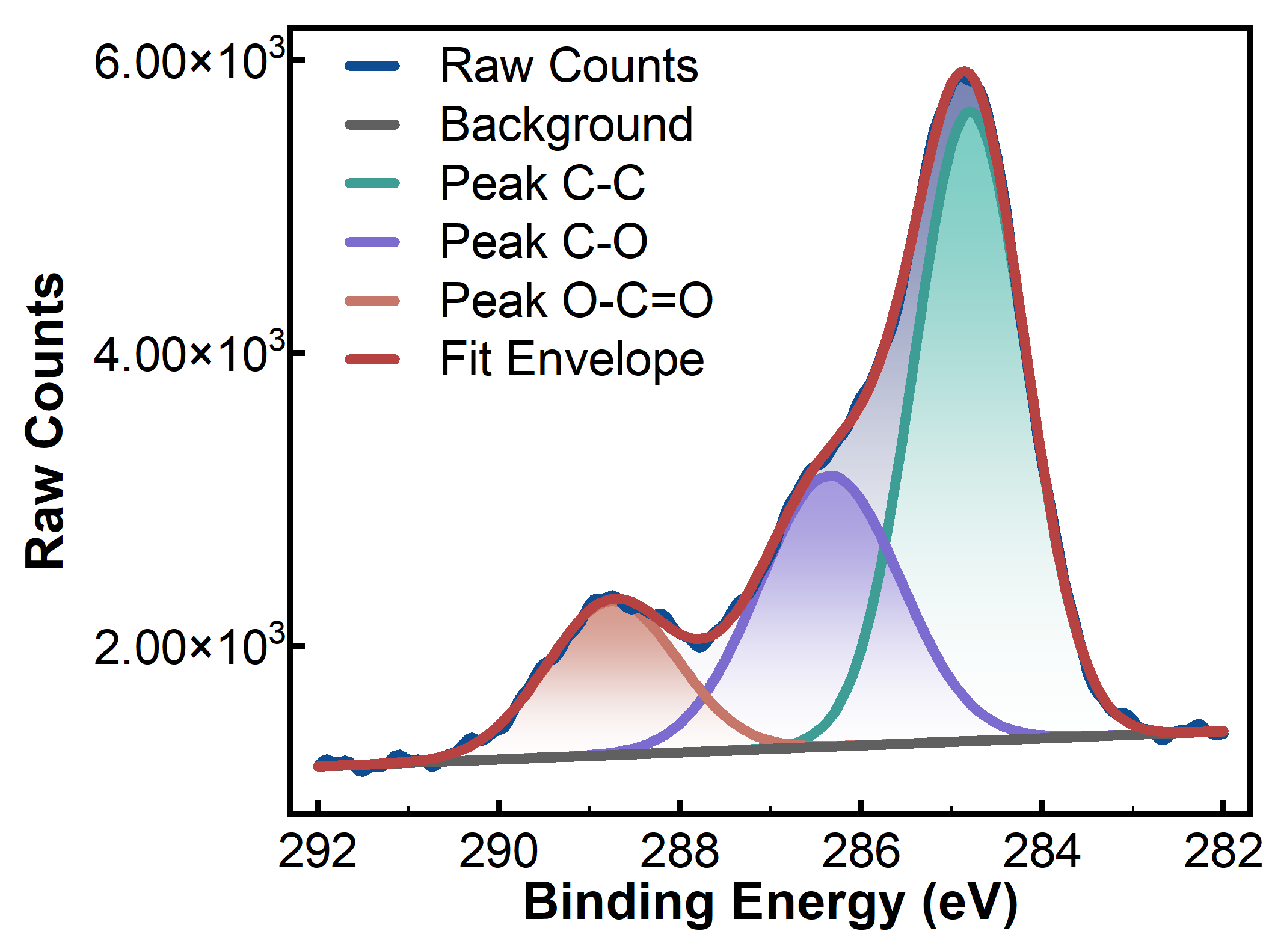 XPS observations and supplied components Display available backgrounds, envelopes and components without inventing missing peaks. |
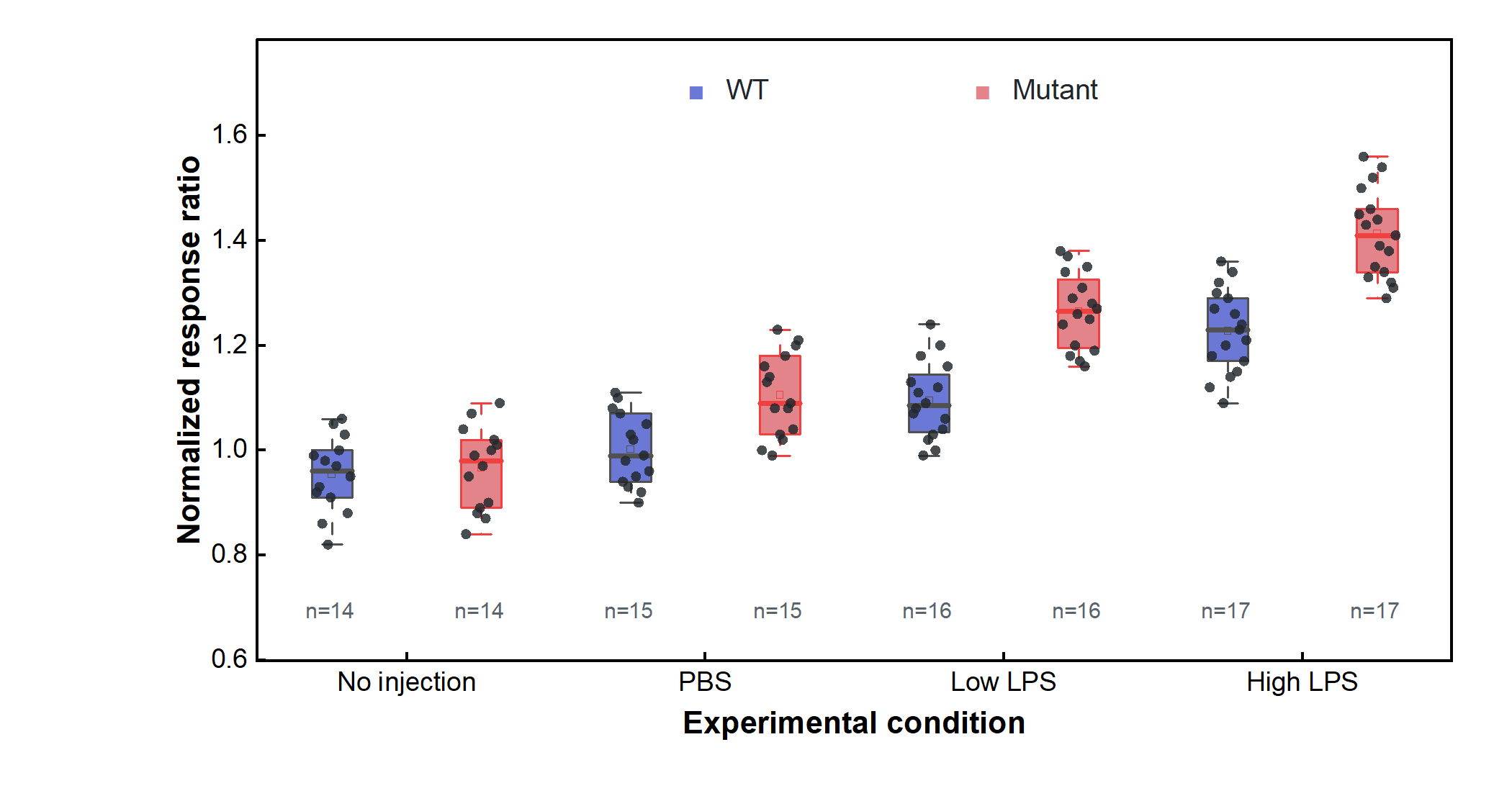 Grouped boxes and raw observations Show each observation alongside the group distribution. |
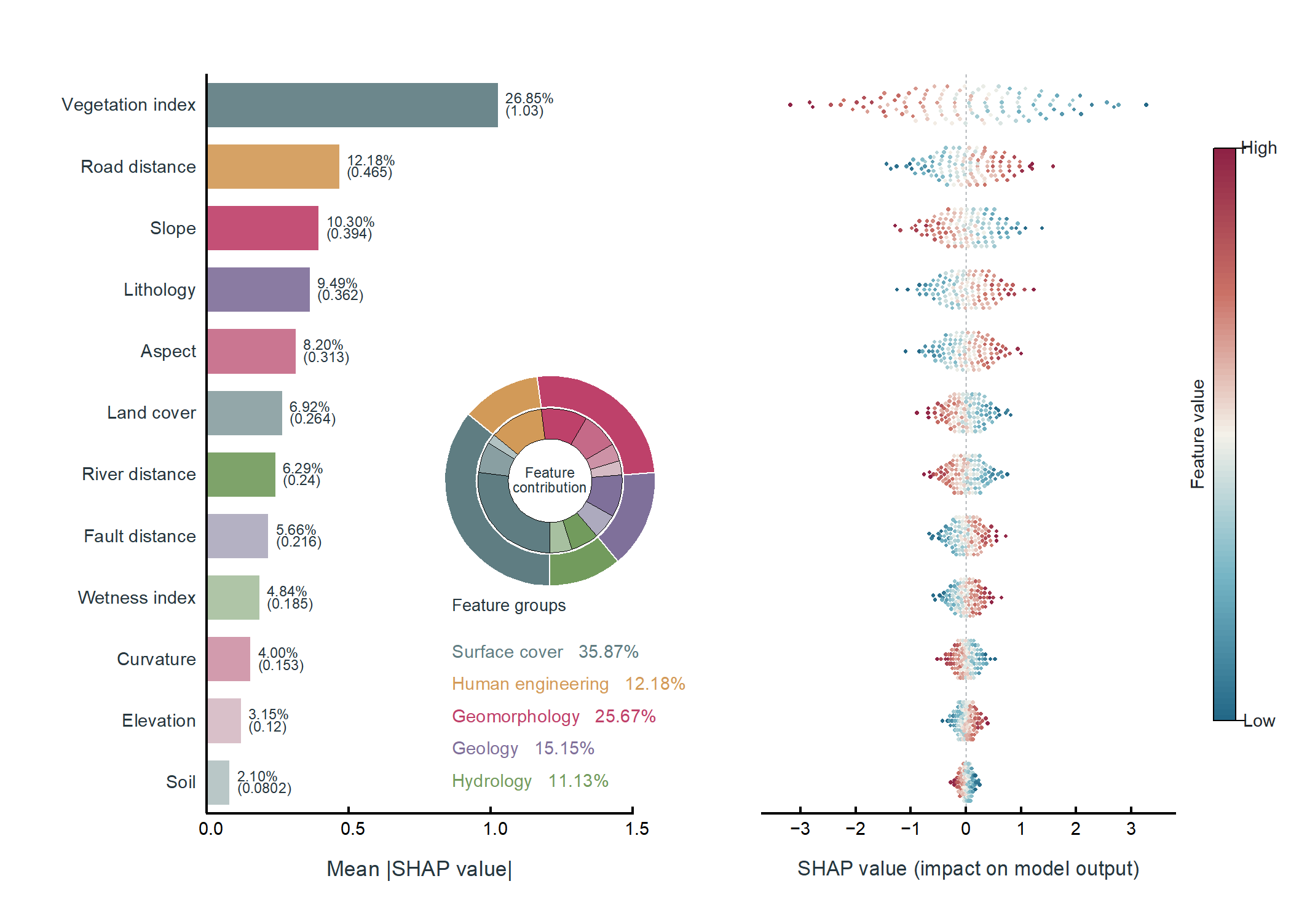 SHAP importance, contribution, and beeswarm Use upstream per-sample SHAP values; the plotting layer does not train a model. |
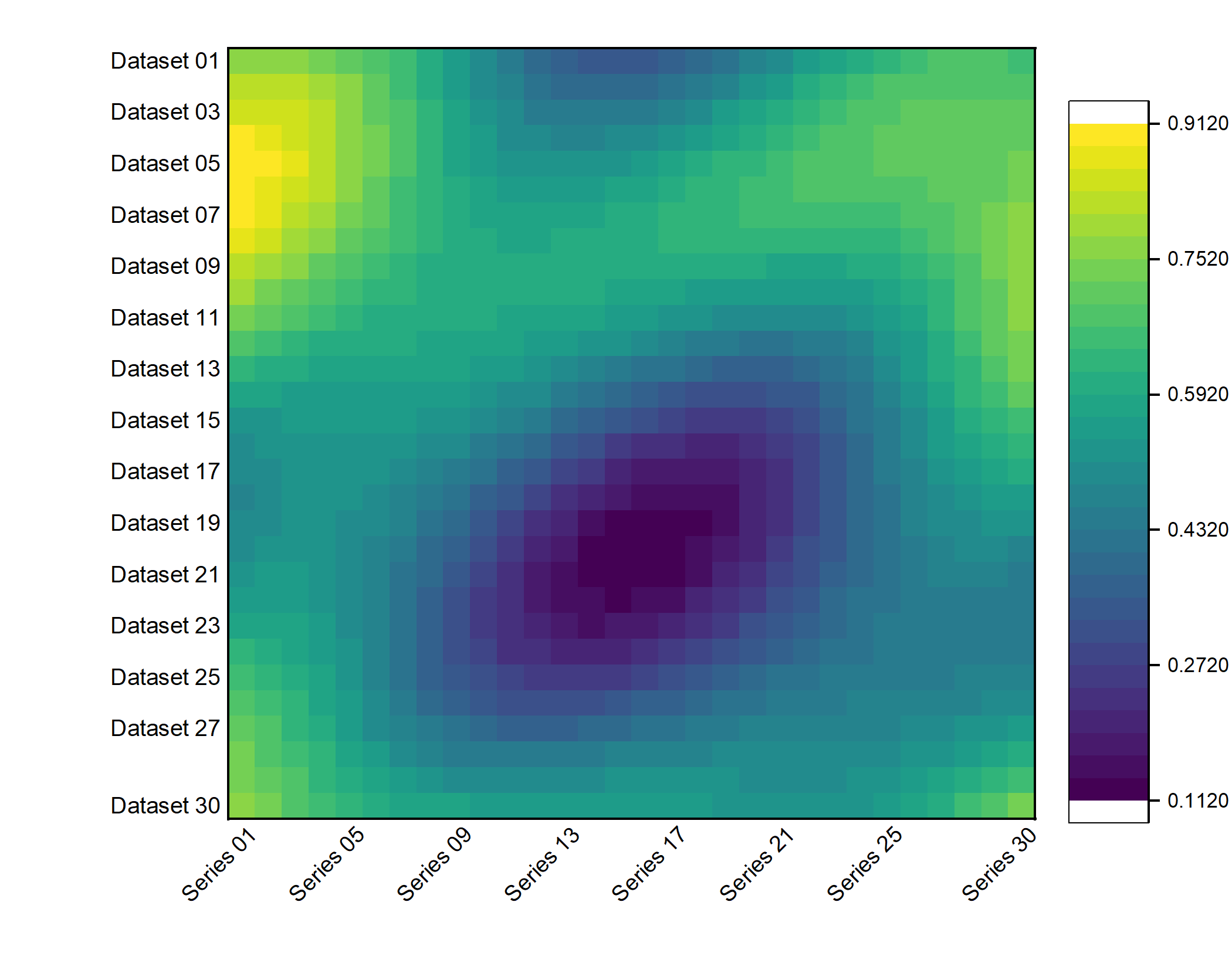 30 × 30 dense heatmap Keep all 900 source values and row/column order, without interpolation or automatic clustering. |
skill/editaplot**. It needs the bundled drawing engine.
$editaplot, and attach CSV, TXT, XLS, or XLSX data. For example:
~~~text
Use $editaplot to inspect this dataset. Do not draw yet and do not modify the source file.
Explain each column in plain language, recommend no more than three suitable charts, and tell me what still needs confirmation.
~~~
Chinese headers and file paths are supported. Ask for suggestions if you are unsure, or name a chart such as grouped boxes, XPS comparison, or precomputed SHAP.
If the headers need reorganizing, open the [matching template example](docs/gallery.en.md) or ask Codex to compare your table with it.
Helper columns are created only in memory or the editable Origin workbook. The source file remains unchanged.
### 3 / Confirm and draw: receive files you can keep editing
After confirming groups, units, uncertainty meaning, and visible figure elements, continue with:
~~~text
Use the plan we just confirmed and draw it through Origin. Export an editable OPJU plus PNG, PDF, and TIF.
Check the data mapping, axes, fonts, and exported appearance, then briefly report the output location and verification result.
~~~
I have the Skill verify the local drawing path before rendering the formal dataset. It does not invent measurements, fitted components, or uncertainty values missing from the source.
By default, results stay together in a new folder beside the original dataset:
~~~text
my-data.csv
my-data_EditaPlot_