{
"cells": [
{
"cell_type": "code",
"execution_count": 1,
"metadata": {},
"outputs": [
{
"data": {
"text/html": [
"\n",
"\n",
"\n",
"\n",
"\n"
],
"text/plain": [
""
]
},
"execution_count": 1,
"metadata": {},
"output_type": "execute_result"
}
],
"source": [
"from IPython.core.display import HTML\n",
"css_file = \"./notebook_style.css\"\n",
"HTML(open(css_file, 'r').read())"
]
},
{
"cell_type": "markdown",
"metadata": {},
"source": [
"# 1. Version Control Refresh"
]
},
{
"cell_type": "markdown",
"metadata": {},
"source": [
"## Why should I use version control?\n",
"\n",
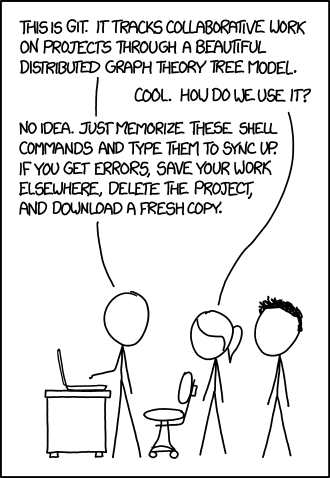
"As you are on this course, you are most likely familiar with version control and probably use it in the vast majority of your projects. However, it is worth reminding ourselves why we use it (and why it's worth the occasional battle with `git`'s rather unintuitive workflow)."
]
},
{
"cell_type": "markdown",
"metadata": {
"collapsed": true
},
"source": [
"\n",
"##### Git doesn't always make the most of sense - [xkcd](https://xkcd.com/1597/)"
]
},
{
"cell_type": "markdown",
"metadata": {},
"source": [
"First of all, version control allows us to keep a comprehensive record of all changes made during a project. It keeps track of exactly what was edited, when this was done and who by. This is very useful if later down the line a change is made that breaks something, as it will make tracking down and pinpointing the line of code responsible for the bug much faster.\n",
"\n",
"Version control allows us to keep backups of previous versions of files. This is important if you ever need to recreate some data that was made using a previous version of the code, as you can easily 'rewind' the code back to the state it was then. For example, say you have submitted a paper to a journal. A few months later, you get a response from one of the reviewers asking you to replot one of your figures. However, in the meantime you have been working on your code and so in its current state you cannot recreate exactly the data in the original plot. If you have used version control, this will not be an issue as you can simply roll your code back to the version you used to create the original plot. Similarly, if you publish results produced using your code, you can point readers to the exact version of the code used to produce them, allowing them to run the code and reproduce the results themselves. \n",
"\n",
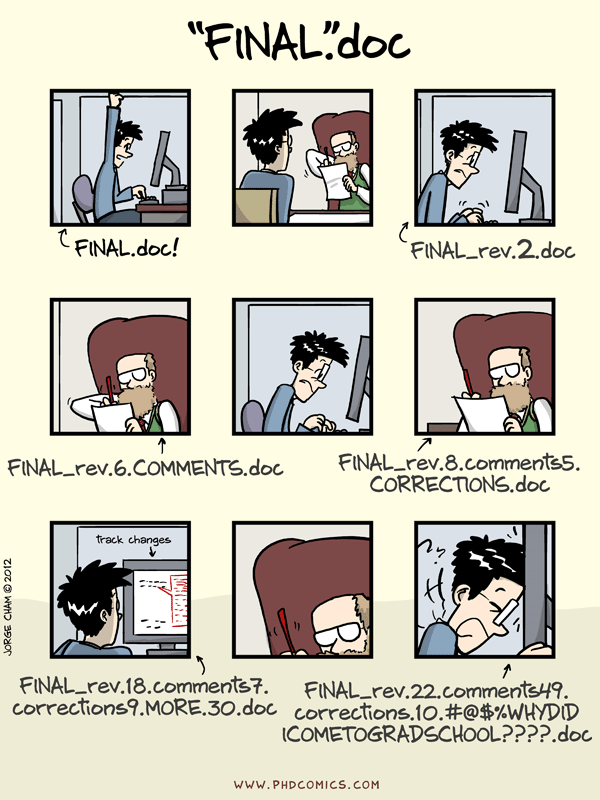
"When making major changes to a code, it can often be a little scary as there is always a chance said changes could break everything. It may be tempting to make a separate version of your project by hand - `project_version_2` - however this can quickly get messy (eventually you will end up with folders full of different versions of your project). Version control offers a better solution, allowing you to create branches. The working version of the code can be preserved on the main master branch while you hack away at the code on some other branch. If you implement a change in one of the branches and it breaks everything, the other branches will remain unaffected, so you can easily revert back to a working version of the code. Branches are especially useful if you have other people using your code: there is always a working version of the code on the master branch for them to use, and any changes you make will not affect them until you merge your branch with the master branch."
]
},
{
"cell_type": "markdown",
"metadata": {},
"source": [
"\n",
"##### Do not do this - [PHD Comics](http://www.phdcomics.com/comics/archive.php?comicid=1531)"
]
},
{
"cell_type": "markdown",
"metadata": {},
"source": [
"If you are working on a project with other people, version control will keep track of who makes which changes and can help prevent different members from overwriting each others' changes through [conflict resolution](https://help.github.com/articles/about-merge-conflicts/). This becomes more important the more people there are working on a project - imagine trying to work on a document with 100 other people and communicating changes to the document solely by email."
]
},
{
"cell_type": "markdown",
"metadata": {},
"source": [
"\n",
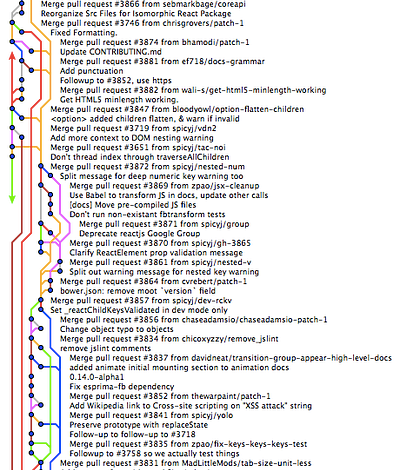
"##### Even with git, projects can get messy - [Medium](https://medium.com/@dashersw/how-to-manage-git-workflow-and-stay-sane-e32405e9dbf0#.32rtsbmzh)"
]
},
{
"cell_type": "markdown",
"metadata": {},
"source": [
"For more on version control and reproducible research, check out [Tools for Reproducible Research](http://kbroman.org/Tools4RR/assets/lectures/06_org_eda_withnotes.pdf) by Karl Broman, where this excellent quote on the importance of version control comes from:\n",
"\n",
"> **Your closest collaborator is you six months ago, but you don’t reply to emails.**"
]
},
{
"cell_type": "markdown",
"metadata": {},
"source": [
"## How?\n",
"\n",
"[git](https://git-scm.com/) is the most popular tool for local version control, but alternatives do exist: [Bazaar](http://bazaar.canonical.com/en/), [Subversion](https://subversion.apache.org/) (SVN), [Mercurial](https://www.mercurial-scm.org/).\n",
"\n",
"Git is incredibly powerful, however unfortunately it can be unintuitive at times, especially if you want to go beyond `git add`, `git commit`, `git push`. This [git cheat sheet](https://services.github.com/on-demand/downloads/github-git-cheat-sheet.pdf) is a useful reference for common git commands. If you want a more in depth refresher, check out the [git course notes](http://ngcm.github.io/summer-academy-2016-basics/git/index.html) from the Summer Academy's Basics courses. If you want to learn some more advanced git tricks, then check out some of the [git videos](https://services.github.com/resources/videos/) on the GitHub website.\n",
"\n",
"There are many online tools for hosting repositories out there: [GitHub](https://github.com/) is the most popular of these, however again there are alternatives such as [gitlab](https://gitlab.com), [bitbucket](https://bitbucket.org), [sourceforge](https://sourceforge.net/) and [launchpad](https://launchpad.net/). If you are a registered student, then GitHub provides a free [Student Developer Pack](https://education.github.com/pack) which provides you with free unlimited private repositories plus access to several cool tools for software development."
]
},
{
"cell_type": "markdown",
"metadata": {
"collapsed": true
},
"source": [
"## Read more\n",
"- [Git cheat sheet](https://services.github.com/on-demand/downloads/github-git-cheat-sheet.pdf)\n",
"- [think like a git](http://think-like-a-git.net/) - if you want to go beyond the basics and understand what git is actually doing\n",
"- [Git is Hard](https://github.com/Nezteb/Git_Is_Hard) - a collection of git resources and tutorials\n",
"- [A Crash Course in Python for Scientists](http://nbviewer.jupyter.org/gist/anonymous/5924718) - a good reference in case you need to quickly remind yourself of something\n",
"- [Python Cookbook](http://chimera.labs.oreilly.com/books/1230000000393) - book on python which is free to read online, contains lots of useful tricks for going beyond the basics in python\n"
]
},
{
"cell_type": "code",
"execution_count": null,
"metadata": {
"collapsed": true
},
"outputs": [],
"source": []
}
],
"metadata": {
"kernelspec": {
"display_name": "Python 3",
"language": "python",
"name": "python3"
},
"language_info": {
"codemirror_mode": {
"name": "ipython",
"version": 3
},
"file_extension": ".py",
"mimetype": "text/x-python",
"name": "python",
"nbconvert_exporter": "python",
"pygments_lexer": "ipython3",
"version": "3.6.1"
}
},
"nbformat": 4,
"nbformat_minor": 1
}