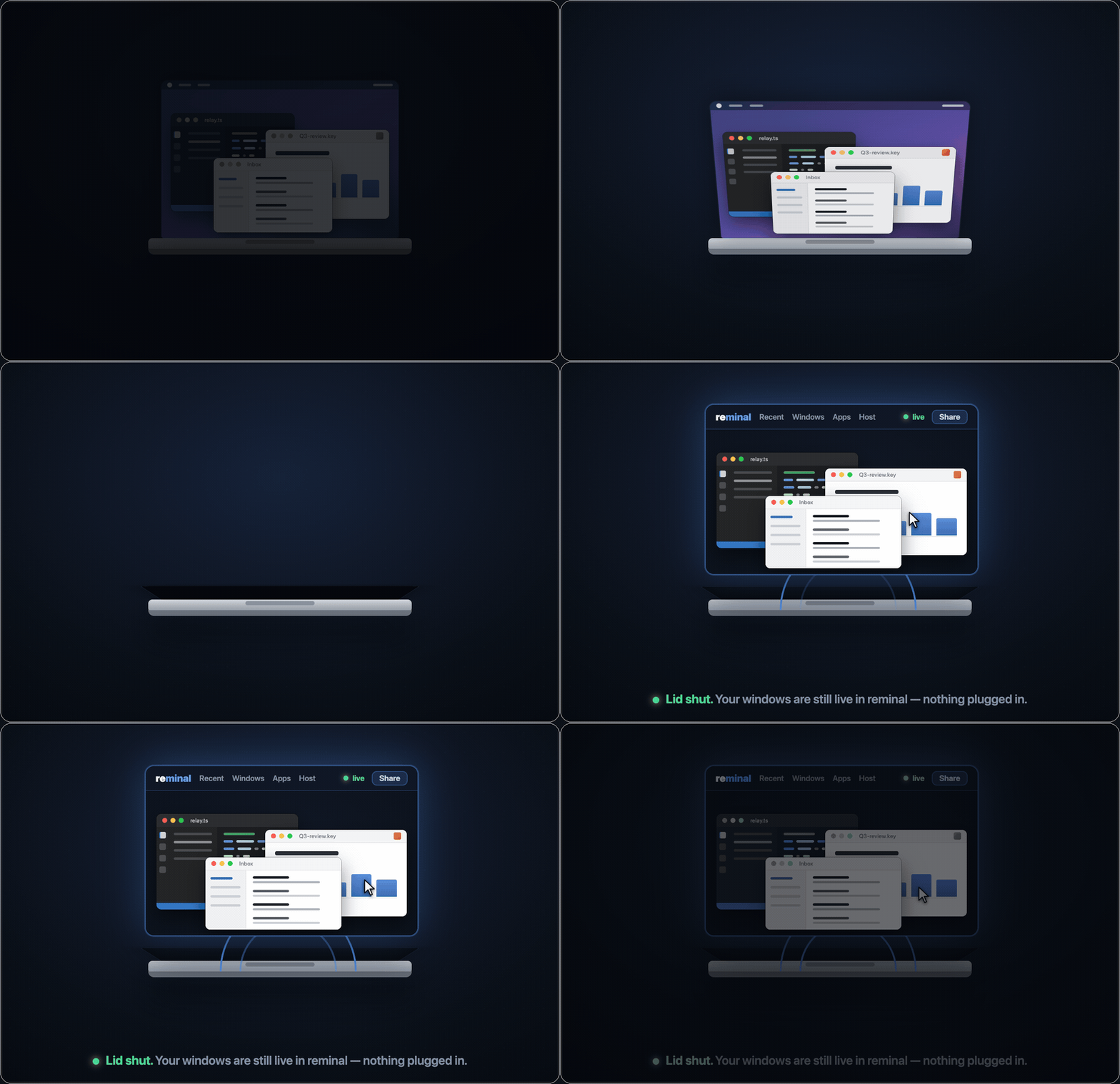
 The lid shuts with no monitor and no dongle attached — and the windows keep streaming, live and controllable, into a browser.
The lid shuts with no monitor and no dongle attached — and the windows keep streaming, live and controllable, into a browser.
The lid shuts with no monitor and no dongle attached — and the windows keep streaming, live and controllable, into a browser.
 Real capture, unedited. The phone picks a window, types into it — the words appear in the real app on the Mac — then mirrors the whole desktop. Native capture, streamed peer-to-peer.
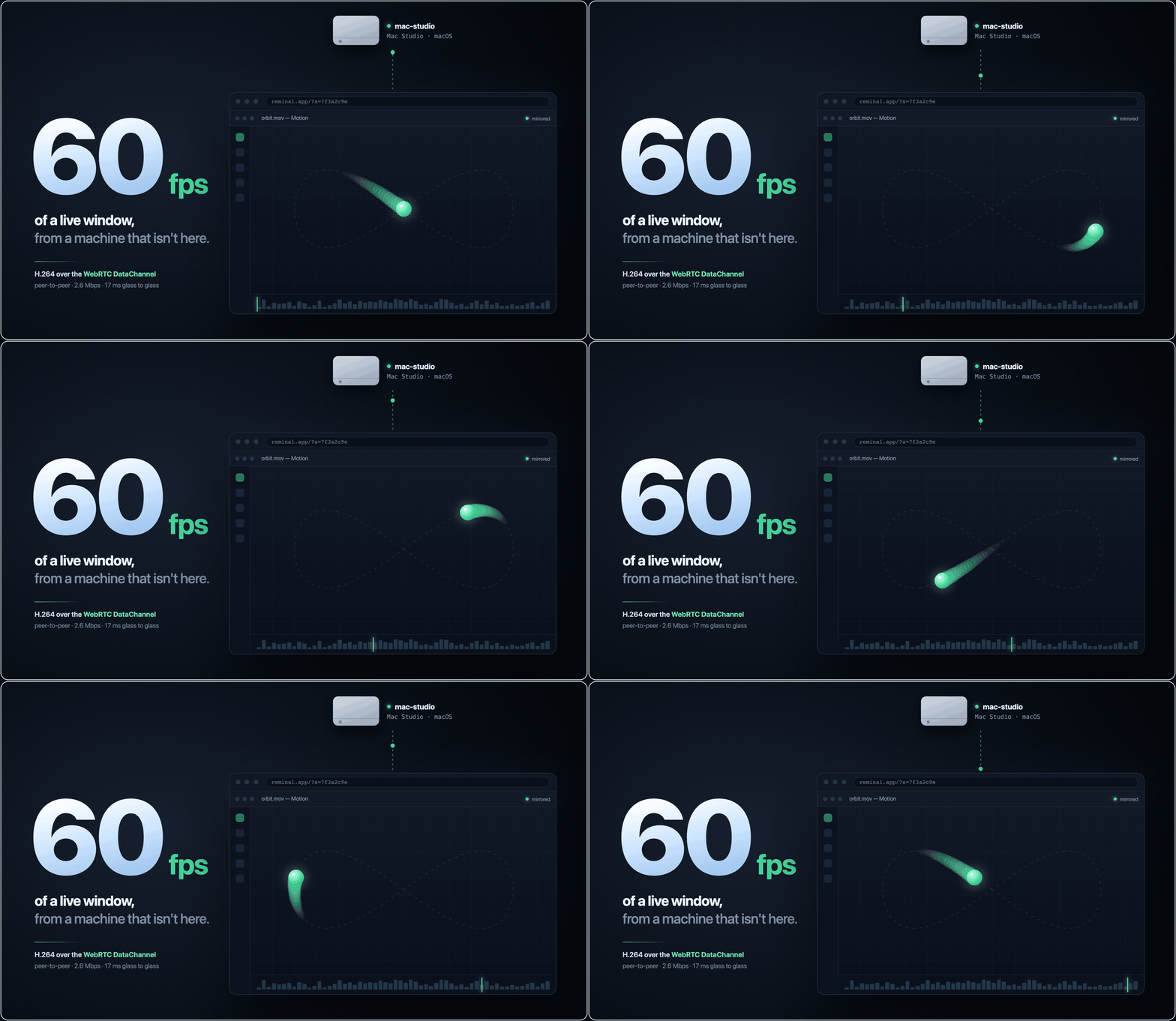 H.264 down the session's own DataChannel — peer-to-peer, about 2.6 Mbps. Relay-only viewers get the same video at 30 fps.
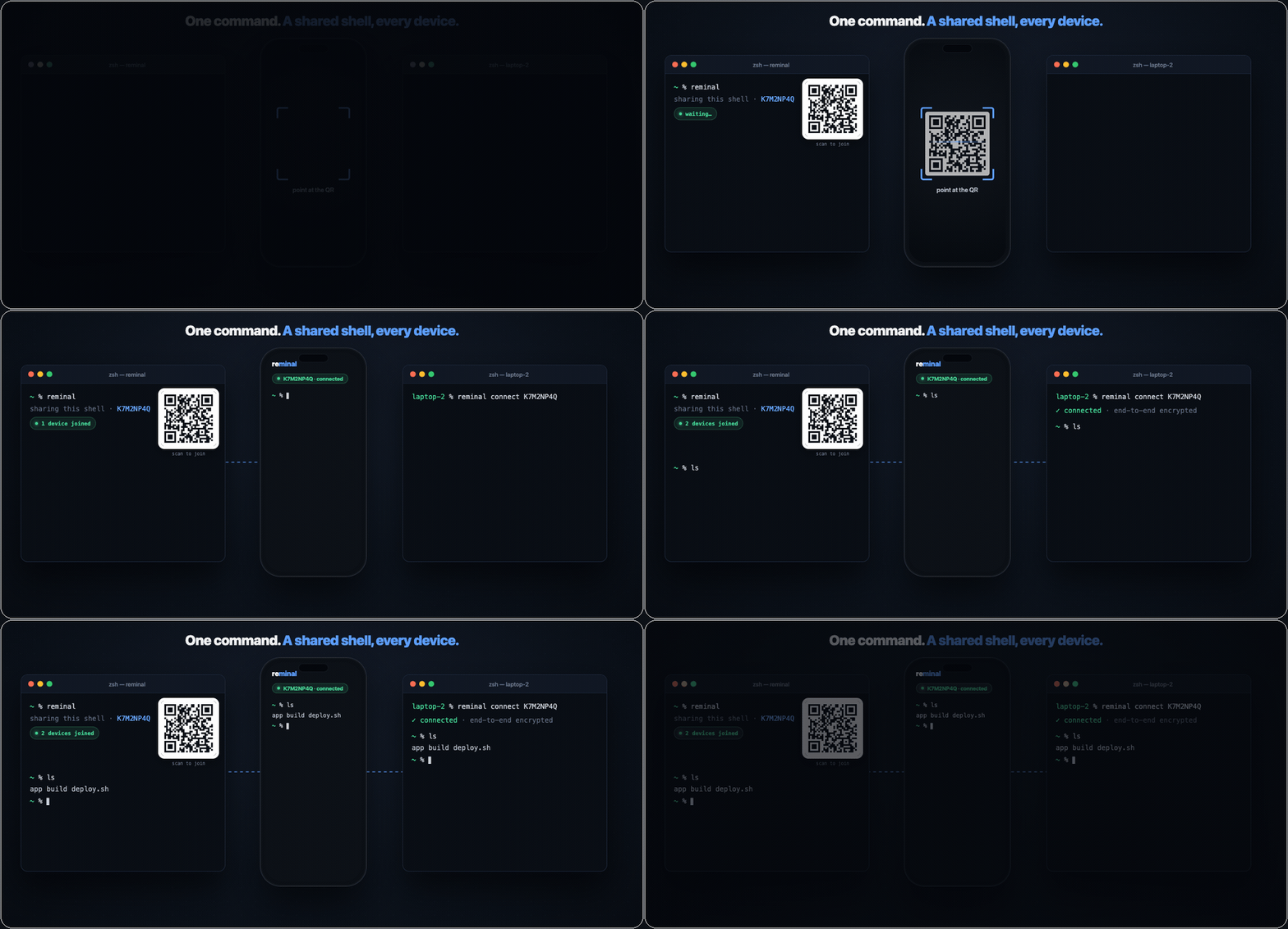 The fastest SSH you'll ever configure — because there's nothing to configure.
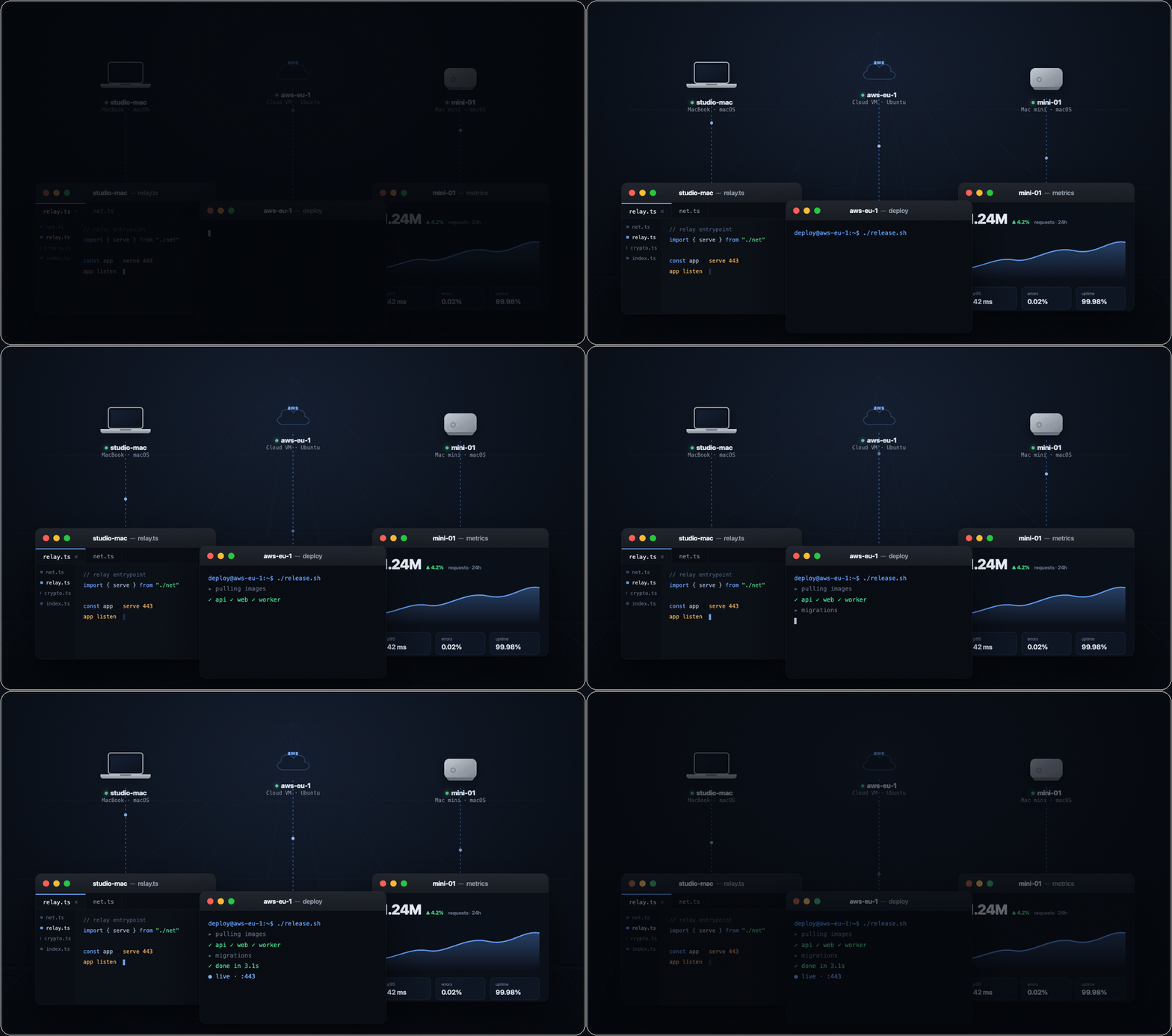
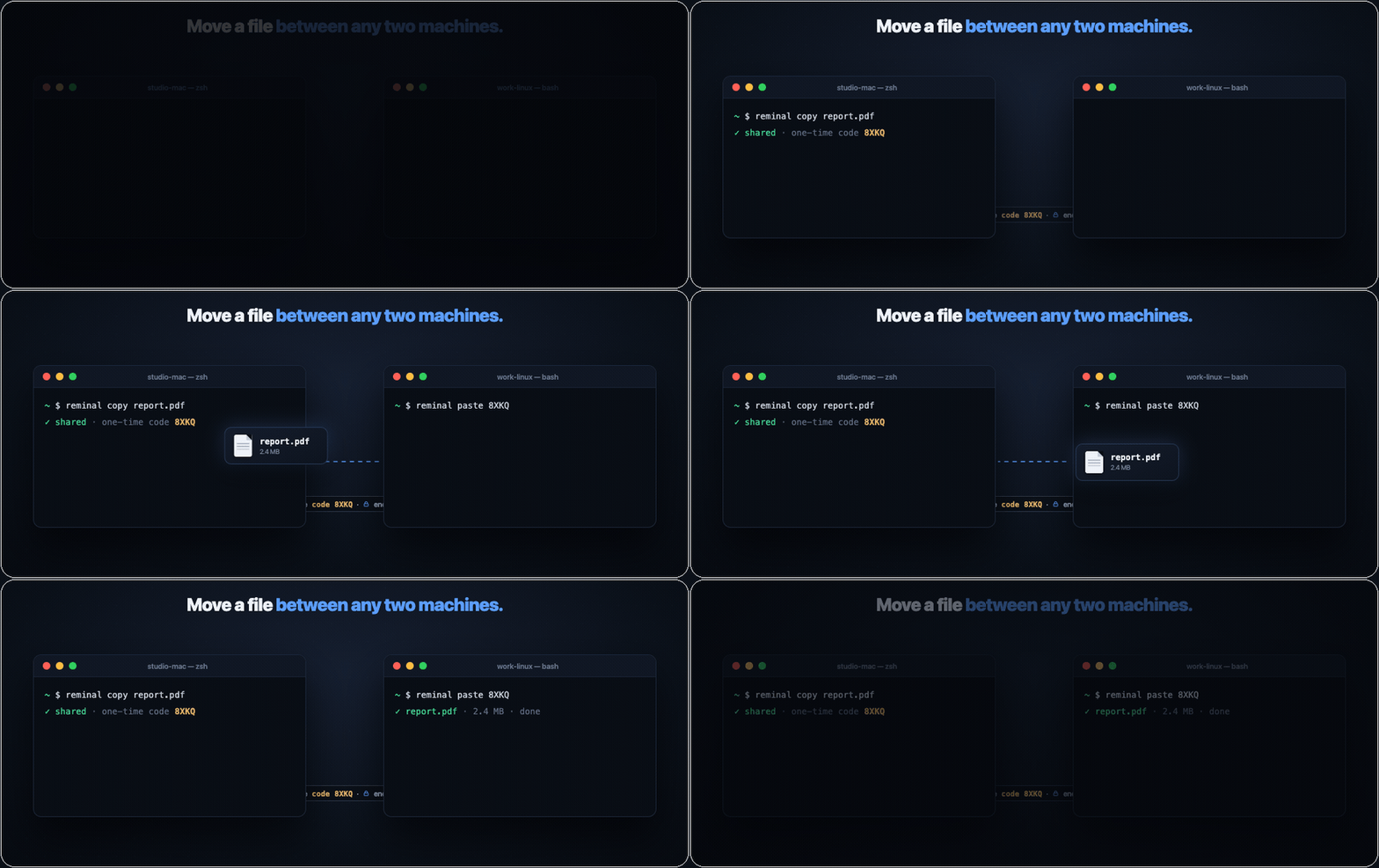
` on another pulls the file down — Mac to Linux, Windows to Mac, laptop to server, anywhere to anywhere. End-to-end encrypted, no cloud drive, no account. AirDrop, for every machine you own.
 ---
## The last thing you'll install standing at your computer
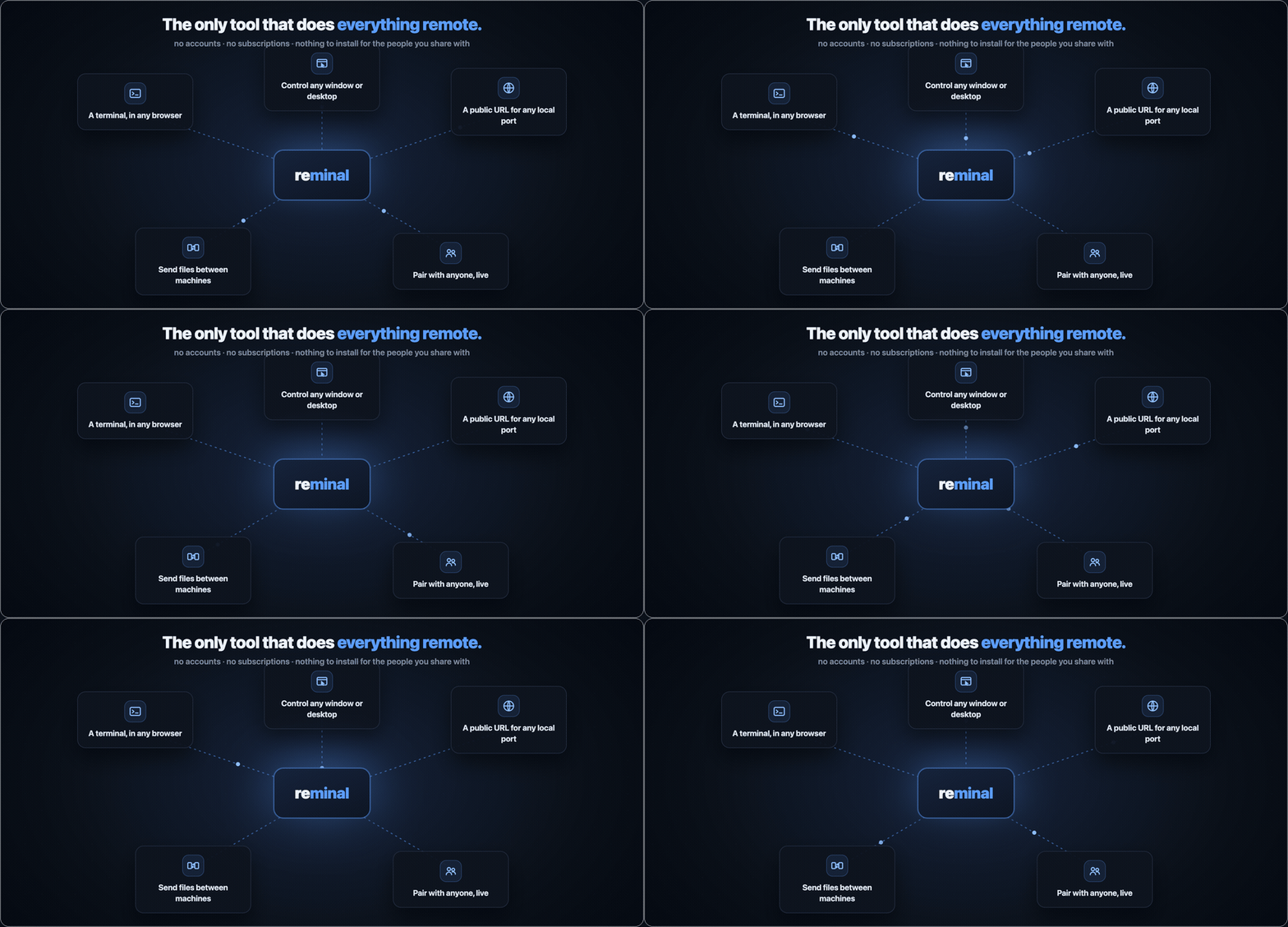
Set it up once, in person — then you never have to sit at that machine again. From any browser you get its terminal, any window, the whole desktop, a public link to a local port, files to and from it, even a live session shared with someone else. One tool, every remote job.
---
## The last thing you'll install standing at your computer
Set it up once, in person — then you never have to sit at that machine again. From any browser you get its terminal, any window, the whole desktop, a public link to a local port, files to and from it, even a live session shared with someone else. One tool, every remote job.
 ---
## How it works
---
## How it works
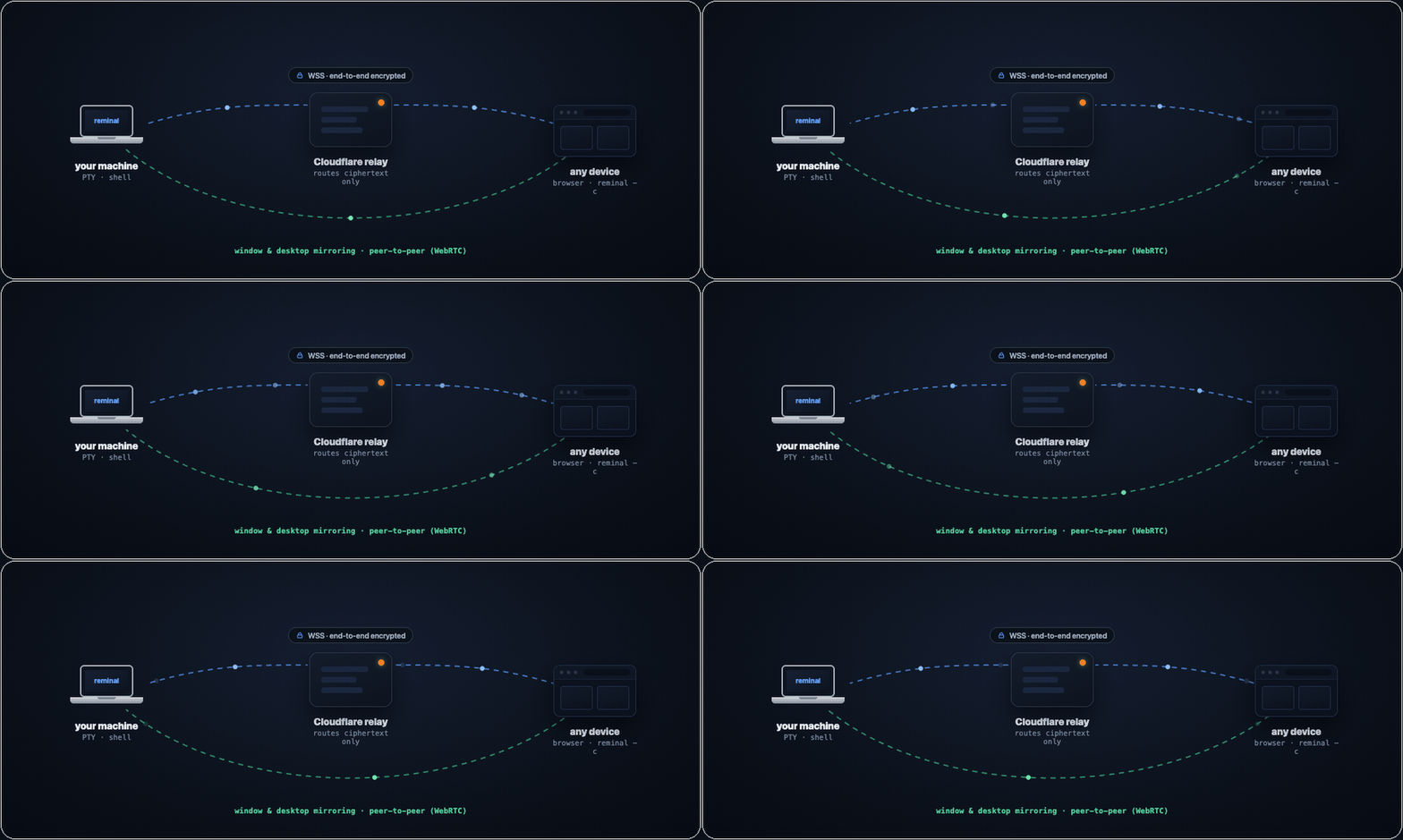 Your machine dials **out** to a relay over WSS; viewers dial out to the same relay. Nothing ever listens on your machine. Everything through the relay is encrypted end-to-end — it routes ciphertext it cannot read. Window and desktop frames don't even take that path: they ride a direct WebRTC connection between browser and host.
> You trust Cloudflare to deliver packets — the same way you trust your ISP with SSH traffic. Neither can read what you send. The difference: **reminal never opens your machine to the internet.**
---
## Everything you get
Join a session from anywhere — phone (scan the QR), any browser (open the URL, type the PIN), or another terminal (`reminal --connect
Your machine dials **out** to a relay over WSS; viewers dial out to the same relay. Nothing ever listens on your machine. Everything through the relay is encrypted end-to-end — it routes ciphertext it cannot read. Window and desktop frames don't even take that path: they ride a direct WebRTC connection between browser and host.
> You trust Cloudflare to deliver packets — the same way you trust your ISP with SSH traffic. Neither can read what you send. The difference: **reminal never opens your machine to the internet.**
---
## Everything you get
Join a session from anywhere — phone (scan the QR), any browser (open the URL, type the PIN), or another terminal (`reminal --connect --pin `). Then:
#### Persistent, resilient shell
Close the laptop, switch to your phone, reconnect from a different city — your shell is right where you left it, and the current screen paints **instantly** (a snapshot, no slow fast-forward). Wi-Fi drop, tunnel, elevator? Auto-reconnect with backoff, 2 MiB of scrollback intact.
#### Pair with anyone
Send a session ID and PIN to a teammate over any channel and they join the same live shell — or a window mirror — from a browser. No account, no install, multiple viewers at once. Ctrl+C ends it; there's nothing to revoke.
#### Sessions that outlive your terminal
Kick off a long job and close the lid — it keeps running. `reminal new deploy` spawns a named session; `list` · `attach` · `rename` · `kill` · `prune` manage the whole fleet by name, id, or fuzzy match. The Host panel shows live CPU/memory and spawns one in a tap.
#### Zero-install web terminal
A full xterm.js terminal is built into the relay. Any browser is the client — phone, iPad, locked-down work laptop, hotel-lobby PC. Pinch-zoom, text selection with draggable handles, on-screen modifier keys, voice dictation, find-in-scrollback.
#### Files, ports & pings
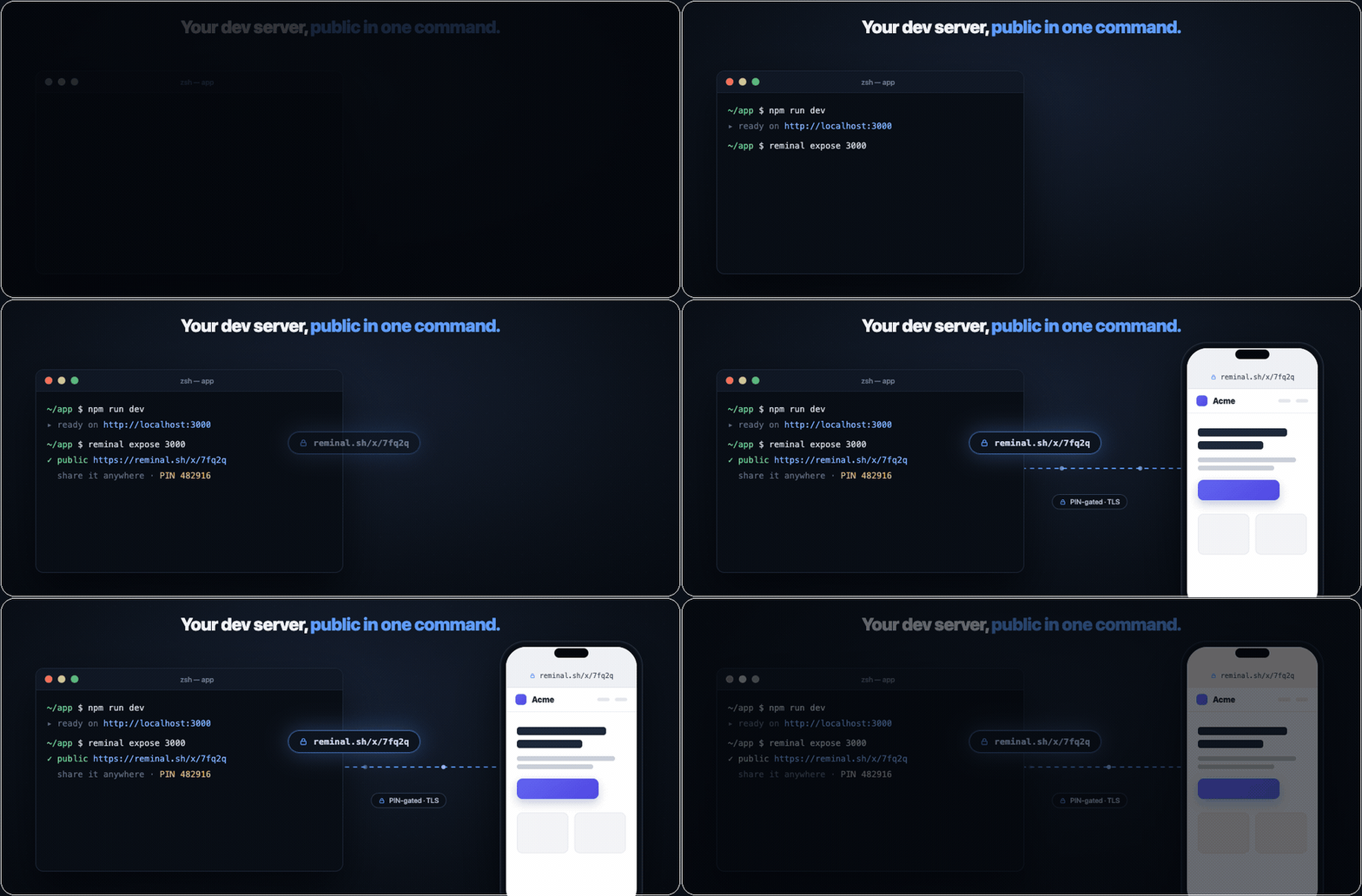
`reminal copy` / `paste` move a file between any two machines with a one-time code. `reminal expose 3000` puts a local port on a public, PIN-gated URL. `reminal send` pushes a file to **every viewer at once**, and `reminal notify` fires a browser notification on all of them.
#### Secure by construction
No open ports, ephemeral session ID + PIN, AES-256-GCM end-to-end with a PIN-authenticated X25519 handshake the relay can't crack offline. Ctrl+C and the credentials are gone. [Details below](#security).
#### Own a machine, skip the PIN
Enroll a device as an **owner** — `reminal own`, then `sudo reminal add owner ` once — and it connects to any of that machine's sessions with no PIN. Per-device trust, revocable one at a time (`reminal owners revoke`, or self-revoke from the browser). The relay stays blind either way.
#### Every machine, one list
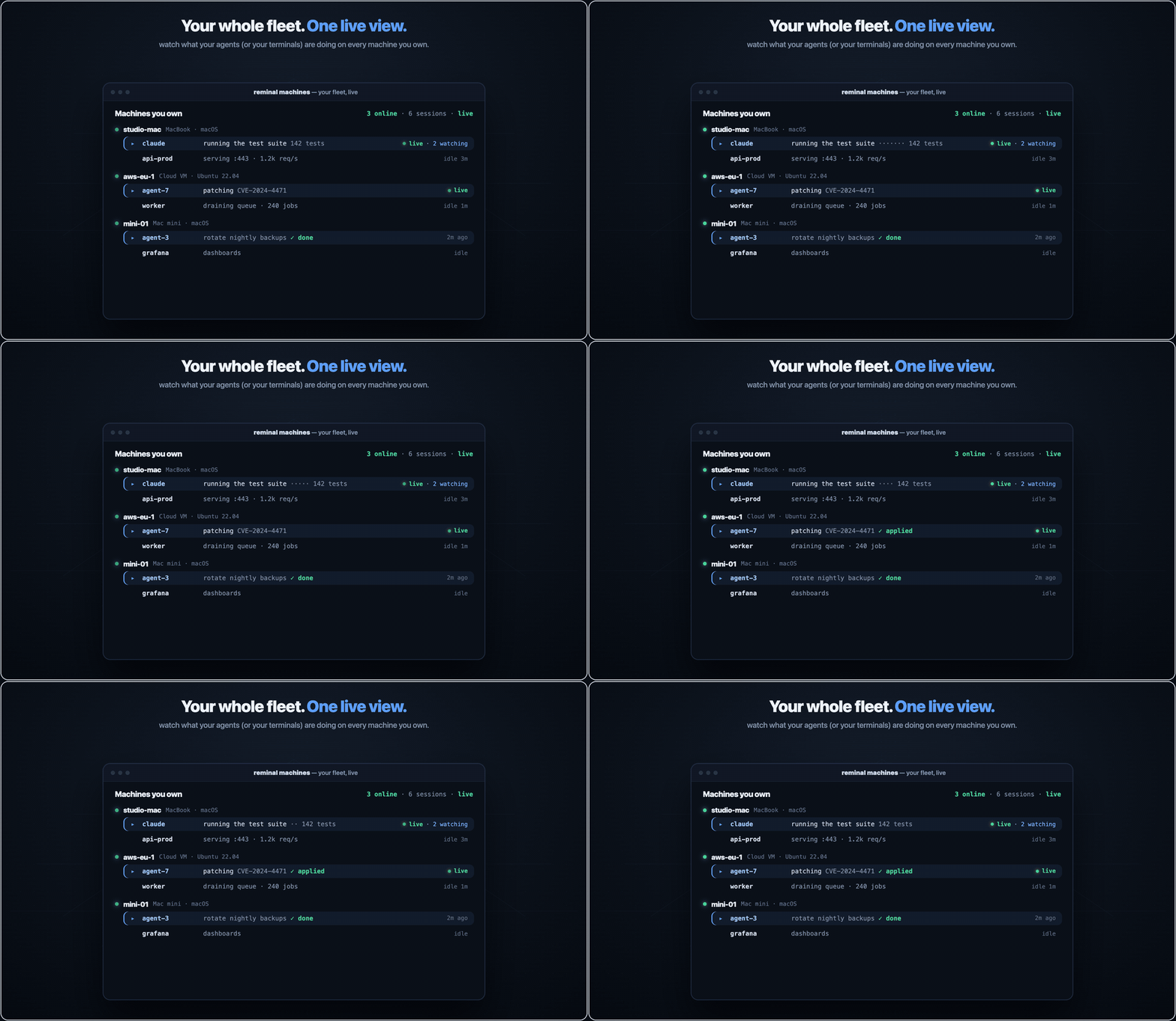
`reminal machines` shows every box you own and each live session on it — what's running, viewers, idle time. Same view in the web **Machines panel**: attach, rename, spawn, or kill a session on any machine from the browser.
---
## Security
> Built to be **as secure as a properly configured SSH — and safer by default.**
SSH leaves port 22 open, stores long-lived keys on disk, and trusts you to configure everything correctly. reminal takes the opposite approach: **nothing to expose, nothing permanent to steal, encryption end-to-end.**
| Layer | What it does |
|---|---|
| **No open ports** | Your machine only initiates outbound connections. There is nothing on the network to scan, brute-force, or zero-day. |
| **Ephemeral credentials** | Session ID and PIN exist only while `reminal` is running. Ctrl+C and they are gone forever. |
| **Owner devices, revocable** | A device you enroll as an owner connects without the PIN using its own key — a separate trust path from the ephemeral PIN, gated behind `sudo` to enroll and revocable per-device (or self-revoked from any browser). The relay still only routes ciphertext. |
| **Dual-factor by design** | An attacker needs both the session ID (~1 trillion combinations) and the 6-digit PIN. Knowing one is useless. |
| **Rate-limited by the agent** | Every PIN guess costs a full online handshake with your machine, and the agent answers at most ~6 per minute (burst of 8, one token per 10s). Exhausting a 6-digit PIN at that rate takes months — far longer than a session lives. |
| **End-to-end encryption** | AES-256-GCM with a fresh random 256-bit session key per agent run. Distributed to each viewer via a PIN-authenticated X25519 handshake (EKE-style) — the relay never sees the key or anything offline-brute-forceable from it. |
| **Forward-secret handshake** | Each WebSocket connection runs its own ephemeral X25519 exchange. Even if a future attacker recovers the PIN, recorded ciphertext stays unreadable. |
| **Relay-blind** | Cloudflare Workers route ciphertext. A relay that records traffic cannot recover the session key offline — wrong PIN guesses are detectable only by attempting a full handshake online (one shot each, bounded by the agent's kex throttle). |
| **P2P you can trust** | WebRTC signaling (SDP, ICE) rides inside the already-encrypted session channel, so the relay can't tamper with DTLS fingerprints — no man-in-the-middle window. Frames on the DataChannel are DTLS-protected end-to-end. |
| **TLS in transit** | WSS / TLS on every hop in production. |
**One deliberate exception:** `reminal expose` port-forwards are **not** end-to-end encrypted — the visitor is an ordinary browser with no reminal key, so that traffic passes through the relay in plaintext (PIN-gated, but readable by the relay). Everything else above is E2E. Self-host the relay if that matters to you.
**Best practices:** share the session ID and PIN over different channels (email the ID, text the PIN) · Ctrl+C when done — credentials die instantly · keep the client current with `reminal upgrade`.
**Digging deeper:** [Security architecture](docs/security/architecture.md) · [Threat model](docs/security/threat-model.md) · [Subprocessors & data handling](docs/security/subprocessors.md) · [Self-assessment](docs/security/self-assessment.md) · [Report a vulnerability](SECURITY.md)
---
## reminal vs SSH, at a glance
SSH was designed in 1995 — it assumes a static IP, a router you can configure, and keys you keep rotated. reminal assumes none of that, so the trade-offs line up differently:
| | **reminal** | SSH |
|---|---|---|
| **Setup time** | One command | Keys, configs, port-forwarding, firewalls |
| **Listening port** | None | TCP 22 exposed to the internet |
| **Credentials** | Ephemeral session ID + PIN | Permanent keys on disk |
| **Behind NAT / hotel Wi-Fi** | Just works | VPN or jump host required |
| **Client required on viewer** | None — a browser is the client | `ssh` + a configured key per device |
| **Phone friendly** | Scan QR → in | No native client |
| **Session survives disconnect** | Shell keeps running, hop between devices | Drop the connection, lose your work (unless you wrapped it in `tmux`) |
| **Network blips** | Auto-reconnect, scrollback replay | `Write failed: Broken pipe` |
| **GUI apps** | Mirror & control any window — or the whole desktop | X11 forwarding, if you dare |
| **Laptop lid shut, no monitor** | Closed-lid mode keeps serving on a virtual display | Terminal only |
| **If laptop is stolen** | Sessions already dead | Old keys still grant access |
| **Encryption** | End-to-end through relay | End-to-end direct (if configured right) |
---
## Run your own relay (free, one time)
The relay runs on **Cloudflare Workers + Durable Objects**. The free tier handles thousands of sessions a month — and window frames go peer-to-peer, so the heavy traffic never touches it.
```bash
cd cloudflare
npm install
npx wrangler login
npm run deploy
```
Then copy `reminal.build.env.example` to the gitignored
`reminal.build.env`, put your `workers.dev` URL there, and run
`./scripts/build.sh`. No source edit is needed. Full guide in
[cloudflare/README.md](cloudflare/README.md).
---
## Local development
```bash
# Build once; source builds retain the upstream public relay by default
./scripts/build.sh
# Terminal 1 — your own relay on localhost:8080
./dist/reminal relay
# Terminal 2 — share a session via the local relay
REMINAL_LOCAL=1 ./dist/reminal
# Terminal 3 — connect from another shell or the browser
REMINAL_LOCAL=1 ./dist/reminal connect
# or http://localhost:8080/?s=
```
To test against a remote relay without rebuilding, set either runtime URL;
reminal derives its counterpart automatically:
```bash
REMINAL_RELAY=wss://your-relay.example/ws ./dist/reminal
# or: REMINAL_WEB=https://your-relay.example ./dist/reminal
```
---
## Reference
### Platform support
The mirroring you see above isn't macOS-only — window capture **and** full control (click, type, scroll, drag) work on Linux/X11 and Windows as well.
| Capability | macOS | Linux | Windows |
|---|---|---|---|
| Terminal sharing · sessions · files · port forwarding | ✅ | ✅ | ✅ ConPTY |
| Owner connect (PIN-free) · `reminal machines` | ✅ | ✅ | ✅ |
| Window & desktop mirroring + control | ✅ ScreenCaptureKit — H.264 up to 60 fps | ✅ X11 — `wmctrl` · `xdotool` · ImageMagick | ✅ Win32 — PrintWindow · SendInput |
| Closed-lid mode (auto virtual display) | ✅ | — | — |
| Hot restart (`reminal restart`) | ✅ | ✅ | ✅ (foreground sessions convert to background + attached viewer) |
Linux capture needs an **X11** session (or Xwayland) — native Wayland blocks synthetic input, so it isn't supported yet. Apple Silicon, x86_64, and Windows ARM64 all supported.
#### Windows notes
- **Shell**: sessions open PowerShell 7 (`pwsh`) when installed, else Windows PowerShell, else `cmd` — set `$env:SHELL` to override. Terminals run through **ConPTY**, the same API Windows Terminal uses, so colors, TUIs, and resizing behave like a native console.
- **No permission prompts**: unlike macOS's Screen Recording grant, window mirroring and input injection need nothing enabled — it works out of the box.
- **Firewall prompt on first mirror**: when a viewer first attaches to a window/desktop pane, Windows Firewall asks about reminal — that's the direct peer-to-peer (WebRTC) stream binding a UDP port, the same prompt any video-call app gets. **Allow** enables P2P; **Cancel** is also fine — streaming falls back to the encrypted relay path.
- **Streaming**: Windows uses the JPEG capture path (~5–15 fps). The 60 fps H.264 pipeline is currently macOS-only.
- **Mirroring needs a logged-in desktop** — a machine sitting at the login screen (or a service session) has no windows to capture; terminal sharing works regardless.
- **Upgrades & hot restart**: `reminal upgrade` swaps the exe in place (the running one is renamed aside), and `reminal restart` hot-swaps a session's agent onto the new binary without touching the shell inside — each session's shell lives in a tiny ConPTY-holder process, so the agent can be replaced under it (the session's PID changes, unlike Unix). A *foreground* session restarts by converting: it moves to the background and your terminal becomes an attached viewer of it — same shell, same keystrokes, Ctrl-] detaches. The background host also restarts itself automatically after an upgrade.
### Commands
| Command | What it does |
|---|---|
| `reminal [--name ]` | Share this terminal session |
| `reminal new [name]` | Spawn a fresh background session (detached — survives this terminal closing) |
| `reminal list [filter] [-v]` | List sessions, recent-first; filter by id/name/cwd/title (`--idle`, `--viewers`, `--headless`) |
| `reminal attach [id\|name]` | Re-connect to a local session as a viewer (no arg → interactive picker) |
| `reminal connect [pin]` | Connect to a remote session from your terminal (PIN prompted if omitted) |
| `reminal rename [id\|name] ` | Rename a running session (inside a session: `reminal rename `) |
| `reminal stop [id\|name\|port]` | Stop the reminal layer — kicks viewers, keeps your shell/server running |
| `reminal kill [id\|name]` | Fully terminate a session (kills the shell — irreversible) |
| `reminal prune [dur] [-y]` | Kill idle, unwatched sessions in one go (default idle ≥ 30m) |
| `reminal restart [--all]` | Hot-swap the running agent(s) onto the latest binary — the shell stays alive |
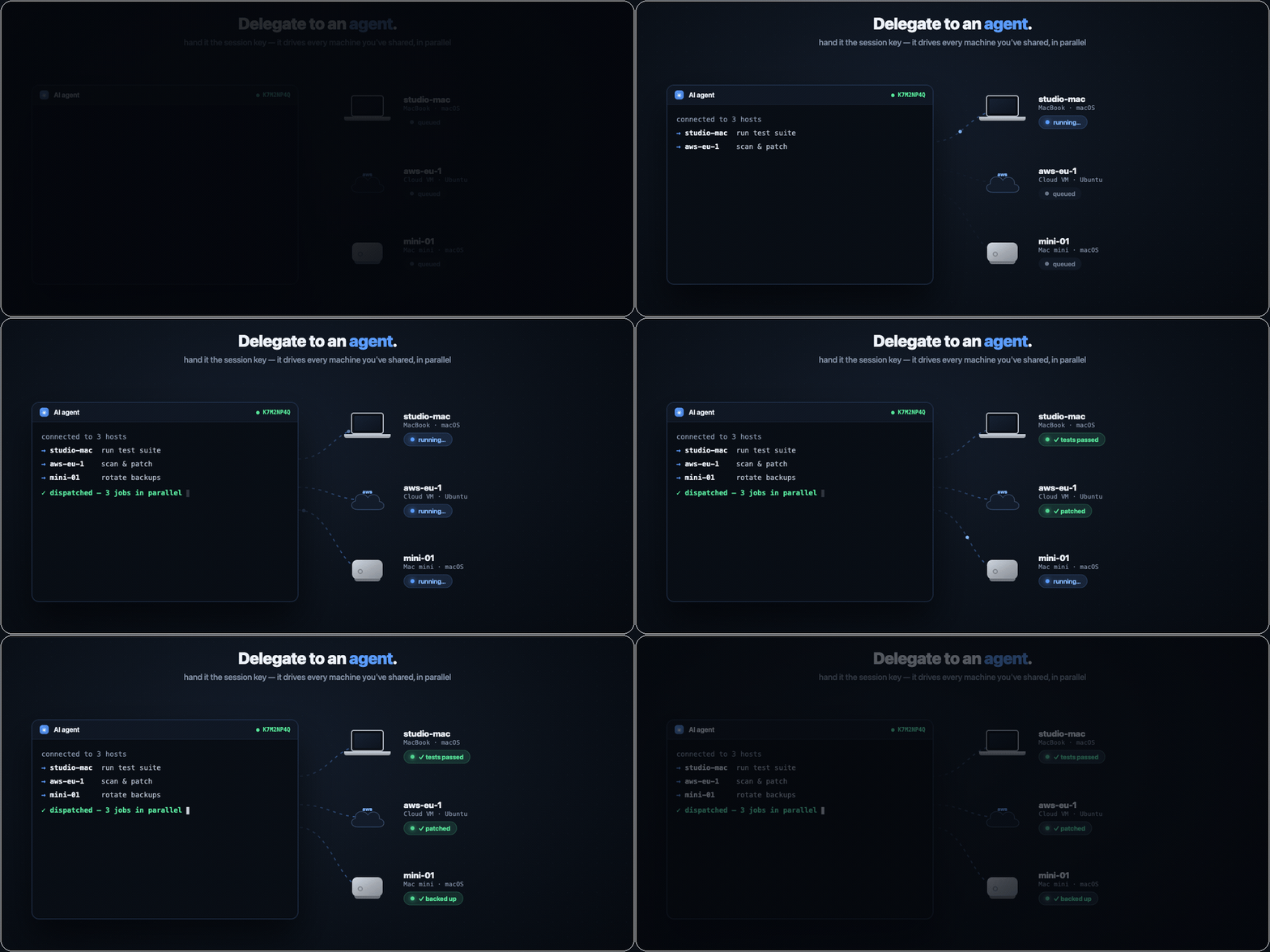
| `reminal integrate [--remove]` | Register reminal's MCP server with your agent CLIs (Claude Code, Codex, Cursor, Gemini, Qwen, OpenCode, Antigravity, Amp, pi) |
| `reminal mcp` | Run the MCP server on stdio — list, search, read and type into sessions across your machines |
| `reminal expose [--public]` | Forward a local HTTP port to a public URL (PIN-protected by default) |
| `reminal send ` | Push a file to every connected viewer (web client auto-downloads) |
| `reminal copy [--ttl ] ` | Offer a file for pickup anywhere; prints a one-time code |
| `reminal paste [dest]` | Fetch a file offered by `reminal copy` on another machine |
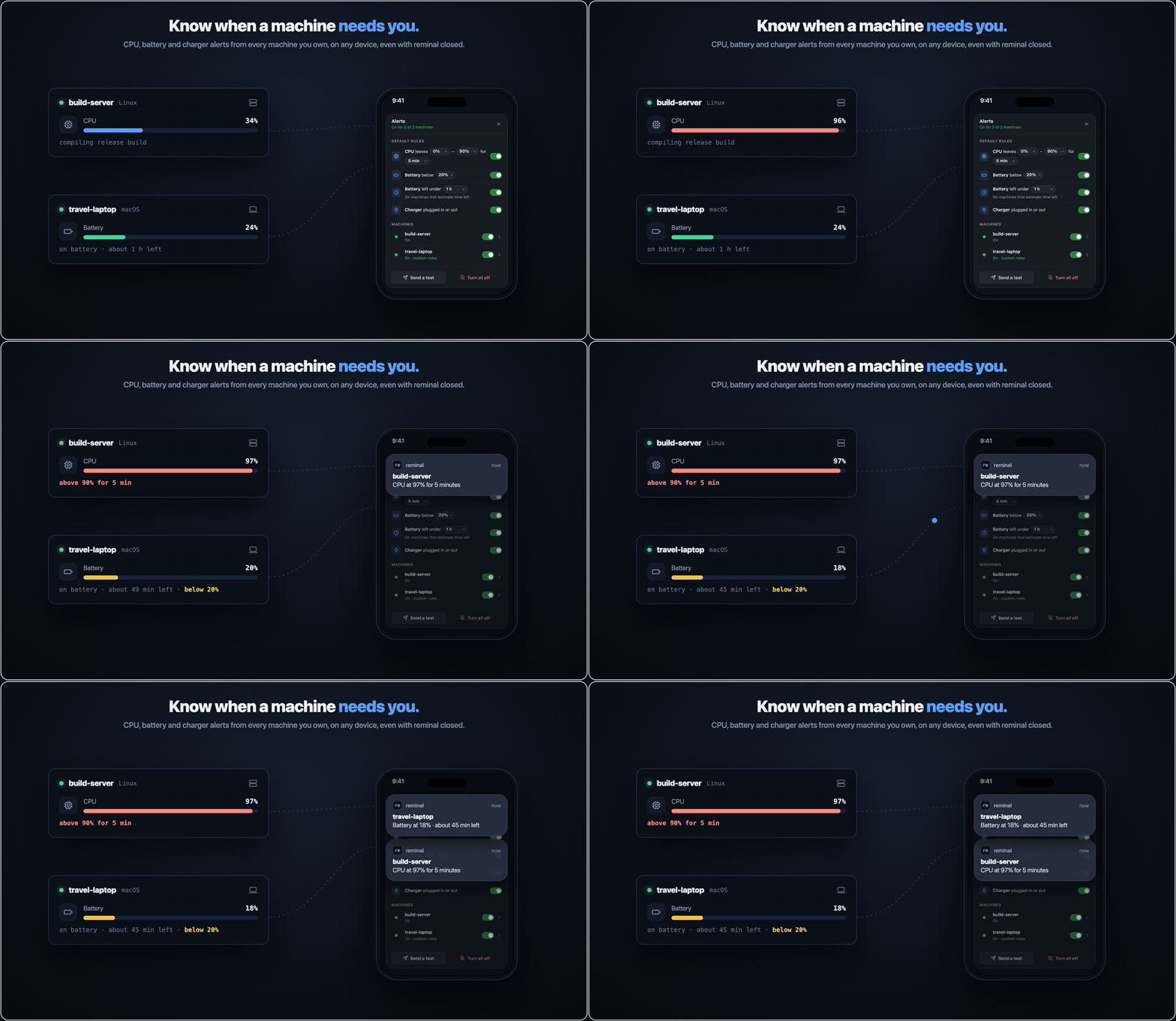
| `reminal notify ` | Push a notification to viewers (browser notification on web) |
| `reminal connections` | List currently attached viewers with connect time |
| `reminal own` | Print this device's owner id + the `add owner` line to paste on machines you want to own |
| `reminal add owner [--label ]` | Enroll an owner device on this machine (needs `sudo` / an Administrator terminal on Windows) — lets it connect PIN-free |
| `reminal owners [rename\|revoke\|restore …]` | List / relabel / revoke / restore this machine's owner devices |
| `reminal machines [rename ]` | List every machine you own and its live sessions (web Machines panel manages them) |
| `reminal info [id\|name] [--all] [--qr] [--json]` | Show connect details — ID / PIN / URL / QR |
| `reminal qr [id\|name]` | Print just the join QR (for a second screen) |
| `reminal settings` | Settings page: keep the Mac unlocked for remote control; **closed-lid mode** (serve with the lid shut and nothing plugged in — disables clamshell sleep, auto-creates a virtual display while headless) |
| `reminal doctor` | Self-diagnostic: version, relay reachability, terminal, shell |
| `reminal permissions` | macOS: grant Screen Recording to reminal once, so background (`+`) sessions can mirror windows |
| `reminal completion ` | Print a shell completion script |
| `reminal upgrade` | Upgrade to the latest release |
| `reminal relay [port]` | Start a local relay (development only) |
| `reminal version [--verbose]` | Print version |
Sessions resolve by **exact id, exact name, unique id prefix, or unique substring** of name / cwd / title — `reminal attach deploy` just works.
### Environment variables
| Variable | Default | What it does |
|---|---|---|
| `REMINAL_RELAY` | Upstream public relay | Relay WebSocket base URL; also derives `REMINAL_WEB` when that is unset |
| `REMINAL_WEB` | Upstream public web UI | Web UI URL; also derives `REMINAL_RELAY` when that is unset |
| `REMINAL_LOCAL` | — | Set to `1` to point everything at `localhost` |
| `REMINAL_OWNERS_DIR` | `/etc/reminal` (`%ProgramData%\reminal` on Windows) | Where the machine's owner list lives (the admin-gated trust store) — override for tests or unusual layouts |
| `REMINAL_NO_KEEP_AWAKE` | — | Set to `1` to let the host sleep while reminal runs (defaults to keeping it awake via `caffeinate` / `systemd-inhibit` / `SetThreadExecutionState`) |
| `REMINAL_TURN` / `REMINAL_TURN_USER` / `REMINAL_TURN_PASS` | — | Optional TURN server for P2P window mirroring behind hostile NATs (or `REMINAL_TURN_CF_KEY` + `REMINAL_TURN_CF_TOKEN` for Cloudflare TURN). Without one, un-punchable viewers stay on the relay fallback |
| `REMINAL_NO_CAPTURE_HELPER` | — | Set to `1` to force the screenshot capture path (skip the native ScreenCaptureKit helper) |
| `REMINAL_DEBUG` | — | Set to `1` to append the raw error string to status lines, for diagnosing connection problems |
| `SHELL` | `$SHELL`, then probes `/bin/zsh`, `/bin/bash`, `/bin/sh` (Windows: `pwsh` → `powershell` → `cmd`) | Which shell to spawn inside the session |
Installs to `~/.local/bin/reminal` (macOS/Linux) or `%LOCALAPPDATA%\Programs\reminal` (Windows) — no sudo/admin needed. Apple Silicon, x86_64, and Windows ARM64. Build from source with `./scripts/build.sh` (Go 1.25+, Swift toolchain on macOS for the native capture helper); on Windows it's a plain `go build ./cmd/reminal`.
For a persistent custom default in local builds, copy
`reminal.build.env.example` to `reminal.build.env` and set
`REMINAL_DEFAULT_RELAY` and/or `REMINAL_DEFAULT_WEB`. The local file is ignored
by git and is parsed as inert `KEY=VALUE` data (not executed as shell code).
Release workflows use repository variables with the same names, so
forks can publish their own defaults; when those variables are absent, the
upstream defaults remain intact so ordinary contributor and upstream builds
continue to work.
---
## Ready to try it?
```bash
curl -fsSL https://raw.githubusercontent.com/harshalgajjar/Reminal/main/install.sh | sh
reminal
```
On Windows (PowerShell):
```powershell
irm https://raw.githubusercontent.com/harshalgajjar/Reminal/main/install.ps1 | iex
reminal
```
Scan the QR — you're in. No signup, no port-forwarding, no keys on disk. About **30 seconds** from this page to your own machine, live in a browser.
---
### License
reminal is **dual-licensed** under [AGPL-3.0](LICENSE). Using it — personally or
inside a company, unmodified — needs nothing from us. A
[commercial license](LICENSING.md) covers embedding reminal in a product you
distribute, or running a modified copy as a service. See
[`LICENSING.md`](LICENSING.md) for where that line sits, and [`CLA.md`](CLA.md)
if you'd like to contribute.
Built by @harshalgajjar. Stars are appreciated. Issues even more so.