
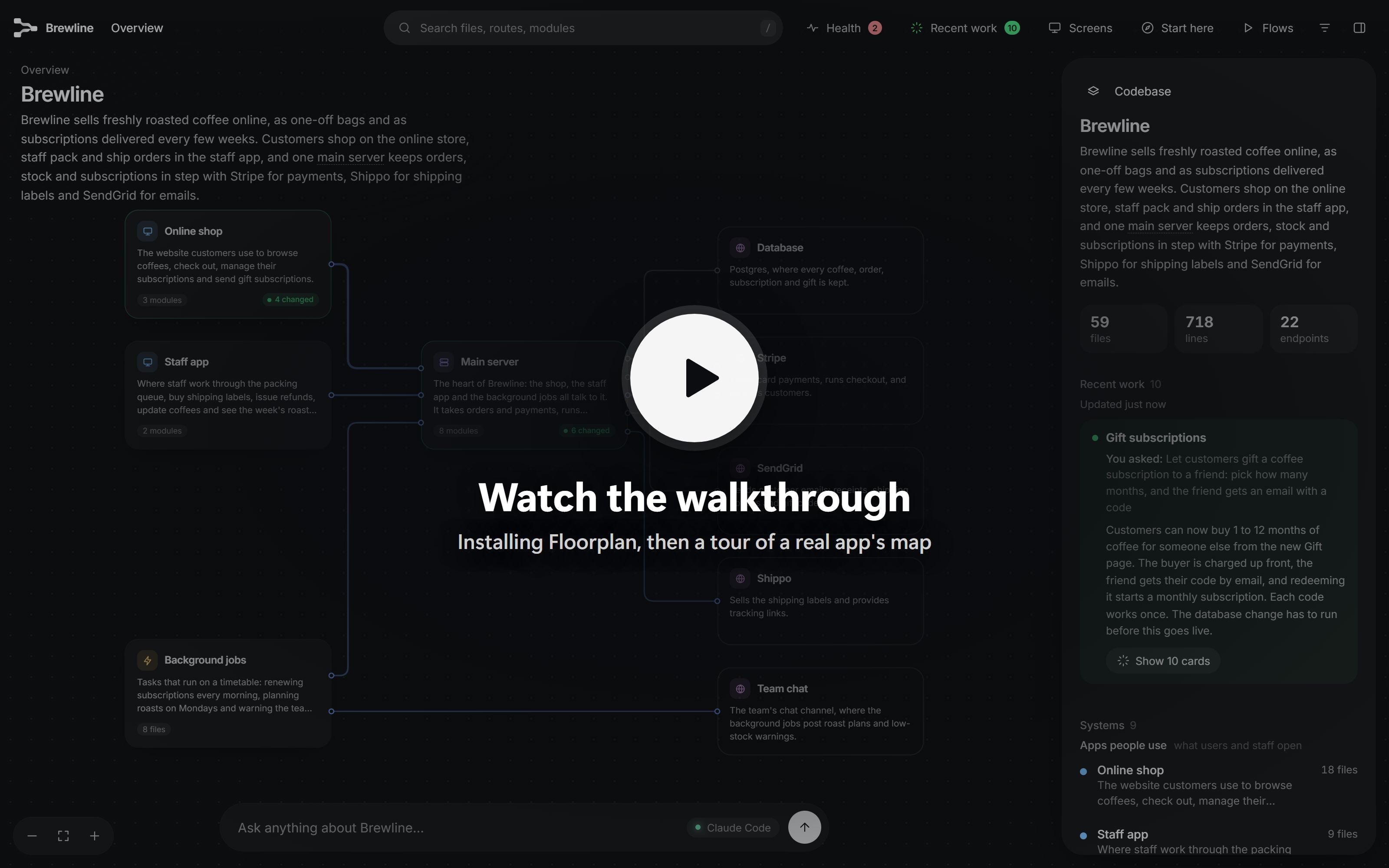
▶ Watch the walkthrough: installing Floorplan, then a tour of Brewline, a demo coffee-subscription app built across four repos.
Try the live demo → Explore the Brewline map in your browser, no install needed.
## Why Floorplan? You built an app, probably with a lot of help from AI, and it works. But ask "what happens when someone checks out?" or "what breaks if I change this?" and the honest answer is *no idea*. Floorplan gives you the diagram nobody drew. Ask Claude Code or Codex for a floorplan and a few minutes later you have a map you can explore, ask questions on, and keep up to date as you work. - **For builders:** understand the app you made, in your own words, without reading the code. - **For teams:** onboard someone in minutes, from the big picture down to the exact file. - **For working with AI:** after every change Claude or Codex makes, see exactly which parts it touched and why. ## Floorplan, Archify or Understand Anything? All three turn code into something you can see, and all three are worth knowing. They answer different questions: | | **Floorplan** | **[Archify](https://github.com/tt-a1i/archify)** | **[Understand Anything](https://github.com/Egonex-AI/Understand-Anything)** | |---|---|---|---| | **The question it answers** | How does the app I built actually work, and what should I worry about? | How do I show this clearly? | How does this big codebase work, down to the functions? | | **Made for** | People who build with AI and don't read the code | Anyone explaining a system, a process or an idea | Developers getting to know a large codebase | | **What you get** | A zoomable map of your whole app: parts, files and endpoints, the screens, the requests between frontend and backend (even across repos), and outside services | A polished diagram in one of 10 types (architecture, sequence, ERD…) or a one-page explainer, from a repo or just a description | A knowledge graph of every file, function and class, with layers, a business-domain view and guided tours | | **Only here** | **Health check** (keys in code, open Supabase tables and Firebase rules, fakeable Stripe webhooks, endpoints anyone can use), **Recent work** (what your AI just changed, and why), blueprints from a PRD | 10 diagram types, image and video exports, diagrams of things that aren't code | Diff impact, a dashboard that adapts to your role, knowledge-base graphs | | **Runs in** | Claude Code, Codex | Claude Code, Codex, Cursor, OpenCode and more | Claude Code, Codex, Cursor, Copilot, Gemini CLI and more | **Pick Floorplan** to understand and check an app you own. **Pick Archify** to draw a diagram for a doc, a talk or a decision. **Pick Understand Anything** to study a large codebase function by function. They also work together: map your app with Floorplan, then use Archify to draw one flow for a presentation. ## Features|
**🗺️ A map at every zoom** Start with the whole app, then double-click into a part, a group of files, a file, and its endpoints. Each view shows what it's used by and what it uses. |
**💬 Plain English everywhere** "Takes card payments at checkout", not "Stripe API wrapper". Technical terms are explained on hover, and one switch shows the developer view. |
|
**🔌 Real connections, across repos** It follows imports, and matches each web request in your frontend to the server endpoint that answers it, even across separate repos. |
**🖥️ Start from a screen** Pick a page you know and see everything behind it: its parts, the requests it makes, the server code, the data, and outside services. |
|
**🧭 Ask the map** "How does a refund reach the customer's card?" comes back as an answer plus a mini-map of just the pieces involved, with a step-by-step walkthrough. |
**🩺 Health check** Catches the classic mistakes in AI-built apps: keys in the code or sent to the browser, Supabase tables anyone can read, open Firebase rules, Stripe webhooks anyone could fake, and endpoints with no sign-in. Each comes with a ready-to-paste fix. A check, not an audit. |
|
**🟢 Recent work** The cards your AI just changed light up green, each with a note on how the change serves what you asked for. |
**⚡ Stays current, stays yours** Updates re-read only what changed, and an open map reloads itself. Everything runs on your machine, and nothing is committed to git. |
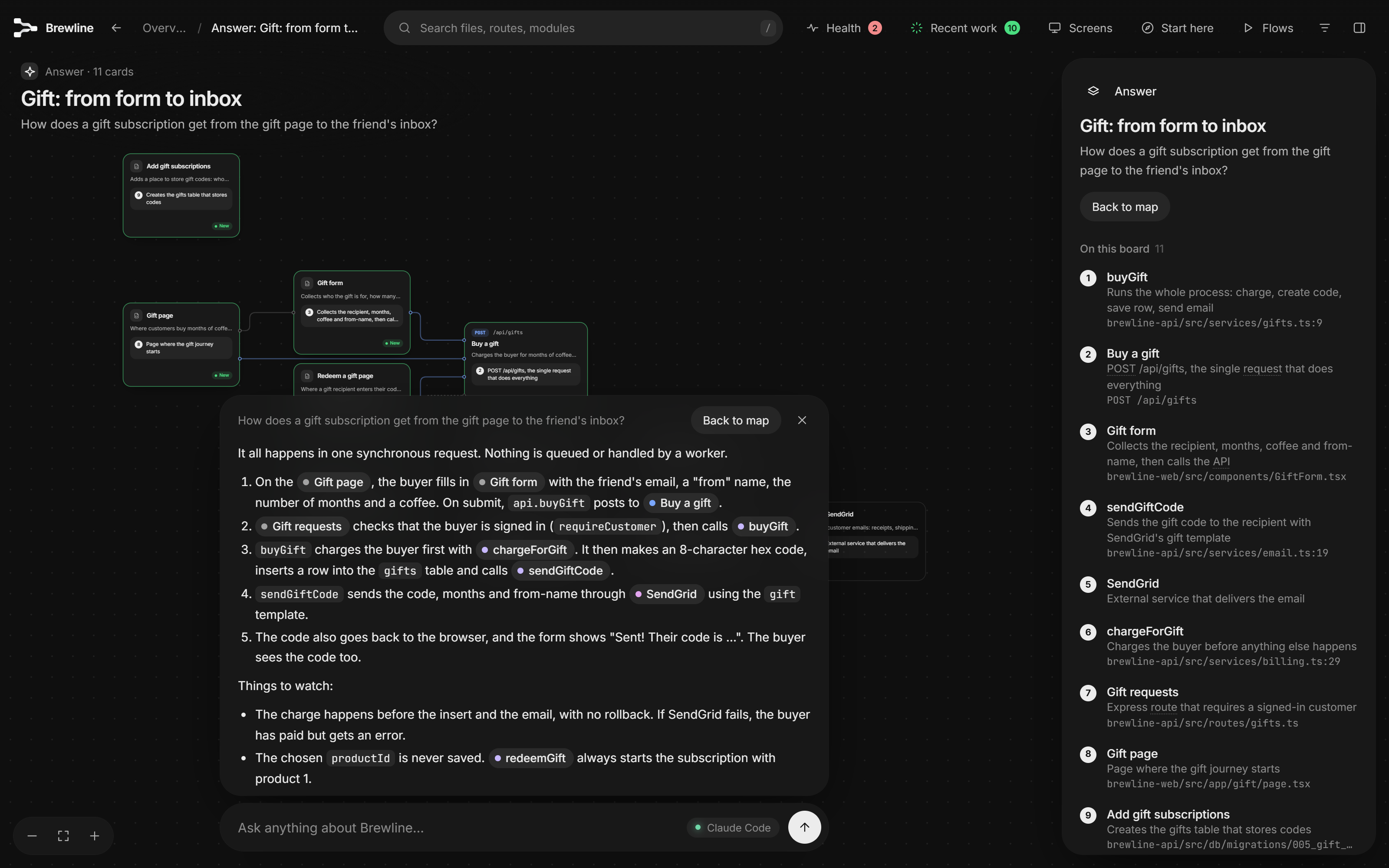
Ask the map. A real answer, from the Claude Code CLI in 31 seconds. It traced the gift from form to inbox across two repos, and spotted two bugs along the way. |
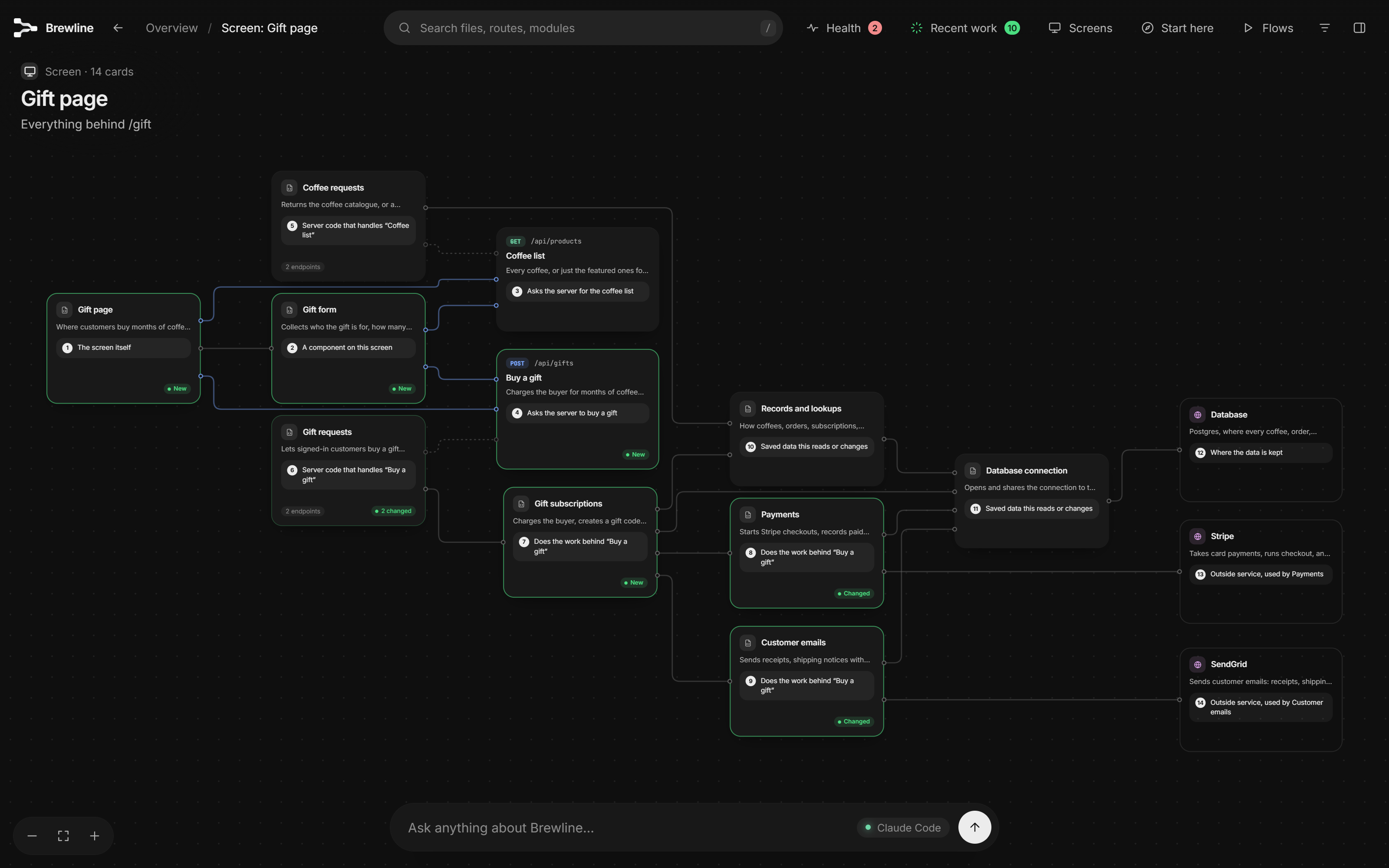
Start from a screen. Pick any page and see everything behind it, from the button down to the database and outside services. |
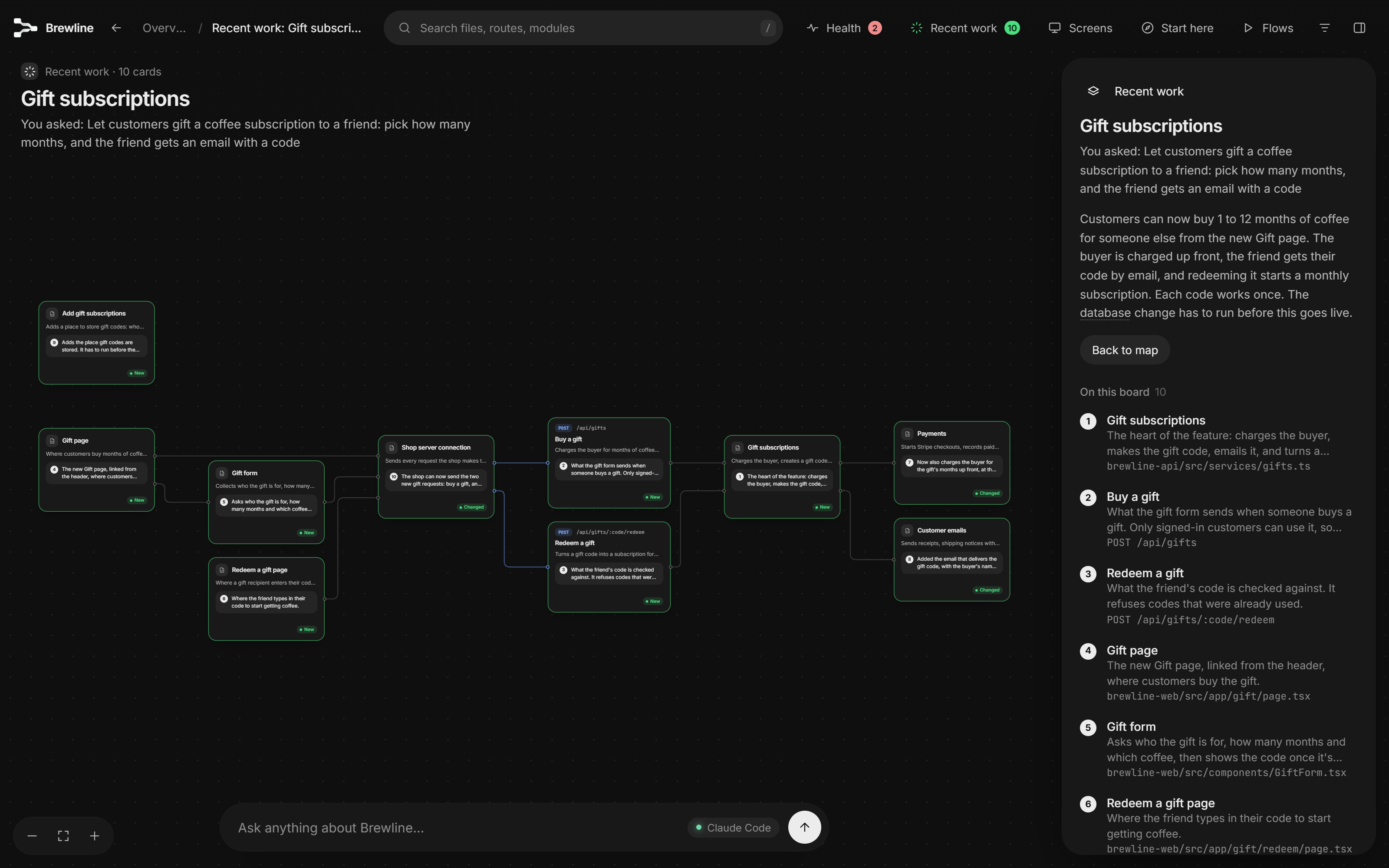
Recent work. What you asked for, what changed, and why each change was needed, on one board. |
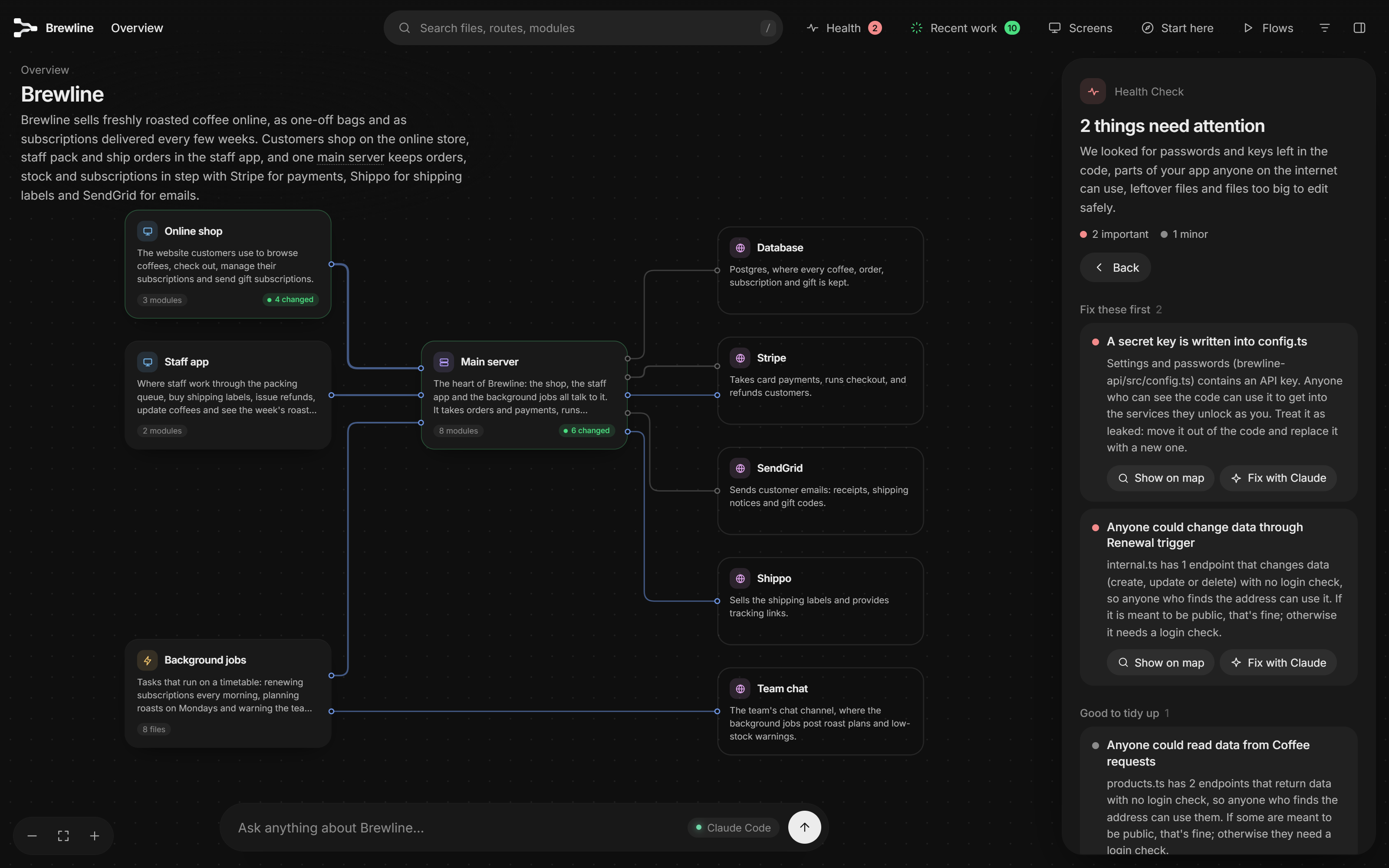
Health check. A password left in the code and an endpoint anyone can call, each with a one-click fix prompt. |
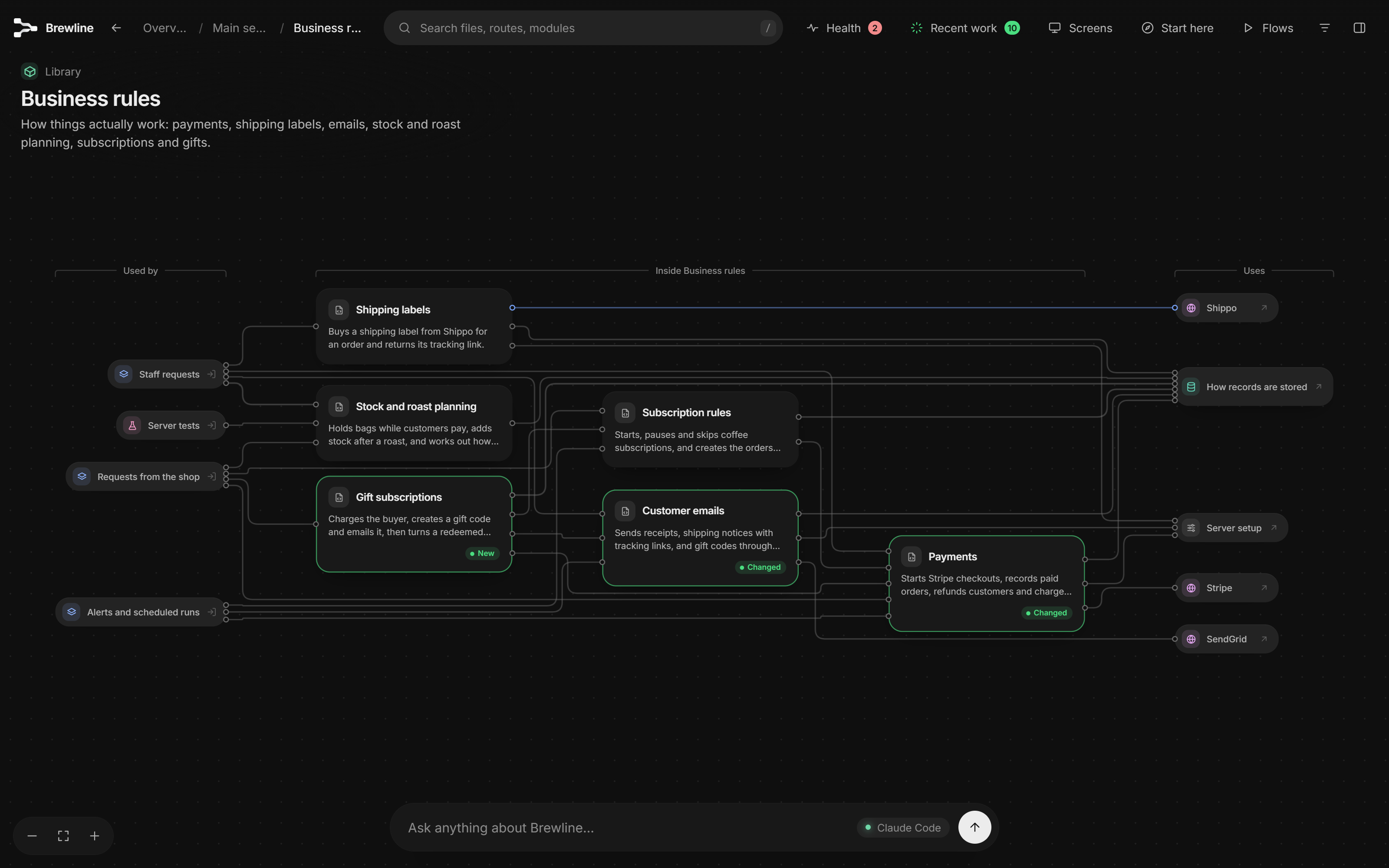
Zoom in. Inside any part: what's in it, what uses it, and what it relies on. Green tags mark what just changed. |
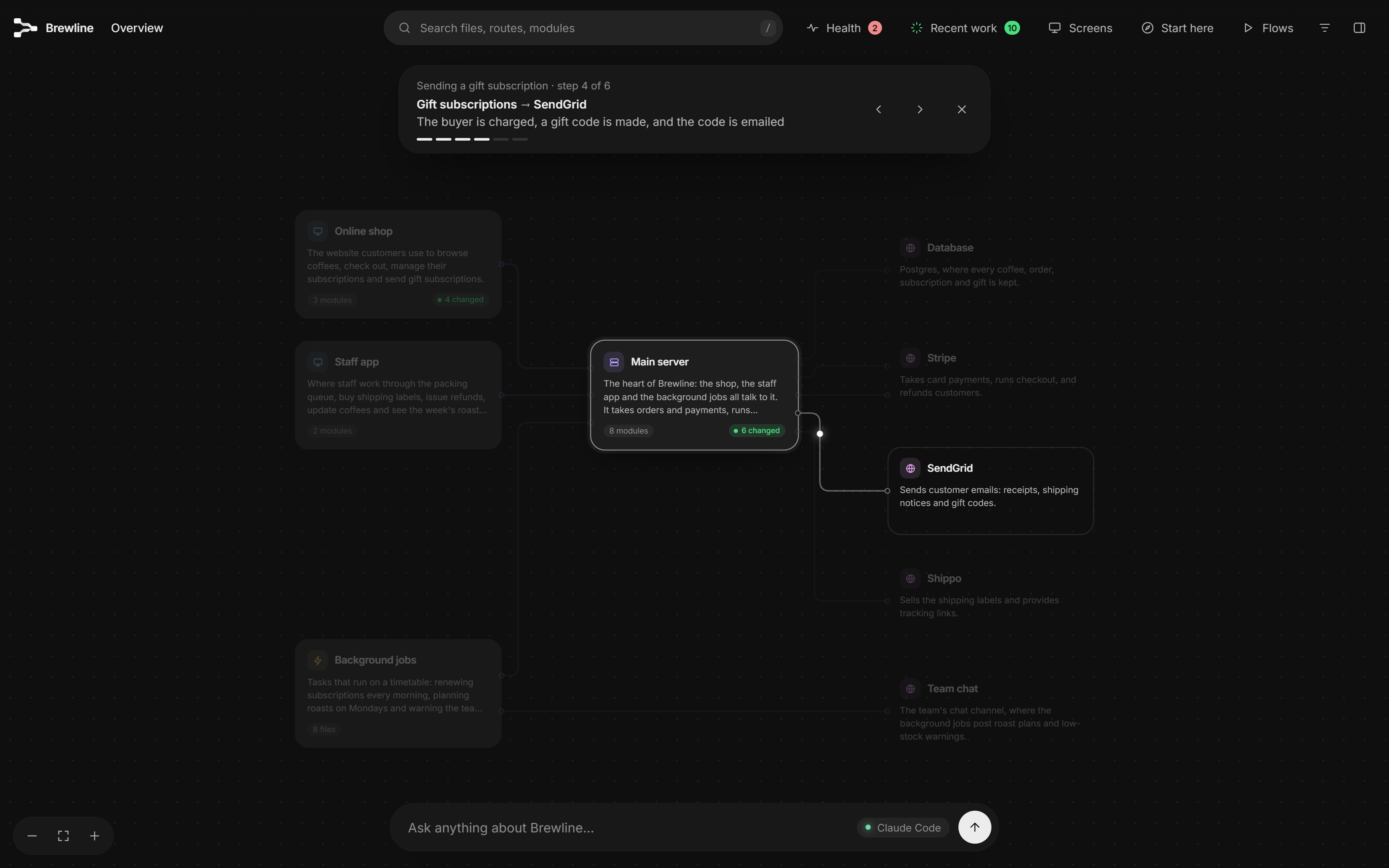
Guided flows. Watch a request travel through the app step by step, or ask for a new one to be traced. |