# Grey2Art
[English](README.md) · [简体中文](README.zh-CN.md)
**Turn one gameplay greybox into playable prototypes in multiple art styles.**
[Setup](#requirements) · [Install](#quickstart) · [Capabilities](#capabilities) · [Workflow](#workflow) · [Showcases](#showcases) · [Docs](#docs-and-tools) · [Community](#community)
Grey2Art is an Agent Skill for Codex, Claude Code and WorkBuddy. Turn an existing playable greybox into one or more art versions, or start with a gameplay brief or reference and build the greybox first. Outputs remain editable in Godot or Unity.
Start with the [quickstart](#quickstart) to install. For game production tasks, agents use [SKILL.md](skills/greybox-to-multistyle-art/SKILL.md).
## Capabilities
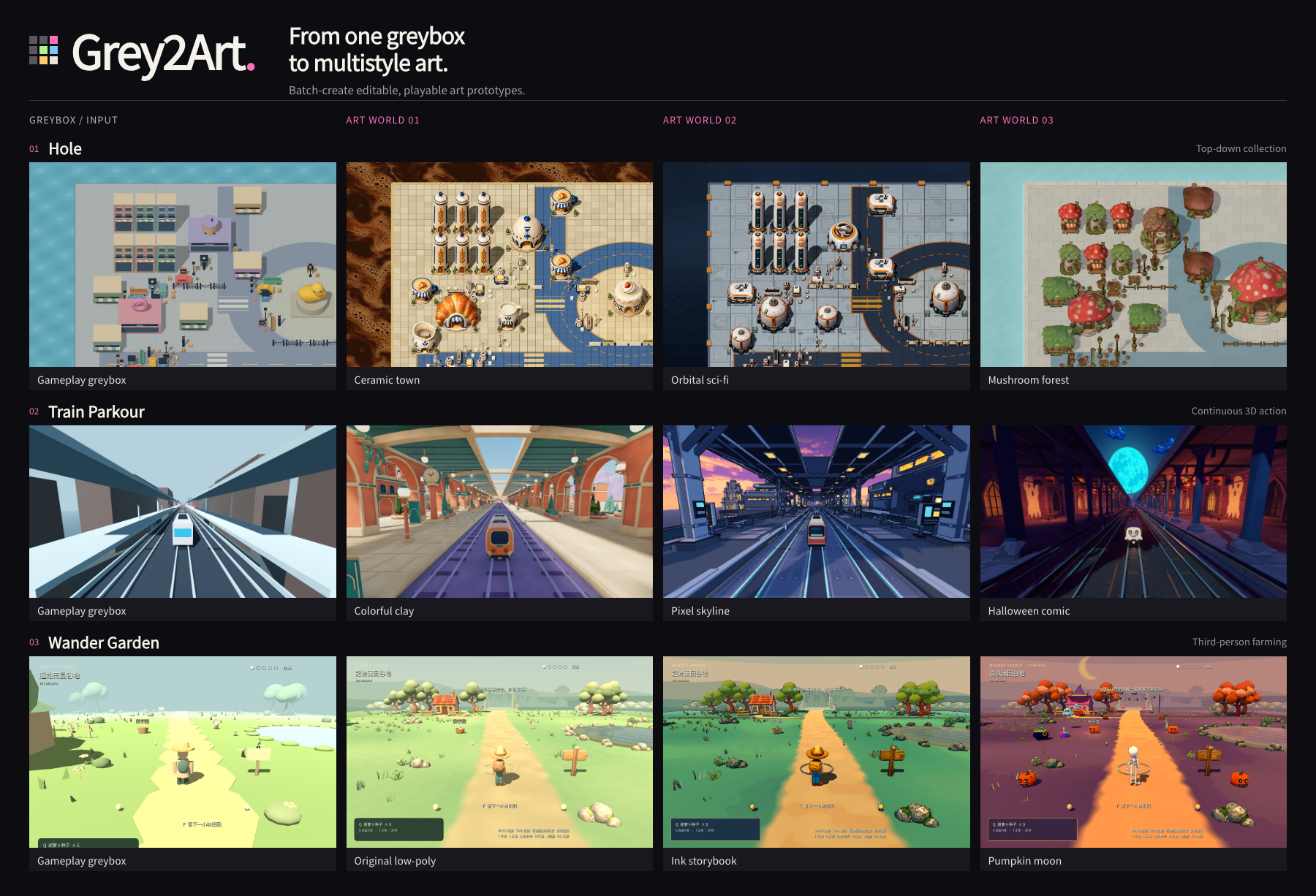
Use the same gameplay to compare art directions, develop a vertical slice, or extend an existing style to new areas. Start with a priority style's complete playable sample, then carry the remaining selected styles through production.
| Task | What the agent does |
|---|---|
| Explore styles | Develop scene concepts and compare composition, materials and atmosphere. |
| Plan the scene | Work out key views, spatial layout, asset responsibilities and assembly order. |
| Produce and assemble | Combine generated models, reusable assets and native geometry in an editable scene. |
| Revise and continue | Make local changes, check affected gameplay and resume interrupted work. |
Design reviews and production plans keep the work directed: choose references, agree on costs, then produce assets. Asset inspection, remeshing routes and native scene checks support the work as needed. [Capabilities and tools](docs/CAPABILITIES.md)
## Gameplay
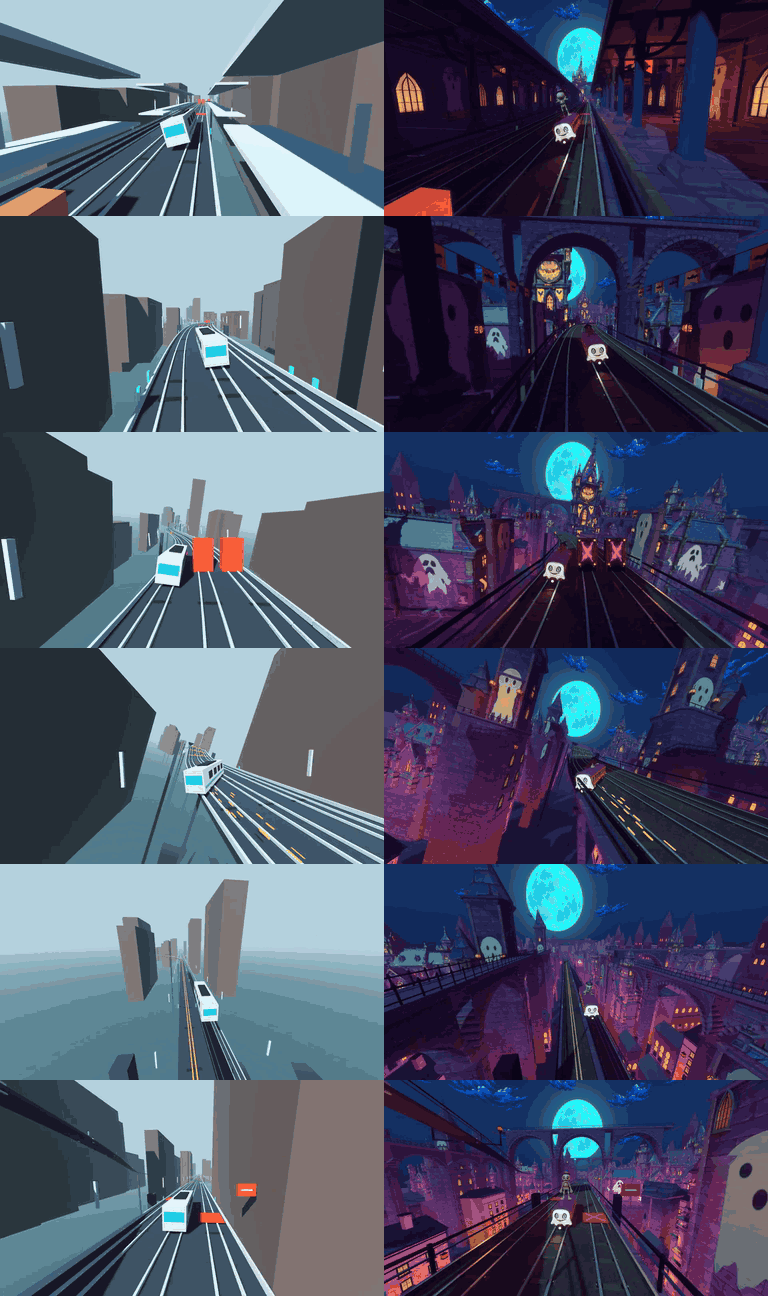
[Greybox video](docs/demo/train-greybox-preview.mp4) · [Art video](docs/demo/train-halloween-preview.mp4) · [Hole gameplay GIF](docs/demo/hole-ceramic-motion.gif)
## Requirements
| Prepare | Choose |
|---|---|
| Agent and Python | Codex, Claude Code or WorkBuddy with local command execution; for production, use [Python 3.11+](https://www.python.org/downloads/). |
| Authoring and validation | [Blender](https://www.blender.org/download/) for spatial greyboxes, scale, cameras and geometry; [Godot](https://godotengine.org/download/) / [Unity](https://unity.com/download) for playable loops, interactions and runtime tests. Choose for the task and retain existing project versions. |
| Image tools | Use your host's image tool or configure an [image service](skills/greybox-to-multistyle-art/references/image-services.md) for concepts and modeling references. |
| AI 3D provider | Choose one when generating new models: Lux3D, Meshy, Tripo, Rodin or Hi3D. [Sign up and configure](docs/INSTALL.md#choose-an-ai-3d-provider) |
Blender is a DCC tool; a spatial greybox or `.blend` delivery needs no game engine. Greybox work needs no image or 3D account. Image operations use Pillow 13+; review costs before paid generation.
## Quickstart
Paste this request into the agent you already use:
```text
Install the Grey2Art Skill from https://github.com/hbzheng0942/grey2art for my current agent.
```
A first install needs no Python. Refresh skills or start a new session to try a task below. [Install guide and offline setup](docs/INSTALL.md)
**Existing greybox, one style**
```text
Use greybox-to-multistyle-art to turn into a clay-style playable art prototype.
Preserve gameplay, target , and keep the project editable.
```
**One greybox, multiple styles**
```text
Use greybox-to-multistyle-art to make paper, pixel and clay playable versions of .
Preserve gameplay. Complete a whole paper-style sample first, then the other two styles.
Target: .
```
**Build a greybox first**
```text
Use greybox-to-multistyle-art to create a top-down collection game in Godot at .
First build and check a playable greybox with movement, collection and level completion,
then develop it into a toy-style art prototype.
```
You can start with spatial validation:
```text
Use greybox-to-multistyle-art to block out in Blender.
Check scale, layout and camera views, deliver an editable .blend,
then integrate it into for a playable sample.
```
**Start from a game reference**
```text
Use greybox-to-multistyle-art to explore from .
Describe controls, camera and rules, and list what is unclear. Build one small greybox level
in at , check its core loop, then make a