muselab


muselab is a self-hosted, agent-native workspace built on the Claude Agent SDK.
Agent interaction, workspace switching, global task management, and cross-device sync.
Quick start · Core features · Documentation · Demos
Muse comes from the Muses of Greek mythology, goddesses of inspiration, art, and knowledge.
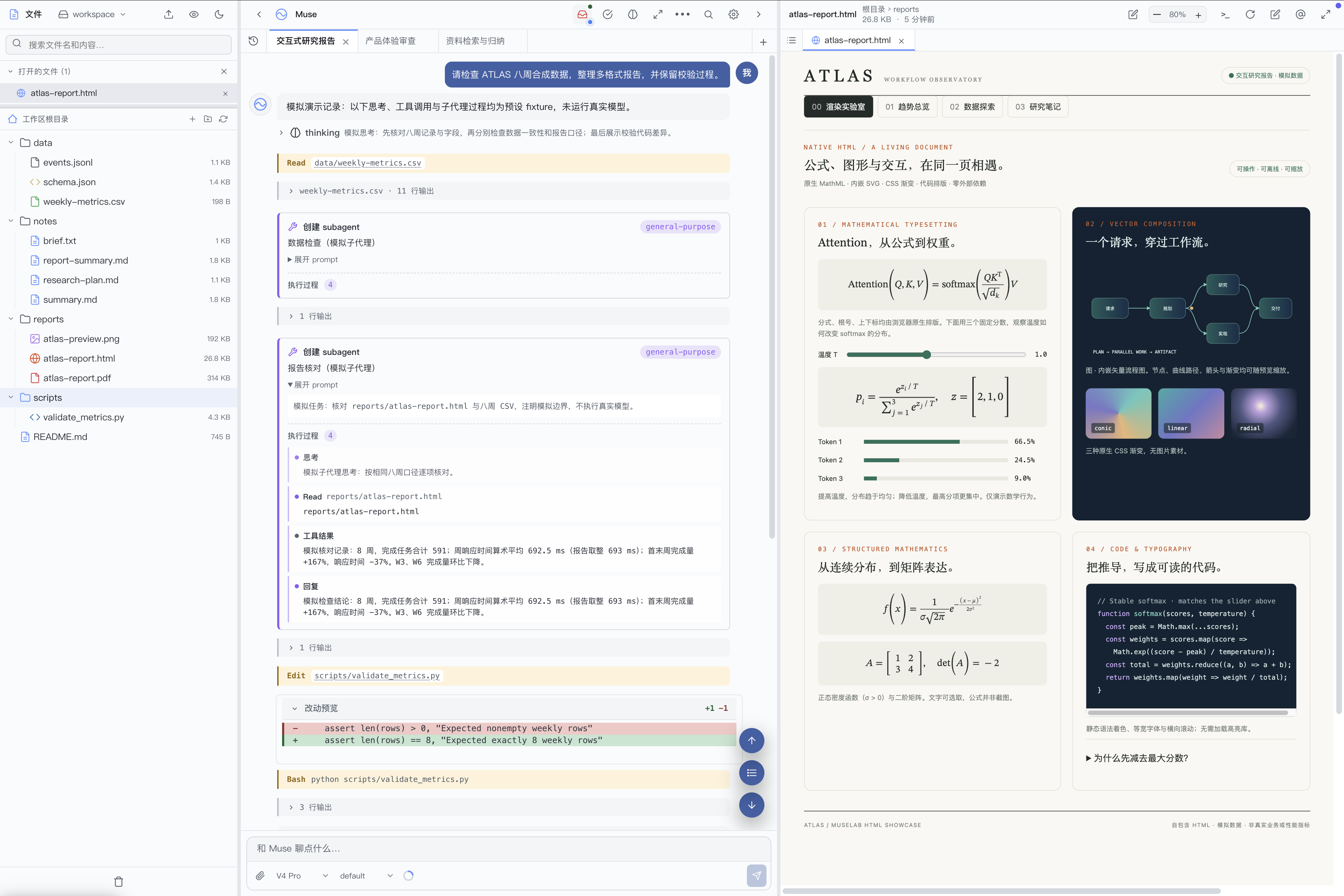
Desktop · files, session tabs, and HTML preview
More screenshots: task center, dark theme, and mobile
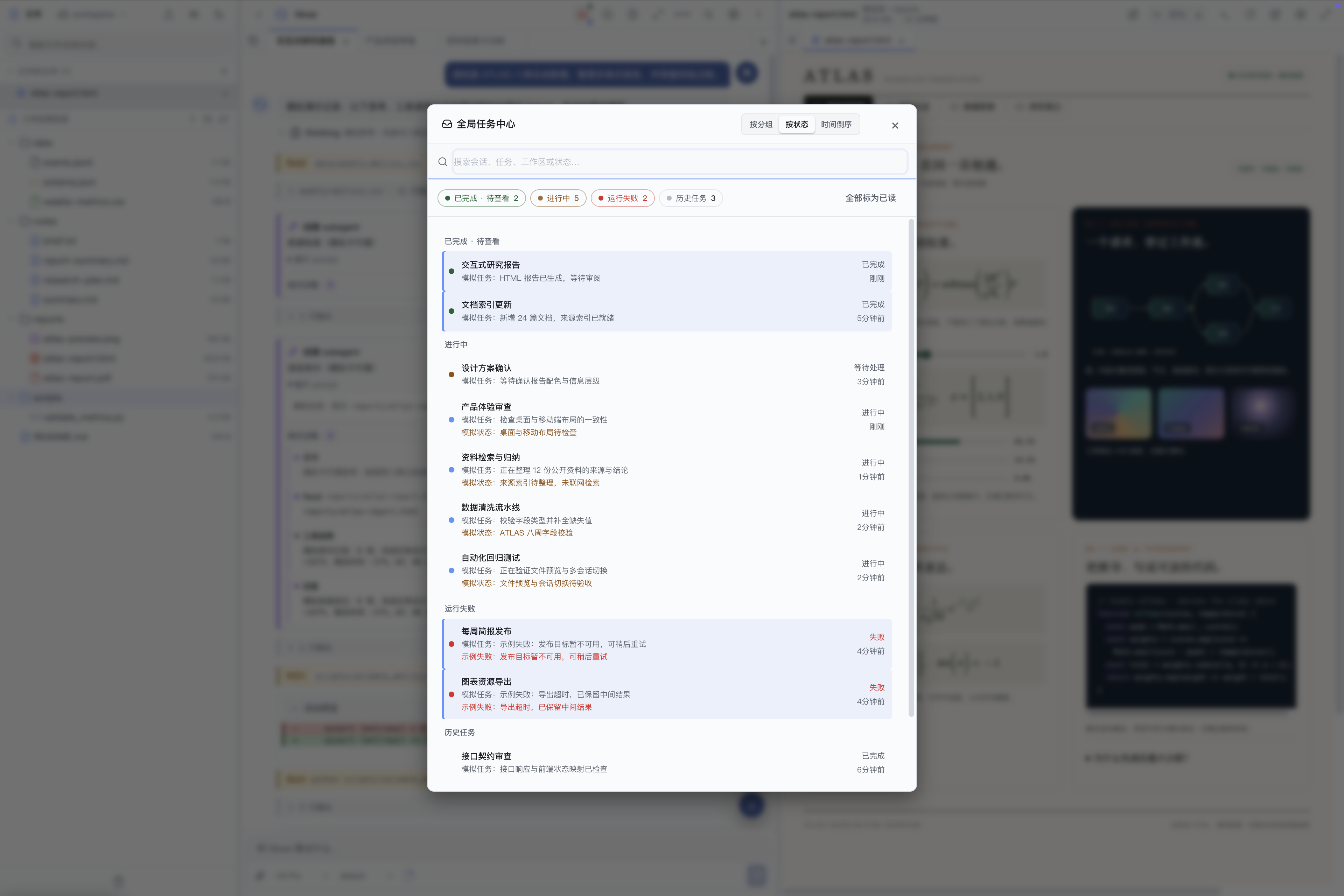 |
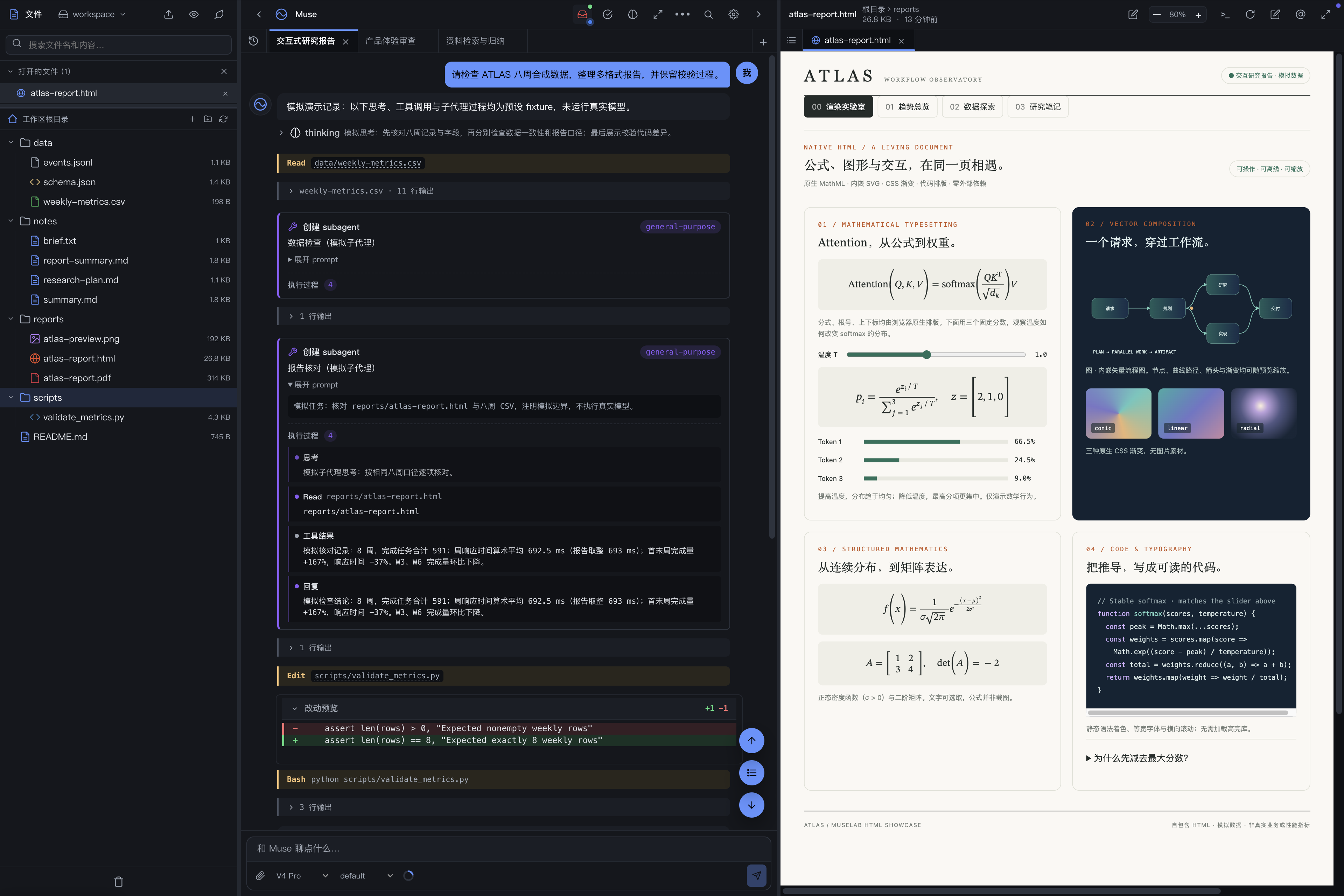 |
| Task center · running, failed, and completed tasks |
Desktop · dark theme |
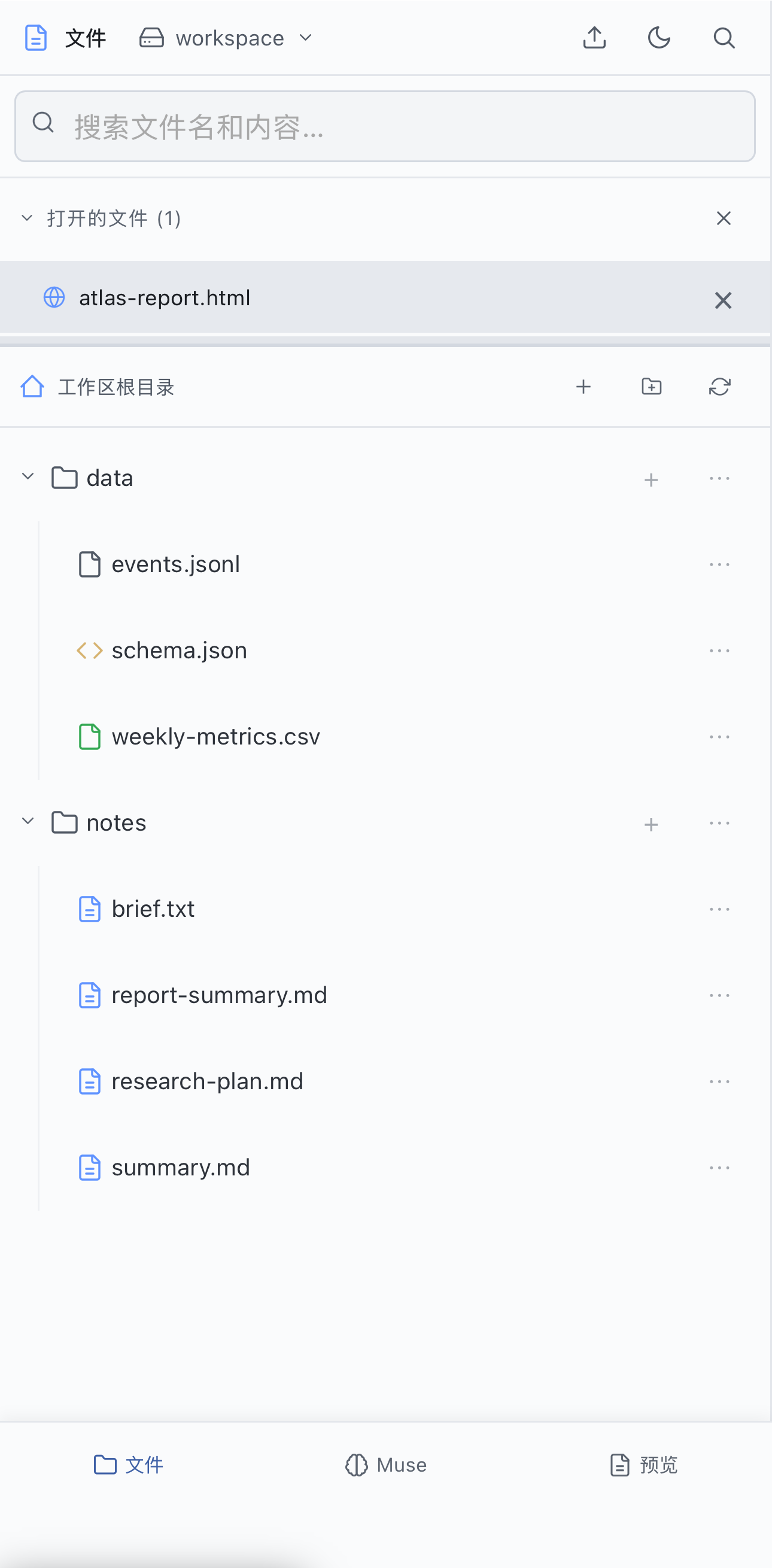 |
 |
 |
| Mobile · files |
Mobile · Agent conversation |
Mobile · HTML preview |
## Core features
| Feature | Description |
|---|---|
| **Agent-native workspace** | Files, sessions, previews, and real terminals organized around agent tasks, with access to execution records, file editing, and result verification |
| **Multiple workspaces** | Switch between projects, using project instructions, memory files, documentation, and Skills to organize the agent's working context |
| **Agent execution and extensions** | Tool calls, subagent timelines, code diffs, Hook status, and model usage, with support for Skills, MCP, and Hook configuration |
| **Continuous session workflows** | Session tabs, background execution, persistent message queues, session forks, and last-turn retries |
| **Global task management** | Task states and results across sessions, with background tasks, scheduled tasks, and push notifications |
| **Long-term memory** | Dreaming to consolidate task experience; the Agent searches, traces source evidence and maintains memories through MCP tools, and external CLIs such as Claude Code or Ducc can share the same memory; supports manual correction, disabled by default and configured separately |
| **Multiple models and providers** | Claude OAuth, API keys, Codex through a separate local gateway, and configurable Anthropic-compatible endpoints |
| **File previews and editing** | Markdown, HTML, images, PDF, XLSX, CSV, TSV, and text previews, with Markdown editing and split preview |
| **Desktop, mobile, and Apple Watch** | Desktop browsers and the mobile PWA share working files and sessions, with English/Chinese UI and multiple themes; Apple Watch Shortcuts support dictation, recent sessions, reply reading, and follow-up messages |
Configuration: [Workspaces](docs/personalize-claude-md.md) · [Providers](docs/providers.md) · [Codex Gateway](docs/codex-gateway.md) · [Long-term memory](docs/memory.md).
## Quick start
**One-line install** (Linux + macOS + WSL2):
```bash
curl -fsSL https://raw.githubusercontent.com/hesorchen/muselab/main/scripts/quick-install.sh | bash
```
**Manual install** (install [uv](https://docs.astral.sh/uv/getting-started/installation/) first):
```bash
git clone https://github.com/hesorchen/muselab && cd muselab
bash scripts/install-linux.sh # or install-macos.sh
```
Python 3.12 or newer is required; the frontend needs no npm build. The bootstrap script installs `uv`; platform installers sync dependencies and attempt to install Node and the CLI when needed. See [Quick start](docs/quickstart.md) for Docker, development mode, and detailed prerequisites.
**Verify after installation**:
1. Open `http://localhost:8765` in a browser on the installation machine.
2. Log in with the `MUSELAB_TOKEN` configured during installation.
3. Select a workspace and configure at least one model. See [Providers](docs/providers.md) for setup instructions.
4. Send `hello`, confirm Muse responds, and open a file to check its preview.
For installation or runtime issues, run `bash scripts/doctor.sh` from the repository directory to check the environment and obtain repair suggestions.
> **Windows users:** install through WSL2 (see [Quick start](docs/quickstart.md#windows-via-wsl2)).
>
> **Unattended installation:** `MUSELAB_NONINTERACTIVE=1 bash scripts/install-linux.sh`. See the platform installation guide for configuration requirements.
## Docs
**[📚 Full documentation index](docs/README.md)**
- **Get started:** [Quick start](docs/quickstart.md) · [Linux install](docs/install-linux.md) · [macOS install](docs/install-macos.md) · [Upgrade](docs/upgrade.md)
- **Usage:** [Workbench controls](docs/workbench-ui.md) · [Configure workspace CLAUDE.md](docs/personalize-claude-md.md) · [Skills](docs/skills.md) · [Terminal](docs/terminal.md) · [Mobile PWA](docs/mobile.md) · [Apple Watch](docs/apple-watch-console.md) · [Scheduled tasks](docs/scheduler.md) · [Long-term memory](docs/memory.md)
- **Models:** [Providers](docs/providers.md) · [Codex Gateway](docs/codex-gateway.md) · [Add a provider](docs/add-provider.md) · [Model routing](docs/routing.md)
- **Internals:** [Architecture](docs/architecture.md) · [Sessions](docs/backend-sessions.md) · [Files API](docs/backend-files.md) · [Security model](docs/backend-security.md) · [Frontend](docs/frontend.md) · [Infrastructure](docs/infrastructure.md)
- **Reference:** [Configuration](docs/configuration.md) · [Data & backup](docs/data-and-backup.md) · [Troubleshooting](docs/troubleshooting.md) · [Glossary](docs/glossary.md)
- **Concepts:** [How it compares](docs/comparison.md) · [The nine Muses](docs/muses.md)
- **Project:** [Security](SECURITY.md) · [Contributing](CONTRIBUTING.md) · [Third-party licenses](THIRD_PARTY_LICENSES.md)
## Status
Current version: v2.1.0. Before updating an existing installation, read the [Upgrade guide](docs/upgrade.md) and back up your data.
[MIT](LICENSE)