# Yowes — Canva Education Document Generator
**Headless MCP server** that generates teacher verification documents — employment letters, teacher ID cards, teaching licenses, payslips, and more — across **13 countries**.
[](LICENSE)
[](https://www.python.org/)
[](https://modelcontextprotocol.io)

*Portable, self-contained, and installable anywhere.*
---
## Table of Contents
- [Sample outputs](#sample-outputs)
- [Features](#features)
- [Supported countries](#supported-countries)
- [Requirements](#requirements)
- [Installation](#installation)
- [Usage — MCP server](#usage--mcp-server)
- [Legacy GUI](#legacy-gui)
- [Project structure](#project-structure)
- [Adding a new country](#adding-a-new-country)
- [License](#license)
---
## Sample outputs
Documents are rendered as high-resolution PNGs. Examples generated by this tool:
| Teacher ID (US) | Employment letter (US) |
|:---:|:---:|
| 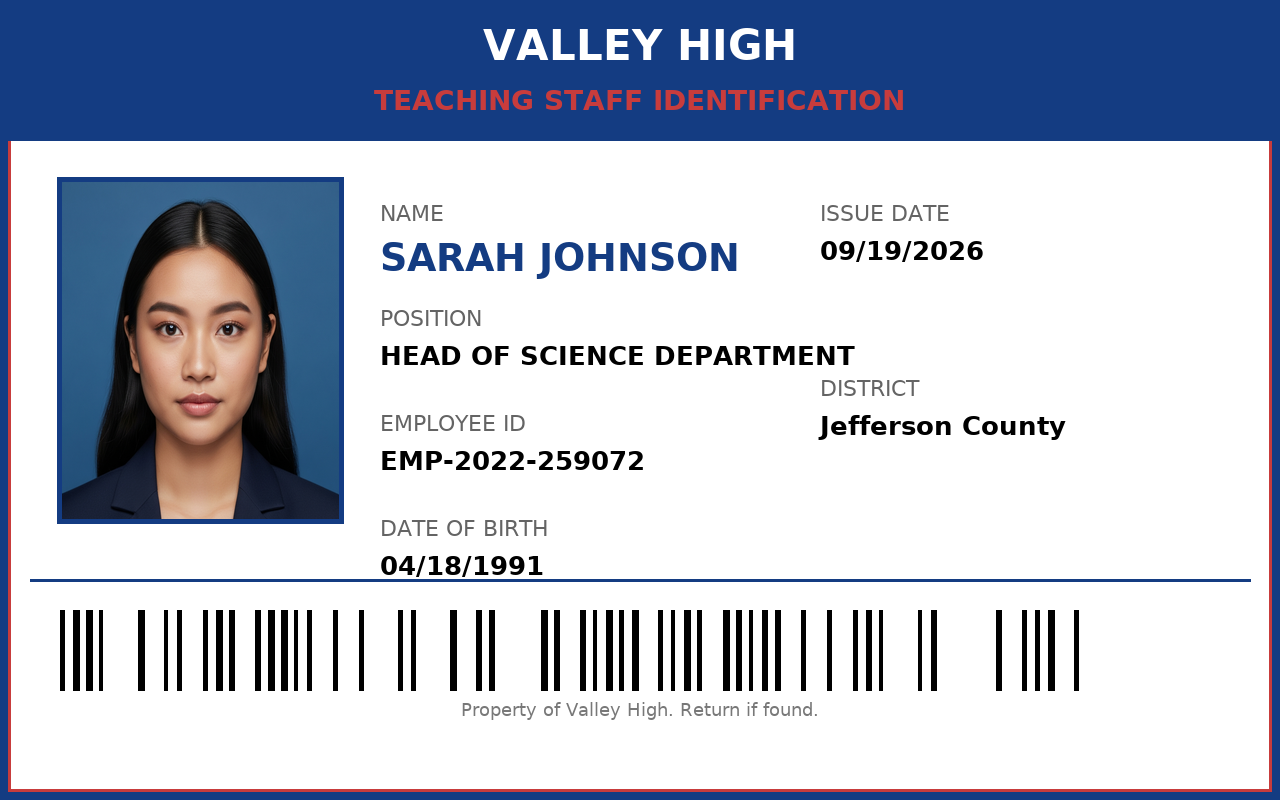 | 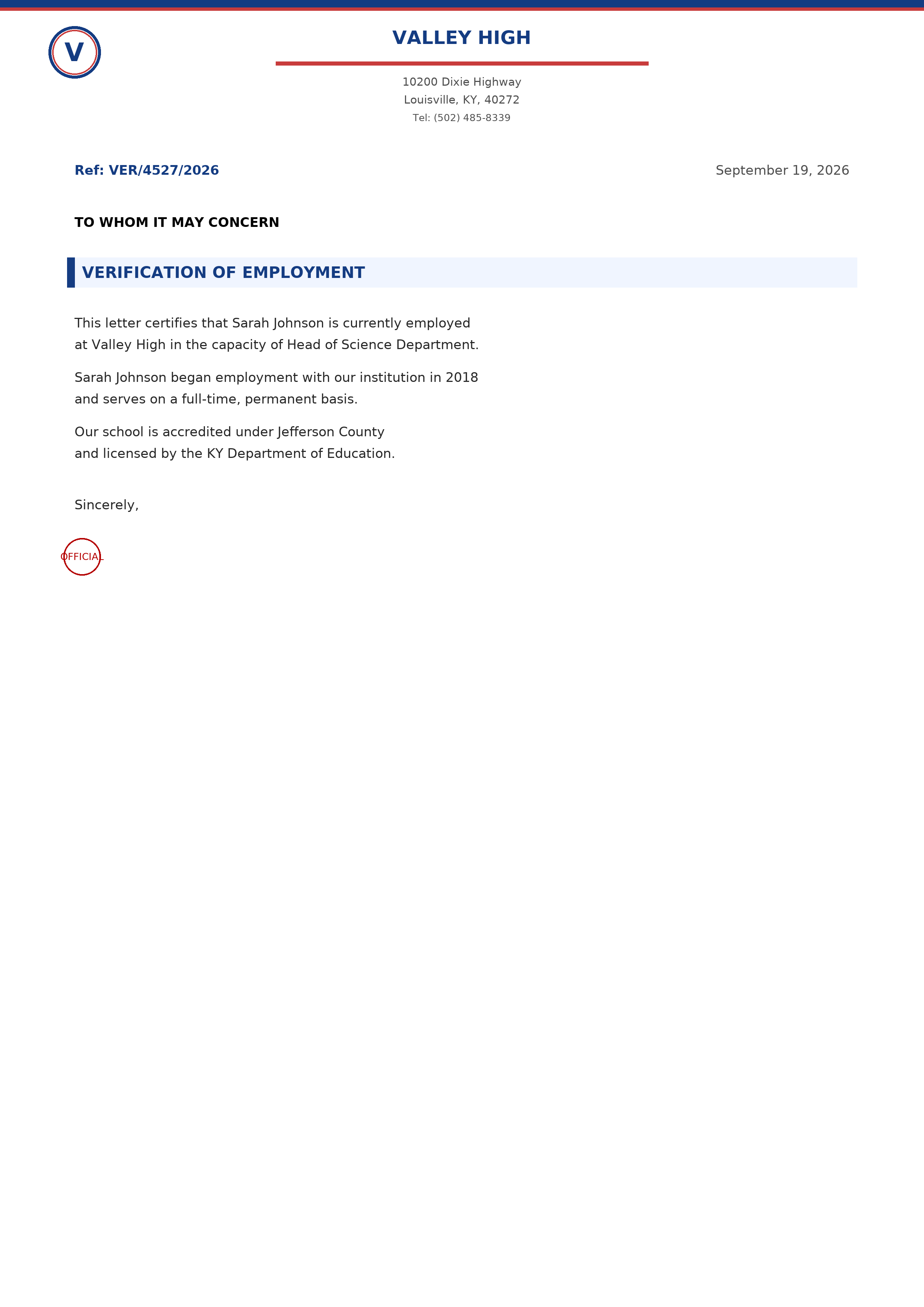 |
| Teacher ID (UK) | Employment letter (UK) |
|:---:|:---:|
| 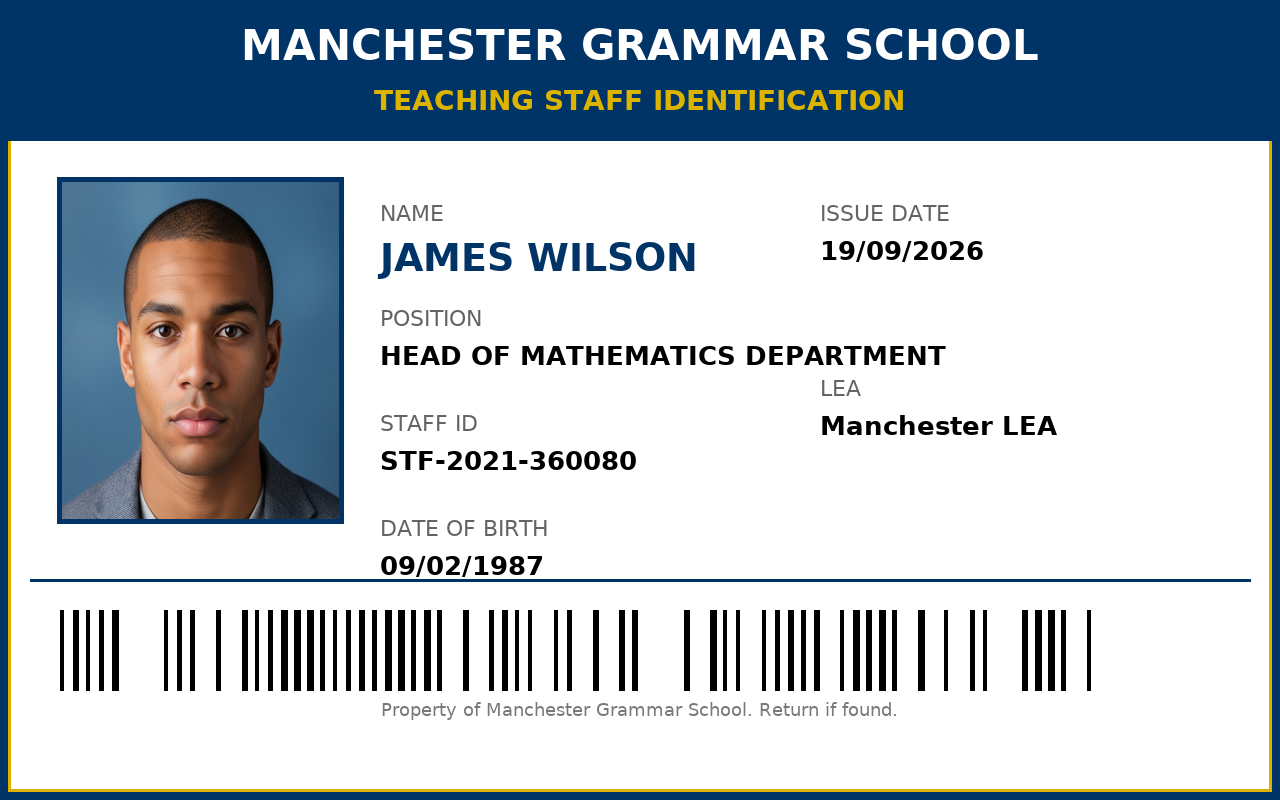 | 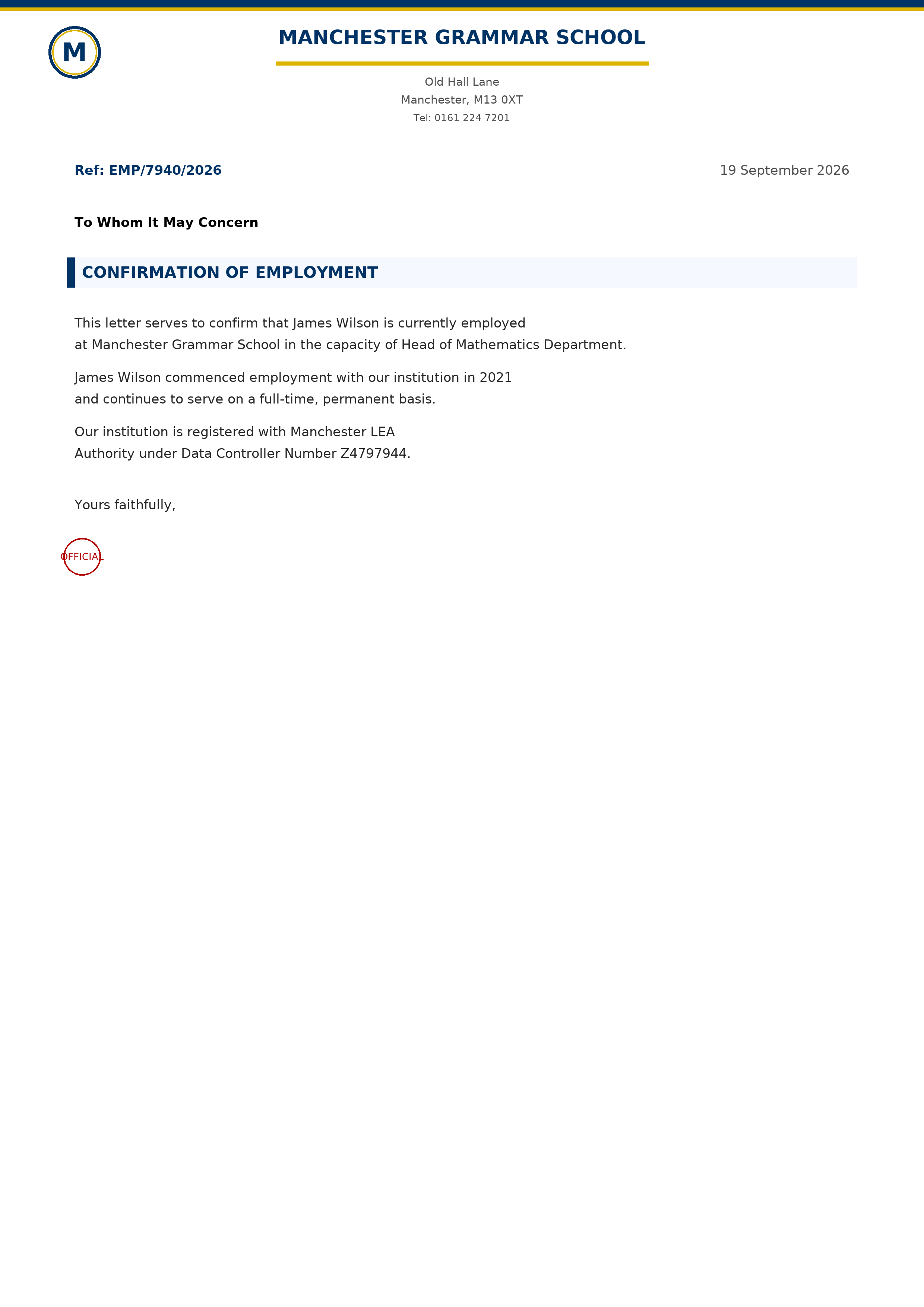 |
---
## Features
- **Headless MCP server** — document generation exposed as agent-callable tools over stdio.
- **13 countries**, each with its own document types and local conventions.
- **Real school databases** with street addresses, districts, and contact info.
- **Consistent profile photos** per person — hash-based selection from a bundled, gender-aware photo pool.
- **Cross-platform fonts** — DejaVu Sans bundled; no system-font dependency.
- **Packaged & portable** — ships as a self-contained wheel (code + photos + fonts) installable with one command.
---
## Supported countries
| Code | Country | Document types |
|------|---------|----------------|
| `uk` | United Kingdom | employment_letter, teacher_id, teaching_license |
| `us` | United States | employment_letter, teacher_id, teaching_license |
| `france` | France | installation_statement, iprof_screenshot, bylaws_extract, teaching_certificate |
| `netherlands` | Netherlands | employment_contract, teacher_registration, duo_declaration, school_id |
| `indonesia` | Indonesia | payslip, teaching_experience_letter, nuptk_card, appointment_letter |
| `australia` | Australia | signed_school_letter, school_id, teaching_license |
| `canada` | Canada | oct_card, teaching_license, signed_school_letter |
| `spain` | Spain | teaching_id, signed_school_letter, employment_contract |
| `argentina` | Argentina | payslip, employment_certificate, signed_school_letter |
| `slovakia` | Slovakia | payslip, employment_letter, signed_school_letter |
| `mexico` | Mexico | teaching_id, signed_school_letter, employment_certificate |
| `philippines` | Philippines | teaching_id, employment_certificate, teaching_license |
| `thailand` | Thailand | payslip, letter_of_employment |
---
## Requirements
- Python **3.10+**
- Dependencies (installed automatically): `Pillow`, `mcp`
---
## Installation
### From the built wheel
```bash
pip install dist/yowes_doc_generator-0.1.0-py3-none-any.whl
```
### From source (editable)
```bash
pip install -e .
```
### Via uv
```bash
uvx --from . yowes-mcp
```
---
## Usage — MCP server
The server speaks **MCP over stdio** — the transport used by most agent runtimes (Hermes, Claude Desktop, and any MCP client). Connect it, discover the tools, then call them.
### Step 1 — Install & verify
```bash
# from the built wheel
pip install dist/yowes_doc_generator-0.1.0-py3-none-any.whl
# or editable from source
pip install -e .
```
Verify the install and that bundled assets resolve:
```bash
python -c "from countries.utils import load_font, get_profile_photo; \
print(load_font(30).getname()); print(get_profile_photo((280,340), person_id='x', gender='Male') is not None)"
# ('DejaVu Sans', 'Book') <-- bundled font, not system
# True <-- bundled photo found
```
### Step 2 — Run the server
```bash
# After install:
yowes-mcp
# Or from source:
python mcp_server.py
```
It blocks and waits for MCP requests over stdin/stdout — don't run it as a foreground terminal app expecting prompts.
### Step 3 — Register in your agent runtime
Point your MCP client at the `yowes-mcp` command:
```json
{
"mcpServers": {
"yowes": {
"command": "yowes-mcp",
"args": []
}
}
}
```
If `yowes-mcp` isn't on your `PATH`, use the absolute path to your interpreter and module instead:
```json
{
"mcpServers": {
"yowes": {
"command": "/path/to/python",
"args": ["-m", "mcp_server"]
}
}
}
```
### Tools
| Tool | Description |
|------|-------------|
| `list_countries_tool` | List available countries, display names, and their document types. |
| `list_schools(country)` | List all schools for a country code. |
| `generate_documents(...)` | Render one or more documents to PNG and return their paths. |
#### `list_countries_tool()`
No arguments. Returns one result item per country — `{ code, name, document_types }`. (Because a list return is split into one MCP content item per entry, iterate `content` to see them all.)
#### `list_schools(country: str)`
- `country` *(required)* — country code from `list_countries_tool` (e.g. `"us"`).
- Returns one result item per school — `{ name, address, town, postcode, state, phone, lea }`. Iterate `content` to see them all.
#### `generate_documents(...)`
| Parameter | Type | Required | Default | Description |
|-----------|------|----------|---------|-------------|
| `country` | string | ✅ | — | Country code (e.g. `"us"`, `"uk"`). |
| `first_name` | string | ✅ | — | Teacher's first name. |
| `last_name` | string | ✅ | — | Teacher's last name. |
| `school_name` | string | ✅ | — | Exact or partial school name (matched against that country's school list). |
| `position` | string | ✅ | — | Teaching position/title. |
| `date_of_birth` | string | ✅ | — | DOB string, printed on the teacher ID (e.g. `"12/05/1988"`). |
| `gender` | string | — | `"Random"` | `"Random"`, `"Male"`, or `"Female"` — selects the profile-photo pool. |
| `document_types` | string[] | — | all types | Which documents to render, e.g. `["employment_letter", "teacher_id"]`. |
| `output_dir` | string | — | `output/` | Where to save PNGs (relative to the server's working dir). |
Returns `{ country, school, document_types, files, count, output_dir }` — `files` are absolute PNG paths.
### Connect from a Python client
Minimal working client (requires `pip install mcp`):
```python
import asyncio
from mcp import ClientSession, StdioServerParameters
from mcp.client.stdio import stdio_client
async def main():
params = StdioServerParameters(command="yowes-mcp", args=[])
async with stdio_client(params) as (read, write):
async with ClientSession(read, write) as session:
await session.initialize()
countries = await session.call_tool("list_countries_tool", {})
# A list return is split into one content item per entry:
for item in countries.content:
print(item.text)
res = await session.call_tool("generate_documents", {
"country": "us",
"first_name": "John",
"last_name": "Smith",
"school_name": "Valley High",
"position": "Head of Science Department",
"date_of_birth": "12/05/1988",
"gender": "Male",
})
print(res.content[0].text)
asyncio.run(main())
```
### Typical agent workflow
1. Call `list_countries_tool` to see what's available.
2. Call `list_schools("us")` to pick a real school.
3. Call `generate_documents(...)` with the chosen country, school, and person details.
4. Read the returned PNG paths and use the files.
Generated PNGs are written to `output/` (or the `output_dir` you pass).
---
## Legacy GUI
A tkinter (CustomTkinter) GUI is still available for manual use. The core generation logic is shared.
```bash
python main_gui.py # on Windows, use run.bat (sets TCL_LIBRARY)
```
> The MCP server is the primary, headless interface. The GUI is optional and not required for the skill.
---
## Project structure
```
yowes/
├── countries/ # Document generation core (package)
│ ├── base.py # CountryGenerator ABC (contract)
│ ├── utils.py # Fonts, profile photos, shared helpers
│ ├── foto/ # Bundled profile photos (package data)
│ ├── fonts/ # Bundled DejaVu fonts (package data)
│ └── / # One package per country
├── mcp_server.py # MCP server exposing tools
├── main_gui.py # Legacy tkinter GUI
├── docs/examples/ # Sample rendered documents
├── pyproject.toml # Packaging, deps, entry point
├── output/ # Generated documents (git-ignored)
└── run.bat # Windows GUI launcher
```
---
## Adding a new country
1. Create `countries//__init__.py` with a class inheriting `countries.base.CountryGenerator`.
2. Implement the abstract methods: `get_country_name`, `get_country_code`, `get_schools_data`, `get_first_names`, `get_last_names`, `get_positions`, `get_document_types`, `generate_document`.
3. Register it in `countries/__init__.py` via `register_country("", Generator)`.
4. Optionally add a display label in `main_gui.py` (`get_country_list` / `on_country_change`).
The new country is automatically picked up by the MCP `list_countries_tool` and `list_schools`.
---
## Contributors
- **[Masanto](https://github.com/hirotomasato)** — author & maintainer
---
## License
[MIT](./LICENSE) © 2026 hirotomasato