# Agent Dashboard for Claude Code, Cursor & Codex ### A local-first control room for AI coding agents Monitor Claude Code, Cursor, and Codex sessions in real time. Follow conversations and tools, inspect agent hierarchies, understand token usage and cost, analyze orchestration, and operate local agents from one responsive dashboard. > [!TIP] > **Complete guides:** [English](./README-EN.md) · [中文](./README-CN.md) · [Tiếng Việt](./README-VN.md) · [한국어](./README-KO.md) · [Español](./README-ES.md) ![Claude Code](https://img.shields.io/badge/Claude_Code-orange?style=flat-square&logo=claude&logoColor=white) ![Cursor](https://img.shields.io/badge/Cursor-111827?style=flat-square&logo=cursor&logoColor=white) ![OpenAI Codex](https://img.shields.io/badge/OpenAI_Codex-blue?style=flat-square&logo=githubcopilot&logoColor=white) ![Claude Code Plugins](https://img.shields.io/badge/Claude_Code_&_Codex-Plugins_&_Skills-orange?style=flat-square&logo=anthropic&logoColor=white) ![Model Context Protocol](https://img.shields.io/badge/Model_Context_Protocol-1.0-0f766e?style=flat-square&logo=modelcontextprotocol&logoColor=white) ![Node.js](https://img.shields.io/badge/Node.js-%3E%3D22.22-339933?style=flat-square&logo=node.js&logoColor=white) ![Python](https://img.shields.io/badge/Python-%3E%3D3.6-3776AB?style=flat-square&logo=python&logoColor=white) ![Express](https://img.shields.io/badge/Express-4.21-000000?style=flat-square&logo=express&logoColor=white) ![ws](https://img.shields.io/badge/ws-WebSocket_server-010101?style=flat-square&logo=socketdotio&logoColor=white) ![web-push](https://img.shields.io/badge/web--push-VAPID-3b82f6?style=flat-square&logo=javascript&logoColor=white) ![swagger-ui-express](https://img.shields.io/badge/swagger--ui--express-5.0-85EA2D?style=flat-square&logo=swagger&logoColor=white) ![multer](https://img.shields.io/badge/multer-multipart_upload-FF6B6B?style=flat-square&logo=express&logoColor=white) ![adm-zip](https://img.shields.io/badge/adm--zip-archive_extract-FBBF24?style=flat-square&logo=files&logoColor=white) ![tar](https://img.shields.io/badge/tar-tgz_extract-A78BFA?style=flat-square&logo=gnu&logoColor=white) ![Commander CLI](https://img.shields.io/badge/Commander_CLI-14-F05032?style=flat-square&logo=gnubash&logoColor=white) ![React](https://img.shields.io/badge/React-19.2-61DAFB?style=flat-square&logo=react&logoColor=white) ![TypeScript](https://img.shields.io/badge/TypeScript-5.7-3178C6?style=flat-square&logo=typescript&logoColor=white) ![Javascript](https://img.shields.io/badge/JavaScript-ES6-F7DF1E?style=flat-square&logo=javascript&logoColor=white) ![Vite](https://img.shields.io/badge/Vite-7.3-646CFF?style=flat-square&logo=vite&logoColor=white) ![Tailwind CSS](https://img.shields.io/badge/Tailwind_CSS-3.4-06B6D4?style=flat-square&logo=tailwindcss&logoColor=white) ![PostCSS](https://img.shields.io/badge/PostCSS-8.5-DD3A0A?style=flat-square&logo=postcss&logoColor=white) ![Autoprefixer](https://img.shields.io/badge/Autoprefixer-10.4-DD3735?style=flat-square&logo=autoprefixer&logoColor=white) ![React Router](https://img.shields.io/badge/React_Router-8.3-CA4245?style=flat-square&logo=reactrouter&logoColor=white) ![Lucide](https://img.shields.io/badge/Lucide_Icons-0.474-F56565?style=flat-square&logo=lucide&logoColor=white) ![D3.js](https://img.shields.io/badge/D3.js-7-F9A03C?style=flat-square&logo=d3&logoColor=white) ![Mermaid](https://img.shields.io/badge/Mermaid-10.2-ff3333?style=flat-square&logo=mermaid&logoColor=white) ![i18next](https://img.shields.io/badge/i18next-22.4-7A42FF?style=flat-square&logo=i18next&logoColor=white) ![i18next Language Detector](https://img.shields.io/badge/i18next_Language_Detector-6.1-7A42FF?style=flat-square&logo=i18next&logoColor=white) ![SQLite](https://img.shields.io/badge/SQLite-3-003B57?style=flat-square&logo=sqlite&logoColor=white) ![better--sqlite3](https://img.shields.io/badge/better--sqlite3-11.7-003B57?style=flat-square&logo=sqlite&logoColor=white) ![better-sqlite3 WAL](https://img.shields.io/badge/better--sqlite3-WAL_mode-003B57?style=flat-square&logo=sqlite&logoColor=white) ![WebSocket](https://img.shields.io/badge/WebSocket-RFC_6455-010101?style=flat-square&logo=socketdotio&logoColor=white) ![SSE](https://img.shields.io/badge/SSE-Server_Sent_Events-FF6600?style=flat-square&logo=googlechrome&logoColor=white) ![OpenAPI](https://img.shields.io/badge/OpenAPI-3.0-000000?style=flat-square&logo=openapiinitiative&logoColor=white) ![Swagger](https://img.shields.io/badge/Swagger-3.0-85EA2D?style=flat-square&logo=swagger&logoColor=white) ![VS Code](https://img.shields.io/badge/VS_Code-Extension-007ACC?style=flat-square&logo=vscodium&logoColor=white) ![Electron](https://img.shields.io/badge/Electron-35-47848F?style=flat-square&logo=electron&logoColor=white) ![electron-builder](https://img.shields.io/badge/electron--builder-25.1-2c2e3b?style=flat-square&logo=electron&logoColor=white) ![macOS](https://img.shields.io/badge/macOS-Desktop_App-000000?style=flat-square&logo=apple&logoColor=white) ![Windows](https://img.shields.io/badge/Windows-Desktop_App-0078D6?style=flat-square&logo=windows&logoColor=white) ![SMAppService](https://img.shields.io/badge/SMAppService-Login_Items-000000?style=flat-square&logo=apple&logoColor=white) ![macOS DMG](https://img.shields.io/badge/macOS_DMG-arm64_%2B_x64-7c3aed?style=flat-square&logo=apple&logoColor=white) ![NSIS Installer](https://img.shields.io/badge/Windows-NSIS_%2B_Portable-1f6feb?style=flat-square&logo=windows&logoColor=white) ![Vitest](https://img.shields.io/badge/Vitest-1.0-646CFF?style=flat-square&logo=vitest&logoColor=white) ![React Testing Library](https://img.shields.io/badge/React_Testing_Library-13.0-FF5733?style=flat-square&logo=testinglibrary&logoColor=white) ![ESLint](https://img.shields.io/badge/ESLint-8.44-4B32C3?style=flat-square&logo=eslint&logoColor=white) ![Prettier](https://img.shields.io/badge/Prettier-3.8-F7B93E?style=flat-square&logo=prettier&logoColor=white) ![Docker](https://img.shields.io/badge/Docker-20.10-2496ED?style=flat-square&logo=docker&logoColor=white) ![Podman](https://img.shields.io/badge/Podman-4.0-CC342D?style=flat-square&logo=podman&logoColor=white) ![Open Container Initiative](https://img.shields.io/badge/Open_Container_Initiative-OCI-000000?style=flat-square&logo=opencontainersinitiative&logoColor=white) ![Prometheus](https://img.shields.io/badge/Prometheus-3.13-E6522C?style=flat-square&logo=prometheus&logoColor=white) ![Grafana](https://img.shields.io/badge/Grafana-13.1-F46800?style=flat-square&logo=grafana&logoColor=white) ![Terraform](https://img.shields.io/badge/Terraform-%3E%3D1.7-844FBA?style=flat-square&logo=terraform&logoColor=white) ![Kubernetes](https://img.shields.io/badge/Kubernetes-%3E%3D1.29-326CE5?style=flat-square&logo=kubernetes&logoColor=white) ![Helm](https://img.shields.io/badge/Helm-4-0F1689?style=flat-square&logo=helm&logoColor=white) ![Kustomize](https://img.shields.io/badge/Kustomize-5.0-326CE5?style=flat-square&logo=kubernetes&logoColor=white) ![Nginx](https://img.shields.io/badge/Nginx-Ingress-009639?style=flat-square&logo=nginx&logoColor=white) ![Coralogix](https://img.shields.io/badge/Coralogix-Observability-1a1a2e?style=flat-square&logo=datadog&logoColor=white) ![OpenTelemetry](https://img.shields.io/badge/OpenTelemetry-Collector-4f46e5?style=flat-square&logo=opentelemetry&logoColor=white) ![AWS](https://img.shields.io/badge/AWS-ECS%20%7C%20RDS-232F3E?style=flat-square&logo=task&logoColor=white) ![Google Cloud](https://img.shields.io/badge/Google_Cloud-GKE%20%7C%20SQL-4285F4?style=flat-square&logo=googlecloud&logoColor=white) ![Azure](https://img.shields.io/badge/Azure-AKS%20%7C%20SQL-0078D4?style=flat-square&logo=cloudflare&logoColor=white) ![Oracle Cloud](https://img.shields.io/badge/Oracle_Cloud-OKE%20%7C%20DB-F80000?style=flat-square&logo=cloudways&logoColor=white) ![GitHub Actions](https://img.shields.io/badge/GitHub_Actions-pipelines-2088FF?style=flat-square&logo=githubactions&logoColor=white) ![Make](https://img.shields.io/badge/Make-4.3-000000?style=flat-square&logo=make&logoColor=white) ![Auto Release](https://img.shields.io/badge/CI-auto--release_to_GitHub-22c55e?style=flat-square&logo=githubactions&logoColor=white) ![MIT License](https://img.shields.io/badge/License-MIT-yellow?style=flat-square)

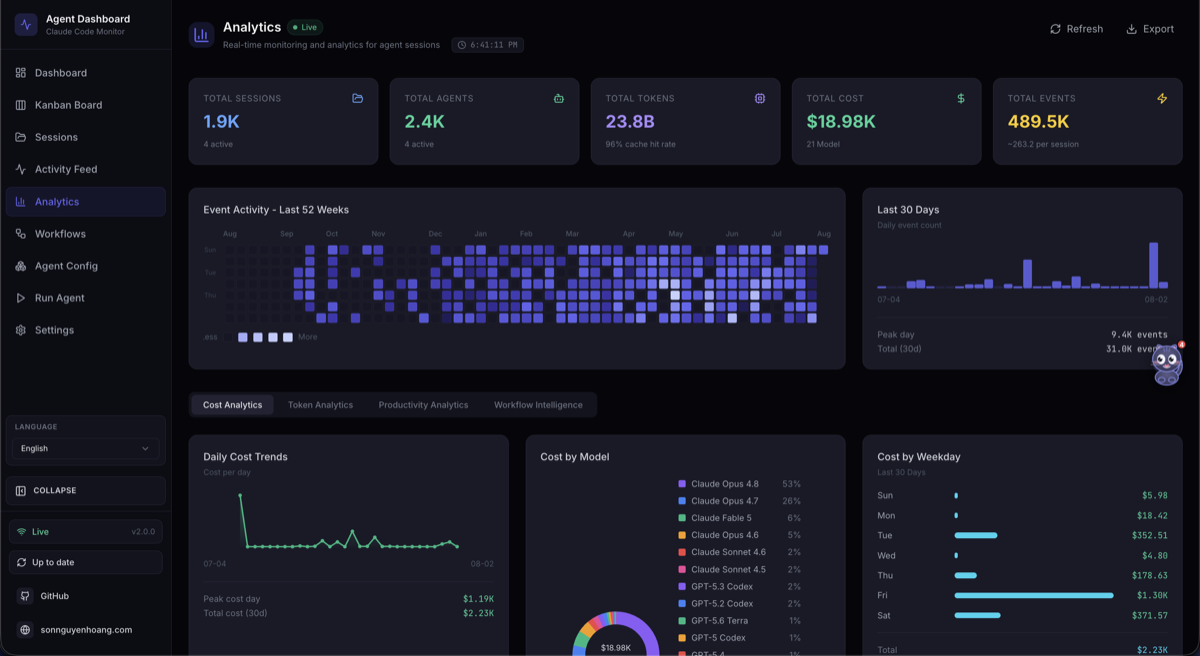
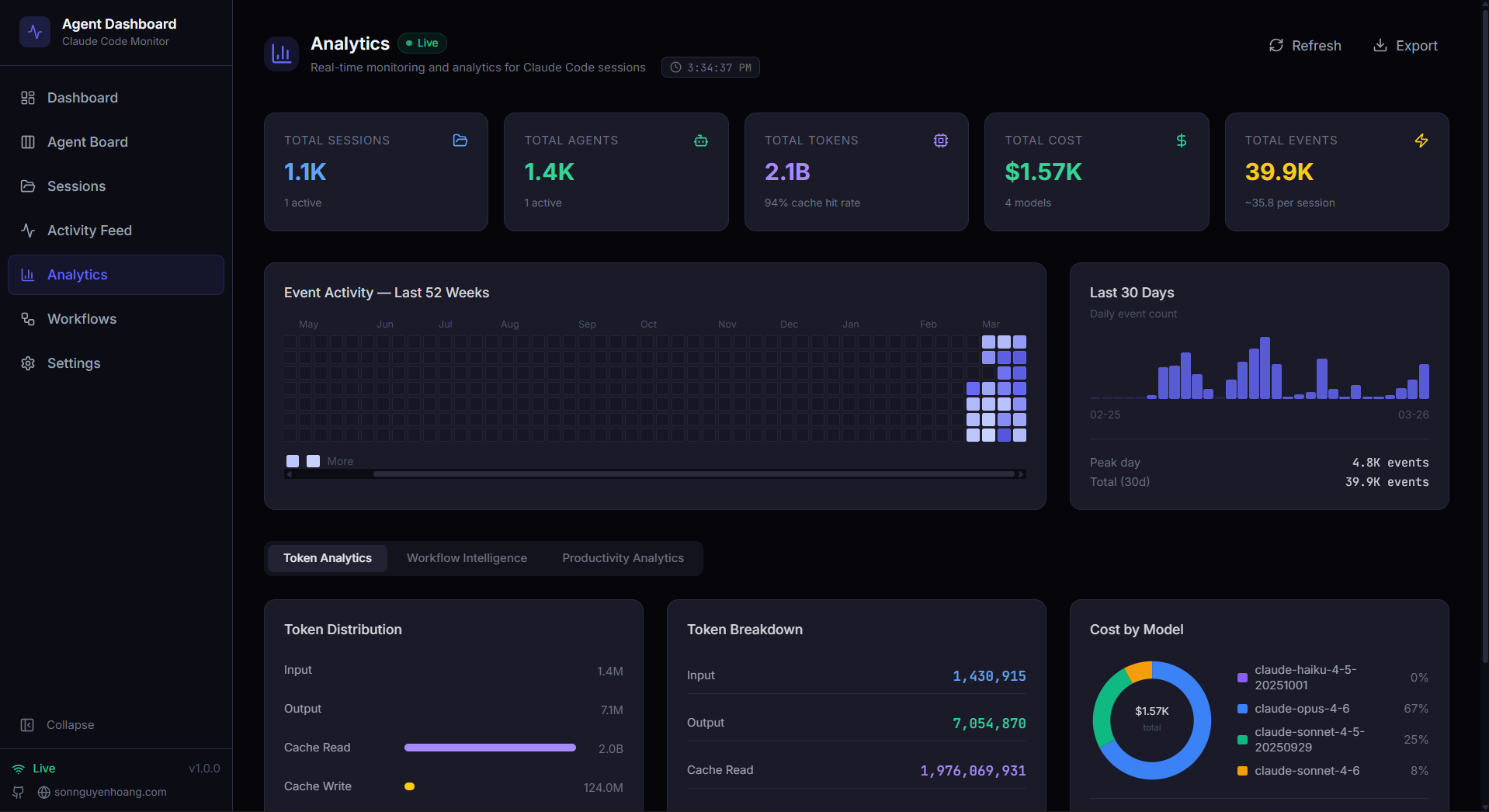
CCAM dashboard with live agent and session activity
Live fleet state, active work, recent events, cost, and system health.

## See what your agents are doing CCAM combines native hooks with provider-aware transcript discovery. It stays local by default and turns agent activity into a searchable, durable operational record. - **One live fleet:** Claude Code, Cursor, and Codex sessions appear in the same Dashboard, Sessions, Activity Feed, and Kanban views. - **Complete conversations:** Rendered Markdown, highlighted code, tool calls, command output, queued prompts, attachments, and provider-native titles. - **Agent orchestration:** Parent-child trees, background agents, dynamic workflow runs, tool-flow graphs, concurrency, delegation, and compaction analysis. - **Cost and usage:** Model-aware tokens, configurable pricing, introductory rates, subagent costs, trends, and budget-friendly CLI/MCP access. - **Run and resume agents:** Launch Claude Code or Codex, stream output, send follow-ups, resume previous work, and reattach to background runs. - **Configuration visibility:** Inspect Claude Code and Codex settings, skills, hooks, MCP servers, rules, plugins, memory, profiles, and instructions. - **Operational safety:** Loopback binding, optional authentication, guarded mutations, backup-first edits, bounded uploads, and no automatic self-update. - **Team-ready delivery:** Desktop applications, containers, Kubernetes, Terraform, monitoring, alerts, webhooks, and remote data sources. ## See CCAM in action

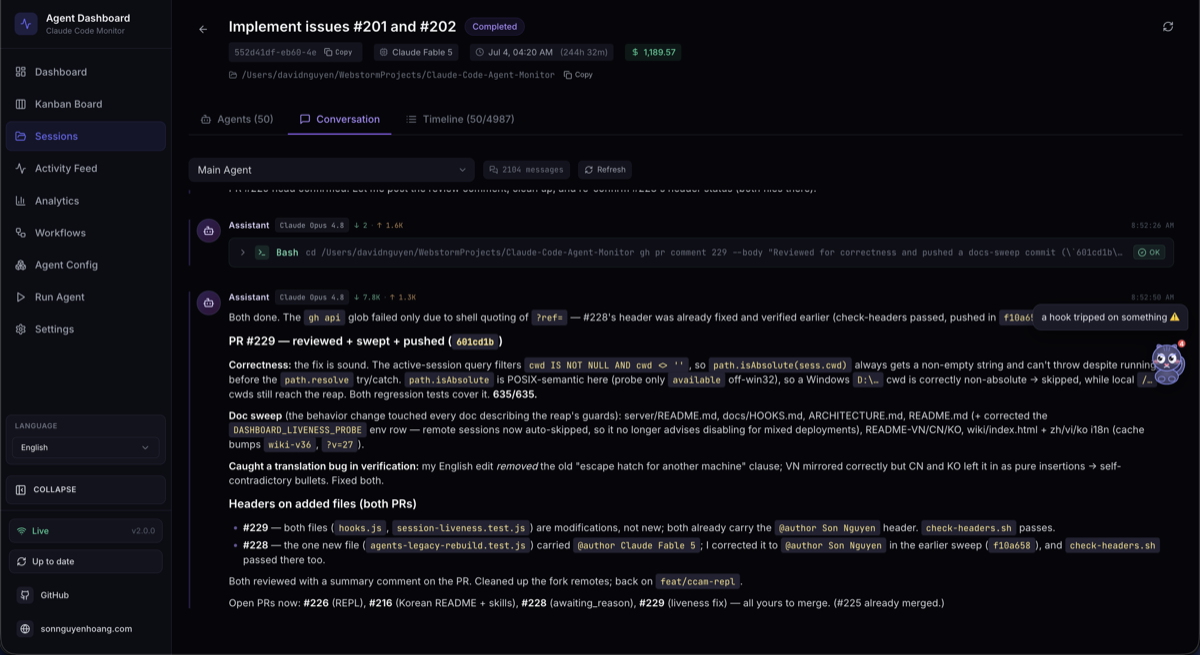
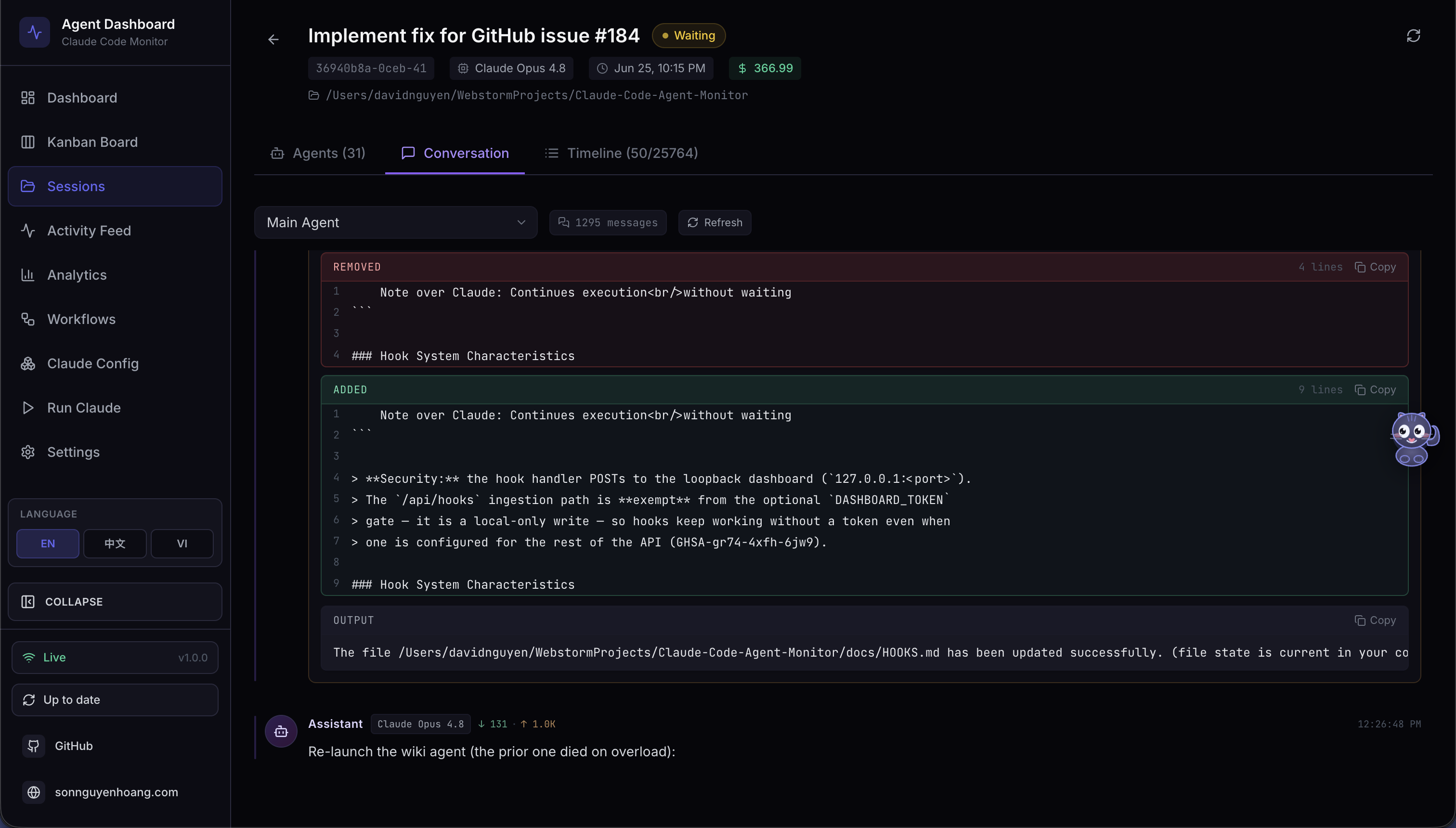
Rendered agent conversation with code and tool activity
Conversation history with code, tools, reasoning, and session context.

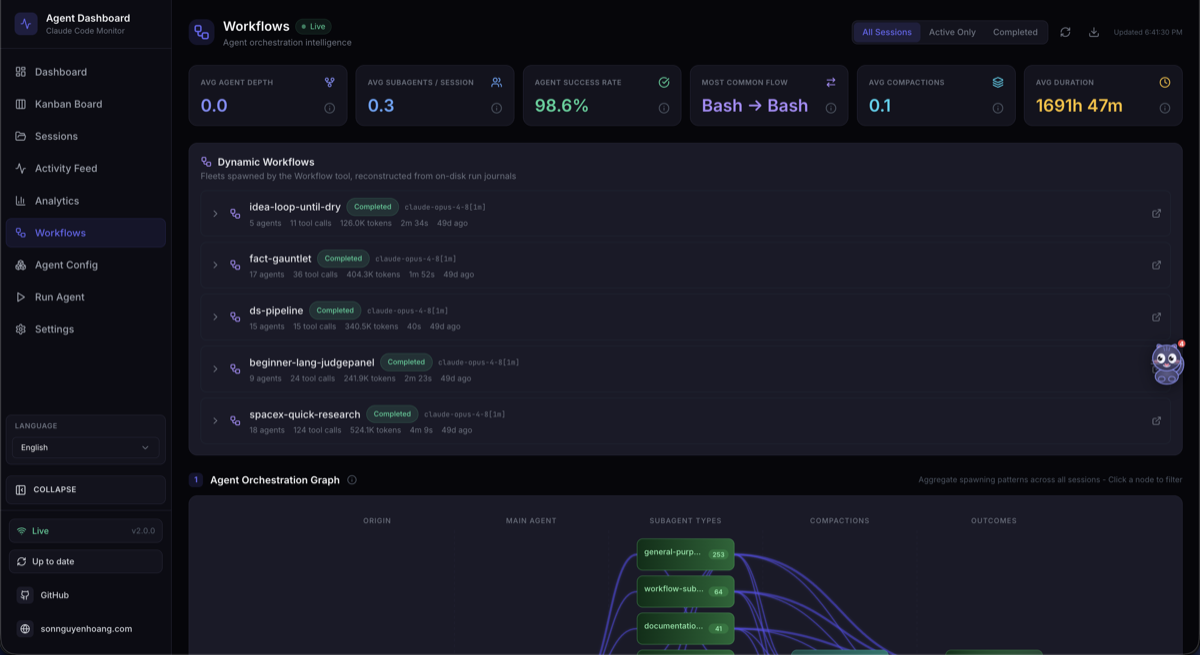
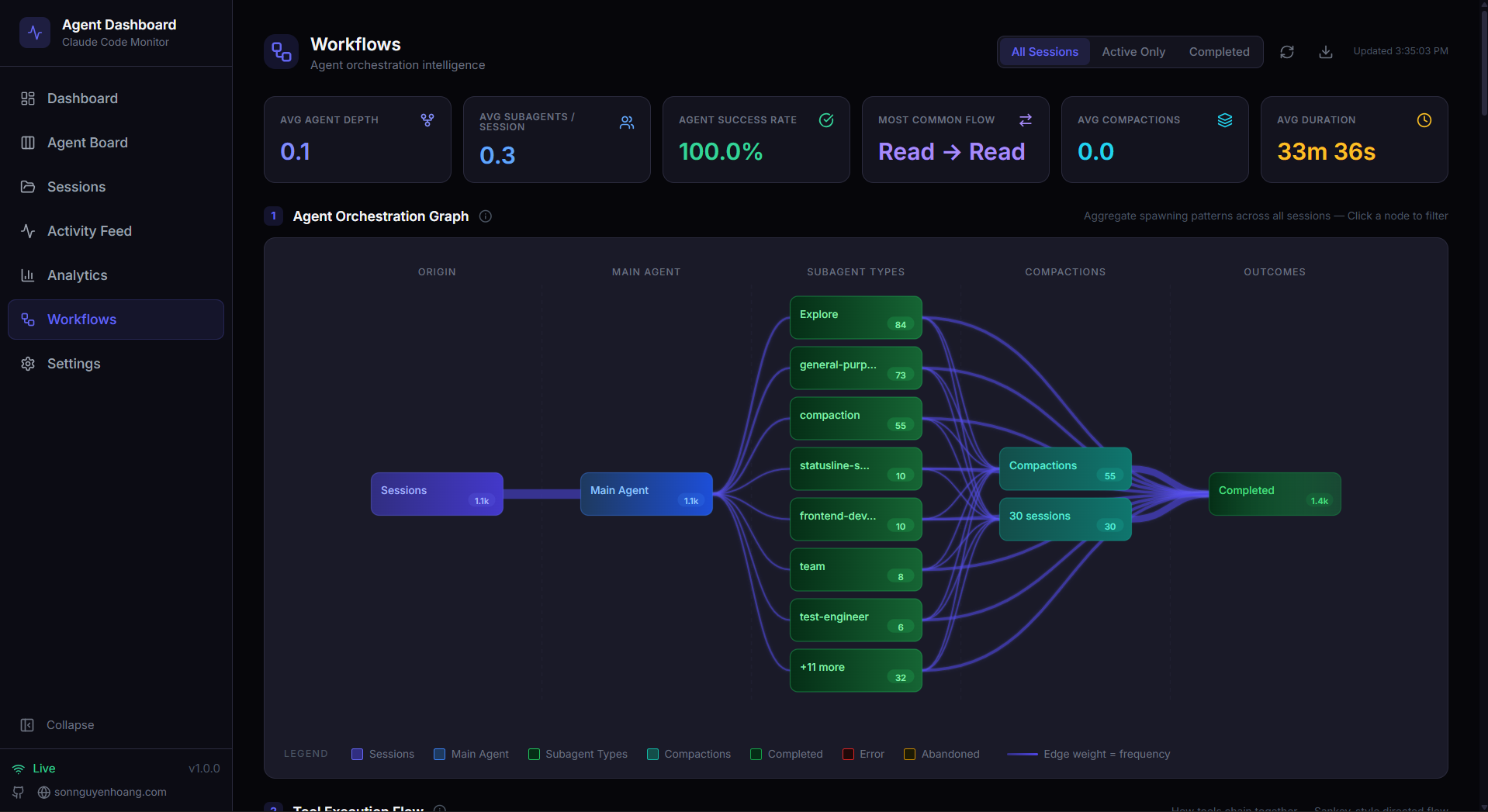
Workflow and orchestration analytics
Workflow intelligence for orchestration, delegation, tools, errors, and concurrency.

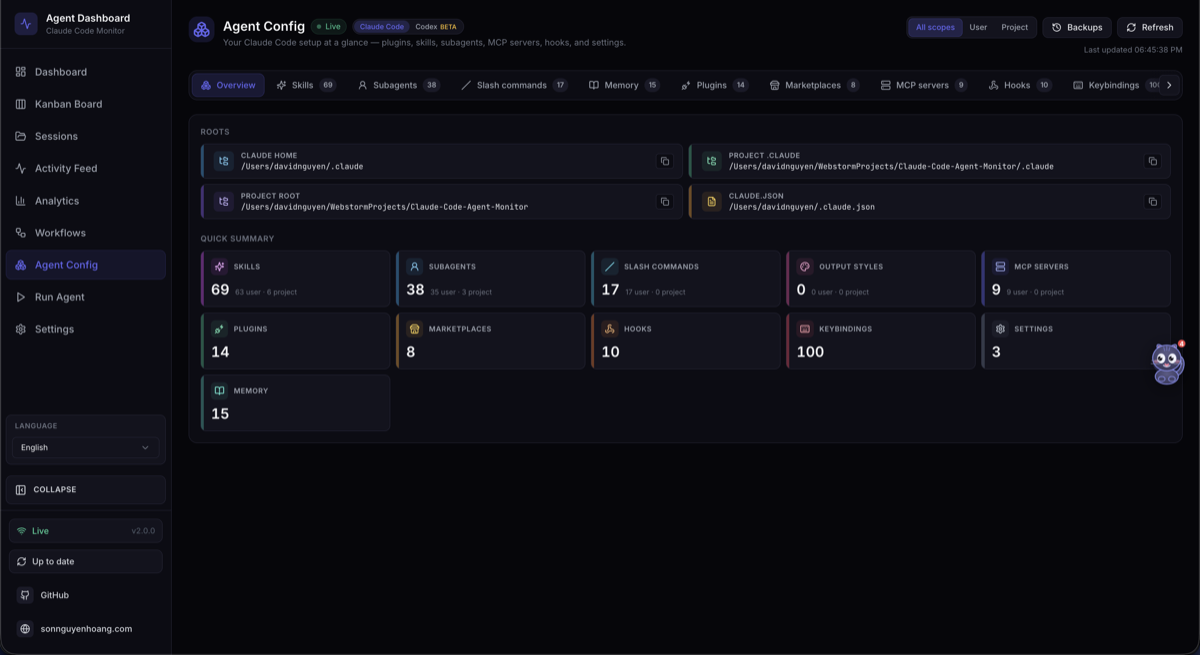
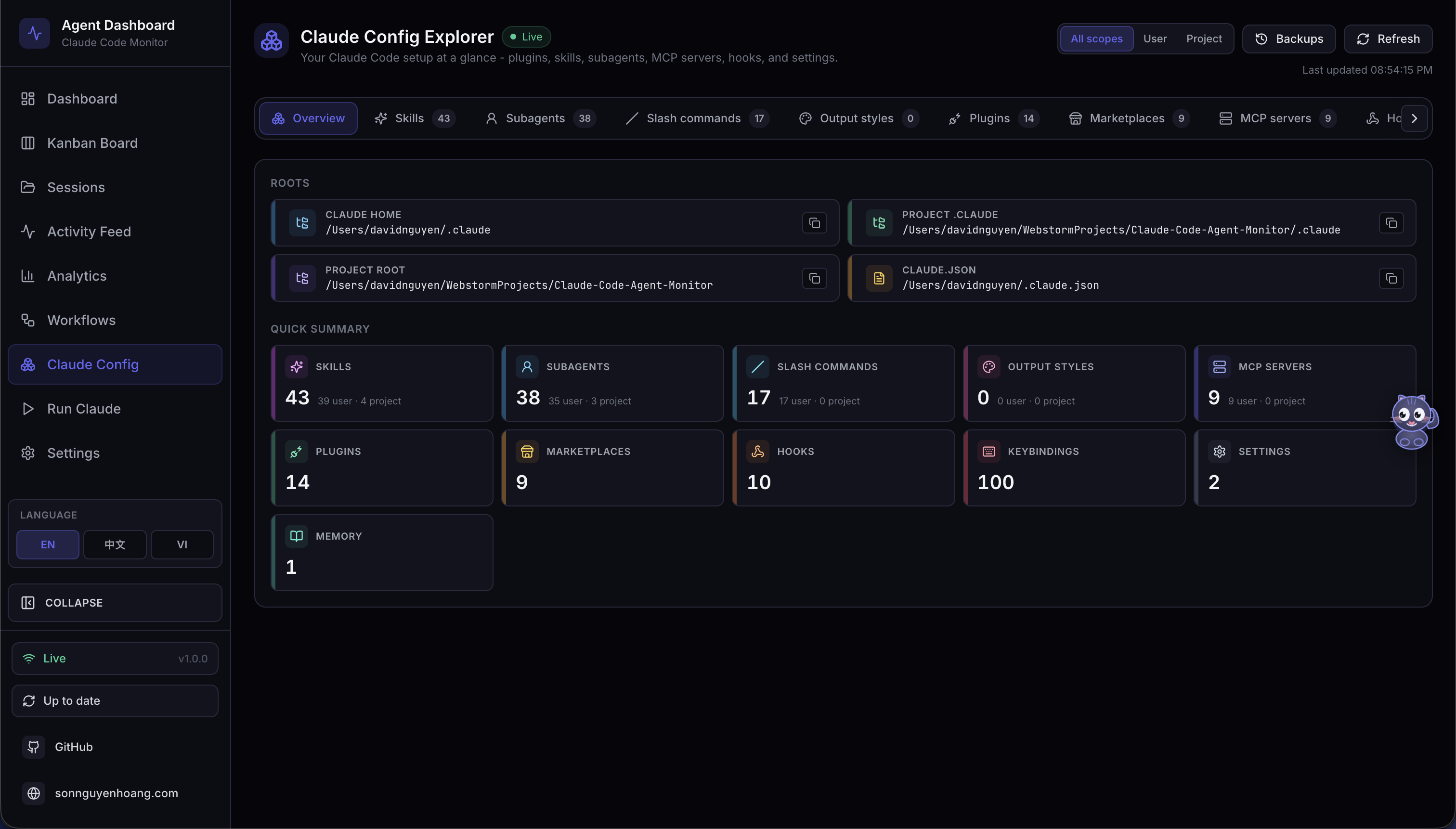
Claude Code and Codex configuration explorers
Provider-aware configuration, skills, hooks, plugins, MCP, rules, and memory.

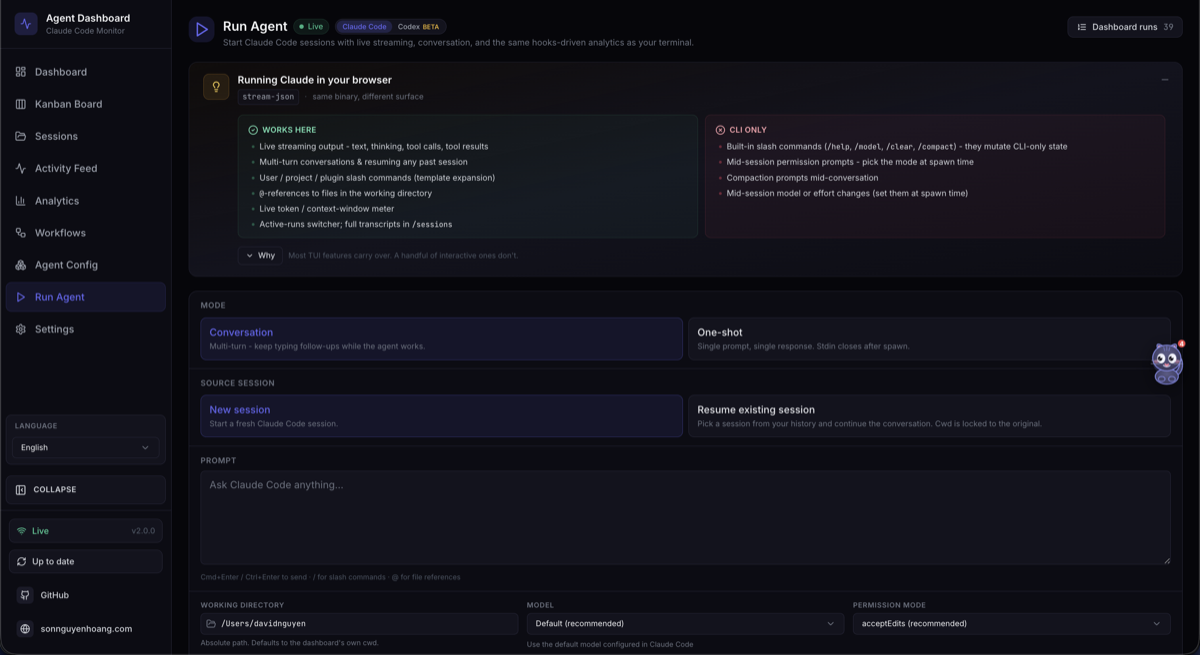
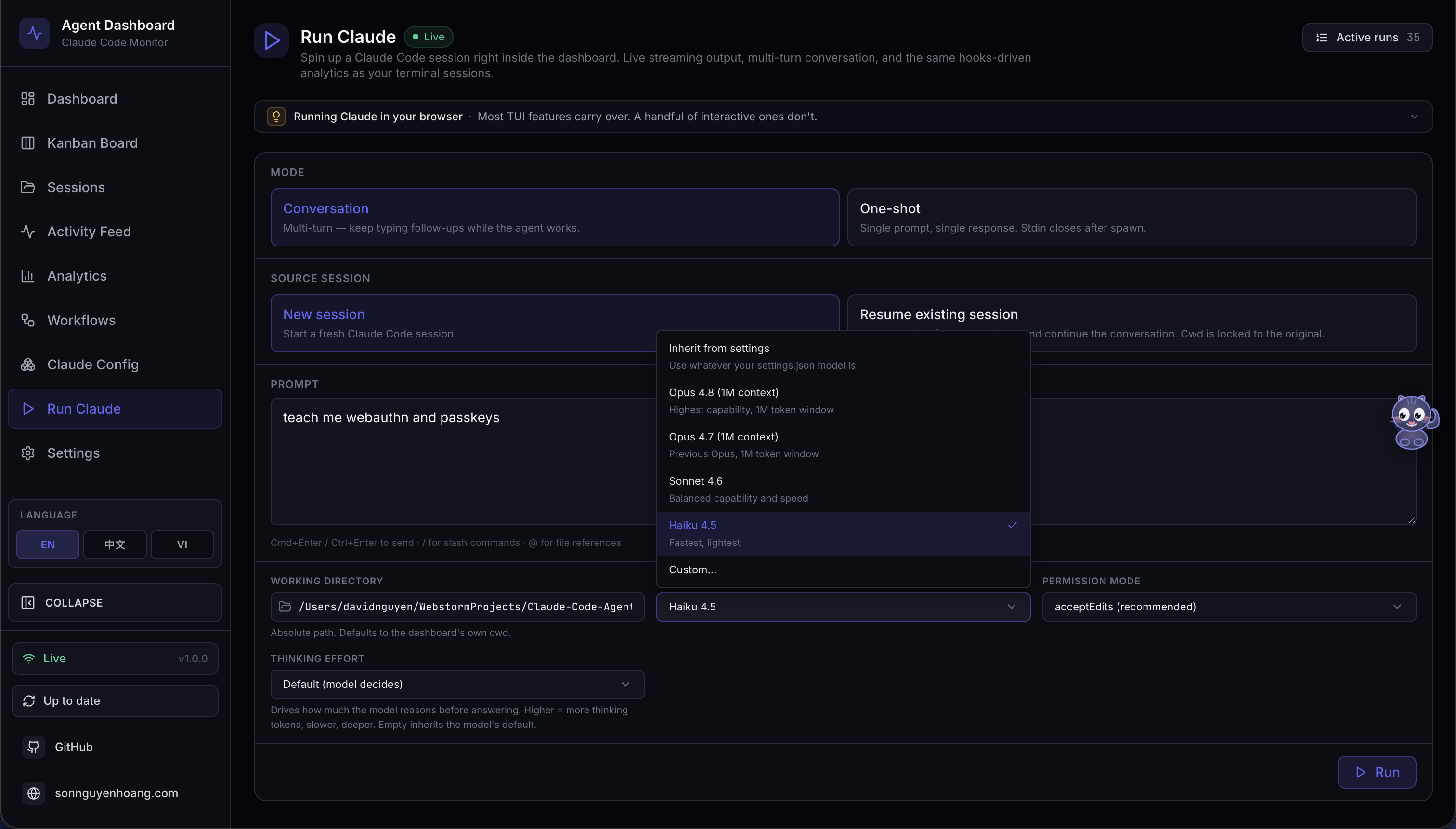
Run Agent provider selection
Launch and manage Claude Code or Codex without leaving the dashboard.

## Quick start **Requirements:** Node.js 22.22 or newer and npm 9 or newer. ```bash git clone https://github.com/hoangsonww/Claude-Code-Agent-Monitor.git cd Claude-Code-Agent-Monitor npm run setup npm run dev ``` Open [http://localhost:5173](http://localhost:5173). `npm run setup` installs the root, client, and VS Code extension dependencies, builds the MCP server, and links the `ccam` CLI. On first launch, follow the dashboard prompt to install hooks for the providers you select, or run `npm run install-hooks` manually. For production, run `npm run build && npm start` and open [http://localhost:4820](http://localhost:4820). ## Choose how to run CCAM | Option | Best for | Guide | | --- | --- | --- | | Source checkout | Development and local customization | [Full setup guide](./README-EN.md#quick-start) | | Desktop app | A persistent macOS or Windows app with tray controls | [Desktop guide](./DESKTOP.md) | | Docker or Podman | Isolated local or server deployments | [Deployment guide](./DEPLOYMENT.md) | | Kubernetes or Terraform | Production infrastructure | [Deployment reference](./docs/DEPLOYMENT.md) | | MCP sidecar | Agent-driven dashboard queries and guarded operations | [MCP guide](./mcp/README.md) | ## Extensions and automation CCAM ships **14 plugins**, **66 plugin skills**, **18 Claude subagents**, **34 Claude commands**, and **77 total repository skills** across Claude Code and Codex formats. ```bash claude plugin marketplace add hoangsonww/Claude-Code-Agent-Monitor codex plugin marketplace add hoangsonww/Claude-Code-Agent-Monitor npx skills add hoangsonww/Claude-Code-Agent-Monitor --list ``` The `ccam` CLI and local MCP server expose sessions, agents, events, transcripts, analytics, pricing, workflows, alerts, imports, configuration, remote sources, and maintenance operations for humans and automation. ## Documentation - **Complete product and operational reference:** [README-EN.md](./README-EN.md) - **Documentation index:** [docs/README.md](./docs/README.md) - **Task-oriented handbook:** [GitHub Wiki](https://github.com/hoangsonww/Claude-Code-Agent-Monitor/wiki) - **Localized product tour:** [Static Wiki](https://hoangsonww.github.io/Claude-Code-Agent-Monitor/wiki/) - **Architecture:** [ARCHITECTURE.md](./ARCHITECTURE.md) - **CLI:** [docs/CLI.md](./docs/CLI.md) - **REST and OpenAPI:** [docs/API.md](./docs/API.md) - **Hooks and lifecycle:** [docs/HOOKS.md](./docs/HOOKS.md) - **Database:** [docs/DATABASE.md](./docs/DATABASE.md) - **Plugins:** [docs/PLUGINS.md](./docs/PLUGINS.md) - **MCP:** [docs/MCP.md](./docs/MCP.md) and [mcp/README.md](./mcp/README.md) - **Desktop application:** [DESKTOP.md](./DESKTOP.md) and [desktop/README.md](./desktop/README.md) - **Deployment:** [DEPLOYMENT.md](./DEPLOYMENT.md) and [docs/DEPLOYMENT.md](./docs/DEPLOYMENT.md) - **Security:** [.github/SECURITY.md](./.github/SECURITY.md) ## Local-first and secure by default The dashboard binds to `127.0.0.1` by default. It does not require cloud credentials, and it does not transmit your transcripts or agent data to a hosted service. Optional tokens protect HTTP, WebSocket, hook, MCP, and remote-push surfaces when you deliberately expose them beyond loopback. See the [security policy](./.github/SECURITY.md) and [full configuration reference](./README-EN.md#configuration) before enabling remote access. ## Contributing and support - Read the [contributing guide](./.github/CONTRIBUTING.md). - Report bugs through [GitHub Issues](https://github.com/hoangsonww/Claude-Code-Agent-Monitor/issues). - Ask questions and share ideas in [GitHub Discussions](https://github.com/hoangsonww/Claude-Code-Agent-Monitor/discussions). - Follow the [Code of Conduct](./.github/CODE_OF_CONDUCT.md). ## License MIT. See [LICENSE](./LICENSE).