# airtunes2mqtt
[](https://github.com/mqtt-smarthome/mqtt-smarthome)
[](http://badge.fury.io/js/airtunes2mqtt)
[](https://david-dm.org/hobbyquaker/airtunes2mqtt)
[](https://travis-ci.org/hobbyquaker/airtunes2mqtt)
[](https://github.com/sindresorhus/xo)
[![License][mit-badge]][mit-url]
> Multi-Room Audio based on Airplay/Airtunes with MQTT support 🔈
This is a little daemon that can retrieve an audio stream via TCP socket or from a Alsa Loopback device and stream it
to one or more Airplay/Airtunes compatible receivers. Via its Web UI or MQTT you can control the receivers volume and enable/disable the
receivers. I'm using it in conjunction with [Mopidy](https://www.mopidy.com/) to create a Multiroom Smart Home integrated
audio playback system with several Airplay Speakers.
Based on [lperrins](https://github.com/lperrin) [node_airtunes](https://github.com/lperrin/node_airtunes) - all credits
belong to him. Also thanks to [Adam Duncan](https://github.com/microadam) for creating a
[fork](https://github.com/microadam/node_airtunes) that works with recent versions of Node.js.
## Installation
Prerequisite: Node.js >= 6
```
$ sudo npm install -g airtunes2mqtt
$ airtunes2mqtt --help
```
I suggest to use [pm2](http://pm2.keymetrics.io/) to manage the airtunes2mqtt process (start on system boot, manage log
files, ...).
## Command Line Options
```
Usage: airtunes2mqtt [options]
Options:
--disable-web disable web server
--web-port web server listening port [default: 8096]
--version Show version number [boolean]
-h, --help Show help [boolean]
-u, --mqtt-url mqtt broker url. May contain user/password
[default: "mqtt://127.0.0.1"]
-s, --speaker name:host:port or name:host:portStart:portEnd of speaker. May
be repeated. [required]
-n, --name instance name. used as mqtt client id and as prefix for
connected topic [default: "airtunes"]
-v, --verbosity possible values: "error", "warn", "info", "debug"
[default: "info"]
-p, --port TCP Listen port for audio reception [default: 12346]
-l, --loopback Use Alsa loopback device instead of TCP listener [boolean]
-d, --device Alsa loopback device [default: "hw:Loopback,1"]
```
### Example Command Line
```
$ airtunes2mqtt -s LivingRoom:192.168.2.100:5000 Kitchen:192.168.2.103:5000 -s SoundFly:192.168.2.105:1024:1032 -v debug
```
### Example Mopidy Configuration
```
[audio]
output = audioconvert ! audio/x-raw,format=S16LE,rate=44100,channels=2,layout=interleaved ! tcpclientsink host=127.0.0.1 port=12346
```
## Web UI
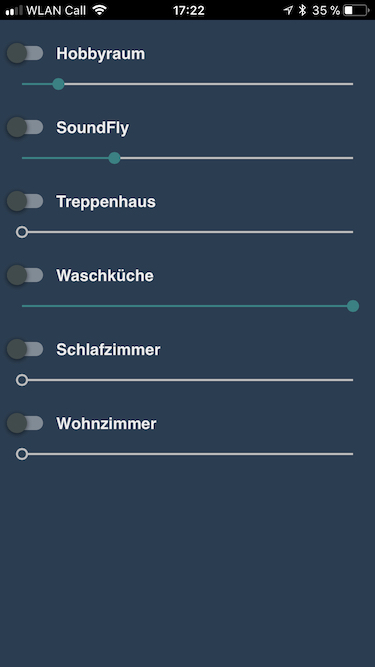
Airtunes2mqtt offers a simple user interface (web app capable) to enable/disable speakers and adjust volume:
### Mopidy UI integration
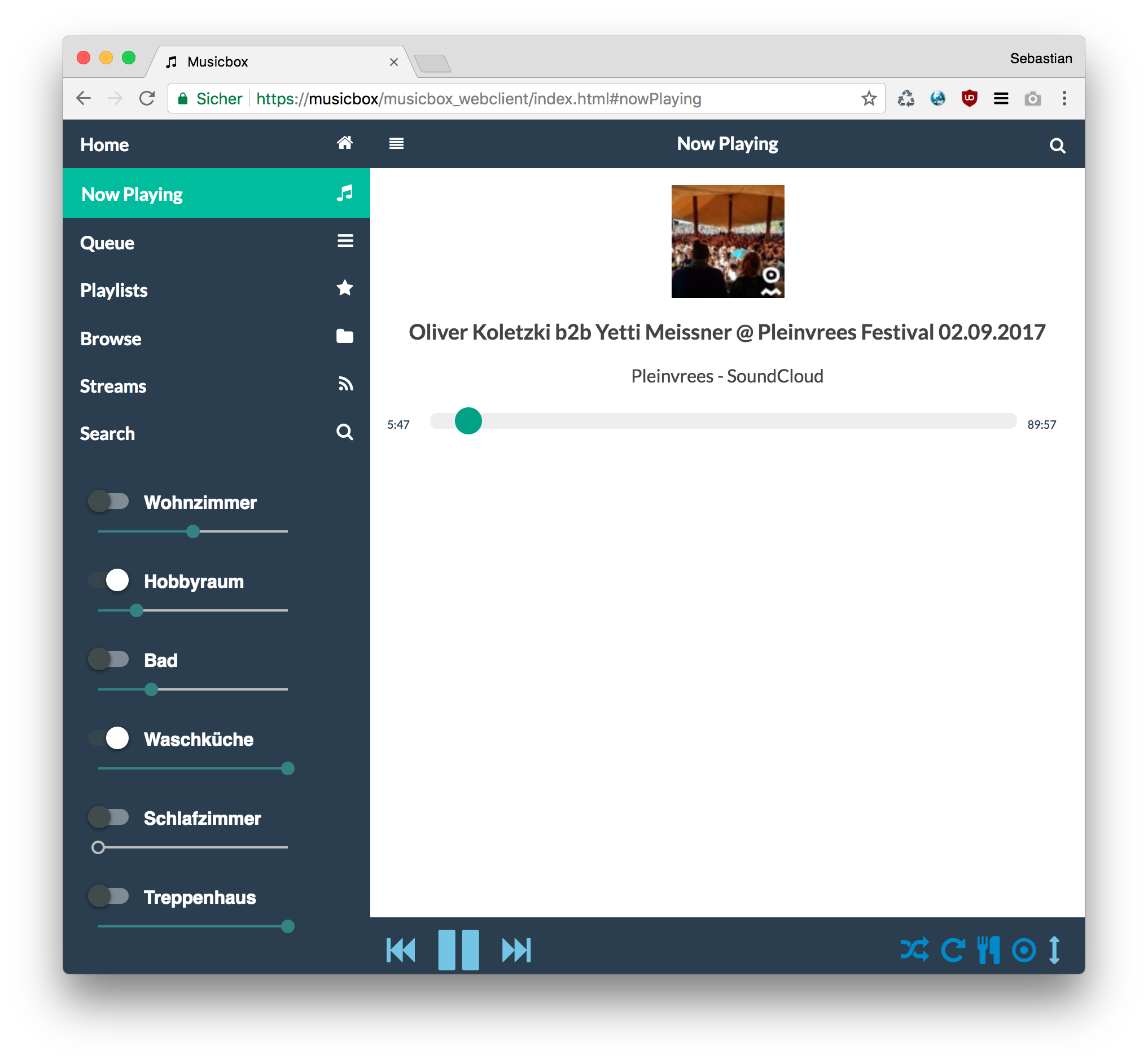
I just added the airtunes2mqtt ui into the frontend of my mopidy server ("musicbox webclient") by removing the original
volume slider and adding an iframe:
`/usr/local/lib/python2.7/dist-packages/mopidy_musicbox_webclient/static/index.html`
```diff
-
+
```
## MQTT Topics
### subscribed
* `airtunes/set//enable` - Enable or disable a speaker (payload can be `true`, `false`, `0` or `1`)
* `airtunes/set//disable` - Disable a speaker (payload is irrelevant)
* `airtunes/set//volume` - Set a speakers volume (payload has to be a number between `0` and `100`)
### published
* `airtunes/connected` - Publishes `1` after airtunes2mqtt started, `2` when a client is connected via tcp socket
respectively when the alsa loopback device is connected and `0` as last will.
* `airtunes/status/activeSpeakers` - Number of currently enables speakers.
* `airtunes/status/speaker/enable` - Actual speaker state.
* `airtunes/status/speaker/volume` - Actual speaker volume.
## License
MIT Copyright (c) 2015-2018 Sebastian 'hobbyquaker' Raff
[mit-badge]: https://img.shields.io/badge/License-MIT-blue.svg?style=flat
[mit-url]: LICENSE