# dsh-sticky-notes — Sticky Notes (DSH Web client plugin)
English | [中文](./README.md)
Jot down ideas, let the agent persist them!
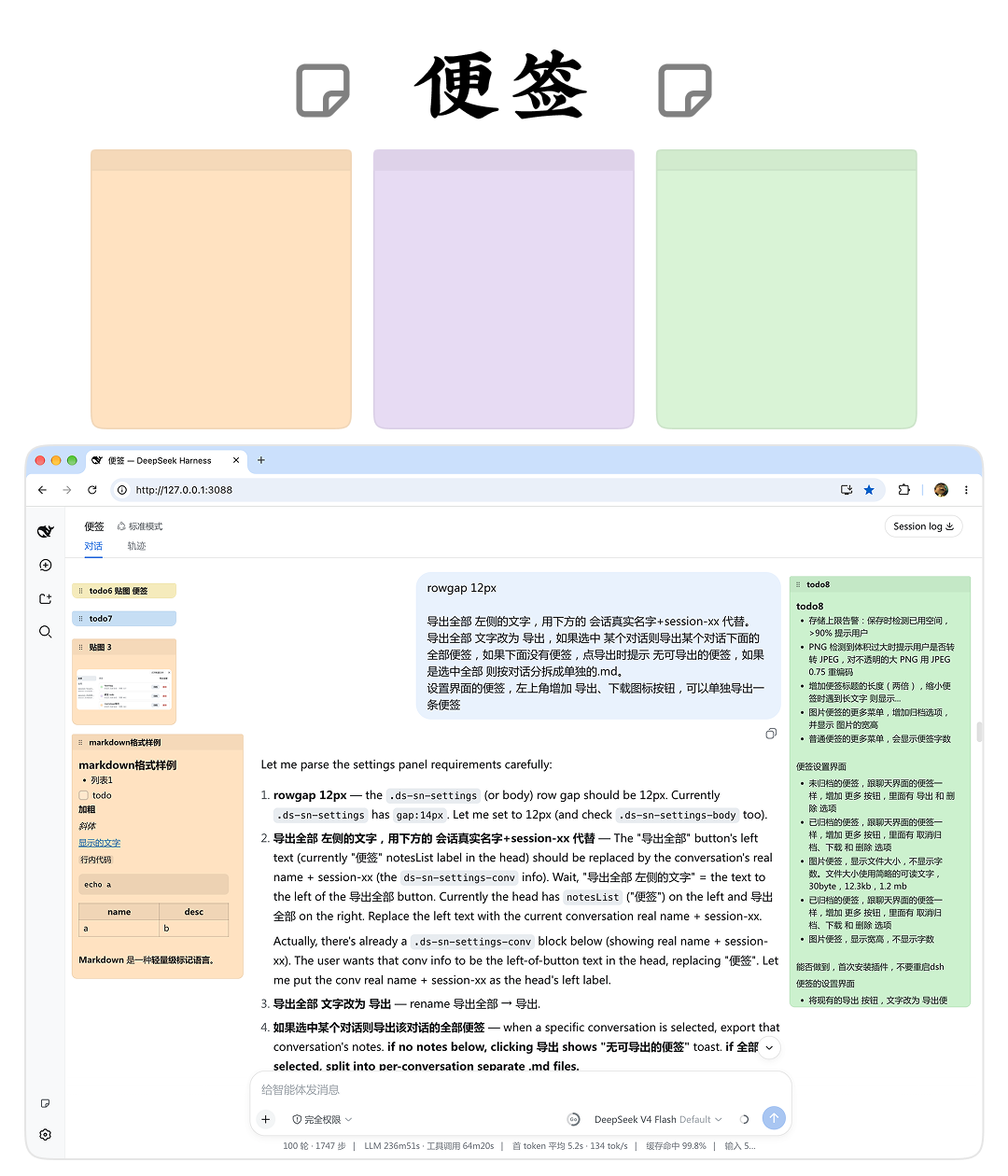
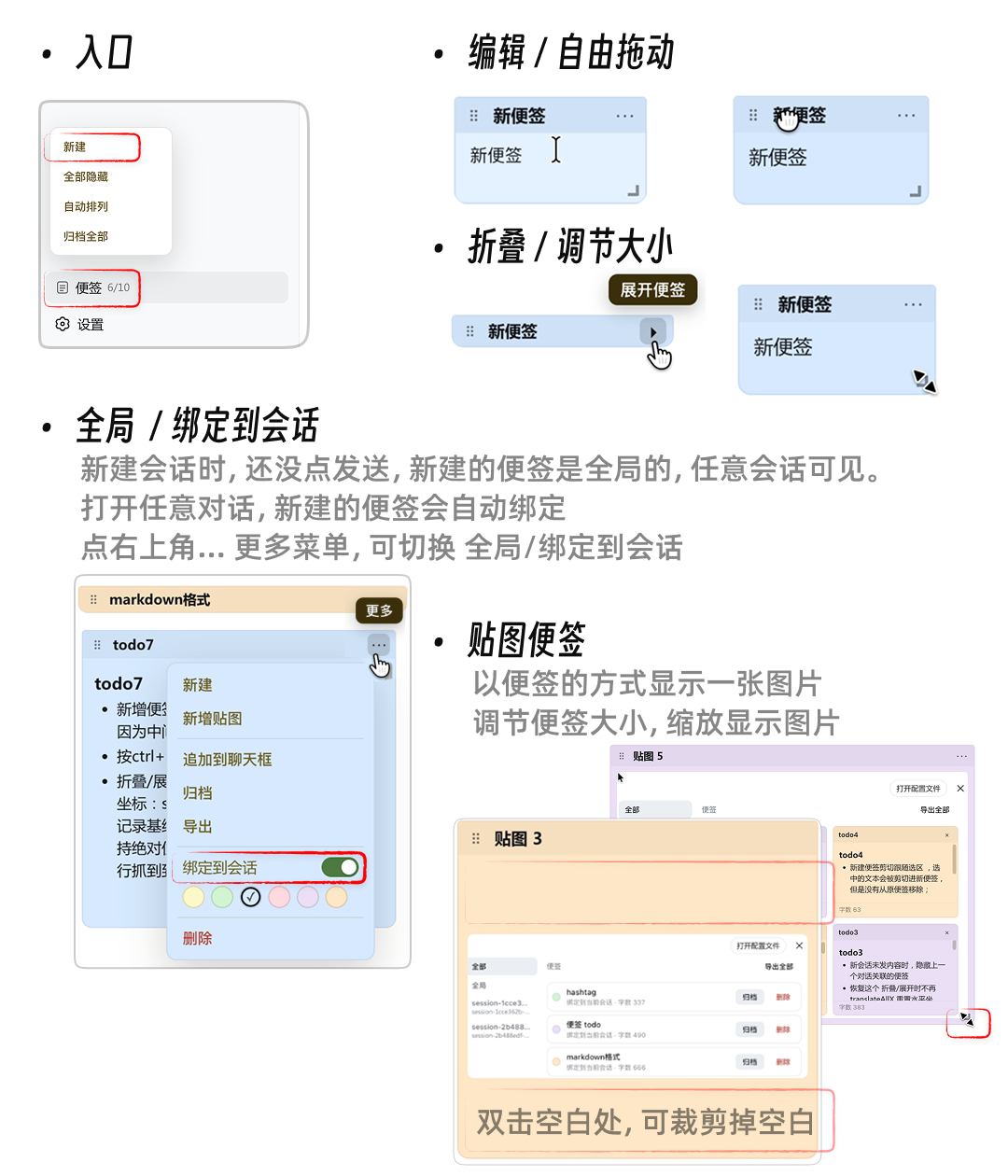
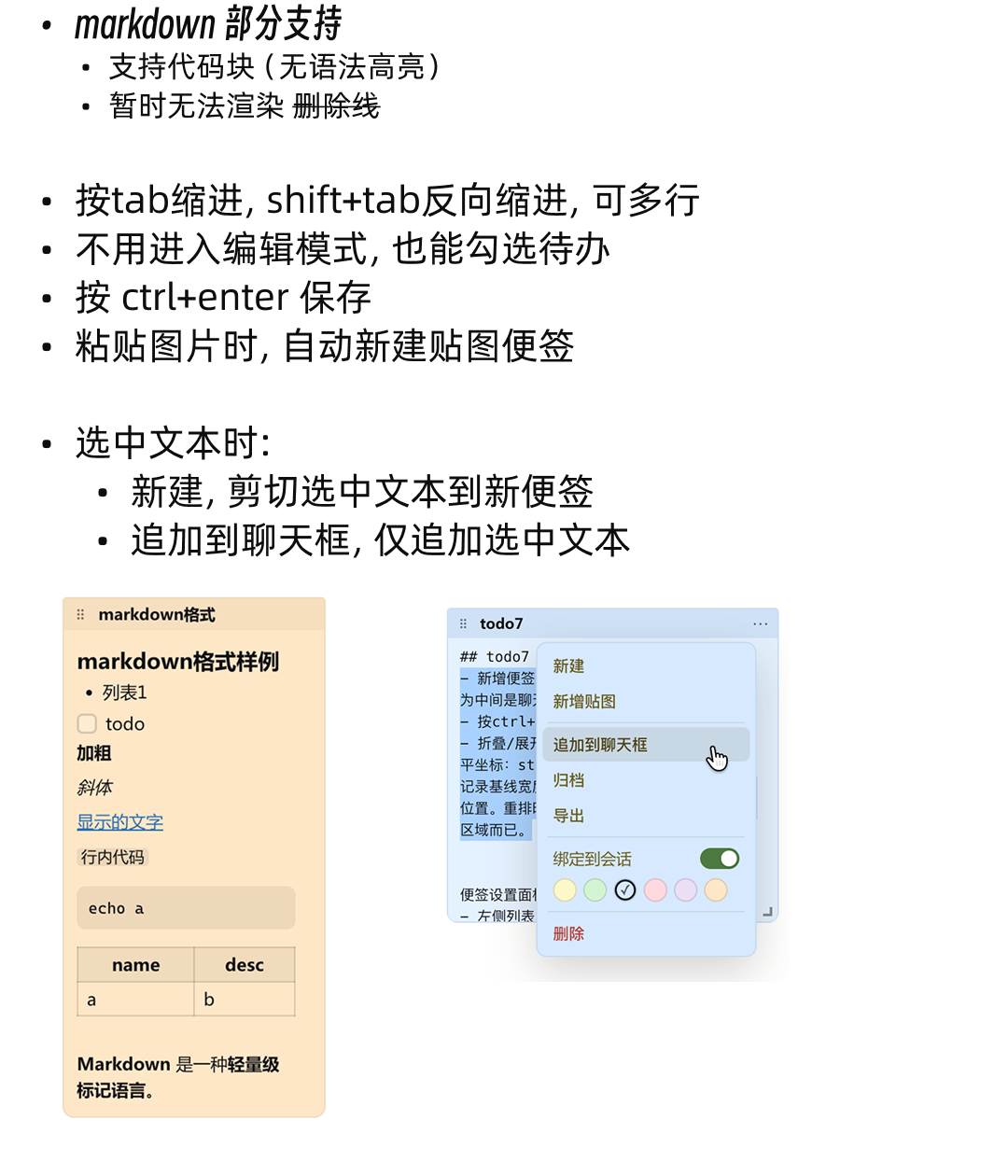
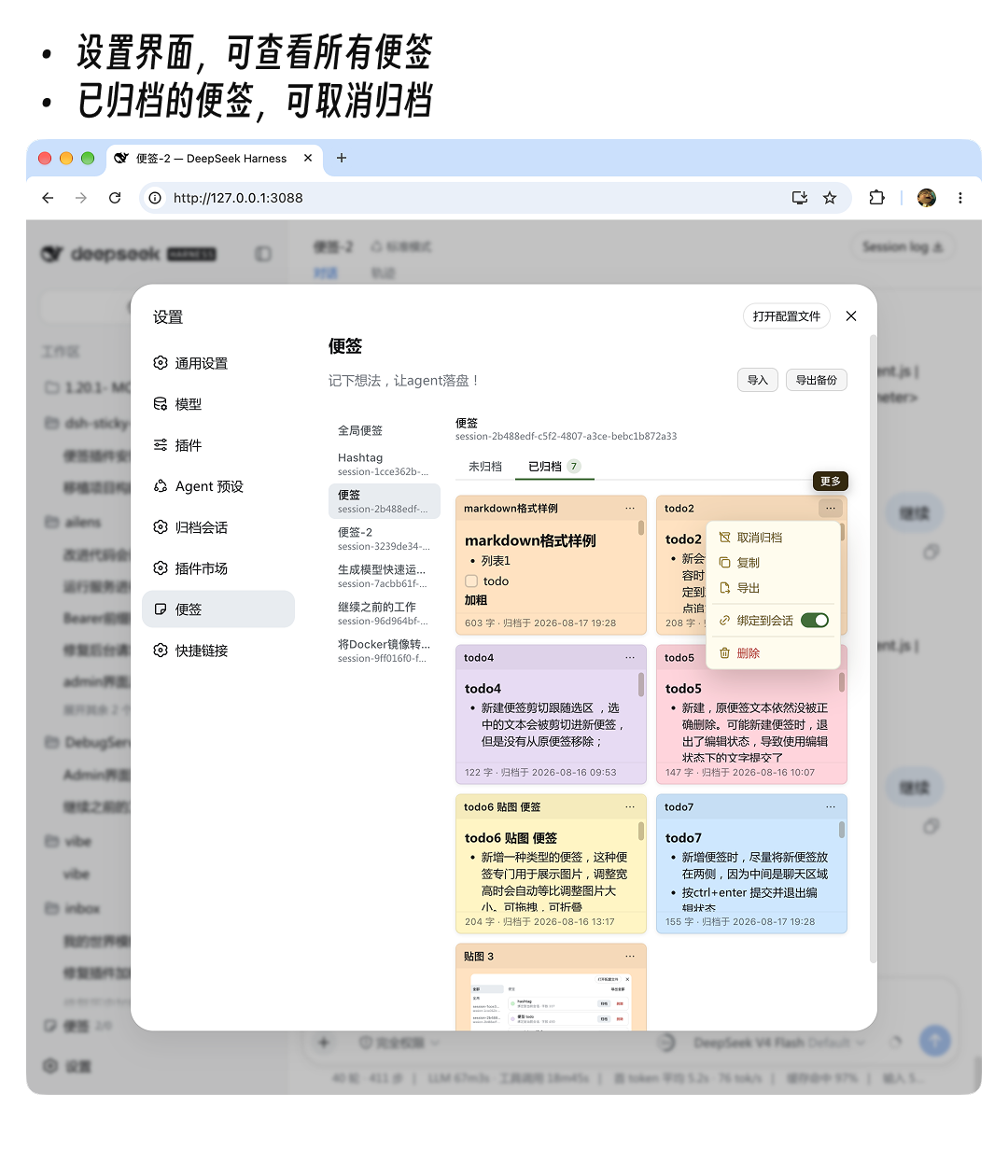
Sticky notes floating over the DeepSeek Harness WebUI for text, todos and images — draggable, resizable, collapsible and archivable. They can also be **bound to a conversation**, so opening the matching conversation automatically shows its notes.
## Screenshots
## Installation
```sh
# Install from GitHub (pure JS, no build authorization required)
dsh plugin --profile web add github:hufang360/dsh-sticky-notes
```
On first install, **restart dsh** for the plugin to take effect. If no restart prompt appears, **hard-refresh the browser** (macOS `Cmd+Shift+R`). The notes entry appears at the bottom of the sidebar, above the settings button.
> This package is a standard dsh bundle: it ships its own `cordis.patch.yml` (declaring `dsh.bundle`), so `dsh plugin add` handles both the dependency and the layer registration in one command.
## Data & storage
- Notes, preferences and settings are stored in the browser's `localStorage`:
- `dsh.web.sticky-notes.v5.notes` (notes array)
- `dsh.web.sticky-notes.v5.prefs` (hidden / entryPos)
- `dsh.web.sticky-notes.v5.settings` (settings panel filter)
- Images are stored as compressed Data URLs.
- Data lives only in the browser locally and is not synchronized across devices / browsers.
> Note: changing the WebUI port, or switching between `localhost:3080` and `127.0.0.1:3080`, makes previously saved data invisible, because they are tracked separately per origin.
## Development & packaging
```sh
node --check lib/client.js # syntax check
git commit -am "..." # regular commit
pnpm pack # produce sticky-notes-.tgz
npm publish # (optional) publish to npm
```
- `lib/client.js` — the only logic file (browser bundle).
- `lib/index.js` — host-side no-op entry.
- `cordis.patch.yml` — the bundle's patch layer (registers the `sticky-notes` plugin row).
## License
MIT