shortcode-asciinema | FixIt
## Demo
[Installation Theme#CLI | FixIt](https://fixit.lruihao.cn/documentation/installation/#cli)
## Requirements
Applicable to all Hugo themes.
## Install Component
The installation method is the same as [installing a theme](https://fixit.lruihao.cn/documentation/installation/). There are several ways to install, choose one, Here are two mainstream ways.
### Install as Hugo Module
First make sure that your project itself is a [Hugo module](https://gohugo.io/hugo-modules/use-modules/#initialize-a-new-module).
Then add this theme component to your `hugo.toml` configuration file:
```toml
[module]
[[module.imports]]
path = "github.com/hugo-fixit/FixIt"
[[module.imports]]
path = "github.com/hugo-fixit/shortcode-asciinema"
```
On the first start of Hugo it will download the required files.
To update to the latest version of the module run:
```bash
hugo mod get -u
hugo mod tidy
```
### Install as Git Submodule
Clone [FixIt](https://github.com/hugo-fixit/FixIt) and this git repository into your theme folder and add it as submodules of your website directory.
```bash
git submodule add https://github.com/hugo-fixit/FixIt.git themes/FixIt
git submodule add https://github.com/hugo-fixit/shortcode-asciinema.git themes/shortcode-asciinema
```
Next edit `hugo.toml` of your project and add this theme component to your themes:
```toml
theme = ["FixIt", "shortcode-asciinema"]
```
## Record Terminal
You can use the `asciinema` command to record the terminal and upload it to [asciinema.org](https://asciinema.org/).
```bash
asciinema rec demo.cast
# press or type "exit" when you're done
asciinema upload demo.cast
```
## Use Shortcode
Here is an example of usage:
```markdown
{{< asciinema-embed 697494 >}}
```
The rendering effect is as follows:
[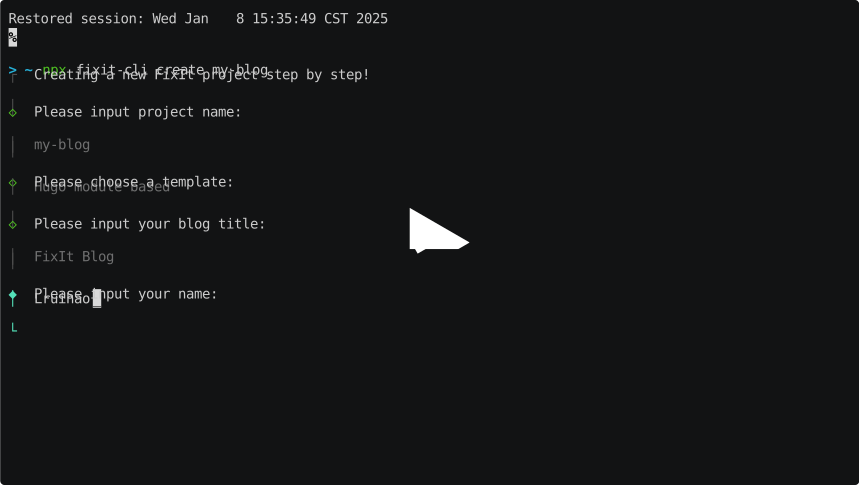](https://asciinema.org/a/697494)
## References
- [Develop Theme Components | FixIt](https://fixit.lruihao.cn/contributing/components/)
- [How to Develop a Hugo Theme Component | FixIt](https://fixit.lruihao.cn/components/dev-component/)