# dumbtv home
A home screen for Fire TV that does one job: show your apps and your HDMI inputs.
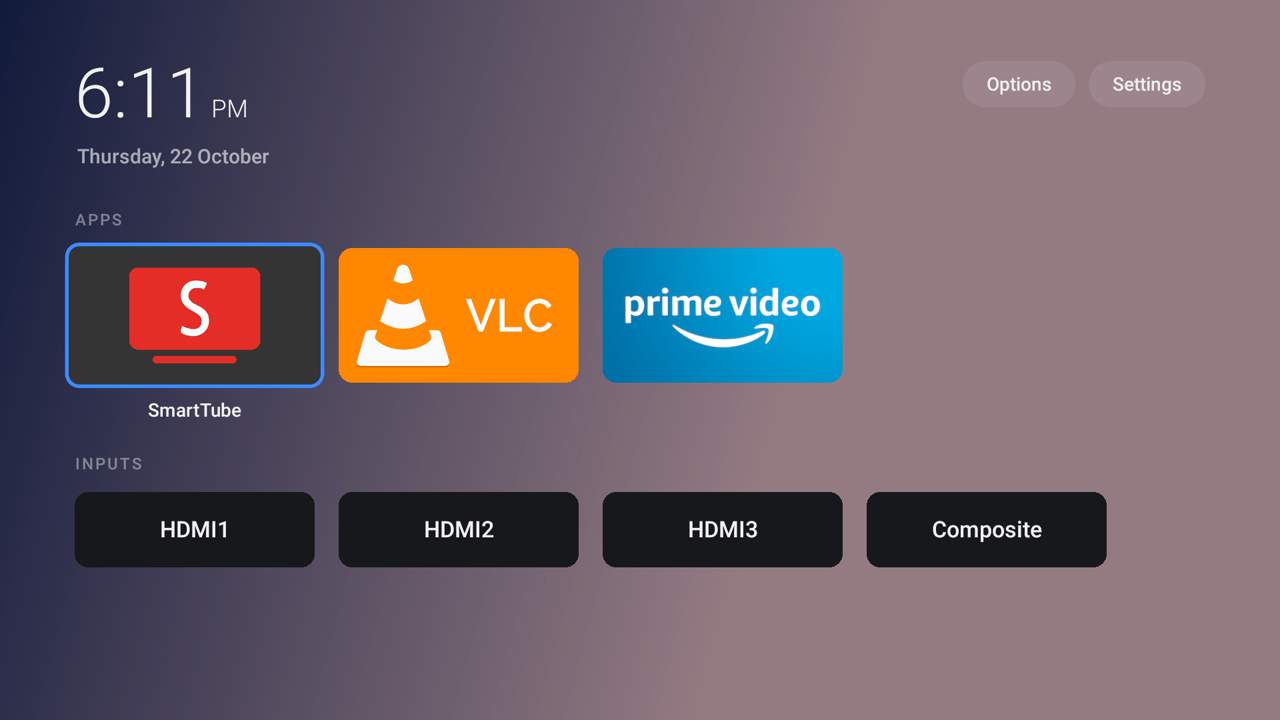
- **54 KB.** Plain Java and Android views. No AndroidX, Kotlin, Compose, Play
Services or any other library.
- **No network.** There is no `INTERNET` permission, so Android will not let it
open a connection.
- **No permissions on Fire OS 7 and 8.** It declares three (usage access, task
order, boot completed), each limited to Android 8.1 and earlier, for the Fire OS 6
Keeper below. Check: `aapt2 dump permissions dumbtv-home.apk`.
- **No ads, no recommended rows, no account, no analytics, no update checks.**
- About 60–70 MB of memory with the home screen showing, about 37 MB while an app
plays (measured on a Fire TV Edition television with 1.4 GB of RAM).
## Install
You need `adb` and a TV with ADB debugging on.
```sh
adb connect :5555 # accept "Allow USB debugging?" on the TV
./launcher/install.sh # download, check the SHA-256, install, take over HOME
```
The APK comes from this repository's
[releases](https://github.com/humblemuzzu/dumbtv/releases/latest), and `install.sh`
refuses it if the checksum differs from the one in `version.env`. Installing the
APK by hand works, but HOME only switches over once `install.sh` (or
`scripts/launcher.sh`) has set up the HOME hook described below.
Undo: `./launcher/install.sh --undo` gives HOME back to Amazon's launcher.
## Using it
| Remote | Does |
|---|---|
| OK | open the app, or switch to the input |
| Hold OK, or ☰ Menu | Move, Rename, Hide, App info |
| Move mode | ◀ ▶ moves the tile, ▲ ▼ moves it a line in the grid, any other key drops it |
| Up from the top row | Options and Settings |
| Back on the home screen | jump to the first tile |
| On an input: Back | back to the home screen |
| On an input: ☰ Menu | show the input's name again |
| Hold HOME | Fire OS quick menu (Amazon's, unchanged) |
**Options** cycles each setting with ◀ ▶ or OK:
| Setting | Choices |
|---|---|
| Accent | white, blue, cyan, green, amber, red, pink, violet |
| Tiles | small, medium, large |
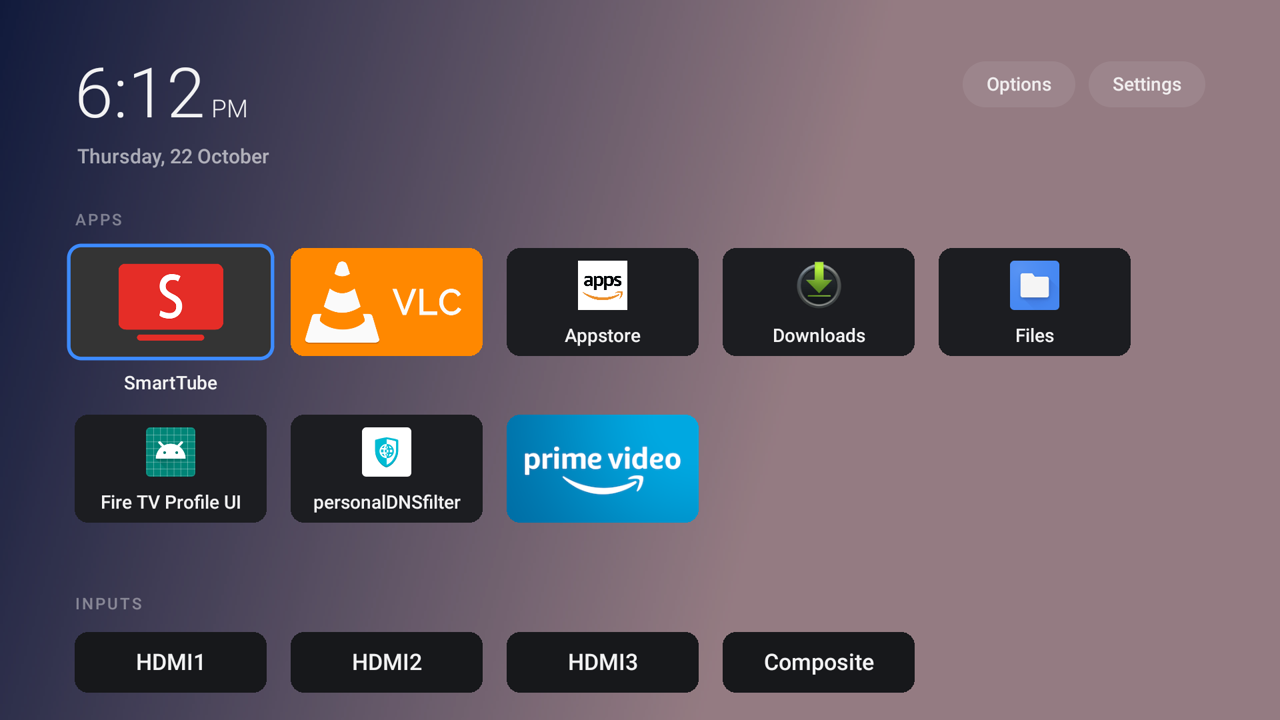
| Layout | rows, or a grid that wraps to as many columns as fit |
| App names | on focus, always, never |
| Clock | system, 24-hour, 12-hour |
| Inputs row | shown, hidden |
| Open inputs with | Automatic, the TV's app, dumbtv home (see below) |
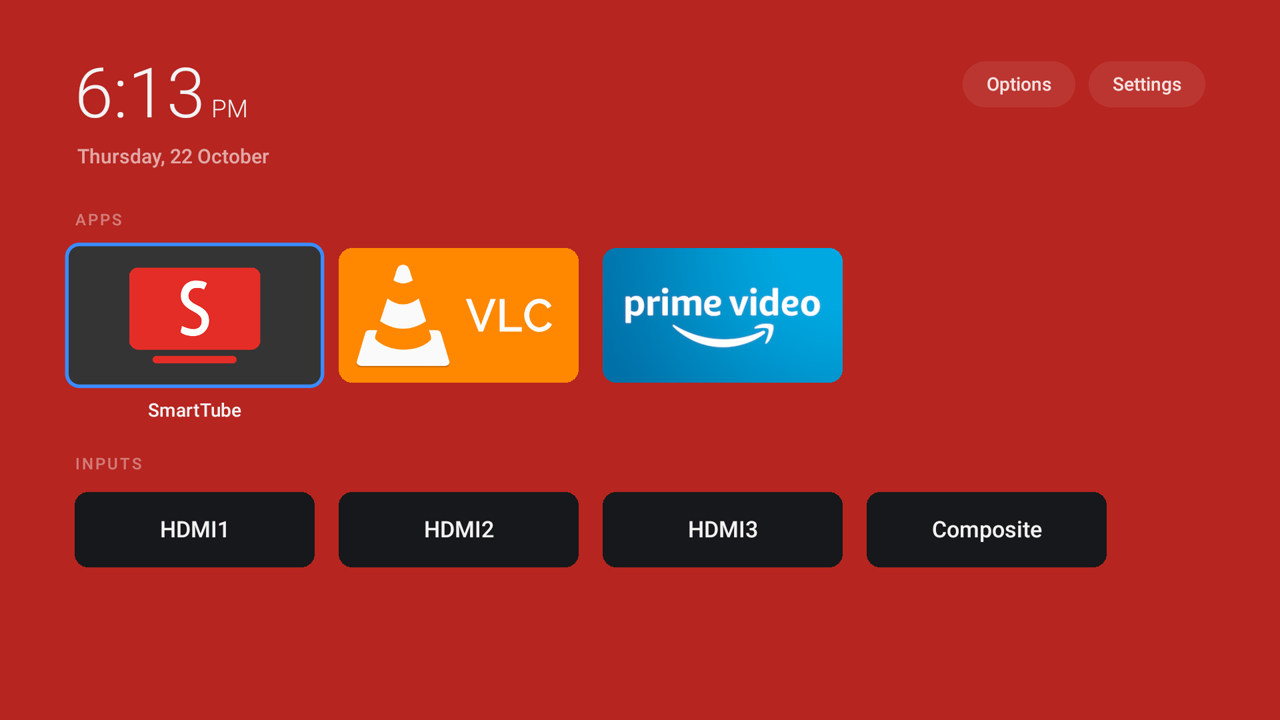
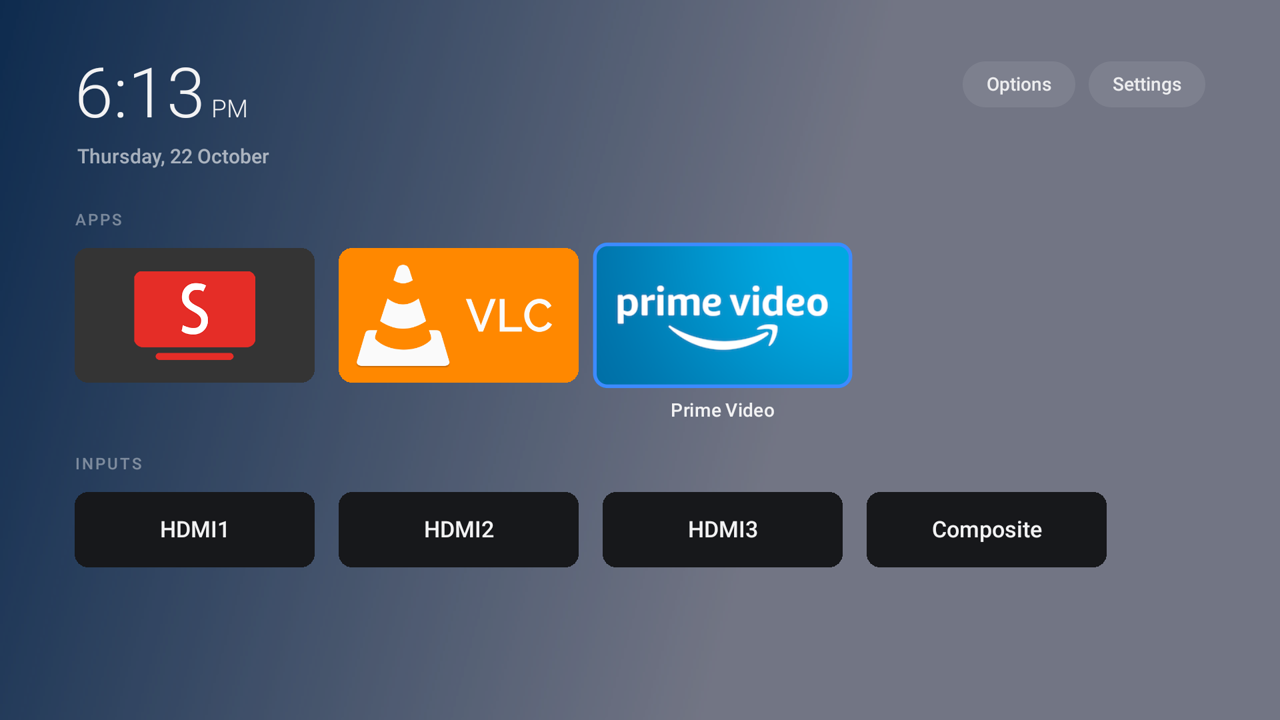
| Background | black, graphite, midnight, image, adaptive, adaptive tint |
| Image dim, wallpaper rotation | for image backgrounds |
Below them: Next wallpaper, which apps and inputs appear on the home screen, a
reset for order, names and hidden tiles, and **Open Amazon's home screen**. Apps
without a TV banner, like the Appstore, start hidden; tick them to add them.
| Grid layout | Adaptive background | Adaptive tint |
|---|---|---|
|  |  |  |
## HDMI inputs
**Options › Open inputs with** decides what an input tile does:
- **Automatic** (default): the TV's own app, when exactly one app other than
Amazon's Live TV claims the input; otherwise the launcher's own screen. Amazon's
Live TV claims every input and then opens its settings or a channel scan.
- **The TV's app**: always hand the input to the TV's app, as releases up to 1.1
did.
- **dumbtv home**: always use the launcher's own screen. It uses Android's public
`TvView`: the picture, the input's name for a moment, and "No signal" when nothing
is connected. Back returns to the home screen, and HOME releases the input at
once. Nothing new is requested to do this.
## The settings file
Everything lives in one text file on the TV:
```
/sdcard/Android/data/tv.dumbtv.home/files/home.conf
```
```ini
# white blue cyan green amber red pink violet, or #RRGGBB
accent=blue
# small medium large
tiles=medium
# rows grid
layout=rows
# focus always never
labels=focus
# auto 24h 12h
clock=auto
# on off
inputs=on
# auto tv home
switch=auto
# black graphite midnight image adaptive adaptive-tint
background=black
# 0 20 40 60 80, image backgrounds only
dim=40
# off visit hourly daily daytime (visit = every return to the home screen)
rotate=off
apps.order=com.amazon.firetv.youtube,org.videolan.vlc
apps.hide=org.videolan.vlc
apps.show=com.amazon.venezia
inputs.hide=com.droidlogic.tvinput/.services.AV1InputService/HW1
name.com.droidlogic.tvinput/.services.Hdmi2InputService/HW6=PS5
```
Comments go on their own line. Back it up with `adb pull`, restore it with
`adb push`; changes apply the next time the home screen comes back.
### Wallpapers
No permission is needed: the launcher reads its own folder.
- **One wallpaper:** push it as `wallpaper.jpg` (or `.jpeg`, `.png`, `.webp`) into
the folder above and set `background=image`.
- **Several:** push them into a `wallpapers/` subfolder, with any names, and pick a
rotation. While that folder has images, `wallpaper.jpg` is ignored.
```sh
adb shell mkdir -p /sdcard/Android/data/tv.dumbtv.home/files/wallpapers
adb push *.jpg /sdcard/Android/data/tv.dumbtv.home/files/wallpapers/
```
`rotate=daytime` matches wallpapers to the time of day by name: `morning` or `day`
(06:00 to 13:00), `afternoon` or `evening` (13:00 to 20:00), `night` (the rest), as
in `morning-coast.jpg`.
`background=adaptive` takes a dark colour from the focused app's artwork.
`background=adaptive-tint` keeps the wallpaper and adds a light wash of that
colour; without a wallpaper it shows graphite.
## How HOME works on Fire OS
Fire OS has no working "default launcher" setting, and Amazon's launcher is a
protected package. Measured on a Fire OS 7 television:
1. **The HOME key cannot be intercepted.** Fire OS handles it before any
accessibility key filter runs. So `Guard`, a small accessibility service, waits
for Amazon's home window instead. It sees window changes only and reads no
screen content.
2. **Android delays app launches for 5 s after HOME** (`APP_SWITCH_DELAY_TIME`),
which is why other launchers flash Amazon's home. A launch fired by
AlarmManager comes from `system_server` and is exempt.
`install.sh` sets `settings global alarm_manager_constants min_futurity=0` so
the alarm fires at once; `--undo` removes it.
3. **Amazon's home is covered before it draws.** `Guard` keeps an overlay ready,
with no surface while idle so it costs nothing during video, and removes it once
dumbtv home is on screen.
4. **Fire OS 8 (Android 11) only lets an app with a visible window start an
activity.** The cover is that window, so `Guard` launches once it has drawn.
HOME from an app shows about 0.3 s of black, then this home screen.
### Fire OS 6
Fire OS 6.7 refuses third-party accessibility services, so it uses `Keeper`, a
small foreground service:
1. UsageStats (`appops set tv.dumbtv.home GET_USAGE_STATS allow`, granted by
`install.sh`) tells it when Amazon's launcher comes to the front.
2. `ActivityManager.moveTaskToFront` brings dumbtv home back. That is not an
activity launch, so the 5 s delay does not apply: under 0.25 s with a real
remote.
3. At boot there is no dumbtv task yet, so the first start uses an alarm.
**Options › Open Amazon's home screen** pauses the takeover until another app is
opened.
## Build it yourself
Needs JDK 17 and the Android SDK (`platforms;android-25`, `build-tools`). There is
no Gradle: `build.sh` runs aapt2, javac, d8, zipalign and apksigner directly, and
compiles against Android 7.1 so one APK runs on Fire OS 6, 7 and 8.
```sh
brew install openjdk@17
brew install --cask android-commandlinetools
sdkmanager "platforms;android-25" "build-tools;34.0.0"
./launcher/build.sh # launcher/build/dumbtv-home.apk
./launcher/install.sh --build # build, install, take over HOME
```
On Linux, set `ANDROID_HOME`; `build.sh` finds a JDK 17 in
`/usr/lib/jvm/java-17-openjdk` (Arch: `pacman -S jdk17-openjdk`). It prefers JDK 17
because build-tools 34's `d8` has crashed on classes from newer JDKs.
Your build is signed with a key `build.sh` creates on first run, and Android will
not update the release with it or the other way round. `install.sh` says so; back
up `home.conf`, then `adb uninstall tv.dumbtv.home`.
## Diagnostics
Logcat has everything under the tag `dumbtvtest`. For problems at boot, when the
log has rotated by the time you can read it, the Keeper can also write a file that
survives reboots:
```sh
adb shell touch /sdcard/Android/data/tv.dumbtv.home/files/debug
```
While that file exists, log lines go to `files/keeper.log` in the same folder.
Delete both to stop.
## Files
| File | What it is |
|---|---|
| `src/.../Home.java` | the home screen: clock, Apps row, Inputs row, tile menu, move mode |
| `src/.../Tile.java` | one tile, drawn in a single `onDraw`: banner or icon, focus ring |
| `src/.../Grid.java` | the grid layout |
| `src/.../FocusColor.java` | the colour for the adaptive backgrounds |
| `src/.../Catalog.java` | which apps and inputs exist, and their order |
| `src/.../Item.java` | one app or input |
| `src/.../Input.java` | the built-in input screen (`TvView`) |
| `src/.../Config.java` | reads and writes `home.conf` |
| `src/.../Options.java` | the settings screen |
| `src/.../Ui.java` | shared colours, text and sizes |
| `src/.../Guard.java` | the Fire OS 7 and 8 HOME takeover |
| `src/.../Keeper.java` | the Fire OS 6 HOME takeover |
| `src/.../BootReceiver.java` | restarts the Keeper after a boot or an update |
| `build.sh` | aapt2, javac, d8, zipalign, apksigner |
| `install.sh` | download and checksum (or `--build`), install, HOME hook, `--undo` |
| `version.env` | the version and the release's SHA-256, read by the three scripts |
| `release-check.sh` | checks that the version, the built APK and the GitHub release agree |
| `tests/FocusColorTest.java` | host-side test for `FocusColor`, run by CI |
## Releasing
1. Bump `VERSION`, `VERSION_CODE` and `VERSION_NAME` in `version.env`.
2. `./build.sh`, copy `build/dumbtv-home.apk` to `build/dumbtv-home-.apk`,
and put its SHA-256 in `version.env`.
3. Upload it as `dumbtv-home.apk` to a release tagged `launcher-v`.
4. `./launcher/release-check.sh` fails if the tag, the APK and the hash disagree.
CI runs `--manifest` on every push.