> A small self-hosted web workbench for long-running terminal and AI coding sessions.
RoamBench sits between SSH and a full browser IDE. It gives you persistent `tmux`-backed terminals, `1 / 2 / 4` pane workspaces, lightweight file tools, and a browser UI you can reopen from a laptop or phone.
It is built for developers who run terminal-first tools such as Codex, Claude Code, OpenCode, Kimi-CLI, or ordinary long-running scripts on a remote machine and want to supervise them without keeping one laptop open all day.
## What You Get
- Keep terminal sessions alive with `tmux`, even when the browser disconnects.
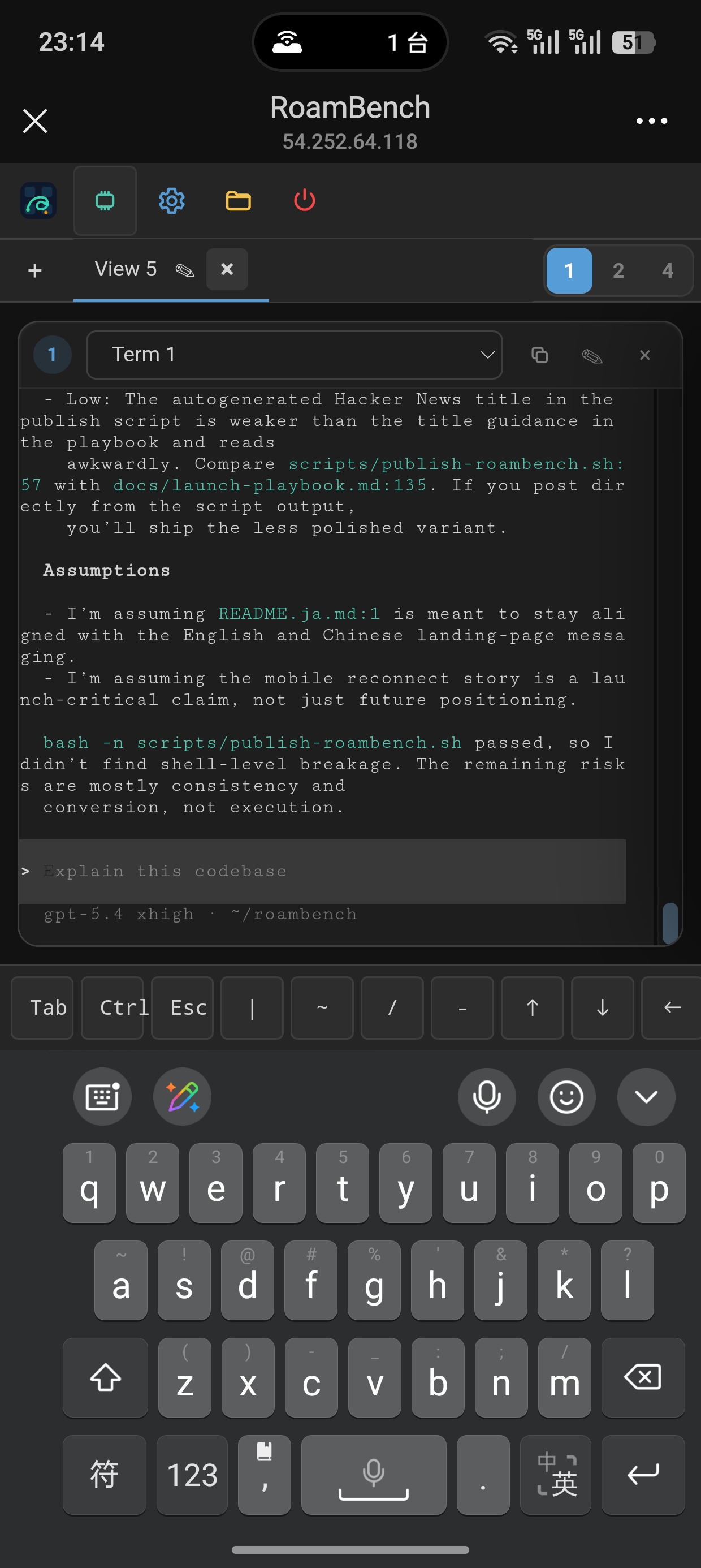
- Reopen the same split terminal workspace from another browser or device.
- Run multiple CLI agents side by side without turning your server into a full IDE host.
- Inspect files, preview documents/images, and make small edits next to the terminal.
- Stay single-user and self-hosted, with password or PAM auth plus optional IP allowlisting.
## Who It Is For
RoamBench is useful if you already live in terminals and want a small remote control surface for long-running work.
It is not trying to replace VS Code, Cursor, or a full cloud IDE. It is also not a multi-user team platform. The product boundary is intentionally narrow: persistent terminals, split workspaces, file access, and enough project control to keep agent work observable.
## Why Not SSH Or A Browser IDE
RoamBench is deliberately narrow: it keeps the highest-value pieces of remote work without trying to become a full browser IDE.
| Need | SSH | VS Code Remote / Browser IDE | RoamBench |
| --- | --- | --- | --- |
| Reconnect to a long-running agent session from a phone | awkward | possible, but heavy | built for it |
| Keep `tmux`-backed session recovery easy | manual | not the focus | built-in |
| Run `2 / 4`-pane CLI workflows for coding agents | manual setup | IDE-first | built-in |
| Inspect files and make small edits next to terminals | extra tools | yes, with more overhead | built-in |
| Stay single-user and lightweight on a self-hosted box | yes | usually heavier | yes |
It is not a multi-user platform. It is not trying to replace your full local editor for large edits. It stays opinionated so the UI can remain fast, small, and usable on mobile.
## Screenshots
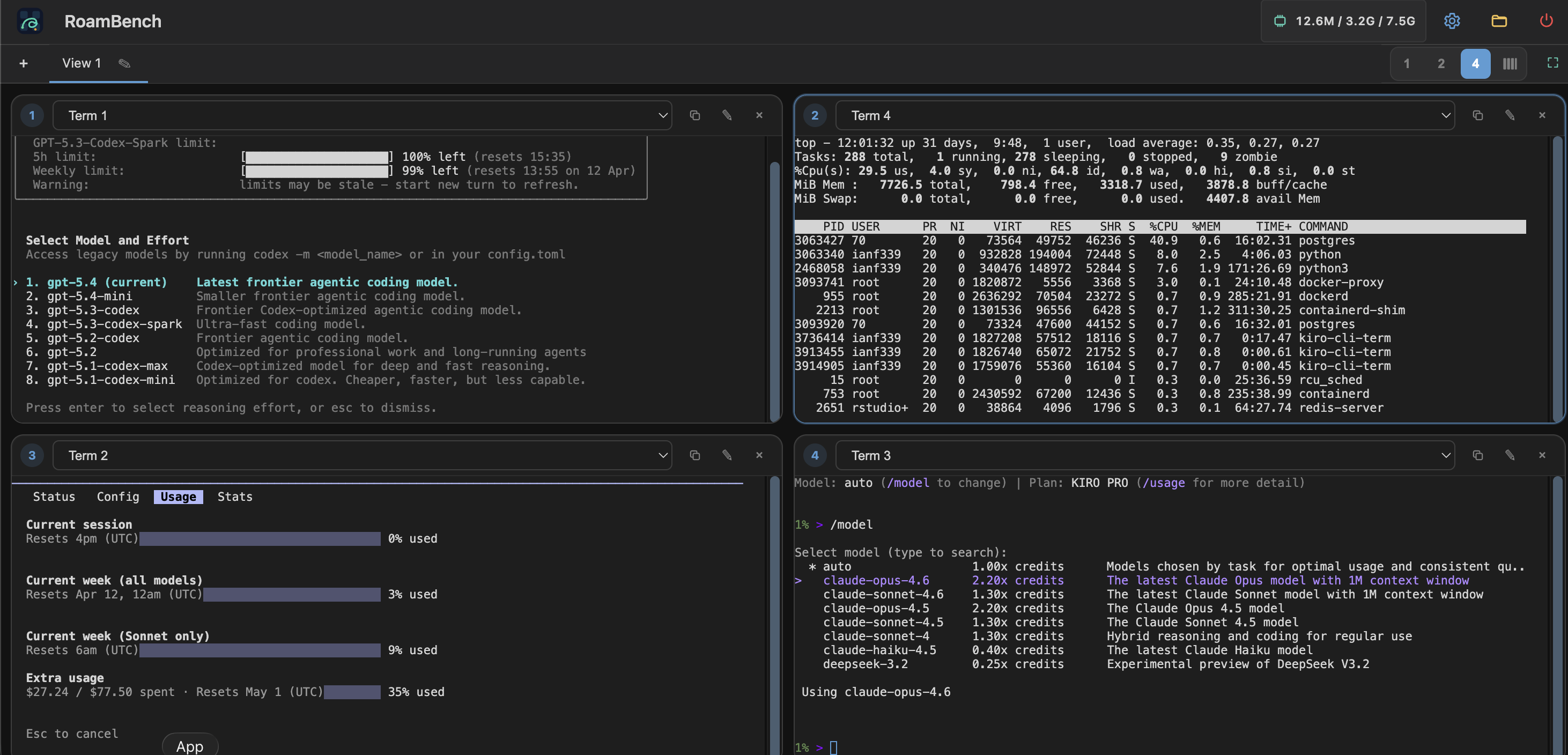
Desktop workspace with `4` terminals for long-running agent and CLI tasks:
Mobile reconnect to the same workspace:
## Install From GitHub Releases
Download the latest release archive from:
- [github.com/ianfksyd/roambench/releases/latest](https://github.com/ianfksyd/roambench/releases/latest)
The Linux release archives include:
- `roambench`
- `README.md`
- `LICENSE`
- `roambench.example.toml`
- `roambench.quickstart.toml`
- `roambench.service`
Installer script for Linux hosts with `curl`, `jq`, `sha256sum`, and `tar`:
```bash
curl -fsSL https://raw.githubusercontent.com/ianfksyd/roambench/main/scripts/install-roambench.sh | bash -s -- latest "$HOME/.local/bin"
```
Then start with the trusted local/LAN quickstart:
```bash
APP_BIN="$HOME/.local/bin/roambench"
curl -fsSLo roambench.toml https://raw.githubusercontent.com/ianfksyd/roambench/main/configs/roambench.quickstart.toml
"$APP_BIN" --password-hash
export ROAMBENCH_USER="$(whoami)"
export ROAMBENCH_PASSWORD_HASH=''
"$APP_BIN" --config roambench.toml
```
Open the configured server address in your browser.
Quickstart notes:
- `roambench.quickstart.toml` is optimized for getting a local/LAN demo running quickly.
- It enables insecure HTTP and disables IP filtering.
- For anything exposed beyond a trusted network, use the full setup and deployment hardening docs.
## Current Capabilities
### Terminal & Session Management
- single-user authentication with `password` or `pam`, plus IP allowlist
- terminal session persistence across page reloads, reconnects, and server restarts when `tmux` is available
- disk-backed terminal metadata with a configurable storage cap
- multi-pane workspace tabs with `1 / 2 / 4` layouts and cross-browser sync
- unique terminal assignment across workspaces
- visible right-side scrollbar in each terminal pane
- optional cgroup v2 admission checks and per-terminal memory, swap, PID, CPU, and I/O controls
### File Workspace
- directory listing with sorting, hidden-file toggle, breadcrumb navigation, and current-directory filtering
- text file editing with draft recovery, find / replace, go-to-line, and optional line numbers
- `New File`, `New Folder`, `Save As`, rename / move, copy, upload, download, delete
- image, audio, and video preview in the built-in viewer
### Agent Workflows
- well suited for keeping multiple terminal-first tools running side by side, including Codex, Claude Code, Kimi-CLI, OpenCode, and similar CLI workflows
- steer terminal-first tools such as `openclaw` without loading a heavy desktop IDE
- reconnect to long-running agent sessions from another device, including your phone
- watch scripts, data jobs, and long-running CLI tasks without babysitting SSH
### Project Control Foundation
- runbook phases for plan, implement, test, and review style workflows
- auto-progression from one phase to the next when registered tools pass
- extensible tool registry for commands such as `go test`, `npm test`, `cargo test`, or `pytest`
- agent-neutral HTTP API and `roambench-agent` CLI for task lookup, artifact submission, and human checkpoints
- durable SQLite-backed interaction and decision gateway for answering agent requests from another authenticated browser
- failure recovery, health monitoring, scheduled execution, and global agent activity visibility
- terminal notification monitoring through OSC escape sequences and browser notifications
### General
- lightweight, low-overhead behavior intended to stay responsive on modest self-hosted machines
- live host and service-cgroup memory pressure indicator in the header
- interface language switching for English, Simplified Chinese, and Japanese
## Roadmap: Project Control Layer
RoamBench started as an execution layer: persistent terminals, multi-pane workspaces, and file tools. The next direction is expanding the **project control layer** on top of that foundation, so complex multi-agent work becomes structured rather than ad-hoc.
Planned direction:
- **Task-first model** — organize work around tasks with goals, status, and evidence, not just terminal tabs
- **Timeline and evidence** — see what happened, what changed, and what the agent claims, without reading long CLI output
- **Human checkpoints** — get notified only when a decision actually requires human judgment
- **Shared project history** — track decisions, failures, and recoveries across agents and sessions
- **Local + remote runtime** — manage agents on your local machine and remote servers from the same interface
- **Agent-neutral** — not locked to one AI provider; works with any terminal-first agent
The terminal layer stays. It becomes one view inside a task, not the entire product surface.
For the full design discussion, see [`docs/project-control-discussions/`](docs/project-control-discussions/).
## Requirements
- Go `1.22+`
- `tmux` recommended for persistent terminal sessions
- Linux or another Unix-like environment with PTY support
Official `v0.5.0` Linux release binaries are built with Go `1.27.0`.
Without `tmux`, RoamBench still runs, but terminal session persistence is reduced.
## Build From Source Fast Path
Fastest setup for trusted local or LAN testing:
```bash
make build
cp configs/roambench.quickstart.toml roambench.toml
APP_BIN= # e.g. ./roambench
APP_CONFIG= # e.g. ./roambench.toml
"$APP_BIN" --password-hash
export ROAMBENCH_USER="$(whoami)"
export ROAMBENCH_PASSWORD_HASH=''
APP_CONFIG=${APP_CONFIG:-roambench.toml}
"$APP_BIN" --config "$APP_CONFIG"
```
Notes:
- this path is intentionally optimized for setup speed, not hardening
- `configs/roambench.quickstart.toml` enables insecure HTTP and disables IP filtering
- use it only on trusted local or LAN environments
- for a safer deployment, follow the full setup below
## Full Setup
1. Build the binary:
```bash
make build
```
2. Copy the example config:
```bash
cp configs/roambench.example.toml roambench.toml
```
3. Export the binary and config you are using for this setup:
```bash
APP_BIN= # e.g. ./roambench
APP_CONFIG=${APP_CONFIG:-roambench.toml}
```
4. Edit `roambench.toml`:
- set `[auth].single_user` to the Unix account that runs the service today via `"$APP_BIN"`
- set `[server].allowed_ips` or enable `allow_all_ips = true` for trusted testing
- review the terminal persistence settings
5. Generate a password hash:
```bash
"$APP_BIN" --password-hash
```
6. Put the generated hash into `password_hash` in `roambench.toml`.
7. Start RoamBench:
```bash
"$APP_BIN" --config "$APP_CONFIG"
```
8. Open the server in your browser.
## Build And Run
```bash
make build
make run
go test ./...
```
Release bundles for GitHub Releases:
```bash
make release-packages TAG=v0.5.0
```
PAM build:
```bash
make build-pam
```
## Upgrade Notes
- front-end assets are embedded into the Go binary
- after changing files under [web](web), rebuild and restart the RoamBench service to serve the updated UI
- without `tmux`, restarting the RoamBench service can interrupt active shells and running tasks
## Configuration
RoamBench currently looks for config files in this order:
1. `./roambench.toml`
2. `~/.config/roambench/roambench.toml`
3. `/etc/roambench/roambench.toml`
You can also pass an explicit config path:
```bash
APP_BIN= # e.g. ./roambench
"$APP_BIN" --config /path/to/roambench.toml
```
Useful CLI flags:
- `--config`: explicit config file path
- `--host`: override config host
- `--port`: override config port
- `--password-hash`: generate a `bcrypt` hash from stdin and exit
## Terminal Persistence
When `tmux` is available, RoamBench uses it as the terminal backend.
- terminal metadata is persisted to disk
- idle sessions are removed after `terminal.idle_timeout`
- persisted metadata is capped by `terminal.persist_max_bytes`
- by default the metadata directory is `~/.local/state/roambench/terminals`
This keeps memory usage low while still allowing session recovery after restart.
Without `tmux`, RoamBench still works, but server restart safety is reduced and active tasks may be interrupted.
## Workspaces
The browser UI supports workspace tabs with `1 / 2 / 4` terminal panes.
- each workspace can be renamed
- each workspace can use a different layout
- each terminal can appear only once across workspaces
- workspace state is persisted on the server for the current RoamBench user
- the browser keeps a local cached copy as a fallback
## Security Notes
- RoamBench is single-user only
- default deployments should keep IP filtering enabled
- for non-loopback hosts, RoamBench expects TLS unless `allow_insecure_http = true` is explicitly enabled
## Project Layout
- [cmd/roambench](cmd/roambench) - CLI entrypoint
- [internal/auth](internal/auth) - authentication and sessions
- [internal/server](internal/server) - HTTP server and API
- [internal/terminal](internal/terminal) - terminal session manager
- [internal/filebrowser](internal/filebrowser) - file browser backend
- [web](web) - embedded front-end assets
## More
- [Roadmap](docs/roadmap.md)
- [Configuration Guide](docs/configuration.md)
- [Authentication Guide](docs/authentication.md)
- [Deployment Hardening](docs/deployment-hardening.md)
- [All Documentation](docs/README.md)
- [Contributing](CONTRIBUTING.md)
- [Security Policy](SECURITY.md)
- [Changelog](CHANGELOG.md)
- [License](LICENSE)
## Status
RoamBench is already usable for self-hosted single-user workflows, especially terminal-first coding, agent supervision, and lightweight remote intervention. It is intentionally compact and opinionated today, with a clear path toward becoming a project control layer for multi-agent development work.
