English | 日本語

The next-generation office suite, built with Rust and the GPU, that opens your documents exactly as Microsoft Office shows them.
Word (.docx), Excel (.xlsx) and PowerPoint (.pptx) — fast, accurate, everywhere.
---
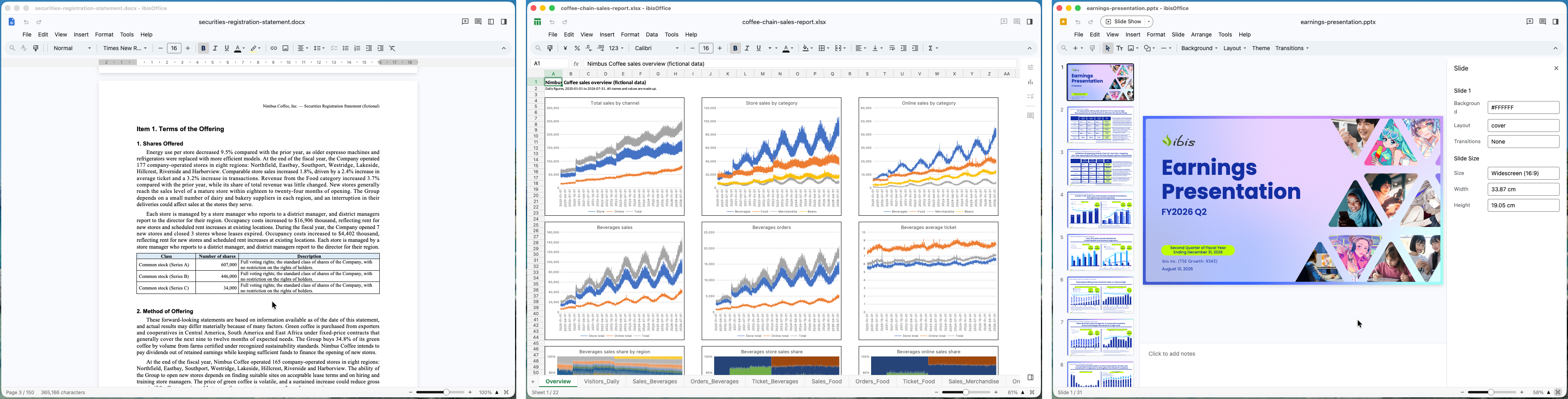
## What is ibisOffice?
ibisOffice is an office suite for viewing, editing and saving Word, Excel and PowerPoint documents. It is written entirely in Rust and draws everything on the GPU. The same single codebase runs as a desktop app on macOS, Windows and Linux and in the web browser.
Our aim is simple: a document made in Microsoft Office should look the same when you open it in ibisOffice. Line breaks, page breaks, table borders, even chart tick marks — we build every part to produce the same result as Office.
## Get started
### Download the desktop app
- **Windows**: download and unzip `ibisOffice-0.8.4-Windows.zip`, then run `ibisOffice.exe` in the `ibisOffice` folder.
- **macOS**: download and unzip `ibisOffice-0.8.4-macOS.zip`, then move `ibisOffice.app` to your Applications folder.
- **Linux**: download `ibisOffice-0.8.4-Linux.AppImage`, allow it to run as a program (`chmod +x`), and double-click. Runs on major desktop Linux distributions (glibc 2.31 or later: Ubuntu, Debian, Fedora, Arch Linux, etc.). No installation or FUSE is needed.
- **Try the web version**: open the [playground](https://ibisjp.github.io/ibis-office/) in your browser — no installation (a browser with WebGPU). Open the sample Word, Excel and PowerPoint documents and try it right away.
- **Changelog**: see [CHANGELOG.md](CHANGELOG.md) for release notes and recent updates.
- **Watch the video**: an introduction to ibisOffice (YouTube).
[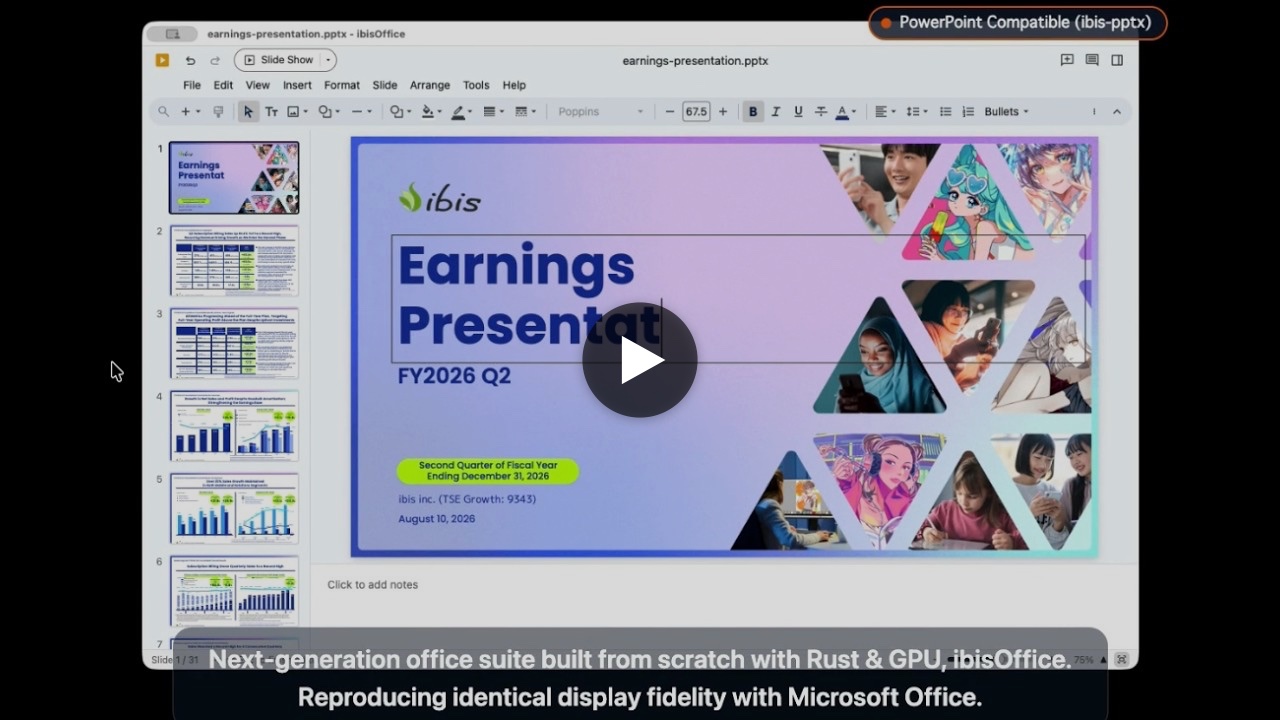](https://www.youtube.com/watch?v=nk2BRzMC2vw)
- **Command-line interface**: for batch headless conversion to PDF/PNG, print settings, and performance benchmarking, see [Command-Line Options](docs/cli-options.md).
- **Embedding the browser version**: optional Close and Download buttons that hand the embedding page an event, see [Embedding](docs/web-embedding.md).
## Goals
ibisOffice aims to be a world-class open-source office suite.
- **Speed and robustness**: memory-safe Rust code that opens large documents quickly and does not crash.
- **Looks the same as Microsoft Office**: text positions, line breaks, page breaks, tables, charts and shapes drawn just as Office draws them.
- **Files that stay Microsoft Office files**: open and save, then reopen in Office — nothing in the content or the layout is lost.
- **Any OS**: the desktop app works and looks the same on macOS, Windows and Linux.
- **Native speed in the browser**: with WebAssembly and WebGPU, no installation needed.
- **Real-time collaboration**: with the server edition, several people edit the same document at the same time.
## Features
### Three formats, one app
- **Documents (.docx)**: paragraphs and styles, bullets and numbering, tables, columns, vertical text, ruby and East Asian typography, footnotes and endnotes, headers and footers, fields (page numbers, tables of contents, indices, cross-references), equations (OMML, LaTeX, UnicodeMath), shapes, images, charts, SmartArt, ink annotations, track changes and comments, mail merge, content controls, document protection, and format conversion (.doc, .rtf, .odt, .html, .txt, .pdf).
- **Spreadsheets (.xlsx)**: over 500 worksheet functions, dynamic arrays and spilling, `LET` and `LAMBDA`, structured and 3D references, conditional formatting (data bars, color scales, icon sets), number formats (including Japanese era and custom formats), rich text and phonetic guides (furigana) within cells, AutoFilter, multi-column sorting, tables, PivotTables and PivotCharts, slicers and timelines, 2D/3D and Office 2016+ charts (Waterfall, Treemap, Sunburst, Histogram, Pareto, Box & Whisker, Funnel), sparklines, form controls, ink annotations, data validation, Flash Fill, consolidation, subtotals, What-If Analysis (Goal Seek, Data Tables, Scenario Manager, Forecast Sheet, Solver), Power Query data tables, threaded comments and notes, sheet and workbook protection, and format conversion (.xls, .ods, .csv, .tsv, .txt, .html, .dif, .slk, .pdf).
- **Presentations (.pptx)**: slide masters, layouts, themes and variants, custom slide sizes, sections, headers and footers, speaker notes and handouts; shapes (all 187 ECMA-376 preset geometries, boolean merge operations, vertex editing, 3D rotation, bevel and extrusion), WordArt and text effects, equations, tables, charts, SmartArt, pictures (crop to shape, artistic effects, background removal), 3D models, video and audio (trim, fade, bookmarks, closed captions), ink annotations, action buttons and zoom links; animations (entrance, emphasis, exit, motion paths, triggers, chart/SmartArt build steps), slide transitions (including Morph and sound effects), slide shows and Presenter View (dual-display, teleprompter, laser and pen annotations), custom shows, rehearsal and recording preview, comments, presentation comparison, accessibility checker, password encryption, and format conversion/export (.ppt, .odp, .ppsx, .potx, .pdf, .png, animated .gif).
- **Macro-enabled files** (.docm, .xlsm, .pptm) open and save too. Macros are never run; they are kept as they are.
### Compatibility, measured — not eyeballed
We verify visual compatibility by measurement. For each feature we build test documents and compare, pixel by pixel, the PDF that real Word, Excel and PowerPoint produce with what ibisOffice draws. Files saved by ibisOffice are checked to open in Office without repair.
### A fast screen, drawn on the GPU
The screen is drawn on the GPU (Metal on macOS, DirectX on Windows, Vulkan on Linux, WebGPU in the browser), so scrolling, zooming and switching sheets are smooth. The UI is built with GPUI, the UI framework created for the high-performance Zed editor.
### Desktop and browser
The same Rust code runs as a native app and, as WebAssembly, inside the browser.
## Strengths
- **A new implementation, written from scratch in Rust**: no legacy code inherited from older office suites. Memory-safe, parallel and fast.
- **Rendering compatibility, guaranteed by process**: more than 70,000 tests continuously compare ibisOffice with Office's output, pixel by pixel.
- **Every edit is a "command"**: every change goes through a command that carries only IDs and final values. It is the unit of undo and redo, and also the unit exchanged with the server in collaborative editing.
- **Faithful to the standard**: files are read and written following the international standard for Office Open XML (ECMA-376 / ISO/IEC 29500 / JIS X 4191). Built-in definitions such as shape outlines use the official ECMA-376 data distributed by Ecma, unmodified.
- **Only components that are safe for commercial use**: every library we depend on is under a license that allows commercial use, such as Apache-2.0, MIT or BSD. No copyleft libraries are used (checked on every change with `cargo deny`).
## Motivation
We provide ibisStorage, a file storage and sharing service like Google Drive. It needs to preview and edit Office files online — fast, accurately, and without putting load on the server. That is why we are building ibisOffice.
## Speed
Smaller is faster. The figures in parentheses show how many times longer each product took than ibisOffice.
### From opening a file to the first screen
With the app already running, the time from telling it to open the file until the first page (the first slide for pptx, the first screen of the first sheet for xlsx) is fully displayed.

| File | ibisOffice | Microsoft Office | LibreOffice | ONLYOFFICE |
|---|---:|---:|---:|---:|
| Presentation (.pptx)
31 slides, 35.9 MB | **0.59 s** | 2.16 s (3.7×) | 4.40 s (7.5×) | 4.75 s (8.1×) |
| Document (.docx)
140–154 pages in English, 0.12 MB | **0.45 s** | 1.11 s (2.5×) | 1.70 s (3.8×) | 3.15 s (7.0×) |
| Spreadsheet (.xlsx)
22 sheets, 29 charts, 589,000 formulas, 13.7 MB | **0.52 s** | 14.07 s (27.0×) | 6.82 s (13.1×) | 9.36 s (17.9×) |
We recorded the app window (up to 60 frames per second) and measured, from the video, the time from the open request until the screen stopped changing. The final frame was checked by eye.
### 1,000,000-Row CSV: Time to First View
With the app already running, the time from telling it to open a 1,000,000-row CSV file until the first screen is displayed and interactive for viewing, scrolling, and zooming.

| File | ibisOffice | LibreOffice | Microsoft Excel | ONLYOFFICE |
|---|---:|---:|---:|---:|
| Large CSV (.csv)
1,048,576 rows, 20 columns, 116 MB
*(Time to First View)* | **0.78 s** | 11.30 s (14.5×) | 19.04 s (24.4×) | 137.3 s* (176.0×) |
\* ONLYOFFICE failed to open the 1,000,000-row file (timed out after 5 minutes); estimated at 3.3× its 300,000-row load time (41.60 s).
### Converting to PDF
The time from starting a command-line conversion until the PDF is fully written.

| File | ibisOffice | Microsoft Office | LibreOffice | ONLYOFFICE |
|---|---:|---:|---:|---:|
| Presentation (.pptx)
31 slides, 35.9 MB | **1.42 s** | 8.40 s (5.9×) | 32.26 s (22.8×) | 5.87 s (4.1×) |
| Document (.docx)
140–154 pages in English, 0.12 MB | **0.69 s** | 12.49 s (18.1×) | 3.45 s (5.0×) | 4.19 s (6.1×) |
| Spreadsheet (.xlsx)
22 sheets, 29 charts, 589,000 formulas, 13.7 MB | **7.26 s** | 42.94 s (5.9×) | 19.46 s (2.7×) | 24.89 s (3.4×) |
Conversion methods: ibisOffice `ibisOffice --export pdf`; Microsoft Office: opened and saved as PDF via AppleScript; LibreOffice `soffice --headless --convert-to pdf`; ONLYOFFICE: the x2t converter bundled with the app.
### Test conditions
- Environment: Apple M2 Pro, 16 GB memory, macOS 26.5.1. Versions: ibisOffice 0.1.0 (development build), Microsoft Office 16.113.2, LibreOffice 26.8.0.3, ONLYOFFICE 9.4.0. Measured on September 29–30, 2026.
- Each figure is a single run. Every run started with all of the app's processes quit.
- The files are made from fictional data and from a public document with its metadata removed, and are published in `test/benchmark/`.
## Use cases
### Desktop app (macOS, Windows, Linux)
- **Your everyday office software**: create and edit Word, Excel and PowerPoint documents and save them in the same formats as Office.
- **Check documents you receive, instantly**: open files from email or chat without waiting, and read them exactly as they were made in Office. Large workbooks and long presentations open fast too.
- **Export to PDF and images**: export to PDF or PNG from the command line without opening a window — ready for batch conversion and automated processing on servers.
### Web edition (WebAssembly + WebGPU)
- **Use it without installing anything**: just open it in the browser to view and edit documents with the same screen and the same rendering as the desktop app. Works on PCs where you cannot install software and on shared machines.
- **Build document viewing and editing into web systems**: inside business systems, SaaS products and portals, view and edit attached Word, Excel and PowerPoint documents on the spot, looking just as they do in Office.
- **Handle documents without sending them to a server**: rendering and editing happen inside the browser, so when you open a local file its content is not sent to any external server.
## Building
```bash
git clone --recurse-submodules https://github.com/ibisjp/ibis-office.git
cd ibis-office
cargo build --release
```
- On Windows, build with `cargo build --release -p ibis-office-app` (the whole workspace includes a Linux-only crate); the app is `target\release\ibisOffice.exe`.
- On macOS, `scripts/bundle-macos.sh --release` builds the app at `target/release/ibisOffice.app`.
- On Linux, `scripts/bundle-linux.sh --release` builds an AppImage at `target/dist/ibisOffice--Linux.AppImage`, and `scripts/bundle-flatpak.sh --release` a Flatpak bundle at `target/dist/ibisOffice--Linux-.flatpak` (needs `flatpak-builder`).
- For the browser edition, build with `scripts/build-web.sh --release` and serve `www/` (browsers with WebGPU: Chrome, Edge, Safari 26 or later).
## Implemented Features
ibisOffice implements a comprehensive set of features for Word (.docx), Excel (.xlsx), and PowerPoint (.pptx) documents, strictly compliant with the ECMA-376 specification.
For the full list of implemented features across all three formats (over 1,800 items), please see:
👉 Implemented Features
## License
ibisOffice is **dual-licensed under AGPL-3.0-only and a commercial license**.
- **AGPL-3.0**: free to use, modify and distribute as open source. If you offer a modified version as a service over a network, you must also publish its source under AGPL-3.0. See [LICENSE](LICENSE).
- **Commercial license**: if you build ibisOffice into a product or service that cannot meet the AGPL-3.0 terms (publishing the source), please use the commercial license. See [COMMERCIAL-LICENSE.md](COMMERCIAL-LICENSE.md).
All copyrights in ibisOffice are held by ibis inc., which is what allows it to be offered under both licenses.
The components we use and the notices their licenses require are listed in [THIRD-PARTY-NOTICES.md](docs/THIRD-PARTY-NOTICES.md) (for each build: [www/license.md](www/license.md), [crates/ibis-office-app/macos/license.md](crates/ibis-office-app/macos/license.md), [crates/ibis-office-app/linux/license.md](crates/ibis-office-app/linux/license.md)). Our modified forks of GPUI (Apache-2.0) are published as [gpui-pre](https://github.com/ibisjp/gpui-pre), [gpui-pre-macos](https://github.com/ibisjp/gpui-pre-macos), [gpui-pre-windows](https://github.com/ibisjp/gpui-pre-windows), [gpui-pre-linux](https://github.com/ibisjp/gpui-pre-linux), [gpui-pre-wgpu](https://github.com/ibisjp/gpui-pre-wgpu) and [gpui-pre-web](https://github.com/ibisjp/gpui-pre-web).
## Contributing
Bug reports, requests and proposed fixes are welcome in Issues (we do not accept pull requests at the moment). For an issue with code, a one-line reply to our [CLA](docs/CLA.md) lets us use it; see [CONTRIBUTING.md](docs/CONTRIBUTING.md). Please report security issues through the channels in [SECURITY.md](docs/SECURITY.md), not in Issues.
## Trademarks
Microsoft, Microsoft Office, Microsoft 365, Word, Excel and PowerPoint are registered trademarks or trademarks of Microsoft Corporation in the United States and other countries. LibreOffice is a registered trademark or trademark of The Document Foundation, and ONLYOFFICE of Ascensio System SIA. All other company and product names are registered trademarks or trademarks of their respective owners. ibisOffice is not affiliated with, endorsed by or sponsored by any of these companies.
The ibisOffice name and logo are trademarks of ibis inc. See [TRADEMARK.md](docs/TRADEMARK.md) for how to use them. Anything based on ibisOffice must display "Powered by ibisOffice".
---
© ibis inc.