---
name: iblai-vibe-agent-evals
description: Add the agent Evals tab (run the agent against a benchmark of test questions, score the answers with LLM-as-Judge reviews or manual scores, export CSV) to your Next.js app, with the benchmark screens that create a benchmark in two steps and add its Q&A typed in or from a CSV file. Use when the user mentions evals, evaluations, benchmarks, test sets, Q&A pairs, LLM-as-Judge, scoring agent answers, or measuring agent quality. For the REST contract see /iblai-api-agent-eval.
globs:
alwaysApply: false
metadata:
kind: ui
---
# /iblai-vibe-agent-evals
Add the agent **Evals tab** -- run the agent against a benchmark (a set of
test questions with expected answers) and score every answer, so you can
catch weak spots and track improvements. **Scope: benchmarks belong to the
organization; evaluations belong to the agent.** One benchmark can be run
against many agents, and the table only lists runs of this agent. This is one
tab in the agent-settings family indexed by `/iblai-vibe-agent`; it shares the
`AgentSettingsProvider` wrapper with every other tab.
## What the tab renders
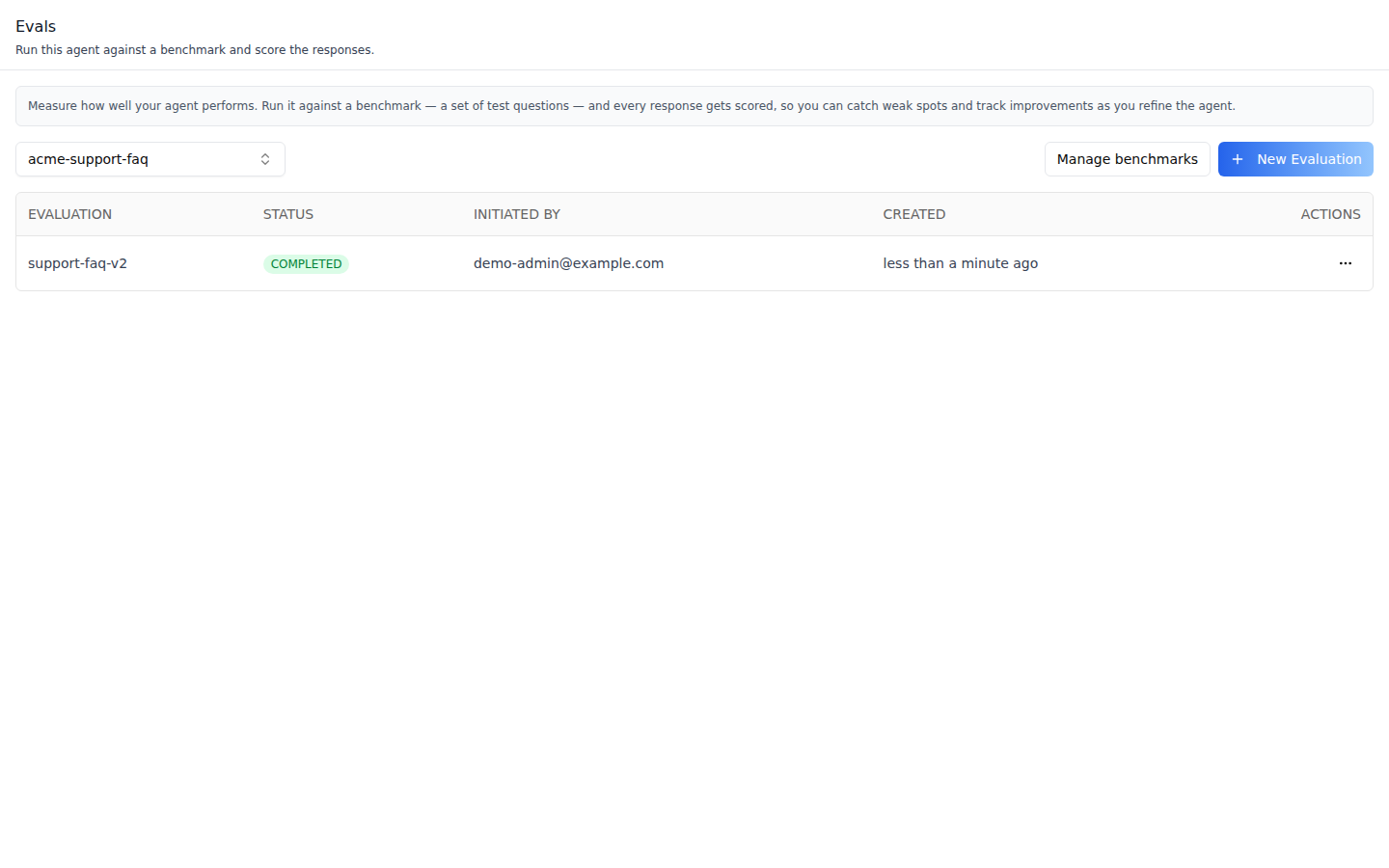
**Evaluations** -- a benchmark picker (the first benchmark is selected),
**Manage Benchmarks**, **New Evaluation**, and a table of this agent's runs
(Evaluation, Status, Initiated By, Created), as many rows as fit the tab's
height, with pagination below. Runs work in the background. Status is an icon
that names itself on hover: **Queued**, **Running**, **Complete** or
**Failed**.
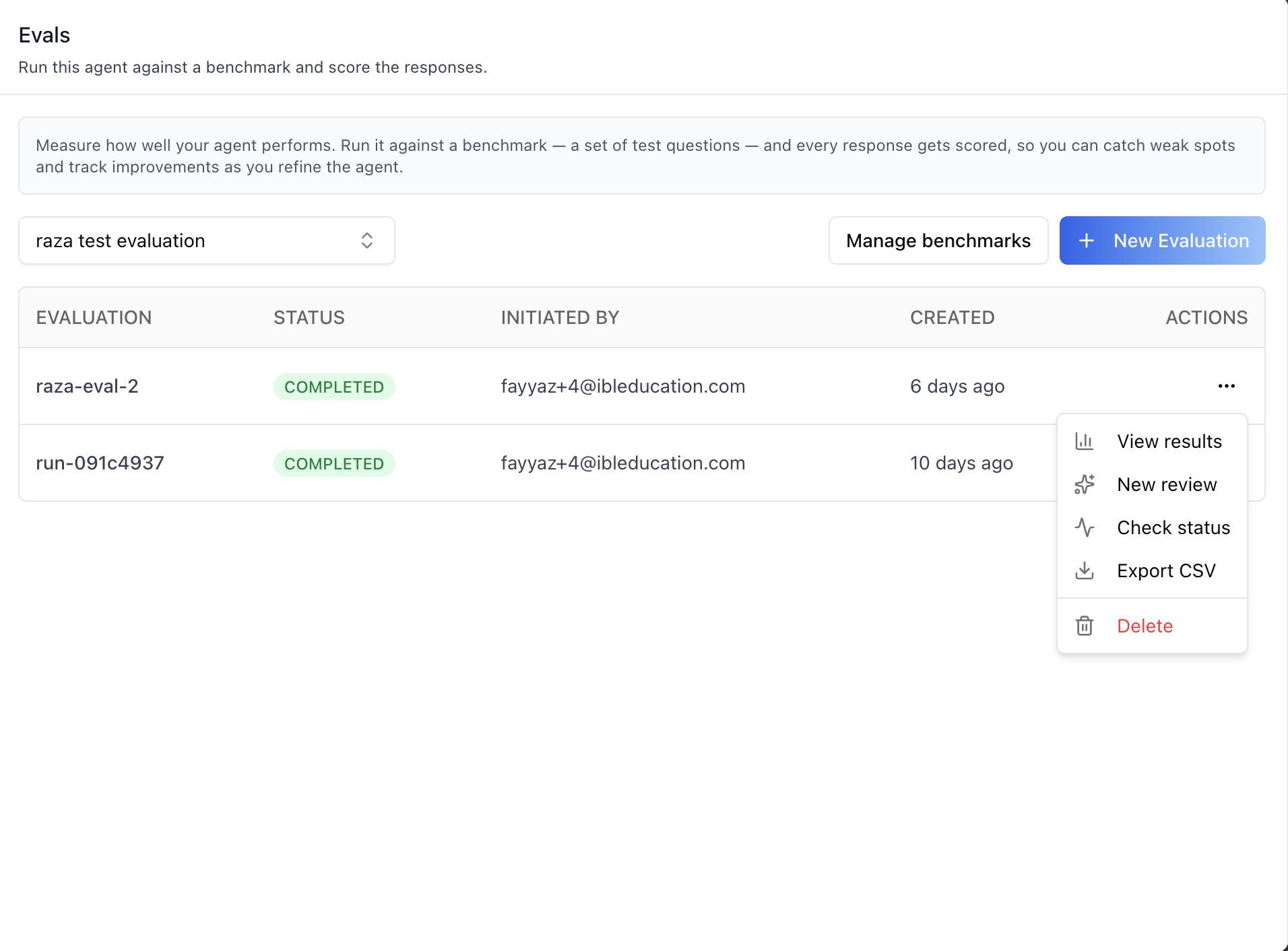
**Row actions** -- **View Results**, **New Review**, **Check Status** (refetch
one run and toast its state), **Export CSV**, and **Delete**. View Results, New
Review and Export CSV stay off until the run completes, and hovering one says
why: "Available once the evaluation completes", or "Not available because the
evaluation failed". On a phone a tap opens a sheet that prints the reason under
each action that is off.
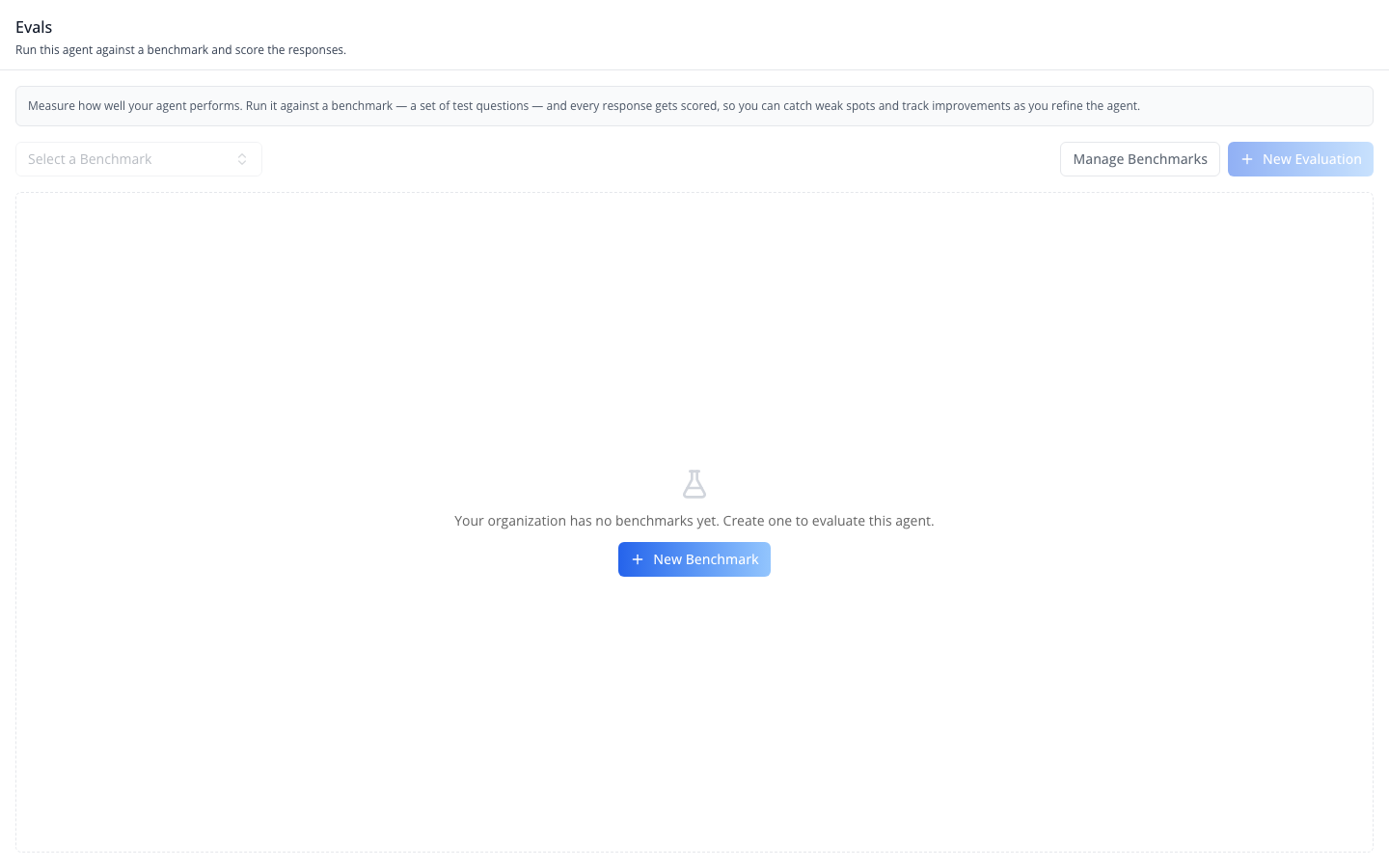
**No benchmarks yet** -- an organization without benchmarks gets a **New
Benchmark** button in the empty state. It opens the New Benchmark dialog
below, and the tab selects the benchmark it creates.
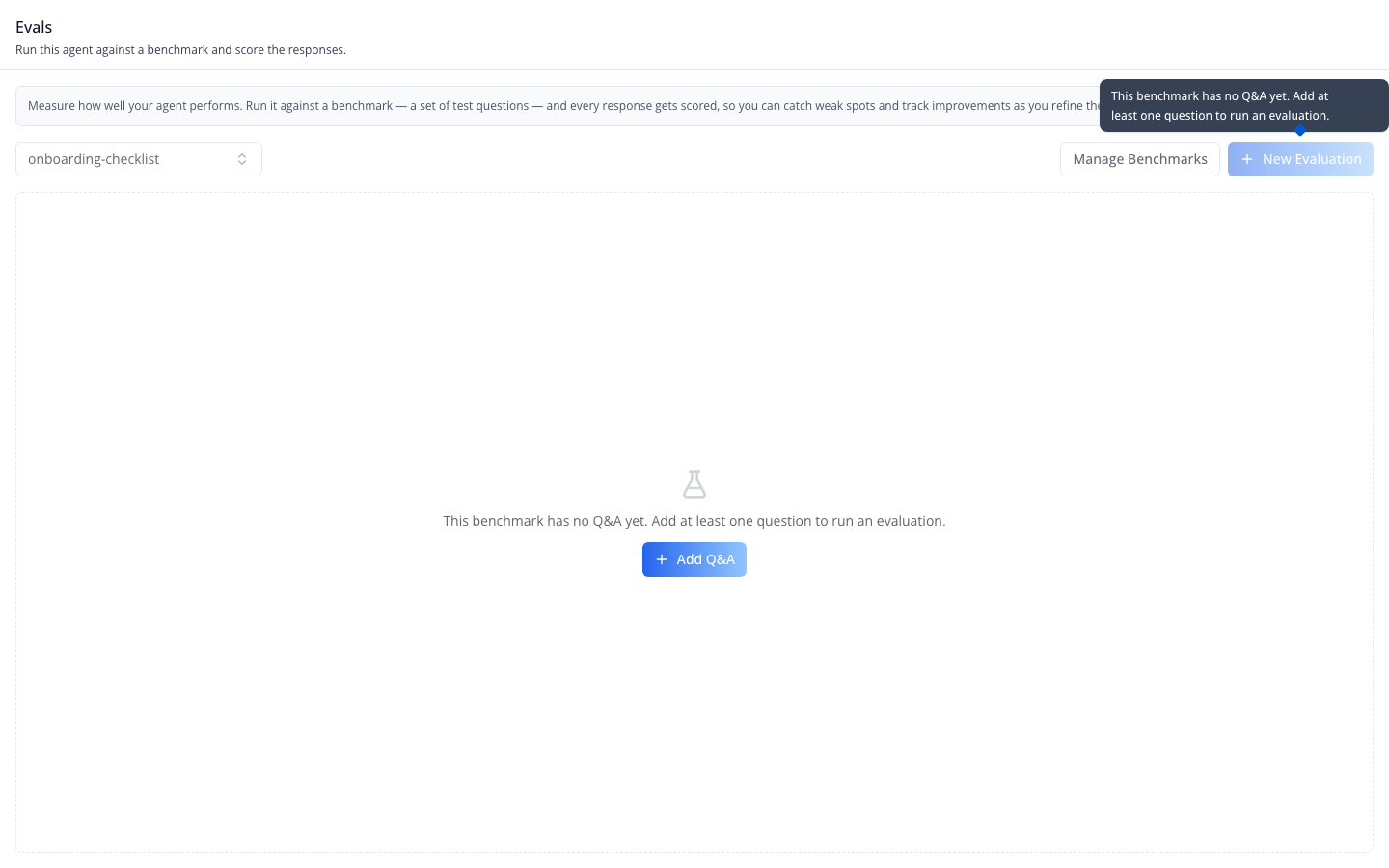
**A benchmark without Q&A cannot be evaluated** -- while the selected
benchmark has no questions, **New Evaluation** is off (hovering it says why)
and the tab offers one **Add Q&A** button: in the empty state, or on a line
above the table when the benchmark already has runs. The tab reads the count
with a one-row request; if that request fails, New Evaluation stays on.
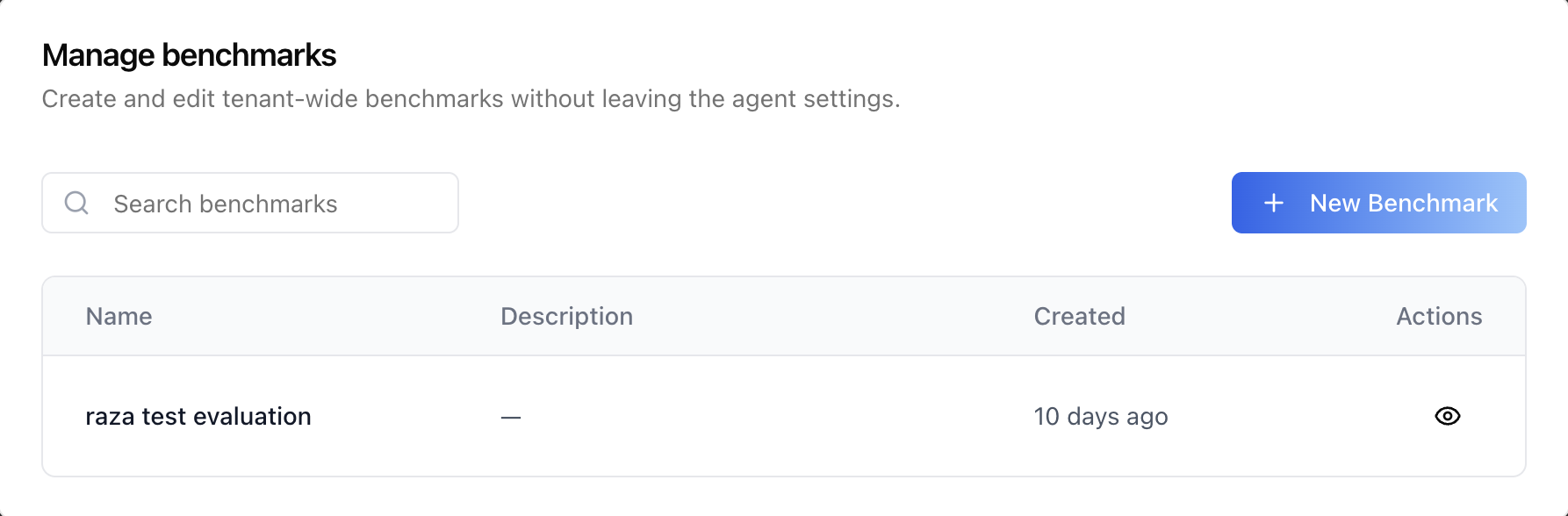
**Manage Benchmarks** -- the organization's benchmarks (Name, Description,
Created), 10 per page, with a search box that filters the page on screen,
**New Benchmark**, and an eye button per row (**View Q&A**). A benchmark
created here is selected on the tab.
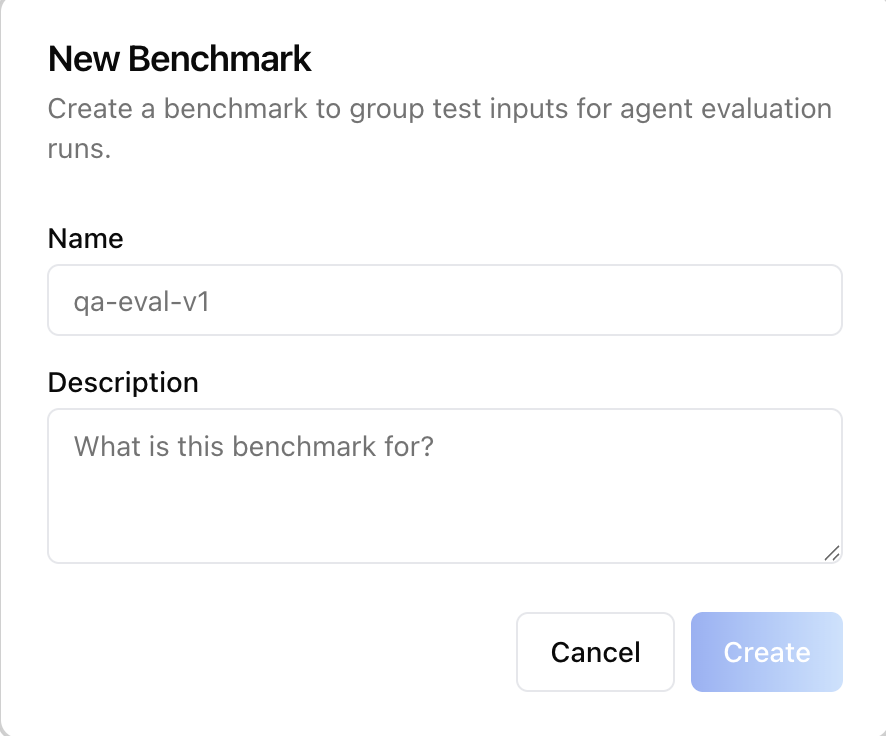
**New Benchmark** -- two steps, like Create Agent. **Details** asks for a
name and a description, then **Next** goes to **Q&A**:
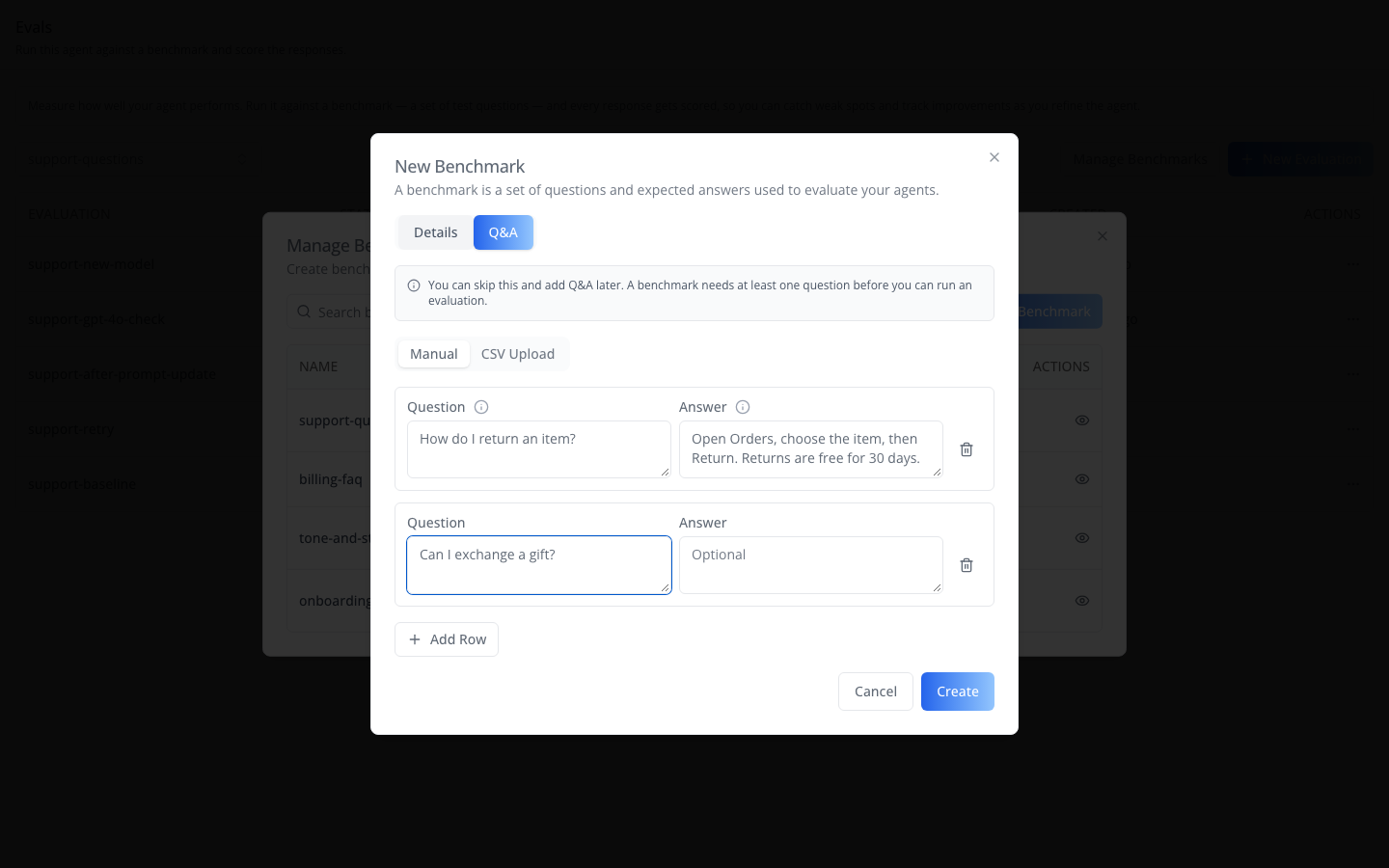
**Q&A** is the same Manual / CSV Upload form as Add Q&A, and it is optional: a
note says the benchmark needs one question before an evaluation can run.
**Create** saves the benchmark, then its Q&A. The toast says how many pairs were
saved, or that Q&A still has to be added.
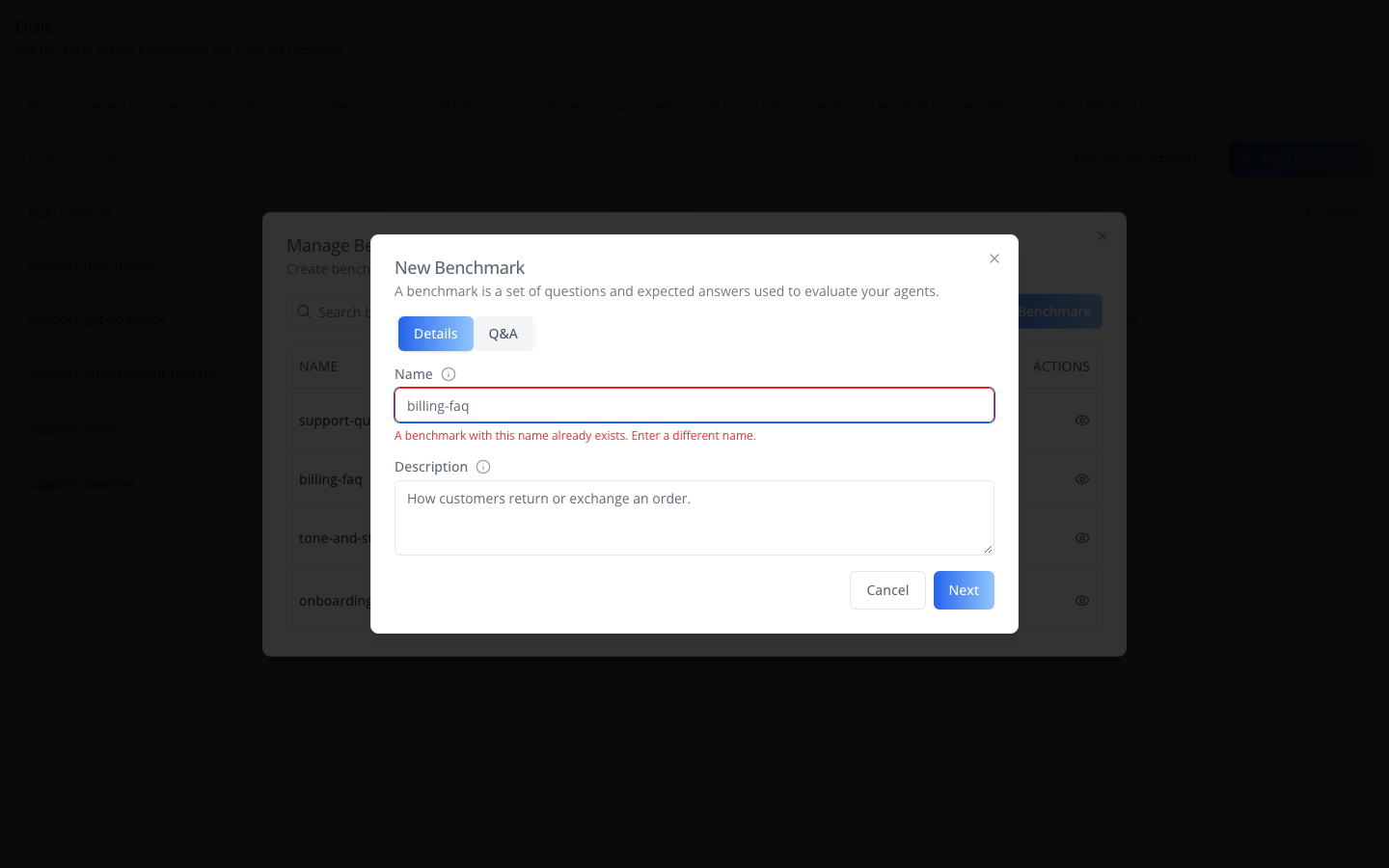
The name cannot be changed later. A name with a slash (`/`), or made only of
dots, is refused, and so is a name another benchmark already has: the dialog
goes back to Details and says so under **Name**. If the benchmark is created
but its Q&A cannot be saved, the dialog stays open with an error; the button
becomes **Save Q&A** to try again and Cancel becomes **Close**. Pairs are
saved one at a time, so a save that failed part-way may have stored some, and
Save Q&A sends all of them again: open the benchmark's Q&A first, or close and
add only what is missing.
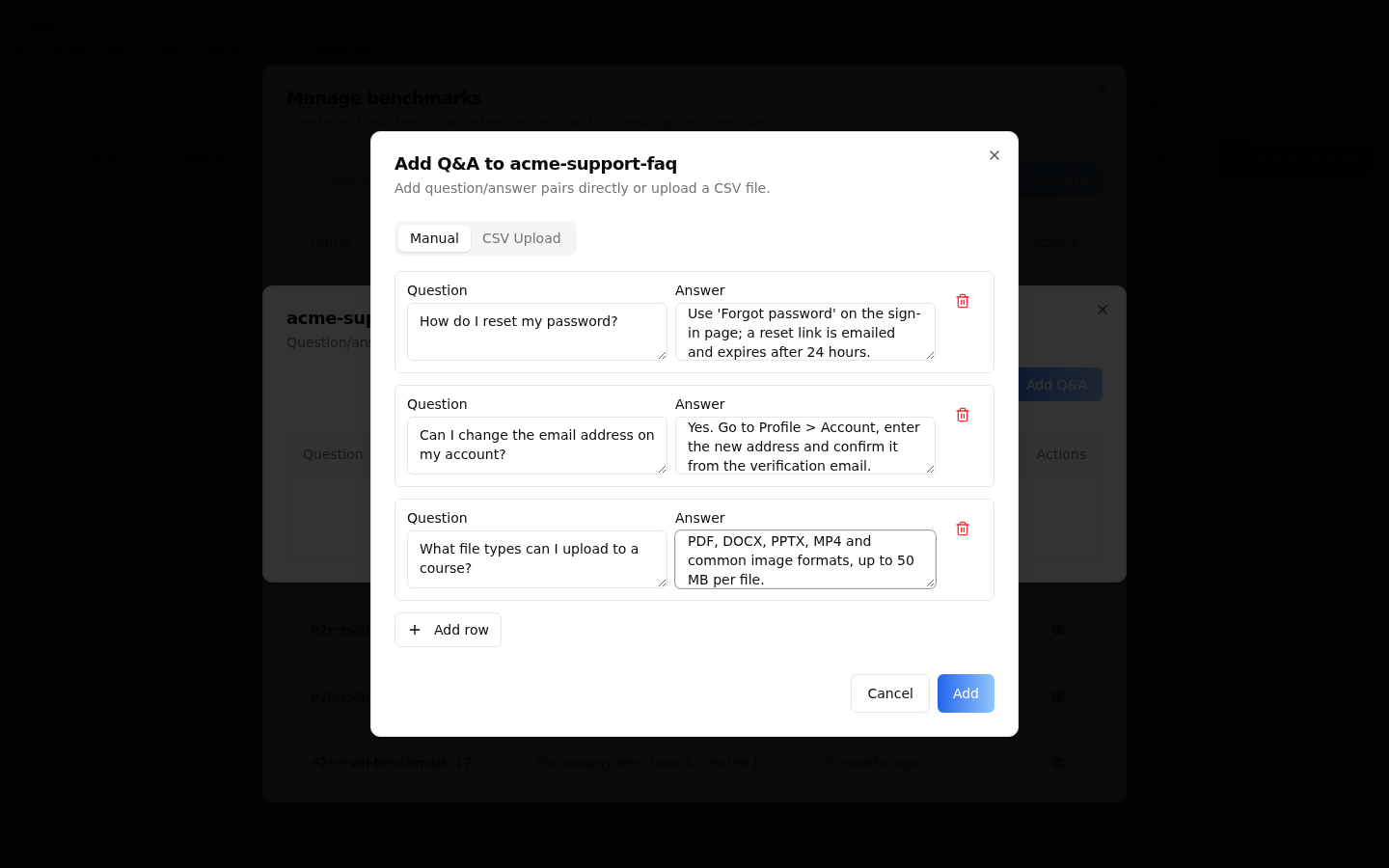
**Add Q&A** -- question and answer rows typed in (**Manual**; the answer is
optional, **Add Row** adds one), and **Add**:
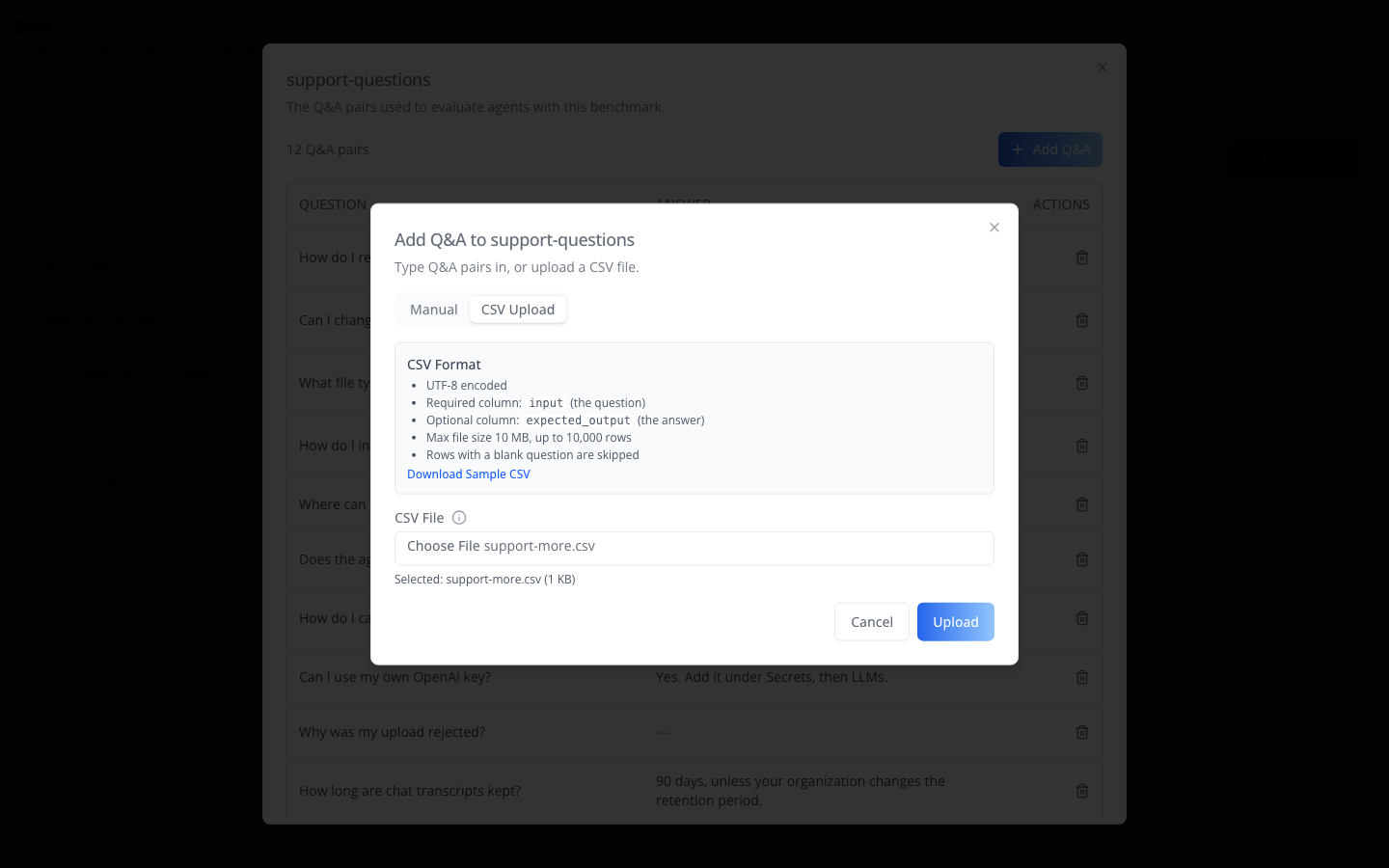
or a **CSV Upload** and **Upload**: UTF-8, a required `input` column, an
optional `expected_output` column, at most 10 MB / 10,000 rows; rows with a
blank question are skipped. **Download Sample CSV** saves an example. The
dialog refuses a file over 10 MB, or one whose first row has no `input`
column, before it uploads anything.
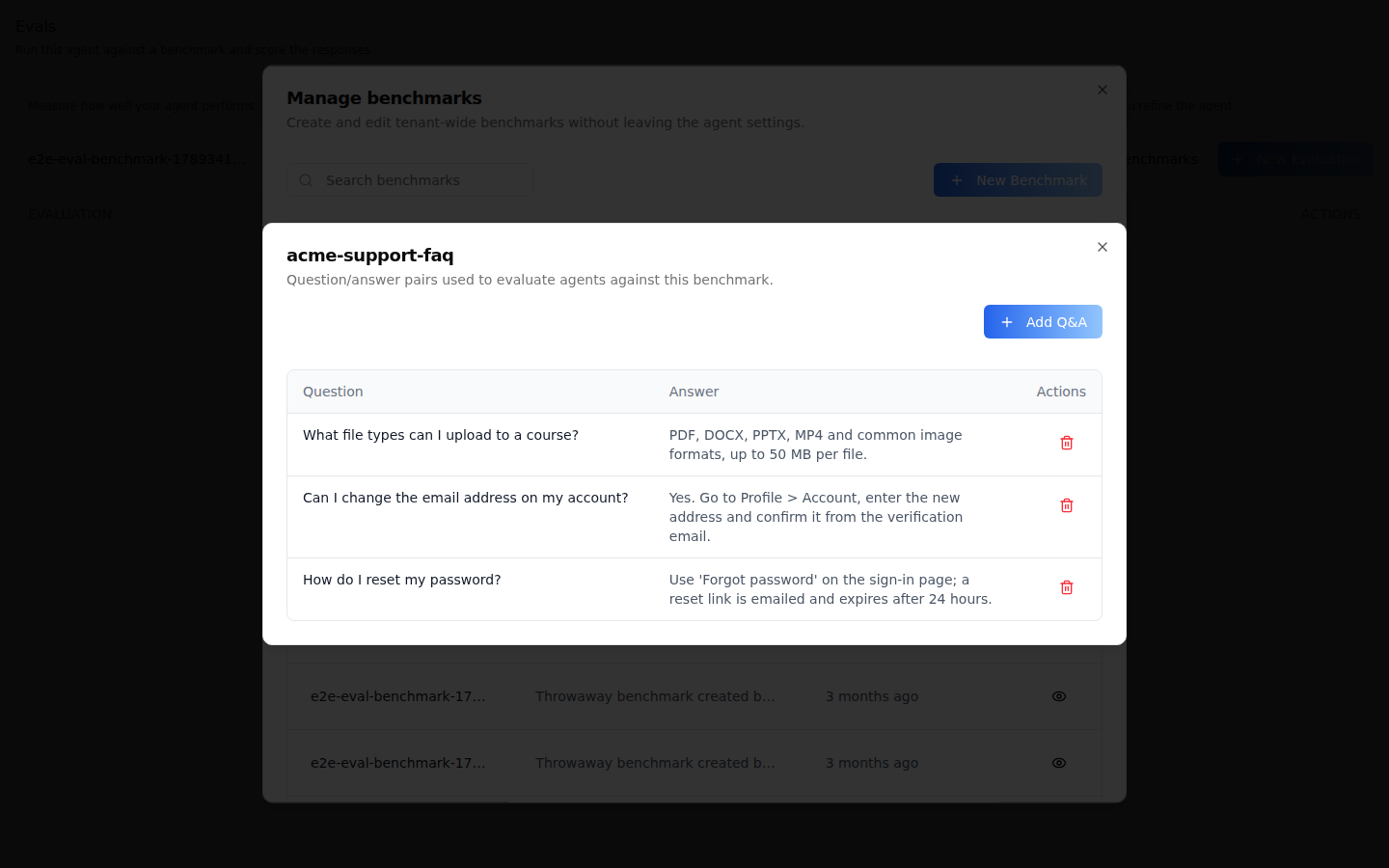
**A benchmark's Q&A** -- the pair count, **Add Q&A**, and each question with
its expected answer, 10 per page; the trash button asks before it deletes a
pair (**Delete Q&A**).
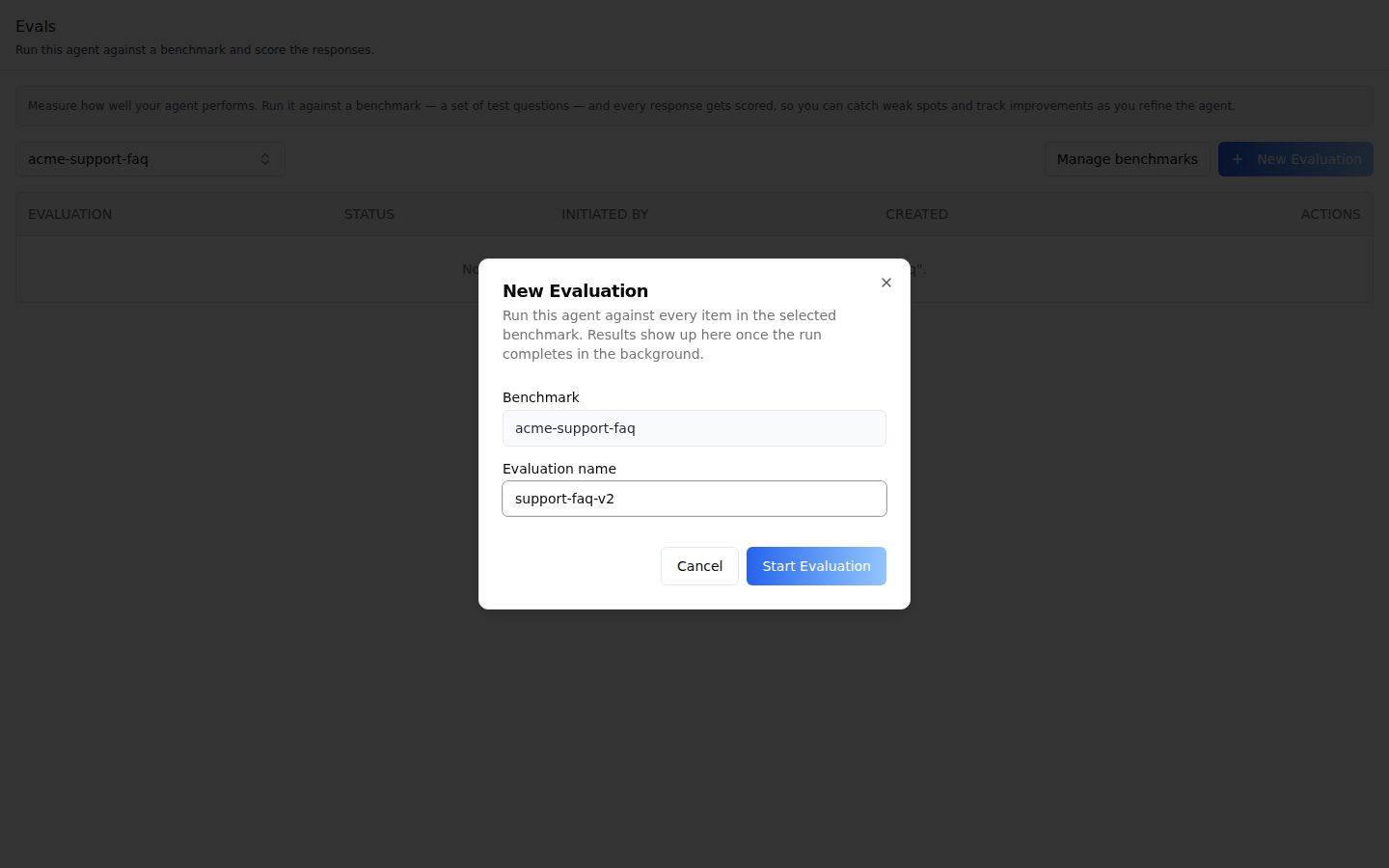
**New Evaluation** -- the selected benchmark (to use another, close the dialog
and pick it on the tab) and an optional **Evaluation Name** (generated when
blank). **Start Evaluation** sends every question to this agent in the
background.
**Results** -- the run's status, the number of responses (one per question),
**Refresh**, **New Review**, the **Reviews** (LLM-as-Judge runs with status,
score name, criteria and model; expand one for its full criteria and the scores
it produced), and one row per question with its score count. The dialog
refreshes itself while responses or reviews are still running.
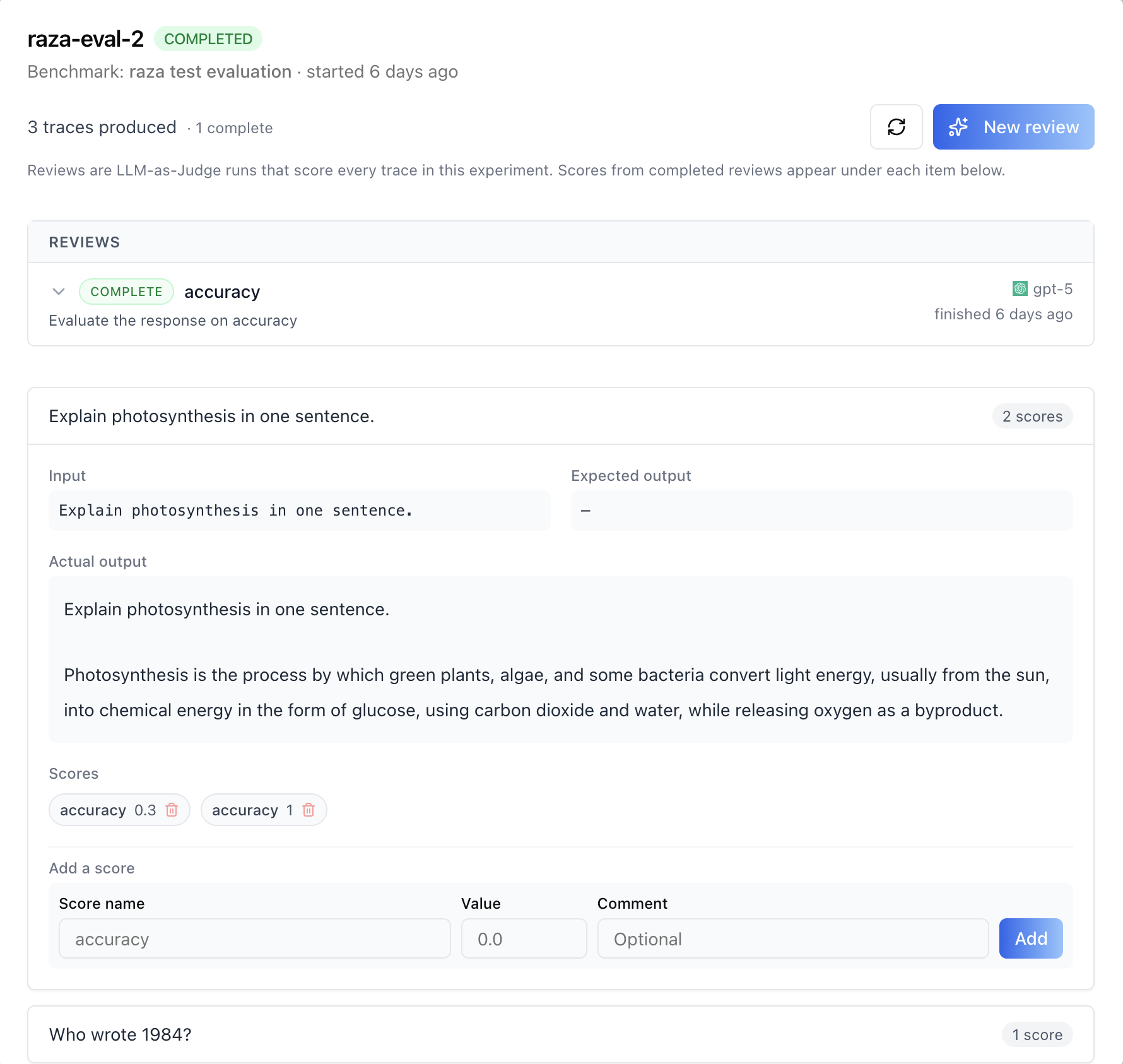
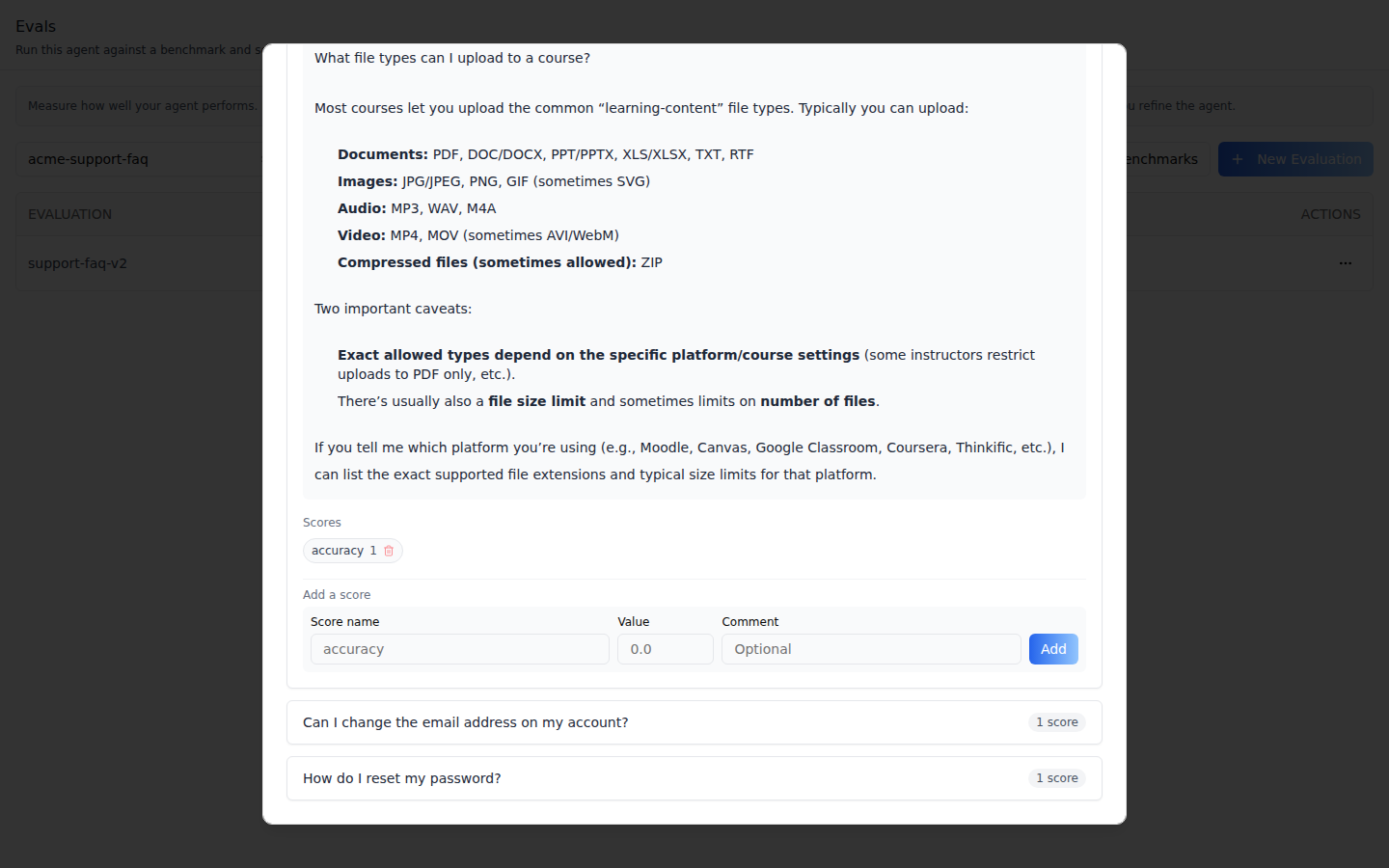
**A response** -- input, expected output, the agent's actual output, its
scores (hover a score for its comment; the trash button deletes it), and **Add
a Score**: a name, a value from 0 to 1, and an optional comment.
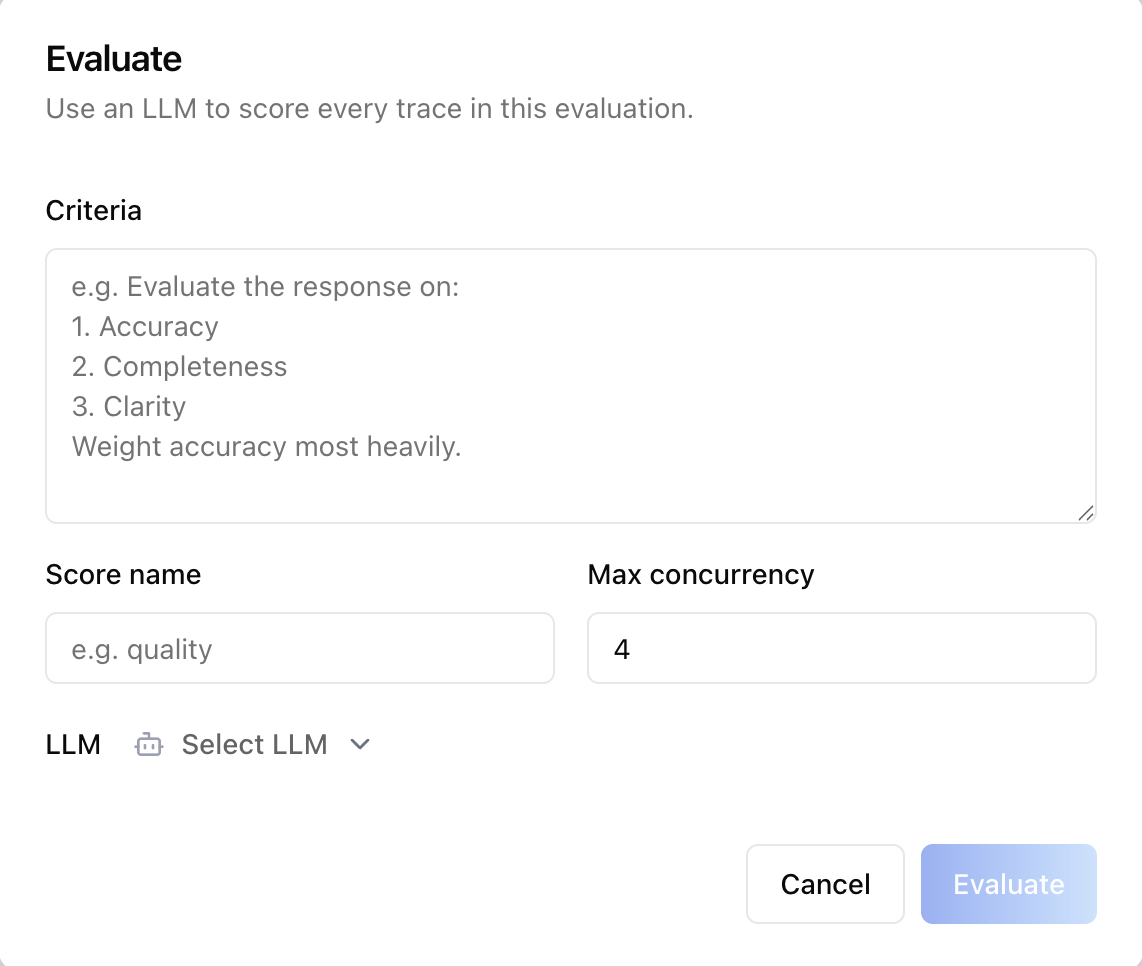
**New Review** -- criteria for the judge, a score name, max concurrency (1 to
20, default 4), and the judge model. **Start Review** starts it.
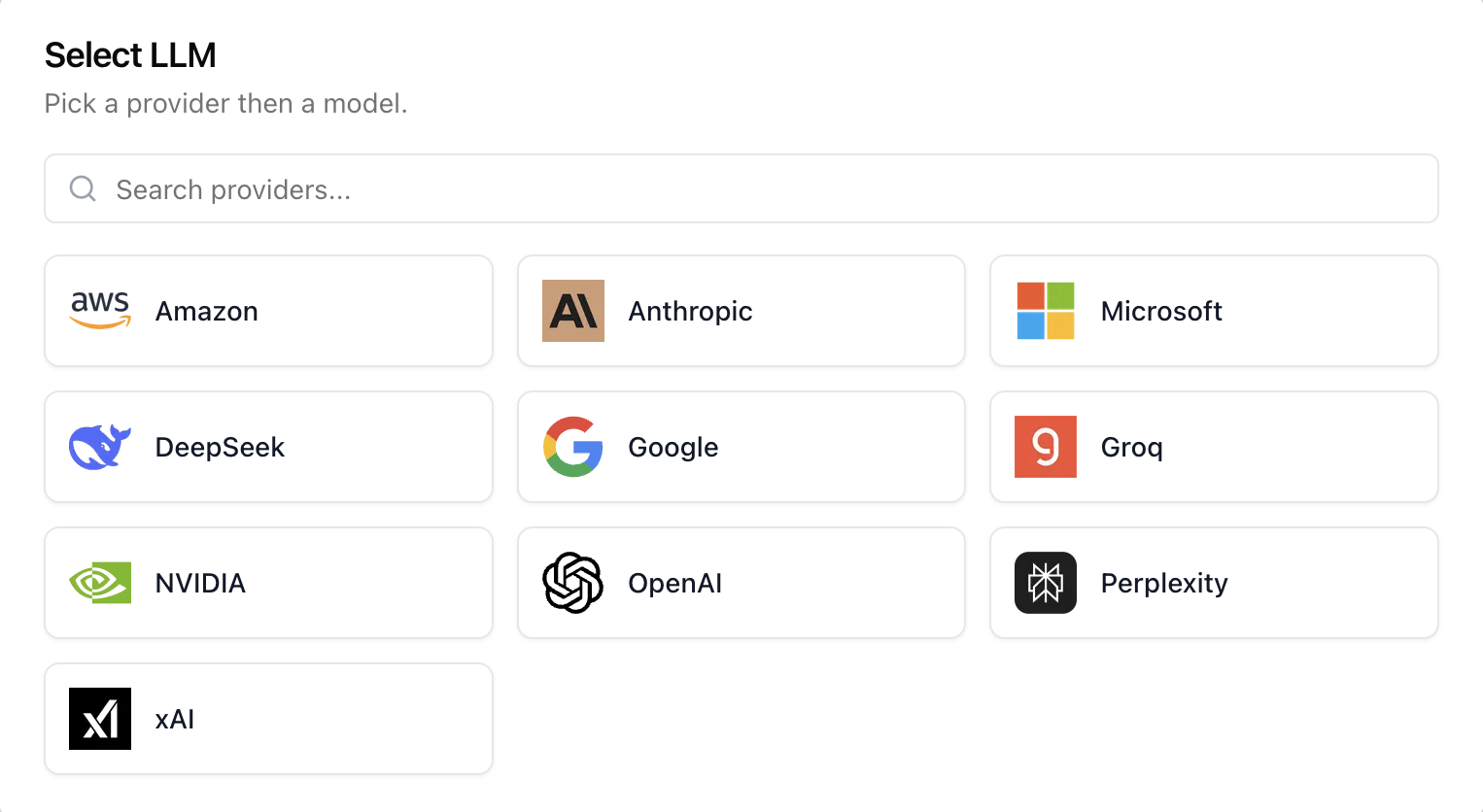
**Select LLM** -- the provider grid (names and logos come from the API; a
provider without a logo shows its initial); picking a provider opens its
models.
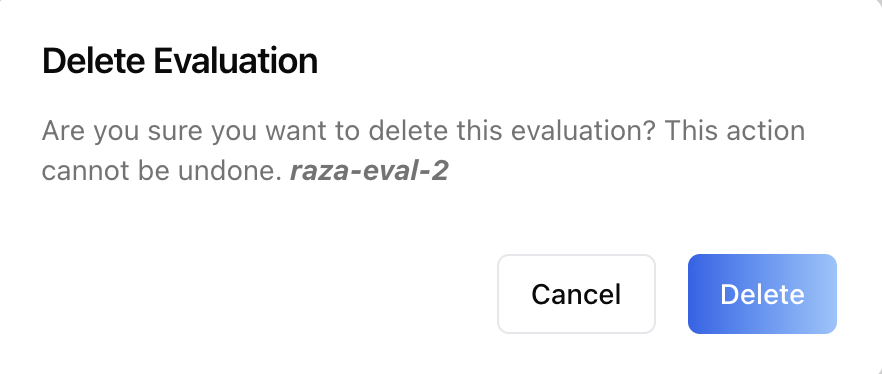
**Delete Evaluation** -- asks for confirmation; the run and its scores go.
> **Common setup (brand, conventions, env files, verification):** see [docs/skill-setup.md](https://raw.githubusercontent.com/iblai/vibe/refs/heads/main/docs/skill-setup.md).
## Prerequisites
- Auth set up (`/iblai-vibe-auth`, or vibe-starter).
- `AgentSettingsProvider` wraps the route (`/iblai-vibe-agent` §1).
- `@iblai/iblai-js@^2.77.0` (resolves `@iblai/web-containers` 1.74.0). The
screens above are not in releases before 2.77.0, which have a one-step New
Benchmark and let an evaluation start on a benchmark without Q&A. Check with
`pnpm why @iblai/web-containers`.
- A real agent UUID. Ask the user; never invent one.
- Evals are for admins: pass `userIsStudent` from the app's admin check (Step 2).
## Step 1: Check Environment
Look for `iblai.env` in the project root with `PLATFORM`, `DOMAIN`, and
`TOKEN`. If it is missing, tell the user:
"You need an `iblai.env` with your platform configuration. Download the
template and fill in your values:
`curl -o iblai.env https://raw.githubusercontent.com/iblai/vibe/refs/heads/main/iblai.env`"
## Step 2: Mount `AgentEvaluationTab`
```tsx
// app/(app)/agents/[mentorId]/evals/page.tsx
"use client";
import { AgentEvaluationTab } from "@iblai/iblai-js/web-containers/next";
export default function AgentEvalsPage() {
return (
);
}
```
The tab reads `tenantKey`, `mentorId`, and `username` from
`AgentSettingsProvider` and does its own fetching and saving, including the
benchmark dialogs. No props are required. The judge's model picker gets
provider names and logos from the API, so there is no logo map to pass.
Every eval endpoint is admin-only, so pass `userIsStudent` on the tab from the
app's own admin check. It defaults to `false`, and the provider does not
forward a value that changes after the first render, so without the prop
users who are not admins get an empty tab:
```tsx
import { AgentEvaluationTab } from "@iblai/iblai-js/web-containers/next";
export function AdminOnlyEvals({ isAdmin }: { isAdmin: boolean }) {
return ;
}
```
### Custom pagination (optional)
When there is more than one page of runs, the tab shows the SDK's
`AdvancedPagination`. Pass `PaginationComponent` to use your own:
```tsx
import { AgentEvaluationTab } from "@iblai/iblai-js/web-containers/next";
(
)}
/>;
```
## Step 3: Customize Labels (Optional)
The tab renders with the default agent-facing copy
(`AGENT_EVALUATION_TAB_LABELS`, localized through the SDK's i18n). Pass a
partial `labels` object to change any string:
```tsx
import { AgentEvaluationTab } from "@iblai/iblai-js/web-containers/next";
;
```
Label groups (`EvaluationTabLabels`):
- `header` (`title`, `description`, `infoBox`) and `benchmarkPicker`.
- `actions`: the buttons and row actions, among them `newBenchmark` (the
no-benchmarks button), `addQa`, `notReadyHint`, `failedHint` and
`rowMenuAriaLabel` (takes `{name}`).
- `checkStatusToast` (`pending`, `completed`, `failed`, and `error` when the
request itself fails), `card` (phone card fields) and `table` (column
headings; `emptyState` takes `{dataset}`).
- `emptyBenchmarks`, `emptyQa` (the no-Q&A empty state, line and hover text)
and `exportErrorToast`.
- `startExperimentModal` (with `benchmarkInfo`, `experimentNameInfo`,
`noQaError`, and `successToast`, which takes `{name}`) and
`manageBenchmarksModal` (`title`, `description`).
- `detailModal`: the results dialog, the Add a Score form, and
`reviewStatus` (`pending`, `running`, `completed`, `failed`), the words the
tab and the dialog show for runs and reviews alike.
- `evaluateModal` (the New Review form and its LLM picker) and `deleteModal`.
Every error toast is the tab's own copy, not the server's message, so `labels`
decides what users read. The benchmark dialogs (the Manage Benchmarks list, New
Benchmark, Add Q&A, a benchmark's Q&A, Delete Q&A) take their copy from the
SDK's i18n catalog, not from `labels`.
## Step 4: Use MCP Tools for Customization
```
get_component_info("AgentEvaluationTab")
get_component_info("AgentSettingsProvider")
```
## `` Props
Import from `@iblai/iblai-js/web-containers/next`.
| Prop | Type | Required | Description |
|------|------|----------|-------------|
| `labels` | `DeepPartial` | No | Override user-visible strings |
| `PaginationComponent` | `ComponentType<{ currentPage, totalPages, onPageChange, disabled }>` | No | Pagination for the runs table. Defaults to the SDK's `AdvancedPagination` |
| `userIsStudent` | `boolean` | No | Render nothing when `true`. Defaults to the provider's `userIsStudent` |
## Related Exports
From `@iblai/iblai-js/web-containers/next`:
- `AGENT_EVALUATION_TAB_LABELS` -- the default label bundle.
- `AgentEvaluationTabProps`, `EvaluationTabLabels` -- types.
From `@iblai/iblai-js/web-containers`: `useLlmProviderCatalogue` and
`LlmProviderDetails` -- a provider name + logo resolver over the same
`mentor-llms` rows the New Review picker reads directly, for custom UI
(see `/iblai-vibe-agent-llm`).
## How it saves
Paths are under `/api/ai-mentor/orgs/{org}/users/{username}/evaluations/`.
| Action | Request |
|---|---|
| Load | `GET datasets/?page=1&limit=200`; for the selected benchmark `GET datasets/{name}/items/?page=1&limit=1` (its Q&A count) and `GET datasets/{name}/runs/?page=&limit=` (the rows that fit) |
| Manage Benchmarks | `GET datasets/?page=&limit=10` |
| **Create** a benchmark | `GET datasets/?name={name}&limit=200` (a name already taken is refused), then `POST datasets/` with `name` and `description`, then the Q&A as below |
| **Add** Q&A | `POST datasets/{name}/items/` with `items: [{input, expected_output}]`; CSV: `POST datasets/{name}/items/upload/` (multipart `file`). Neither is retried automatically |
| A benchmark's Q&A | `GET datasets/{name}/items/?page=&limit=10` |
| Delete a question | `DELETE datasets/{name}/items/{id}/` |
| **Start Evaluation** | `POST datasets/{name}/runs/` with `mentor_unique_id` and `run_name` |
| **View Results** | `GET datasets/{name}/runs/{run}/` and `GET datasets/{name}/runs/{run}/evaluate/` |
| **Check Status** | `GET datasets/{name}/runs/{run}/` |
| **New Review** | `POST datasets/{name}/runs/{run}/evaluate/` with `criteria`, `score_name`, `llm_provider`, `llm_name`, `max_concurrency` |
| **Add** / delete a score | `POST scores/` with `trace_id`, `name`, `value`, `comment`, `dataset_run_id`; `DELETE scores/{id}/` |
| **Export CSV** | `GET datasets/{name}/runs/{run}/export/` (downloads `__results.csv`) |
| **Delete** | `DELETE datasets/{name}/runs/{run}/` |
The table keeps a run when its `metadata.mentor_unique_id` is this agent, or
when it is still pending and the current user started it.
## Platform data
| Hook | Purpose |
|---|---|
| `useListEvalDatasetsQuery`, `useLazyListEvalDatasetsQuery` | Benchmarks, and the taken-name check |
| `useCreateEvalDatasetMutation` | Create a benchmark |
| `useListEvalDatasetItemsQuery` | A benchmark's Q&A, and the tab's Q&A count |
| `useAddEvalDatasetItemsMutation`, `useUploadEvalDatasetCsvMutation` | Add Q&A typed in or from a CSV file (not retried) |
| `useDeleteEvalDatasetItemMutation` | Delete a Q&A pair |
| `useListEvalRunsQuery`, `useLazyGetEvalRunQuery` | Runs, and Check Status |
| `useStartEvalRunMutation` | Start an evaluation |
| `useEvaluateEvalRunMutation`, `useListEvalRunJudgesQuery` | Start and list reviews |
| `useCreateEvalScoreMutation`, `useDeleteEvalScoreMutation` | Manual scores |
| `useExportEvalRunMutation`, `useDeleteEvalRunMutation` | Export and delete a run |
| `useGetLlmsQuery` | The judge's provider and model list |
All from `@iblai/iblai-js/data-layer`. REST twin:
[`/iblai-api-agent-eval`](https://raw.githubusercontent.com/iblai/vibe/refs/heads/main/skills/agents/iblai-api-agent-eval/SKILL.md)
(also score configs and items seeded from chat traces, which this tab does
not expose).
## Step 5: Verify
Run `/iblai-vibe-ops-test` before telling the user the work is ready, and give
every page, control and state this skill added its own checkpoint — one Playwright
test titled ` · …` in `e2e/journeys/`, listed in `e2e/coverage.json`;
`pnpm e2e:coverage` must pass:
1. `pnpm build` -- must pass with zero errors.
2. `pnpm test` -- vitest must pass.
3. Touch test `/agents//evals` in the browser as `/iblai-vibe-ops-test` says, signed
in as an org admin: the benchmark picker and runs table render; a benchmark
without Q&A turns New Evaluation off and offers Add Q&A; start an
evaluation; once it is Complete, View Results lists one response per
question; read the console; check the phone width.
`@iblai/iblai-js/playwright` has helpers for these screens. Its entry loads
`@axe-core/playwright`, an optional peer that vibe-starter and the scaffold
install; anywhere else run `pnpm add -D @axe-core/playwright` first, or
importing the entry throws `Cannot find module '@axe-core/playwright'`.
- On the tab: `selectBenchmark`, `expectBenchmarkNeedsQa`,
`openAddQaFromEvalsTab`, `expectNoBenchmarksNotice`, `startEvaluation`, and
`createBenchmarkFromEmptyState` for an organization with no benchmarks.
- Inside Manage Benchmarks: `createBenchmark` (through Next, Q&A optional),
`openCreateBenchmarkDialog`, `goToBenchmarkQaStep` and `openBenchmarkItems`.
Call `openManageBenchmarksDialog` first; from the tab they wait for a
dialog that is not open and time out.
- `expectRunStatus(page, runName, "COMPLETED")` takes the status upper-cased
(`EvalRunStatus`: `PENDING`, `IN_PROGRESS`, `COMPLETED`, `FAILED`) and finds
it, lower-cased, in the status icon's `data-status`. A lower-case value
fails `pnpm typecheck`, which covers `e2e/` in vibe-starter.
Every benchmark a test creates stays in the organization (see below), so give
test benchmarks a recognizable prefix.
## Important Notes
- **Benchmarks are permanent**: there is no rename or delete, in the tab or
the API, and every agent in the organization sees them. Name them with
care.
- **A name is unique only because the dialog checks it**: the server answers
a second create with a name that exists by updating that benchmark, so Q&A
sent with it would land in the existing one. The dialog reads one page of
up to 200 benchmarks whose names contain the new one, so in an organization
with more such names a taken name can get through. Code that creates
benchmarks through the API should page through the lookup
(`/iblai-api-agent-eval`).
- **Runs cost model calls**: an evaluation sends every question to the
agent, and each review sends every response to the judge model.
- **A judge that cannot answer scores 0**: when the judge model call fails,
the review still completes, with a 0 and the comment "LLM judge call
failed" for each response. Check the comments before trusting a low score.
- **Manual scores are 0-1**, and they appear on the response at once.
- **Shared provider**: mount `AgentSettingsProvider` once at the layout
level (`/iblai-vibe-agent` §1); do not wrap each tab.
- **Peer deps**: `sonner` and `@iblai/iblai-web-mentor`
(`pnpm add sonner @iblai/iblai-web-mentor`).
- **Brand guidelines**: [BRAND.md](https://raw.githubusercontent.com/iblai/vibe/refs/heads/main/BRAND.md)