---
name: iblai-vibe-agent-billing
description: Add the agent Billing tab (LLM spend limits for the agent and per user, with usage bars, block or alert-only enforcement, and near-limit alert thresholds) to your Next.js app. Use when the user mentions spend caps, spend limits, an agent's AI budget, per-user limits, usage limits, or blocking requests over budget. For the REST contract see /iblai-api-spend-caps; for the organization-wide limit see /iblai-vibe-billing.
globs:
alwaysApply: false
metadata:
kind: ui
---
# /iblai-vibe-agent-billing
Add the agent **Billing tab** (`AgentSpendCapsTab`) -- LLM spend limits for
this agent and for specific users of it, with how much has been used.
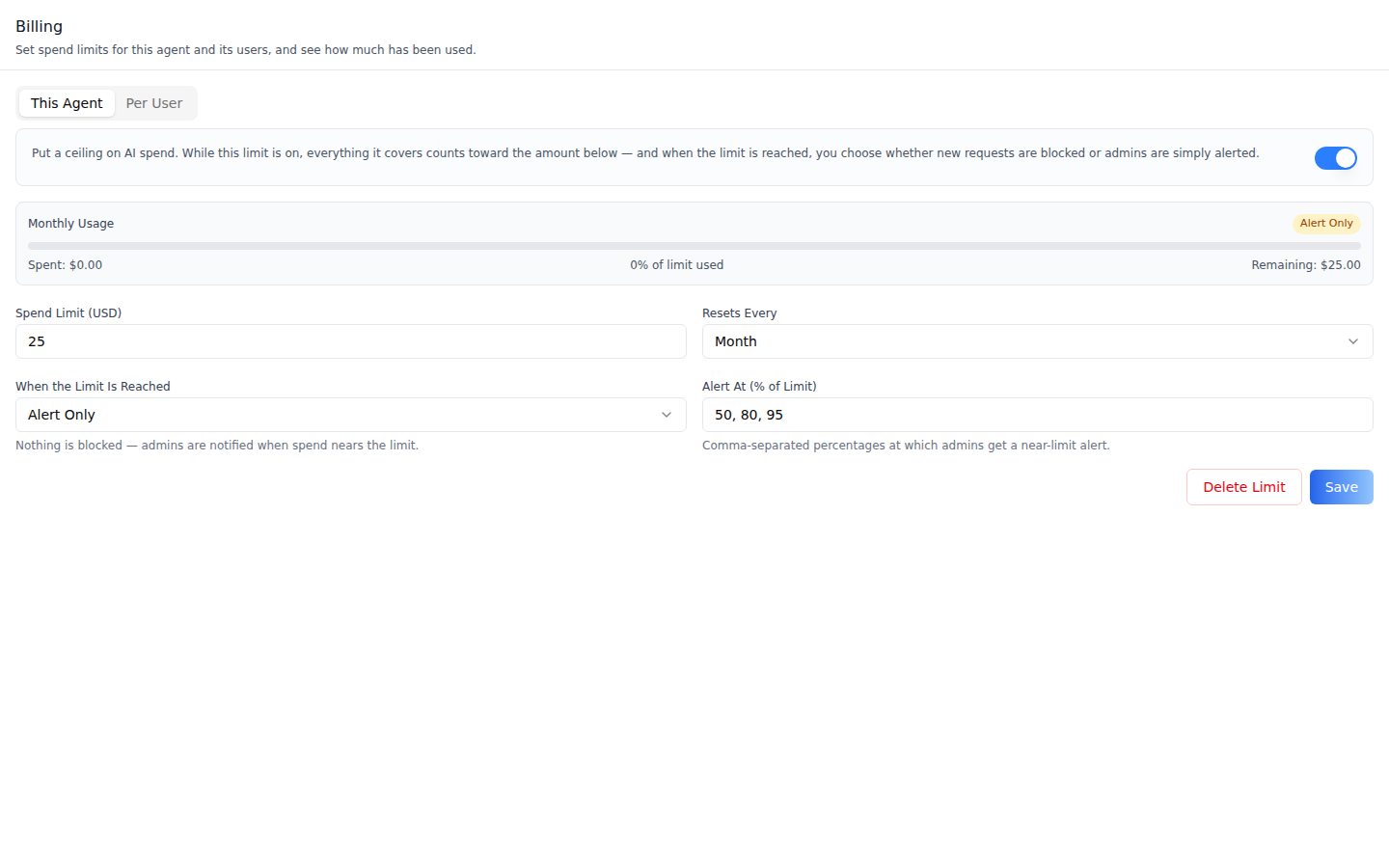
**Scope: per agent.** Two sub-tabs match the agent-level scopes: **This
Agent** (one limit for everything spent on the agent) and **Per User**
(a limit per user on this agent). The organization-wide limit lives in
organization settings (`/iblai-vibe-billing`). The tightest limit that
applies wins. This is one tab in the agent-settings family indexed by
`/iblai-vibe-agent`; it shares the `AgentSettingsProvider` wrapper with every
other tab.
**This Agent** -- the switch (on means the limit counts and is enforced),
a usage strip once a limit is saved (Spent, % of limit used, Remaining; the
bar turns amber at 80% and red when exceeded), and the form: **Spend Limit
(USD)**, **Resets Every** (Day / Week / Month / Year), **When the Limit Is
Reached** (**Block Requests** or **Alert Only**), **Alert At (% of Limit)**
(comma-separated, default `80, 95`), **Delete Limit** and **Save**. Before the
first save it says "No spend limit configured yet".
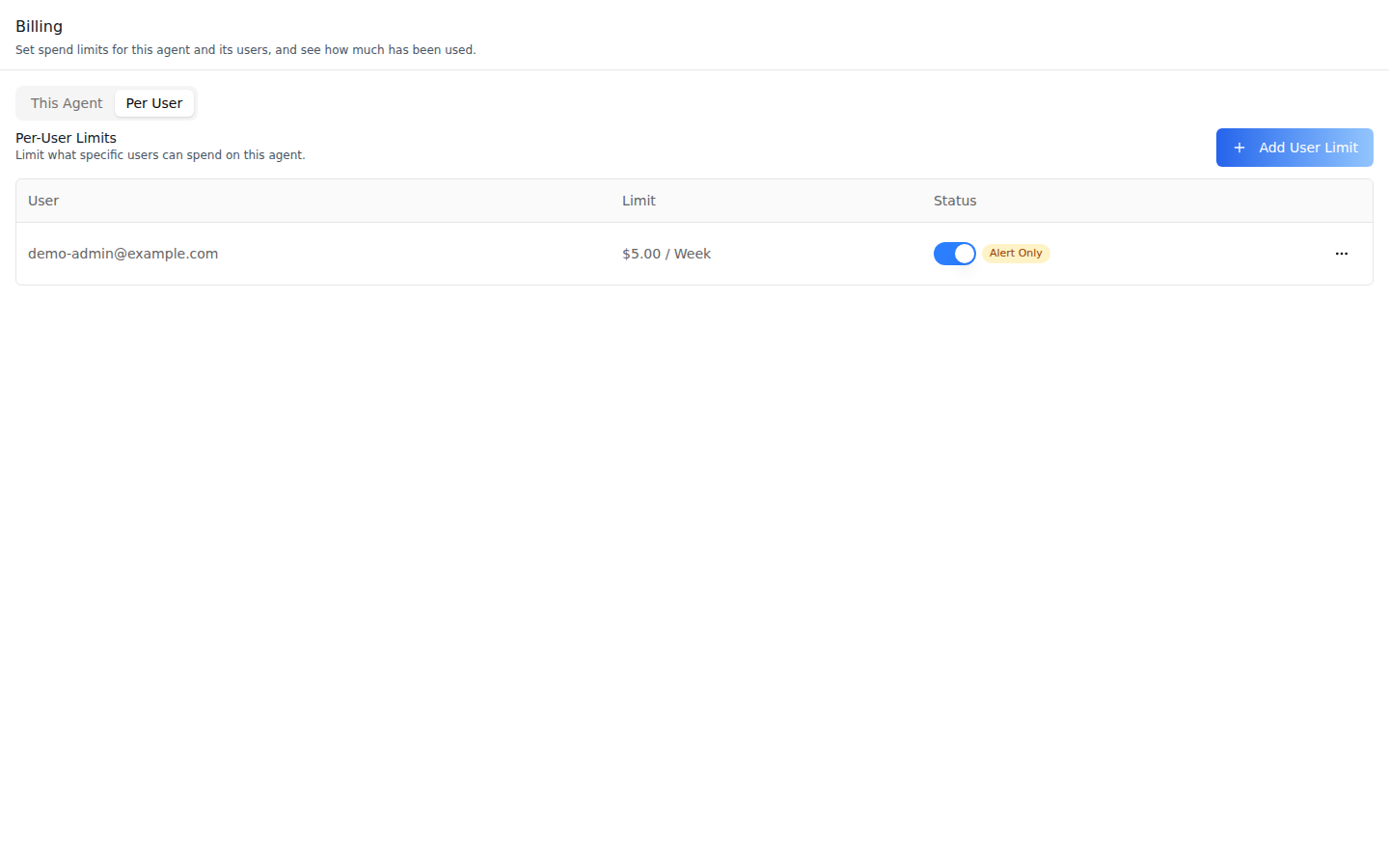
**Per User** -- one row per user (email, limit and period, a status switch
that saves at once, Exceeded / Alert Only badges) and **Add User Limit**.
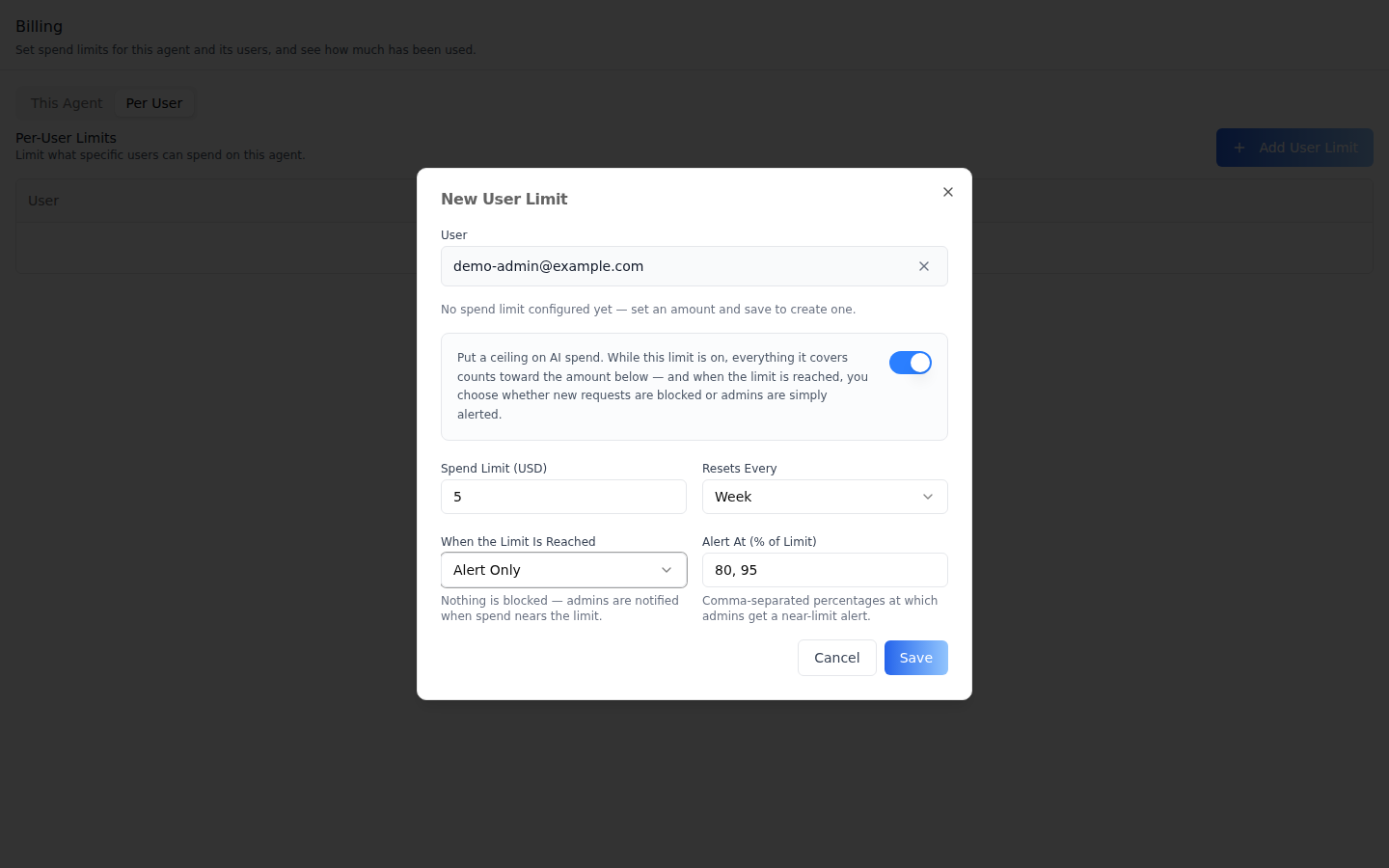
**New User Limit** -- pick the user by searching the organization's users
(at least 2 characters; emails only, no free-text usernames), then the same
form. **Edit** opens it without the picker.
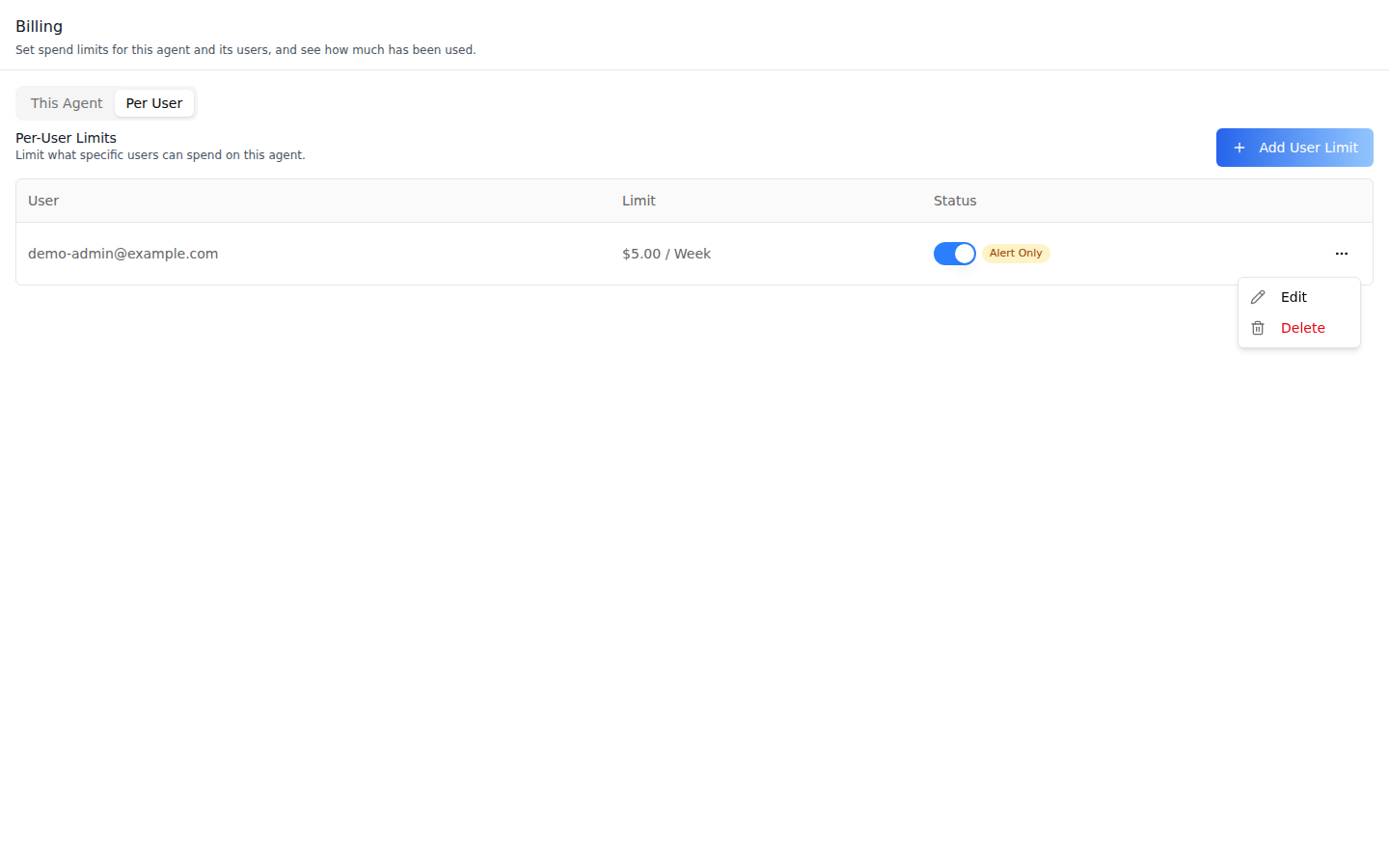
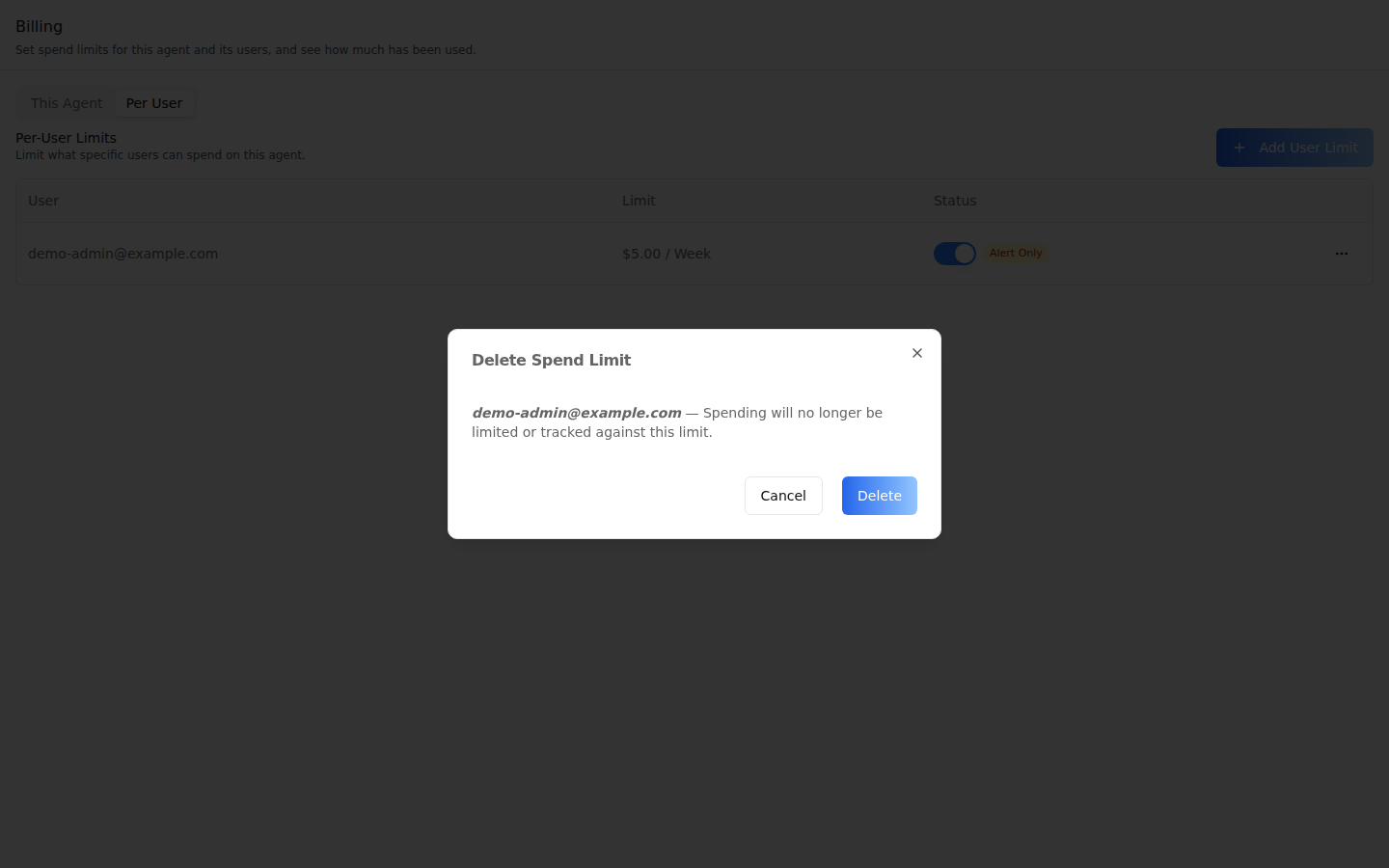
**Row actions** -- **Edit** and **Delete** per user.
**Delete Spend Limit** -- asks for confirmation; spending is no longer
limited or tracked against that limit. **Delete Limit** on This Agent asks
the same.
> **Common setup (brand, conventions, env files, verification):** see [docs/skill-setup.md](https://raw.githubusercontent.com/iblai/vibe/refs/heads/main/docs/skill-setup.md).
## Prerequisites
- Auth set up (`/iblai-vibe-auth`, or vibe-starter).
- `AgentSettingsProvider` wraps the route (`/iblai-vibe-agent` §1).
- `@iblai/iblai-js@^2.62.1` (resolves `@iblai/web-containers` 1.62.1). Check with
`pnpm why @iblai/web-containers`.
- A real agent UUID. Ask the user; never invent one.
- Org admin rights: the spend-cap endpoints are admin-only. A user without
them sees a "no access" panel, except on This Agent before a limit exists:
that GET answers 404 first, so they see the empty form and **Save** fails
with a toast.
## Step 1: Check Environment
Look for `iblai.env` in the project root with `PLATFORM`, `DOMAIN`, and
`TOKEN`. If it is missing, tell the user:
"You need an `iblai.env` with your platform configuration. Download the
template and fill in your values:
`curl -o iblai.env https://raw.githubusercontent.com/iblai/vibe/refs/heads/main/iblai.env`"
## Step 2: Mount `AgentSpendCapsTab`
```tsx
// app/(app)/agents/[mentorId]/billing/page.tsx
"use client";
import { AgentSpendCapsTab } from "@iblai/iblai-js/web-containers/next";
export default function AgentBillingPage() {
return (
);
}
```
The tab reads `tenantKey` and `mentorId` from `AgentSettingsProvider` (each
can be passed as a prop instead) and does its own fetching and saving. No
grants need loading: the server answers 403 for non-admins, and the tab
shows its no-access panel (This Agent with no limit yet answers 404 first).
### Show users how close they are (optional)
`SpendCapUsage` is the user-safe companion for chat screens: zones and
percentages only, never dollars, a warning near a limit and a banner once a
blocking limit is hit. It renders nothing while everything is fine unless
`showWhenOk` is set:
```tsx
import { SpendCapUsage } from "@iblai/iblai-js/web-containers/next";
export function ChatSpendNotice(props: { org: string; username: string; agentId: string }) {
return ;
}
```
## Step 3: Customize Labels (Optional)
The tab renders with the default agent-facing copy
(`AGENT_SPEND_CAPS_TAB_LABELS`, localized through the SDK's i18n). Pass a
partial `labels` object to change any string:
```tsx
import { AgentSpendCapsTab } from "@iblai/iblai-js/web-containers/next";
;
```
Label groups (`SpendCapsTabLabels`): `header` (`title`, `description`),
`capability` (the switch), `subTabs` (`agent`, `users`), `tenantSections`
(used by the organization Billing surface), `form` (field labels, interval
and enforcement options and help, `noCapHint`, buttons), `usage` (the usage
strip and badges), `users` (the Per User table, `addButton`, the user
picker), `denied` (the no-access panel), `deleteModal`, and `toasts`.
## Step 4: Use MCP Tools for Customization
```
get_component_info("AgentSpendCapsTab")
get_component_info("SpendCapUsage")
get_component_info("AgentSettingsProvider")
```
## `` Props
Import from `@iblai/iblai-js/web-containers/next`.
| Prop | Type | Required | Description |
|------|------|----------|-------------|
| `labels` | `DeepPartial` | No | Override user-visible strings |
| `tenantKey` | `string` | No | Organization key; defaults to `AgentSettingsProvider` |
| `mentorId` | `string` | No | Agent UUID; defaults to `AgentSettingsProvider` |
| `headerClassName` | `string` | No | Extra classes on the tab header (e.g. wider padding in a wide dialog) |
| `bodyClassName` | `string` | No | Extra classes on the scrollable body |
## Related Exports
From `@iblai/iblai-js/web-containers/next`:
- `AGENT_SPEND_CAPS_TAB_LABELS` -- the default label bundle.
- `SPEND_CAPS_SUB_TABS` -- the sub-tab keys (`agent`, `users`).
- `SpendCapUsage` (`SpendCapUsageProps`) -- the user-safe usage notice
(Step 2).
- `AgentSpendCapsTabProps`, `SpendCapsTabLabels` -- types.
## How it saves
Paths are under `/api/ai-mentor/orgs/{org}/`.
| Action | Request |
|---|---|
| Load This Agent | `GET agents/{uuid}/spend-cap/` (404 means no limit yet) |
| **Save** This Agent | `PUT agents/{uuid}/spend-cap/` -- an upsert: `201` the first time, `200` after |
| **Delete Limit** | `DELETE agents/{uuid}/spend-cap/` |
| Load Per User | `GET agents/{uuid}/spend-caps/users/` |
| **Save** / status switch for a user | `PUT agents/{uuid}/spend-caps/users/{username}/` (the switch re-sends the limit with `enabled` flipped) |
| **Delete** a user limit | `DELETE agents/{uuid}/spend-caps/users/{username}/` |
Every save sends `interval_type` (`day` \| `week` \| `month` \| `year`),
`max_cost_usd` (a 2-decimal string), `enforcement` (`block` \|
`alert_only`), `alert_thresholds` (fractions in (0, 1]: the form turns
`80, 95` into `[0.8, 0.95]` and omits the field when empty) and `enabled`. Spent, remaining
and exceeded are computed by the server and only displayed. Per-user limits
are keyed by username; the tab shows emails.
## Platform data
| Hook | Purpose |
|---|---|
| `useGetAgentSpendCapQuery`, `useUpsertAgentSpendCapMutation`, `useDeleteAgentSpendCapMutation` | This Agent |
| `useListAgentUserSpendCapsQuery`, `useGetUserSpendCapQuery`, `useUpsertUserSpendCapMutation`, `useDeleteUserSpendCapMutation` | Per User |
| `useGetSpendCapStatusQuery` | User-safe status (used by `SpendCapUsage`) |
All from `@iblai/iblai-js/data-layer`, with the `SpendCap`,
`SpendCapUpsertRequest`, `SpendCapIntervalType`, `SpendCapEnforcement` and
`SpendCapExceededErrorBody` types and `SPEND_CAP_EXCEEDED_ERROR_CODE`. The
organization scope has its own hooks (`useGetTenantSpendCapQuery`, …), used
by `/iblai-vibe-billing`. REST twin:
[`/iblai-api-spend-caps`](https://raw.githubusercontent.com/iblai/vibe/refs/heads/main/skills/billing/iblai-api-spend-caps/SKILL.md).
## Step 5: Verify
Run `/iblai-vibe-ops-test` before telling the user the work is ready, and give
every page, control and state this skill added its own checkpoint — one Playwright
test titled ` · …` in `e2e/journeys/`, listed in `e2e/coverage.json`;
`pnpm e2e:coverage` must pass:
1. `pnpm build` -- must pass with zero errors.
2. `pnpm test` -- vitest must pass.
3. Touch test `/agents//billing` in the browser as `/iblai-vibe-ops-test` says, signed
in as an org admin: This Agent shows the form; save an **Alert Only** limit -- the usage
strip appears; delete it again; read the console; check the phone width.
## Important Notes
- **Block means blocked**: with **Block Requests**, an exceeded limit makes
chat and training requests fail with HTTP 429 (or a WebSocket error
frame) carrying `error_code: "spend_cap_exceeded"`. Match on that code,
not the status: a provider rate limit is also 429. Use **Alert Only**
while testing.
- **Usage is shared**: everything anyone spends on the agent counts toward
This Agent; a user's own spend on it counts toward their Per User limit.
- **Shared provider**: mount `AgentSettingsProvider` once at the layout
level (`/iblai-vibe-agent` §1); do not wrap each tab.
- **Peer deps**: `sonner` and `@iblai/iblai-web-mentor`
(`pnpm add sonner @iblai/iblai-web-mentor`).
- **Brand guidelines**: [BRAND.md](https://raw.githubusercontent.com/iblai/vibe/refs/heads/main/BRAND.md)