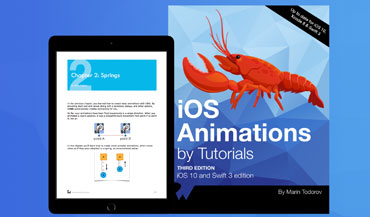
iOS Animations by Tutorials, Author

iOS Animations by Emails Newsletter, Author
|
Intro Layer Animations Spring Layer Animations Chain Animations Cancel Chain Animations |
Installation Credit License Version History |
EasyAnimation.enable()
In your other classes you don't need to import EasyAnimation or do anything else. Once you call `enable()` afterwards you use the normal UIKit APIs like usual.
Easy Layer Animations
========
**EasyAnimation** allows you to animate your layers straight from `animate(duration:animations:...)`. No more `CABasicAnimation` code for you. Just adjust the properties of your layers from within the `animations` block and **EasyAnimation** will take care of the rest:
| CoreAnimation (before) |
|---|
    let anim = CABasicAnimation(keyPath: "position.x")
    anim.fromValue = 100.0
    anim.toValue = 200.0
    anim.duration = 2.0
    view.layer.addAnimation(anim, forKey: nil)
|
| EasyAnimation (after) |
|---|
    UIView.animate(duration: 2.0, animations: {
        self.view.layer.position.x = 200.0
    })
|
| CoreAnimation (before) |
|---|
    let anim = CABasicAnimation(keyPath: "position.x")
    anim.fromValue = 100.0
    anim.toValue = 200.0
    anim.duration = 2.0
    anim.fillMode = kCAFillModeBackwards
    anim.beginTime = CACurrentMediaTime() + 2.0
    anim.timingFunction = CAMediaTimingFunction(name:
        kCAMediaTimingFunctionEaseOut)
    anim.repeatCount = Float.infinity
    anim.autoreverses = true
    view.layer.addAnimation(anim, forKey: nil)
|
| EasyAnimation (after) |
|---|
    UIView.animate(duration: 2.0, delay: 2.0,
        options: [.repeat, .autoreverse, .curveEaseOut],
        animations: {
        self.view.layer.position.x += 200.0

        // let's add more animations
        // to make it more interesting!
        self.view.layer.cornerRadius = 20.0
        self.view.layer.borderWidth = 5.0
    }, completion: nil)
|
| EasyAnimation |
|---|
    UIView.animate(duration: 2.0, delay: 0.0,
      usingSpringWithDamping: 0.25,
      initialSpringVelocity: 0.0,
      options: [],
      animations: {
        self.view.layer.position.x += 200.0
        self.view.layer.cornerRadius = 50.0
        self.view.layer.transform = CATransform3DMakeScale(1.2, 1.2, 1.0)
    }, completion: nil)
|
| EasyAnimation |
|---|
    UIView.animateAndChain(duration: 1.0, delay: 0.0,
      options: [], animations: {
        self.view.center.y += 100
    }, completion: nil).animate(duration: 1.0, animations: {
        self.view.center.x += 100
    }).animate(duration: 1.0, animations: {
        self.view.center.y -= 100
    }).animate(duration: 1.0, animations: {
        self.view.center.x -= 100
    })
|
let chain = UIView.animateAndChain(duration: 1.0, delay: 0.0,
    options: [], animations: {
        self.square.center.y += 100
    }, completion: nil).animate(duration: 1.0, animations: {
  [... the rest of the animations in the chain]
chain.cancelAnimationChain()
If you want to do some cleanup after the animation chain is cancelled provide a block of code to the `cancelAnimationChain` method:
chain.cancelAnimationChain({
  self.myView.center = initialPosition
  //etc. etc.
})
The animation will not stop immediately but once it completes the current step of the chain it will stop and cancel all scheduled animations in this chain.
Installation
========
* __CocoaPods__: Add to your project's **Podfile**:
`pod 'EasyAnimation'`
* __Carthage__: If you can help with Cartage support let me know.
* __Source code__: To install with the source code - clone this repo or download the source code as a zip file. Include all files within the `EasyAnimation` folder into your project.
Credit
========
Author: **Marin Todorov**
* [http://www.underplot.com](http://www.underplot.com)
* [https://twitter.com/icanzilb](https://twitter.com/icanzilb)
More about Marin:
|
iOS Animations by Tutorials, Author |
iOS Animations by Emails Newsletter, Author |