# Rails DB
Please **share** this gem with your friends to get more feedback. I would really appreciate for the gem review if you have a blog. If you have ideas - please create an issue or contact me by email: `igorkasyanchuk[@]gmail.com`.
[](https://badge.fury.io/rb/rails_db)
[](https://www.railsjazz.com)
[](https://www.patreon.com/igorkasyanchuk)
[](https://buymeacoffee.com/igorkasyanchuk)
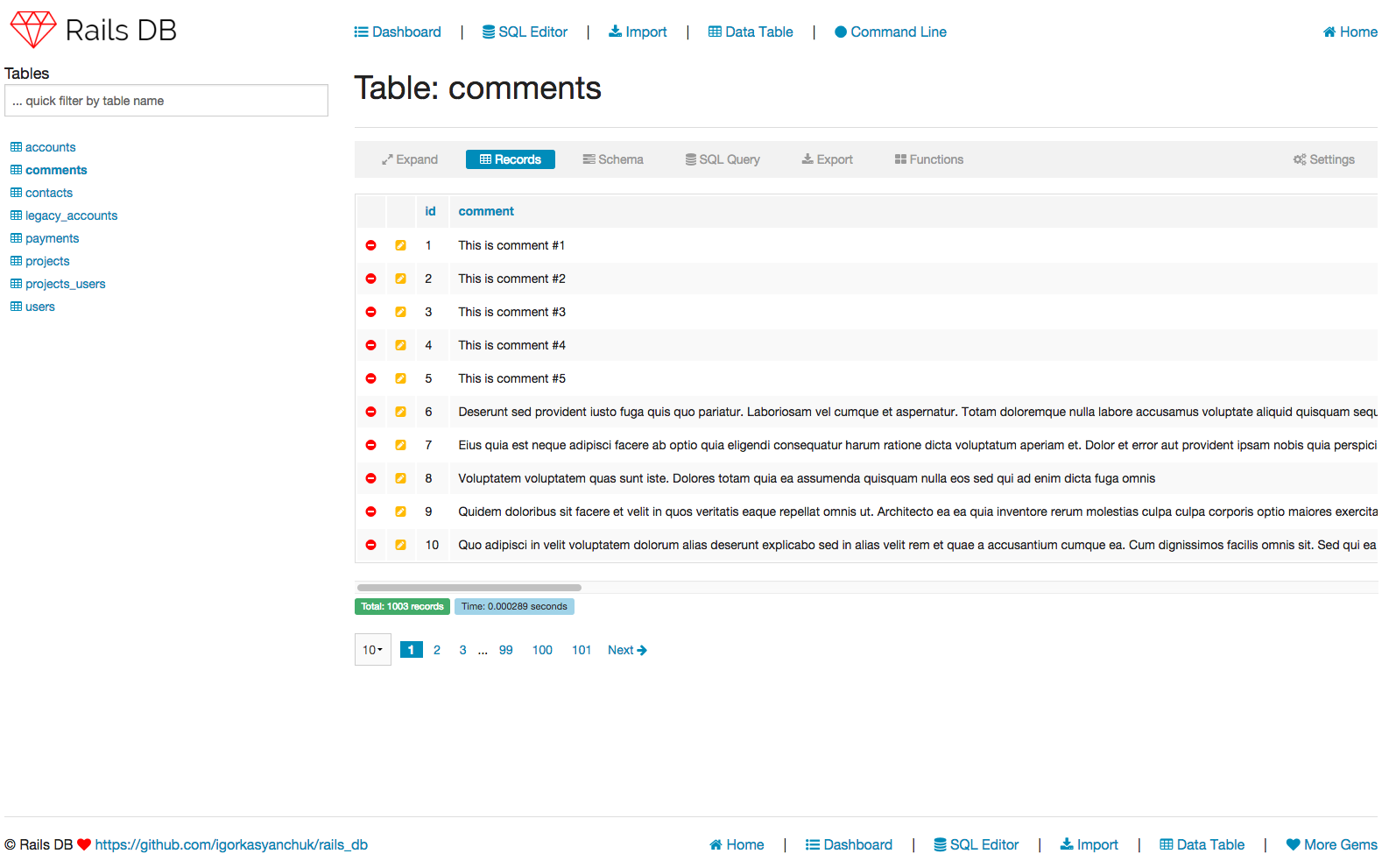
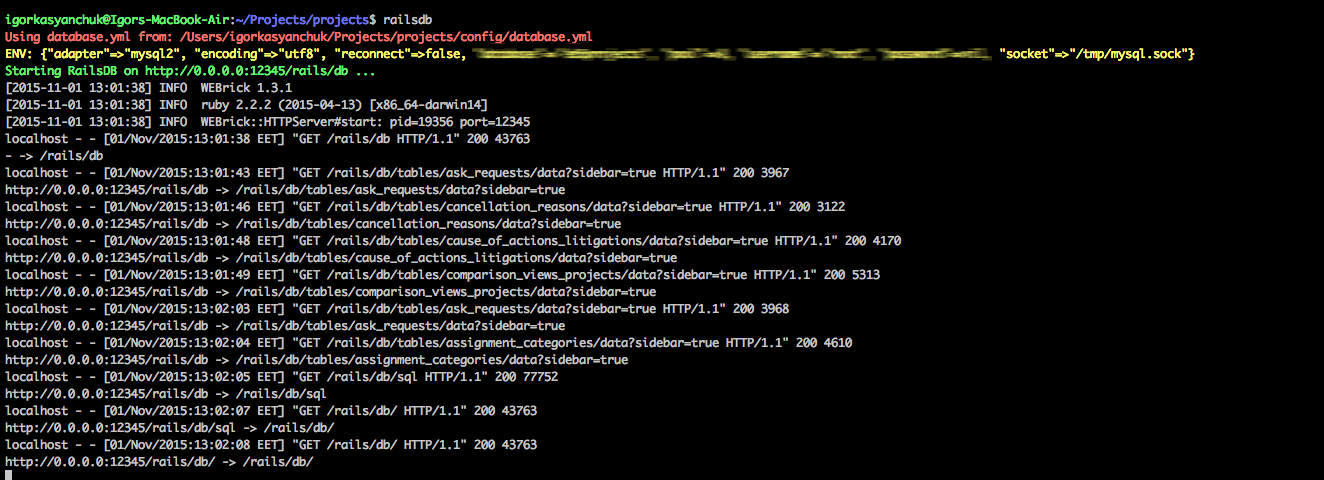
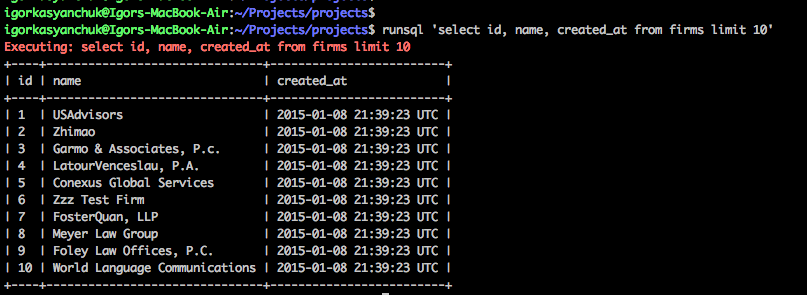
Quick way to inspect your Rails database **http://localhost:12345/rails/db**, see content of tables, export them to CSV, EXPLAIN SQL and run SQL queries.
Demo available on: https://rails-db.herokuapp.com/rails/db/
Video Demos: https://youtu.be/TYsRxXRFp1g, https://youtu.be/dfViQPZw9zE
## Requirements
Supports: PostgreSQL, MySQL, SQLite. Not sure about other adapters. Since gem is using ActiveRecord it will work with others DBs.
For older versions of Rails (Rails 3.2, 4.X) please user `gem "rails_db", "1.6"`.
## Note (!)
Gem works with ruby 1.9.3 but you need to use kaminari < 1.0.0 gem and rails_db <= 1.6. Please add to gemfile `gem 'kaminari', '< 1.0.0'`.
## Main Features
* command line tools `railsdb` and `runsql` to run app and sql for your apps.
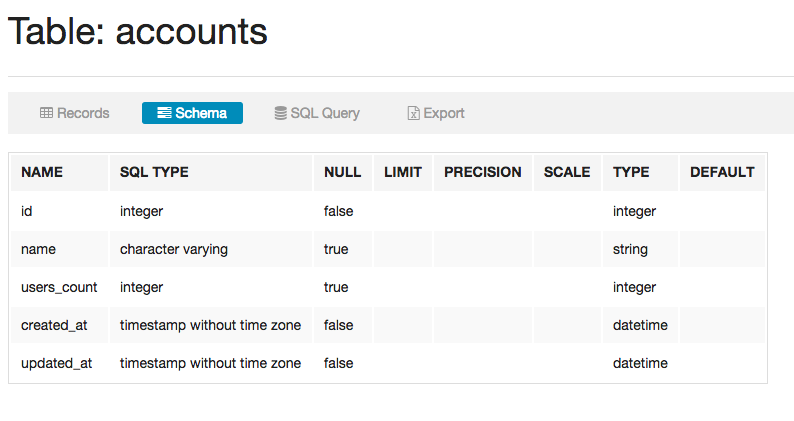
* view content and schema of DB tables (including indexes)
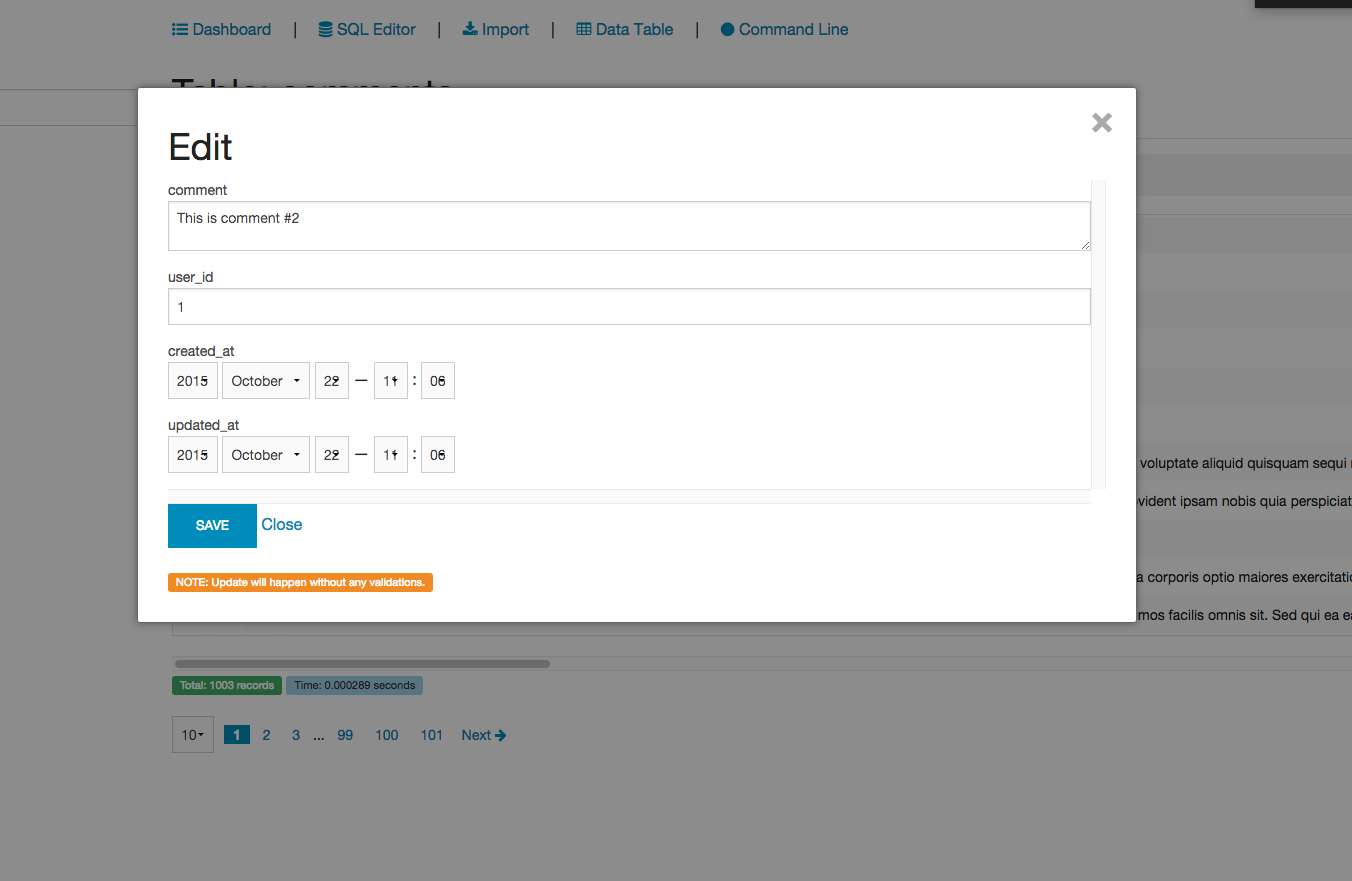
* create, edit content
* sort content of DB tables
* filtering data (multiple filters supported too)
* execute SQL queries
* autocomplete for SQL queries
* filter tables for easier navigation
* show/hide columns in tables
* use history of you SQL queries
* see EXPLAIN results for your queries
* export data to CSV and Excel
* import SQL files
* expand/collapse sidebar
* hide/show columns
* allow access for current user for example with appropriate role
* added HTTP_BASIC auth for Rails DB
* ability to turn on/off using initializer
* white/black list of tables
* data-tables inside your app
* ajax-ify Rails DB
* delete records, truncate tables
* visualize SQL schema (future)
* CRUD for table records (future)
## Install
Add this to the development group in your `Gemfile`
For all environments (be careful with production environment):
```ruby
# Rails >= 6
gem 'rails_db'
# Rails < 6
gem 'rails_db', '2.2.1'
```
Or only for development:
```ruby
group :development do
# Rails >= 6
# and there are is a big change it will work with Rails 5.2 too
gem 'rails_db'
# Rails < 6
gem 'rails_db', '2.2.1'
end
```
Run `bundle install`
Visit **`http://localhost:3000/rails/db`** and you will see your database tables and SQL editors.
> Use port 12345 if running in 'standalone' mode
Optionally, add `gem 'caxlsx_rails'` to your application's Gemfile to be able to export to excel `.xlsx` files.
## Customization
If you want to customize gem (create initializer) run in console:
rails g rails_db initializer
If will create file config/initializers/rails_db.rb.
### Options
* **enabled** - enable or disable gem (default: true).
* **automatic_routes_mount** - automatically mount engine routes in your app (default: true).
* **http_basic_authentication_enabled** - Enable HTTP_BASIC authentication (default: false).
* **http_basic_authentication_user_name** - HTTP_BASIC authentication user name.
* **http_basic_authentication_password** - HTTP_BASIC authentication password.
* **black_list_tables** - black list for tables (hide tables from sidebar).
* **white_list_tables** - black list for tables (show only these tables in sidebar).
* **verify_access_proc** - allow access by specific conditions, for example by role for current_user, or
you can use for example Pundit here (default: `proc { |controller| true }`)
* **sandbox** - allow only read-only queries (https://github.com/igorkasyanchuk/rails_db/pull/122)
If you want to add routes manually (or customize the mounted location) you need to first turn off automatic_routes_mount and then add to your `routes.rb`
```ruby
mount RailsDb::Engine => '/rails/db', :as => 'rails_db'
```
If you wanted to only allow access to admins and, for example, you are using Devise you could do following (in `config/initializers/rails_db.rb`)
```ruby
config.verify_access_proc = proc { |controller| controller.current_user.admin? }
```
## Data Tables
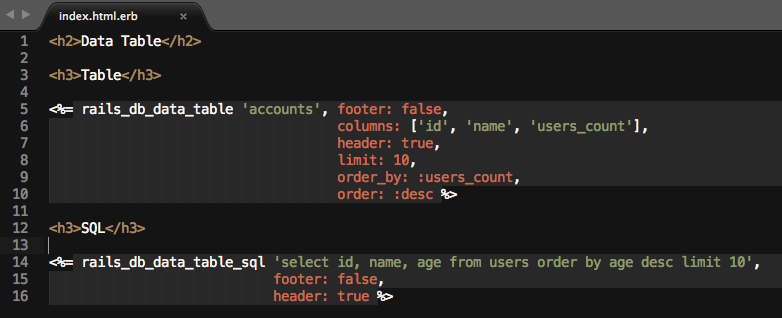
You can easily embed data-tables into your App with content from DB.
You can build data tables for the whole Table, Table with specific columns or based on SQL query.
Below you can see samples on how you can embed data-tables directly in your app.
```erb
Table
<%= rails_db_data_table 'accounts',
footer: true,
columns: ['id', 'name', 'users_count'],
header: true,
style: :bootstrap %>
SQL
<%= rails_db_data_table_sql 'select id, name, age from users order by age desc limit 10',
footer: false,
header: true %>
```
## Samples & Screenshots
### Schema
### SQL Editor
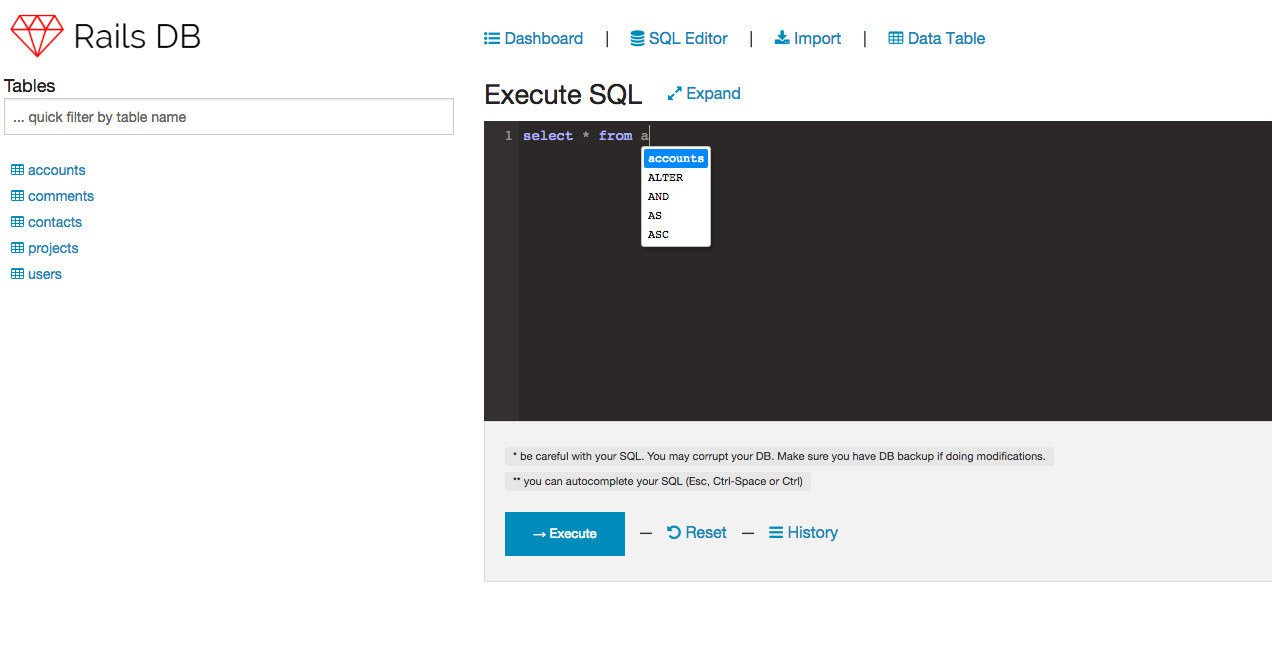
Rails App SQL editor with syntax highlight and code complete.
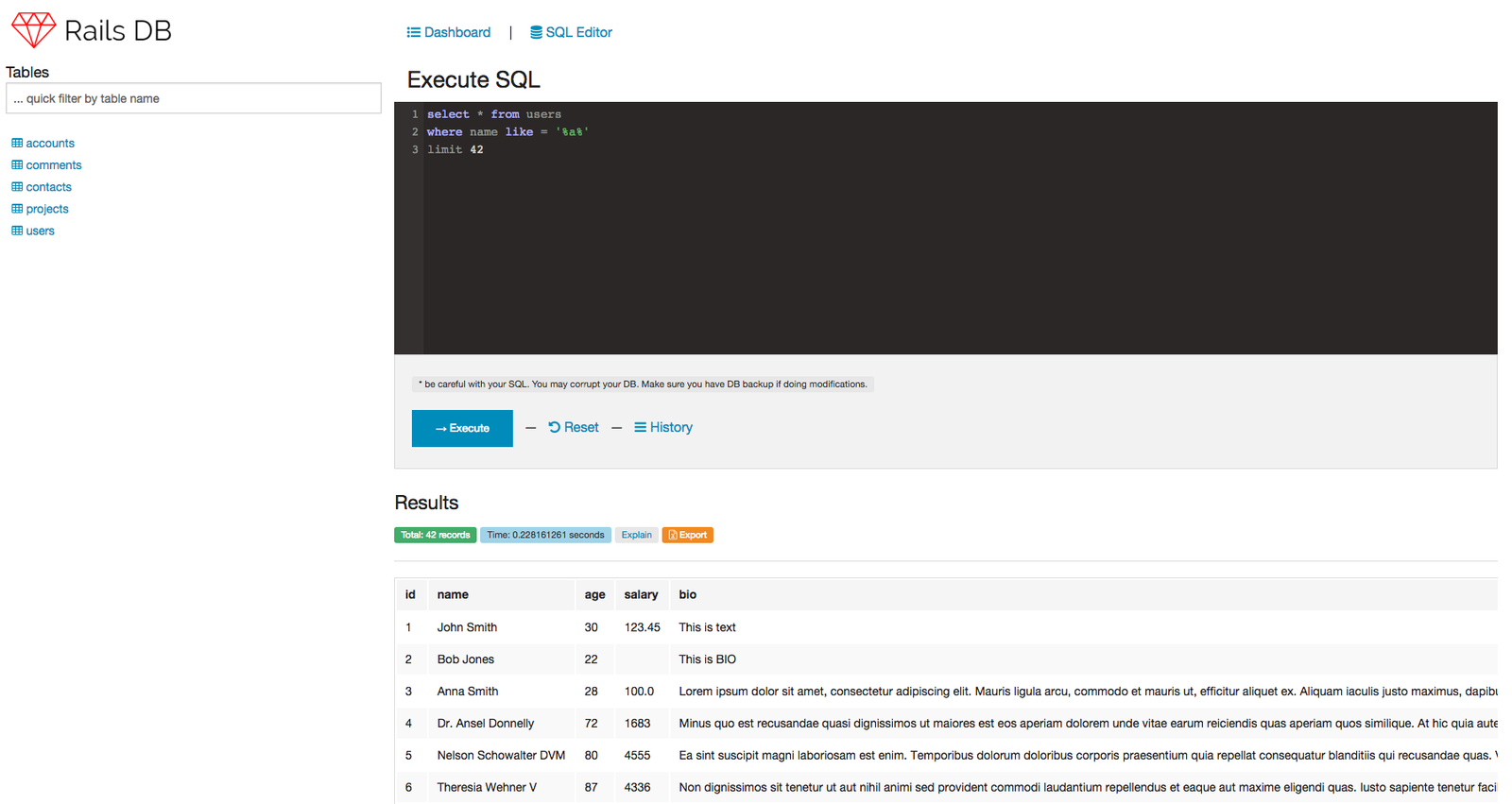
Install & visit **`http://localhost:3000/rails/db`** to see it in action.
### RailsDB Standalone
Run RailsDB Standalone commands locally withing configuration of your `config/database.yml`.
RailsDB Standalone and runsql doesn't require to be added to Gemfile or you application.

### RunSQL Util
Run SQL commands locally withing configuration of your `config/database.yml`

### Edit Content in Rails DB
===
++There is a dependency on MySQL. You may need to `gem install mysql2 -v '0.3.20'`
## Contributing
- Fork it
- Create your feature branch (git checkout -b my-new-feature)
- Commit your changes (git commit -am 'Added some feature')
- Push to the branch (git push origin my-new-feature)
- Create new Pull Request
## Local Development
- Checkout it
- cd test/dummy
- bundle
- rake db:migrate
- DB=sqlite rails s -b 0.0.0.0
- open http://locahost:3000/
## Local Build
- in gem root folder run `gem build rails_db.gemspec`
- then try to install local version of the gem `gem install rails_db-0.X.X.gem`
- now you can use this gem locally
- don't forget to uninstall it
## Run Tests
Locally works with Ruby 3.1.2 (dev env, tests) and goal is to upgrade dummy app and Ruby to newer versions.
To run tests locally you need to execute `rake test` withing root folder of project.
You can also change locally DB to verify gem accross multiple Databases (mysql, postgres, sqlite). For more details see `test/dummy/config/database.yml` (you need to set DB ENV variable).
Sample:
```sh
DB=sqlite BUNDLE_GEMFILE=./gemfiles/rails_7_1.gemfile rails test
DB=postgresql BUNDLE_GEMFILE=./gemfiles/rails_7_1.gemfile rails test
DB=mysql BUNDLE_GEMFILE=./gemfiles/rails_7_1.gemfile rails test
```
Or
```sh
DATABASE_NAME=rails_db_test DB=mysql BUNDLE_GEMFILE=./gemfiles/rails_7_1.gemfile rails test
```
## Common Issues and Solutions
- "Invalid css error" - https://github.com/igorkasyanchuk/rails_db/issues/11
- "Automatic routes mounting" - https://github.com/igorkasyanchuk/rails_db/issues/4
- gems(mysql, pg) are not found - RailsDB doesn't have any strict dependency inside. So you need to install gems manually `gem install pg` or `gem install mysql -v=0.3.18`.
- "ActionView::Template::Error (No input found for `jsonb`):" - https://github.com/igorkasyanchuk/rails_db/issues/39
- issue with Ransack gem (in rails_db `search` method is removed), try to use method `ransack` instead because `search` is deprectated.
## Plans
* Add more tests
* Verify all environments
* Add DB schema visualization
* Create WIKI pages, improve documentation
* Add favicon for standalone and dummy apps
* Add ERD schema
* create dump (how handle different DB?)
* visualize schema (ERD? railsroady gem?)
* delete record in table without PK (cid?, what we can do for other DB?)
* add quick aggregation functions for columns (SUM, AVG, etc)
* add ability to change width of columns (and remember selection in cookies) (something like http://www.bacubacu.com/colresizable/)
* support for i18n
* export to json
* MS-SQL export/import https://github.com/igorkasyanchuk/rails_db/issues/80
* upgrade dummy app
* move to Github Actions
* upgrade FE libs to use turbo and stimulus
* CI with Rails 7+
* gem rid of sprockets-rails dependency, maybe send static files with rails inline disposition?
## Other stuff
As a good addition to this gem (or as separate utility) you can use this gem: https://github.com/igorkasyanchuk/execute_sql which allows to execute SQL in rails console or app.
## Dev Environment
Might be helpful, if you have issues with mysql2 gem installation on macOS:
```
gem install mysql2 -- \
--with-mysql-lib=/usr/local/Cellar/mysql/8.0.33/lib \
--with-mysql-dir=/usr/local/Cellar/mysql/8.0.33 \
--with-mysql-config=/usr/local/Cellar/mysql/8.0.33/bin/mysql_config \
--with-mysql-include=/usr/local/Cellar/mysql/8.0.33/include
```
## License
This project uses MIT-LICENSE.
[ ](https://www.railsjazz.com/?utm_source=github&utm_medium=bottom&utm_campaign=rails_db)
[](https://buymeacoffee.com/igorkasyanchuk)
](https://www.railsjazz.com/?utm_source=github&utm_medium=bottom&utm_campaign=rails_db)
[](https://buymeacoffee.com/igorkasyanchuk)