| Category | Tool | Description |
|---|
| Monitoring | problem_get | Get active problems and alerts — the primary tool for checking what is wrong right now |
event_get / event_acknowledge | Retrieve events and acknowledge, close, or comment on them |
history_get / trend_get | Query raw historical metric data or aggregated trends for capacity planning |
sla_get / sla_getsli | Manage SLAs and retrieve calculated service availability (SLI) data |
dashboard_* / map_* | Create, update, and manage dashboards and network maps |
| Data Collection | host_* / hostgroup_* | Manage monitored hosts, host groups, and their membership |
item_* / trigger_* / graph_* | Manage data collection items, trigger expressions, and graphs |
template_* / templategroup_* | Manage monitoring templates and template groups |
maintenance_* | Schedule and manage maintenance periods to suppress alerts |
discoveryrule_* / *prototype_* | Low-level discovery rules and item/trigger/graph prototypes |
configuration_export / _import | Export or import full Zabbix configuration (YAML, XML, JSON) |
| Alerts | action_* / mediatype_* | Configure automated alert actions and notification channels (email, Slack, webhook, ...) |
alert_get | Query the history of sent notifications and remote commands |
script_execute | Execute global scripts on hosts (SSH, IPMI, custom commands) |
| Users & Access | user_* / usergroup_* / role_* | Manage user accounts, permission groups, and RBAC roles |
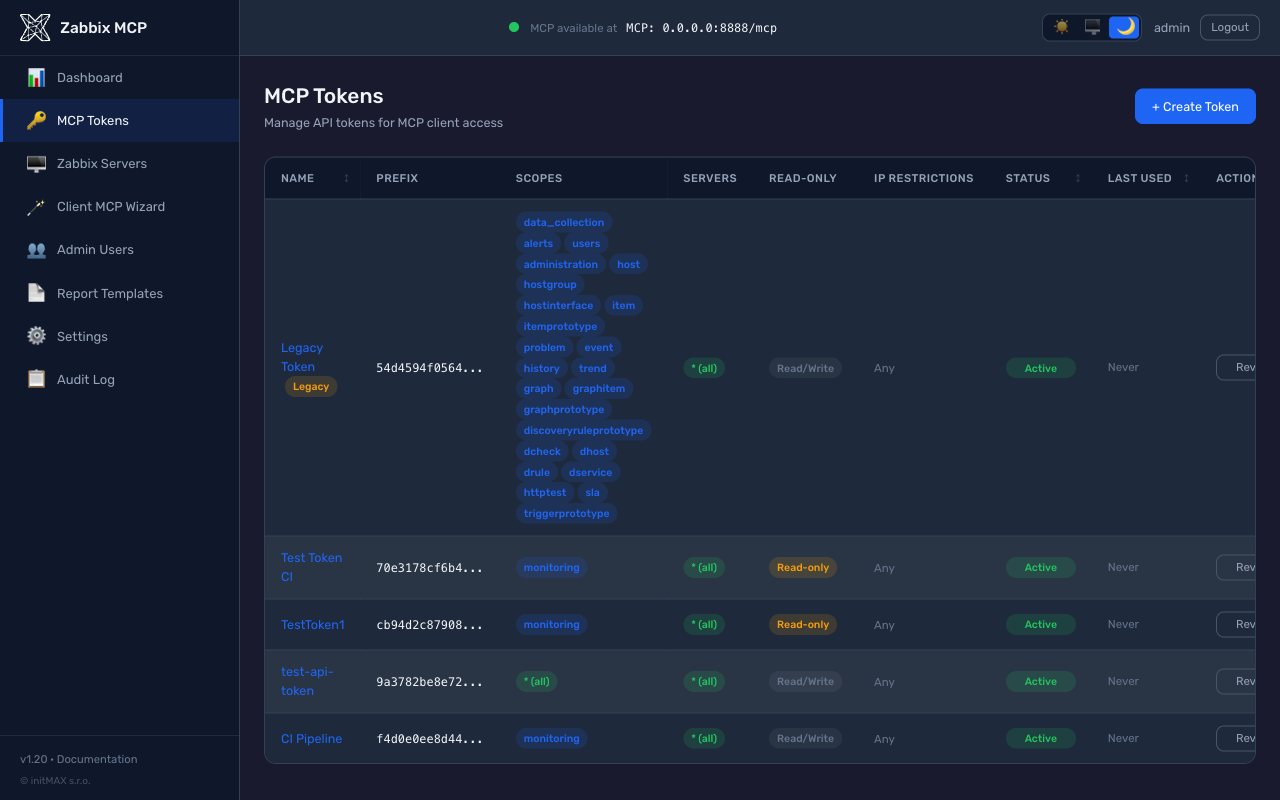
token_* | Create, list, and manage API tokens for service accounts |
| Administration | proxy_* / proxygroup_* | Manage Zabbix proxies and proxy groups for distributed monitoring |
auditlog_get | Query the audit trail of all configuration changes and logins |
settings_get / _update | View and modify global Zabbix server settings |
| Generic | zabbix_raw_api_call | Call any Zabbix API method directly by name — use for methods not covered above |
health_check | Verify MCP server status and connectivity to all configured Zabbix servers |
## PDF Reports (beta)
The `report_generate` tool produces professional PDF reports from Zabbix data. Reports are rendered server-side with Jinja2 templates and WeasyPrint - the LLM only chooses the report type and parameters, so the output is deterministic and consistent across runs.
> **Beta status:** Reporting (templates, custom template authoring, admin editor) is a first-concept feature shipped in v1.16. Built-in templates are stable, but the authoring API and template inventory may change. Feedback welcome at [issues](https://github.com/initMAX/zabbix-mcp-server/issues).
**Built-in templates:**
| Type | Contents | Required input |
|---|---|---|
| `availability` | Host availability with SLA gauge, event count, per-host availability table | host group, period |
| `capacity_host` | CPU / memory / disk usage (avg, min, max) per host from trend data | host group, period |
| `capacity_network` | Network bandwidth (Mbit/s) per interface + per-host CPU stats | host group, period |
| `backup` | Daily success/fail matrix (hosts x days), auto-detects backup item keys (`veeam`, `bacula`, `borg`, `restic`, ...) | host group, period |
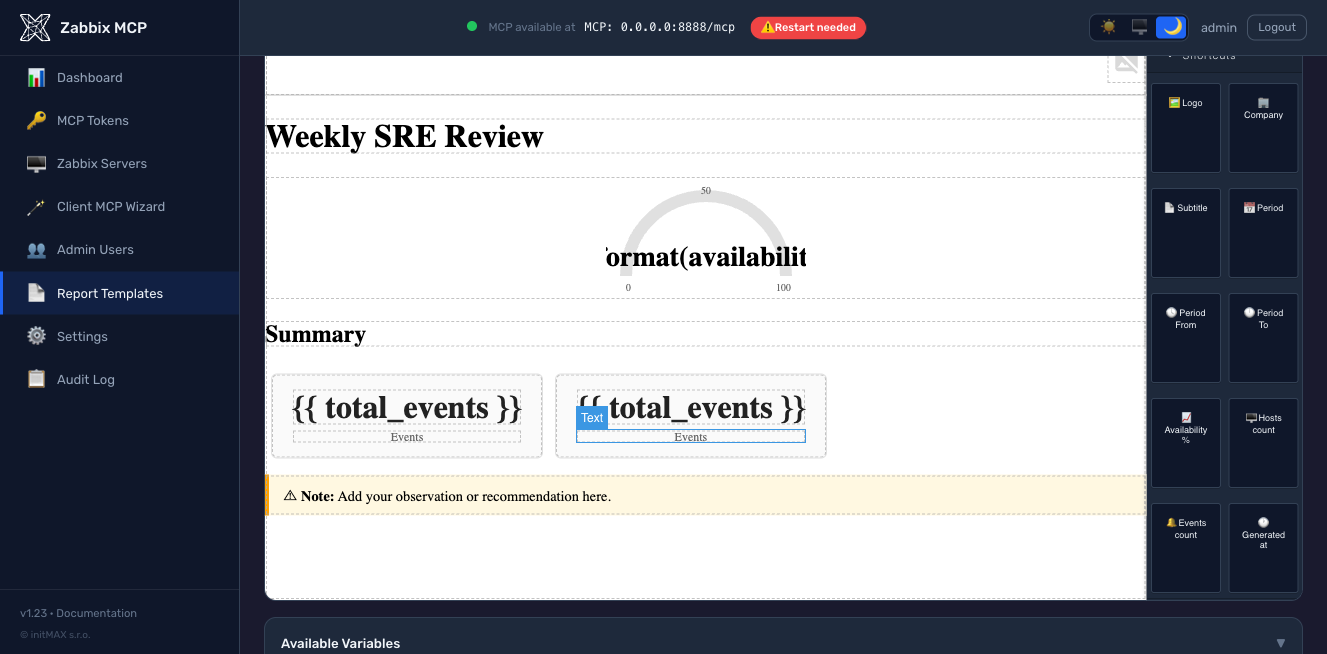
| `showcase` | Demonstrates every widget the v1.23 visual editor ships with (gauge, metric cards, bars, two/three-column layout, page breaks, note callout, hosts loop, backup matrix, network interfaces) - duplicate and trim as a starting point for your own template | host group, period |
**Enabling reports:**
PDF generation requires two extra Python packages. The installer pulls them in automatically when the optional `[reporting]` extra is selected; for manual installs:
```bash
# zabbix-mcp-server is not published on PyPI - install from a checkout
pip install "/path/to/zabbix-mcp-server[reporting]"
# or add the extras to an existing install
pip install weasyprint jinja2
```
weasyprint also needs system libraries (Pango, GDK-PixBuf). If the Python
package is present but those libraries are not, the server logs a warning and
starts with reporting disabled.
**Branding** is configured in `config.toml`:
```toml
[server]
report_logo = "/etc/zabbix-mcp/logo.png" # PNG, JPG, or SVG
report_company = "ACME Corp" # appears in report title
report_subtitle = "IT Monitoring Service" # header subtitle
```
**Example prompts:**
| Prompt | What it does |
|---|---|
| *"Generate an availability report for host group 5 for the last 30 days"* | Calls `report_generate` with `report_type=availability` |
| *"Create a capacity report for the Linux servers group, last 7 days"* | Calls `report_generate` with `report_type=capacity_host` |
| *"Generate a backup report for the Database servers group for last month"* | Calls `report_generate` with `report_type=backup` |
The tool returns the PDF as a base64-encoded data URI. Most clients (Claude Desktop, Claude Code) render or save the file automatically.
**Custom templates** can be authored three ways - pick whichever fits your workflow:
1. **Visual editor** in the admin portal (`/templates/create`) - drag-and-drop widgets from three categories:
- **Zabbix** - report widgets (Report Header, Title, Info Table, Host Table, SLA Gauge, Graph Placeholder, Metric Card, Progress Bars, Hosts Loop)
- **Layout** - structural blocks (Spacers, Page Break, Two/Three Columns, Section Heading, Note callout)
- **Shortcuts** - one-click chips for every template variable (Logo, Company, Subtitle, Period, Availability %, Host count, Events count, Generated at)
Plus a **Use logo** toolbar button on any image component that swaps it for the Logo widget (so you don't have to type `{{ logo_base64 }}` by hand), a live Preview button, and a built-in Insert variable dropdown for HTML mode.
| Parameter | Description |
|---|
server | Target Zabbix server name — defaults to the first configured server when omitted |
output | Fields to return — by default returns a compact set of key fields; pass extend for all fields, or comma-separated field names (e.g. hostid,name,status) |
filter | Exact match filter as JSON object — e.g. {"status": 0} returns only enabled objects |
search | Pattern match filter as JSON object — e.g. {"name": "web"} finds all objects containing "web" in the name |
limit | Maximum number of results to return — use to avoid large responses |
sortfield / sortorder | Sort results by a field name in ASC (ascending) or DESC (descending) order |
countOutput | Return the count of matching objects instead of the actual data — useful for statistics |
## Configuration Reference
All available options with detailed descriptions are in [`config.example.toml`](config.example.toml). Quick overview:
| Section | Parameter | Description |
|---|
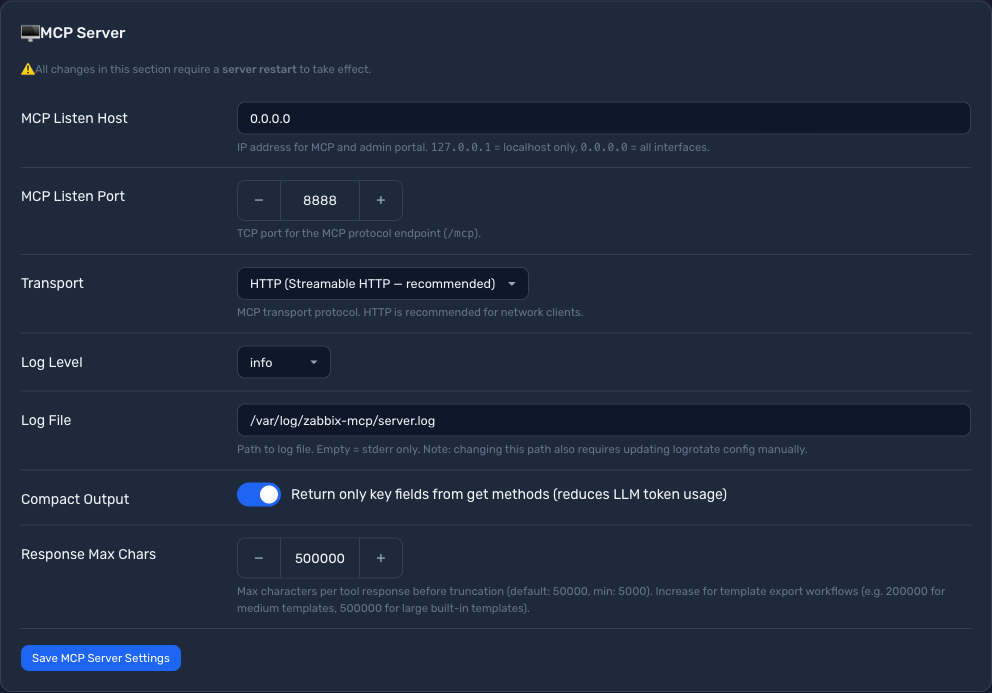
[server] | transport | "http" (recommended), "sse", or "stdio" |
host | HTTP bind address — 127.0.0.1 (localhost only) or 0.0.0.0 (all interfaces) |
port | HTTP port, 1–65535 (default: 8080) |
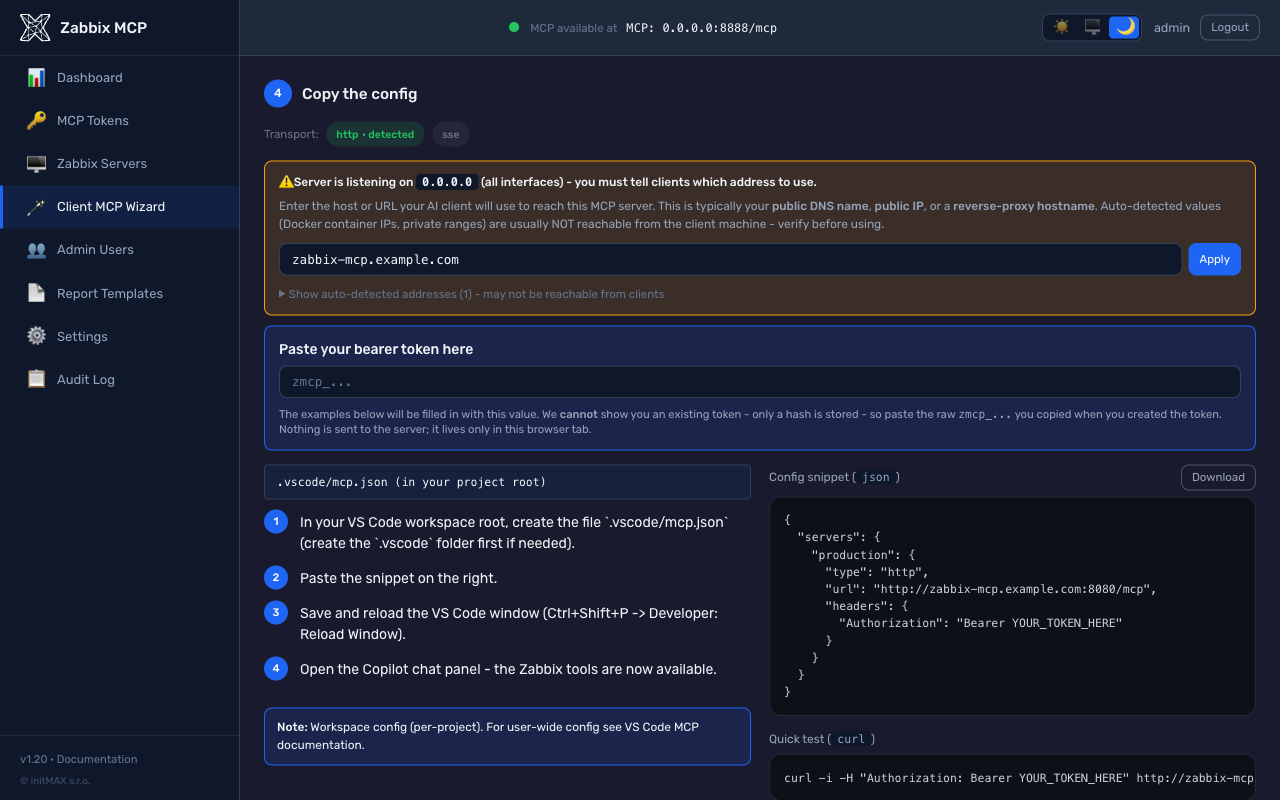
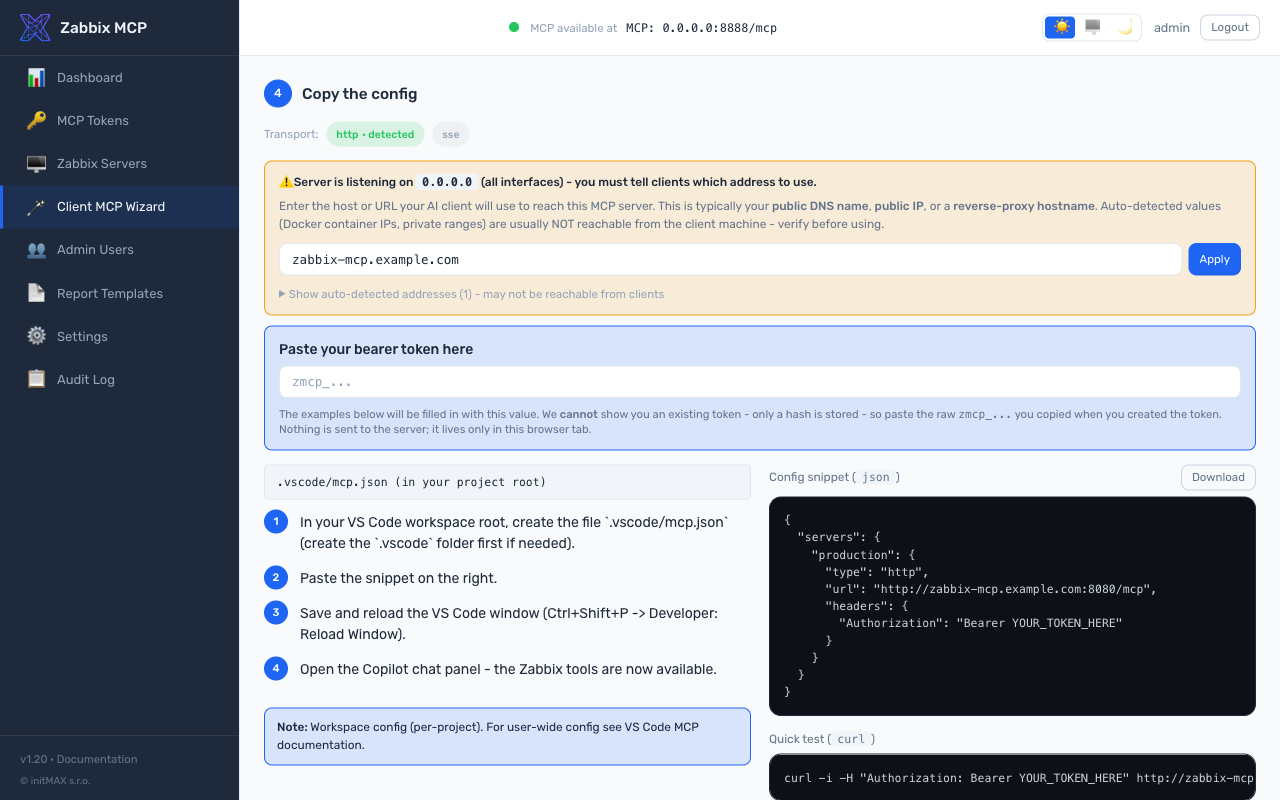
public_url | External URL clients use to reach the server (e.g. https://mcp.example.com:8080). Used for OAuth discovery (.well-known/oauth-protected-resource) and the Client MCP Wizard. Required when host = 0.0.0.0 and the server is behind a reverse proxy or exposed via a public DNS name — otherwise the server advertises the literal bind address and remote clients fail to follow the discovery URL. See Public URL and reverse-proxy deployments below. |
log_level | debug, info, warning, error, or critical |
log_file | Path to log file (parent directory must exist) |
auth_token | Bearer token for HTTP/SSE authentication (supports ${ENV_VAR}) |
rate_limit | Max Zabbix API calls per minute per client (default: 300, set to 0 to disable) |
tools | Filter exposed tools by category or prefix — e.g. ["monitoring", "alerts"] (default: all 237 tools) |
disabled_tools | Denylist counterpart to tools — exclude specific tool groups or prefixes |
tls_cert_file / tls_key_file | Enable native HTTPS — paths to TLS certificate and private key (see TLS / HTTPS below) |
cors_origins | List of allowed CORS origins (default: disabled) |
allowed_hosts | IP allowlist — IPs and CIDR ranges (e.g. ["10.0.0.0/24"]) |
allowed_import_dirs | Directories for source_file imports (default: disabled) |
compact_output | Return only key fields from get methods (default: true); set to false to always return all fields |
response_max_chars | Maximum characters per tool response before truncation (default: 50000, min: 5000). Increase for template export workflows: 200000 for medium templates, 500000 for large built-in templates. See Token Budget |
[zabbix.<name>] | url | Zabbix frontend URL (must start with http:// or https://) |
api_token | API token (supports ${ENV_VAR}) — required, except on an entry with legacy_auth = true |
legacy_auth | Explicit switch for password login on Zabbix 5.0 / 5.2 only (no API tokens there). Refused against Zabbix 5.4+, refused together with api_token. Unsupported upstream release and a security risk - see Legacy auth. Default false |
username / password | Zabbix login credentials, only honoured when legacy_auth = true (supports ${ENV_VAR}) |
read_only | Block write operations (default: true) |
verify_ssl | Verify TLS certificates (default: true) |
skip_version_check | Skip zabbix-utils version compatibility check (default: false) |
[oauth] | enabled | Turn the embedded OAuth 2.1 authorization server on (default: false). Required by ChatGPT custom apps and Claude Desktop remote connectors. Login uses [admin.users.*]; needs [server].public_url. See OAuth 2.1 Authorization Server |
auth_code_ttl_seconds | Lifetime of single-use authorization codes (default: 600 = 10 min) |
access_token_ttl_seconds | Default access-token lifetime (default: 3600 = 1 h). Per-client override via [oauth_clients.<id>].access_token_ttl_seconds |
refresh_token_ttl_seconds | Default refresh-token lifetime (default: 2592000 = 30 days). Per-client override via [oauth_clients.<id>].refresh_token_ttl_seconds |
dynamic_registration_enabled | Allow RFC 7591 /register calls so clients self-register (default: true). Set false to lock down to manually pre-registered [oauth_clients.*] entries |
[oauth_clients.<id>] | scope | RFC 7591 space-separated scope cap (e.g. "monitoring extensions"). Empty = client may request any scope; consent screen still enforces the operator's role cap |
allowed_ips | Per-client IP allowlist (CIDR supported). Token rejected at /token if the client's IP is outside the list |
access_token_ttl_seconds | Override the global access-token TTL for this client only |
refresh_token_ttl_seconds | Override the global refresh-token TTL for this client only |
## OAuth 2.1 Authorization Server
Since v1.28 the server ships an embedded OAuth 2.1 authorization server. Clients that auto-discover authentication (ChatGPT custom apps, Claude Desktop remote, MCP Inspector, any [MCP 2025-11-25 or 2026-07-28](https://modelcontextprotocol.io/specification) client) can sign in against your Zabbix MCP deployment **without an external IdP, without a hardcoded bearer, and without operators learning OAuth library internals**.
```toml
[server]
public_url = "https://mcp.example.com" # required when OAuth is on
[oauth]
enabled = true
```
What you get:
- **Discovery** - RFC 8414 `/.well-known/oauth-authorization-server`, RFC 9728 `/.well-known/oauth-protected-resource`, `WWW-Authenticate: Bearer ... resource_metadata="..."` on 401.
- **Dynamic client registration** - RFC 7591 `/register`. ChatGPT's "Advanced OAuth settings" auto-detects everything from the discovery documents.
- **Authorization code + PKCE S256**, refresh-token rotation, RFC 7009 revocation, RFC 8707 audience binding.
- **Two-step consent screen** (v1.29) - operator credentials check, then per-scope checkbox grant. Wildcard `*` and concrete groups are mutually exclusive. Role caps the grant: `admin` may grant any scope, `operator` is limited to `monitoring / data_collection / alerts / extensions`, `viewer` to `monitoring / extensions`, and a viewer's token is read-only at the server (v1.37.3).
- **Refresh-token reuse detection** (RFC 6819 §5.2.2.3) - replaying an already-rotated refresh token revokes the entire token family and writes an audit row.
- **Per-client IP allowlist + TTL override** in `[oauth_clients.
 and community