# react-planet
[](https://www.npmjs.com/package/react-planet)
[](https://www.npmjs.com/package/react-planet)
A react lib for building circular menus in a very easy and handy way.
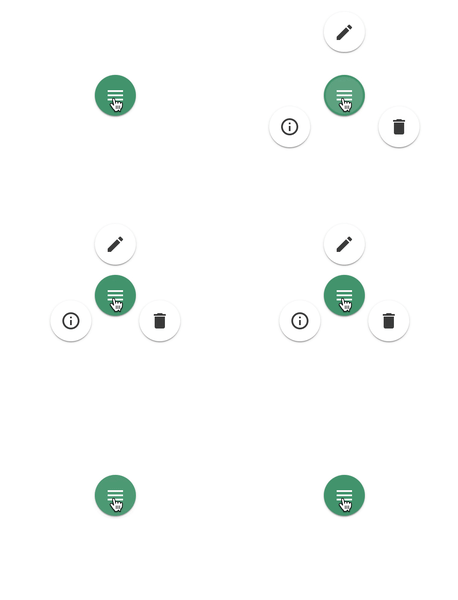 Live-Demo: [STORYBOOK](https://innfactory.github.io/react-planet)
Read the full story @ [Medium](https://medium.com/@innFactory/creating-circular-menus-with-react-planet-8c7c9df6d766) or [innFactory-Blog](https://innfactory.de/softwareentwicklung/ui-ux/creating-circular-menus-with-react-planet/)
## install
```
npm install --save react-planet
```
## Concept
Live-Demo: [STORYBOOK](https://innfactory.github.io/react-planet)
Read the full story @ [Medium](https://medium.com/@innFactory/creating-circular-menus-with-react-planet-8c7c9df6d766) or [innFactory-Blog](https://innfactory.de/softwareentwicklung/ui-ux/creating-circular-menus-with-react-planet/)
## install
```
npm install --save react-planet
```
## Concept
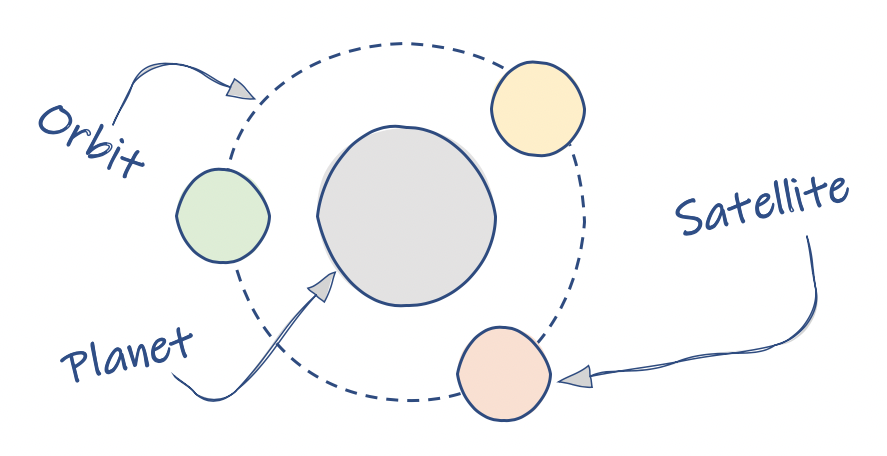 ## Basic Example
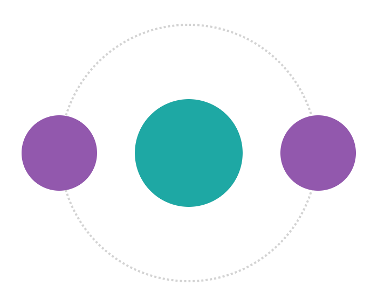 ```jsx
import { Planet } from 'react-planet';
export function MyPlanet() {
return (
}
open
autoClose
>
);
}
```
## Change the orbit
```jsx
import { Planet } from 'react-planet';
export function MyPlanet() {
return (
}
open
autoClose
>
);
}
```
## Change the orbit
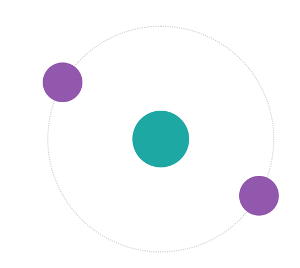 ```jsx
}
open
orbitRadius={120}
rotation={30}
...
>
```
## Orbit Style
```jsx
}
open
orbitRadius={120}
rotation={30}
...
>
```
## Orbit Style
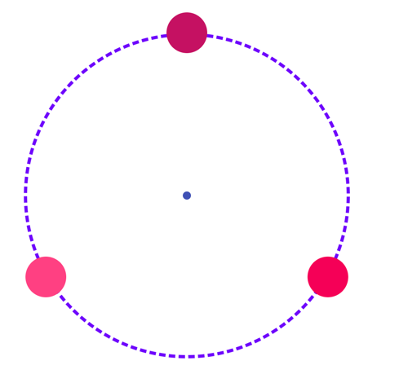 ```jsx
({
...defaultStyle,
borderWidth: 4,
borderStyle: 'dashed',
borderColor: '#6f03fc',
})}
centerContent={}
open
>
```
## Weird satellites and their orientation
```jsx
({
...defaultStyle,
borderWidth: 4,
borderStyle: 'dashed',
borderColor: '#6f03fc',
})}
centerContent={}
open
>
```
## Weird satellites and their orientation
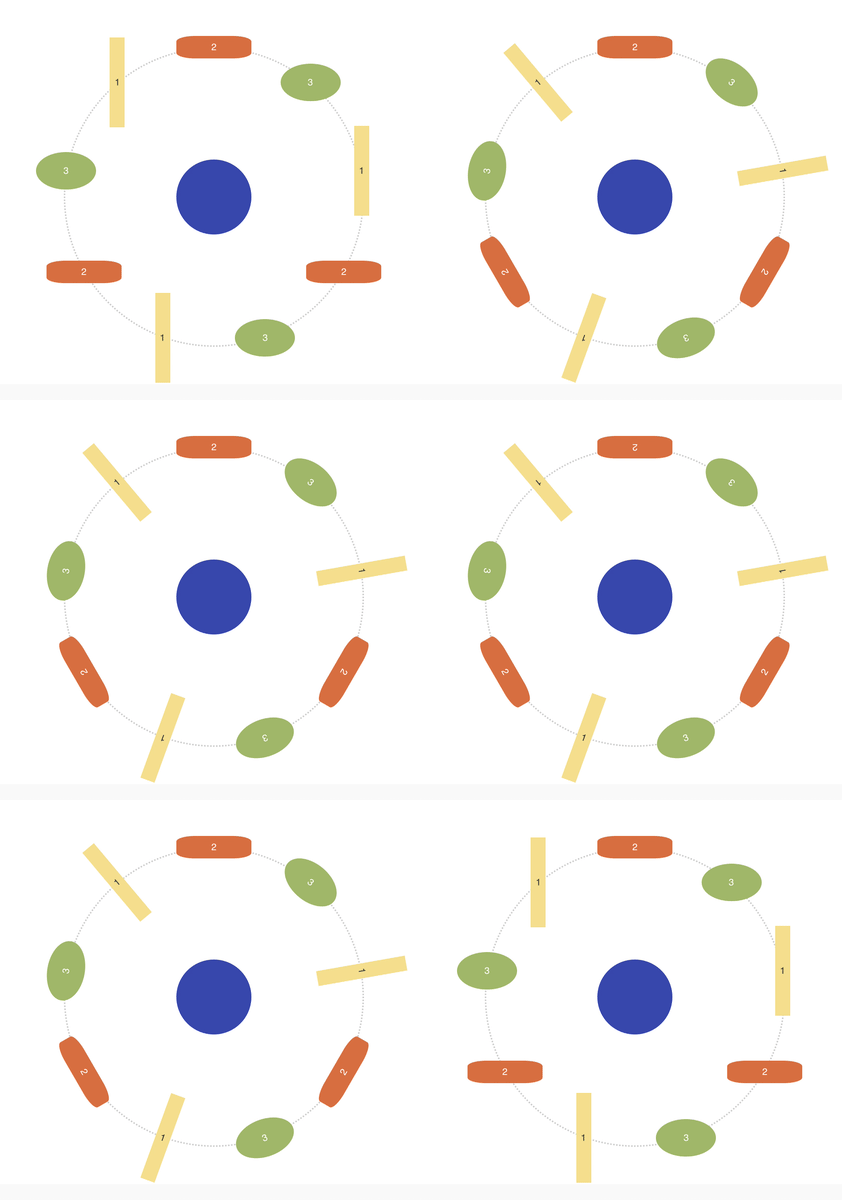 ```jsx
Code: [/src/stories/Planetception.stories.tsx](/src/stories/Planetception.stories.tsx)
## Fake the space
```jsx
```jsx
Code: [/src/stories/Planetception.stories.tsx](/src/stories/Planetception.stories.tsx)
## Fake the space
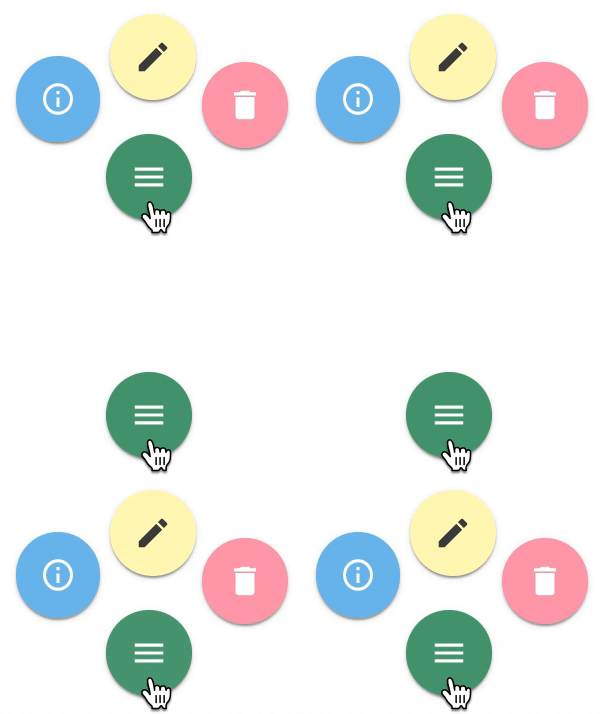 ```jsx
}
hideOrbit
autoClose
orbitRadius={60}
bounceOnClose
rotation={105}
// the bounce direction is minimal visible
// but on close it seems the button wobbling a bit to the bottom
bounceDirection="BOTTOM"
>
```
## Alter the physics
```jsx
}
hideOrbit
autoClose
orbitRadius={60}
bounceOnClose
rotation={105}
// the bounce direction is minimal visible
// but on close it seems the button wobbling a bit to the bottom
bounceDirection="BOTTOM"
>
```
## Alter the physics
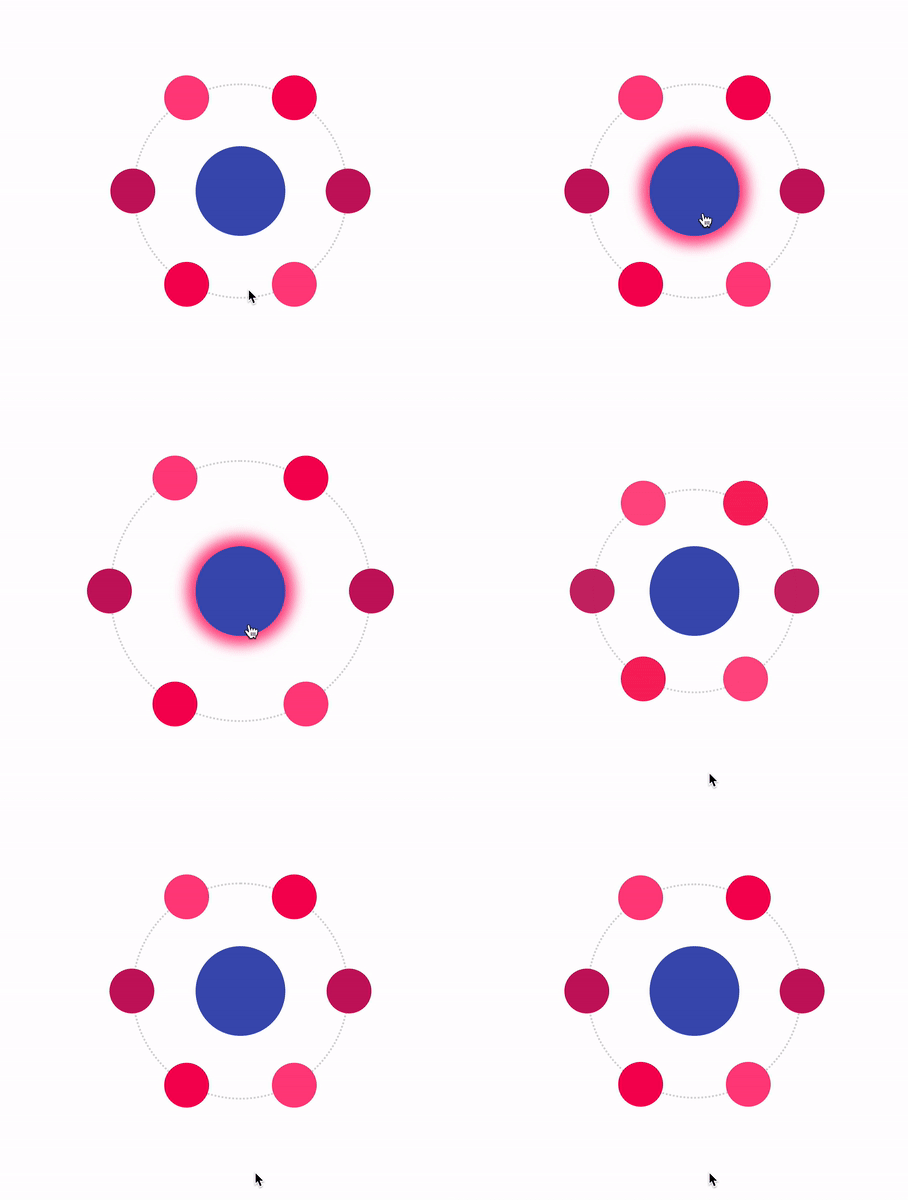 ```jsx
# Props
| name | type | example /default | description |
| -------------------- | --------------------------------------- | ------------------------ | -------------------------------------------------------------- |
| centerContent | React.Node? | | The planet component |
| orbitRadius | number? | 120 | How far the satellites are away from the planet |
| open | boolean? | false | Set the open/close state from outside |
| autoClose | boolean? | false | If true the planet handles the open/close state by itself |
| hideOrbit | boolean? | false | If true the orbit is hidden / not rendered |
| rotation | number? | 0 | The angle for the rotation of all satellites around the planet |
| satelliteOrientation | DEFAULT INSIDE OUTSIDE READABLE | undefined / DEFAULT | The angle for the rotation of one satellite itself |
| dragableSatellites | boolean? | false | If true you can click and drag a satellite |
| dragRadiusSatellites | number? | 12 | Defines how much you can drag the satellites |
| dragablePlanet | boolean? | false | If true you can click and drag the planet |
| dragRadiusPlanet | number? | 12 | Defines how much you can drag the planet |
| bounce | boolean? | false | If true the planet bounces on open and close |
| bounceOnOpen | boolean? | false | If true the planet bounces only on open |
| bounceOnClose | boolean? | false | If true the planet bounces only on close |
| bounceRadius | number? | 3 | Defines how much the planet bounces |
| bounceDirection | TOP BOTTOM LEFT RIGHT | undefined | On hight bounceRadius you can see a direction |
| tension | number? | 500 | a react-spring animation physic value |
| friction | number? | 17 | a react-spring animation physic value |
| mass | number? | 1 | a react-spring animation physic value |
| orbitStyle | (default: CSSProperties)=>CSSProperties | () => ({borderWidth: 4}) | You can override or set a new style for the orbit |
| onClick | (e: MouseEvent)=>void | ()=>{} | The function is triggered if you click on the centerComponent |
| onClose | (e: MouseEvent)=>void | ()=>{} | The function is triggered if the planet wants to close |
# Start Storybook local
```
npm install
npm start
```
```jsx
# Props
| name | type | example /default | description |
| -------------------- | --------------------------------------- | ------------------------ | -------------------------------------------------------------- |
| centerContent | React.Node? | | The planet component |
| orbitRadius | number? | 120 | How far the satellites are away from the planet |
| open | boolean? | false | Set the open/close state from outside |
| autoClose | boolean? | false | If true the planet handles the open/close state by itself |
| hideOrbit | boolean? | false | If true the orbit is hidden / not rendered |
| rotation | number? | 0 | The angle for the rotation of all satellites around the planet |
| satelliteOrientation | DEFAULT INSIDE OUTSIDE READABLE | undefined / DEFAULT | The angle for the rotation of one satellite itself |
| dragableSatellites | boolean? | false | If true you can click and drag a satellite |
| dragRadiusSatellites | number? | 12 | Defines how much you can drag the satellites |
| dragablePlanet | boolean? | false | If true you can click and drag the planet |
| dragRadiusPlanet | number? | 12 | Defines how much you can drag the planet |
| bounce | boolean? | false | If true the planet bounces on open and close |
| bounceOnOpen | boolean? | false | If true the planet bounces only on open |
| bounceOnClose | boolean? | false | If true the planet bounces only on close |
| bounceRadius | number? | 3 | Defines how much the planet bounces |
| bounceDirection | TOP BOTTOM LEFT RIGHT | undefined | On hight bounceRadius you can see a direction |
| tension | number? | 500 | a react-spring animation physic value |
| friction | number? | 17 | a react-spring animation physic value |
| mass | number? | 1 | a react-spring animation physic value |
| orbitStyle | (default: CSSProperties)=>CSSProperties | () => ({borderWidth: 4}) | You can override or set a new style for the orbit |
| onClick | (e: MouseEvent)=>void | ()=>{} | The function is triggered if you click on the centerComponent |
| onClose | (e: MouseEvent)=>void | ()=>{} | The function is triggered if the planet wants to close |
# Start Storybook local
```
npm install
npm start
```
# Made by:
 [https://innFactory.de/](https://innFactory.de/)