
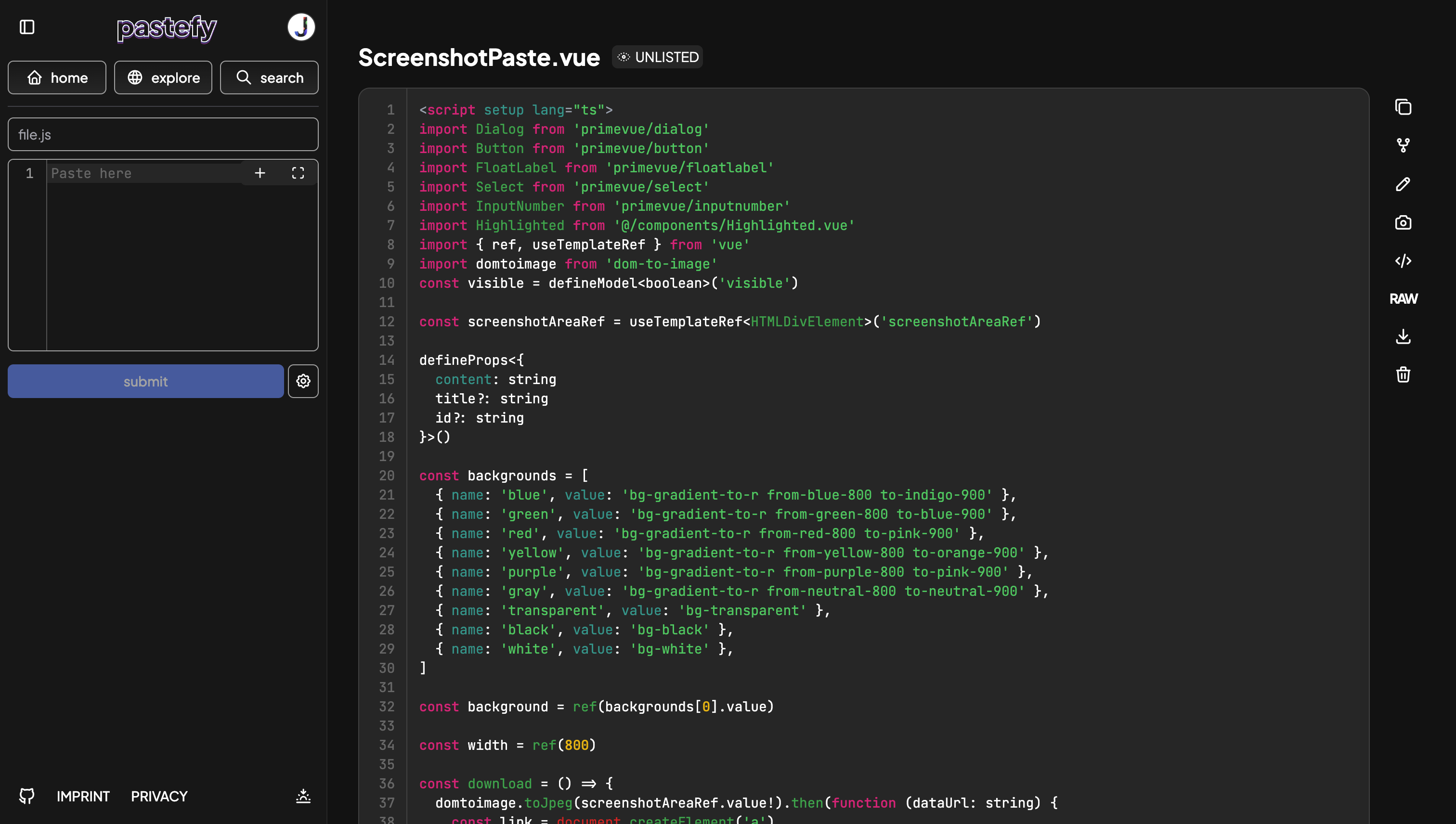
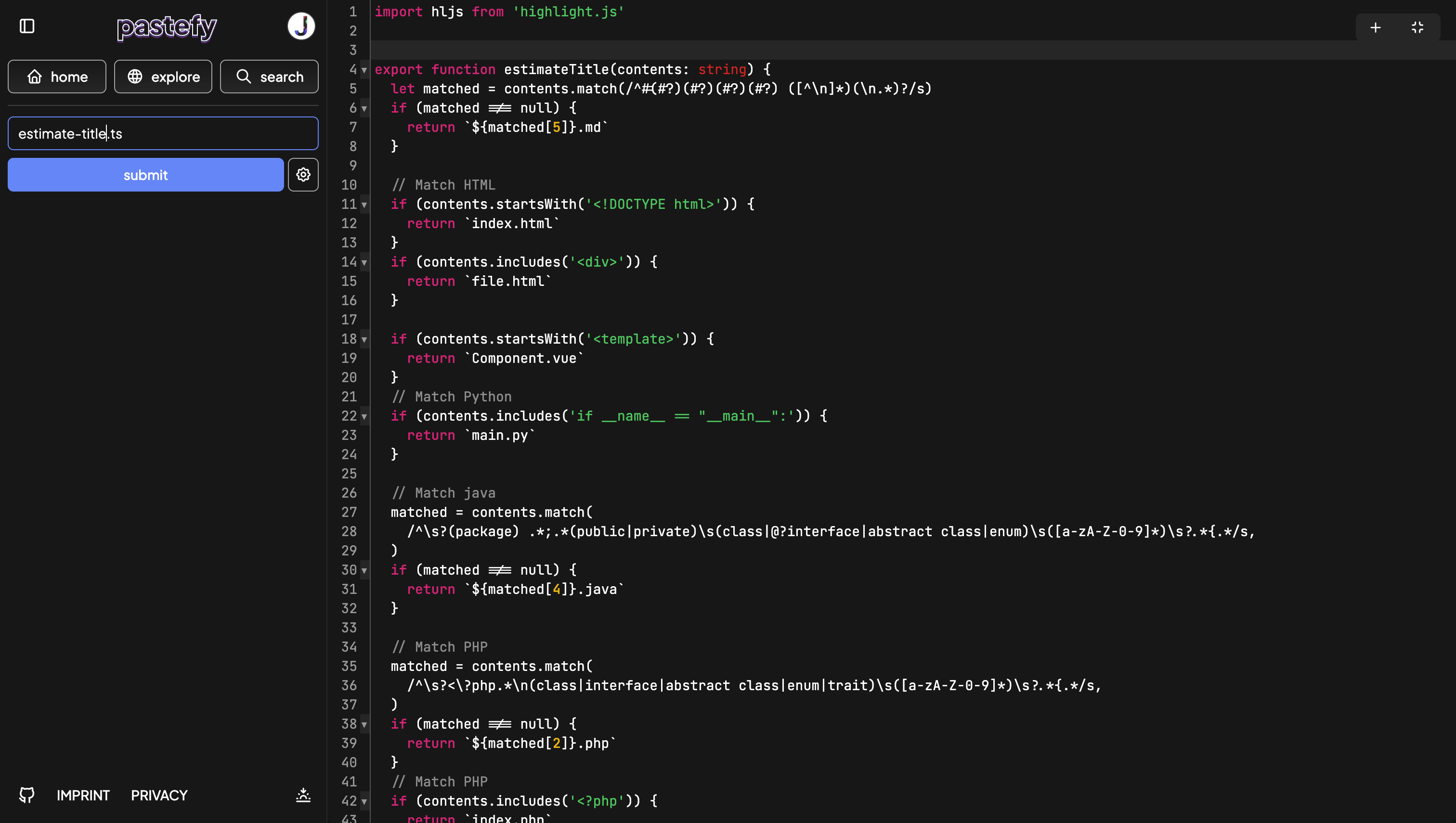
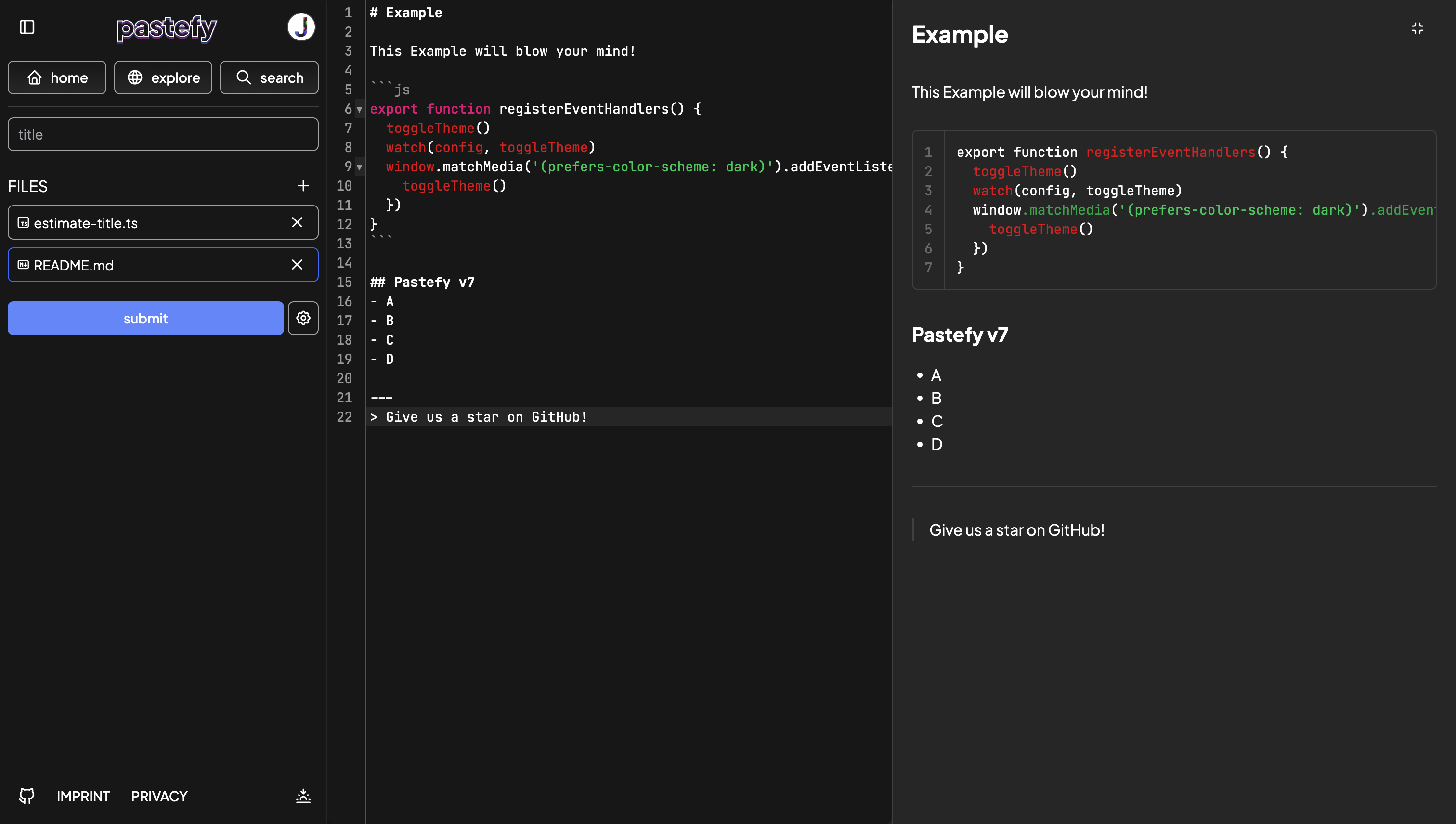
 Pastefy is an open source alternative to Gists or Pastebin.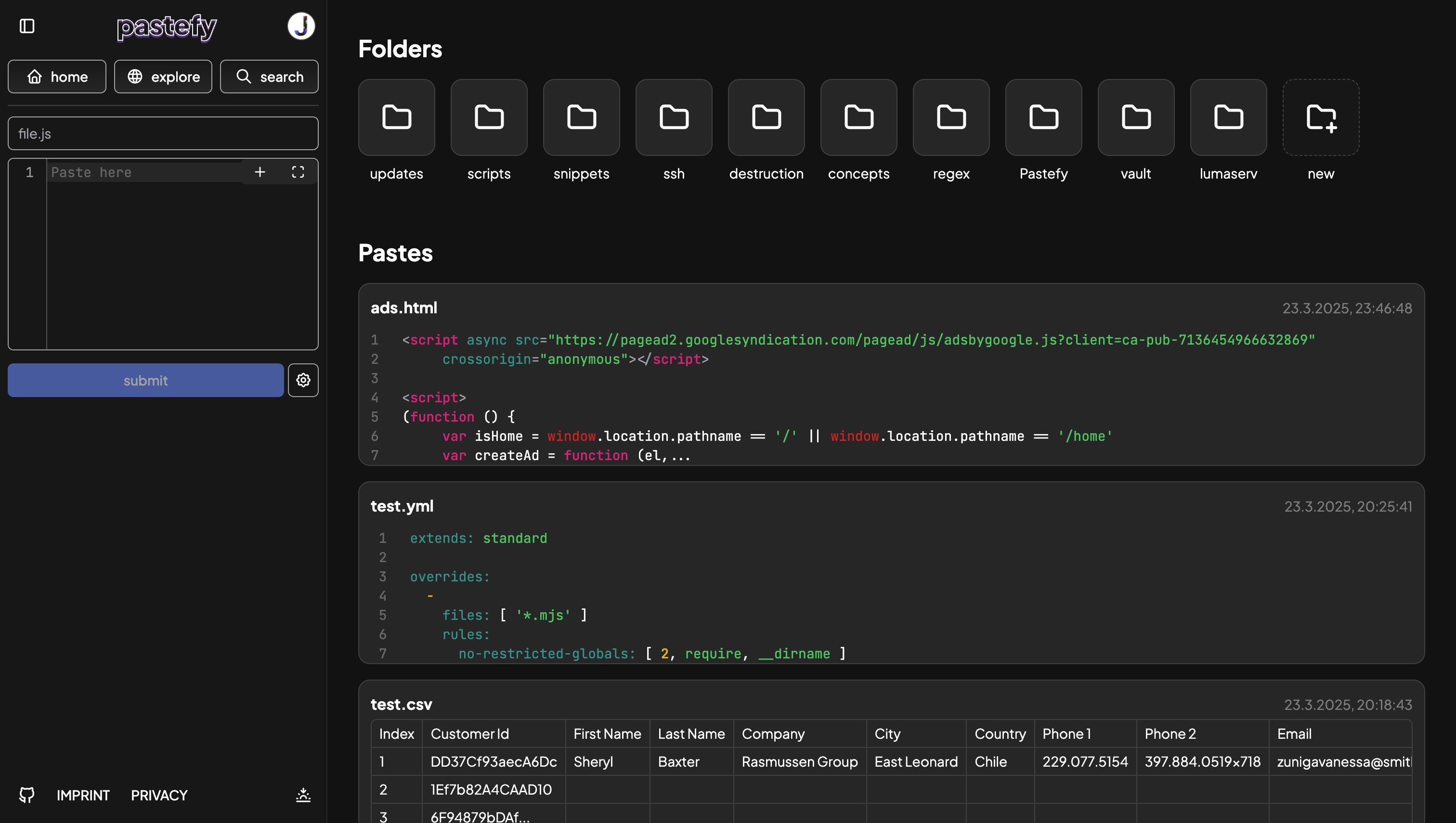
 ## Deploy
See [Self-Hosting](https://docs.pastefy.app/self-hosting/index.html) for more options.
### Container-Less
```bash
git clone https://github.com/interaapps/pastefy.git
cd pastefy/frontend
npm run install
npm run build
cd ../backend
mvn clean package
cd ..
cp .env.example .env
nano .env
java -jar backend/target/backend.jar
```
Using intelliJ? Look at [Develop](#Develop)
## Configuration
See [Configuration](https://docs.pastefy.app/self-hosting/configuration.html) for all options.
### Adding login
You can choose between [INTERAAPPS](https://accounts.interaapps.de/developers) (best integration), [GOOGLE](https://support.google.com/cloud/answer/6158849?hl=en), [GITHUB](https://docs.github.com/en/developers/apps/building-oauth-apps/creating-an-oauth-app), [DISCORD](https://discord.com/developers/docs/topics/oauth2) or [TWITCH](https://dev.twitch.tv/docs/authentication) for the provider (You can use all of them at the same time).
```properties
OAUTH2_${provider}_CLIENT_ID=${client_id}
OAUTH2_${provider}_CLIENT_SECRET=${client_secret}
```
#### Example
```properties
OAUTH2_INTERAAPPS_CLIENT_ID=dan3q9n
OAUTH2_INTERAAPPS_CLIENT_SECRET=ASDFASDF
```
#### Custom OIDC Example
```properties
OAUTH2_CUSTOM_CLIENT_ID=CLIENT_ID
OAUTH2_CUSTOM_CLIENT_SECRET=SECRET
OAUTH2_CUSTOM_AUTH_ENDPOINT=https://accounts.interaapps.de/auth/oauth2
OAUTH2_CUSTOM_TOKEN_ENDPOINT=https://accounts.interaapps.de/api/v2/authorization/oauth2/access_token
OAUTH2_CUSTOM_USERINFO_ENDPOINT=https://accounts.interaapps.de/api/v2/oidc/userinfo
```
## Develop
#### Build frontend into the backend
```bash
# You might want to build the frontend
cd frontend
npm build prod
```
#### Frontend
Run the backend (On port 1337) and then go to the frontend and run
```bash
cd frontend
npm run serve
```
We are using IntelliJ Idea and Visual Studio code.
### API
You can find the docs of the Pastefy-Rest-APi here: [Docs](https://docs.pastefy.app/api/)
## Administration
If you want to give yourself the admin role, you have to log into your MySQL server and set `type` on your account to `ADMIN` in the `pastefy_users` table.
You'll find the admin panel under `https://YOUR_URL/admin`
## Extra Features
Read more here [Docs](https://docs.pastefy.app/features/index.html)
### Upload via Curl
```bash
curl -F f=@file.txt pastefy.app
```
### Asciinema support
configure: `nano ~/.config/asciinema/config`
```
[api]
url = https://pastefy.app
```
Using asciinema
```bash
asciinema rec test.cast
# ...
asciinema upload test.cast
# Authenticate via Pastefy
# Pastefy will request you to set the install-id via `echo YOUR_PASTEFY_API_KEY > ~/.config/asciinema/install-id`
asciinema auth
asciinema upload test.cast
```
## Deploy
See [Self-Hosting](https://docs.pastefy.app/self-hosting/index.html) for more options.
### Container-Less
```bash
git clone https://github.com/interaapps/pastefy.git
cd pastefy/frontend
npm run install
npm run build
cd ../backend
mvn clean package
cd ..
cp .env.example .env
nano .env
java -jar backend/target/backend.jar
```
Using intelliJ? Look at [Develop](#Develop)
## Configuration
See [Configuration](https://docs.pastefy.app/self-hosting/configuration.html) for all options.
### Adding login
You can choose between [INTERAAPPS](https://accounts.interaapps.de/developers) (best integration), [GOOGLE](https://support.google.com/cloud/answer/6158849?hl=en), [GITHUB](https://docs.github.com/en/developers/apps/building-oauth-apps/creating-an-oauth-app), [DISCORD](https://discord.com/developers/docs/topics/oauth2) or [TWITCH](https://dev.twitch.tv/docs/authentication) for the provider (You can use all of them at the same time).
```properties
OAUTH2_${provider}_CLIENT_ID=${client_id}
OAUTH2_${provider}_CLIENT_SECRET=${client_secret}
```
#### Example
```properties
OAUTH2_INTERAAPPS_CLIENT_ID=dan3q9n
OAUTH2_INTERAAPPS_CLIENT_SECRET=ASDFASDF
```
#### Custom OIDC Example
```properties
OAUTH2_CUSTOM_CLIENT_ID=CLIENT_ID
OAUTH2_CUSTOM_CLIENT_SECRET=SECRET
OAUTH2_CUSTOM_AUTH_ENDPOINT=https://accounts.interaapps.de/auth/oauth2
OAUTH2_CUSTOM_TOKEN_ENDPOINT=https://accounts.interaapps.de/api/v2/authorization/oauth2/access_token
OAUTH2_CUSTOM_USERINFO_ENDPOINT=https://accounts.interaapps.de/api/v2/oidc/userinfo
```
## Develop
#### Build frontend into the backend
```bash
# You might want to build the frontend
cd frontend
npm build prod
```
#### Frontend
Run the backend (On port 1337) and then go to the frontend and run
```bash
cd frontend
npm run serve
```
We are using IntelliJ Idea and Visual Studio code.
### API
You can find the docs of the Pastefy-Rest-APi here: [Docs](https://docs.pastefy.app/api/)
## Administration
If you want to give yourself the admin role, you have to log into your MySQL server and set `type` on your account to `ADMIN` in the `pastefy_users` table.
You'll find the admin panel under `https://YOUR_URL/admin`
## Extra Features
Read more here [Docs](https://docs.pastefy.app/features/index.html)
### Upload via Curl
```bash
curl -F f=@file.txt pastefy.app
```
### Asciinema support
configure: `nano ~/.config/asciinema/config`
```
[api]
url = https://pastefy.app
```
Using asciinema
```bash
asciinema rec test.cast
# ...
asciinema upload test.cast
# Authenticate via Pastefy
# Pastefy will request you to set the install-id via `echo YOUR_PASTEFY_API_KEY > ~/.config/asciinema/install-id`
asciinema auth
asciinema upload test.cast
```