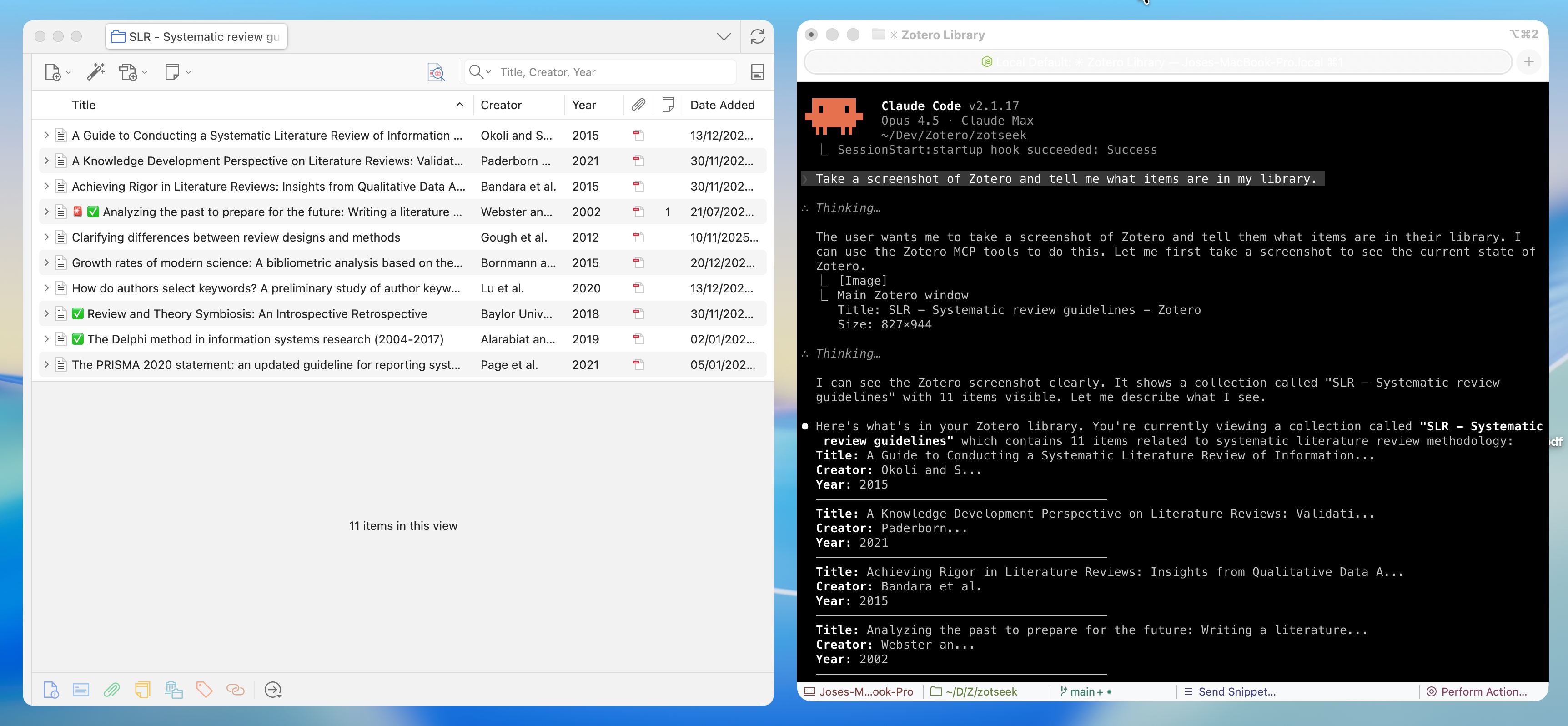
# MCP Server Zotero Dev
**Give your AI assistant superpowers for Zotero plugin development**
[](LICENSE)
[](https://www.zotero.org)
[Architecture](ARCHITECTURE.md) Β· [Getting Started](#quick-start) Β· [Available Tools](#available-tools)
---
A **Model Context Protocol (MCP) server** that enables AI assistants like Claude, Cursor, and Windsurf to build, test, and debug [Zotero](https://www.zotero.org) 7, 8, 9, and 10 plugins. Screenshots, DOM state, debug logs, and JavaScript execution give the AI rich context to understand what's happeningβand tools to help you fix it.
## β¨ Features
| Category | Capabilities |
|----------|-------------|
| π― **UI Inspection** | Screenshots, DOM tree, element finding, computed styles |
| π±οΈ **UI Interaction** | Click elements and type text (shadow-DOM aware) |
| π» **JS Execution** | Run code in Zotero context, inspect APIs, test snippets |
| π§ **Build Tools** | Scaffold integration for build, serve, hot reload |
| π **Logs & Errors** | Stream debug output, error console, watch for issues |
| ποΈ **Database** | Read-only access to zotero.sqlite for debugging |
| π **Plugin Management** | Install, reload, list plugins |
---
## π Quick Start
### Prerequisites
- **Node.js** 20+ and npm
- **Zotero 7+** β Works on all Zotero 7, 8, 9, and 10 builds (release, beta, dev)
- For plugin development: [zotero-plugin-scaffold](https://github.com/windingwind/zotero-plugin-scaffold)
### 1. Install MCP Server
Use [install-mcp](https://www.npmjs.com/package/install-mcp) to add the server to your AI assistant:
```bash
npx -y install-mcp @introfini/mcp-server-zotero-dev --client claude-code
```
Supported clients: `claude-code`, `cursor`, `windsurf`, `vscode`, `cline`, `roo-cline`, `claude`, `zed`, `goose`, `warp`, `codex`