Simple Notes Sync
[](https://github.com/inventory69/simple-notes-sync/releases/latest)
[](https://www.android.com/)
[](LICENSE)
[](https://liberapay.com/inventory/)
SHA-256 hash of the signing certificate:42:A1:C6:13:BB:C6:73:04:5A:F3:DC:81:91:BF:9C:B6:45:6E:E4:4C:7D:CE:40:C7:CF:B5:66:FA:CB:69:F1:6A
English ·
Deutsch
Notes for Android that work offline and sync with your own WebDAV server. No account, no cloud, no tracking.
I built this so my notes would sync with the WebDAV server at home on their own, as soon as I get home. That is still the core idea. Everything else grew around it, and the app works just as well without any server.
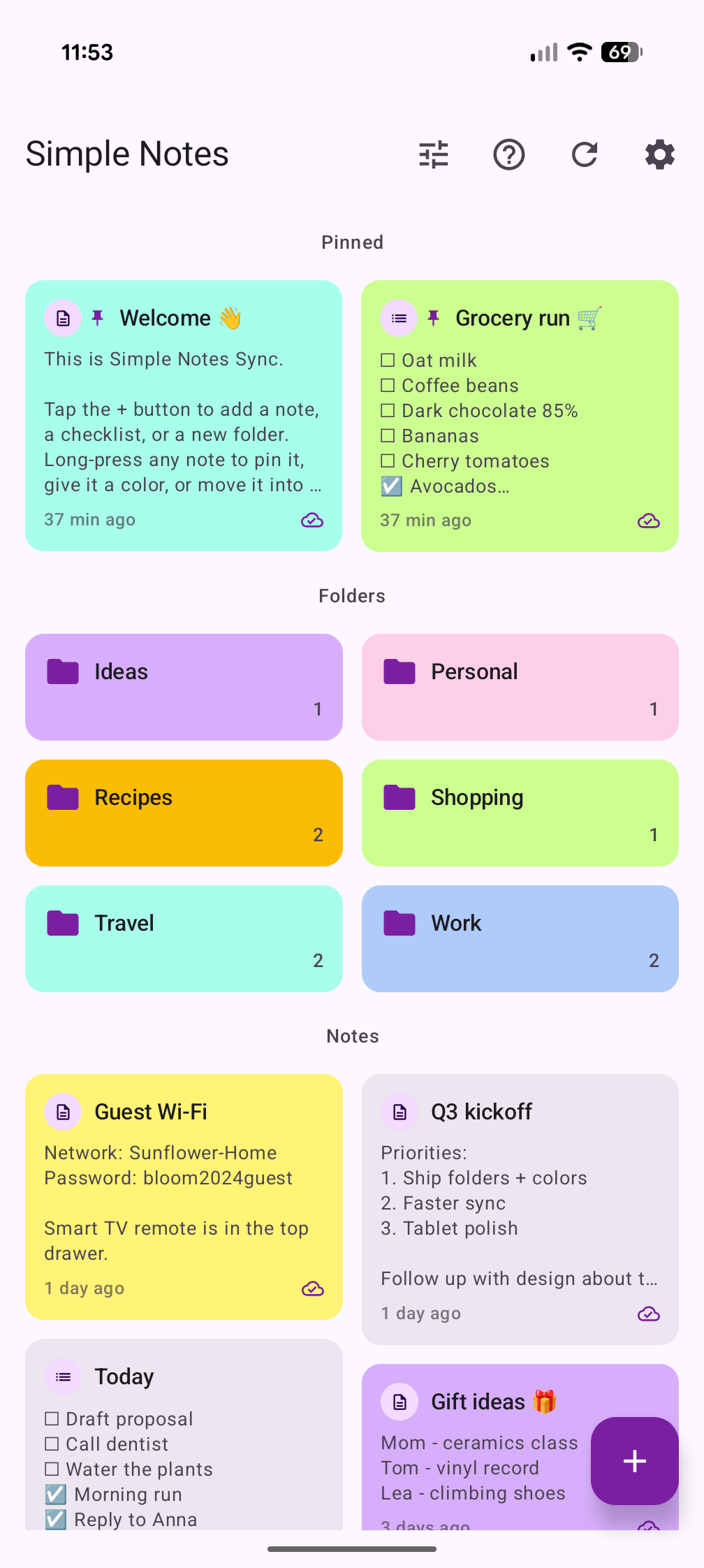
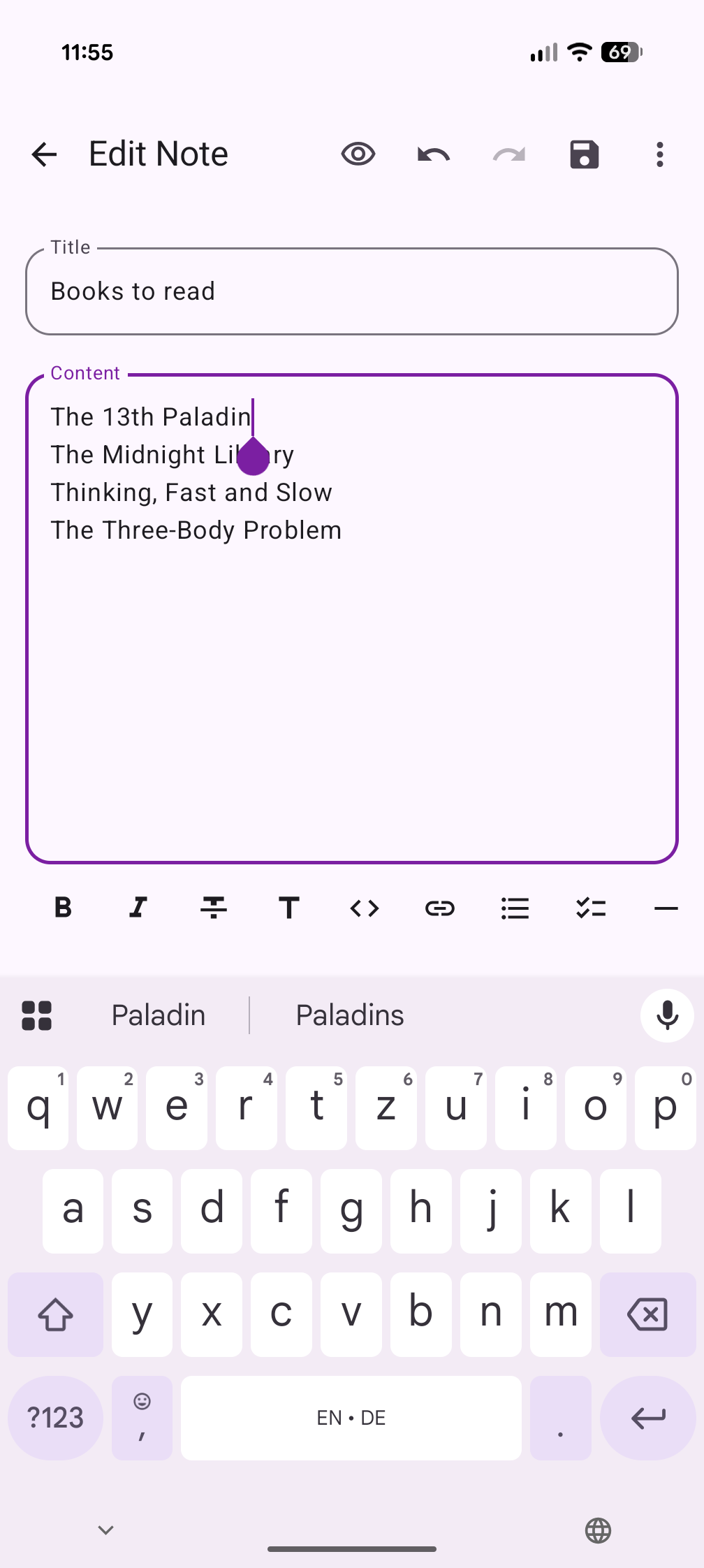
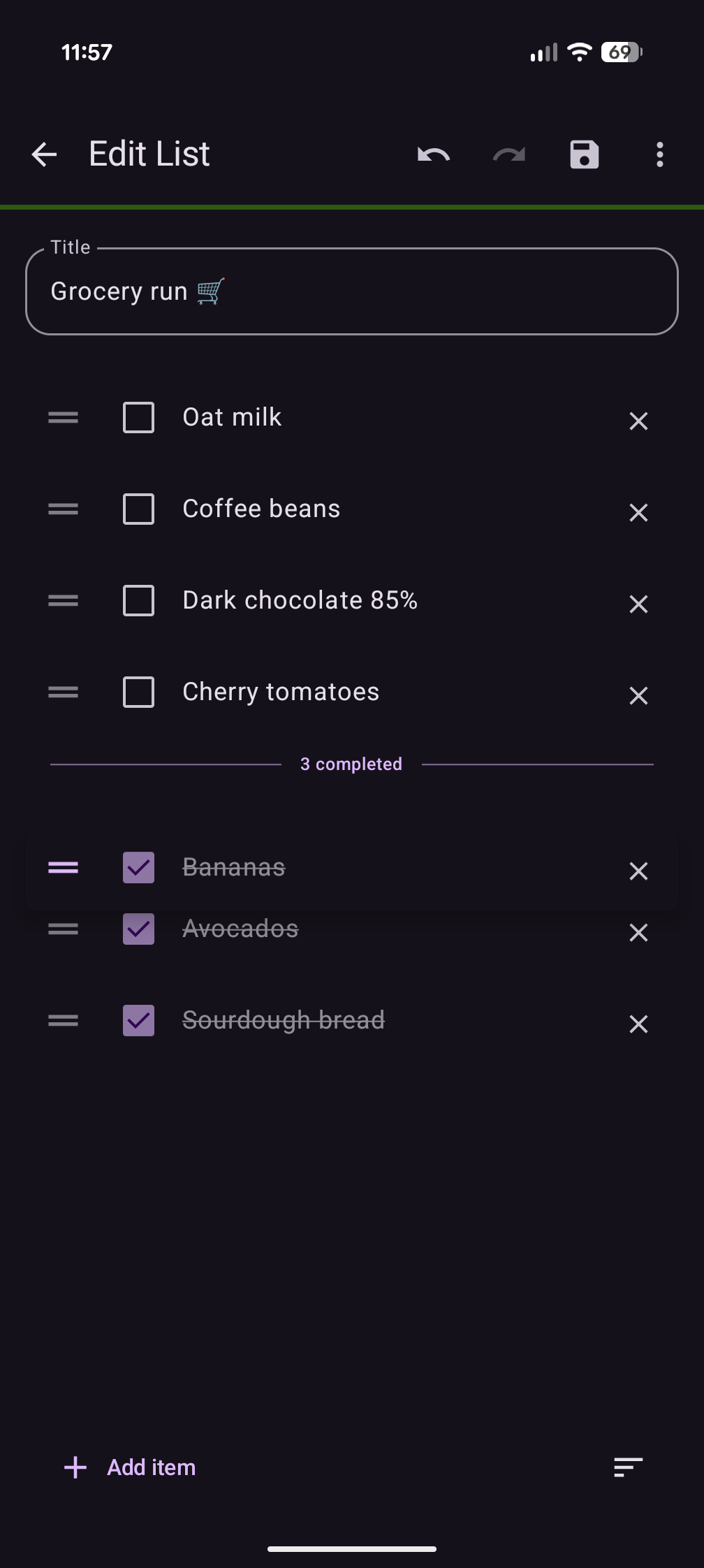
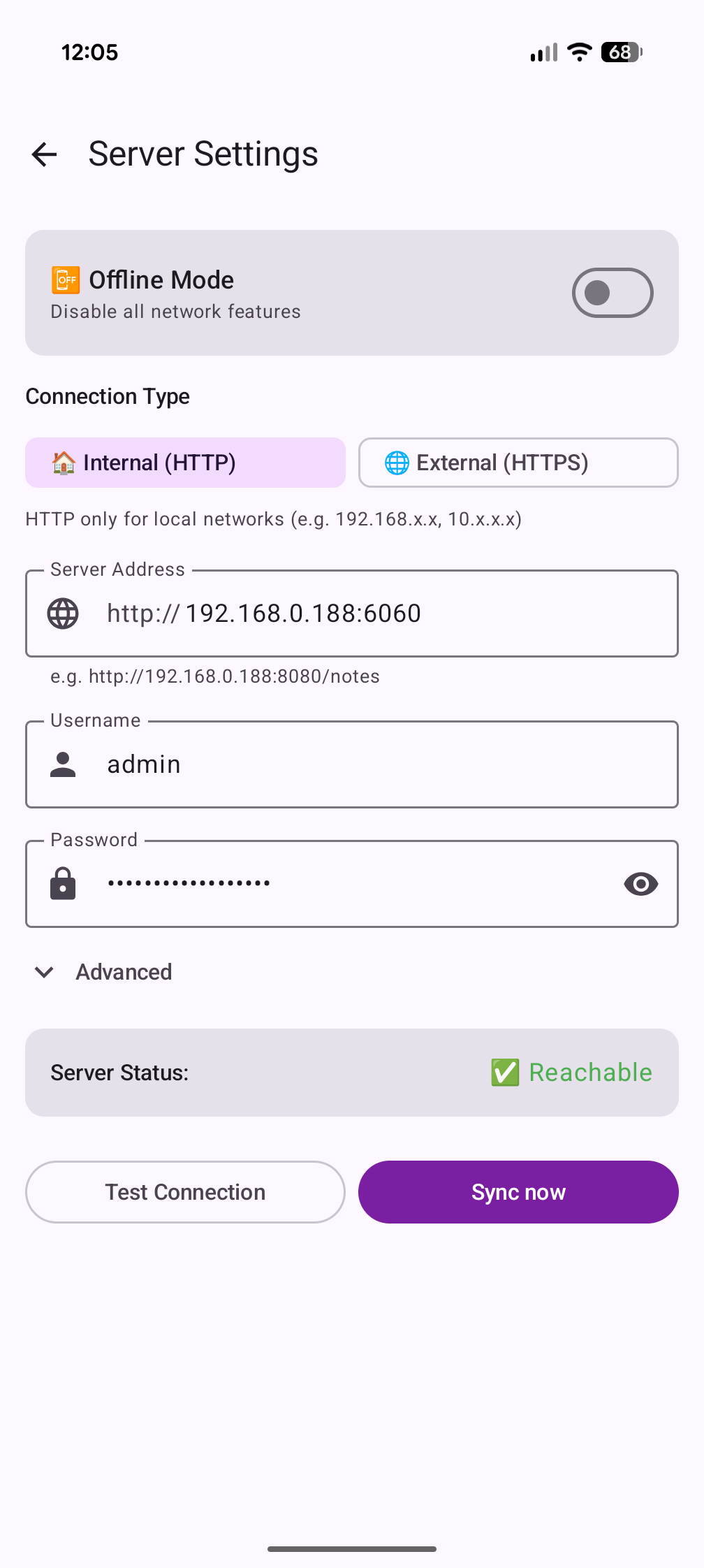
## Highlights
- **Your server, no account.** Notes live on your phone and sync with any WebDAV server: Nextcloud, ownCloud, a NAS or the small Docker server in this repo. Without a server the app works just as well.
- **No silent overwrites.** If a note changed on two devices, you compare both versions side by side and pick the one that stays.
- **Markdown that pastes well.** Live highlighting, tables and a preview. Pasting from a web page, Word or Google Docs keeps headings, lists, links and tables. Share a note as a PDF with formatting and images.
- **Images in notes.** Paste or pick them, resize them, place several side by side.
- **Fast checklists.** Drag an item across the divider to check it, unchecking puts it back where it was, and a read mode turns a list into tap to check.
- **Widgets you can write in.** Edit a note in a small card over the home screen and check items right in the widget.
- **Obsidian and desktop.** Optional Markdown copies of every note on the server, edits made there come back into the app. [Simple Notes Desktop](https://github.com/inventory69/simple-notes-desktop) for Windows and Linux uses the same folder.
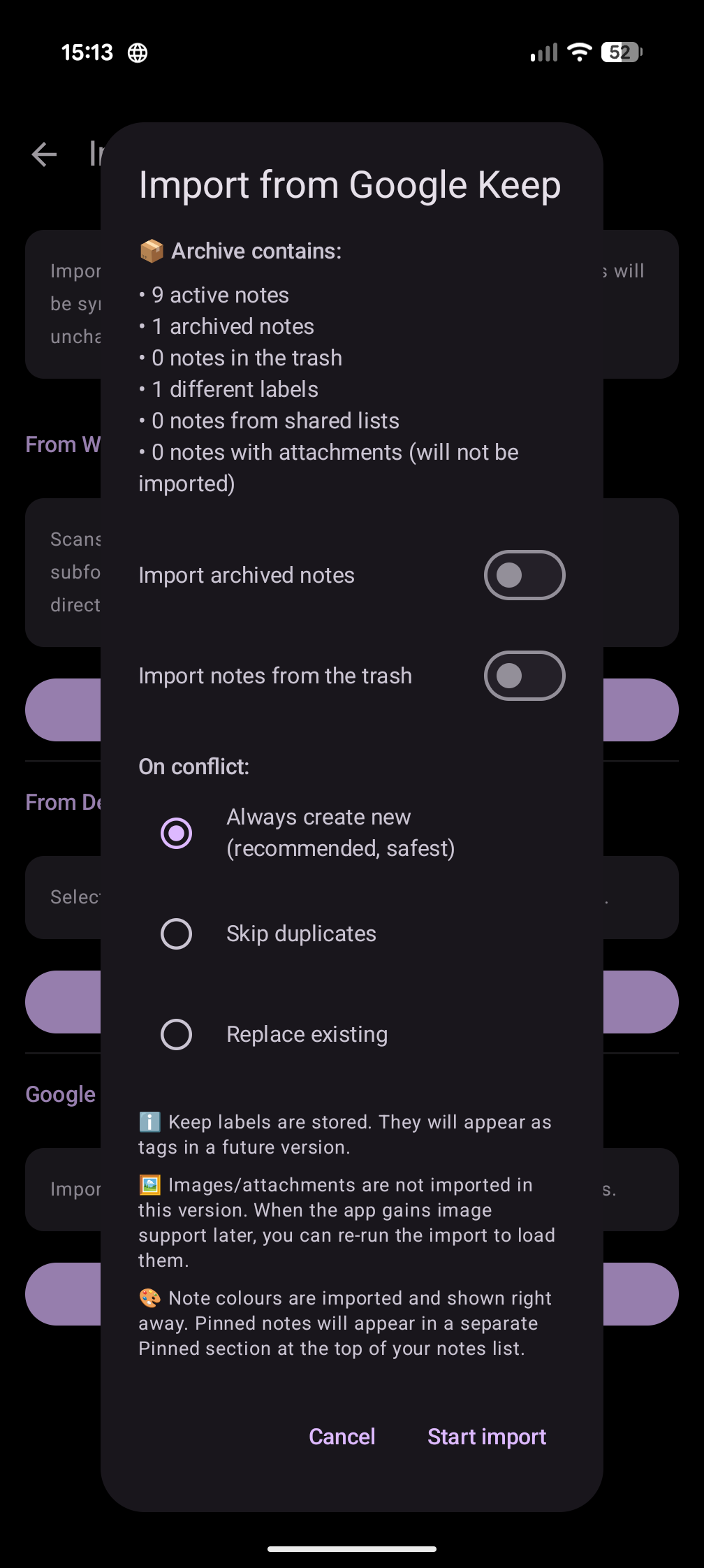
- **Coming from Google Keep?** Import a Takeout export, checklists and colors included.
- **Private by design.** Local only folders that never leave the phone, app lock, encrypted backups, no analytics and no Google services. 12 languages.
All features: [docs/FEATURES.md](docs/FEATURES.md)
## Quick start
**Server** (any machine with Docker):
1. Get the server files:
```bash
git clone https://github.com/inventory69/simple-notes-sync.git
cd simple-notes-sync/server
```
2. Create the config and set a password under `users:`:
```bash
cp config.yml.example config.yml
```
3. Start it:
```bash
docker compose up -d
```
**App:**
1. Install it from one of the stores above.
2. Open Settings → Server Settings, switch off Offline Mode and enter
URL `http://SERVER-IP:8080/`, username `noteuser` and the password from `config.yml`.
3. Tap **Test Connection**. From now on your notes sync on their own.
Already running Nextcloud or another WebDAV server? Skip the server part. The [quick start guide](QUICKSTART.md) covers that, HTTPS and when the app syncs in the background.
## What's next
Optional end-to-end encryption for the sync folder is in the works ([#9](https://github.com/inventory69/simple-notes-sync/issues/9)). There is no release date yet. Ideas and votes on what comes after that live in [Discussions](https://github.com/inventory69/simple-notes-sync/discussions/categories/ideas).
## Documentation
- [Quick start](QUICKSTART.md): server, app, background sync, self-signed certificates, updates
- [Features](docs/FEATURES.md): everything the app does, and the permissions it asks for
- [Sync](docs/SYNC.md): what lands on the server, conflicts, deletions, Markdown files and the desktop app
- [Backup](docs/BACKUP.md): backup files, encryption and restore modes
- [Troubleshooting](docs/TROUBLESHOOTING.md): ordered checks for the common problems
- [Server](server/README.md): the Docker server in detail
- [Changelog](CHANGELOG.md)
## Contributing
Bug reports and pull requests are welcome, see [CONTRIBUTING.md](CONTRIBUTING.md). Feature ideas go to [Discussions](https://github.com/inventory69/simple-notes-sync/discussions/categories/ideas).
Translations happen on [Weblate](https://hosted.weblate.org/engage/simple-notes-sync/), which hosts this project for free. Thank you!
[](https://hosted.weblate.org/engage/simple-notes-sync/)
If the app is useful to you, you can support it on [Liberapay](https://liberapay.com/inventory/).
## License
GNU Affero General Public License v3.0, see [LICENSE](LICENSE).