# Gecko A cross-platform GameCube/Wii emulator and debugger written in Rust.
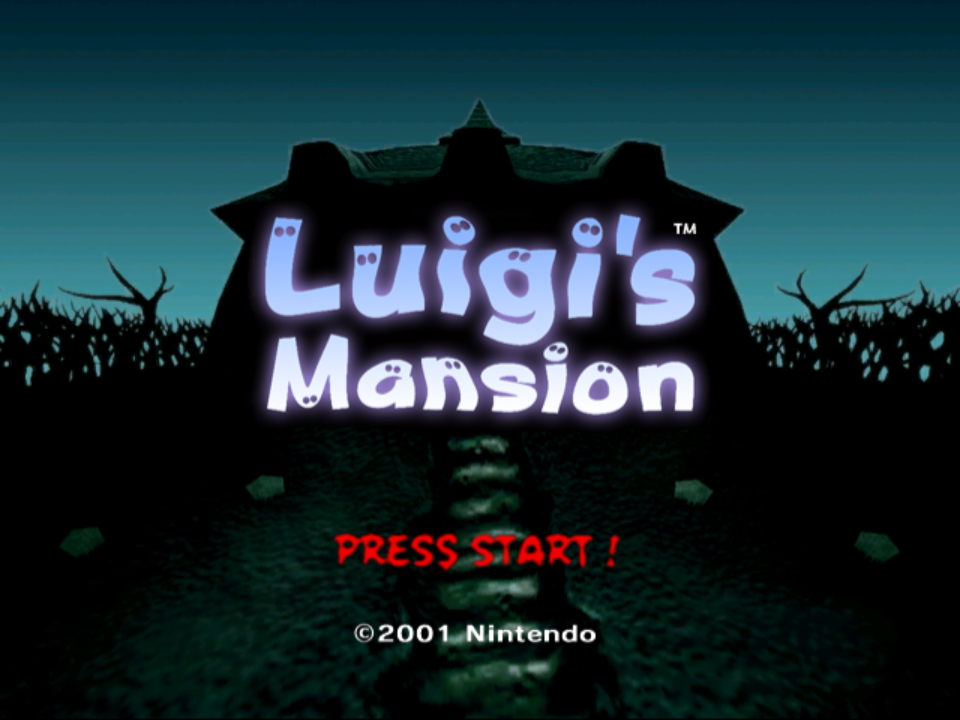
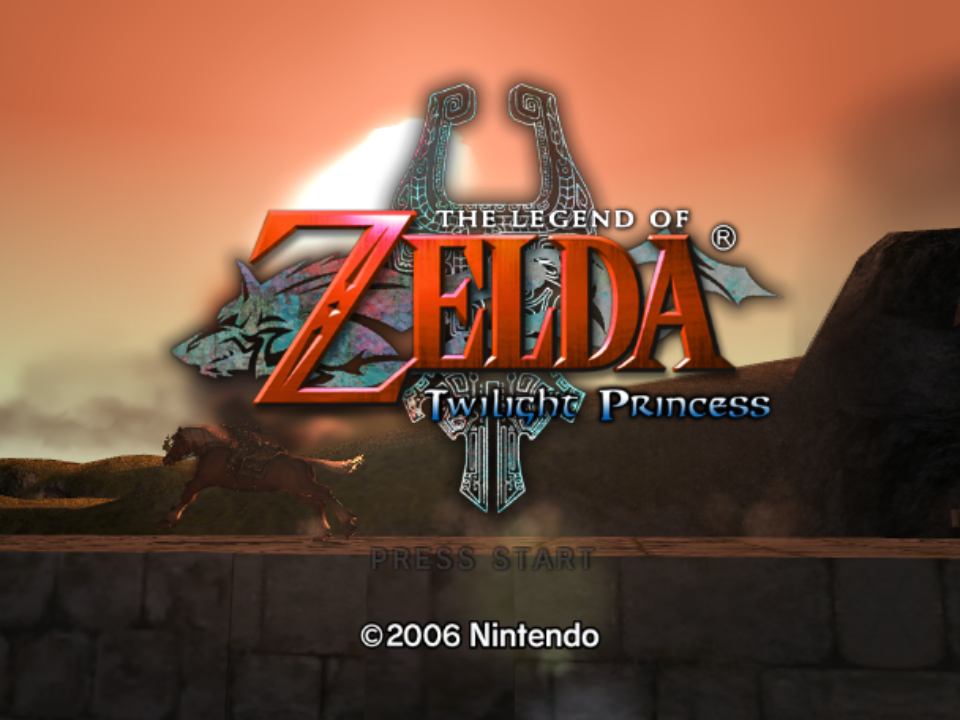
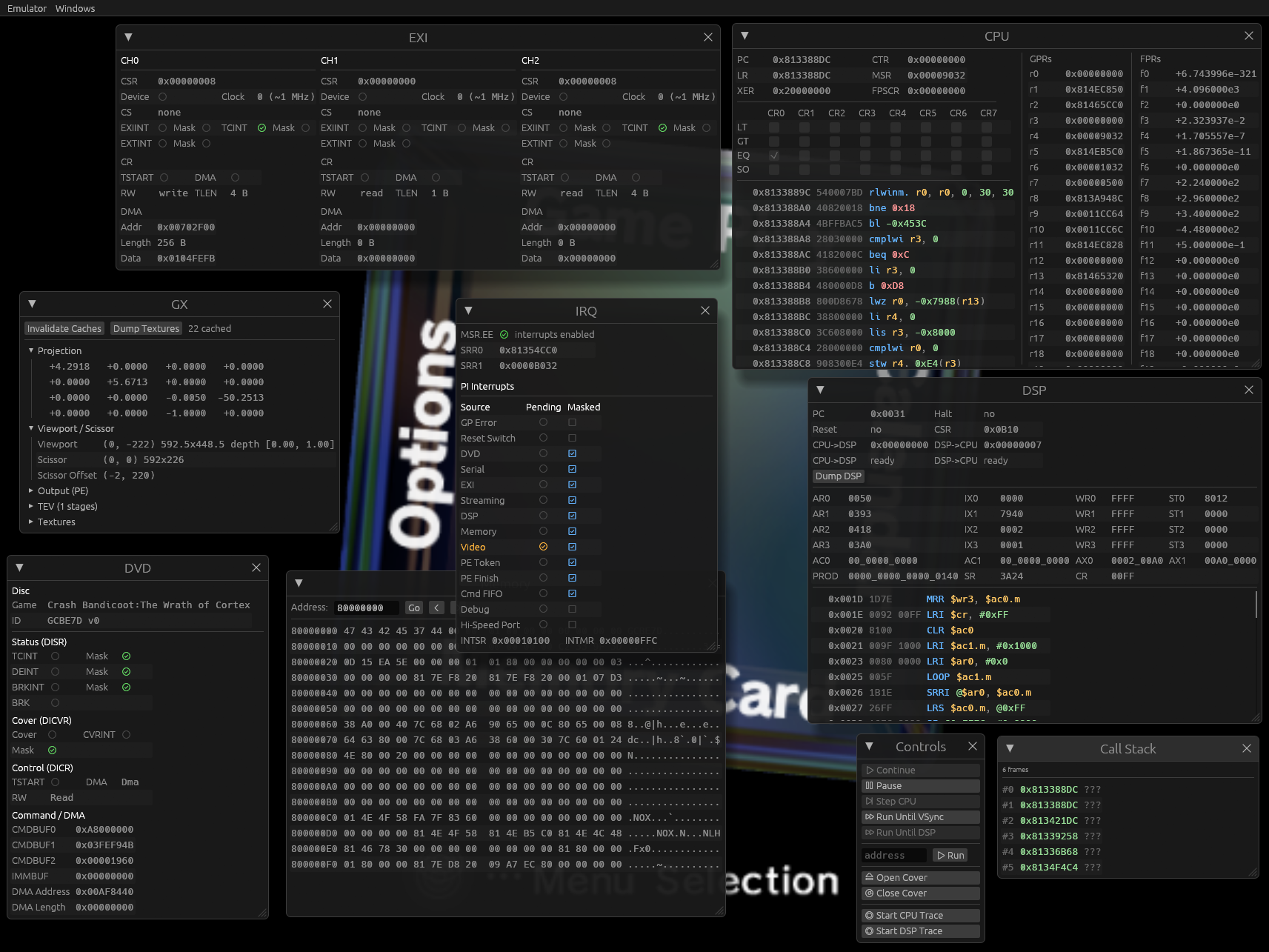
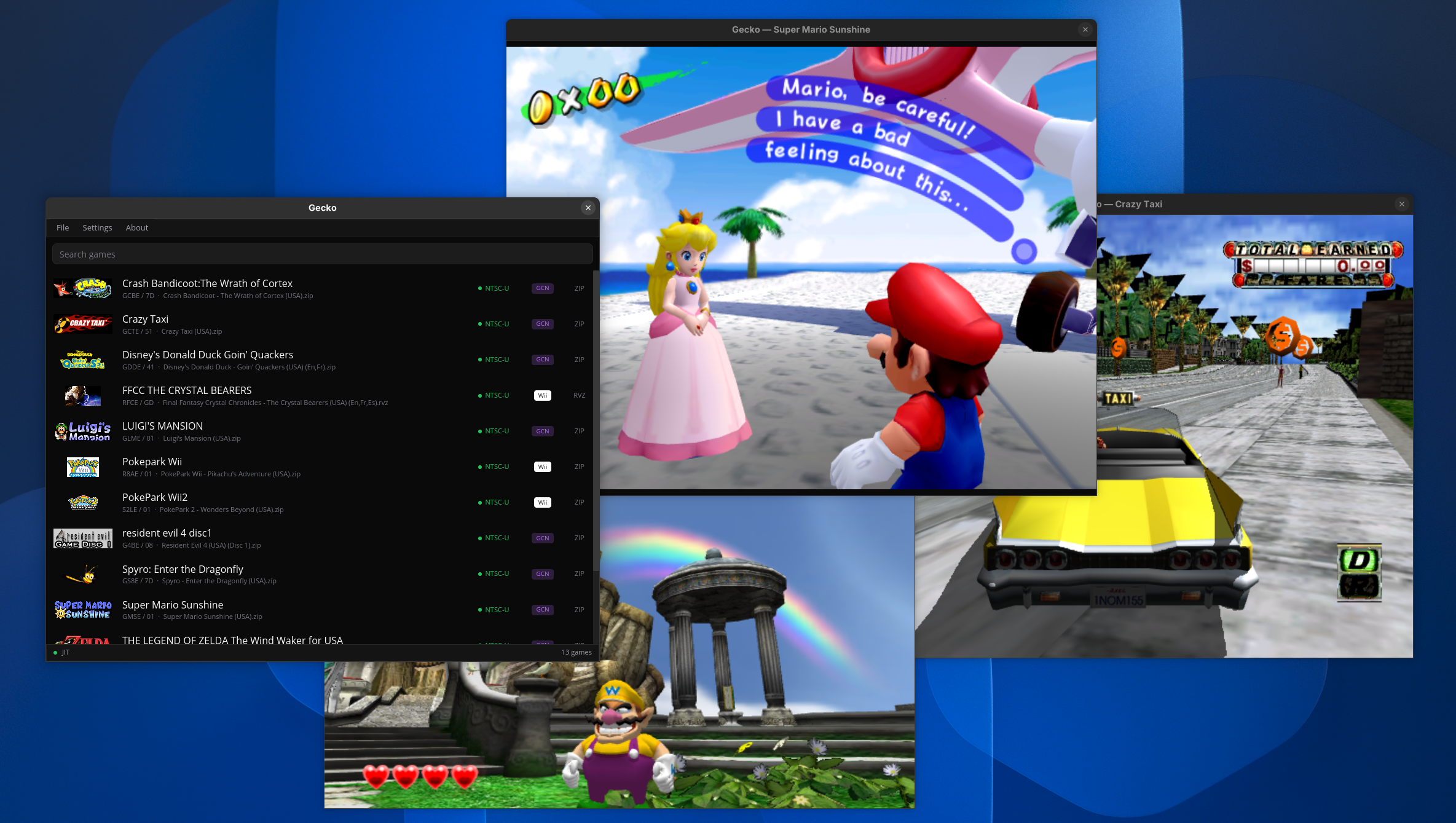
## Status Gecko is still in development. While many games work well, most will likely have varying degrees of visual glitches or will be outright broken. Refer to the screenshot databases to gauge compatiblity: - [GameCube](https://emu.layle.dev/gecko-gc) - [Wii](https://emu.layle.dev/gecko-wii) > [!NOTE] > Not all games are tracked. The screenshot service makes a best effort attempt to enter games by pressing random buttons. Just because a game doesn't go ingame, doesn't mean it actually doesn't. Gecko now also has a [**community driven** compatibility database](https://gecko.layle.dev/compat)! Feel free to leave a vote when trying out games. The database is still new, so please take the ratings with a grain of salt! ## Features Gecko is developed with homebrew development and reverse engineering in mind, but also aims to provide a faithful and playable experience! - Cross-platform: Windows, Linux and macOS - x86 and ARM supported on each platform - More platforms supported if compiling yourself - Cranelift based JITs - PowerPC, DSP, vertex decoder - Upscaling 1x - 4x - Controller support - Xbox, Steam, etc. - PS5 DualSense Wiimote motion control - Starlet HLE - IPL skip patches for NTSC and PAL - `wgpu` based renderer backend - Supports all major platforms - `wesl` based specialized shader compiler - JIT and shader cache - FIFO recorder, player and [debugger](https://www.youtube.com/watch?v=8mTPH3iAjy4) - Compatible with Dolphin - GameCube memory cards - Frame pacing - Modular audio backend, defaults to `cpal` - Supports mixing audio sinks - Supports dumping to .wav files - MCP server - Lua scripting system for runtime introspection - A beautiful yet advanced egui-based debugging UI - Symbol parsing from ELFs and IDA Pro databases - IDA Pro loaders for DOL and Apploader - RenderDoc captures with all sorts of debug markers - ISO and RVZ support - Supports either compressed as ZIP - Included multitool, supports: - IPL decode/encode - SYSCONF decode/encode - setting.txt decode/encode - DVD filesystem extraction - Disassembler for PPC and DSP - Various built-in diagnostics for JIT and GX - [Support for web browser](https://gecko.layle.dev) - [incl. debugging capabilities](https://gecko.layle.dev/dbg) ## Usage Prebuilt releases (including debug builds) can be downloaded [here](https://github.com/ioncodes/gecko/releases). GameCube and Wii require system files to use the emulator, please refer to the ["Required Files"](https://github.com/ioncodes/gecko#required-files) chapter. Minimal commands to launch a game: ```sh # Launch a GameCube game ./tinyapp --ipl IPL.decoded.bin --dsp dsp_rom.bin --coef dsp_coef.bin --skip-ipl --dvd YourGame.rvz # Launch a Wii game ./tinyapp --dsp dsp_rom.bin --coef dsp_coef.bin --dvd YourGame.rvz ``` A more modern and friendly experience is provided via `gecko` ([short preview on YouTube](https://www.youtube.com/watch?v=wg62ie71JP0)): ![launcher](images/launcher.png) It scans the configured GameCube and Wii folders for `.iso`, `.rvz` and `.zip` files. Double-clicking on a row opens a dedicated player window for that game. The decoded GameCube IPL and DSP files are expected to be inside the `system` folder and **must** be named exactly as follows: ```sh / config.toml # settings, auto-generated cache/library.bin # cached library, auto-generated screenshots/ # F12 screenshots, auto-generated internal/ # contains SRAM and memory cards, auto-generated system/ # system file folder (user provided!) IPL.bin # GameCube only (must be decoded! see multitool) dsp_rom.bin # GameCube and Wii dsp_coef.bin # GameCube and Wii fs/ # Wii NAND, auto-generated if missing (or drop in a Dolphin/real dump) ``` ### Controls Gamepads are supported on all frontends through SDL3. Xbox, DualSense (PS5) and anything else SDL recognizes works out of the box. Keyboard and mouse stay active. On Wii, the pointer source is picked automatically based on what the connected gamepad can do: gyro aiming on a DualSense (press `R3` to recenter), right stick otherwise, mouse as the fallback. The DualSense touchpad can also act as an pointer. Its accelerometer drives Wiimote motion directly, so physically shaking the controller shakes the Wiimote. Pads without motion sensors use `R1` as a shake button instead. The right stick doubles as the Wiimote D-pad whenever it is not serving as the pointer, and game rumble is forwarded to the controller on both GameCube and Wii. Bindings, pointer source, sensitivity and axis inversion are configurable in `gecko` under `Settings > Controller Bindings`, persisted in the `[input]` section of `config.toml` (see [`other/example.conf`](other/example.conf) for every option). `tinyapp` uses the default bindings and points with the mouse. Pass `--pointer gyro|stick|touchpad|auto` to override. > [!NOTE] > DualSense motion sensors and rumble on Linux require hidraw permissions. Install the `steam-devices` package (or an equivalent udev rule for `054c:0ce6`) and replug the controller. Without it the pad still works, but falls back to buttons and sticks only.
Default gamepad bindings #### GameCube | Gamepad | Action | | ----------- | --------------- | | Left stick | Main stick | | Right stick | C-stick | | D-pad | D-pad | | `South` | A | | `West` | B | | `East` | X | | `North` | Y | | `Start` | Start | | `L2` `R2` | L / R (analog) | | `R1` | Z | #### Wii | Gamepad | Action | | ------------ | ---------------------------- | | Gyro | IR pointer (if available) | | Right stick | IR pointer or D-pad | | Left stick | Nunchuk stick | | D-pad | D-pad | | `South` | A | | `R2` | B | | `West` | 1 | | `North` | 2 | | `Start` | Plus | | `Select` | Minus | | `Guide` | Home | | `L1` | Nunchuk C | | `L2` | Nunchuk Z | | `R1` | Shake (pads without sensors) | | `R3` | Recenter pointer |
Hotkeys `tinyapp` and `debugger`: | Key | Action | | ------- | ------------------------------------------------------------------ | | `Space` | Start emulation from the splash screen (`--wait` flag) | | `F10` | Trigger a RenderDoc capture (requires `renderdoc-capture` feature) | | `F11` | Screenshot the full window | | `F12` | Screenshot the emulated framebuffer only | `gecko` player window: | Key | Action | | ----- | --------------------------------------------------------------------- | | `F10` | Toggle borderless fullscreen | | `F11` | Toggle the FPS and emulation speed overlay | | `F12` | Screenshot the emulated framebuffer to `/screenshots/` |
Keyboard bindings (hardcoded) #### GameCube | Key | Action | | --------------- | -------------------------- | | Arrow keys | Main stick | | `I` `K` `J` `L` | D-pad (up/down/left/right) | | `X` | A | | `Z` | B | | `C` | X | | `V` | Y | | `Enter` | Start | | `A` | L | | `S` | R | | `D` | Z | #### Wii Wiimote: | Input | Action | | -------------- | -------------- | | Mouse movement | IR pointer | | Left mouse | A | | Right mouse | B | | Arrow keys | D-pad | | `1` | 1 | | `2` | 2 | | `Home` | Home | | `-` | Minus | | `=` | Plus | | `Left Shift` | Shake (motion) | Nunchuk: | Key | Action | | --------------- | ------------ | | `W` `S` `A` `D` | Analog stick | | `Q` | Z | | `E` | C |
## Required files Gecko does not ship any system files. Reference SHA-256 hashes (these are the files the project is developed against): | File | SHA-256 | | ---------------------------- | ------------------------------------------------------------------ | | `IPL.bin` (NTSC, encoded) | `7228bd8f0171008e71c48788eef5e0fd5abce8ef85f1d00327c6f3368113d2a5` | | `IPL.decoded.bin` (NTSC) | `31e9aa82d972a423d9b7ea7bdbdcff0aff86c3ed953600ca841fe24f3f577051` | | `PAL_IPL.bin` (PAL, encoded) | `a5fd3ab0ed3d63ad365990cbf522f9f175e01d3b37e5f30a8e5a103cbbc749fd` | | `PAL_IPL.decoded.bin` (PAL) | `011b66ce68d8dcb4f37460fcb322215bcda7df79072aeca22fdc690499deabac` | | `dsp_rom.bin` | `49d987ee1eab29a157425b82d54516957a81e1bac247c8834e494642605c3e8c` | | `dsp_coef.bin` | `d7741279c2e8ec5c5fb318f8fbdd6de6bf583520d288e836a5383233a4238179` | ### GameCube - IPL (NTSC and PAL tested) - DSP IROM - DSP coefficient ROM If you only have an encoded IPL, decode it first with multitool: ```sh multitool ipl --action decode private/IPL.bin private/IPL.decoded.bin ``` ### Wii A NAND is generated on boot whenever `fs/` is missing. The folder can be overriden using the `GECKO_FS_ROOT` environment variable. ```sh # optional! GECKO_FS_ROOT=/path/to/dolphin-nand tinyapp --dvd wii_game.rvz # ... and other arguments ``` ## Examples Examples you might find useful: ```sh multitool ipl --action decode ipl.encoded.bin ipl.decoded.bin multitool sysconf --action decode fs/shared2/sys/SYSCONF SYSCONF.txt # edit, then re-encode multitool sysconf --action encode SYSCONF.txt fs/shared2/sys/SYSCONF multitool setting --action decode fs/title/00000001/00000002/data/setting.txt setting.decoded multitool setting --action encode setting.decoded fs/title/00000001/00000002/data/setting.txt multitool dvd --extract game.rvz tinyapp --dol homebrew.dol # may also require a DSP depending on the DOL tinyapp --dvd game.iso --ipl ipl.decoded.bin --dsp dsp_rom.bin --coef dsp_coef.bin --skip-ipl debugger --dvd game.rvz --ipl ipl.decoded.bin --dsp dsp_rom.bin --coef dsp_coef.bin --script example.lua fifoplayer recording.dff # just the player fifoplayer recording.dff --debug # enable the debugger ``` The CLI options are largely the same across the sub projects (such as the debugger). For more options, see `--help`. ## Projects This is a table of the main projects. Refer to `crates/` to find out about all available projects. | Crate | Description | | ------------ | ------------------------------------------------------------------------------------------------------------------------------- | | `app` | End-user library browser (binary name `gecko`): iced-based game list, double-click to play, per-game player window | | `tinyapp` | Lightweight emulator application with an egui/wgpu GUI, optional Lua scripting | | `debugger` | Interactive GUI debugger built on egui with rendering support, hooks and scripting capabilities | | `web` | WebAssembly build of the emulator for browser deployment via wasm-bindgen, with optional debug UI | | `multitool` | CLI utility for analyzing, disassembling and extracting GC/Wii binaries/images (DOL, IPL, ISO/RVZ) with support for PPC and DSP | | `fifoplayer` | Plays (and debugs via `--debug`) a recorded `.dff` fifo log. Supports replays generated from Dolphin and Gecko's debugger | ## Building ```sh git submodule init && git submodule update cargo build -p gecko-app --release # game launcher (binary: gecko) cargo build -p tinyapp --release # tinyapp cargo build -p debugger --release # debugger cargo build -p multitool --release # multitool cargo build -p fifoplayer --release # fifo player and debugger wasm-pack build crates/web --target web --out-dir pkg --release # web version ``` > Release builds compile out all tracing output (the `gecko` crate pins `tracing` with `release_max_level_off`), so `--release` binaries are silent. Build with `--profile dev` if you want log messages. ### Features Features below are listed based on the frontend crate that supports them. Most of them are simply forwarded into the core `gecko` and `backend-wgpu` crates, so the underlying flag of the same name is what actually toggles the behavior. These can be useful when debugging the emulator itself and when investigating various issues (example: performance bugs in games).
Expand build feature flags #### `tinyapp` | Flag | Default | Description | | --------------------- | :-----: | --------------------------------------------------------------------------------------------------------------- | | `fps-counter` | on | Emulator-core driven FPS counter (forwards `gecko/fps-counter`). | | `scripting` | off | Enables Lua scripting support and the `--script` CLI option (pulls in `gecko/hooks` + the `scripting` crate). | | `scripting-mut-traps` | off | Implies `scripting`: lets scripted hooks re-register themselves at runtime (`gecko/hooks-mut-traps`). | | `audio-wav-dump` | off | Forwards `gecko/audio-wav-dump`: write all emulated audio to a `.wav` sink while running. | | `renderdoc-capture` | off | Forwards `backend-wgpu/renderdoc-capture`: load the RenderDoc in-app API and emit debug markers. | | `jit-stats` | off | Forwards `gecko/jit-stats`: per-block PPC JIT stats, block-frequency CSV dumps and more. | | `gx-stats` | off | Forwards `gecko/gx-stats`: GX submission and draw-call counters surfaced by the core. | | `profile` | off | Forwards `gecko/profile`: in-process profiler (Windows-only kernel IP sampler). | | `hotpath` | off | Compiles `hotpath::measure` instrumentation into the core and the wgpu backend; reports on shutdown. | | `hotpath-alloc` | off | Implies `hotpath`: swaps the global allocator for a counting allocator that attributes allocs to hot functions. | | `hotpath-cpu` | off | Implies `hotpath`: samples CPU time per measured function via `hotpath/hotpath-cpu`. | | `hotpath-tui` | off | Implies `hotpath`: renders the live `hotpath` TUI instead of dumping a report on exit. | #### `debugger` `debugger` always builds with `gecko/hooks`, `gecko/audio-wav-dump`, `image/symbols` (ELF/IDA symbol parsing), and the full `scripting` crate enabled. | Flag | Default | Description | | --------------------- | :-----: | ----------------------------------------------------------------------------------------------------------------- | | `scripting-mut-traps` | off | Same as in `tinyapp`: re-registerable scripted hooks (`gecko/hooks-mut-traps` + `scripting/hooks-mut-traps`). | | `renderdoc-capture` | off | Forwards `backend-wgpu/renderdoc-capture`. With this enabled, F10 triggers a RenderDoc capture of the next frame. | #### `gecko` | Flag | Default | Description | | --------------------- | :-----: | ---------------------------------------------------------------------------------------------------------------------- | | `jit` | on | Cranelift-backed JIT for Gekko, DSP, and GX vertex decode. Without it the core falls back to interpreters. | | `hooks` | off | Memory/instruction trap hook surface used by `scripting`, the `debugger`, and tooling like `dsptestrunner`. | | `hooks-mut-traps` | off | Implies `hooks`: allows hooks to mutate trap state. | | `audio-wav-dump` | off | Compiles the `hound`-backed `.wav` audio sink. | | `fps-counter` | off | Compiles the core FPS counter for more accurate measurements. | | `jit-stats` | off | Implies `jit`: per-block JIT hit counts, idle-skip stats, CSV dumps (pulls in `backtrace`). | | `gx-stats` | off | GX command-processor / BP / XF submission counters. | | `vtx-jit-validate` | off | Implies `jit` + `gx-stats`. Runs both the GX vertex JIT and interpreter for every draw and reports drift between them. | | `profile` | off | Per-block PPC/DSP heatmap profiler; on Windows it also enables a kernel-IP sampler via `windows-sys`. | | `rendersink-blackbox` | off | Wraps `EmptyRenderSink::exec` in `std::hint::black_box`. Useful for benchmarking. | | `hotpath` | off | Compiles `hotpath::measure` instrumentation across the core hot loops. | #### `backend-wgpu` | Flag | Default | Description | | ------------------- | :-----: | ---------------------------------------------------------------------------------- | | `renderdoc-capture` | off | Pulls in the `renderdoc` crate and enables the in-app capture API + debug markers. | | `hotpath` | off | Instruments the wgpu sink (incl. crossbeam channels) for `hotpath` reporting. | #### `web` | Flag | Default | Description | | ------- | :-----: | ---------------------------------------------------------------------------------------------------------------------------------------- | | `debug` | off | Bundles the in-browser debugger UI (pulls in `dbglib` and `egui-phosphor`). Enabled for the [`/dbg`](https://gecko.layle.dev/dbg) build. | #### `tinybench` | Flag | Default | Description | | ----------- | :-----: | ------------------------------------------------------------------------------------------------- | | _(default)_ | — | Forwards `gecko/rendersink-blackbox` so the renderless benchmark loop doesn't get optimized away. | | `jit-stats` | off | Forwards `gecko/jit-stats` for benchmarking. |
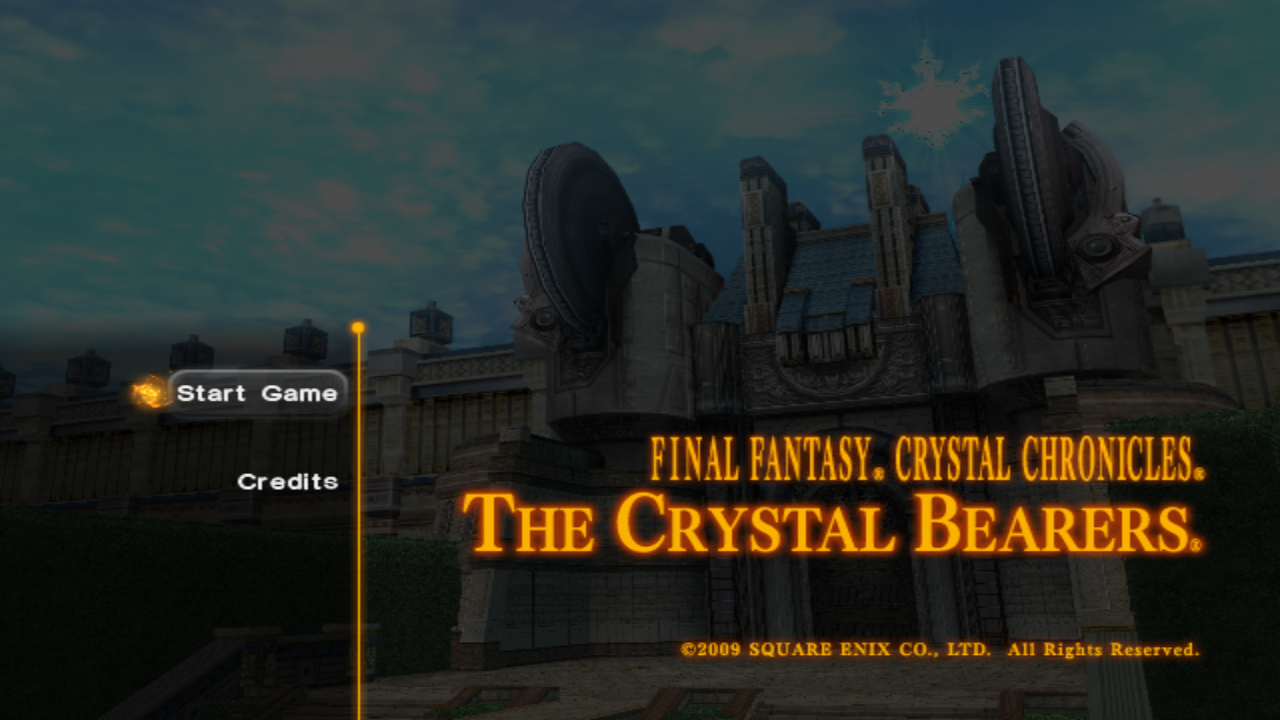
## Why? Why do we get a new Wii emulator? Well, it all started a few years ago. I wanted to do something nostalgic and as a kid I spent countless hour in this one Wii game called *Final Fantasy Crystal Chronicals: The Crystal Bearers*. It wasn't a well received game but I loved it so much, I chose my online persona "Layle" after the main protagonist. I figured it would be cool to spend some years learning about emulation development with the goal to eventually run the game in my own emulator! ## Sister Projects Gecko is being developed alongside other amazing emulators that shaped how Gecko came to be. Without them, Gecko wouldn't exist! - [lazuli](https://github.com/vxpm/lazuli) by vxpm - [solstice](https://codeberg.org/hazelwiss/solstice) by hazelwiss - [beanwii](https://github.com/zaydlang/beanwii) by zayd Besides these "sister projects", [Dolphin](https://github.com/dolphin-emu/dolphin) has also been a major contributor in many ways.