EE: Use a Remote MySQL/MariaDB server as backend database
Since iRedMail Enterprise Edition v1.6.0 ("EE" for short), EE supports
using a remote MySQL or MariaDB server as backend database.
This can be done during initial setup, not after.
Requirements
- A working remote MySQL or MariaDB server.
- A valid ssl cert for secure connection on server side is highly
recommended for security concern.
- iRedMail server must be running one of below Linux/BSD distributions and releases:
- CentOS Stream 10 or later
- Rocky 10 or later
- AlmaLinux 10 or later
- Debian 13 or later
- Ubuntu 24.04 or later
- OpenBSD 7.8 or later
- Network latency of SQL connection between iRedMail server and remote
SQL server should NOT be longer than 20 ms. Long latency causes
bad performance and user experience.
Initial Setup
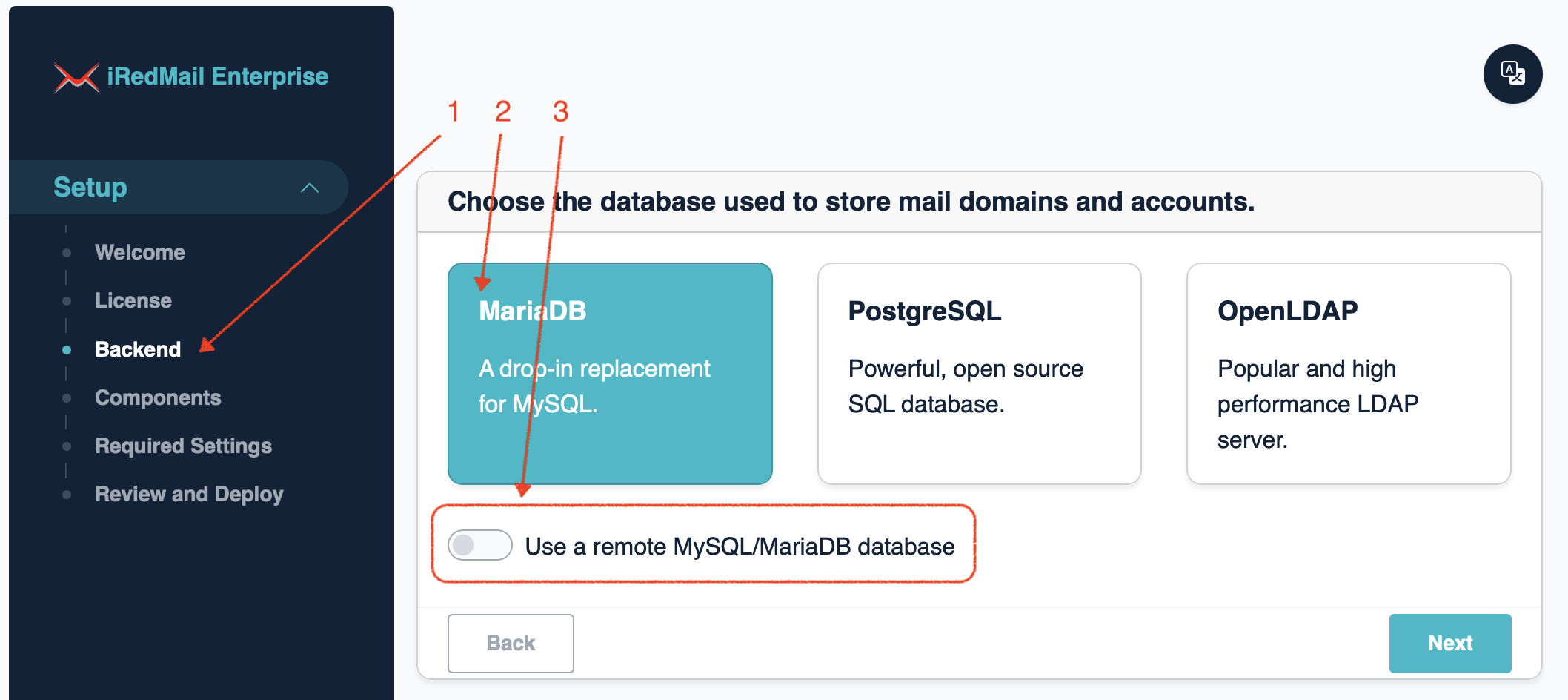
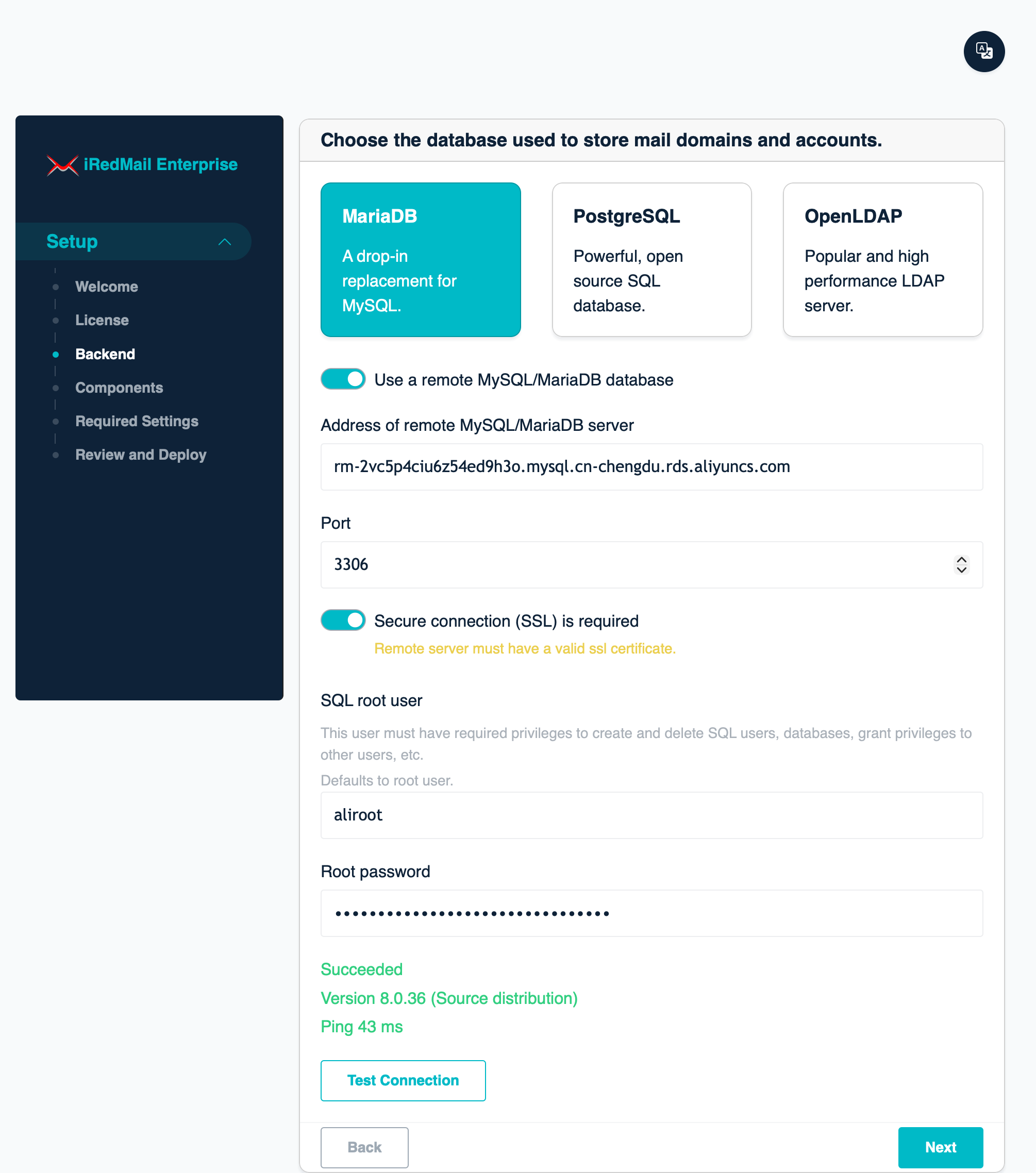
During initial setup, you can choose to use a remote MySQL or MariaDB server
as backend database to store mail accounts and application data.
Post-install management
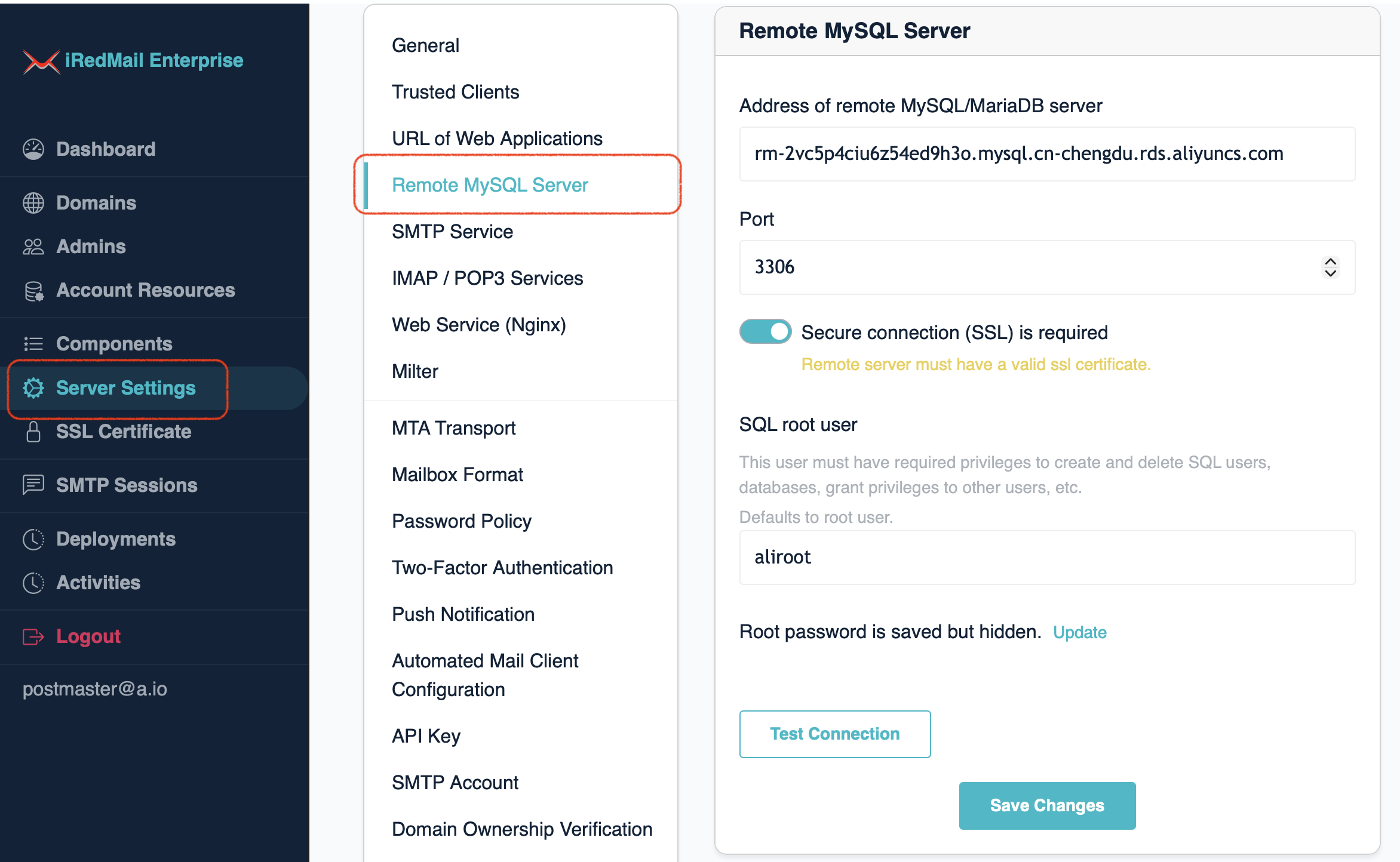
After initial setup, you can manage parameters of remote MySQL/MariaDB server.
- Login to EE as global admin
- Click
Server Settings -> Remote MySQL Server
Notes:
- SQL root password is hidden and not transferred on network due to security concern.
- You can still click button
Test Connection to test connection to remote SQL server.
- If you need to update SQL root password, please click the
Update button,
it will show you an input box, input the new password and click
Save Changes to update it.
See Also
 iRedMail
// Document Index
iRedMail
// Document Index