
🎋 ISMS CORE Platform
Production Deployment Guide — API, WebUI, and Connector Layer






Five products. One platform. All live.
---
> **⚠️ READ THIS FIRST — IKEA MANUAL WARNING ⚠️**
>
> This is the deployment manual. Read it top to bottom. Do not skip steps. Do not improvise.
>
> If you are deploying tonight, follow Steps 0 through 6 in order. The **Go-Live Checklist** is at the bottom of this document.
>
> The most common failure mode is running `bootstrap.sh` before the stack is fully up, or skipping it entirely. Both break things. Read Step 4.
---
## What Is ISMS CORE Platform?
ISMS CORE Platform is the **API and WebUI layer** that transforms the ISMS CORE products (Framework, Operational, Privacy, Cloud PII, Cloud Sec, AI) into a live compliance management system. The policies, assessment workbooks, and implementation guides are the content — Platform is the engine that ingests, correlates, and presents them as a unified operational dashboard covering ISO 27001:2022, ISO 27701:2025, ISO 27018:2025, ISO 27017:2026, and ISO 42001:2023.
**Without Platform:** You have policy files and Excel workbooks on disk. Excellent paperwork.
**With Platform:** You have a live compliance system — searchable, scored, gap-tracked, evidence-linked, audit-ready, and (with connectors) continuously fed by automated evidence from your real infrastructure.
> Platform is additive. The six content products shipped in this repository (Framework, Operational, Privacy, Cloud PII, Cloud Sec, AI) work perfectly without it. Platform is the operational layer for teams who need continuous compliance management rather than periodic file reviews.
---
## Architecture
### Ten-Service Stack
```
┌────────────────────────────────────────────────┐
Clients │ ISMS CORE Platform │
(browser) │ │
│ │ ┌──────────────────────────────────────────┐ │
▼ │ │ isms-core-nginx (ports 80 + 443) │ │
https://{HOST_IP} ────┼─►│ TLS termination + reverse proxy │ │
│ │ / → frontend /api/ → backend │ │
│ └──────────┬───────────────┬───────────────┘ │
│ │ │ │
│ ▼ ▼ │
│ ┌──────────────┐ ┌──────────────────┐ │
│ │ isms-core- │ │ isms-core- │ │
│ │ frontend │ │ backend │ │
│ │ Angular 22 │ │ FastAPI │ │
│ │ + Material 3 │ │ + SQLAlchemy │ │
│ └──────────────┘ └────┬──────┬──────┘ │
│ │ │ │
│ ┌───────────┘ │ │
│ ▼ ▼ │
│ ┌──────────────┐ ┌──────────────────┐ │
│ │ isms-core- │ │ isms-core- │ │
│ │ postgres │ │ redis │ │
│ │ PostgreSQL18 │ │ Redis 8 │ │
│ └──────────────┘ └────┬─────────────┘ │
│ │ │
│ ┌───────────┘ │
│ ▼ │
│ ┌──────────────┐ ┌──────────────────┐ │
│ │ isms-core- │ │ isms-core-beat │ │
│ │ worker │ │ Celery Beat │ │
│ │ Celery Worker│ │ (nightly jobs) │ │
│ └──────────────┘ └──────────────────┘ │
│ │
│ ┌──────────────────────────────────────────┐ │
│ │ isms-core-opensearch (internal) │ │
│ │ Full-text search (policy/IMP) │ │
│ │ + nvd-cve / nvd-cpe + evidence indices │ │
│ └────────────────────┬─────────────────────┘ │
│ │ │
│ ┌─────────┴─────────┐ │
│ ▼ ▼ │
│ ┌──────────────────┐ ┌──────────────────┐ │
│ │ isms-core-feeds │ │ isms-core- │ │
│ │ Threat intel │ │ connectors │ │
│ │ MITRE · KEV · │ │ 46 evidence │ │
│ │ EPSS · NVD CVE · │ │ connectors │ │
│ │ ENISA EUVD · EDB │ │ │ │
│ └──────────────────┘ └──────────────────┘ │
└────────────────────────────────────────────────┘
```
### Services
| Container | Technology | Role |
|-----------|-----------|------|
| `isms-core-nginx` | nginx (Alpine) | Reverse proxy — TLS termination, routes `/api/` to backend, `/` to frontend. Ports 80 + 443. |
| `isms-core-backend` | FastAPI 0.109+ | REST API, auth (JWT), business logic, import orchestration. Internal only — nginx proxies it. |
| `isms-core-frontend` | Angular 22 + Material 3 | WebUI — dashboards, control explorer, evidence management. Internal only — nginx proxies it. |
| `isms-core-postgres` | PostgreSQL 18 Alpine | Primary data store — all compliance data. Internal only (no exposed port in prod). |
| `isms-core-redis` | Redis 8 Alpine | Session cache + Celery task broker. Internal only. Optional TLS: `REDIS_TLS=true` (certificate from the platform CA) — see *Encrypted Redis and mail* below. |
| `isms-core-opensearch` | OpenSearch 3.x | Full-text search over policy and IMP content + NVD CVE/CPE indices. Internal only. |
| `isms-core-worker` | Celery 5.6 | Background tasks — import, sync, compliance recalculation. Queue: `isms`. |
| `isms-core-beat` | Celery Beat | Scheduled jobs — UTC schedule: evidence archive 02:00, audit-log retention purge 03:00, evidence-file purge 03:30, KEV evidence sync 04:30, daily KPI snapshots 06:00, evidence-expiry scan 08:00. No healthcheck (by design). |
| `isms-core-feeds` | Python 3.12 + schedule | Threat intelligence scheduler — MITRE ATT&CK, MITRE ATLAS, CISA KEV, VulnCheck KEV, FIRST EPSS, NVD CVE/CPE, ENISA EUVD, Exploit-DB (~52K exploits daily). Writes to Postgres and OpenSearch. Env: `FEEDS_CVE_ENABLED`, `FEEDS_CPE_FULL`, `FEEDS_EUVD_ENABLED`, `FEEDS_VULNCHECK_ENABLED`, `PLATFORM_KEY_ENCRYPTION_SECRET` (the NVD and VulnCheck keys are entered on Admin → API keys). |
| `isms-core-threat-intel` | Python 3.12 + schedule | **Optional** (activate via `COMPOSE_PROFILES=...,threat-intel`) OSINT IOC feed container — 12 sources: CIRCL MISP, Botvrij MISP, AbuseIPDB, URLhaus, ThreatFox, SSLBL, AlienVault OTX, Red Flag Domains, Stopforumspam, MalwareBazaar, Feodo Tracker, Malpedia. VirusTotal enrichment (optional). On-demand trigger server on port 9002. Env: `THREAT_INTEL_ENABLED`, `PLATFORM_KEY_ENCRYPTION_SECRET`, `TI_MISP_IMPORT_FROM_DATE` (the feed API keys are entered on Admin → API keys). |
| `isms-core-connectors` | Python 3.12 | Automated evidence runner — loads all 46 connectors dynamically, pushes evidence to `connector_evidence` table. Env: `CONNECTORS_WORKER_SECRET`. |
| `isms-core-backup` | offen/docker-volume-backup v2 | **Optional** (activate via `COMPOSE_PROFILES=...,backup`) Daily volume backup — archives `postgres-data`, `garage-meta`, `garage-data` to `BACKUP_ARCHIVE_PATH` on the host. Runs on cron (default 03:20 UTC), stops postgres briefly for consistency. Config: `backup.env`. No healthcheck (by design). |
> **Access in production:** `https://{HOST_IP}` via nginx. Do NOT access `:3000` or `:8000` directly — those ports are not exposed in production.
---
> **Deployment Profiles — set in `.env`, not on the CLI**
>
> `COMPOSE_PROFILES` in `.env` controls which service groups activate. Docker Compose reads it automatically — no `--profile` flags needed on the command line. Pick one `COMPOSE_PROFILES` line in `.env.example`, uncomment it, and `docker compose up -d` just works.
>
> | `COMPOSE_PROFILES` value | What starts |
> |---|---|
> | `opensearch-single` | Standard stack (default) |
> | `opensearch-single,threat-intel` | + OSINT IOC feeds — also set `THREAT_INTEL_ENABLED=true` |
> | `opensearch-single,dashboards` | + OpenSearch Dashboards on port 5601 |
> | `opensearch-single,garage` | + Garage S3 object store |
> | `opensearch-single,mailpit` | + Mailpit local mail catcher (dev only) |
> | `opensearch-single,smtp-bridge` | + Microsoft 365 SMTP relay |
> | `opensearch-single,backup` | + Automated daily volume backup (configure `backup.env` first) |
> | `opensearch-single,threat-intel,dashboards,smtp-bridge,backup` | Full standard stack + OSINT IOC feeds — also set `THREAT_INTEL_ENABLED=true` |
> | `opensearch-cluster,garage,dashboards,threat-intel,smtp-bridge,backup` | Full enterprise stack + OSINT IOC feeds — also set `THREAT_INTEL_ENABLED=true` |
>
> **`opensearch-single` and `opensearch-cluster` are mutually exclusive — always include exactly one.**
>
> **Evidence Storage Backend (`EVIDENCE_STORE`):** defaults to `postgres`. Setting to `opensearch` routes evidence through OpenSearch with files in Garage S3 — requires the `garage` + `opensearch-cluster` profiles.
---
### Data Model
| Entity | Description |
|--------|-------------|
| **Control Groups** | 104 groups — 54 ISMS (ISO 27001), 22 Privacy (ISO 27701), 12 Cloud PII (ISO 27018), 5 Cloud Sec (ISO 27017), 11 AI (ISO 42001); each count includes the product's foundation group |
| **Policies** | POL, OP-POL, PRIV-POL, CLD-POL, CLD-SEC-POL, AI-POL, INS, REF, CTX, FORM — typed, product-tagged, state-tracked |
| **Implementations** | IMP-UG/TG documents, indexed into OpenSearch for full-text search |
| **Assessments** | Excel workbook contents: sheets, items, compliance status per item; Framework, Operational, Privacy, Cloud PII, Cloud Sec, and AI checklists |
| **Gaps** | Identified compliance gaps with severity, owner, SLA, and remediation tracking |
| **Evidence** | Evidence items linked to control groups and assessment items — manual upload + automated connector ingestion |
| **Connector Evidence** | Automated evidence from connectors — timestamped, classified, source-labelled |
| **Frameworks** | 41 reference frameworks: ISO 27001, NIST CSF 2.0, NIST AI RMF 1.0, MITRE ATT&CK v19 and v20, GDPR, DORA, NIS2, CIS Controls v8, BSI IT-Grundschutz Kompendium, TISAX/VDA ISA 6.0, Swiss nDSG 2023, Swiss ISG (SR 128), EU CRA 2024, EU AI Act, CyberFundamentals BE, BaFin BAIT DE, CSSF 20-750 LU, ACN IT, UK NIS, UK Operational Resilience, NCSC CAF v4.0, ReCyF v2.5 (France NIS2), FINMA, COBIT 2019, and more |
| **Crosswalk Mappings** | Cross-framework relationships: 4,632 objects / 60 axes — including ISO 27001 ↔ MITRE ATT&CK v19 (36) and v20 (45), ISO 27001 ↔ FINMA (73), ISO 27001 ↔ OWASP ASVS 5.0 (22), NIST SP 800-53 R5 ↔ MITRE ATT&CK v19 (590), BSI IT-Grundschutz (ISO 27001 ↔ BSI: 386, ISO 27701 ↔ BSI: 101, ISO 27018 ↔ BSI: 51), NCSC CAF v4.0 (41), ReCyF v2.5 / FR NIS2 (20), Swiss ISG (27), ISO 27017 ↔ CSA CCM v4.1/NIST CSF 2.0/FINMA/ISO 27001/DORA/NIS2 (37), and EU country frameworks (CyberFundamentals BE: 107, BaFin BAIT: 69, CSSF LU: 47, ACN IT: 43, UK NIS: 51, UK Op. Resilience: 34) |
| **NIST CSF 2.0 Profiles** | Named assessment profiles — tier 1–4 ratings for all 106 subcategories, per-function scoring, gap analysis, XLSX import/export |
| **Compliance Assessments** | 29 frameworks — see [COMPLIANCE.md](COMPLIANCE.md) for full coverage |
| **Projects** | Workspace layer — named projects own a curated subset of policies, implementations, assessments, gaps, and evidence; doc-vars substitution (org name, CISO, effective date) applied on add; active/inactive/draft/archived lifecycle |
| **System Event Log** | Immutable trail of every platform action (who, what, when, resource) |
| **Threat Intelligence** | Feed run history, CISA KEV entries, VulnCheck KEV entries (separate table — broader than CISA's, ~67% of entries not in CISA KEV), EPSS scores, MITRE techniques, ENISA EUVD entries, Exploit-DB cross-references. NVD CVE (~420K docs) and CPE (~50-100K docs) stored in OpenSearch indices `nvd-cve` / `nvd-cpe` with EPSS + KEV + VulnCheck KEV + EUVD + Exploit-DB cross-enrichment at index time (`edb_id`, `edb_verified`, `edb_description`, `in_vulncheck_kev` fields added to matching CVEs). CVSS 4.0 supported. OSINT IOC feeds (12 sources): CIRCL MISP + Botvrij MISP (120K+ IOCs), AbuseIPDB blacklist, URLhaus, ThreatFox, SSLBL, AlienVault OTX (pulses with TLP labels + confidence), Feodo Tracker, Red Flag Domains, Stopforumspam, MalwareBazaar, Malpedia (malware families + threat actors) — all indexed to per-source OpenSearch indices and cross-enriched at ingest with ATT&CK TIDs, family slugs, actor slugs, and TLP labels. VirusTotal enrichment updates IOC confidence scores daily; GreyNoise adds on-demand IP-noise classification on the IP Enrichment page (50 lookups/week free tier, manual lookup only). |
---
## Screenshots
Login
 |
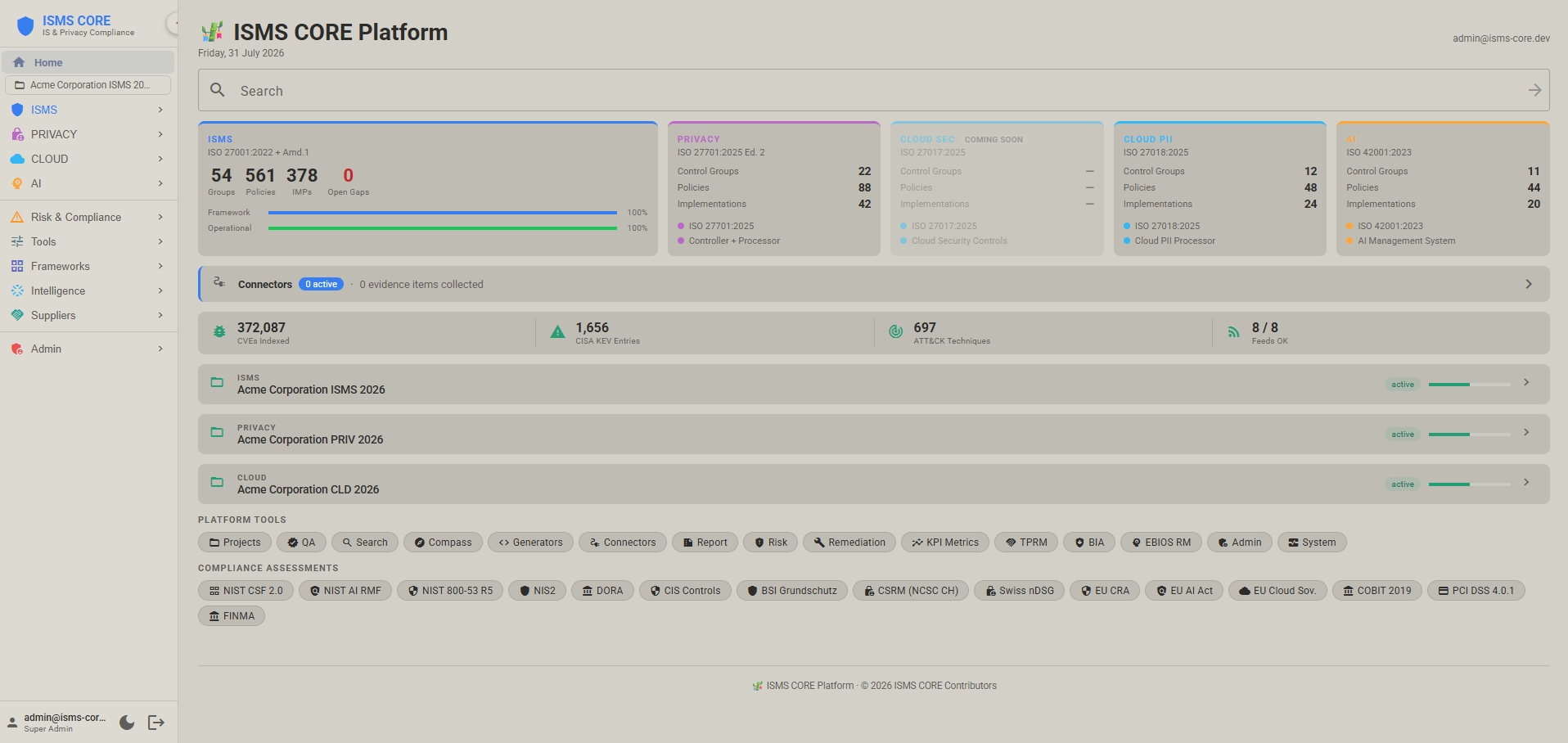
Home — Product Dashboard
 |
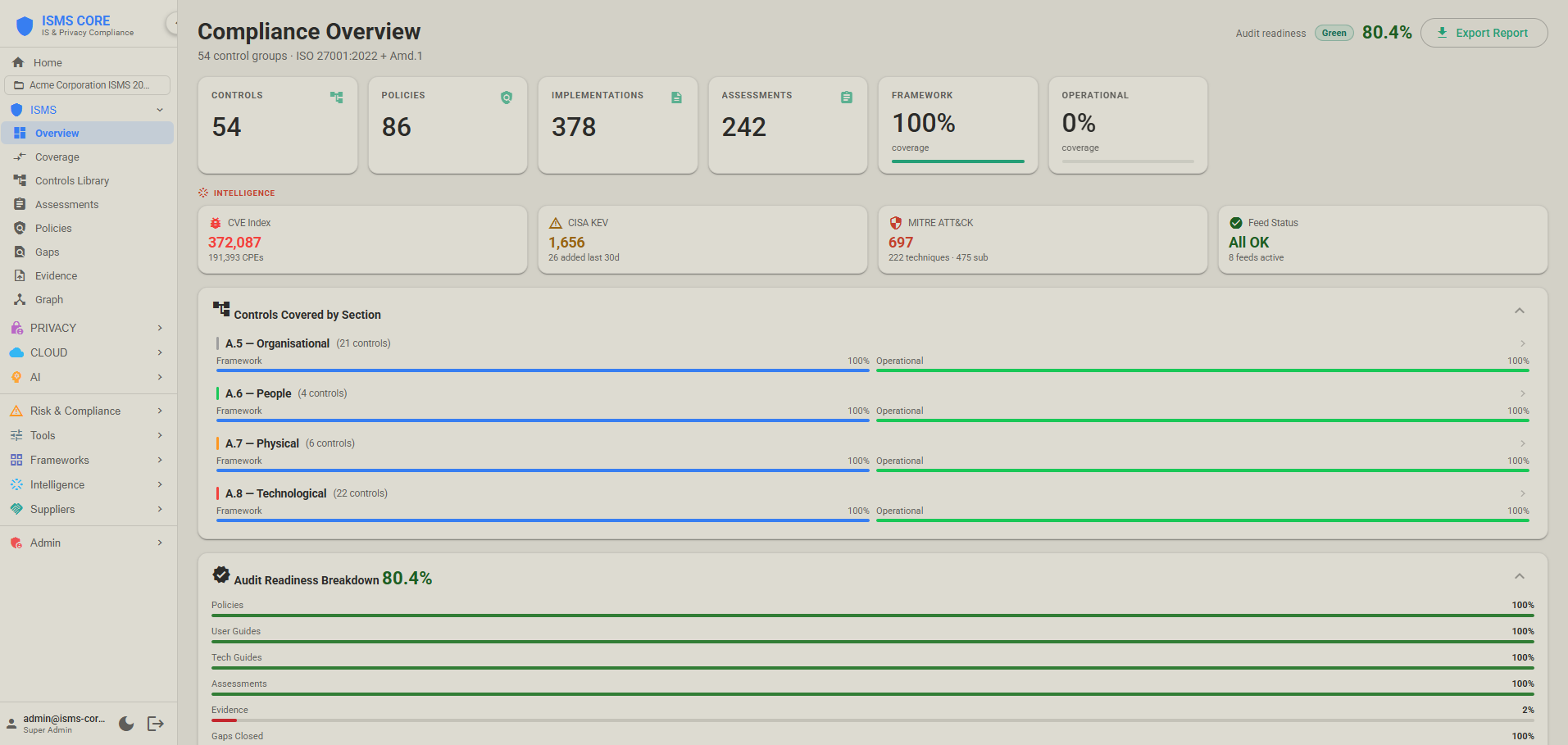
Compliance Overview
 |
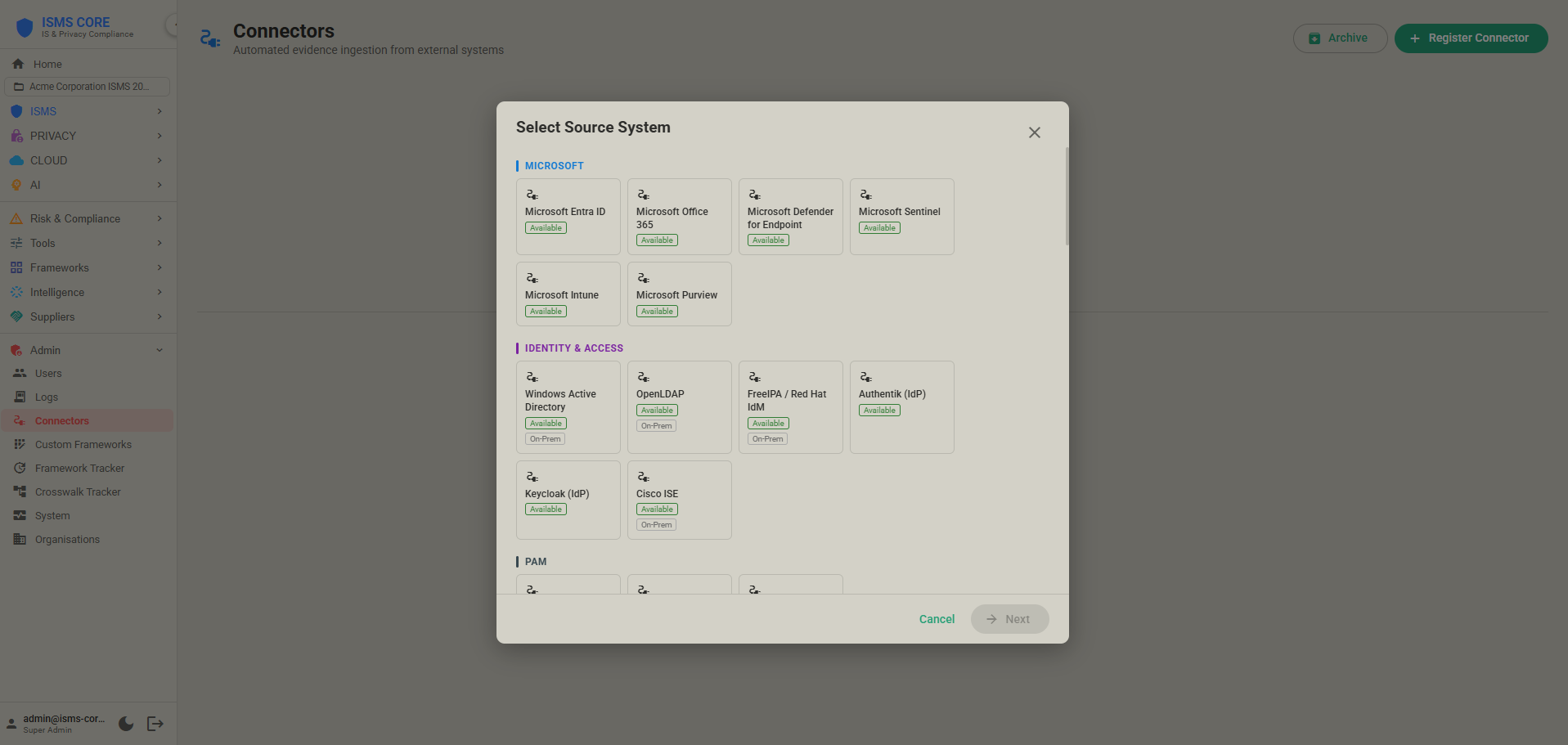
Connectors — Automated Evidence
 |
ISMS Compass — AI Gap Analysis
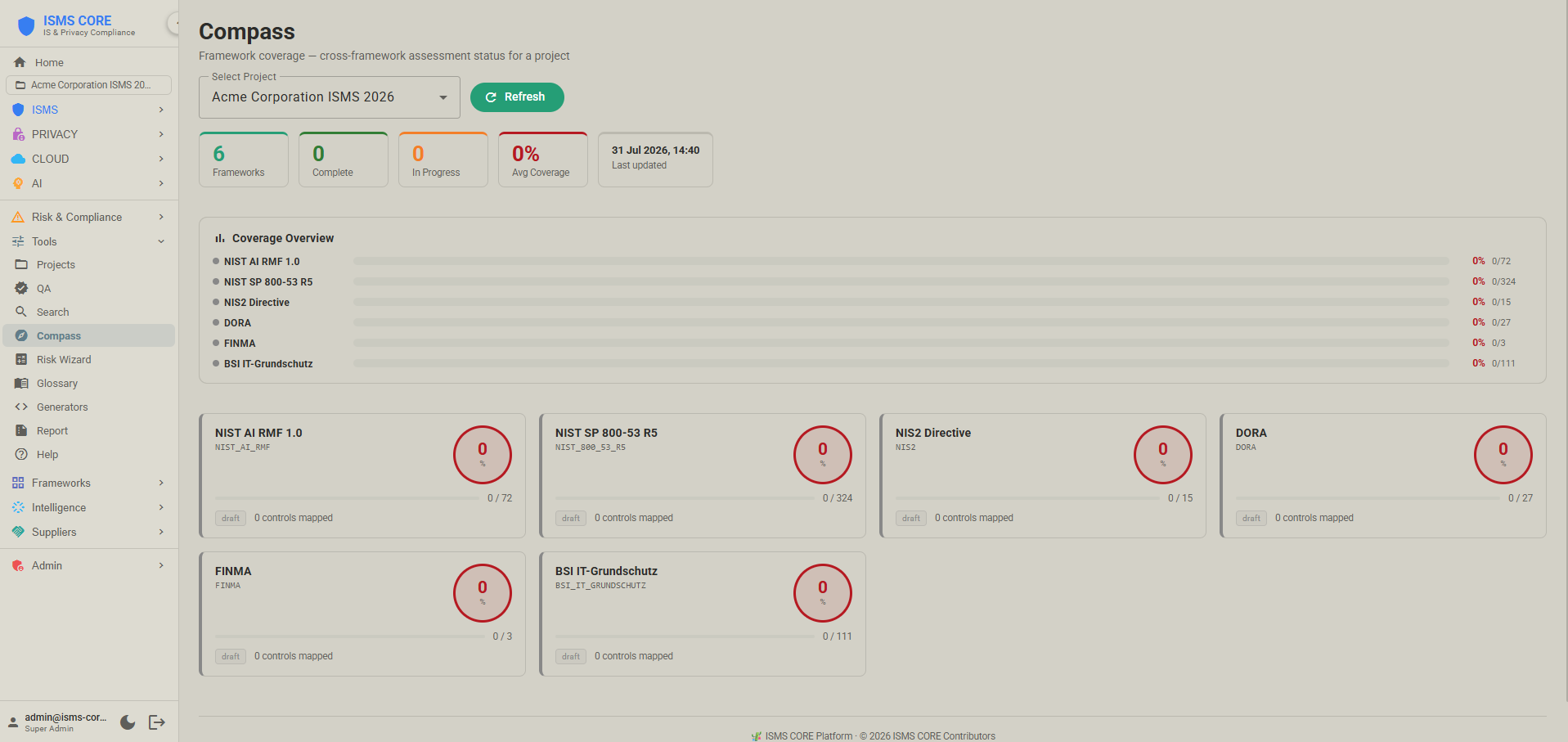 |
System Status
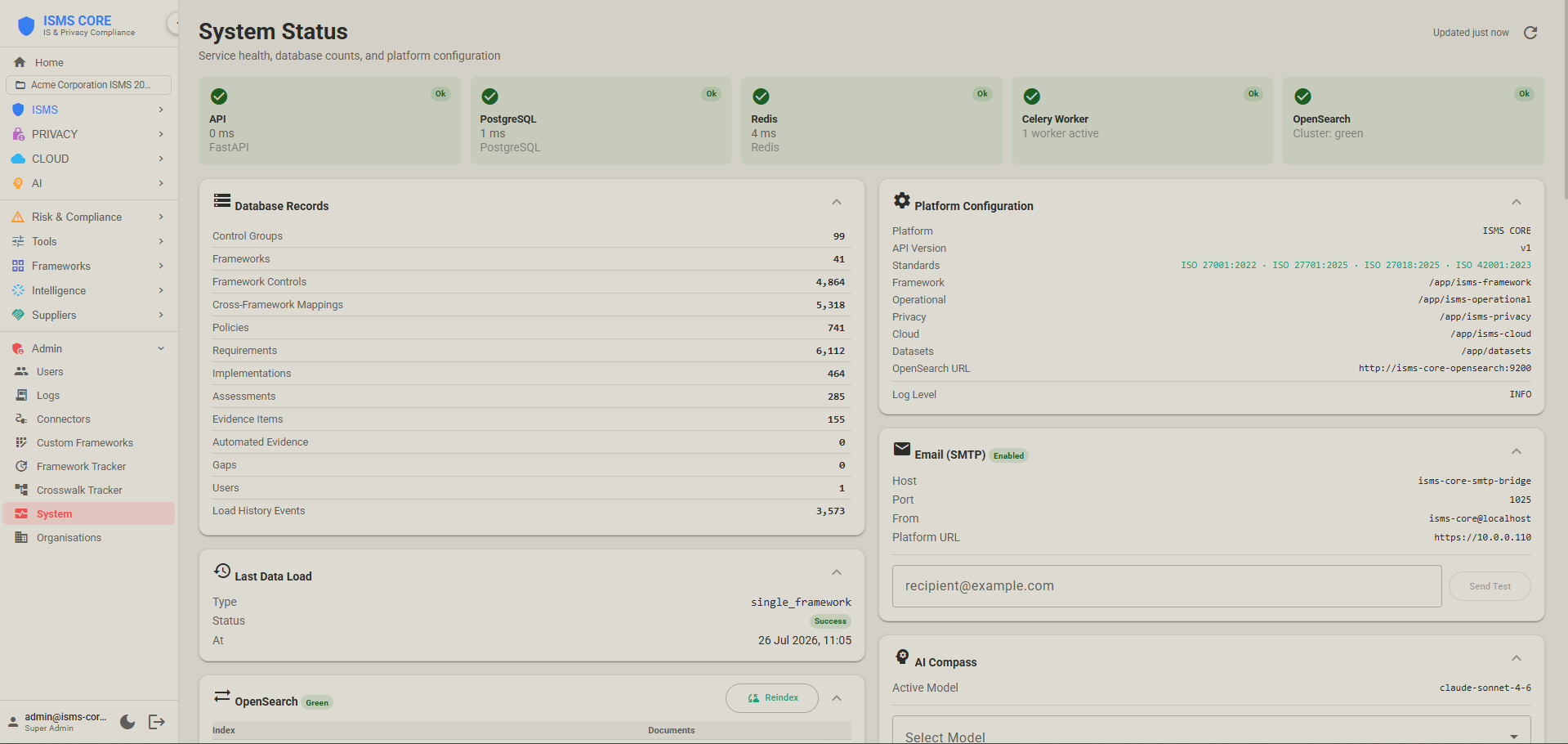 |
NIST CSF 2.0 Assessment
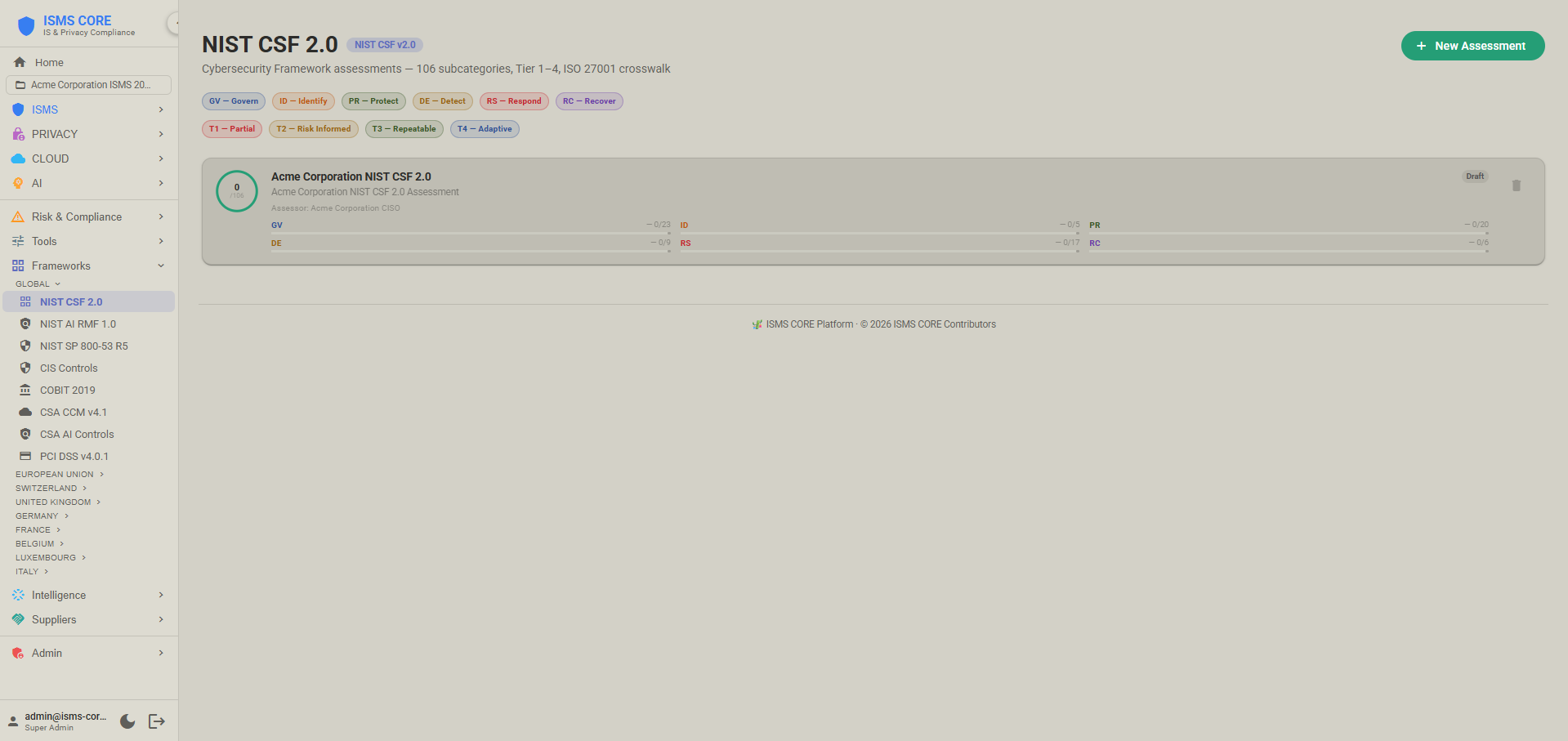 |
NIS2 Directive Assessment
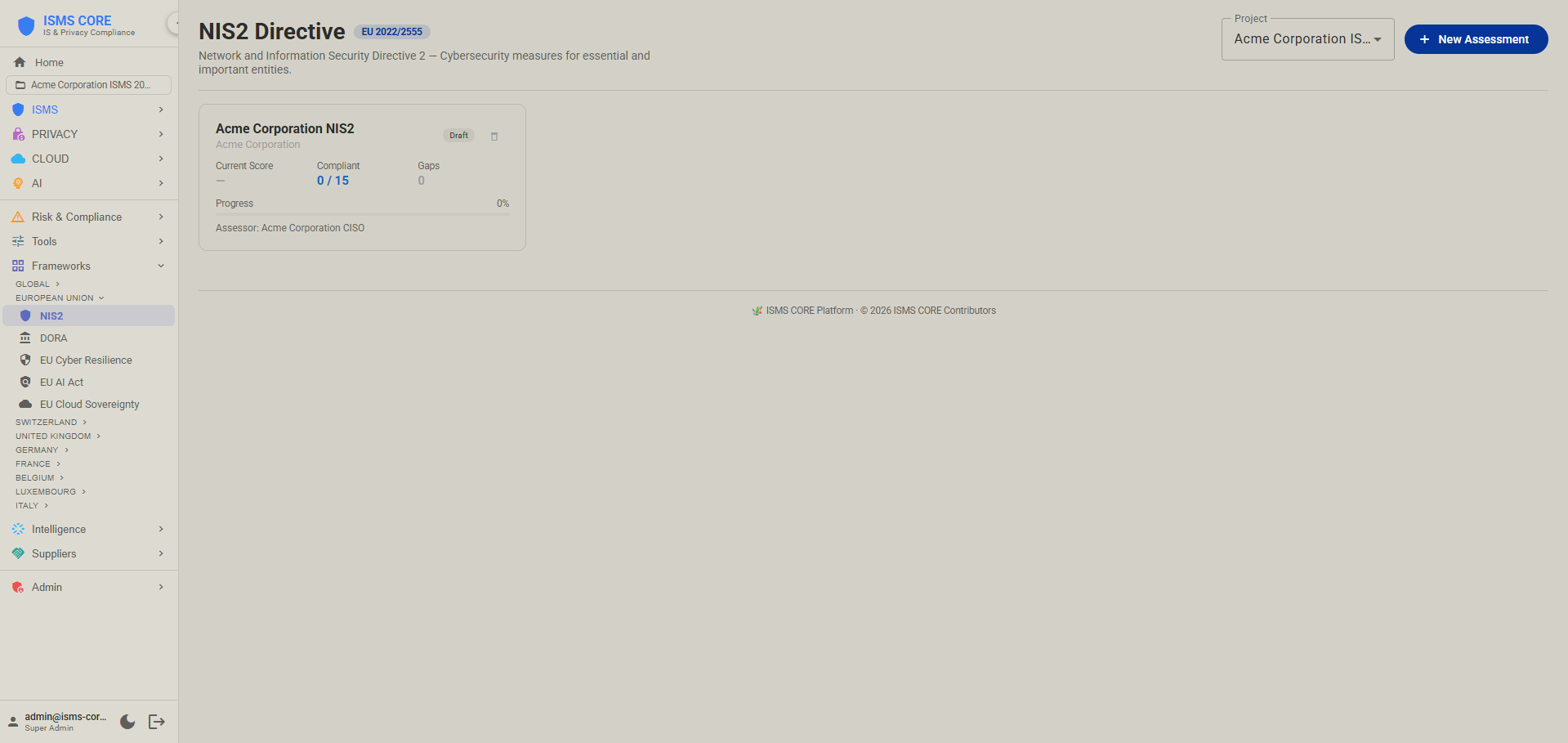 |
---
## Features
| Feature | Description |
|---------|-------------|
| **Control Explorer** | Browse all 104 control groups (ISMS + Privacy + Cloud PII + Cloud Sec + AI) with compliance scores, policy status, assessment history |
| **Compliance Dashboard** | Aggregated scores across all four products with section breakdown; ISMS / Privacy / Cloud / AI product switcher |
| **Coverage Heatmap** | Policy and assessment coverage by control group and section |
| **Policy Manager** | Browse, filter, preview, and manage all POL/OP-POL/PRIV-POL/CLD-POL/AI-POL/INS/REF/CTX documents |
| **Assessment Tracker** | Framework (188 workbooks), Operational (53 checklists), Privacy (21), Cloud (16: 12 PII + 4 Sec), AI (10) with per-item compliance status |
| **Gap Management** | Full gap lifecycle: create, assign, track, close — severity, SLA monitoring, BSI 200-3 automatic risk calculator (likelihood × impact → risk level, pre-mapped threat codes per ISO section) |
| **Evidence Tracker** | Evidence items with expiry tracking, verification status, and freshness alerts |
| **Connectors** | Automated evidence ingestion from 46 systems — continuous compliance signals from real infrastructure |
| **Nightly Evidence Archive** | Celery Beat job archives stale connector evidence at 02:00 UTC daily |
| **Crosswalk Viewer** | Cross-framework mappings: 4,632 objects / 60 axes — ISO 27001 ↔ NIST CSF ↔ MITRE ATT&CK v19 / v20 ↔ GDPR ↔ DORA ↔ BSI IT-Grundschutz ↔ FINMA ↔ OWASP ASVS 5.0 ↔ NCSC CAF ↔ ReCyF v2.5 and more |
| **QA / Existence Checker** | Validate that all expected artifacts are present (Framework, Operational, Privacy, Cloud PII, Cloud Sec, AI) |
| **System Event Log** | Full audit log of all platform actions |
| **Admin Panel** | User management (CRUD), system info, service health, DB stats, import triggers |
| **Full-Text Search** | Search across all policy and IMP document content via OpenSearch (product-filtered) |
| **ISMS Compass** | AI gap analysis against ISMS CORE Gold Standard (requires `ANTHROPIC_API_KEY`) |
| **Compliance Assessment Suite** | 29 compliance frameworks with assessment, scoring, gap tracking, and export. See [COMPLIANCE.md](COMPLIANCE.md). |
| **NIST CSF 2.0 Assessment** | 106 subcategories across 6 functions (incl. GV — Govern), tier 1–4 ratings, radar + bar chart, XLSX import from official NIST template, XLSX/CSV export |
| **NIS2 Assessment** | EU 2022/2555 — 10 Article 21(2) security measures + 5 Article 23 reporting obligations, maturity 0–4 |
| **DORA Assessment** | EU 2022/2554 — 27 articles across 5 pillars (ICT Risk, Incident Reporting, Resilience Testing, Third-Party Risk, Information Sharing), maturity 0–4 |
| **CIS Controls v8 Assessment** | 153 safeguards across 18 controls, maturity 0–4 |
| **BSI IT-Grundschutz Assessment** | All 111 Bausteine across 10 layers, maturity 0–4. Paired with 538 crosswalk mappings across three ISO standards. |
| **CSRM Assessment (NCSC CH)** | Custom object-centric module — IT Protection Objects, 20 NIST CSF 2.0 baseline requirements, binary status, 6 Control Objectives |
| **TISAX Assessment** | VDA ISA 6.0 — 79 requirements across 9 domains, maturity 0–4 |
| **Swiss ISG Assessment (SR 128)** | Swiss Federal Act on Information Security 2024 — 27 requirements, 24h cyberattack reporting to BACS/OFCS (Art. 74e), maturity 0–4; ISO 27001 crosswalk: 40 mappings |
| **Swiss nDSG Assessment** | Swiss Federal Act on Data Protection 2023 — 25 provisions across 6 chapters, maturity 0–4 |
| **EU Cyber Resilience Act Assessment** | EU 2024/2847 — 26 essential requirements across 6 groups, maturity 0–4 |
| **EU AI Act Assessment** | EU 2024/1689 — 9 articles from Chapter III high-risk AI system requirements (Art. 8–15, Art. 27), maturity 0–4 |
| **NIST AI RMF 1.0 Assessment** | 72 subcategories across 4 functions (GOVERN, MAP, MEASURE, MANAGE), maturity 0–4; ISO 42001 crosswalk: 32 mappings, EU AI Act: 13 mappings |
| **EU Cloud Sovereignty Framework** | 8 Sovereignty Objectives (SOV-1 to SOV-8), SEAL-0 to SEAL-4 scoring, weighted Sovereignty Score |
| **COBIT 2019 Assessment** | 40 governance/management objectives, capability scoring 0–4 |
| **CyberFundamentals (BE)** | 41 NIST CSF 2.0 aligned practices, maturity 0–4; ISO 27001 crosswalk: 107 mappings |
| **BaFin BAIT (DE)** | Rundschreiben 10/2017 (amended 2021) — 23 requirements across 12 modules, maturity 0–4; ISO 27001 crosswalk: 69 mappings |
| **CSSF 20-750 (LU)** | ICT Risk — 19 requirements across 7 domains, maturity 0–4; ISO 27001 crosswalk: 47 mappings |
| **ACN Guidelines (IT)** | Determinazione obblighi di base (Apr 2025) — 37 measures/87 requirements (Important) or 43 measures/116 requirements (Essential), maturity 0–4; ISO 27001 crosswalk: 43 mappings |
| **UK NIS Assessment** | UK NIS Regulations 2018 — 13 requirements across 3 objectives, maturity 0–4; ISO 27001 crosswalk: 51 mappings |
| **UK Operational Resilience** | FCA/PRA PS21/3 + PS26/2 — 12 requirements across 4 objectives, maturity 0–4; ISO 27001 crosswalk: 34 mappings |
| **NCSC CAF v4.0 Assessment** | UK NCSC Cyber Assessment Framework v4.0 — 41 Contributing Outcomes across 14 Principles and 4 Objectives; Not Achieved / Partially Achieved / Achieved; ISO 27001 crosswalk: 65 mappings |
| **ReCyF v2.5 Assessment (France NIS2)** | ANSSI ReCyF v2.5 — 20 Security Objectives across 4 pillars (Gouvernance / Protection / Défense / Résilience), 152 requirements; France's pending NIS2 transposition law; ISO 27001 crosswalk: 50 mappings |
| **Assessment Collections** | Group multiple assessments into named collections with derived stats (completion %, compliance %, status rollup). Export as CSV, colour-coded XLSX, or PDF (A4). |
| **Projects Workspace** | Create named projects — own, edit, and track a curated set of policies and implementations from the library. WYSIWYG editing, doc-vars substitution, bulk actions, SCR checklists, completeness scoring. |
| **Document Editor** | TipTap v3 WYSIWYG + raw source toggle; grid table auto-conversion (RST → GFM); metadata comment stripping |
| **Connector Evidence Promote** | Promote automated connector evidence into the Evidence Tracker scoped to the active project |
| **Collapsible Sidebar** | Azure Portal-style icon-only sidebar — collapses to 52 px strip, full tooltips, state persisted in localStorage |
| **RBAC** | Role-based access: Super Admin / Admin / ISMS Manager / Auditor (read-only plus findings and evidence review) / Control Owner (assigned control groups only) / Viewer; one login can hold a role in several organisations |
| **Third-Party API Keys** | Admin → API keys (Super Admin): NVD, VulnCheck, the threat-intelligence feed keys and the Anthropic key, in three tabs with an Enabled switch per key; stored encrypted, never shown again; keys already in `.env` are imported once on upgrade |
| **Approval Workflow** | Content state lifecycle: draft → review → approved → published |
| **Risk Register** | Project-scoped risk scenarios with 5×5 probability/impact matrix and visual risk heatmap |
| **Risk Heatmap** | Colour-coded 5×5 grid — view all risks at a glance, drill into any cell |
| **Remediation + ITSM Push** | Risk acceptance sign-off + action plans with ETA, cost, effort, progress; idempotent push to Jira / ServiceNow; ticket status sync |
| **KPI Dashboard** | 9 named metrics: `compliance_score`, `policy_coverage`, `risk_score_avg`, `risk_critical_count`, `evidence_freshness`, `gap_open_count`, `gap_closure_rate`, `remediation_overdue`, `audit_readiness`; sparkline trend charts |
| **Audit Readiness Score** | Composite hero score derived from all 9 KPI metrics |
| **Metrics Portfolio** | `super_admin` can view KPI metrics across all organisations from a single view |
| **TPRM** | Vendor/supplier register with criticality rating; DORA ICT service fields; vendor assessments; contract tracking with expiry alerts; dedicated DORA register view |
| **BIA** | Business Impact Analysis — asset records with RTO/RPO/MTPD hours; financial, operational, reputational, and regulatory impact scores; recovery testing tracking |
| **EBIOS RM** | Full 5-workshop ANSSI risk methodology — feared events, risk sources, strategic scenarios (likelihood × gravity matrix), attack paths with MITRE ATT&CK technique mapping |
| **Custom Framework Import** | YAML-based upload of custom or sector-specific frameworks; auto-mapped against ISO 27001 via `iso_mappings`; coverage % shown |
| **Country Localisation** | Policy rendering adapts regulatory references for 8 jurisdictions: CH (default), FR, BE, LU, DE, AT, IT, GB — applied at request time from `org.country` |
| **Cross-Framework Coverage** | BFS inference maps ISO 27001 assessment coverage to NIS2, DORA, and GDPR; Mapping Matrix and Inferred Coverage tabs |
| **MFA** | TOTP-based 2FA — Google Authenticator / Authy compatible; QR code setup; 8 single-use backup codes; auto-submits on 6-digit entry |
| **Threat Intelligence Feeds** | Two dedicated containers pulling 21+ sources. `isms-core-feeds` (9): MITRE ATT&CK v20 (weekly — 706 techniques, 15 tactics; v19 kept alongside), MITRE ATLAS (weekly), CISA KEV (daily), VulnCheck KEV (daily — VulnCheck's own, broader KEV catalogue; ~67% of entries not in CISA's), FIRST EPSS (daily — 10K limit, daily OpenSearch sync), NVD CVE full+delta (weekly/daily — ~420K CVEs, CVSS 4.0 supported), NVD CPE Option B (weekly), ENISA EUVD (daily — exploited + critical CVEs), Exploit-DB (daily — ~52K exploit entries cross-referenced to NVD CVE by CVE ID; adds EDB chip + Metasploit badge to CVE Explorer). `isms-core-threat-intel` (optional profile, 12 sources): CIRCL MISP + Botvrij MISP (6-hourly delta, 120K+ IOCs), AbuseIPDB (daily), URLhaus (daily — malware URLs), ThreatFox (6-hourly — malware IOCs), SSLBL (daily — malicious SSL cert fingerprints), AlienVault OTX (daily — pulses with TLP labels + confidence scores), Red Flag Domains (daily), Stopforumspam (daily), MalwareBazaar (6-hourly — malware hashes), Feodo Tracker (6-hourly — C2 botnet IPs), Malpedia (weekly — malware families + actors). VirusTotal enrichment (daily — optional, updates IOC confidence scores). GreyNoise (on-demand IP lookup only, `isms-core-backend` — not a scheduled feed, 50 lookups/week free tier). All OSINT IOCs cross-enriched at ingest with ATT&CK TIDs, family slugs, actor slugs, TLP labels. |
| **CVE / CPE Explorer** | Search and filter ~420K NVD CVE entries by severity, EPSS score, CVSS version (v2/v3/v4), year, KEV-only, VulnCheck-only, EUVD flag, EDB-only (Exploit-DB cross-reference filter). Detail panel: CVSS scores (v2/v3/v4), CPE applicability, CWEs, NVD references, CISA KEV badge, VulnCheck KEV badge (independent of CISA's), EUVD badge, EDB/EDB✓ chip (Metasploit badge when `edb_verified`). Separate CPE tab. |
| **EUVD Explorer** | ENISA European Vulnerability Database — browse exploited and critical vulnerabilities; filter by score, exploited-only toggle, critical-only toggle, EU-assigned toggle (mutually exclusive); detail panel with vendors, products, EPSS, aliases. |
| **KEV Audit Report (A.8.8)** | Audit trail for ISO 27001:2022 A.8.8 using CISA KEV feed — remediation status by CVE, per-vendor summary, CSV export for auditor evidence. |
| **Threat Exposure** | Active MITRE techniques from live IOC feeds mapped to ISO 27001 controls — gaps highlighted. Summary bar: active techniques / affected controls / gap count. Per-technique table with IOC count, source feed chips, and colour-coded control chips (green ≥ 70%, orange 40–69%, red < 40%, grey = not assessed). Requires `threat-intel` in `COMPOSE_PROFILES`. |
| **IOC Explorer** | Search and filter OSINT IOCs across all 12 sources (CIRCL MISP, Botvrij MISP, AbuseIPDB, URLhaus, ThreatFox, SSLBL, AlienVault OTX, Red Flag Domains, Stopforumspam, MalwareBazaar, Feodo Tracker, Malpedia) by type (IP / domain / URL / hash), source, and free-text. Columns: type, value, source, confidence, TLP label, last seen, attribution (family / actor / ATT&CK TID chips). Expand any row for full detail including all tags. |
| **IP Enrichment** | On-demand single-IP lookup across five sources: AbuseIPDB (abuse score + report count + categories), Shodan paid API (open ports, banners, CVEs, hostnames) or InternetDB free fallback, MaxMind GeoLite2 (geo/ASN), IPInfo (privacy classification), GreyNoise (noise/scanner classification + RIOT status). AbuseIPDB/Shodan cached 24h; MaxMind/IPInfo/GreyNoise cached 30 days (lower-volume or stricter-quota sources). |
| **Malware Atlas** | Malpedia-sourced malware family browser (aliases, description, ATT&CK TIDs, associated actors) and threat actor directory (country attribution, motivation). |
| **Health Alert Banner** | Dismissible warning banner when any feed run, connector sync, or OpenSearch check reports an error in the last 24 hours. Red-dot sidebar badges on Intelligence and Suppliers groups. |
| **CPE Option B Toggle** | Admin UI switch on Threat Feeds page to enable/disable NVD CPE Option B at runtime. Setting stored in `platform_settings` DB table, overrides env var. |
| **Dashboard Intelligence Cards** | Four clickable summary cards on Dashboard: CVE Index count, CISA KEV total, MITRE ATT&CK status, Feed Health. |
| **Project-Scoped Risk/Gaps/Evidence** | Risk scenarios, gaps, and evidence items are scoped to the active project — switching projects switches context |
---
## Production Deployment — Step by Step
### Step 0 — Prerequisites
**Software:**
```bash
docker --version # Must be 24.0 or higher
docker compose version # Must be v2.x (not legacy docker-compose v1)
```
If either command fails, install Docker Desktop (macOS/Windows) or Docker Engine for Linux.
**Hardware (minimum for production):**
- RAM: 6 GB free (OpenSearch ~1.5 GB, backend ~512 MB, frontend ~256 MB, Postgres ~512 MB)
- Disk: 20 GB free
- CPU: 2 cores minimum, 4 recommended
**Linux only — OpenSearch kernel requirement:**
```bash
# Takes effect immediately:
sudo sysctl -w vm.max_map_count=262144
# Survives reboots:
echo "vm.max_map_count=262144" | sudo tee -a /etc/sysctl.conf
```
macOS and Windows Docker Desktop handle this automatically — no action needed.
---
### Directory Layout
The platform expects ISMS CORE content repositories to sit **alongside** the platform directory:
```
/your/base/directory/
├── factory_isms/
│ ├── isms-core-platform/ ← docker-compose.yml lives here
│ ├── isms-core-framework/ ← FRAMEWORK content (mounted read-only)
│ ├── isms-core-operational/ ← OPERATIONAL content (mounted read-only)
│ ├── isms-core-privacy/ ← PRIVACY content — ISO 27701:2025 (mounted read-only)
│ ├── isms-core-cloud/ ← CLOUD content — ISO 27018:2025 (mounted read-only)
│ └── isms-core-ai/ ← AI content — ISO 42001:2023 (mounted read-only)
```
The `docker-compose.yml` mounts all five product directories as read-only volumes. The platform never modifies these files.
---
### Step 1 — Copy Files to Server
```bash
# Run this from your dev machine:
rsync -av \
--exclude='.env' \
--exclude='__pycache__' \
--exclude='*.pyc' \
--exclude='.git' \
--exclude='node_modules' \
--exclude='certs' \
/path/to/factory_isms/isms-core-platform/ \
user@server:/home/user/isms-core/
ssh user@server
cd /home/user/isms-core
```
---
### Step 2 — Create .env
```bash
cp .env.example .env
```
Edit `.env` — minimum required settings. Generate each secret with:
```bash
python3 -c "import secrets; print(secrets.token_hex(32))"
```
```env
# Deployment mode — Docker Compose reads this automatically; no --profile flags needed.
# The default below is correct for most deployments. See .env.example for all options.
COMPOSE_PROFILES=opensearch-single
# COMPOSE_PROFILES=opensearch-single,threat-intel # ⚠ also set THREAT_INTEL_ENABLED=true
# COMPOSE_PROFILES=opensearch-cluster,garage,dashboards,threat-intel # enterprise
# Host
HOST_IP=10.0.0.112 # REQUIRED — your server IP
FQDN= # optional — set for Let's Encrypt TLS
PLATFORM_URL=https://10.0.0.112 # REQUIRED — match HOST_IP above
CORS_ORIGINS=https://10.0.0.112 # REQUIRED — match HOST_IP above
# Secrets — generate each with the command above
POSTGRES_PASSWORD= # REQUIRED
REDIS_PASSWORD= # REQUIRED
SECRET_KEY= # REQUIRED — min 32 chars random hex
CONNECTORS_WORKER_SECRET= # REQUIRED — generate same as SECRET_KEY
# Third-party API keys are entered later in the WebUI (Admin → API keys); this secret encrypts them.
PLATFORM_KEY_ENCRYPTION_SECRET= # recommended — generate like SECRET_KEY
# Admin account
ADMIN_EMAIL=admin@isms-core.dev
ADMIN_PASSWORD= # REQUIRED — no default; platform refuses to start if blank
```
> **`ADMIN_PASSWORD` has no default.** If left empty the admin account is not created and you cannot log in.
>
> See `.env.example` for all optional settings: AI/Compass key, email, TI API keys, NVD feeds, OpenSearch tuning, and Garage S3.
---
### Step 3 — Start the Stack
```bash
docker compose up -d
```
> `COMPOSE_PROFILES` in `.env` tells Docker Compose which services to start. The default (`opensearch-single`) is already active in `.env.example`. No `--profile` flags needed on the command line.
First run pulls all images (no local build step — backend/frontend/etc. ship as pre-built images from GHCR/Docker Hub). This takes **3–5 minutes** depending on connection speed. Subsequent restarts take ~60 seconds.
```bash
docker compose logs -f # Watch progress (Ctrl+C stops watching)
docker compose ps # Check all containers
```
Expected output — all containers showing `healthy` or `Up`:
```
NAME STATUS
isms-core-nginx Up (healthy)
isms-core-backend Up (healthy)
isms-core-frontend Up (healthy)
isms-core-postgres Up (healthy)
isms-core-redis Up (healthy)
isms-core-opensearch Up (healthy)
isms-core-worker Up (healthy)
isms-core-connectors Up (healthy)
isms-core-feeds Up (healthy)
isms-core-beat Up
```
> `isms-core-beat` shows `Up` without `(healthy)` — this is normal. Celery Beat has no HTTP endpoint.
> Three one-shot jobs — `isms-core-internal-certs-init`, `isms-core-opensearch-setup` and `isms-core-data-init` — run once and then show `Exited (0)` in `docker compose ps -a`; that is also normal.
> If the `backup` profile is active, `isms-core-backup` also appears as `Up` (no healthcheck — it runs on a cron schedule).
**Alembic migrations run automatically.** The backend applies all pending migrations via `entrypoint.sh` on startup. No manual `alembic upgrade head` needed.
---
### Step 4 — Load Content
#### Selective Loading — Mount Only What You Need
```yaml
# docker-compose.yml — mount only the products you want
volumes:
- ../isms-core-framework:/app/isms-framework:ro
- ../isms-core-operational:/app/isms-operational:ro
# - ../isms-core-privacy:/app/isms-privacy:ro # comment out = not imported
# - ../isms-core-cloud:/app/isms-cloud:ro
# - ../isms-core-ai:/app/isms-ai:ro
- ../isms-core-ext:/app/isms-ext:ro # optional — your own docs (EXT_HOST_PATH)
```
Another optional mount — `isms-core-ext` (override with `EXT_HOST_PATH`) — accepts your own existing policy documents for ISMS Compass gap analysis against the ISMS CORE Gold Standard.
#### Option A — bootstrap.sh (recommended for first deploy)
`bootstrap.sh` is a one-shot script that:
1. Waits for the stack to be healthy
2. Authenticates as admin
3. Seeds all ISMS control groups
4. Imports all policies, implementations, content, and workbooks in order
5. Triggers a full OpenSearch reindex
6. Prints import statistics on completion
```bash
chmod +x bootstrap.sh
bash bootstrap.sh
```
This takes **3–5 minutes**. Do not interrupt it.
> **bootstrap.sh is safe to re-run** at any time. It will not duplicate data.
#### Option B — Admin WebUI (step-by-step)
Log in as admin → **Admin → First-Run Setup**. Run in order, top to bottom:
| Step | Button | What it does |
|------|--------|-------------|
| 1 | **Load Reference Frameworks** | Seeds control groups + loads all 41 reference frameworks. **Always run first.** |
| 2 | **Import Policies** | Imports all POL, OP-POL, PRIV-POL, CLD-POL, REF, CTX, FORM documents from mounted volumes. |
| 3 | **Import Implementations (IMP)** | Imports IMP-UG and IMP-TG documents + indexes them into OpenSearch. |
| 4 | **Import Assessment Workbooks** | Parses Framework assessment workbook structures from generator scripts. |
| 5 | **Import Operational Checklists** | Parses Operational compliance checklist structures. |
| — | **Full Sync (Steps 2–5)** | Runs all four importers in sequence. Step 1 must be done separately first. |
#### After Import — What You'll See
| Section | What's there |
|---------|-------------|
| **Dashboard** | Compliance overview, audit readiness score, top gaps; ISMS / Privacy / Cloud / AI product switcher |
| **Controls** | 104 control groups (54 ISMS + 22 Privacy + 12 Cloud PII + 5 Cloud Sec + 11 AI) with policy/assessment/gap status |
| **Policies** | Imported documents (POL + OP-POL + PRIV-POL + CLD-POL + AI-POL + foundation + REF/CTX/INS) |
| **Assessments** | 188 framework + 53 operational + 21 privacy + 16 cloud (12 PII + 4 Sec) + 10 AI workbook structures with per-item compliance status |
| **Gaps** | Identified compliance gaps — create, assign, track |
| **Evidence** | Upload and link evidence to control groups and requirements |
| **Coverage** | Heatmap of Framework and Operational coverage |
| **QA** | Existence checker — validates artifact completeness across all five products |
| **Compliance Assessments** | 29 frameworks — NIST CSF 2.0, NIS2, DORA, CIS v8, BSI IT-Grundschutz, BSI C5:2026, BSI C3A, TISAX, Swiss nDSG/ISG, EU AI Act, NIST AI RMF, NCSC CAF v4.0, ReCyF v2.5 (FR NIS2), PCI DSS v4.0.1, and more |
| **Risk Register** | Risk register — empty, ready for data entry |
| **KPI Metrics** | KPI dashboard — empty, ready for data entry |
| **TPRM** | Third-party risk management — empty, ready for data entry |
| **BIA** | Business Impact Analysis — empty, ready for data entry |
| **EBIOS RM** | EBIOS Risk Manager — empty, ready for data entry |
| **Remediation** | Remediation tracking — linked to gaps, ready for assignment |
| **Admin** | User management, system health, import controls |
---
### Step 5 — Verify
```bash
docker compose ps
curl -k https://localhost/health
```
Expected response:
```json
{"status":"ok","database":"ok","opensearch":"ok"}
```
Open `https://{HOST_IP}`, accept the self-signed cert warning, and log in.
---
### Step 6 — Change Admin Password
**Admin → Users → Edit admin user** — change the password before handing the system to anyone else.
---
### Step 7 — Enable MFA
We strongly recommend enabling MFA on all admin accounts before going live.
1. Log in → open **System** (Admin group in the sidebar)
2. In the two-factor authentication section, click **Set up two-factor authentication**
3. Scan the QR code with Google Authenticator, Authy, or any TOTP app
4. Enter the 6-digit code to confirm
5. **Copy your 8 backup codes** and store them securely — they are shown once
On subsequent logins, after entering your password you will be prompted for a 6-digit TOTP code. If you lose your authenticator app, use a backup code on the login screen.
---
## TLS Certificate Options
### Mode 1 — Let's Encrypt (recommended for public-facing)
```bash
FQDN=yourdomain.com # set in .env first
./nginx/scripts/setup-letsencrypt.sh yourdomain.com admin@yourdomain.com
```
### Mode 2 — Custom Certificate (enterprise/internal CA)
1. Place cert at `./certs/cert.pem` and key at `./certs/key.pem`
2. `docker compose restart isms-core-nginx`
### Mode 3 — Self-Signed (default, no configuration needed)
Generated automatically on first boot. Browser shows a security warning — expected and harmless for internal deployments.
- **Chrome/Edge:** Advanced → Proceed to {HOST_IP}
- **Firefox:** Advanced… → Accept the Risk and Continue
- **Safari:** Show Details → visit this website
---
## Email Configuration (Optional)
Email is disabled by default (`MAIL_HOST` is blank). To enable it, set `COMPOSE_PROFILES` and `MAIL_HOST` in `.env`, then run `docker compose up -d`.
### Option A — Mailpit (local testing only — never use in production)
In `.env`:
```env
COMPOSE_PROFILES=opensearch-single,mailpit
MAIL_HOST=isms-core-mailpit
MAIL_PORT=1025
```
Then `docker compose up -d`. Mailpit web UI: `http://{HOST_IP}:8025`
### Option B — SMTP Bridge (Microsoft 365 / Exchange Online)
In `.env`:
```env
COMPOSE_PROFILES=opensearch-single,smtp-bridge
MAIL_HOST=isms-core-smtp-bridge
MAIL_PORT=1025
SMTP_BRIDGE_TENANT_ID=
SMTP_BRIDGE_CLIENT_ID=
SMTP_BRIDGE_CLIENT_SECRET=
SMTP_BRIDGE_FROM_ADDRESS=
SMTP_BRIDGE_FROM_NAME=ISMS CORE
```
Then `docker compose up -d`.
---
## Connectors — Automated Evidence
`isms-core-connectors` starts automatically with the main stack. Set `CONNECTORS_WORKER_SECRET` in `.env` (same value on backend and connector runner).
### Supported Connectors (46 systems)
| Category | Connectors |
|----------|-----------|
| **Microsoft** | Entra ID, Microsoft Defender, Microsoft Sentinel, Microsoft Intune, Microsoft 365, Microsoft Purview, Azure CSPM |
| **Network & Firewall** | FortiGate, FortiAnalyzer, FortiManager, Palo Alto PAN-OS, Cisco ASA, Cisco ISE, Zscaler |
| **ITSM** | ServiceNow (bidirectional), Jira / Jira Service Management (bidirectional), GLPI |
| **Vulnerability & EDR** | Qualys VMDR, Tenable Security Center (on-prem), Tenable Vulnerability Management (SaaS), Nessus, OpenVAS / Greenbone (GVM), CrowdStrike Falcon, SentinelOne, Wazuh |
| **Identity & PAM** | Windows Active Directory, LDAP, FreeIPA, Authentik, Keycloak, CyberArk, HashiCorp Vault, Devolutions Server |
| **Monitoring, SIEM & CMDB** | PRTG Network Monitor, Graylog, Zabbix, NetBox, Generic SIEM |
| **Cloud Security** | AWS Security Hub, Google Cloud SCC |
| **Threat Intelligence** | OpenCTI, OpenAEV, Threat Intel Feed |
| **DevOps & Infrastructure** | GitHub, GitLab, Kubernetes (Dashboard) |
> **Certificates and schedules:** every connector that talks to a URL or host has **Fetch Certificate** under the address field (**Admin → Connectors → Configure**, Super Admin to trust). You review the fingerprint and **Trust** it; the platform pins that one certificate for that connector (a self-signed or CA-issued appliance certificate works whatever name or IP the host is reached by, and a different certificate is still refused). Vulnerability scanners (Qualys, Tenable, Nessus, OpenVAS / Greenbone) default to **Manual only** (run with *Sync now*) and can be scheduled Daily to Bi-annual. OpenVAS / Greenbone is read through GVM's own GMP service (port 9390, not the web UI port 9392); gvmd must be set to listen on the network.
>
> **Jira and ServiceNow:** In addition to evidence collection, both support outbound ITSM push. Gap records and remediation actions can be pushed as tickets from the Gap Management and Remediation pages. Push is idempotent (no duplicates) and ticket status syncs back to the platform.
---
## Threat Intelligence — OSINT IOC Feeds
The `isms-core-threat-intel` container is an optional profile that adds OSINT IOC intelligence on top of the standard vulnerability feeds. To activate it, set this in `.env`:
```env
COMPOSE_PROFILES=opensearch-single,threat-intel
THREAT_INTEL_ENABLED=true
```
Then `docker compose up -d`. The `THREAT_INTEL_ENABLED=true` flag enables the **IOC Explorer**, **IP Enrichment**, **Malware Atlas**, and **Threat Exposure** sidebar entries.
### Feed sources
| Feed | Schedule | API key | What it ingests |
|------|----------|---------|-----------------|
| **CIRCL MISP** | Every 6h: 00:00, 06:00, 12:00, 18:00 UTC (delta) | None (public) | IOCs (IPs, domains, URLs, hashes) with ATT&CK TIDs + Malpedia galaxy tags + TLP |
| **Botvrij MISP** | Every 6h: 01:00, 07:00, 13:00, 19:00 UTC (staggered delta) | None (public) | Same schema — deduplicated against CIRCL by `(ioc_type, value, source)` |
| **AbuseIPDB blacklist** | Daily 02:00 UTC | `ABUSEIPDB_API_KEY` | Top 10,000 confidence=100 abusive IPs → `ti_iocs` + `ti-abuseipdb-blacklist` OpenSearch index |
| **URLhaus** | Daily 03:00 UTC | None | Malware download URLs + payload hashes (abuse.ch) |
| **ThreatFox** | Every 6h: 03:00, 09:00, 15:00, 21:00 UTC | `THREATFOX_API_KEY` (required) | Malware IOCs (IPs, domains, URLs, hashes) with confidence scores and malware family labels |
| **SSL Blacklist (SSLBL)** | Daily 04:00 UTC | None | SHA1 fingerprints of SSL certificates used by malware C2 infrastructure |
| **AlienVault OTX** | Daily 04:30 UTC | `OTX_API_KEY` | Open Threat Exchange pulses — IOCs with TLP labels, ATT&CK TIDs, confidence scores derived from pulse subscriber count |
| **Feodo Tracker** | Every 6h: 04:30, 10:30, 16:30, 22:30 UTC | None | C2 IPs for Emotet, QakBot, TrickBot, Dridex botnets (confidence 85); `ti-feodotracker` |
| **Red Flag Domains** | Daily 05:00 UTC | None | Newly registered suspicious domains |
| **Stopforumspam** | Daily 05:30 UTC | None | Spammer IP, email, and username database (~140K IPs) |
| **VirusTotal enrichment** | Daily 07:00 UTC | `VT_API_KEY` (optional) | Enriches existing IOCs with VT detection ratios — updates `confidence` only; does not add new IOCs. Capped at 450 req/day (free-tier safe). |
| **MalwareBazaar** | Every 6h: 02:00, 08:00, 14:00, 20:00 UTC | `MALWAREBAZAAR_API_KEY` | Malware sample file hashes (MD5/SHA1/SHA256) with malware family classification |
| **Malpedia** | Weekly, Sun 03:00 UTC | None | Malware families (3,600+) and threat actors (900+) from MISP galaxy — no API key required |
**On-demand enrichment** (no schedule — triggered from the IP Enrichment page, all cached in `ti_enrichment_cache`):
- **AbuseIPDB check** — single-IP abuse score, report count, categories; 24h cache
- **Shodan** — open ports, banners, CVEs, hostnames; paid API (`SHODAN_API_KEY`) or free InternetDB fallback; 24h cache
- **MaxMind GeoLite2** — country/city/ASN geolocation; `MAXMIND_ACCOUNT_ID` + `MAXMIND_LICENSE_KEY`; 30-day cache
- **IPInfo** — privacy classification (VPN/Proxy/Tor/Relay/Hosting/Clean); `IPINFO_API_KEY`; 30-day cache
- **GreyNoise** — internet-noise/scanner classification + RIOT (known-legitimate-service) status; `GREYNOISE_API_KEY`; 30-day cache (free tier is 50 lookups/week, so cached aggressively)
### First-run behaviour
On first start (or when `TI_RUN_ON_START=true`), each feed runs immediately rather than waiting for its scheduled window. Subsequent runs are delta-only for MISP (only new manifest UUIDs fetched).
Control the MISP history depth on first run:
```env
TI_MISP_IMPORT_FROM_DATE=2024-01-01 # default first-run date floor
# TI_MISP_IMPORT_FROM_DATE=2000-01-01 # full history (slow first run)
```
### OpenSearch indices
| Index | Feed |
|-------|------|
| `ti-misp-circl` | CIRCL MISP |
| `ti-misp-botvrij` | Botvrij MISP |
| `ti-abuseipdb-blacklist` | AbuseIPDB blacklist |
| `ti-urlhaus` | URLhaus |
| `ti-threatfox` | ThreatFox |
| `ti-sslbl` | SSL Blacklist (SSLBL) |
| `ti-red-flag-domains` | Red Flag Domains |
| `ti-stopforumspam` | Stopforumspam |
| `ti-malwarebazaar` | MalwareBazaar |
| `ti-feodotracker` | Feodo Tracker |
| `ti-malpedia-families` | Malpedia malware families |
| `ti-malpedia-actors` | Malpedia threat actors |
### Disabling individual feeds
```env
TI_MISP_CIRCL_ENABLED=false # disable CIRCL MISP
TI_MISP_BOTVRIJ_ENABLED=false # disable Botvrij MISP
TI_ABUSEIPDB_ENABLED=false # disable AbuseIPDB blacklist
TI_URLHAUS_ENABLED=false # disable URLhaus
TI_THREATFOX_ENABLED=false # disable ThreatFox
TI_SSLBL_ENABLED=false # disable SSL Blacklist
TI_ALIENVAULT_ENABLED=false # disable AlienVault OTX
TI_FEODOTRACKER_ENABLED=false # disable Feodo Tracker
TI_RED_FLAG_DOMAINS_ENABLED=false # disable Red Flag Domains
TI_STOPFORUMSPAM_ENABLED=false # disable Stopforumspam
TI_VIRUSTOTAL_ENABLED=false # disable VirusTotal enrichment
TI_MALWAREBAZAAR_ENABLED=false # disable MalwareBazaar
TI_MALPEDIA_ENABLED=false # disable Malpedia
```
---
## Enterprise Deployment — OpenSearch Cluster + Dashboards
The standard stack runs a single OpenSearch node (`isms-core-opensearch`). For production deployments with higher search capacity or HA requirements, activate the 3-node cluster profile. OpenSearch Dashboards can be added independently of the cluster profile.
> **⚠️ Set `COMPOSE_PROFILES` in `.env` BEFORE starting the stack.** Docker Compose reads `.env` at startup — changes take effect only after a full restart (`docker compose down && docker compose up -d`).
### Hardware sizing
| Configuration | Min RAM | Recommended |
|---------------|---------|-------------|
| Single node (default) | 6 GB total | 8 GB |
| 3-node cluster | 16 GB total | 32 GB (4 GB heap × 3 nodes) |
The rule of thumb for OpenSearch heap: ≤ 50% of RAM assigned to OpenSearch, never more than 31 GB per node.
### Option A — Standard (single OpenSearch node, no Dashboards)
No `.env` changes required beyond the base setup. The default `COMPOSE_PROFILES=opensearch-single` is already set. Run:
```bash
docker compose up -d
```
Expected `docker compose ps` output: 10 containers — `isms-core-opensearch` is the single search node.
### Option B — 3-node cluster, no Dashboards
**In `.env`:**
```env
COMPOSE_PROFILES=opensearch-cluster
OPENSEARCH_HEAP=4g # heap per node — e.g. 2g for a 16 GB host, 4g for 32 GB
```
Then `docker compose up -d`. Expected: 12 containers — `isms-core-opensearch-node1/2/3` replace the single node.
```
NAME STATUS
isms-core-nginx Up (healthy)
isms-core-backend Up (healthy)
isms-core-frontend Up (healthy)
isms-core-postgres Up (healthy)
isms-core-redis Up (healthy)
isms-core-opensearch-node1 Up (healthy)
isms-core-opensearch-node2 Up (healthy)
isms-core-opensearch-node3 Up (healthy)
isms-core-worker Up (healthy)
isms-core-connectors Up (healthy)
isms-core-feeds Up (healthy)
isms-core-beat Up
```
> All three nodes form a single cluster named `isms-core-cluster`. The backend reaches it through the same `isms-core-opensearch:9200` name as the single-node setup — no backend config change needed.
### Option C — 3-node cluster + OpenSearch Dashboards
**In `.env`:**
```env
COMPOSE_PROFILES=opensearch-cluster,dashboards
OPENSEARCH_HEAP=4g
DASHBOARDS_BIND=0.0.0.0 # 0.0.0.0 = reachable from LAN; 127.0.0.1 = localhost only
```
Then `docker compose up -d`. Dashboards UI: `http://{HOST_IP}:5601` — no login while `OPENSEARCH_DISABLE_SECURITY=true` (default). With OpenSearch security switched on (see *OpenSearch security and TLS* below) Dashboards is served over `https://` with a login.
> Dashboards is for infrastructure monitoring and index inspection. The platform WebUI at `https://{HOST_IP}` does not depend on it.
### Option D — Single node + OpenSearch Dashboards
**In `.env`:**
```env
COMPOSE_PROFILES=opensearch-single,dashboards
DASHBOARDS_BIND=0.0.0.0 # 0.0.0.0 = reachable from LAN; 127.0.0.1 = localhost only
```
Then `docker compose up -d`. Dashboards UI: `http://{HOST_IP}:5601`
Useful when you want index visibility without the resource overhead of a 3-node cluster.
### Adding Garage S3 object storage
Garage is an optional S3-compatible store for evidence files and index snapshots. It runs independently of the OpenSearch profile choice.
**Step 1 — generate secrets:**
```bash
openssl rand -hex 32
# → paste result as GARAGE_RPC_SECRET
python3 -c "import secrets; print('GK'+secrets.token_hex(12))"
# → paste result as GARAGE_ACCESS_KEY (must be GK + 24 hex chars)
python3 -c "import secrets; print(secrets.token_hex(32))"
# → paste result as GARAGE_SECRET_KEY (must be 64 hex chars)
```
**Step 2 — in `.env`, add `garage` to `COMPOSE_PROFILES` and set secrets:**
```env
# Standard + Garage:
COMPOSE_PROFILES=opensearch-single,garage
# Enterprise (full stack):
# COMPOSE_PROFILES=opensearch-cluster,garage,dashboards,threat-intel
GARAGE_RPC_SECRET=
GARAGE_ACCESS_KEY=
GARAGE_SECRET_KEY=
GARAGE_BIND=127.0.0.1 # set to 0.0.0.0 only if external S3 access is needed
```
Then `docker compose up -d`. Garage initialises its buckets (`isms-evidence`, `isms-snapshots`, `isms-exports`) automatically on first boot via the `isms-core-garage-setup` container.
Since v1.3 Garage is **HTTPS-only**: a TLS proxy (`isms-core-garage-tls`) sits in front of it, the other containers reach it at `GARAGE_ENDPOINT=https://isms-core-garage-tls:3900`, and the admin API is bound to `127.0.0.1` only. When upgrading from an earlier version, copy the new `garage/tls-proxy.conf` along with the new `docker-compose.yml`, and set `GARAGE_ENDPOINT` as above (or delete the line); existing data and snapshots are untouched.
---
## OpenSearch Security and TLS (optional, recommended for real use)
The quick-start default (`OPENSEARCH_DISABLE_SECURITY=true`) runs OpenSearch with **no authentication and no TLS** — fine for a local evaluation, not for anything real. Switching security on gives you HTTPS everywhere (REST and node-to-node, using certificates from the platform's own certificate authority, created by `isms-core-internal-certs-init`), a login for every request, and OpenSearch Dashboards over HTTPS with its own login. Exactly two accounts exist (`admin` and `kibanaserver`); the security plugin's public demo accounts are not created.
Set all of these together in `.env` (the `.env.example` block "Enterprise — OpenSearch" explains each line), then recreate the OpenSearch stack:
```env
OPENSEARCH_DISABLE_SECURITY=false
OPENSEARCH_ADMIN_PASSWORD=
OPENSEARCH_DASHBOARDS_PASSWORD= # only with the dashboards profile
OPENSEARCH_URL=https://isms-core-opensearch:9200
OPENSEARCH_USERNAME=admin
OPENSEARCH_PASSWORD=
OPENSEARCH_USE_SSL=true
OPENSEARCH_VERIFY_CERTS=true
```
- Use passwords **without a dollar sign (`$`)** — `.env` treats it as a variable reference.
- Switching security on or off needs a **full restart of all OpenSearch nodes together** (about half a minute in testing); existing indices keep their data.
- The initial passwords are read **once**, when the security plugin first initialises. Later changes go through its API, or wipe the OpenSearch data volume to start over.
- With TLS on, the certificate is always checked. Only for an external OpenSearch whose certificate you cannot trust properly, `OPENSEARCH_ALLOW_UNVERIFIED_TLS=true` skips the check (logged).
- Dashboards is then at `https://{HOST_IP}:5601`. Your browser warns until the platform CA (`opensearch-ca/ca.crt` in the `isms-core-internal-certs` volume) is trusted; set `DASHBOARDS_TLS_EXTRA_SAN` (for example `DNS:isms.example.com,IP:192.0.2.10`) to the names people type in the browser.
---
## Encrypted Redis and mail (optional)
Both are **off by default** so an existing install keeps working; both are a single setting.
- **Redis (`REDIS_TLS=true`).** Redis carries the Celery task queue and results. It is reachable only on the private Docker network, and TLS is worth switching on when the services are spread over several hosts. The server certificate comes from the platform's own CA (the one OpenSearch already uses, created by `isms-core-internal-certs-init`); the backend, worker and beat verify it and still send the password; the plain port is closed. To switch: set `REDIS_TLS=true` in `.env`, then `docker compose up -d --force-recreate isms-core-redis isms-core-backend isms-core-worker isms-core-beat` — the data is kept, and all of them must change together.
- **Mail (`MAIL_REQUIRE_TLS=true`).** The backend then talks to the mail relay only over verified TLS: STARTTLS on any port, implicit TLS on port 465. A relay that offers no TLS is refused — nothing is sent and the credentials never leave in clear text. Use it for an external or internet-facing relay; leave it off for the bundled SMTP bridge and plain internal relays. For a relay with a private CA, mount the CA file into the backend, worker and beat containers and set `MAIL_CA_FILE` to its path.
## Third-Party API Keys (Admin → API keys)
The keys the platform uses for outside services — NIST NVD, VulnCheck, the threat-intelligence feeds (AbuseIPDB, Shodan, IPinfo, MaxMind, ThreatFox, MalwareBazaar, AlienVault OTX, VirusTotal, GreyNoise) and Anthropic (Claude AI) — are managed by the **Super Admin** on **Admin → API keys**, in three tabs (*Vuln Feeds*, *TI Feeds*, *System*). Each key has an **Enabled** switch; saved values are stored encrypted and are never shown again.
- **New installations:** leave the key variables in `.env` empty and enter the keys on the page.
- **Upgraded installations:** keys already set in `.env` are imported into the page **once**, automatically, at the first backend start with `PLATFORM_KEY_ENCRYPTION_SECRET` set (they show as *Migrated from .env*). Those `.env` lines are then no longer needed and can be deleted. Until they are, a key that is switched off or removed on the page still falls back to its `.env` value.
- **`PLATFORM_KEY_ENCRYPTION_SECRET`** encrypts the stored keys. Generate it with `python3 -c "import secrets; print(secrets.token_hex(32))"` (at least 32 characters). Only the backend, feeds and threat-intel containers receive it — never `SECRET_KEY`. Without it the page warns and refuses to save; keys in `.env` keep working. Changing it later makes the stored keys unreadable (the `.env` fallback then applies), so keep it with your backups.
- A key saved on the page applies at the next feed run or request — no restart.
---
## Operations Reference
### Re-sync Content
```bash
bash bootstrap.sh # CLI — safe to run any time, idempotent
# OR: Admin → System → Sync Now
```
### Update the Platform
```bash
git pull # new docker-compose.yml, .env.example, bootstrap.sh
docker compose pull
docker compose up -d
```
No data loss — PostgreSQL and OpenSearch data live in named Docker volumes. Reference datasets are reloaded automatically on every container start; database migrations run automatically.
**Read the release notes first** ([CHANGELOG.md](isms-core-platform/CHANGELOG.md)): a release can change `docker-compose.yml` or add `.env` settings, so compare your `.env` against the new `.env.example` after every update (for example v1.3 added the OpenSearch security block, the Garage TLS proxy and `PLATFORM_KEY_ENCRYPTION_SECRET`).
### View Logs
```bash
docker compose logs -f # All containers
docker compose logs -f isms-core-backend # Specific container
docker compose logs -f isms-core-worker
docker compose logs -f isms-core-feeds
```
### Automated Volume Backup
**`isms-core-backup`** is an optional profile service ([offen/docker-volume-backup](https://github.com/offen/docker-volume-backup)) that runs on a daily cron schedule.
**Activate:** add `backup` to `COMPOSE_PROFILES` in `.env`:
```bash
COMPOSE_PROFILES=opensearch-single,backup
```
**What it backs up:** `postgres-data`, `garage-meta`, and `garage-data` volumes (OpenSearch data is excluded — ISM snapshots to Garage S3 cover it).
**Configuration:** copy `backup.env.example` → `backup.env` and edit before starting:
```bash
cp backup.env.example backup.env
# Edit BACKUP_CRON_EXPRESSION, BACKUP_RETENTION_DAYS, and optionally
# uncomment the SSH or S3 remote destination blocks.
```
Key settings in `backup.env`:
| Variable | Default | Description |
|----------|---------|-------------|
| `BACKUP_CRON_EXPRESSION` | `20 3 * * *` | Daily at 03:20 UTC |
| `BACKUP_FILENAME` | `isms-backup-%Y-%m-%dT%H-%M-%S.tar.gz` | Archive filename pattern |
| `BACKUP_COMPRESSION` | `gz` | Compression algorithm |
| `BACKUP_RETENTION_DAYS` | `7` | Archives older than this are pruned |
| `BACKUP_PRUNING_PREFIX` | `isms-backup-` | Only prune files matching this prefix |
The archive destination on the host is set in `.env`:
```bash
BACKUP_ARCHIVE_PATH=/var/backups/isms-core # must exist before starting the stack
```
Create the directory once:
```bash
sudo mkdir -p /var/backups/isms-core
```
**PostgreSQL-only manual backup (one-off or CI):**
```bash
docker exec isms-core-postgres \
pg_dump -U isms_user isms_db > backup_$(date +%Y%m%d).sql
# Restore:
docker exec -i isms-core-postgres \
psql -U isms_user isms_db < backup_YYYYMMDD.sql
```
### Stop the Stack
```bash
docker compose down # Stops containers, preserves volumes (data intact)
docker compose down -v # DESTROYS all data — only for clean reinstall
```
---
## RBAC — Roles
Six roles; a person has **one role per organisation**, and one login can belong to several organisations (a Super Admin gives access; each organisation sets its own role). The interface shows each role only what it can use, and the API refuses the rest. The complete permission tables are in the in-app **Help → Roles & permissions** and in [USER_MANUAL/20-organisations-users.md](USER_MANUAL/20-organisations-users.md).
| Role | In short |
|------|----------|
| **Viewer** | Reads everything in the organisation; changes nothing except their own account. |
| **Auditor** | Reads everything; raises findings (gaps); accepts or flags evidence. Cannot create, edit or delete the records being audited. |
| **Control Owner** | Reads everything; works on evidence, gaps, assessment items and remediation actions of the **control groups assigned to them** (read-only without an assignment). |
| **ISMS Manager** | All compliance work on all control groups: projects, assessments, risks, BIA, EBIOS RM, TPRM, approvals. |
| **Admin** | ISMS Manager rights plus users and groups, organisation settings, connectors, custom frameworks, and the event and audit logs. |
| **Super Admin** | Everything in every organisation, plus platform-wide operations: organisations, access to other organisations, library content, feeds and threat-intelligence sources, library-wide QA, the System page, connector certificate trust, and the **API keys** page. |
---
## API Documentation
The interactive API documentation (Swagger UI at `/api/docs`, ReDoc at `/api/redoc`, `/openapi.json`) is **switched off in production** and only available when the backend runs with `DEBUG=true` — a deliberate hardening choice. Authenticated endpoints require a Bearer token from `POST /api/v1/auth/login`.
---
## Troubleshooting
### OpenSearch container exits immediately on Linux
```bash
sudo sysctl -w vm.max_map_count=262144
docker compose restart isms-core-opensearch
# Permanent: echo "vm.max_map_count=262144" | sudo tee -a /etc/sysctl.conf
```
### Backend container keeps restarting
```bash
docker compose logs isms-core-backend --tail=50
```
Common causes: `POSTGRES_PASSWORD` or `SECRET_KEY` not set in `.env`; database not yet ready (resolves within 60 seconds — the entrypoint retries).
### "0 files imported" after bootstrap.sh
```bash
docker exec isms-core-backend ls /app/isms-framework
docker exec isms-core-backend ls /app/isms-operational
```
If empty or missing, the volume mounts in `docker-compose.yml` are pointing to non-existent paths. Update them to match your actual directory layout.
### bootstrap.sh fails with authentication error
1. Set `ADMIN_EMAIL` and `ADMIN_PASSWORD` in `.env`
2. `docker compose restart isms-core-backend`
3. Re-run `bash bootstrap.sh`
### Browser shows certificate warning
Expected with the self-signed certificate. See [TLS Certificate Options](#tls-certificate-options) above.
### Celery Beat has no `(healthy)` label
Normal — Celery Beat has no HTTP endpoint. `Up` status confirms it is running correctly.
```bash
docker compose logs isms-core-beat --tail=20 # Confirm scheduler is running
```
---
## Environment Variables Reference
| Variable | Required | Description |
|----------|----------|-------------|
| `COMPOSE_PROFILES` | Yes | Activates service groups — see [Deployment Profiles](#deployment-profiles--set-in-env-not-on-the-cli) table above |
| `HOST_IP` | Yes | Server IP — used in nginx self-signed cert SAN and frontend API URL |
| `FQDN` | No | Domain name — enables Let's Encrypt TLS when set |
| `PLATFORM_URL` | Yes | Full URL (e.g. `https://10.0.0.112`) |
| `CORS_ORIGINS` | Yes | CORS allowed origins — typically same as `PLATFORM_URL` |
| `POSTGRES_PASSWORD` | Yes | PostgreSQL password |
| `REDIS_PASSWORD` | Yes | Redis password |
| `REDIS_TLS` | No | `true` encrypts the connection to Redis (certificate from the platform CA, verified by backend, worker and beat). Default `false`. See *Encrypted Redis and mail*. |
| `MAIL_REQUIRE_TLS` / `MAIL_CA_FILE` | No | `true` sends mail only over verified TLS (STARTTLS, or implicit TLS on port 465); `MAIL_CA_FILE` trusts a private CA. Default `false` (the bundled SMTP bridge has no TLS). |
| `SECRET_KEY` | Yes | JWT signing key — minimum 32 chars random hex |
| `ADMIN_EMAIL` | Yes | Admin account email |
| `ADMIN_PASSWORD` | Yes | Admin account password — **no default; platform refuses to start if blank** |
| `CONNECTORS_WORKER_SECRET` | Yes | Shared secret for connector runner and backend API authentication |
| `PLATFORM_KEY_ENCRYPTION_SECRET` | Recommended | Encrypts the API keys saved on **Admin → API keys** (at least 32 random characters; backend, feeds and threat-intel only). Without it the page cannot save keys. |
| `ANTHROPIC_API_KEY` | No | Fallback for the Anthropic key (AI assistant, ISMS Compass, Claude QA) — normally entered on **Admin → API keys** instead |
| `FEEDS_RUN_ON_START` | No | Set `true` to run all feeds immediately on container start (default: false) |
| `FEEDS_CVE_ENABLED` | No | Set `true` to enable NVD CVE ingestion (default: false — large initial download) |
| `FEEDS_CPE_FULL` | No | Set `true` to enable NVD CPE Option B |
| `FEEDS_EUVD_ENABLED` | No | Set `false` to disable ENISA EUVD feed (default: true) |
| `FEEDS_EXPLOITDB_ENABLED` | No | Set `false` to disable Exploit-DB feed (default: true) |
| `FEEDS_VULNCHECK_ENABLED` | No | Set `false` to disable VulnCheck KEV feed (default: true — no-ops cleanly without `VULNCHECK_API_KEY`) |
| `VULNCHECK_API_KEY` | No | (fallback — normally entered on Admin → API keys) VulnCheck KEV feed — free Community tier (1,000 req/min); register at console.vulncheck.com |
| `NIST_API_KEY` | No | (fallback — normally entered on Admin → API keys) NVD API key — raises rate limit from 5 to 50 req/30s; register free at nvd.nist.gov |
| `THREAT_INTEL_ENABLED` | No | Set `true` to enable IOC Explorer / IP Enrichment / Malware Atlas / Threat Exposure in frontend — requires `threat-intel` in `COMPOSE_PROFILES` |
| `ABUSEIPDB_API_KEY` | No | Required for AbuseIPDB blacklist pull + on-demand IP enrichment |
| `SHODAN_API_KEY` | No | Shodan paid API for IP enrichment — free InternetDB fallback used if absent |
| `OTX_API_KEY` | No | AlienVault OTX feed — required for OTX IOC ingestion |
| `OTX_IMPORT_DAYS` | No | OTX history depth on first run (default: `90` days) |
| `THREATFOX_API_KEY` | No | ThreatFox API key — required for the feed (abuse.ch Auth-Key); without it the feed stays disabled |
| `MALWAREBAZAAR_API_KEY` | No | MalwareBazaar API key — required for the feed |
| `VT_API_KEY` | No | VirusTotal API key — enables daily IOC confidence enrichment (free tier: ~500 req/day) |
| `VT_DAILY_LIMIT` | No | Max IOCs enriched per VirusTotal run (default: `450`) |
| `MAXMIND_ACCOUNT_ID` / `MAXMIND_LICENSE_KEY` | No | GeoLite2 — IP geolocation enrichment (country, city, ASN) |
| `IPINFO_API_KEY` | No | IPInfo — IP privacy detection (VPN/proxy/Tor/hosting) |
| `GREYNOISE_API_KEY` | No | GreyNoise — on-demand internet-noise/scanner IP classification (free tier: 50 lookups/week, business email required; manual lookup only, not a scheduled feed) |
| `TI_MISP_IMPORT_FROM_DATE` | No | MISP first-run date floor (default: `2024-01-01`; set `2000-01-01` for full history) |
| `TI_RUN_ON_START` | No | Set `true` to force all OSINT feeds to run immediately on container start |
| `TI_MISP_CIRCL_ENABLED` | No | Set `false` to disable CIRCL MISP feed (default: true) |
| `TI_MISP_BOTVRIJ_ENABLED` | No | Set `false` to disable Botvrij MISP feed (default: true) |
| `TI_ABUSEIPDB_ENABLED` | No | Set `false` to disable AbuseIPDB blacklist pull (default: true) |
| `TI_ALIENVAULT_ENABLED` | No | Set `false` to disable AlienVault OTX feed (default: true) |
| `TI_VIRUSTOTAL_ENABLED` | No | Set `false` to disable VirusTotal enrichment (default: true when `VT_API_KEY` is set) |
| `TI_MALPEDIA_ENABLED` | No | Set `false` to disable Malpedia feed (default: true) — no API key required |
| `MAIL_HOST` | No | SMTP host — leave blank to disable email (default) |
| `MAIL_PORT` | No | SMTP port (default: 1025) |
| `NOTIFICATION_EMAIL` | No | Notification recipient — defaults to admin account email |
| `SMTP_BRIDGE_TENANT_ID` | No | Azure AD tenant ID — required when `smtp-bridge` is in `COMPOSE_PROFILES` |
| `SMTP_BRIDGE_CLIENT_ID` | No | Azure AD app client ID — required when `smtp-bridge` is in `COMPOSE_PROFILES` |
| `SMTP_BRIDGE_CLIENT_SECRET` | No | Azure AD app secret — required when `smtp-bridge` is in `COMPOSE_PROFILES` |
| `SMTP_BRIDGE_FROM_ADDRESS` | No | Sender address — required when `smtp-bridge` is in `COMPOSE_PROFILES` |
| `OPENSEARCH_HEAP` | No | Heap per OpenSearch node — e.g. `1g` (default) or `4g` for 3-node cluster |
| `OPENSEARCH_DISABLE_SECURITY` | No | `true` (quick-start default: no login, no TLS) or `false` to enable the security plugin with TLS — see *OpenSearch Security and TLS* |
| `OPENSEARCH_ADMIN_PASSWORD` | No | Password of the `admin` user; required when `OPENSEARCH_DISABLE_SECURITY=false` (no `$` in it) |
| `OPENSEARCH_DASHBOARDS_PASSWORD` | No | Password of the Dashboards account (`kibanaserver`); required for the `dashboards` profile when security is on |
| `OPENSEARCH_URL` / `OPENSEARCH_USERNAME` / `OPENSEARCH_PASSWORD` | No | Where the backend, workers and feeds reach OpenSearch and the login they use (`https://isms-core-opensearch:9200`, `admin`, same password as `OPENSEARCH_ADMIN_PASSWORD` when security is on) |
| `OPENSEARCH_USE_SSL` / `OPENSEARCH_VERIFY_CERTS` / `OPENSEARCH_CA_CERT` | No | Client-side TLS to OpenSearch (CA defaults to the platform CA); with TLS on the certificate is always checked |
| `OPENSEARCH_ALLOW_UNVERIFIED_TLS` | No | Explicit, logged opt-out of the certificate check for an external OpenSearch you cannot validate (default `false`) |
| `DASHBOARDS_TLS_EXTRA_SAN` | No | Names/IPs added to the Dashboards certificate, e.g. `DNS:isms.example.com,IP:192.0.2.10` |
| `FEEDS_TRIGGER_SECRET` / `TI_TRIGGER_SECRET` | No | Separate secrets for the feeds and threat-intel containers (backend ↔ container calls); empty = `CONNECTORS_WORKER_SECRET` is used |
| `DB_SSLMODE` / `DB_SSL_ROOT_CERT` / `ALLOW_UNVERIFIED_INTERNAL_TLS` | No | Postgres TLS (default `verify-full` against the platform CA); the opt-out is explicit and logged |
| `COOKIE_SECURE` | No | `true` (default); `false` only for local HTTP development |
| `PLATFORM_REGISTRY` / `PLATFORM_TAG` | No | Image registry and tag to pull (defaults: GHCR, `latest`) |
| `FRAMEWORK_HOST_PATH` / `OPERATIONAL_HOST_PATH` / `PRIVACY_HOST_PATH` / `CLOUD_HOST_PATH` / `AI_HOST_PATH` / `SEC_HOST_PATH` / `EXT_HOST_PATH` | No | Where the content folders live if not beside `isms-core-platform/` |
| `EVIDENCE_STORE` | No | `postgres` (default) or `opensearch` — opensearch requires `garage` + `opensearch-cluster` in `COMPOSE_PROFILES` |
| `GARAGE_RPC_SECRET` | No | Garage cluster secret — required when `garage` is in `COMPOSE_PROFILES` |
| `GARAGE_ACCESS_KEY` | No | Garage S3 access key — required when `garage` is in `COMPOSE_PROFILES` |
| `GARAGE_SECRET_KEY` | No | Garage S3 secret key — required when `garage` is in `COMPOSE_PROFILES` |
| `GARAGE_ENDPOINT` | No | S3 endpoint the platform uses (`https://isms-core-garage-tls:3900`) |
| `GARAGE_ADMIN_TOKEN` | No | Garage admin API token — required when `garage` is in `COMPOSE_PROFILES` |
| `GARAGE_BUCKET_EVIDENCE` / `GARAGE_BUCKET_SNAPSHOTS` / `GARAGE_BUCKET_EXPORTS` | No | Garage buckets (defaults: `isms-evidence`, `isms-snapshots`, `isms-exports`) |
| `GARAGE_BIND` | No | Garage S3 API bind address — `0.0.0.0` to expose externally (default: `127.0.0.1`) |
| `DASHBOARDS_BIND` | No | OpenSearch Dashboards bind address — `0.0.0.0` to expose on LAN (default: `127.0.0.1`) |
---
## Go-Live Checklist
- [ ] **Linux only:** `vm.max_map_count=262144` set — both immediately (`sysctl -w`) and permanently (`/etc/sysctl.conf`)
- [ ] `.env` created from `.env.example` with all required variables filled in
- [ ] `COMPOSE_PROFILES` set — `opensearch-single` for standard, `opensearch-cluster,...` for enterprise
- [ ] `POSTGRES_PASSWORD` set to a strong random value
- [ ] `REDIS_PASSWORD` set to a strong random value
- [ ] `SECRET_KEY` set — minimum 32-char random hex
- [ ] `CONNECTORS_WORKER_SECRET` set — minimum 32-char random hex
- [ ] `ADMIN_PASSWORD` set — **no default; platform refuses to start if blank**
- [ ] `HOST_IP` set to your server's IP address
- [ ] `docker compose up -d` completed — all containers up
- [ ] `docker compose ps` shows all service containers `healthy` + `isms-core-beat` `Up`
- [ ] `bootstrap.sh` run once — import statistics show non-zero counts
- [ ] `curl -k https://localhost/health` returns `{"status":"ok","database":"ok","opensearch":"ok"}`
- [ ] `https://{HOST_IP}` accessible in browser — dashboard shows compliance data
- [ ] Admin password changed (**Admin → Users → Edit admin user**)
- [ ] TLS mode configured (self-signed / custom cert / Let's Encrypt)
- [ ] Email configured if needed — set `COMPOSE_PROFILES=opensearch-single,mailpit` (dev) or `opensearch-single,smtp-bridge` (prod) in `.env`
- [ ] `PLATFORM_KEY_ENCRYPTION_SECRET` set, and the API keys you need entered under **Admin → API keys** (Anthropic key if using ISMS Compass / AI assistant / Claude QA)
- [ ] MFA enabled on all admin accounts (**System → Set up two-factor authentication**)
---
isms-core.com/platform · isms-core.com
Copyright © 2025–2026 The ISMS Core Project. All rights reserved.
Where bamboo antennas actually work. 🎋