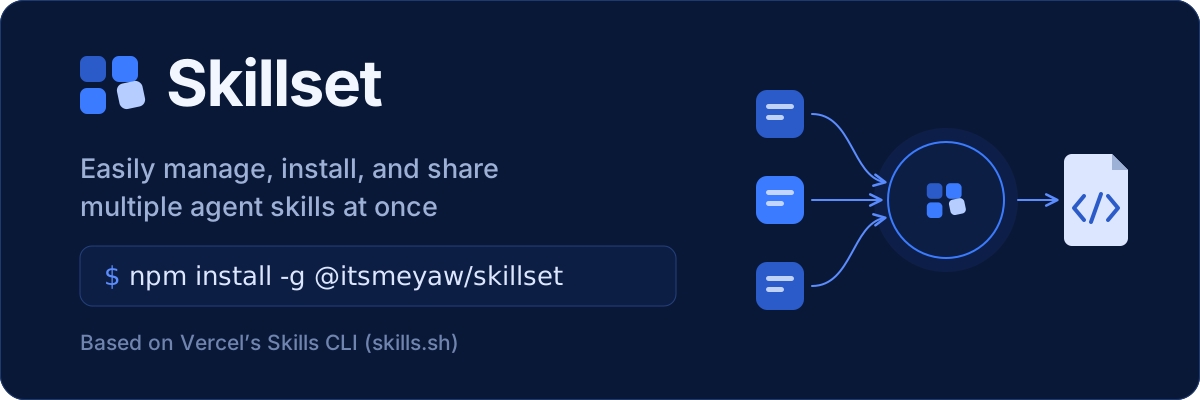
Skillset: Easily manage, install, and share multiple agent skills at once. Based on Vercel’s Skills CLI (skills.sh). [![npm version](https://img.shields.io/npm/v/@itsmeyaw/skillset?style=flat-square)](https://www.npmjs.com/package/@itsmeyaw/skillset) [![Build Status](https://img.shields.io/github/actions/workflow/status/itsmeyaw/skillset/ci.yml?branch=main&style=flat-square&label=CI)](https://github.com/itsmeyaw/skillset/actions/workflows/ci.yml) [![Node.js](https://img.shields.io/badge/Node.js->=22.20.0-3c873a?style=flat-square)](https://nodejs.org) [![License](https://img.shields.io/badge/License-MIT-blue?style=flat-square)](LICENSE) [Features](#features) • [Installation](#installation) • [Quick start](#quick-start) • [Commands](#commands) • [Skillset file](#skillset-file-format)

Skillset is a CLI for curating agent skills into a pinned, shareable list and installing that list into any project in one step. It wraps [Vercel's Skills CLI](https://github.com/vercel-labs/skills) ([skills.sh](https://skills.sh)), so skills land in the same agent directories and the same `skills-lock.json` file that `npx skills` uses. ## Features - **Pinned to commits**: every skill records the exact Git commit it came from, so an install gives you exactly what you reviewed until you run `update`. - **One list, every project**: keep a named Skillset in your home directory, or commit `./skillset.json` so your team shares it. - **Mix sources**: combine skills from several repositories, branches, tags, or Git URLs into one Skillset. - **Works with your agents**: installs for Universal agents (`.agents/skills`), Claude Code, and any detected agent by default, or for any agent you pick. - **Interactive or scripted**: run a command without arguments to be prompted, or pass flags. `-y` skips every prompt. - **Safe by default**: an install only adds skills. Skills that aren't in the Skillset are never removed. ## Installation You need [Node.js](https://nodejs.org) 22.20.0 or later and [Git](https://git-scm.com). ```sh npm install -g @itsmeyaw/skillset ``` Or run it without installing: ```sh npx @itsmeyaw/skillset --help ``` ## Quick start Build your Skillset once, then install it in every project.

Terminal demo: create a Skillset with skills from mattpocock/skills, then install it into a project with skillset install --set my-set.

**1. Create your Skillset.** `--set my-set` names a Skillset you can use from any project: ```sh skillset add --set my-set ``` You are asked for: 1. **Source?** Type a repository such as `mattpocock/skills`. 2. **Which skills?** Search and tick the skills you want. 3. **Add another source?** Answer `y` to mix in skills from more repositories, or `n` when you're done. 4. **Install skillset?** Answer `n` for now. `skillset ls --set my-set` shows what is in it. **2. Install it in any project.** From each project that should get the skills: ```sh cd ~/projects/some-project skillset install my-set ``` You are asked which skills, which agents, project or global scope, and symlink or copy, then to confirm. **3. Keep it fresh.** Nothing changes until you update the pins: ```sh skillset update --set my-set # move pins to the latest commits skillset rm --set my-set # pick skills to drop ``` Re-run `skillset install my-set` in a project to pick up the changes. > [!TIP] > Coming from `npx skills add`? Add skills from one repository and install the whole Skillset in one command: > > ```sh > skillset add mattpocock/skills -s grilling --install > ``` > > Leave out `--set` to use `./skillset.json` in the current project, which you can commit so your team shares it. ## Concepts | Term | Meaning | | ------------- | ------------------------------------------------------------------------------------------- | | Skillset | A shareable list of skills to install together, stored as a JSON file. | | Entry | One skill in a Skillset: its name, Source, and Pin. | | Source | Where a skill comes from, such as `owner/repo`. | | Pin | The exact commit of the Source that an Entry was taken from. | | User Skillset | A Skillset kept by name outside any project, such as `my-set`, so every project can use it. | `add`, `remove`, and `update` only change a Skillset. `install` only installs one. `add --install` runs both steps, one after the other. ## Commands | Command | Description | | -------------------------- | ---------------------------------------------------------------------- | | `add [source]`, `a` | Pin skills from a Source to the Skillset; `--install` also installs. | | `remove [skills...]`, `rm` | Remove skills from the Skillset (`--all` removes everything). | | `update [skills...]`, `up` | Move pins to the latest commits. Sources pinned to a version are kept. | | `list`, `ls` | Show Entries, or User Skillset names with `--user`. | | `install [set]`, `i` | Install the Skillset at its Pins. | Every command accepts `--set ` (default `./skillset.json`) and `--help`. `add` creates the Skillset file if it is missing. `install [set]` takes the same name or `.json` path as `--set`, but you can't use both at once. | Flag | Used by | Description | | -------------------- | ---------------- | ----------------------------------------------------------------------- | | `-s, --skill ` | `add`, `install` | Select skills from the Source for `add`, or Entries for `install`. | | `--all` | `add` | Select all skills from the Source. | | `-l, --list` | `add` | List available skills without writing. | | `--install` | `add` | After adding, install the whole Skillset. | | `-a, --agent ` | `add`, `install` | Select agents; on `add`, requires `--install`. | | `-g, --global` | `add`, `install` | Install globally instead of per project; requires `--install` on `add`. | | `--copy` | `add`, `install` | Copy instead of symlinking; requires `--install` on `add`. | | `-y, --yes` | `add`, `install` | Skip prompts in both steps. | | `--user` | `list` | List User Skillset names; cannot be combined with `--set`. | To select several skills or agents, repeat the flag or list the names after it. For `install`, when the last `-s` has multiple space-separated values and no other Skillset is given (a positional name or `--set`), the final value is treated as the Skillset name. To select multiple skills from the default Project Skillset, repeat `-s` (for example, `install -s alpha -s beta`) or use `--set ./skillset.json`. If you decline or a `--install` step fails, the added Entries stay in the Skillset. Without `-a`, installs go to Universal agents (`.agents/skills`), Claude Code, and any detected agent. `-y` and non-interactive runs use these defaults without asking. ### Sources - `owner/repo` - `owner/repo#branch` - `owner/repo@v1.2.3` or `owner/repo@` - GitHub tree URLs - Other remote Git URLs Quote sources that contain `#` in your shell. Private repositories use your existing Git credentials. Local paths and direct downloads cannot be pinned. ### User Skillsets Pass a bare name to `--set` (or to `install`) to keep a Skillset outside any project: ```sh skillset add mattpocock/skills -s grilling --set my-set skillset install my-set skillset ls --user # list your User Skillsets ``` They are stored in the first of `$SKILLSET_HOME`, `$XDG_CONFIG_HOME/skillset`, or `~/.skillset`. To use a file in the current directory instead, give a path ending in `.json`, such as `skillset install ./team.json`. > [!IMPORTANT] > Put the Skillset name before `-s`, as in `skillset install my-set -s grilling`. Otherwise it is read as another skill name. Likewise, put it before `-a` if the name matches a supported agent ID. ## Skillset file format ```json { "$schema": "https://raw.githubusercontent.com/itsmeyaw/skillset/main/schemas/skillset/v1.json", "skills": [ { "name": "grilling", "source": "mattpocock/skills", "commit": "5863806dd4e15c63174bee4e7515a4256792ecfa" } ] } ``` Point your editor at the [JSON Schema](schemas/skillset/v1.json) for validation and completion. ## Shell completions Print a completion script for `bash`, `zsh`, `fish`, `sh`, `powershell`, or `pwsh`: ```sh skillset --completions zsh > ~/.zfunc/_skillset ``` ## Telemetry > [!NOTE] > Skillset collects no data itself. However, the [Vercel Skills CLI](https://github.com/vercel-labs/skills) library it uses sends anonymous usage telemetry by default. See [what is collected](https://github.com/vercel-labs/skills/blob/main/docs/troubleshooting.md#telemetry). To turn it off, set `DISABLE_TELEMETRY=1` or `DO_NOT_TRACK=1`: ```sh DISABLE_TELEMETRY=1 skillset install my-set ```