
Block-Suite
Minecraft Server Security Assessment Toolkit
Test, intercept, analyze — from a single desktop application.



---
## What is Block-Suite?
Block-Suite is a modular desktop application built for **authorized Minecraft server security assessments**. It provides a collection of tools — each focused on a specific testing scenario — all managed through a JavaFX interface with built-in themes, auto-updates, and cross-version support.
## Features
| Feature | Status |
|---------|--------|
| **Server Cloning** — Transparent MITM proxy that mirrors any MC server | ✅ Available |
| **Data Interception** — Capture logins, credentials, UUIDs, IPs, skins | ✅ Available |
| **Player Intelligence** — Geolocation, interactive map, skin viewer, history | ✅ Available |
| **Playit.gg Tunneling** — Built-in tunnel, no port forwarding needed | ✅ Available |
| **Advanced Proxy Config** — Forwarding modes, HAProxy, BungeeGuard, compression | ✅ Available |
| **ViaVersion Support** — Cross-version protocol translation | ✅ Available |
| **5 Themes** — Dark Blue, Green Suite, Black Green, Purple Suite, Black Purple | ✅ Available |
| **Auto-Updates** — One-click updates from GitHub Releases | ✅ Available |
| **CSV Export** — Export all intercepted data | ✅ Available |
| More modules | 🔜 Planned |
## Screenshots
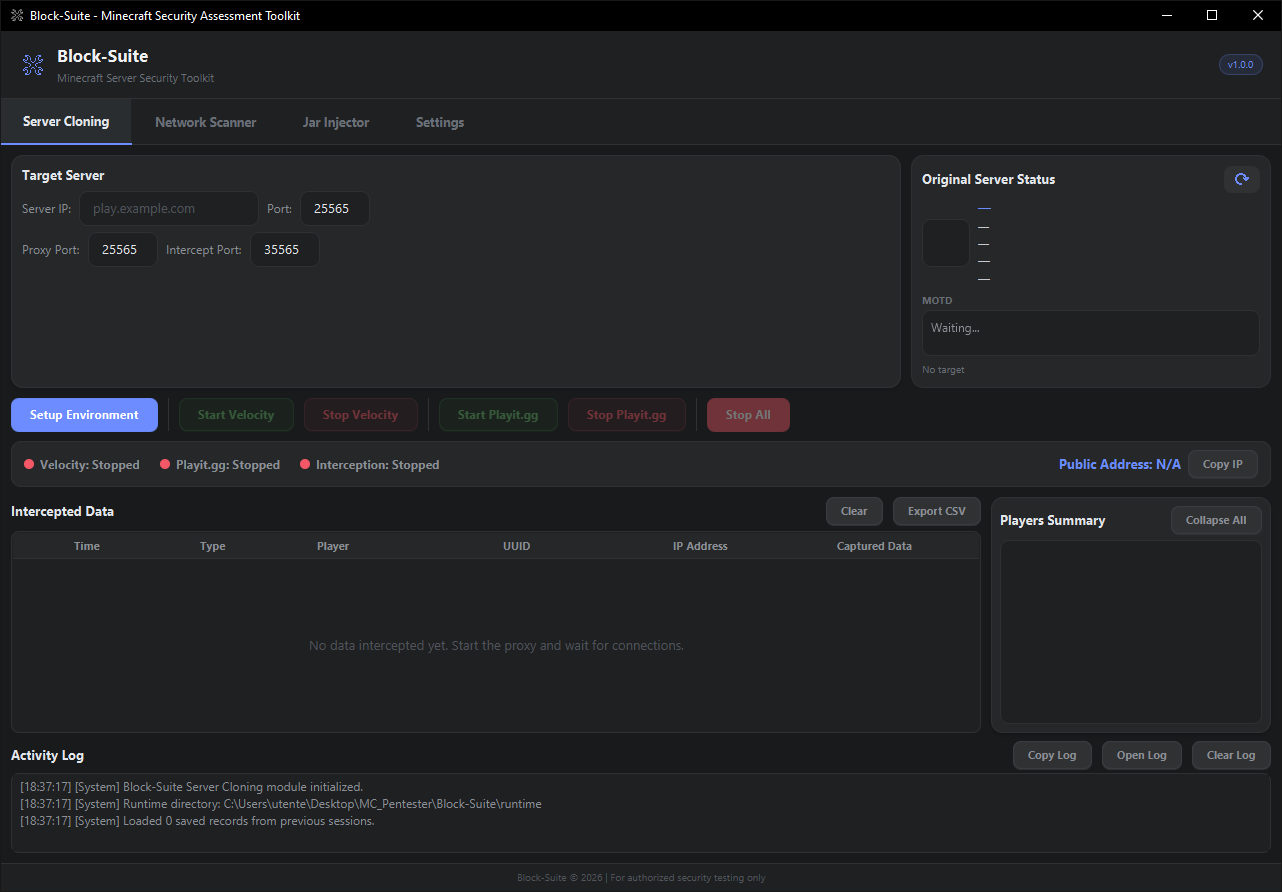
Main window — Server Cloning tab
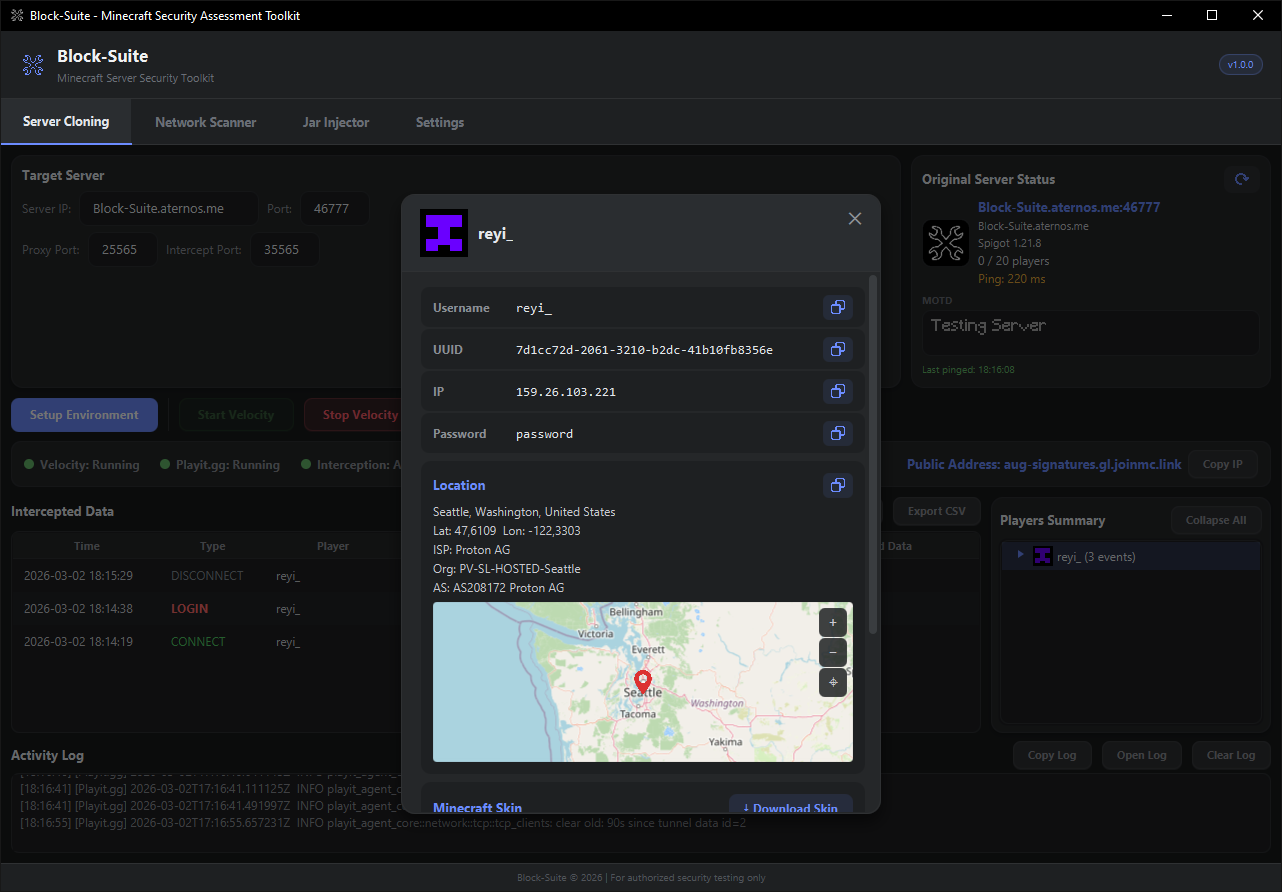
Player intelligence overlay with geolocation and skin viewer
## Quick Start
### Requirements
- **Windows 10/11** (64-bit)
- **Java 17+** ([Adoptium](https://adoptium.net/) recommended)
- Internet connection
### Install & Run
1. Download the latest release from [**Releases**](https://github.com/itsreyi/BlockSuite/releases/latest)
2. Extract the ZIP to any folder
3. Run `Block-Suite.exe`
### First Clone
1. Enter a target server IP and port in the **Server Cloning** tab
2. Click **Setup Environment** — Block-Suite downloads and configures everything
3. Click **Start Velocity** to launch the proxy
4. Click **Start Playit.gg** to create a public tunnel
5. Share the public address — all data is intercepted in real-time
> 📖 Full documentation at **[block-suite.net](https://block-suite.net)**
## Architecture
```
Player's Minecraft Client
│
▼
┌─────────────────────┐
│ Playit.gg Tunnel │ ← Public address (no port-forwarding)
└─────────┬───────────┘
│
▼
┌─────────────────────┐
│ Velocity Proxy │ ← Runs locally, managed by Block-Suite
│ ┌───────────────┐ │
│ │ BlockSuite │ │ ← Intercepts /login, /register, connections
│ │ Plugin │──┼──→ TCP JSON → Block-Suite GUI
│ └───────────────┘ │
└─────────┬───────────┘
│
▼
┌─────────────────────┐
│ Target MC Server │ ← The real server being assessed
└─────────────────────┘
```
## Documentation
Full wiki and guides available at **[block-suite.net](https://block-suite.net)**:
- [Getting Started](https://block-suite.net/getting-started.html) — Download, install, first run
- [Server Cloning](https://block-suite.net/server-cloning.html) — Complete cloning tab reference
- [Playit.gg Setup](https://block-suite.net/playit-setup.html) — Tunnel configuration guide
- [Settings](https://block-suite.net/settings.html) — Themes, appearance, proxy options
- [Advanced Options](https://block-suite.net/advanced-cloning.html) — Forwarding modes, presets
- [Bug Report](https://block-suite.net/bug-report.html) — How to report issues
## Tech Stack
- **Java 21** (target 17) — Core application
- **JavaFX 21** — Desktop GUI
- **Velocity** — High-performance Minecraft proxy
- **Playit.gg** — Tunneling service
- **ViaVersion / ViaBackwards** — Cross-version support
- **Maven** — Multi-module build (`blocksuite-app` + `blocksuite-plugin`)
## Bug Reports
Found a bug? [Open an issue](https://github.com/itsreyi/BlockSuite/issues/new) with:
- Block-Suite version
- Steps to reproduce
- Activity Log output or screenshots
## Disclaimer
> ⚠️ **Block-Suite is intended for authorized security testing only.**
> Only use it on servers you own or have explicit written permission to test.
> Unauthorized access to computer systems is illegal. The developers assume no liability for misuse.
---
Made by itsreyi