
# Archive Mounter
**Archive Mounter** is a macOS application allowing to mount archive files as disk images.\
It currently supports **ZIP** and **RAR** archives.
## Warning
⛔️ This software uses [FUSE for macOS](https://osxfuse.github.io/), which is [no longer open source](https://colatkinson.site/macos/fuse/2019/09/29/osxfuse/)
[](https://travis-ci.org/ivoronin/ArchiveMounter)
# Screenshots
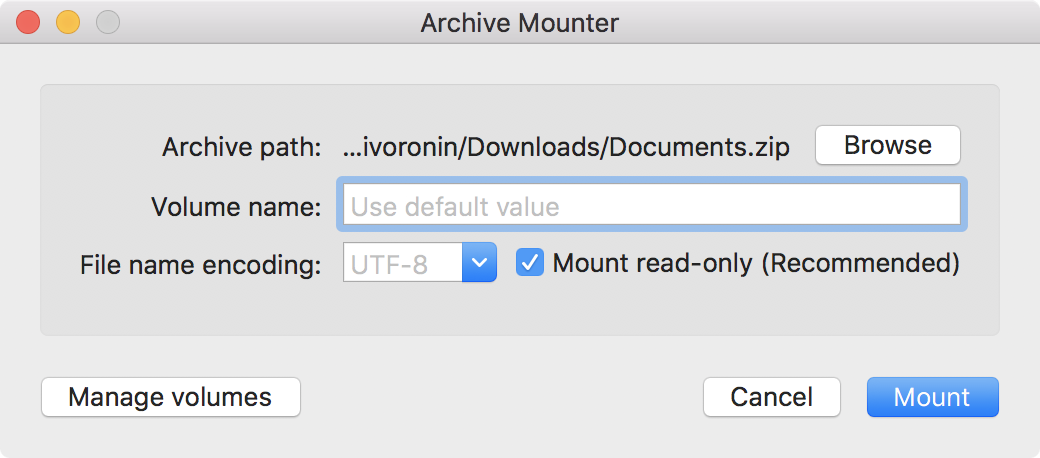
## Main window
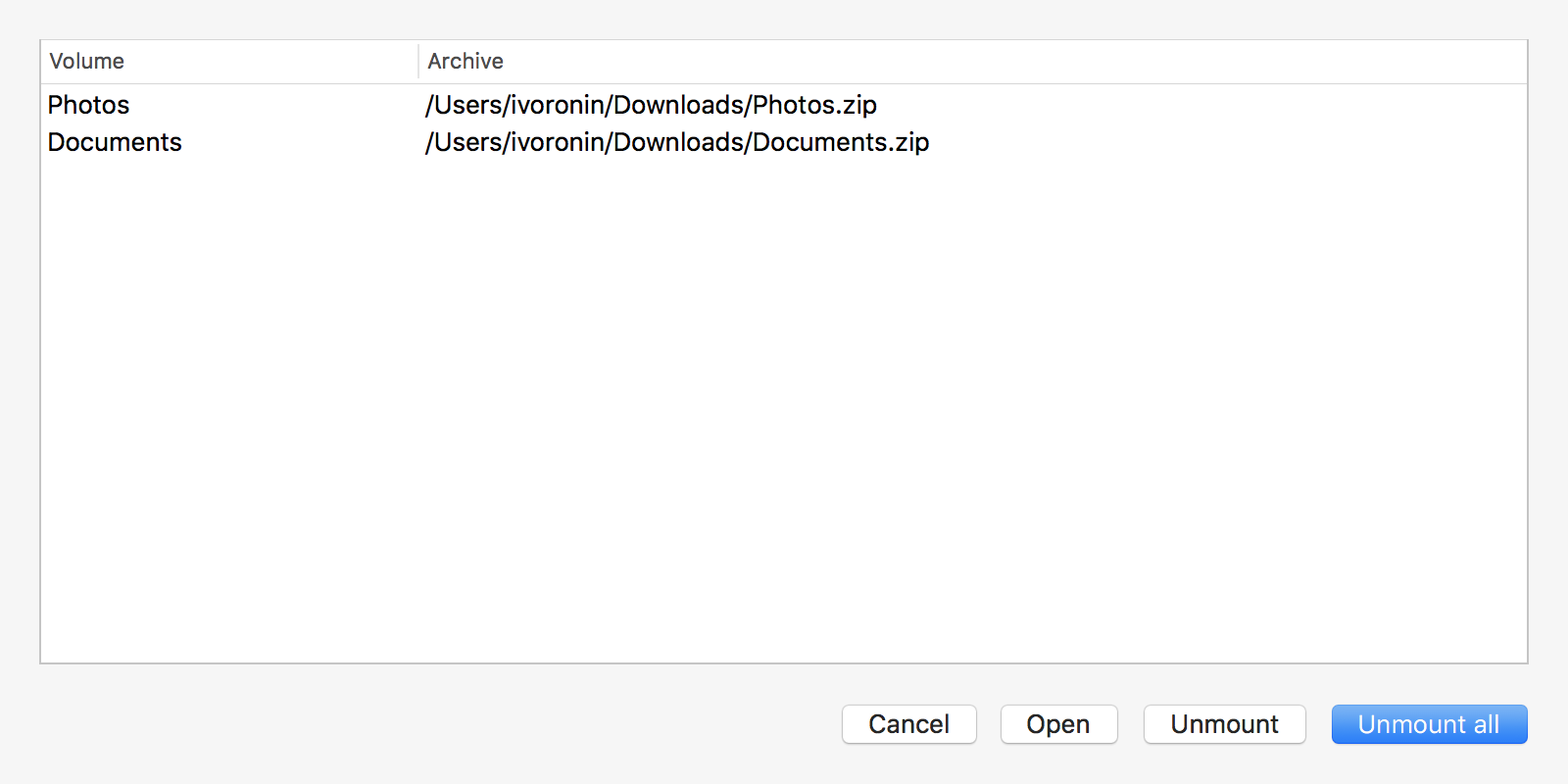
 ## Manage volumes window
 ## Requirements
:exclamation:You should download and install latest version of [FUSE for macOS](https://osxfuse.github.io/) before using this application.
## Download
[Latest stable release](https://github.com/ivoronin/ArchiveMounter/releases/latest/)
## Usage
You can run app directly and choose an archive to mount or use it from **Finder**'s `Open With` context menu.\
It is also possible to use Archive Mounter as a default app for opening archives (see [Apple KB article](https://support.apple.com/kb/ph25685)).
## Q & A
- Q: I mounted an archive but I do not see a volume icon in the Finder's sidebar and on the Desktop. Why?
- A: Please check this:
- [I mounted a "FUSE for OS X" volume but I do not see a volume icon on the Desktop. Why?](https://github.com/osxfuse/osxfuse/wiki/FAQ#42-i-mounted-a-fuse-for-os-x-volume-but-i-do-not-see-a-volume-icon-on-the-desktop-why).
- [I mounted a "FUSE for OS X" volume but I do not see a volume icon in the Finder's sidebar. I have looked at all relevant Finder preferences, but still nothing. What is happening?](https://github.com/osxfuse/osxfuse/wiki/FAQ#43-i-mounted-a-fuse-for-os-x-volume-but-i-do-not-see-a-volume-icon-in-the-finders-sidebar-i-have-looked-at-all-relevant-finder-preferences-but-still-nothing-what-is-happening)
- A: Mounted volumes are shown in Finder's "Computer" view (Shift-Command-C)
## Build requirements
- Xcode (>= 10.0)
- FUSE for macOS
- autoconf
- automake
- cmake
- mercurial
- pkg-config
- python@3
- swiftlint (>= 0.33)
- npm
System headers need to be present in /usr/include (install /Library/Developer/CommandLineTools/Packages/macOS_SDK_headers_for_macOS_10.14.pkg if needed)
## Requirements
:exclamation:You should download and install latest version of [FUSE for macOS](https://osxfuse.github.io/) before using this application.
## Download
[Latest stable release](https://github.com/ivoronin/ArchiveMounter/releases/latest/)
## Usage
You can run app directly and choose an archive to mount or use it from **Finder**'s `Open With` context menu.\
It is also possible to use Archive Mounter as a default app for opening archives (see [Apple KB article](https://support.apple.com/kb/ph25685)).
## Q & A
- Q: I mounted an archive but I do not see a volume icon in the Finder's sidebar and on the Desktop. Why?
- A: Please check this:
- [I mounted a "FUSE for OS X" volume but I do not see a volume icon on the Desktop. Why?](https://github.com/osxfuse/osxfuse/wiki/FAQ#42-i-mounted-a-fuse-for-os-x-volume-but-i-do-not-see-a-volume-icon-on-the-desktop-why).
- [I mounted a "FUSE for OS X" volume but I do not see a volume icon in the Finder's sidebar. I have looked at all relevant Finder preferences, but still nothing. What is happening?](https://github.com/osxfuse/osxfuse/wiki/FAQ#43-i-mounted-a-fuse-for-os-x-volume-but-i-do-not-see-a-volume-icon-in-the-finders-sidebar-i-have-looked-at-all-relevant-finder-preferences-but-still-nothing-what-is-happening)
- A: Mounted volumes are shown in Finder's "Computer" view (Shift-Command-C)
## Build requirements
- Xcode (>= 10.0)
- FUSE for macOS
- autoconf
- automake
- cmake
- mercurial
- pkg-config
- python@3
- swiftlint (>= 0.33)
- npm
System headers need to be present in /usr/include (install /Library/Developer/CommandLineTools/Packages/macOS_SDK_headers_for_macOS_10.14.pkg if needed)