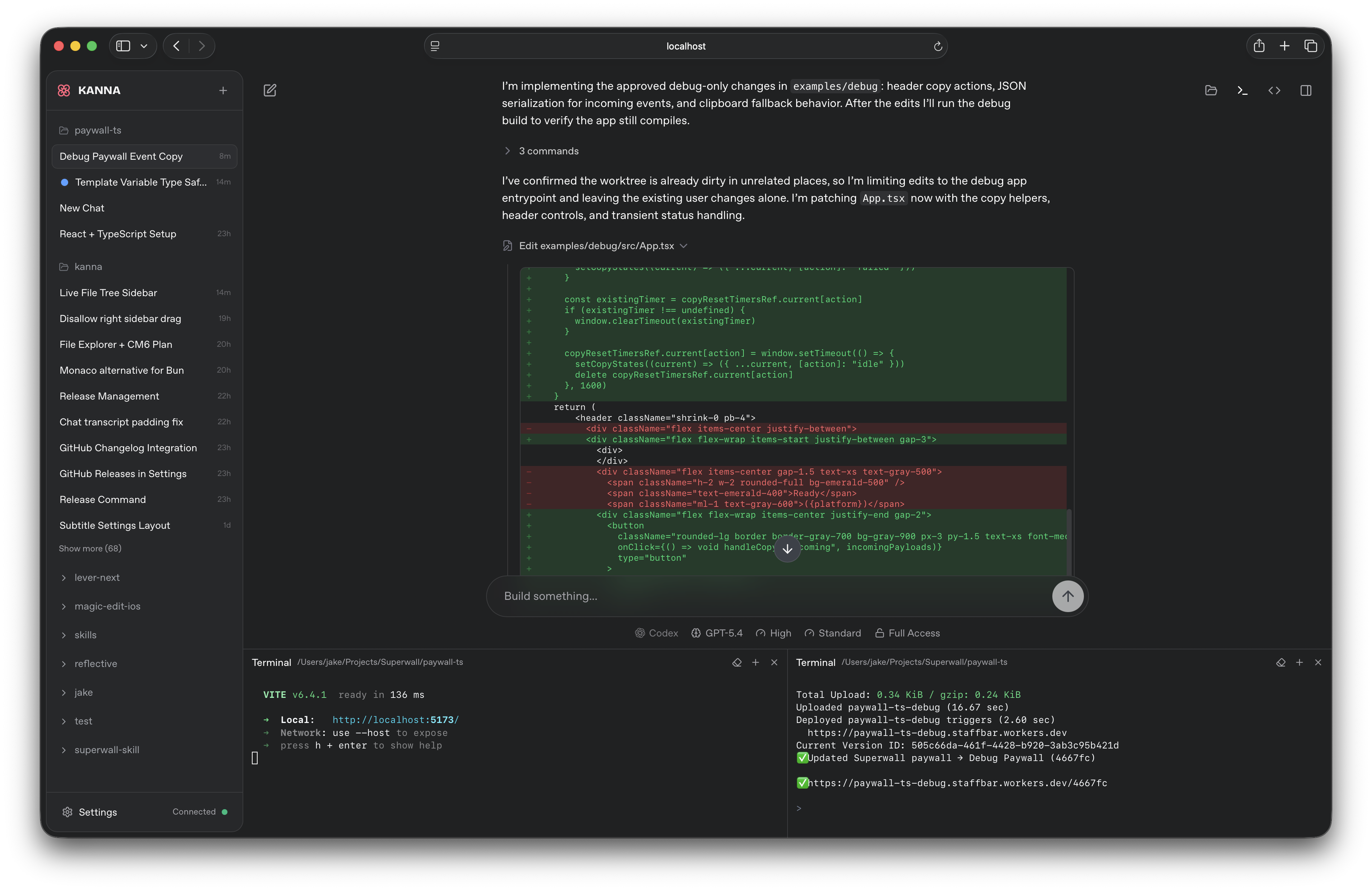
A beautiful web UI for the Claude Code & Codex CLIs
## Quickstart
```bash
bun install -g kanna-code
```
If Bun isn't installed, install it first:
```bash
curl -fsSL https://bun.sh/install | bash
```
Then run from any project directory:
```bash
kanna
```
That's it. Kanna opens in your browser at [`localhost:3210`](http://localhost:3210).
## Features
- **Multi-provider support** — switch between Claude, Codex (OpenAI), Cursor, Grok Build, and Pi from the chat input, with per-provider model selection, reasoning effort controls, and Codex fast mode
- **Bundled Pi agent** — the [pi coding agent](https://github.com/badlogic/pi-mono) ships as a dependency and runs in-process through the Model Registry (Settings): point it at OpenRouter, OpenAI, or any custom OpenAI-compatible endpoint, pin fave models to the picker, and use any model id with standardized reasoning efforts — no local pi installation involved
- **Project-first sidebar** — chats grouped under projects, with live status indicators (idle, running, waiting, failed)
- **Drag-and-drop project ordering** — reorder project groups in the sidebar with persistent ordering
- **Local project discovery** — auto-discovers projects from both Claude and Codex local history
- **Rich transcript rendering** — hydrated tool calls, collapsible tool groups, plan mode dialogs, and interactive prompts with full result display
- **Quick responses** — lightweight structured queries (e.g. title generation) via Haiku with automatic Codex fallback
- **Plan mode** — review and approve agent plans before execution
- **Persistent local history** — refresh-safe routes backed by JSONL event logs and compacted snapshots
- **Auto-generated titles** — chat titles generated in the background via Claude Haiku
- **Session resumption** — resume agent sessions with full context preservation
- **WebSocket-driven** — real-time subscription model with reactive state broadcasting
## Architecture
```
Browser (React + Zustand)
↕ WebSocket
Bun Server (HTTP + WS)
├── WSRouter ─── subscription & command routing
├── AgentCoordinator ─── multi-provider turn management
├── ProviderCatalog ─── provider/model/effort normalization
├── QuickResponseAdapter ─── structured queries with provider fallback
├── EventStore ─── JSONL persistence + snapshot compaction
└── ReadModels ─── derived views (sidebar, chat, projects)
↕ stdio
Claude Agent SDK / Codex App Server / cursor-agent / grok CLI (local processes)
↕
Local File System (~/.kanna/data/, project dirs)
```
**Key patterns:** Event sourcing for all state mutations. CQRS with separate write (event log) and read (derived snapshots) paths. Reactive broadcasting — subscribers get pushed fresh snapshots on every state change. Multi-provider agent coordination with tool gating for user-approval flows. Provider-agnostic transcript hydration for unified rendering.
## Requirements
- [Bun](https://bun.sh) v1.3.5+
- A working [Claude Code](https://docs.anthropic.com/en/docs/claude-code) environment
- _(Optional)_ [Codex CLI](https://github.com/openai/codex) for Codex provider support
Embedded terminal support uses Bun's native PTY APIs and currently works on macOS/Linux.
## Install
Install Kanna globally:
```bash
bun install -g kanna-code
```
If Bun isn't installed, install it first:
```bash
curl -fsSL https://bun.sh/install | bash
```
Or clone and build from source:
```bash
git clone https://github.com/jakemor/kanna.git
cd kanna
bun install
bun run build
```
## Usage
```bash
kanna # start with defaults (localhost only)
kanna --port 4000 # custom port
kanna --no-open # don't open browser
kanna --password # require a password before loading the app
kanna --share # create a public quick tunnel + terminal QR
kanna --cloudflared # run a named Cloudflare tunnel from a token
```
Default URL: `http://localhost:3210`
### Network access (Tailscale / LAN)
By default Kanna binds to `127.0.0.1` (localhost only). Use `--host` to bind a specific interface, or `--remote` as a shorthand for `0.0.0.0`:
```bash
kanna --remote # bind all interfaces — browser opens localhost:3210
kanna --host dev-box # bind to a specific hostname — browser opens http://dev-box:3210
kanna --host 192.168.1.x # bind to a specific LAN IP
kanna --host 100.64.x.x # bind to a specific Tailscale IP
```
When `--host ` is given, the browser opens `http://:3210` automatically. Other machines on your network can connect to the same URL:
### Password protection
Use `--password` to require a launch password before the app or websocket can connect:
```bash
kanna --password my-secret
bun run dev --password my-secret
```
Kanna verifies the password once, then sets a browser-session cookie. The password itself is not stored in the browser.
When password protection is enabled, the backend requires authentication for API routes and `/ws`. The SPA shell still loads, `/health` remains public for restart detection, and the same in-app password screen is used in both dev and production.
### Public share link
Use `--share` to create a temporary public `trycloudflare.com` URL and print a terminal QR code:
```bash
kanna --share
kanna --share --port 4000
kanna --cloudflared
```
`--share` is incompatible with `--host` and `--remote`. It does not open a browser automatically.
Without a token, it prints:
```text
QR Code:
...
Public URL:
https://.trycloudflare.com
Local URL:
http://localhost:3210
```
With `--cloudflared `, Kanna runs `cloudflared tunnel run --token --url `.
If Kanna can detect the public hostname from cloudflared output, it prints the same QR/public/local block.
If not, it keeps the tunnel running, warns that no public hostname was detected, and prints the local URL so you can use the hostname already configured for that tunnel in Cloudflare.
## Development
```bash
bun run dev
```
The same `--remote` and `--host` flags can be used with `bun run dev` for remote development.
`--share` is also supported in dev mode and exposes the Vite client URL publicly:
```bash
bun run dev --share
bun run dev --cloudflared
bun run dev --port 3333 --share
```
In dev, `--port` sets the Vite client port and the backend runs on `port + 1`, so `bun run dev --port 3333 --share` publishes `http://localhost:3333`.
`--share` remains incompatible with `--host` and `--remote`.
Use `bun run dev --port 4000` to run the Vite client on `4000` and the backend on `4001`.
Or run client and server separately:
```bash
bun run dev:client # http://localhost:5174
bun run dev:server # http://localhost:5175
```
## Scripts
| Command | Description |
| -------------------- | ---------------------------- |
| `bun run build` | Build for production |
| `bun run check` | Typecheck + build |
| `bun run dev` | Run client + server together |
| `bun run dev:client` | Vite dev server only |
| `bun run dev:server` | Bun backend only |
| `bun run start` | Start production server |
| `bun test` | Unit/integration tests |
| `bun run test:e2e` | Playwright browser smoke suite |
## Project Structure
```
src/
├── client/ React UI layer
│ ├── app/ App router, pages, socket client, useKannaState + feature hooks
│ │ (useChatCommands, useSendMessage, useAppSettingsSync,
│ │ useUpdateRestart, useShareExport, snapshotEquality)
│ ├── components/ Messages, chat chrome (incl. chat-ui/git/ panel modules),
│ │ dialogs, buttons, inputs
│ ├── hooks/ Theme, standalone mode detection
│ ├── stores/ Zustand stores (chat input, preferences, project order)
│ └── lib/ Formatters, path utils, transcript parsing, storage keys
├── server/ Bun backend
│ ├── cli.ts CLI entry point & browser launcher
│ ├── server.ts HTTP/WS server setup & static serving
│ ├── agent.ts AgentCoordinator (multi-provider turn management)
│ ├── codex-app-server.ts Codex App Server JSON-RPC client
│ ├── cursor-cli.ts / pi-agent.ts Cursor and Pi provider adapters
│ ├── provider-catalog.ts Provider/model/effort normalization
│ ├── quick-response.ts Structured queries with provider fallback
│ ├── ws-router.ts WebSocket command routing & snapshot subscriptions
│ ├── skills.ts Skill search/install/uninstall
│ ├── event-store.ts JSONL persistence, replay & compaction
│ ├── discovery.ts Auto-discover projects from Claude and Codex local state
│ ├── read-models.ts Derive view models from event state
│ └── events.ts Event type definitions
└── shared/ Shared between client & server
├── types.ts Core data types, provider catalog, transcript entries
├── tools.ts Tool call normalization and hydration
├── protocol.ts WebSocket message protocol
├── ports.ts Port configuration
└── branding.ts App name, data directory paths
e2e/ Playwright smoke suite (boots the real server)
```
## Data Storage
All state is stored locally at `~/.kanna/data/`:
| File | Purpose |
| ---------------- | ----------------------------------------- |
| `projects.jsonl` | Project open/remove events |
| `chats.jsonl` | Chat create/rename/delete events |
| `messages.jsonl` | Transcript message entries |
| `turns.jsonl` | Agent turn start/finish/cancel events |
| `snapshot.json` | Compacted state snapshot for fast startup |
Event logs are append-only JSONL. On startup, Kanna replays the log tail after the last snapshot, then compacts if the logs exceed 2 MB.
## Star History
## Contributing
Contributions are welcome! Feel free to open PRs
## License
[MIT](LICENSE)