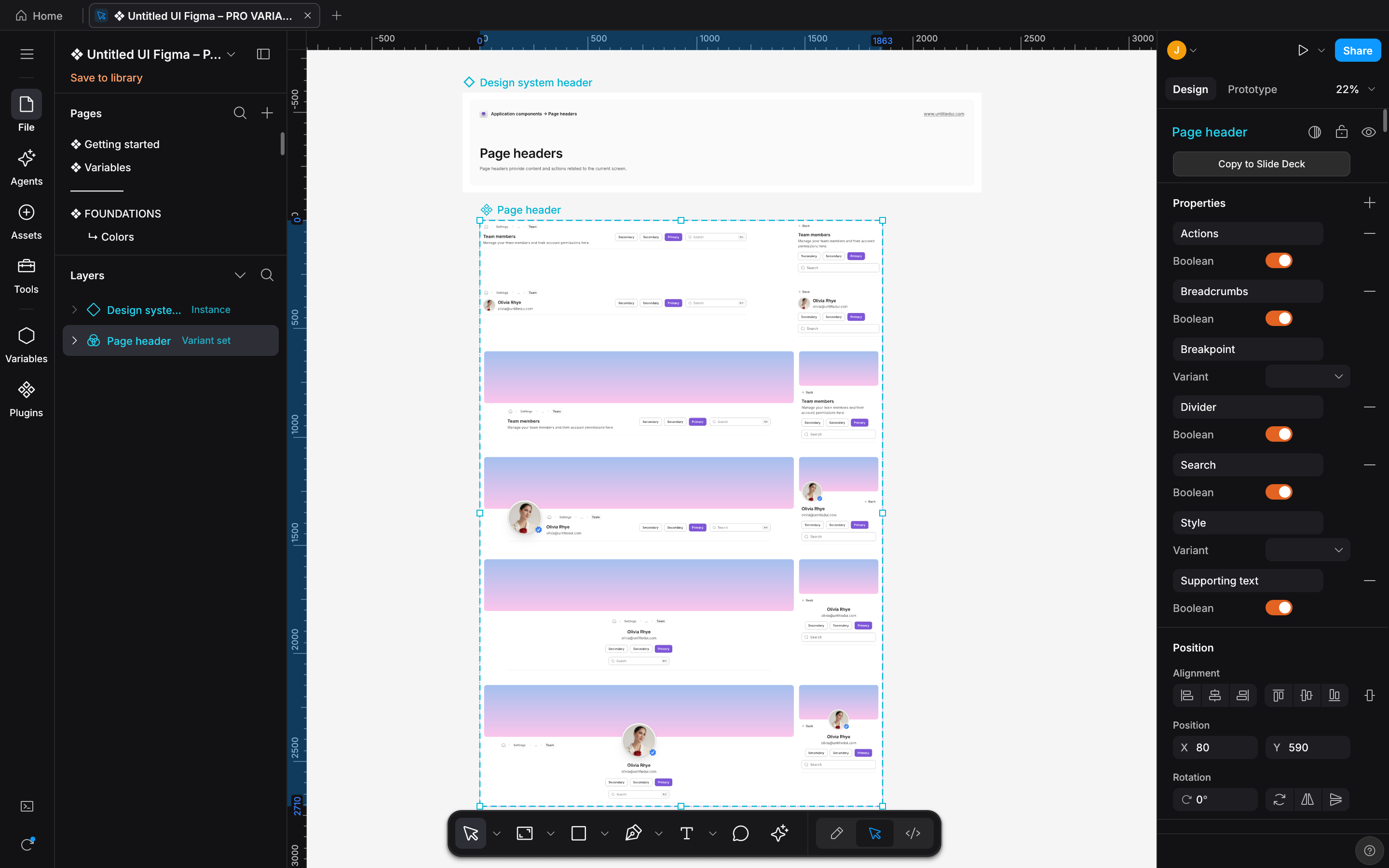
DESIGN:OS Studio 0.6.0 on a copy of the Untitled UI PRO v8.0 Figma kit, by Untitled UI. Click for full size.
DESIGN:OS Studio 0.6.0 on a copy of the Untitled UI PRO v8.0 Figma kit, by Untitled UI. Click for full size.


Why DESIGN:OS · Facts · Quickstart · Safe Loop · What's new · What it makes · Micro-Interactions · Install · How it works · Commands · Limits & FAQ
--- ## Why this exists ### Why DESIGN:OS Studio? Browser-based design tools keep your files on a vendor's servers and give coding agents little more than a REST export. **`design-os-studio`** is a local-first studio written in Rust. It reads and writes `.fig` files on your disk, runs your own agent CLI in an Agents panel, and serves the open file to agents through a local MCP server. | Dimension | DESIGN:OS Studio | How to check | | :--- | :--- | :--- | | **Rendering** | Native Rust canvas: `wgpu` on Metal, DirectX 12 or Vulkan, with a `tiny-skia` CPU renderer for headless captures. It requests no repaint while the view is idle (`FrameKey` frame reuse). | Open a file, leave it still, and read the process CPU time twice with `ps -o time= -p
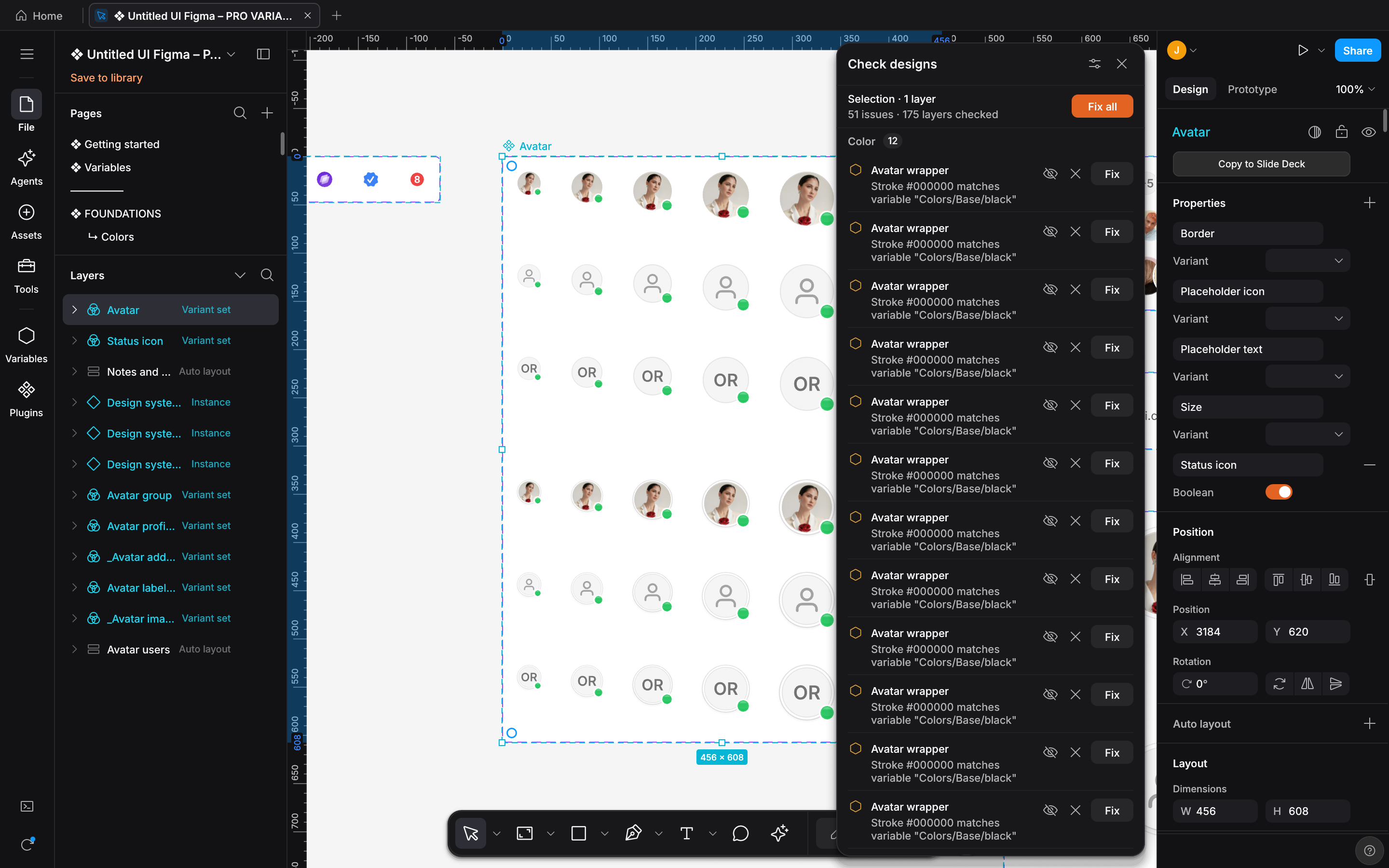 Check designs: Color Hard-coded colors that match a variable are listed under Color, each with a one-click Fix, plus Fix all. |
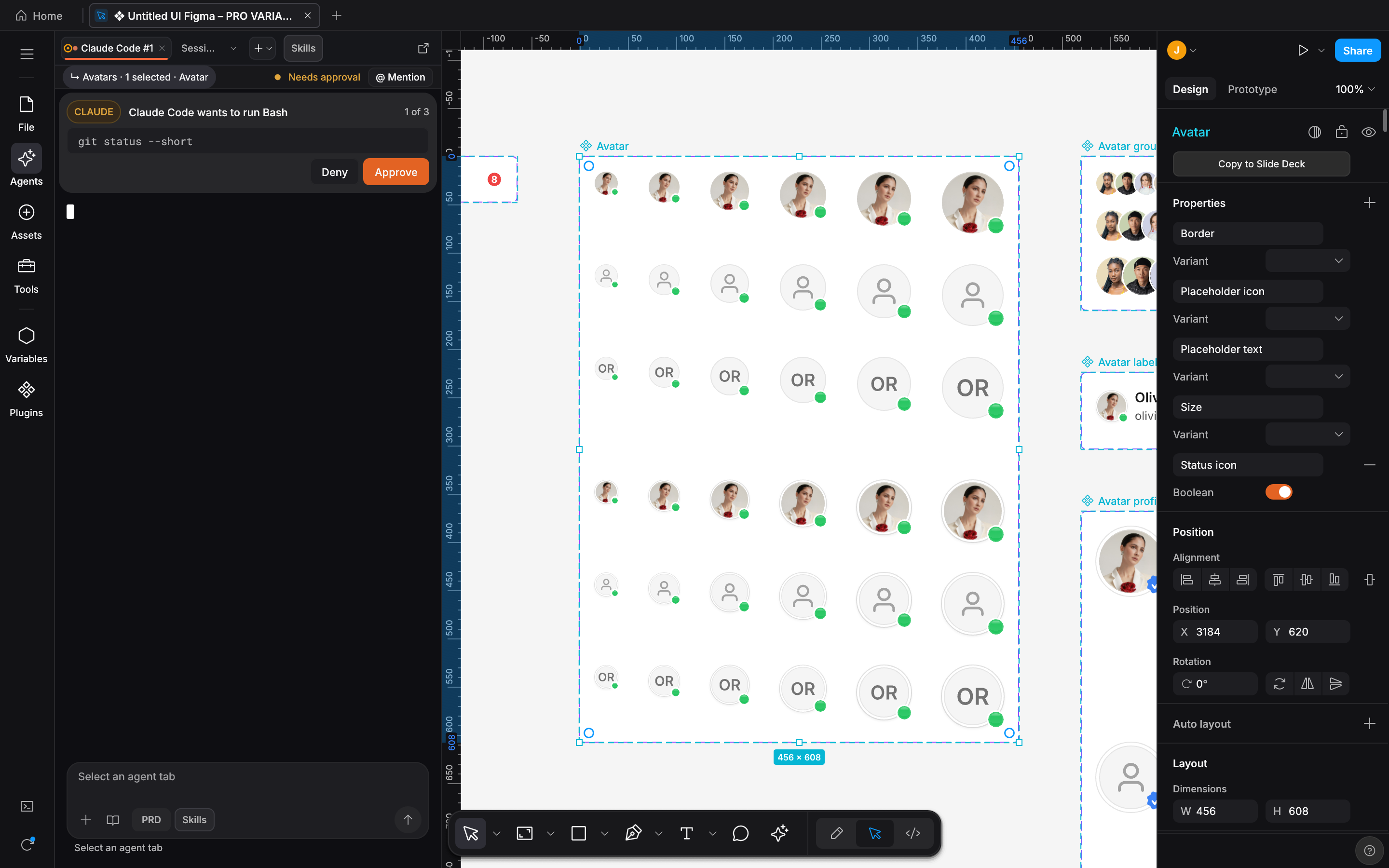 Ask before acting With Ask before acting on, Claude Code's request to run a command waits in the Agents panel for Approve or Deny. |
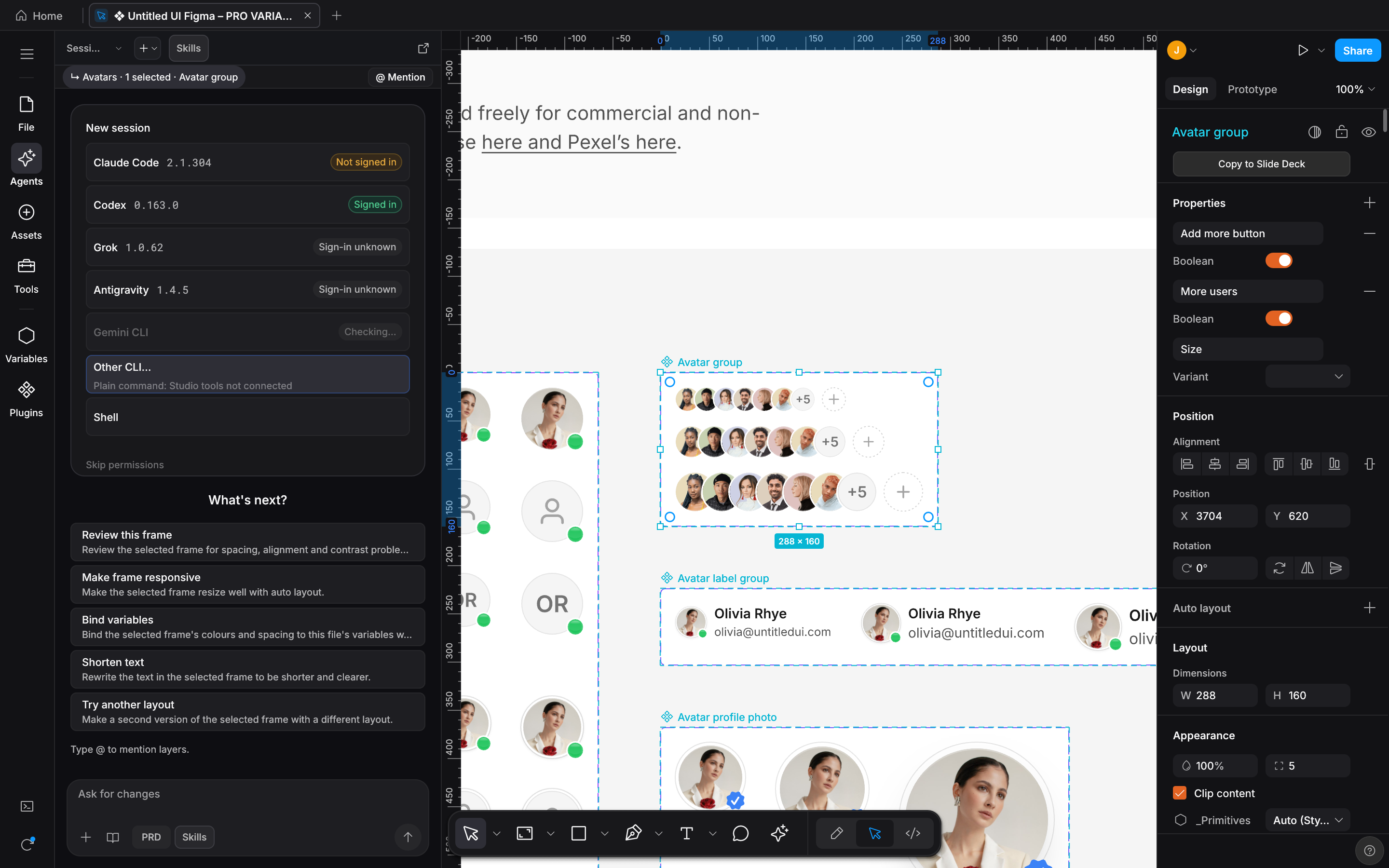
Command: designos-studio untitled-ui-kit.fig --select "Avatar group" --zoom 100 --panel agents --gpu --size 1440x900 --scale 2 --screenshot docs/images/designos-agents-chat.png
The new-session picker reads each CLI's version and sign-in state from the machine that took the capture. A live session is not shown.
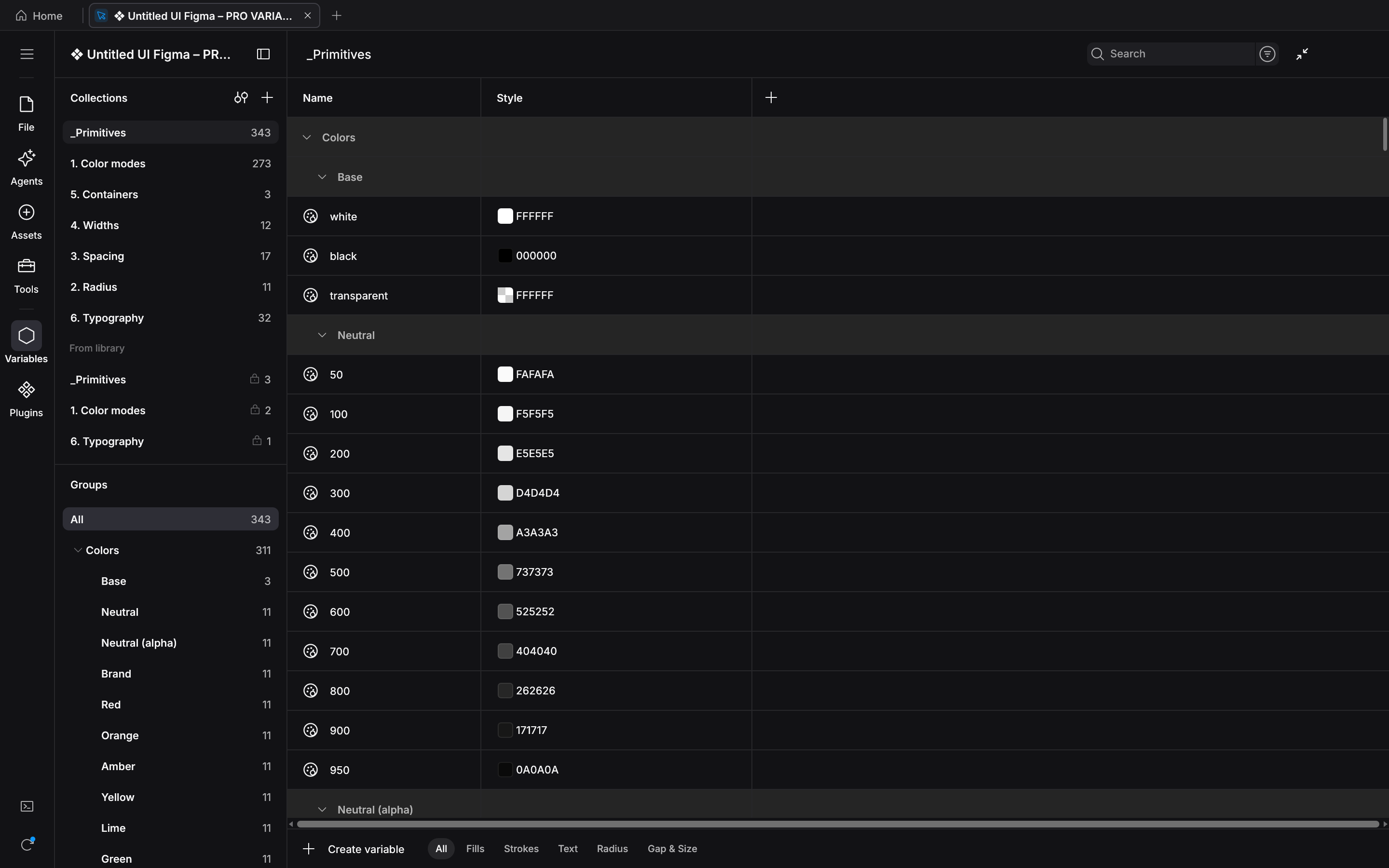
Command: designos-studio untitled-ui-kit.fig --panel variables --gpu --size 1440x900 --scale 2 --screenshot docs/images/designos-variables.png
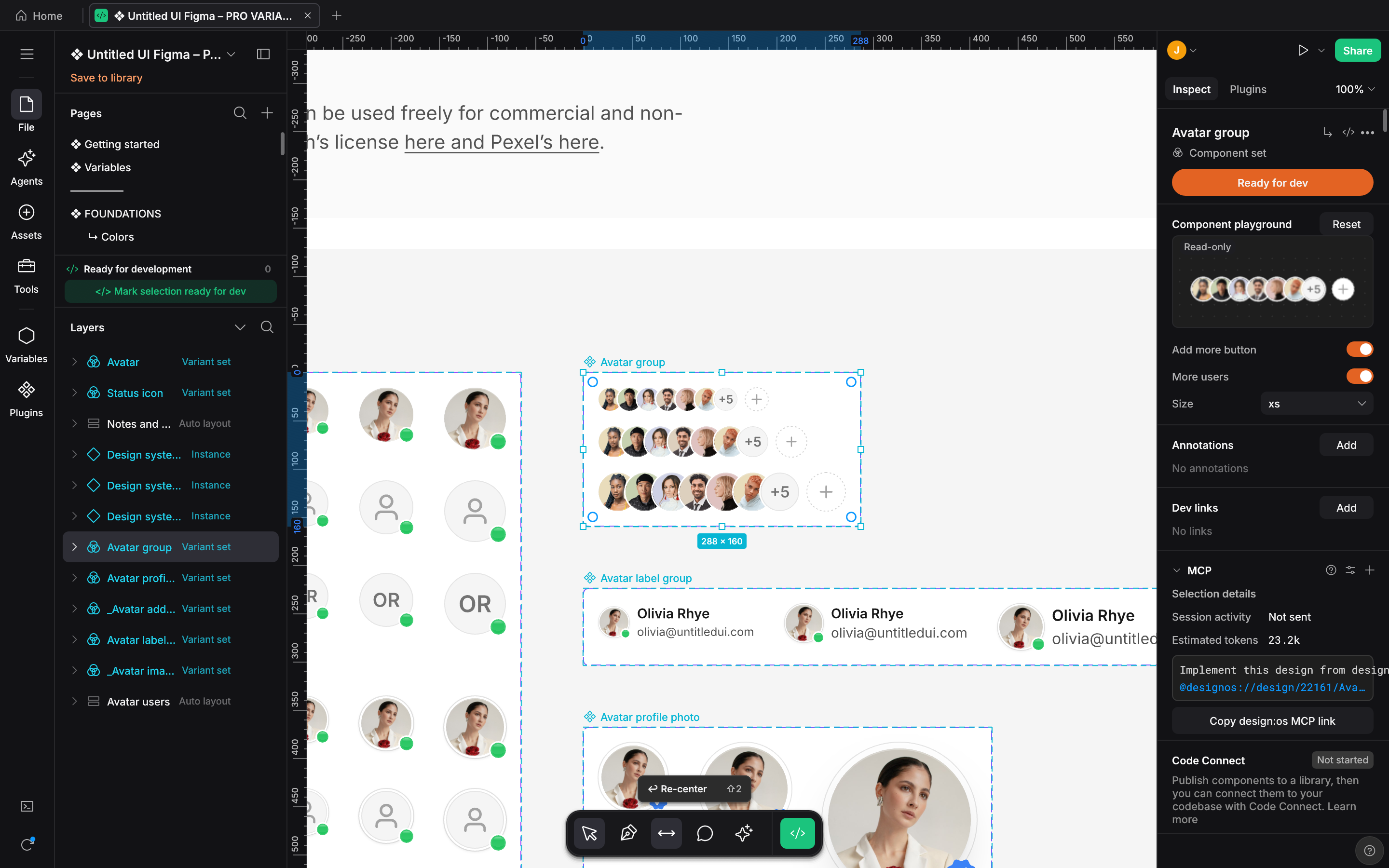
Command: designos-studio untitled-ui-kit.fig --select "Avatar group" --zoom 100 --dev react --gpu --size 1440x900 --scale 2 --screenshot docs/images/designos-devmode.png
