# 🕵️♂️ WhatsApp Beacon (OSINT Tracker)
[](https://pypi.org/project/whatsapp-osint/)



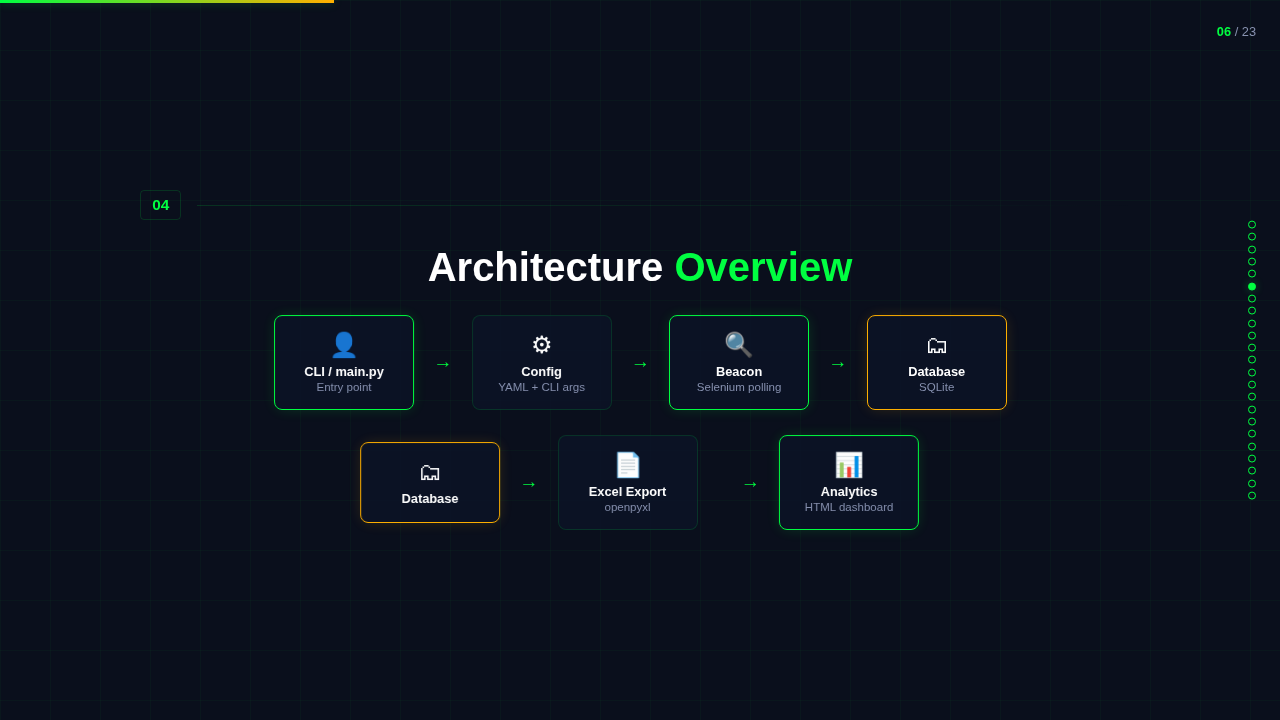
**WhatsApp Beacon** tracks when specific WhatsApp contacts go online and stores every completed session in SQLite. It can export to Excel, generate a polished analytics dashboard, and run fully headless once the session is authenticated.
**[View Interactive Presentation](docs/slides/presentation.html)** | Animated overview of the project
> **Disclaimer**: This tool is for educational and research purposes only. Do not use it for stalking or any illegal activities.
---
## ✨ Features
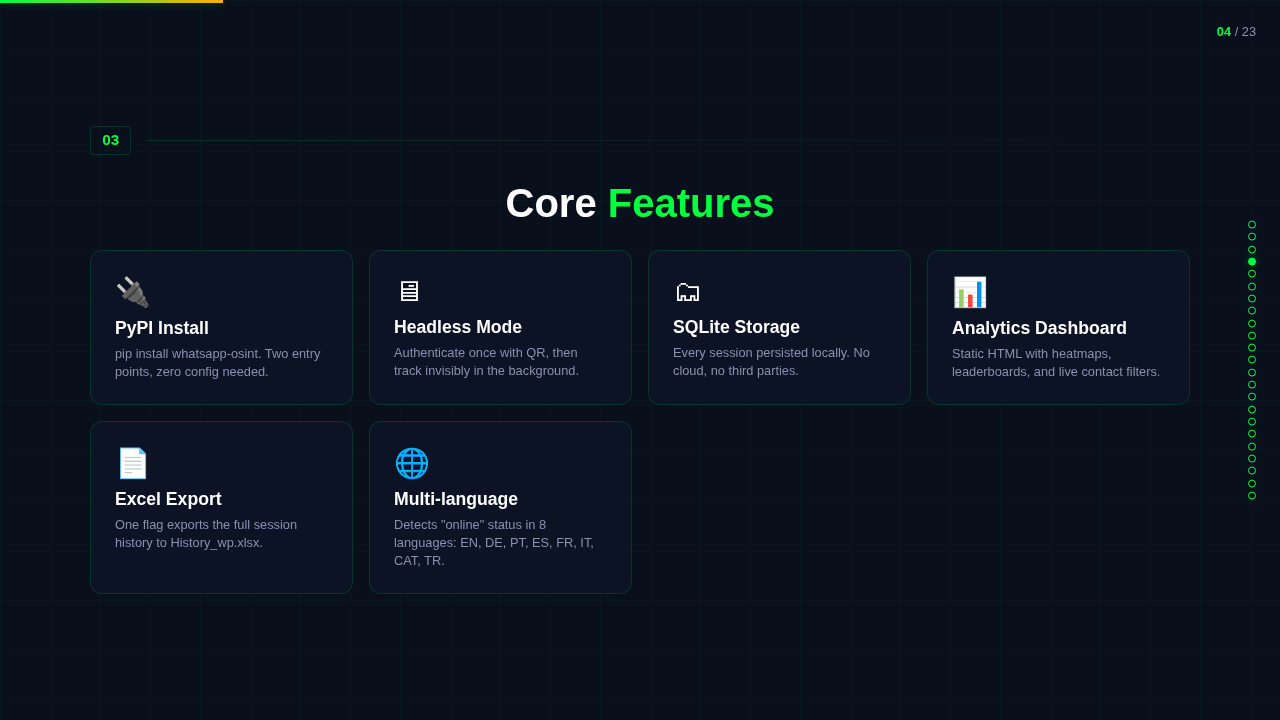
- **PyPI install**: `pip install whatsapp-osint` gets you the package fast.
- **One-command installer**: clone, create a local `.venv`, install the package, and verify the browser setup.
- **Best-effort Linux bootstrap**: if Git, Python, or Chrome/Chromium are missing, the installer will try to install them with `sudo`.
- **Automated browser driver resolution**: Selenium Manager handles matching drivers, with manual override flags if you need them.
- **Headless tracking**: authenticate once, then run quietly in the background.
- **SQLite session history**: every finished online session is stored locally.
- **Presence intelligence**: while tracking, the tool passively records WhatsApp's rich status signals — "online", "last seen today/yesterday at HH:MM", "last seen on \", "typing…" — so you keep evidence of when a contact was last active even between sessions.
- **Excel export**: turn the database into `History_wp.xlsx` (sessions + presence worksheets).
- **JSON export**: dump sessions + presence to JSON for pipelines.
- **`--last-seen` CLI**: query the latest presence evidence per contact with no browser needed.
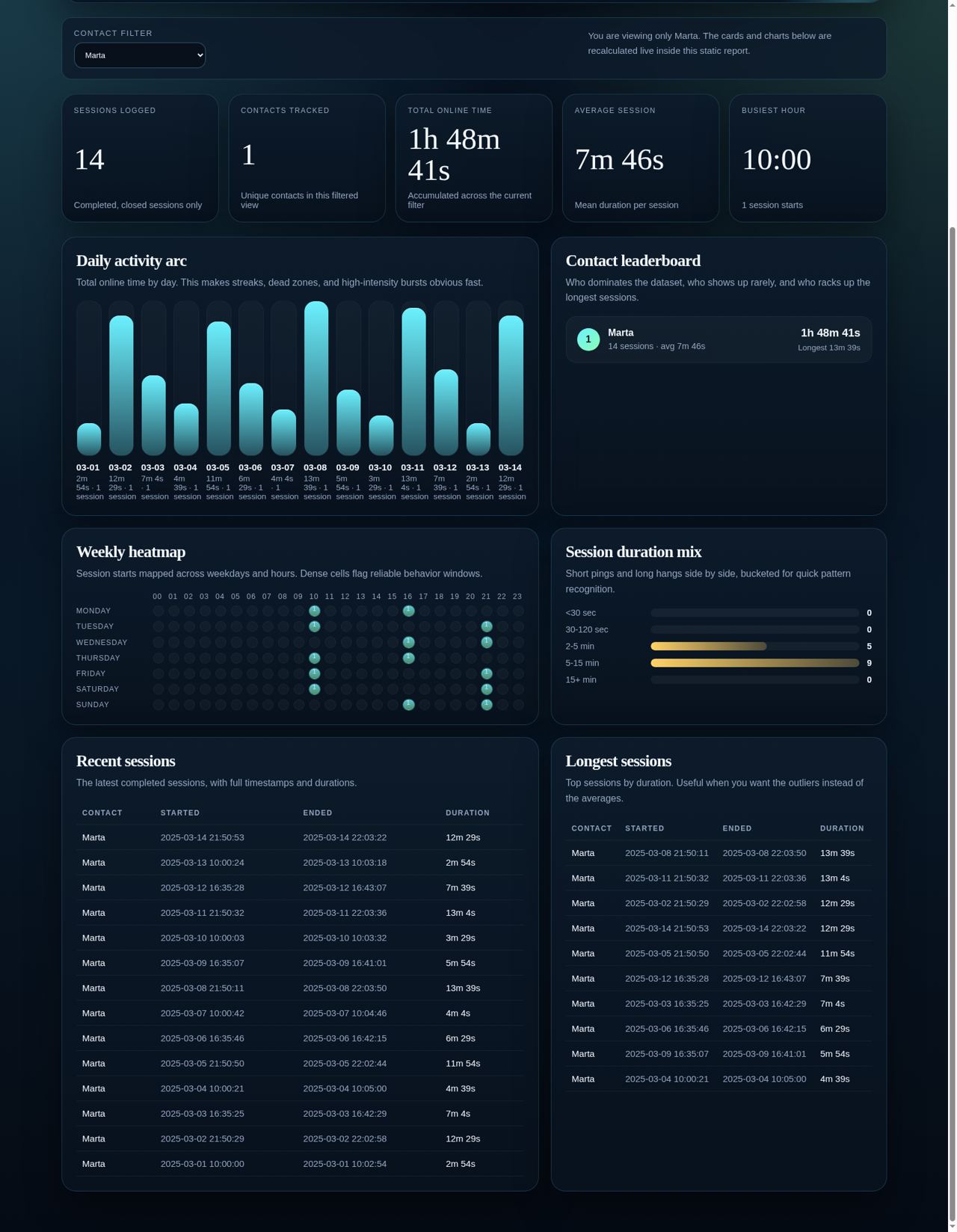
- **Advanced analytics dashboard**: generate a static HTML report with filters, heatmaps, leaderboards, per-contact regularity scores, recent-session views, and a presence trail.
---
## 🚀 Installation
### Install from PyPI
```bash
python3 -m pip install whatsapp-osint
```
The package installs 2 equivalent entry points:
- `whatsapp-osint`
- `whatsapp-beacon`
### One-click installer from GitHub
```bash
curl -fsSL https://raw.githubusercontent.com/jasperan/whatsapp-osint/master/install.sh | bash
```
What it does:
- clones or updates the repo into `./whatsapp-osint`
- creates `./whatsapp-osint/.venv`
- installs the package and the `whatsapp-beacon` command
- on Linux, uses `sudo` when needed to install missing system packages and Chrome/Chromium
- verifies that a browser binary is available before it finishes
If you want a custom location:
```bash
PROJECT_DIR=/opt/whatsapp-osint curl -fsSL https://raw.githubusercontent.com/jasperan/whatsapp-osint/master/install.sh | bash
```
Manual / development install
Use this only if you explicitly want to manage setup yourself.
```bash
git clone https://github.com/jasperan/whatsapp-osint.git
cd whatsapp-osint
python3 -m venv .venv
source .venv/bin/activate
python -m pip install --upgrade pip setuptools wheel
python -m pip install -e ".[dev]"
```
### Install with OTinstaller (Linux)
[OTinstaller](https://github.com/OSINTVerseHQ/OTinstaller) is a third-party tool manager that installs the PyPI release into its own virtualenv. It isn't maintained here, so please report problems with it [on the OTinstaller tracker](https://github.com/OSINTVerseHQ/OTinstaller/issues). Chrome or Chromium is still needed.
```bash
pipx install otinstaller
otinstaller init
otinstaller install whatsapp-osint
otinstaller run whatsapp-osint -- -u "John Doe" # same as whatsapp-beacon -u "John Doe"
```
---
## ▶️ Run it
If you installed from PyPI:
```bash
whatsapp-osint -u "John Doe"
```
`whatsapp-osint` and `whatsapp-beacon` run the same CLI. The rest of the examples keep using `whatsapp-beacon`.
If you used the GitHub installer:
```bash
cd whatsapp-osint
source .venv/bin/activate
whatsapp-beacon -u "John Doe"
```
If you do not want to activate the venv first:
```bash
./whatsapp-osint/.venv/bin/whatsapp-beacon -u "John Doe"
```
### First run
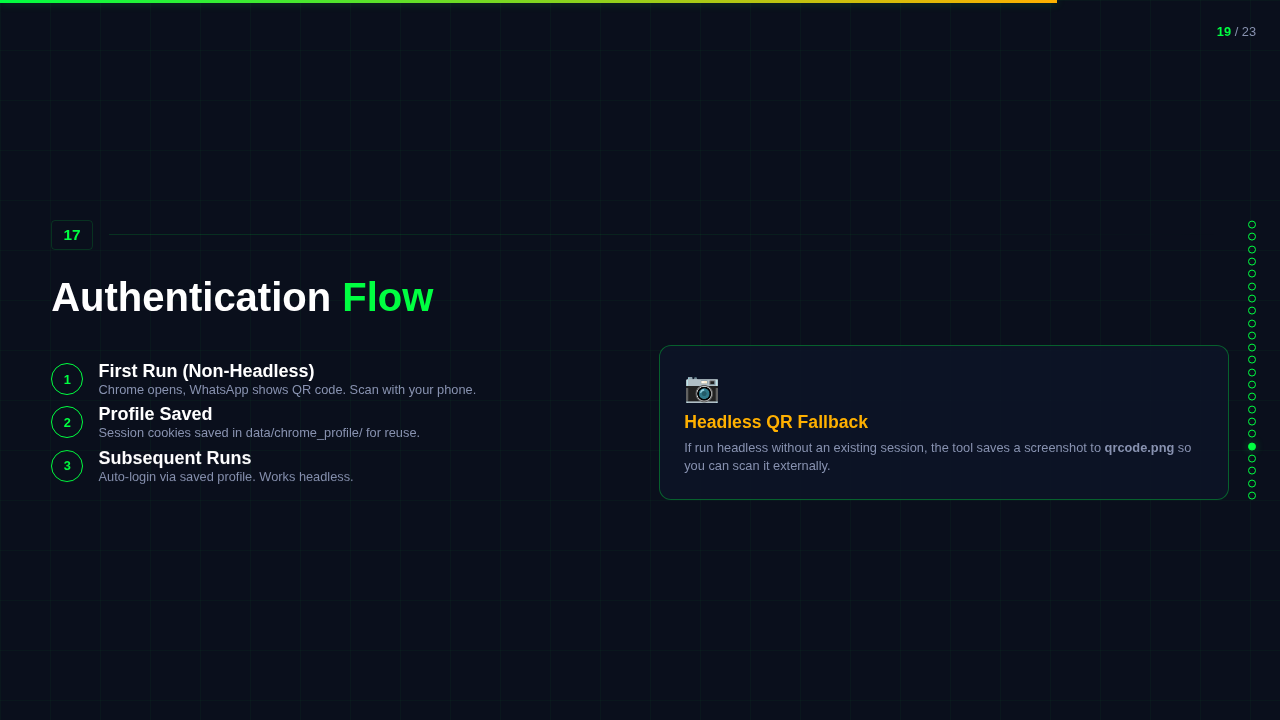
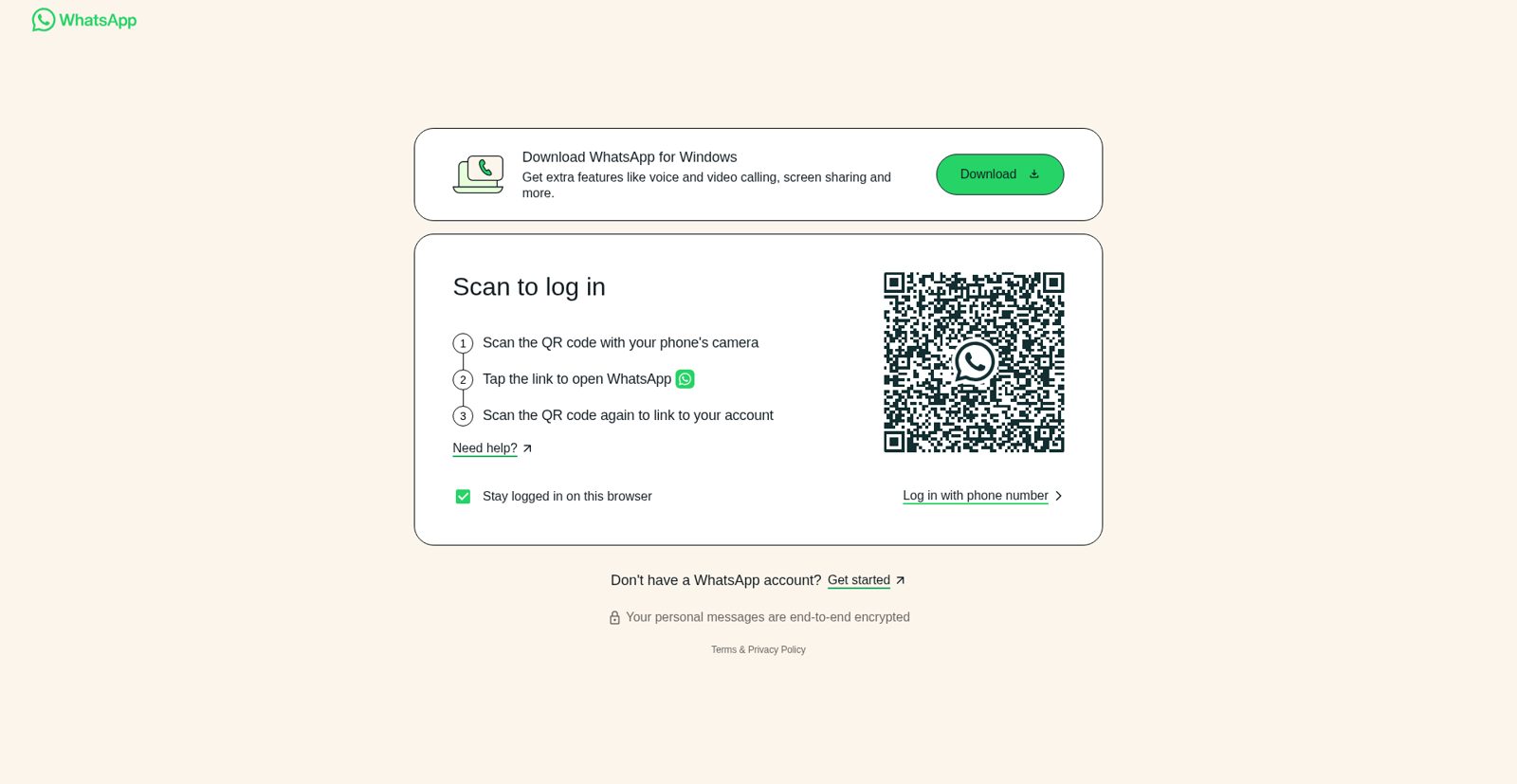
The first run must authenticate with WhatsApp Web.
- **Non-headless** is the easiest path. Scan the QR code once, then the saved browser profile will be reused.
- **Headless** also works. If the session is not authenticated yet, the tool will save a QR screenshot to `qrcode.png`.
Example:
```bash
whatsapp-beacon -u "Maria" --headless
```
---
## 📊 Advanced analytics
Generate a static HTML dashboard from the collected SQLite history:
```bash
whatsapp-beacon --analytics
```
By default, the report is written to:
```text
analytics/index.html
```
Custom output path:
```bash
whatsapp-beacon --analytics --analytics-output reports/contact-dashboard.html
```
Once generated, open it in your browser:
```bash
xdg-open analytics/index.html
# or on macOS
open analytics/index.html
```
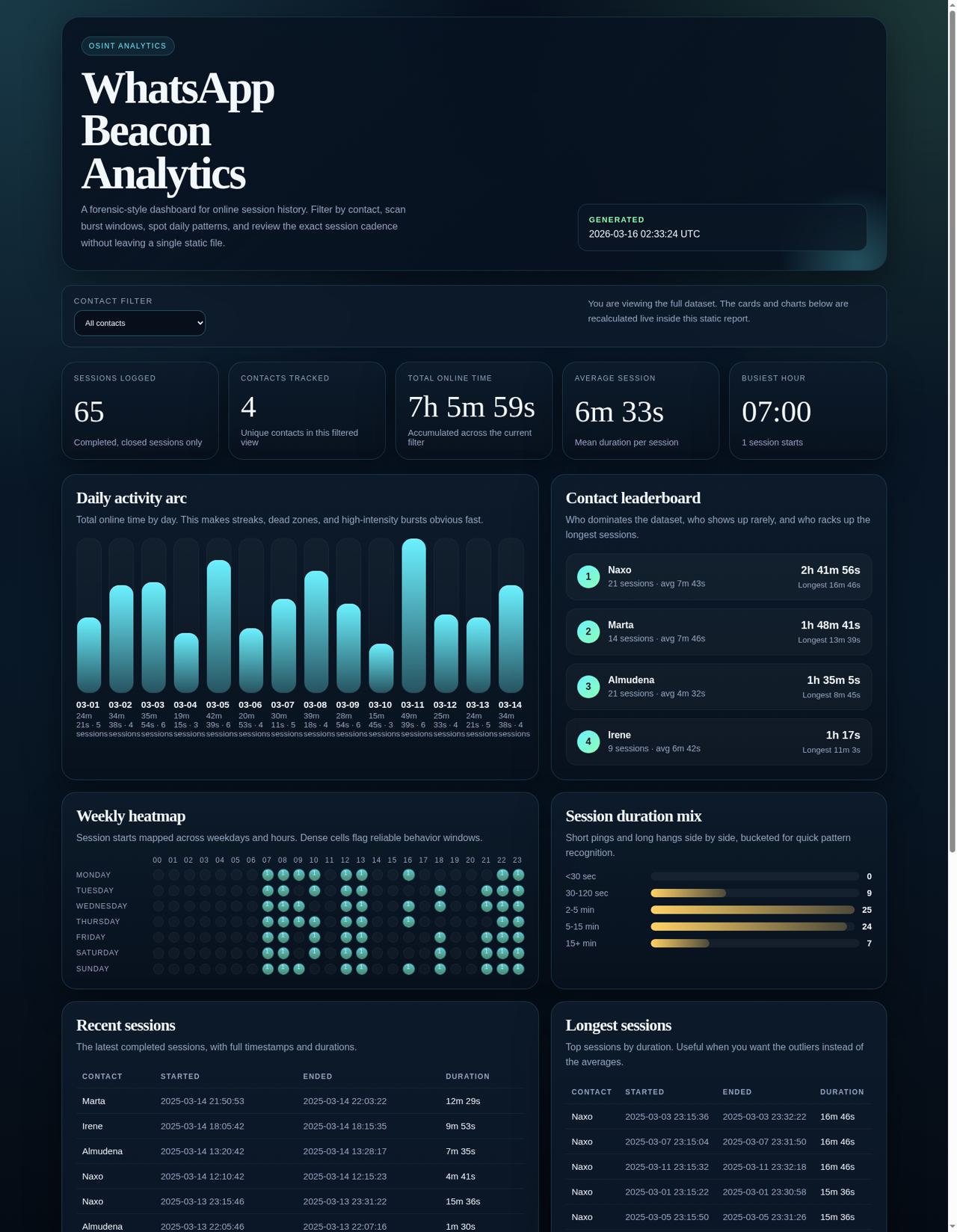
The dashboard includes:
- top-level KPIs
- per-contact leaderboard with **last-seen evidence** and a **schedule-regularity score** (0-100)
- daily online-time bars
- weekday/hour heatmap
- duration distribution
- recent sessions and longest sessions tables
- a **presence trail** panel showing every recorded presence signal
- live filtering by contact inside the page
## 👁️ Presence intelligence
Beyond online/offline blocks, the tracker records the status text WhatsApp shows for a contact ("online", "last seen today at 14:32", "last seen yesterday at 21:05", "last seen on 12/31/2025 at 23:59", "typing…"). This fills the gaps between sessions with actionable evidence.
Query the latest evidence per contact without launching a browser:
```bash
# All contacts
whatsapp-beacon --last-seen
# Single contact
whatsapp-beacon -u "Maria" --last-seen
```
Export everything to JSON for your own tooling:
```bash
whatsapp-beacon --export-json export.json
```
The JSON contains `sessions` (per-session online blocks) and `presence` (per-observation status signals with parsed `last_seen` timestamps).
The Excel export (`--excel`) also gains a **Presence** worksheet alongside the session history.
---
## 🖼️ Screenshots
### First-run WhatsApp Web authentication flow
### Advanced analytics dashboard overview
Captured from a demo dataset generated through the built-in analytics exporter.
### Advanced analytics dashboard filtered to a single contact
Same dashboard, narrowed to one contact to show the live filter state.
---
## ⚙️ Command line arguments
| Argument | Description | Default |
|----------|-------------|---------|
| `-u`, `--username` | Exact WhatsApp contact name to track. | Required for tracking |
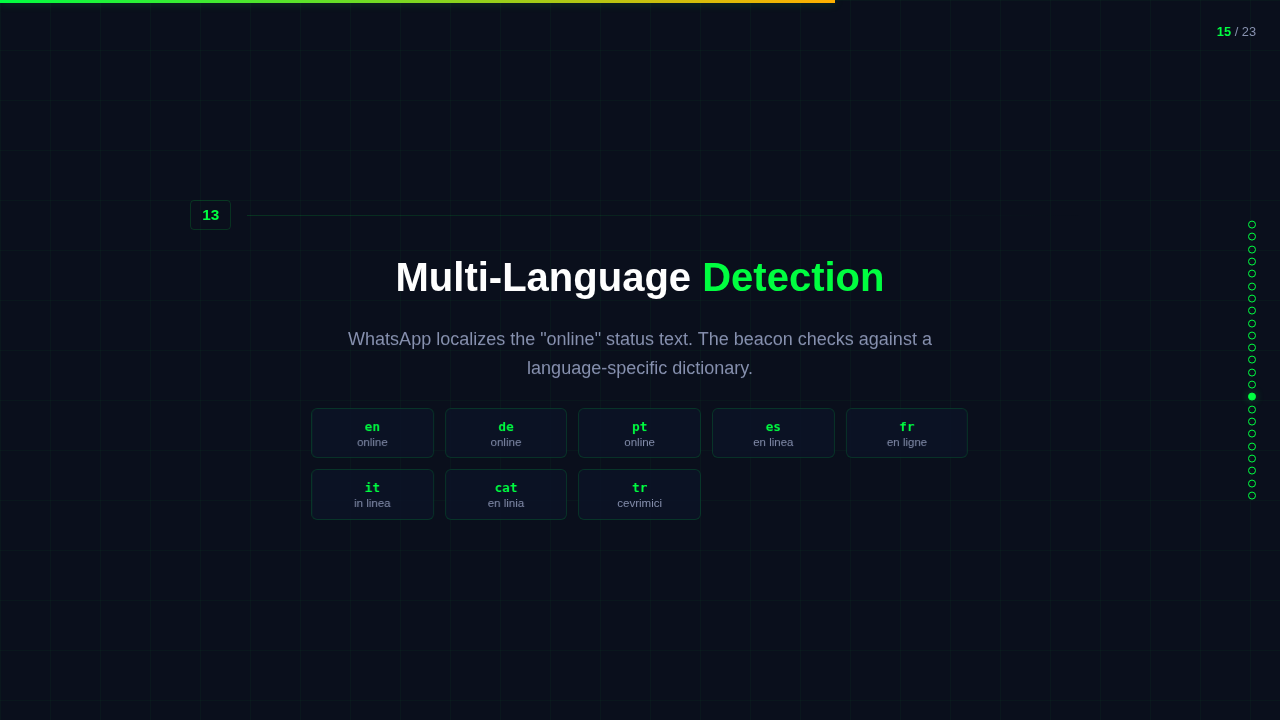
| `-l`, `--language` | WhatsApp Web language code (`en`, `es`, `fr`, etc.). | `en` |
| `-e`, `--excel` | Export the database to Excel before doing anything else. | `False` |
| `--headless` | Run without a visible browser window. | `False` |
| `--chrome-driver-path` | Explicit path to `chromedriver`. | Auto-detect |
| `--chrome-binary-path` | Explicit path to Chrome or Chromium. | Auto-detect |
| `--analytics` | Generate the analytics dashboard and exit. | `False` |
| `--analytics-output` | Output path for the analytics HTML report. | `analytics/index.html` |
| `--export-json` | Export sessions + presence to a JSON file and exit (no browser needed). | Off |
| `--last-seen` | Print the latest presence signal per contact and exit (no browser needed). | `False` |
| `--config` | Path to a custom config file. | `config.yaml` |
---
## ⚙️ Configuration
You can keep defaults in `config.yaml`:
```yaml
username: "Target Name"
language: "en"
headless: false
excel: false
browser: "chrome"
log_level: "INFO"
data_dir: "data"
chrome_binary_path: null
```
---
## 📦 Output
- **Logs**: `logs/whatsapp_beacon.log`
- **Database**: `data/victims_logs.db`
- **Excel export**: `History_wp.xlsx`
- **Analytics report**: `analytics/index.html` by default
- **Saved WhatsApp profile**: `data/chrome_profile`
---
## 🔧 Troubleshooting
### `cannot find Chrome binary`
The installer now tries to fix this automatically on Linux. If your distro keeps the browser in a weird place, launch with an explicit path:
```bash
whatsapp-beacon -u "John Doe" --chrome-binary-path /full/path/to/browser
```
Useful checks:
```bash
which google-chrome google-chrome-stable chromium chromium-browser
whatsapp-beacon --help
```
### `Username is required`
Tracking mode needs a contact name:
```bash
whatsapp-beacon -u "John Doe"
```
Analytics mode does not:
```bash
whatsapp-beacon --analytics
```
---
## 🤝 Contributing
Contributions are welcome. Fork it, build what you need, and send a PR.
---
## 📜 License
Distributed under the MIT License. See `LICENSE` for more information.
## 🙌 Credits
Original concept developed in 2019. Revamped in 2025 for better performance and usability.
---
[](https://github.com/jasperan)
[](https://www.linkedin.com/in/jasperan/)