# ForkProbe: AI Skill Selection and Trial-Run Tool
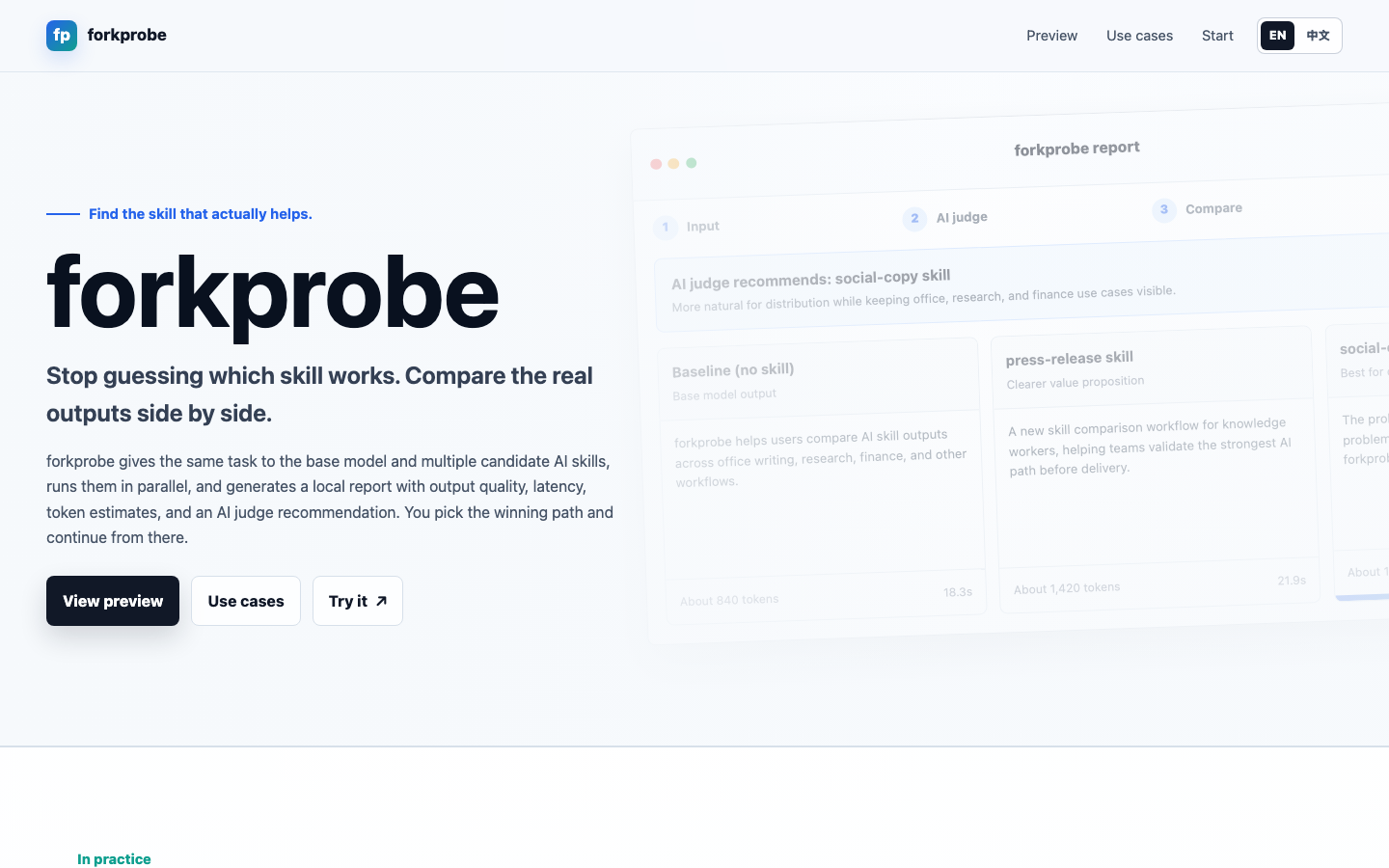
Find the skill that actually helps.
Launch page
·
中文说明
·
Download skill zip
·
Install DSH plugin







ForkProbe is an AI skill selection and trial-run tool for Agent workflows. It gives the same task to the base model and multiple candidate skills, runs them side by side, generates a local HTML report, and lets you choose the winner before the Agent continues.
**v1.1 adds image prompt and style-direction comparison:** ForkProbe can now compare image prompt / style pipelines. Each candidate produces `prompt.md`, `style-card.md`, `composition.md`, `negative-prompt.md`, and `render-notes.md` without calling image APIs from the runner. In Codex environments with host image generation available, the local `render-queue.json` can be used for optional render validation; other Agents can backfill externally rendered `rendered.png` files.
After a winner is selected, the Report's continue action saves the local handoff and lets the Agent continue with the winning Skill. The same panel lets the user choose whether to share that anonymous Skill selection to improve future community priors.
When the skill ecosystem is too crowded to trust descriptions alone, ForkProbe makes the choice visible: compare the real outputs first, then continue with the path you picked.
## When To Use ForkProbe
- You are not sure which skill fits the current task and want to see real outputs first.
- You want to compare the baseline against several skills instead of trusting skill descriptions.
- Your deliverable is a file artifact such as a PPTX deck, scientific figure package, research report, image prompt/style package, runnable webpage, or finished video.
- You want to find candidates across installed Skills, EverMind Skill Hub, GitHub, or a bring-your-own source before a small preflight run.
- It is not meant for simple deterministic tasks where the best tool path is already obvious.
## How It Works
```mermaid
flowchart LR
A["Your task"] --> B["Candidate skills / pipelines"]
B --> C["Parallel runs"]
C --> D["Local report"]
D --> E["AI judge recommendation"]
E --> F["You choose the winner"]
F --> G["Continuation handoff"]
```
ForkProbe turns skill choice into a visible workflow:
1. Recommend a small set of candidate skills or artifact pipelines from the curated catalog, installed Skills, EverMind Skill Hub, GitHub, and BYO sources.
2. Run the same input through the baseline and each candidate.
3. Show full outputs, latency, token estimates, file previews, and AI judge notes.
4. Let you pick the best path.
5. Generate a continuation handoff so the Agent can keep working from the selected result.
## Try It Naturally
You do not have to remember a command. Say:
```text
Compare a few skills first and see which one fits the current task better.
```
Or be explicit:
```text
Use forkprobe to recommend candidate skills. After I confirm, run them side by side, generate a report, and let me choose the winner.
```
Chinese trigger:
```text
先帮我比较几个 skill,看看哪个更适合当前任务。
```
## Capability Matrix And Candidate Shortlist
The shortlist below follows the current README capability matrix. `baseline` means no extra skill. `+ presentations` and `+ Python/SVG renderer` mean a strategy skill must be paired with a generator to become a complete artifact pipeline. External GitHub candidates should still be checked for license, dependencies, and output paths before execution.
| Scenario | Status | What you see in the report | Recommended candidates |
|---|---|---|---|
| Academic polishing & SCI writing | Supported | Draft variants, AI judge notes, winner selection | `baseline`, `research-paper-writing-skills`, `paper-writer-skill`, [`nature-polishing`](https://github.com/Yuan1z0825/nature-skills/tree/main/skills/nature-polishing), `humanizer`, `academic-humanizer` |
| Naturalization, style rewriting & anti-AI writing | Supported | Side-by-side drafts in different tones and styles | `baseline`, `writing-anti-ai`, [`Humanizer-zh`](https://github.com/op7418/Humanizer-zh), [`humanizer`](https://github.com/blader/humanizer), [`stop-slop`](https://github.com/hardikpandya/stop-slop), [`avoid-ai-writing`](https://github.com/conorbronsdon/avoid-ai-writing), [`remove-ai-flavor-writing-skill`](https://github.com/B1lli/remove-ai-flavor-writing-skill) |
| Reviewer response & submission materials | Supported | Response drafts, structure, and tone comparison | `baseline`, [`nature-response`](https://github.com/Yuan1z0825/nature-skills/tree/main/skills/nature-response), `paper-writer-skill`, `writing-anti-ai`, `research-paper-writing-skills` |
| PPTX deck generation | Supported | Openable PPTX files, preview images, candidate notes | `baseline + presentations`, [`nature-paper2ppt`](https://github.com/Yuan1z0825/nature-skills/tree/main/skills/nature-paper2ppt) `+ presentations`, [`academic-pptx-skill`](https://github.com/Gabberflast/academic-pptx-skill) `+ presentations`, [`ppt-master`](https://github.com/hugohe3/ppt-master), [`md-slides`](https://github.com/zl190/md-slides) |
| Paper figures & scientific graphics | Supported | PNG previews, SVG/PDF/TIFF exports, code, captions, QA | `baseline-python-figure`, [`scientific-visualization`](https://github.com/K-Dense-AI/scientific-agent-skills/tree/main/skills/scientific-visualization) `+ Python/SVG renderer`, [`nature-figure`](https://github.com/Yuan1z0825/nature-skills/tree/main/skills/nature-figure) `+ Python/SVG renderer`, `plot-code-python`, `schematic-svg`, `graphical-abstract-svg` |
| Research reports | Supported | Report previews, sources.json, evidence tables, claim checks, limitations, AI judge notes | `baseline-research-report`, `source-first-research`, `analyst-style-report`, `evidence-table-report`, `company-research-report`, [`user-research-cookiy`](https://github.com/cookiy-ai/user-research-skill) `+ report package` |
| Image prompt & style direction comparison | Supported | Prompts, style cards, composition notes, negative constraints, optional image previews, candidate notes | `baseline-image-prompt`, `creative-director-prompt`, `style-system-prompt`, `prompt-as-code`, `reference-to-style`, `ecommerce-product-prompt`, `poster-key-visual-prompt`, `social-cover-prompt`, `ppt-visual-prompt` |
| Web / HTML creation comparison | Supported | Runnable page links, desktop/mobile screenshots, QA, source, AI judge notes | `baseline-web`, [`Anthropic frontend-design`](https://github.com/anthropics/skills/tree/main/skills/frontend-design), [`Hallmark`](https://github.com/Nutlope/hallmark), [`web-artifacts-builder`](https://github.com/anthropics/skills/tree/main/skills/web-artifacts-builder), [`ui-ux-pro-max`](https://github.com/nextlevelbuilder/ui-ux-pro-max-skill), [`web-design-engineer`](https://github.com/ConardLi/garden-skills/tree/main/skills/web-design-engineer), [`baoyu-design`](https://github.com/JimLiu/baoyu-design) |
| Product-promo comparison | Supported | Playable MP4, poster, captions, script, storyboard, source, media QA, AI judge notes | `baseline-remotion-agent`, [`HyperFrames product-launch-video`](https://github.com/heygen-com/hyperframes), [`video-shotcraft`](https://github.com/Vincentwei1021/video-shotcraft) |
| Motion-graphics comparison | Supported | Playable MP4, motion specification, source, media metadata, QA, AI judge notes | `baseline-remotion-motion`, [`HyperFrames motion-graphics`](https://github.com/heygen-com/hyperframes), [`Remotion Bits`](https://github.com/av/remotion-bits) |
| Talking-head rough-cut comparison | Supported | Rough-cut MP4, captions, transcript, cut list/timeline, duration reduction, media QA | [`auto-editor`](https://github.com/WyattBlue/auto-editor), [`video-editing-skill`](https://github.com/maxazure/video-editing-skill), [`video-use`](https://github.com/browser-use/video-use) `cut-only`, [`chengfeng-videocut`](https://github.com/Agentchengfeng/chengfeng-videocut-skills) (experimental) |
## Seven Work Modes
### 1. Text comparison
Use this for academic polishing, naturalization, reviewer responses, submission materials, and PPT plans or outlines.
```bash
python3 scripts/compare.py \
--input /tmp/forkprobe-input.txt \
--skill baseline \
--skill humanizer \
--skill stop-slop \
--skill avoid-ai-writing \
--judge \
--output /tmp/forkprobe-report.html
```
### 2. PPTX artifact comparison
For "make a PPT" or "generate a PPTX" tasks, ForkProbe should compare finished deck-generation pipelines instead of text-only outlines. Strategy skills must be paired with a generator such as `presentations` or `pptx` before they enter artifact comparison.
Typical shortlist:
- `baseline + presentations`
- `academic-pptx-skill + presentations`
- `nature-paper2ppt + presentations`
- `ppt-master`
- `md-slides`
After each pipeline generates a PPTX, render an artifact report with file links, representative slide previews, and AI judge notes:
```bash
python3 scripts/render_artifact_report.py \
--manifest /tmp/forkprobe-ppt-artifacts.json \
--output /tmp/forkprobe-ppt-report.html
```
### 3. Figure artifact comparison
For paper figures, scientific graphics, mechanism diagrams, data plots, or graphical abstracts, ForkProbe compares figure-generation pipelines. Each candidate writes a figure package that the report can show with previews, source files, captions, and QA notes.
```bash
python3 scripts/figure_artifact.py \
--input /tmp/forkprobe-figure-task.txt \
--pipeline baseline-python-figure \
--pipeline nature-figure-python \
--pipeline plot-code-python \
--skill-source 'https://github.com/K-Dense-AI/scientific-agent-skills#skills/scientific-visualization' \
--run \
--judge \
--render-report \
--report-output /tmp/forkprobe-figure-report.html
```
Expected outputs include `preview.png`, `figure.svg`, `figure.pdf` or `figure.tiff`, source code or vector files, `caption.md`, and `qa.md`.
### 4. Research report artifact comparison
For market research, company research, competitive analysis, user research, literature reviews, or investment research reports, ForkProbe compares research-report pipelines. Each candidate writes a research package, and the report shows report previews, sources, evidence tables, claim checks, limitations, and AI judge notes.
First recommend candidates and wait for user confirmation:
```bash
python3 scripts/recommend.py --input /tmp/forkprobe-research-task.txt
```
After the user confirms the shortlist, run the research artifact pipelines:
```bash
python3 scripts/research_artifact.py \
--input /tmp/forkprobe-research-task.txt \
--pipeline baseline-research-report \
--pipeline source-first-research \
--pipeline analyst-style-report \
--pipeline evidence-table-report \
--confirmed \
--run \
--judge \
--render-report \
--report-output /tmp/forkprobe-research-report.html
```
Expected outputs include `candidate-report.md`, `candidate-report.html`, `sources.json`, `evidence-table.md`, `claim-checks.md`, `limitations.md`, and `summary.md`.
### 5. Image prompt/style artifact comparison
For image-skill comparisons, image prompts, visual style directions, style cards, poster key visuals, e-commerce product images, social covers, slide illustrations, or concept art, ForkProbe compares prompt/style pipelines first instead of direct image API wrappers. Each candidate produces a prompt package and can optionally write a Codex host render queue.
Recommend candidates first:
```bash
python3 scripts/recommend.py --input /tmp/forkprobe-image-task.txt
```
After confirmation, run the image prompt/style comparison:
```bash
python3 scripts/image_prompt_artifact.py \
--input /tmp/forkprobe-image-task.txt \
--pipeline baseline-image-prompt \
--pipeline creative-director-prompt \
--pipeline style-system-prompt \
--pipeline prompt-as-code \
--confirmed \
--run \
--judge \
--render-report \
--report-output /tmp/forkprobe-image-prompt-report.html
```
Expected outputs include `prompt.md`, `style-card.md`, `composition.md`, `negative-prompt.md`, `render-notes.md`, and `summary.md`, with optional `prompt.json`, `reference-usage.md`, `render-request.json`, and `rendered.png`. `--render-mode codex-host` writes `render-queue.json` for the host Codex Agent to render with its own image capability. The ForkProbe runner itself never requires an API key and never calls image APIs directly.
### 6. Web artifact comparison
For landing pages, product sites, dashboards, web apps, report pages, or finished HTML deliverables, ForkProbe recommends web-generation candidates first and waits for confirmation. It then generates runnable pages, captures shared `1440x1000` desktop and `390x844` mobile screenshots, and runs local-asset, responsive, interaction, and basic accessibility QA. When Python Playwright is available, it also measures mobile horizontal overflow in a real browser; otherwise `qa.json` records that the check was unavailable instead of reporting a false pass.
Recommend candidates first:
```bash
python3 scripts/recommend.py --input /tmp/forkprobe-web-task.txt
```
After confirmation, run the web artifact comparison:
```bash
python3 scripts/web_artifact.py \
--input /tmp/forkprobe-web-task.txt \
--pipeline baseline-web \
--pipeline anthropic-frontend-design \
--pipeline hallmark-web \
--pipeline baoyu-design-web \
--confirmed \
--run \
--judge \
--render-report \
--report-output /tmp/forkprobe-web-report.html
```
Each candidate outputs `site/index.html`, `desktop.png`, `mobile.png`, `qa.json`, `source.zip`, and a candidate summary. The report switches between desktop/mobile previews and opens the finished page directly.
### 7. Video artifact comparison
Video comparison is divided into three separate scenes. Product promos, motion graphics, and talking-head rough cuts are never scored together. Recommend candidates first and wait for confirmation:
```bash
python3 scripts/recommend.py --input /tmp/forkprobe-video-task.txt
```
Product promos and motion graphics can run from a brief plus optional shared assets. A talking-head rough cut must pass the same source footage to every candidate with `--asset`:
```bash
python3 scripts/video_artifact.py \
--input /tmp/forkprobe-video-task.txt \
--asset /path/to/source-video.mp4 \
--pipeline auto-editor \
--pipeline maxazure-video-editing \
--pipeline video-use-cut-only \
--pipeline chengfeng-cut-talking-head \
--confirmed \
--run \
--judge \
--render-report \
--report-output /tmp/forkprobe-video-report.html
```
Each candidate must produce `video.mp4`. ForkProbe uses `ffprobe` to verify duration, dimensions, codecs, and audio, uses `ffmpeg` to create a consistent poster, and runs scene-specific checks over captions, scripts/storyboards, motion specifications, or transcripts/cut lists. The report plays each finished candidate directly.
## Supported Agent Workflows
- Claude Code / Claude-style skill sessions
- Codex native execution, with fallback to the OpenAI API
- A native DeepSeek Harness plugin for text candidates, AI judging, Report selection, and same-Agent continuation
- The DeepSeek Harness headless compatibility path for file-producing figure, report, image-prompt, webpage, and video runners
- Natural-language Agent surfaces such as OpenClaw, WorkBuddy, OpenCode, and similar platforms
- Artifact comparisons for generated PPTX, scientific figures, research reports, image prompt/style packages, webpages, and finished videos
## Version History
| Version | Highlights |
|---|---|
| v1.1 | Adds image prompt / style-direction comparison: prompt packages, optional Codex host render queue, user-rendered backfill, and the image prompt catalog. |
| v1.0 | Stabilizes the v0.10 capability set as the product baseline: native DeepSeek Harness plugin and same-Agent continuation after Report selection. |
| v0.10 | Adds the native `forkprobe-dsh` DeepSeek Harness plugin with subagent fan-out, AI judge, and continuation handoff. |
| v0.9 | Adds the DeepSeek Harness headless execution path for text candidates and file-producing Artifact runners. |
| v0.8 | Adds optional anonymous Winner feedback and community selection priors. |
| v0.7 | Adds multi-source candidate discovery: installed local Skills, EverMind Skill Hub, GitHub discovery, and BYO sources. |
| v0.6 | Adds finished-video comparison for product promos, motion graphics, and talking-head rough cuts. |
| v0.5 | Adds webpage / HTML artifact comparison with runnable pages, desktop/mobile screenshots, and QA. |
| v0.4 | Adds anti-AI / humanizer writing candidate coverage. |
| v0.3 | Adds market research / research report artifact comparison. |
| v0.2 | Adds paper figure / scientific graphics artifact comparison. |
| v0.1 | Initial public release: text skill recommendation, baseline comparison, local HTML report, AI judge, and continuation handoff. |
## Installation
Install as a local skill by copying this folder into your Agent skill directory:
```bash
cp -r forkprobe ~/.claude/skills/
```
For Codex or local Agent skill setups:
```bash
cp -r forkprobe ~/.agents/skills/
```
### Native DeepSeek Harness plugin
Install ForkProbe directly into the DSH `web` profile:
```bash
dsh plugin --profile web add "github:Jayden-X-L/forkprobe"
```
Install it once more when the headless profile also needs the plugin:
```bash
dsh plugin --profile headless add "github:Jayden-X-L/forkprobe"
```
Restart the selected profile, then ask DSH:
```text
Use ForkProbe to recommend several Skills for this rewrite. Wait for my confirmation, compare them with native DSH subagents, open the Report, and continue with the Winner I select.
```
The plugin exposes `forkprobe_compare` for confirmed parallel runs and `forkprobe_resume` for recovering a Report verdict after the wait window. `forkprobe_compare` enforces `confirmed=true`; candidate subagents receive no tools, preventing recursive ForkProbe calls and workspace mutations.
### DeepSeek Harness artifact compatibility path
File-producing scientific-figure, research-report, webpage, and video tasks can still use the existing Python runners through the official headless profile. With `DEEPSEEK_API_KEY` available:
```bash
FORKPROBE_PLATFORM=deepseek_harness \
DEEPSEEK_API_KEY=your-key \
python3 scripts/compare.py --input /tmp/forkprobe-input.txt --skill baseline --judge --output /tmp/forkprobe-report.html
```
You can also pass `--platform deepseek_harness`. ForkProbe tries `FORKPROBE_DSH_CLI` first, then a global `dsh`, and finally the official `npx @deepseek-ai/dsh` entry. DeepSeek Harness is currently a developer preview, so pin a tested release for stable production workflows.
Install the core dependency:
```bash
pip3 install jinja2
```
Video mode also requires local FFmpeg for media inspection, poster generation, and shared QA:
```bash
brew install ffmpeg
```
The Codex App / Codex CLI path uses local `codex exec` first, inheriting your Codex login and model configuration. It does not require `OPENAI_API_KEY`.
Optional dependencies for Claude SDK or API fallback paths:
```bash
pip3 install claude-agent-sdk
pip3 install anthropic openai
```
The `openai` SDK and `OPENAI_API_KEY` are only used when Codex native CLI is unavailable or disabled and ForkProbe falls back to the OpenAI API.
## Quick Start
Create an input file:
```bash
echo "Polish this paragraph and keep the meaning unchanged." > /tmp/forkprobe-input.txt
```
Ask ForkProbe to recommend candidates:
```bash
python3 scripts/recommend.py --input /tmp/forkprobe-input.txt
```
After confirming the candidates, run a local text comparison:
```bash
python3 scripts/compare.py \
--input /tmp/forkprobe-input.txt \
--skill baseline \
--skill humanizer \
--skill stop-slop \
--skill avoid-ai-writing \
--judge \
--output /tmp/forkprobe-report.html
```
Open the local report:
```bash
open /tmp/forkprobe-report.html
```
Run the same task through the legacy headless compatibility path:
```bash
DEEPSEEK_API_KEY=your-key python3 scripts/compare.py \
--platform deepseek_harness \
--input /tmp/forkprobe-input.txt \
--skill baseline \
--skill humanizer \
--judge \
--output /tmp/forkprobe-deepseek-report.html
```
New installations should prefer the native DSH plugin above for text comparisons. Scientific-figure, research-report, webpage, and video runners accept the same `--platform deepseek_harness` option. Artifact runners default to `workspace-write`; override this with `FORKPROBE_DSH_PERMISSION_MODE` when needed.
## Multi-Source Discovery, BYO, And Local-Only
Before running a comparison, `scripts/recommend.py` builds a candidate shortlist and waits for confirmation. Default sources are:
- ForkProbe's curated catalog and baseline.
- Installed Skills discovered automatically under `~/.codex/skills`, `~/.agents/skills`, `~/.claude/skills`, `~/.dsh/skills`, and project-level `.codex/skills`, `.agents/skills`, `.claude/skills`, `.dsh/skills`, or `skills` directories.
- The official EverMind Skill Hub open API.
- Known GitHub candidates and live GitHub discovery.
- User-provided local paths, GitHub URLs, `repo#subdir` references, or raw `SKILL.md` URLs.
ForkProbe deduplicates candidates by content fingerprint and source, then ranks them for the detected scene. External discovery uses sanitized task signals only; it never sends the raw task and never installs or executes an unconfirmed candidate.
```bash
python3 scripts/recommend.py --input /tmp/forkprobe-input.txt
```
For local-only discovery:
```bash
python3 scripts/recommend.py --input /tmp/forkprobe-input.txt --local-only
```
Disable one source or refresh remote caches explicitly:
```bash
python3 scripts/recommend.py --input /tmp/forkprobe-input.txt --no-evermind
python3 scripts/recommend.py --input /tmp/forkprobe-input.txt --no-local-skills
python3 scripts/recommend.py --input /tmp/forkprobe-input.txt --refresh-sources
```
Set `FORKPROBE_LOCAL_SKILL_ROOTS` to an OS-path-separator-delimited list to replace the default scan roots. The local index is stored at `~/.forkprobe/index/local-skills.json`; EverMind query caches are stored under `~/.forkprobe/cache/evermind/`.
Bring-your-own skills can be local paths, GitHub URLs, `repo#subdir` references, or raw `SKILL.md` URLs, for example:
```text
https://github.com/Yuan1z0825/nature-skills#skills/nature-polishing
```
## Reports, Winners, And Handoffs
ForkProbe's main output is a local HTML report. Text mode shows each complete output, latency, token estimates, and AI judge notes. Artifact mode shows PPTX, figure-package, research-package, webpage, or finished-video links, previews or playback, candidate notes, QA, and judge recommendations.
After you choose a winner in the report, ForkProbe records a local verdict and creates a continuation handoff. The current Agent can then keep working from the selected style, structure, or artifact path.
For market research, company research, competitive analysis, user research, literature reviews, or investment research reports, forkprobe can compare research-report pipelines. Important: first use the recommender to show candidates and wait for user confirmation; do not run `research_artifact.py --run` directly.
```bash
python3 scripts/recommend.py --input /tmp/forkprobe-research-task.txt
```
After the user confirms, each candidate writes a research package, and the report shows report previews, sources, evidence tables, claim checks, limitations, and AI judge notes:
```bash
python3 scripts/research_artifact.py \
--input /tmp/forkprobe-research-task.txt \
--pipeline baseline-research-report \
--pipeline source-first-research \
--pipeline analyst-style-report \
--pipeline evidence-table-report \
--confirmed \
--run \
--judge \
--render-report \
--report-output /tmp/forkprobe-research-report.html
```
Expected outputs include `candidate-report.md`, `candidate-report.html`, `sources.json`, `evidence-table.md`, `claim-checks.md`, `limitations.md`, and `summary.md`.
## Optional Anonymous Winner Sharing
After a winner is selected, the Report shows:
```text
Selected: Hallmark
☑ Anonymously share this Skill choice to improve ForkProbe recommendations
Only uploads the task type, compared Skill names, and final choice
[Back to comparison] [Continue with Hallmark]
```
- The checkbox is enabled on first use. The choice made on Continue is stored in `~/.forkprobe/config.json` for later reports.
- When enabled, only `task_type`, `candidate_skill_names`, and `final_choice` are uploaded. A random event ID and schema version support idempotent deduplication.
- Raw tasks, candidate outputs, files, reasons, local paths, and user identity are never uploaded.
- Events first enter `~/.forkprobe/telemetry/outbox/`. Network failure never blocks local winner persistence or Agent continuation, and later runs retry automatically.
- Set `FORKPROBE_TELEMETRY=0` to force sharing off, or clear the checkbox in the Report.
- Events use the official ForkProbe Cloudflare Worker by default: `https://forkprobe-selection-telemetry.forkprobe-selection-telemetry.workers.dev/v1/selection-events`. Set `FORKPROBE_TELEMETRY_ENDPOINT` to use a self-hosted receiver. The Worker + D1 implementation lives in [`services/telemetry-worker`](./services/telemetry-worker/README.md).
- Networks that cannot reach `workers.dev` keep events in the local outbox; they retry automatically after a reachable self-hosted endpoint is configured.
- Public Skill and pairwise win-rate stats remain hidden until a task type reaches at least 20 valid selections.
## Privacy
- Task content stays local in the report and local logs.
- GitHub and EverMind Skill Hub receive sanitized scene terms only, never raw tasks, documents, or local paths.
- Local discovery reads `SKILL.md` metadata and instructions for indexing and matching; it does not install or execute a Skill automatically.
- Local verdict logs store the task hash, candidate metadata, selected winner, optional reason, report path, and continuation handoff.
- Anonymous winner sharing is controlled by the Report checkbox; task content and artifacts remain local even when it is enabled.
- Use `--local-only` or ask for local-only candidates to skip network discovery.
- Use `--no-server` to render reports without the local verdict-capture server.
- See [SECURITY.md](./SECURITY.md) for loopback server, token, CORS, remote fetch, and command-execution notes.
## Tests
```bash
python3 tests/test_smoke.py
```
Integration tests require real model/API access:
```bash
FORKPROBE_RUN_INTEGRATION=1 python3 tests/test_integration.py
```
## Project Structure
```text
docs/ GitHub Pages launch page and screenshots
dsh-plugin/ native DeepSeek Harness Cordis plugin
scripts/ comparison, recommendation, report, and verdict helpers
templates/ HTML report template
catalog/ curated skill and artifact-pipeline catalogs
tests/ smoke and integration tests
services/ optional Cloudflare Worker + D1 anonymous aggregation service
package.json DSH community install entry and plugin metadata
SKILL.md Agent skill instructions
```
## Collaboration Note
ForkProbe was initiated, designed, and is maintained by [Jayden-X-L](https://github.com/Jayden-X-L). [OpenAI Codex](https://github.com/openai/codex) assisted as an AI development collaborator with parts of the solution design, implementation, testing, and documentation. Product direction and final decisions remain with the project author.
## License
MIT. See [LICENSE](./LICENSE).