# hk
**Git hooks and project checks, in parallel.**
hk runs linters and fixers in parallel. Read/write file locks keep them from colliding when steps touch the same files, so concurrency within a run doesn't cost you correctness. Steps configured with `stomp` skip the locks, and separate hk processes don't share them. Use the same steps in Git hooks, from your terminal, and in CI.
[Get started](https://hk.jdx.dev/getting_started) · [Documentation](https://hk.jdx.dev/) · [Built-in linters](https://hk.jdx.dev/builtins) · [CLI reference](https://hk.jdx.dev/cli/)
## Quick start
Install with [mise](https://mise.jdx.dev/), then run these commands inside your repository:
```sh
mise use hk
hk init
hk install
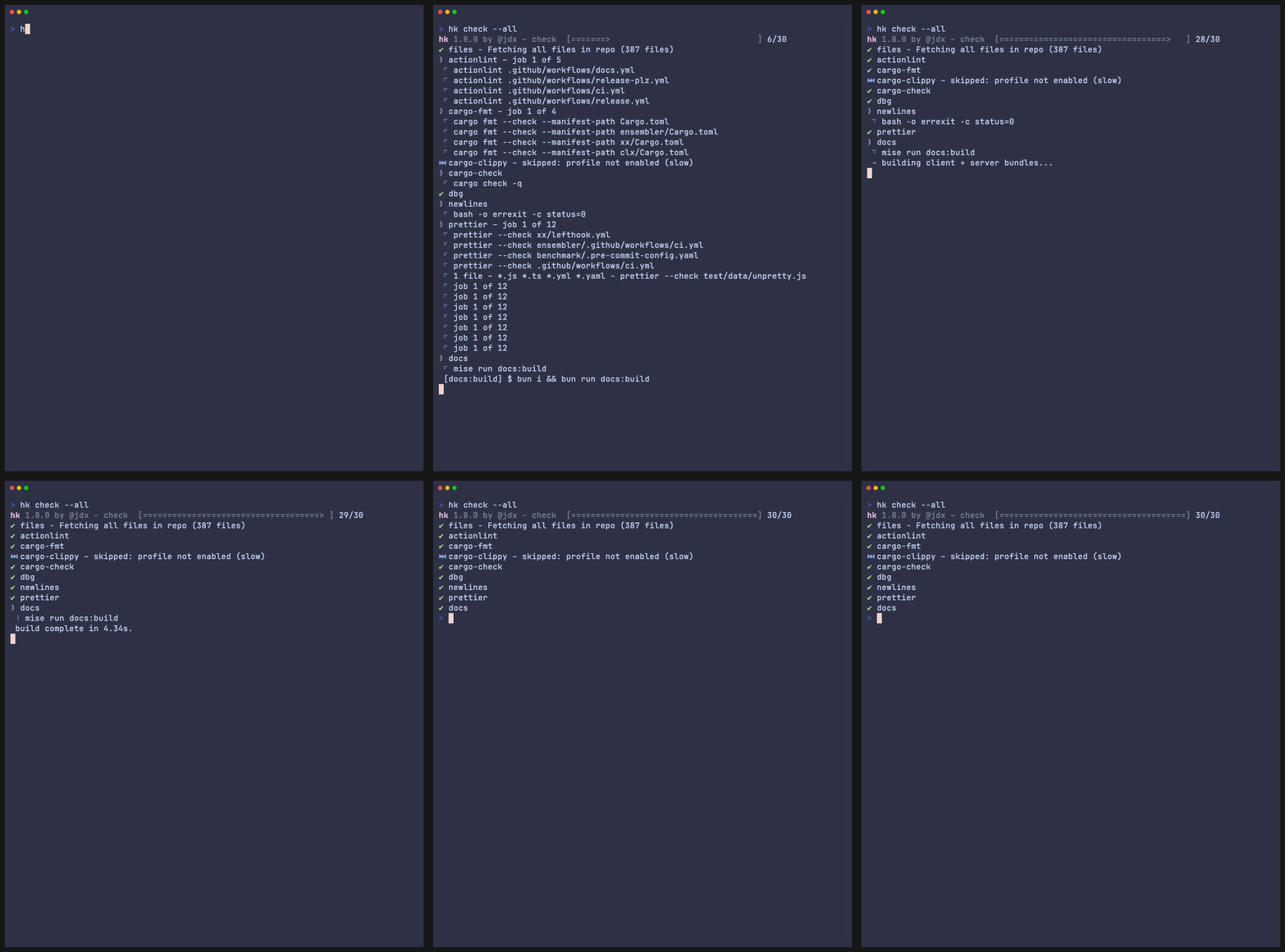
hk check --all
```
`hk init` detects project tools and generates `hk.pkl`. Review the selected linters and make sure their executables are available on `PATH`; hk configures how to run them, but does not install them. Use `hk init --interactive` to choose tools yourself.
On Git 2.54+, you can run `hk install --global` once to enable hk across repositories. Installed hooks exit silently in projects without an hk configuration. See [installation options](https://hk.jdx.dev/getting_started#install-hooks) for older Git versions and mise environments.
You can also install hk with `brew install hk` or `cargo install hk --locked`. The default Pkl evaluator is built into hk; a separate Pkl installation is optional.
## A configuration you can share
This example uses hk’s built-in whitespace utilities, so it needs no additional linter:
```pkl
amends "package://github.com/jdx/hk/releases/download/v2.10.0/hk@2.10.0#/Config.pkl"
import "package://github.com/jdx/hk/releases/download/v2.10.0/hk@2.10.0#/Builtins.pkl"
steps {
["trailing-whitespace"] = Builtins.trailing_whitespace
["newlines"] = Builtins.newlines
}
```
Top-level `steps` is the recommended starting point: hk supplies `check`, `fix`, and `pre-commit` hooks using these steps. It is optional; you can also define steps only inside explicit hooks. See [hook defaults](https://hk.jdx.dev/configuration#hook-defaults).
Add tools such as `Builtins.oxfmt`, `Builtins.eslint`, or `Builtins.ruff`, or [define your own steps](https://hk.jdx.dev/reference/examples/custom-linters).
## Everyday commands
| Command | Use it to |
| ---------------------- | ----------------------------------------------------- |
| `hk check` | Check modified files |
| `hk fix` | Apply available fixes to modified files |
| `hk check --all` | Check the repository, including in CI |
| `hk check --plan` | Preview selected files and steps without running them |
| `hk check --why oxfmt` | Explain why a step will run or be skipped |
By convention, checks do not modify files. `hk fix` leaves fixes unstaged unless you pass `--stage`. The default pre-commit hook stashes unstaged work, fixes and stages changes, then restores the unstaged work. Review `git diff` and `git diff --cached`. [Learn about hooks and partial commits](https://hk.jdx.dev/hooks).
## Why hk?
- **Coordinate concurrent tools.** File locks protect overlapping steps; diff and file-list checks reduce the work that needs exclusive access.
- **Reuse linter configurations.** Builtins describe file patterns, check commands, fixes, and tool-specific optimizations.
- **Keep configuration maintainable.** Pkl provides types, imports, and reusable objects for sharing steps across hooks and projects.
- **Use your existing toolchain.** Run commands from `PATH`, or use [mise](https://hk.jdx.dev/mise_integration) to manage tools and environments.
Read [how hk works](https://hk.jdx.dev/why-hk), browse [project examples](https://hk.jdx.dev/reference/examples/), or see the [benchmark methodology and results](https://hk.jdx.dev/benchmarks).
## Demo
## Agent skills
hk includes two skills for coding agents:
- [hk-configure](skills/hk-configure/SKILL.md): add linters and custom checks, preserve the project's
Pkl schema version, and verify which files each step selects.
- [hk-debug](skills/hk-debug/SKILL.md): diagnose hook failures, skipped steps, configuration overrides,
and partially staged files.
Both skills ship in the `skills/` directory of each release archive. hk's packslip manifest points
to those directories, so compatible installers can use the bundled instructions without a separate
repository download. Making them available to an agent is
opt-in; see [mise's skills documentation](https://mise.jdx.dev/dev-tools/packslip-resources.html).
## Contributing
See the [contributing guide](CONTRIBUTING.md) for development setup, tests, and review expectations. hk is released under the [MIT license](LICENSE).
## Sponsors